Show the offer
Create the ad and choose the audience, budget and schedule.
Click-to-WhatsApp ads
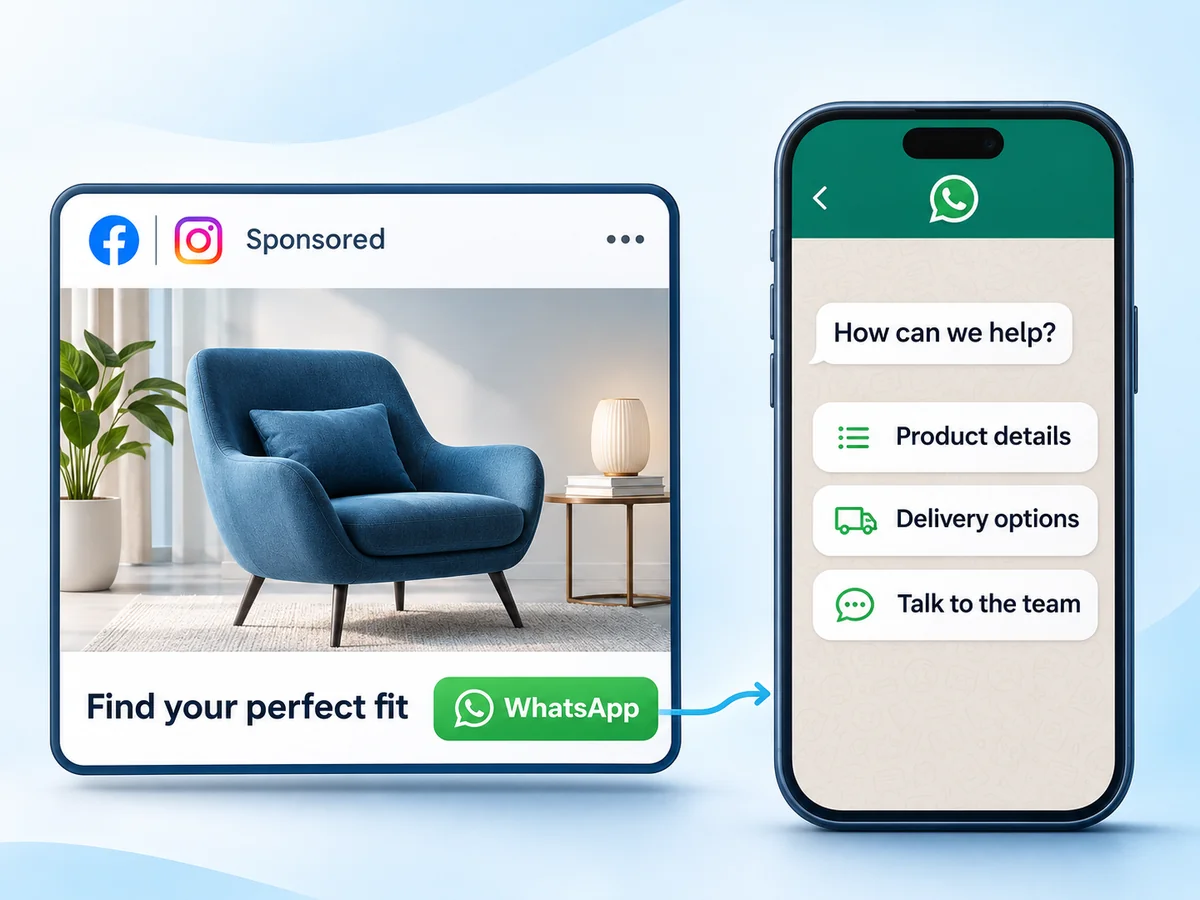
Create Facebook and Instagram ads in Sendwo, guide the first question and connect each reply to a useful next step. Bring campaign controls, chatbot flows and team conversations into one connected workflow.
Meta ad spend and applicable WhatsApp messaging charges are separate.
Businesses that have used Sendwo









Connect the journey
Someone asking about an offer needs a relevant answer, not another disconnected handoff. Sendwo connects the campaign you launch to the response path you build and the people who continue the conversation.
Create the ad and choose the audience, budget and schedule.
The visitor sees your greeting and chooses what to ask.
Their sent message can trigger a matching chatbot flow.
Capture useful details, assign the team and review ad delivery.
Connect the right destination
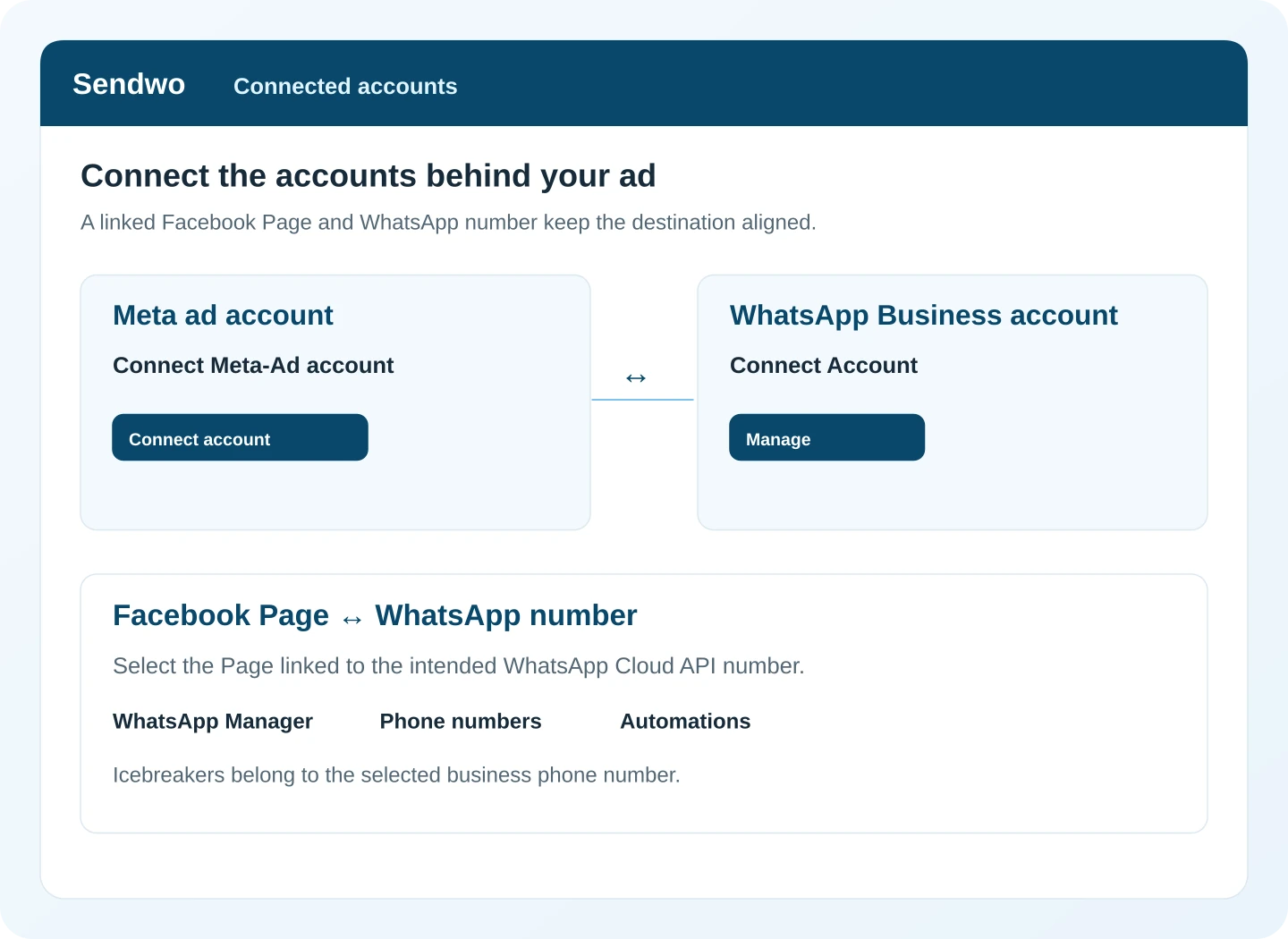
Connect your Meta ad account and choose the Facebook Page linked to your WhatsApp Business Platform number. Sendwo brings these campaign inputs into the same workspace as the conversations that follow.
Campaign and audience controls
Name the campaign, choose an available objective and declare any applicable special ad category. Then set the ad-set controls around your market and budget, including daily or lifetime budgets, bids and start/end times.

Creative and placement previews
Build the image ad with a header, primary text, description and uploaded creative. Then check how it appears in the available Facebook and Instagram previews, including the WhatsApp call to action.

A better conversation opening
Offer a greeting with prefilled text, or a greeting with up to four icebreaker questions. Product details, availability, delivery and speaking to the team can each become a clear entry point into the conversation.

What happens behind the reply
In Chatbot Builder, use the exact icebreaker question as the trigger keyword. When the customer sends that matching message, the configured flow can answer with text or media, offer quick replies, collect information or open a relevant URL.

From automation to your team
Use automation for the repeatable questions and the shared inbox for the conversation that needs judgment. Assign a teammate or group, keep the collected details with the contact and let your team continue from the context already captured.

Campaign management and reporting
Find campaigns by connected account or search, open an ad preview and sync the report. Review impressions, clicks, spend and reach alongside CPM, CPC and CTR, then edit or delete campaigns from the management view.

Plan the whole campaign cost
Choose the Sendwo plan for your team, then budget separately for the advertising and messaging that campaign activity creates. Sendwo adds 0% markup to Meta WhatsApp messaging charges.
Your software plan, limits and applicable feature access.
The budget used to deliver your Facebook and Instagram ads.
Applicable Meta charges under the current rate card and any eligible free-entry-point rules.
Customer stories
From ad inquiries to ongoing customer communication, these businesses use Sendwo for different parts of the conversation.

Promotions, customer updates and follow-up communications.
 Dilbagh Singh

Resort inquiries, booking questions and chatbot-assisted responses.
 Philip Mensah, CEO

Click-to-WhatsApp advertising, lead qualification and customer conversations.
 Ingo Lederer

Education communications, class reminders and student updates.
 Daren Hunt
Before you launch
They are Facebook or Instagram ads with a call to action that opens a chat with your business on WhatsApp. The customer must send a message or select a conversation starter before your configured reply flow can respond.
Yes. The campaign workflow covers campaign settings, the ad set, image creative, welcome-message options, ad state and publishing. The management view includes search, account selection, previews, report sync and editing. Available settings depend on the connected Meta account and current Meta requirements.
For this Sendwo workflow, connect your Meta ad account and a WhatsApp Business Platform number, and use a Facebook Page linked to that number. Ensure you have the required asset permissions and billing arrangements. If you use icebreakers, align the Meta-side questions with your Sendwo exact-match bot triggers and test the conversation before launch.
No. The question gives the customer an entry point. You still need to configure the corresponding bot flow, use a matching trigger keyword and define the reply or action that follows. The supplied workflow also requires the phone number’s icebreaker settings in WhatsApp Manager to be configured.
The ad report includes impressions, clicks, spend, reach, CPM, CPC and CTR. You can sync the report and preview the creative. These are advertising metrics, not proof that a click became a lead or sale. Use your contact and sales records for that assessment.
Yes. Use the shared inbox and conversation assignment to bring in the right teammate or group. Labels, custom fields and notes help keep useful context with the contact.
They are separate cost categories. Budget for your Sendwo subscription, Meta ad spend and any applicable WhatsApp Business Platform messaging charges. Sendwo adds 0% markup to Meta WhatsApp messaging charges. Free-entry-point benefits, where applicable, follow Meta’s current eligibility and pricing rules and do not make the ad spend free.
Only within the applicable WhatsApp messaging rules. A previous ad interaction is not blanket permission for ongoing promotions. Collect the appropriate permission, respect opt-outs and use an approved template when the customer service window is closed. Configure sequences around those requirements.