
WhatsApp has become one of the most essential communication tools in the world, connecting over 3 billion users across different countries, devices, and networks. Whether you're chatting with friends, managing business conversations, or running marketing campaigns, WhatsApp ensures secure and seamless communication. But behind this simplicity lies an important security layer that protects every user account — What is the Six Digit Code for WhatsApp.
Whenever you install WhatsApp for the first time, switch to a new phone, or reinstall the app, you are required to verify your mobile number. This is where the six-digit code comes into play. WhatsApp automatically sends a unique one-time password (OTP) to your registered phone number via SMS or sometimes through an automated voice call. This code is randomly generated and valid only for a short period, making it a secure way to confirm that you are the rightful owner of that number.
Think of What is the Six Digit Code for WhatsApp as a digital key. Just like banking OTPs or secure login codes, it acts as a protective barrier that prevents unauthorized access to your account. Every time you attempt to log in, a new code is generated, ensuring that even if someone tries to misuse an old code, it won’t work. This dynamic and time-sensitive nature makes the verification process highly secure and reliable.
Understanding what the six-digit code for WhatsApp means is crucial, especially in today’s digital environment where online security threats are increasing. Many users unknowingly share this code with others, which can lead to account hacking or unauthorized access. That’s why it’s important to not only know how the code works but also how to use it safely and responsibly.
In this detailed guide, we’ll break down everything you need to know about the what is the Six Digit Code for WhatsApp — what it is, how it works, how to receive it quickly, common issues you might face, and the best security practices (like enabling two-step verification) to keep your account fully protected.
what is the Six Digit Code for WhatsApp is simply a one-time password (OTP) used to verify your phone number. Whenever you register or log in, WhatsApp sends this code to your phone to confirm your identity. Key points:
In short, this verification code is just like the OTP you get for online banking: random, time-limited, and personal. For example, Gadgets Now explains it’s “a random combination of six numbers… sent via SMS or call to authenticate a WhatsApp account”.
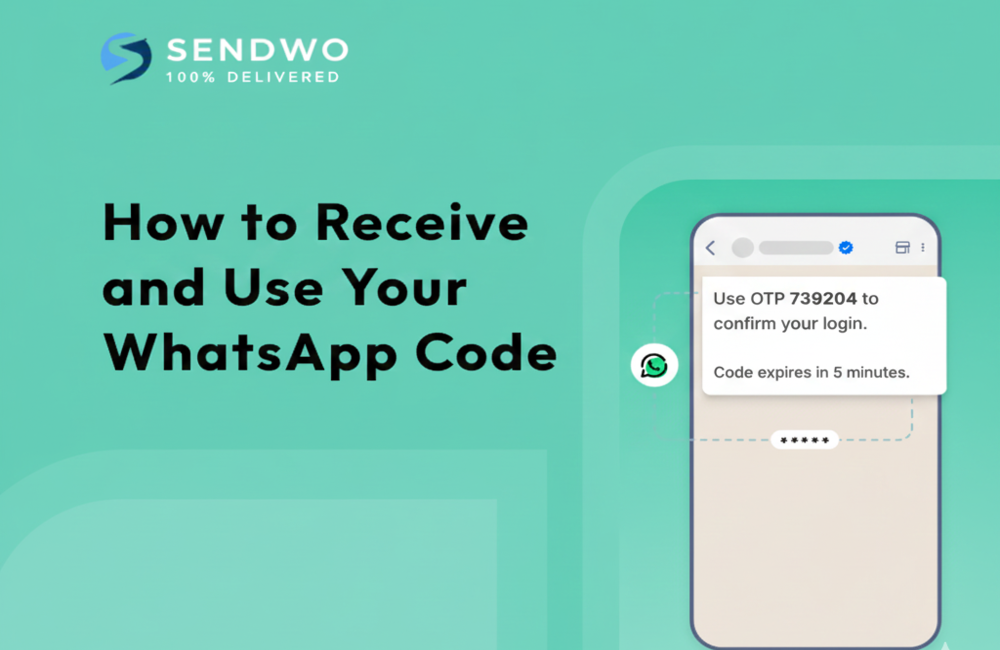
Getting the code is straightforward if your phone can receive SMS or calls. Follow these steps:
As one guide notes, after you tap Next, “WhatsApp will send a 6-digit verification code via SMS to that number… Enter that code to finish logging in.”. Once you enter the correct, what is the Six Digit Code for WhatsApp, your WhatsApp account is activated on the device and you can begin chatting.
WhatsApp uses a six-digit code as a balance between security and usability. A 6-digit code has 1,000,000 possible combinations, which makes it extremely hard for an attacker to guess at random. In comparison, a 4-digit code only has 10,000 combinations. As security experts explain, this length greatly increases protection while still being easy to remember. In other words,what is the Six Digit Code for WhatsApp is a sweet spot: it’s strong enough to thwart most hacks, but short enough that the average person can enter it quickly.
Beyond the one-time code, WhatsApp offers Two-Step Verification for extra security. This is an optional 6-digit PIN that you set in advance. If enabled, WhatsApp will ask for this PIN whenever you register your number on a new device. This means even if someone steals your SMS code, they still can’t complete the login without your personal PIN. To activate it, go to Settings > Account > Two-step verification, turn it on, and choose a 6-digit PIN (you can also add a recovery email). As the SendWo guide explains: “Pick a 6-digit PIN… This extra PIN protects your account even if someone somehow gets your SMS code”. We highly recommend enabling two-step verification to protect your WhatsApp account.
Sometimes the code doesn’t arrive instantly. Here are some tips:
By following these steps (also summarized in the SendWo login guide), most users quickly receive the code and get logged in.
Be very cautious about sharing this code. A common scam works like this: someone posing as a friend or WhatsApp employee tells you they accidentally sent you a code and asks you to forward it. If you do, they instantly hijack your account. For example, the New Indian Express reports that even celebrities fell victim to this “six-digit code scam”. The most important advice is simple: never share the six-digit code sent to your phone with anyone. WhatsApp will never call or text you asking for this code outside the app. If you receive a code without requesting it, just ignore it and consider enabling two-step verification for added security.
The six-digit code for WhatsApp is simply a one-time password that confirms your phone number during login. It’s random and short-lived, and should be guarded carefully. By understanding how to receive this code and following best practices (like enabling two-step verification), you keep your WhatsApp account secure.
If you’re using WhatsApp for business or need more control over your messaging, consider using SendWo — a robust WhatsApp Business API platform. SendWo lets you manage verified messaging at scale and helps you automate tasks safely. Get started with SendWo today and make your WhatsApp communications seamless and secure.
It’s a one-time verification code (OTP) sent to your phone via SMS or call when you register or verify WhatsApp. It proves you own the number.
Enter your phone number in WhatsApp. The app will automatically send you a 6-digit code by SMS. If SMS fails, tap “Call me” and WhatsApp will read the code to you.
Common reasons include entering the wrong number or having poor reception. Double-check your country code and number, then try again or use the call option. Sometimes waiting a minute solves delays.
No. WhatsApp only sends the code via SMS or voice call to your phone. If someone asks for your code via email or a website, it’s a scam.
That likely means someone else is trying to register your number. Don’t share the code with anyone. Ignore the message or call, and consider enabling two-step verification to lock your account.


