Respond
Greet customers, answer routine questions and guide them through useful choices.
WhatsApp chatbot & AI automation
Give customers useful answers, qualify incoming leads and keep routine requests moving. With Sendwo, you can build structured WhatsApp flows without code, add AI agents for open-ended questions and bring your team into the chat when a person is needed.
Built for the official WhatsApp Business Platform. See plans and pricing. Meta messaging charges may apply separately.
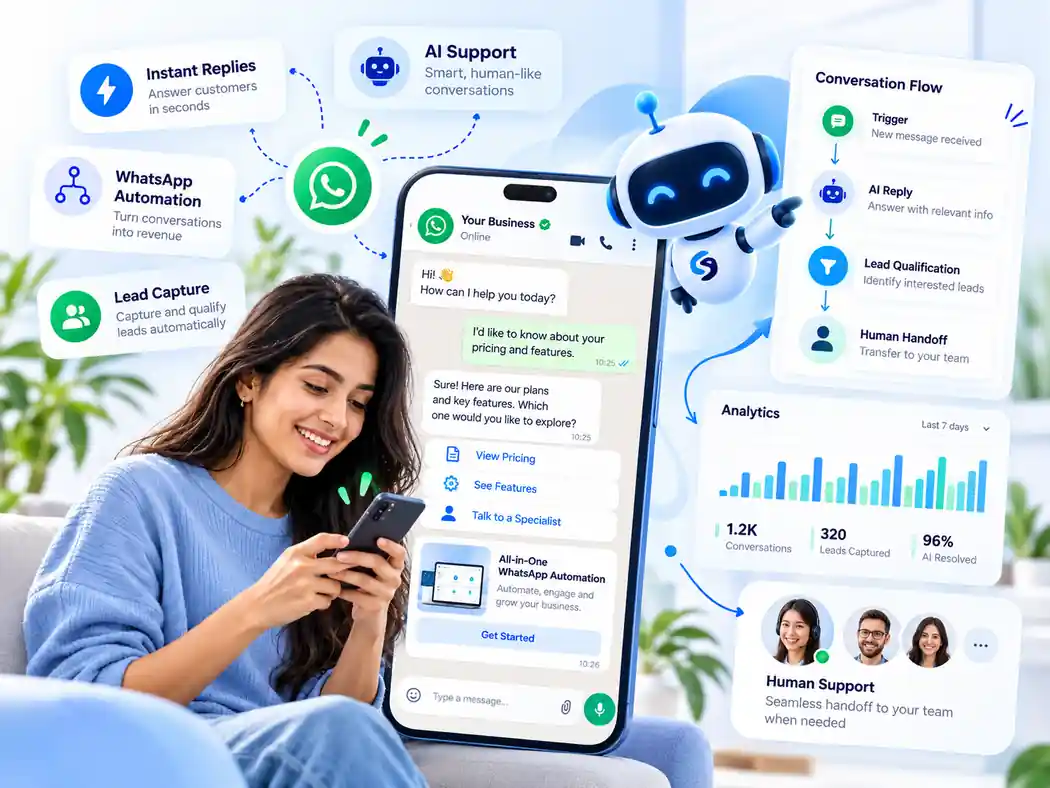










From the first message to the next action
Real customer requests rarely stop at a single reply. They need context, sometimes data from another system, and occasionally a person. Sendwo connects these parts of the process.
Greet customers, answer routine questions and guide them through useful choices.
Collect the details, preferences or identifiers needed for the next step.
Update a field, check connected data or trigger a supported workflow.
Pass important or sensitive questions to a team member with the conversation context.
Core capabilities
Start with a simple menu, or connect multiple steps across lead capture, support, campaigns, follow-ups and data exchange.
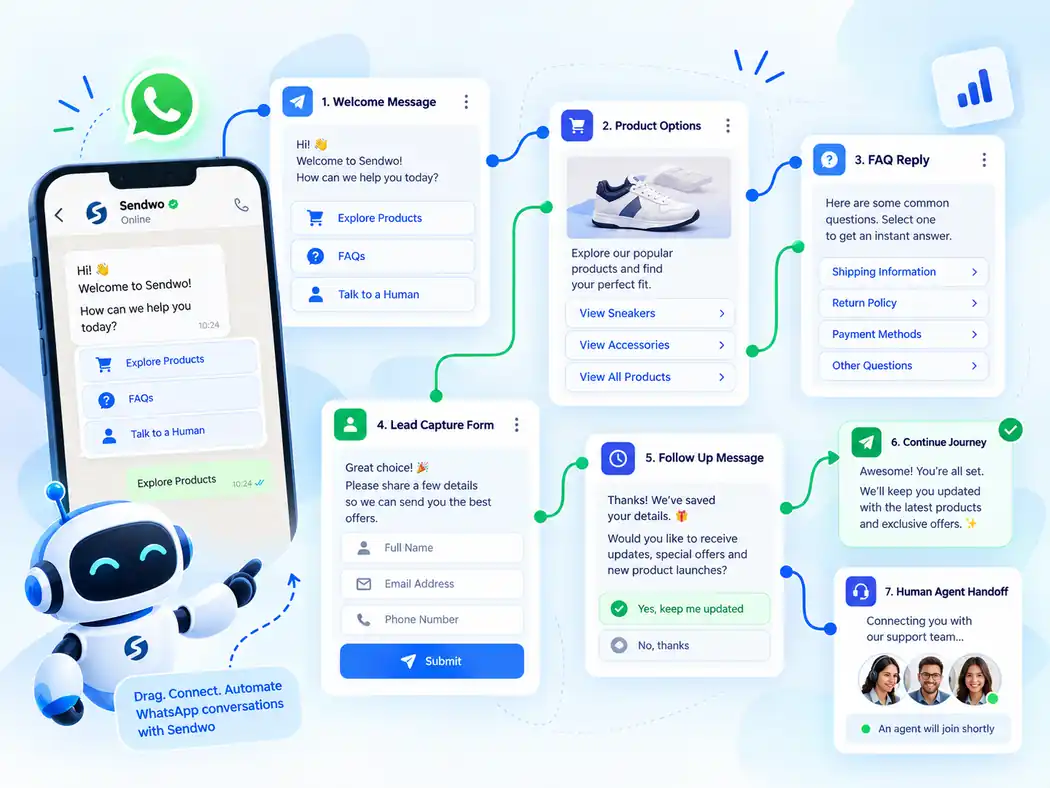
Create branching conversation flows using messages, buttons, lists, user inputs and conditions.
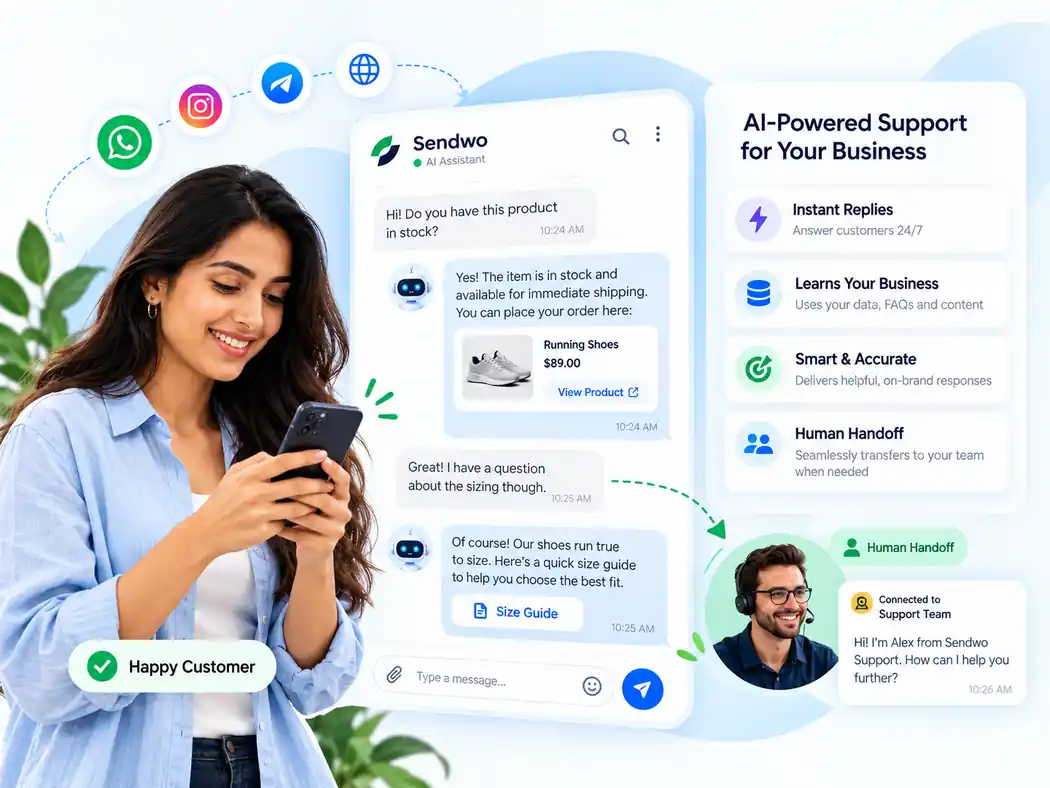
Use approved business knowledge to help with open-ended questions and route uncertain cases.
Ask for requirements, update contact fields and send qualified enquiries to the right team.
Assign conversations, review context and let a person take over when necessary.
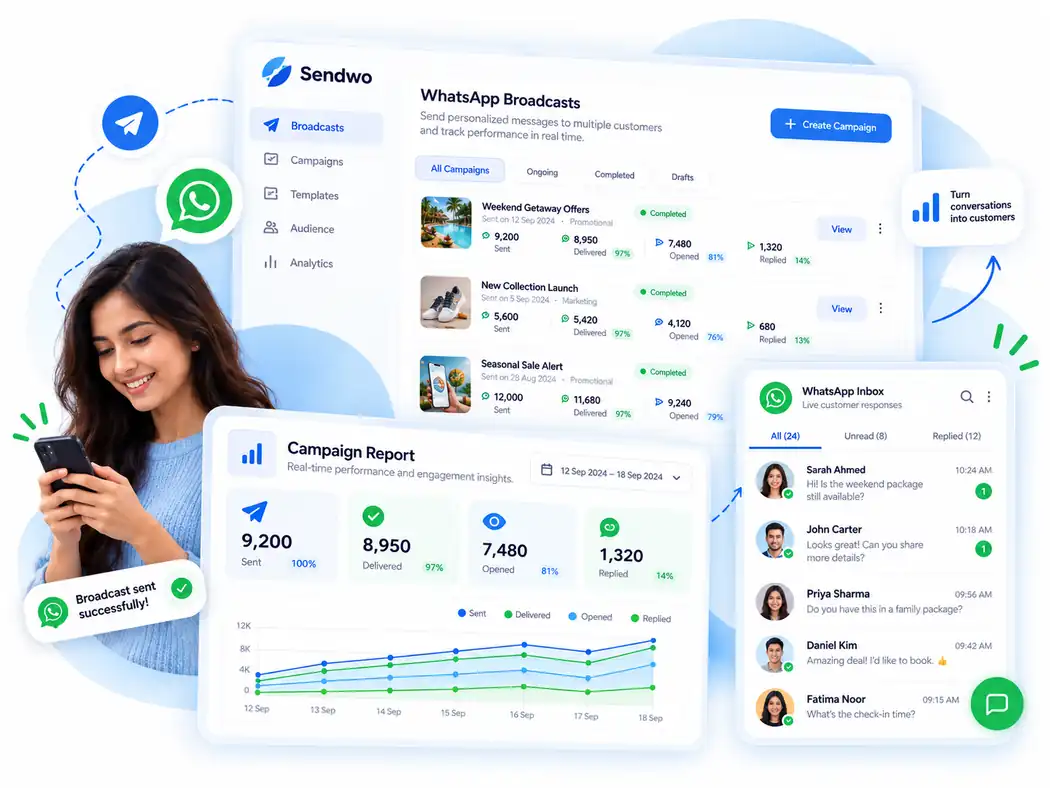
Send approved templates to opted-in contacts and handle incoming campaign replies.
Continue permitted customer journeys through timed steps and reply-driven automation.
Send order updates, COD checks and cart reminders through supported store integrations.
Read or send relevant business data through configured integrations and HTTP actions.
Visual flow builder
Turn a greeting into a useful journey. Offer choices, collect a response, apply a condition and send the visitor to the right next step without rebuilding everything from scratch.
AI agent + human support
A customer might ask about pricing, a return policy or a product in their own words. Configure Sendwo AI with relevant knowledge so it can help, and give your team a clear route to take over where judgment or access is required.
Lead capture and service journeys
Ask what someone needs before routing the conversation. For example, a property enquiry may need a location and budget, while a service request may require an order reference. Save the fields and act on those answers.
Request relevant details through guided messages and input flows.
Use customer responses, labels or custom fields to distinguish the next action.
Pass information to configured Google Sheets, APIs or business systems.
Give a sales or support agent the context needed to continue the chat.
Broadcasts and conversations
Broadcasts can begin useful conversations with opted-in customers. Sendwo helps you prepare approved templates, reach selected segments and manage replies as customers ask questions or request assistance.
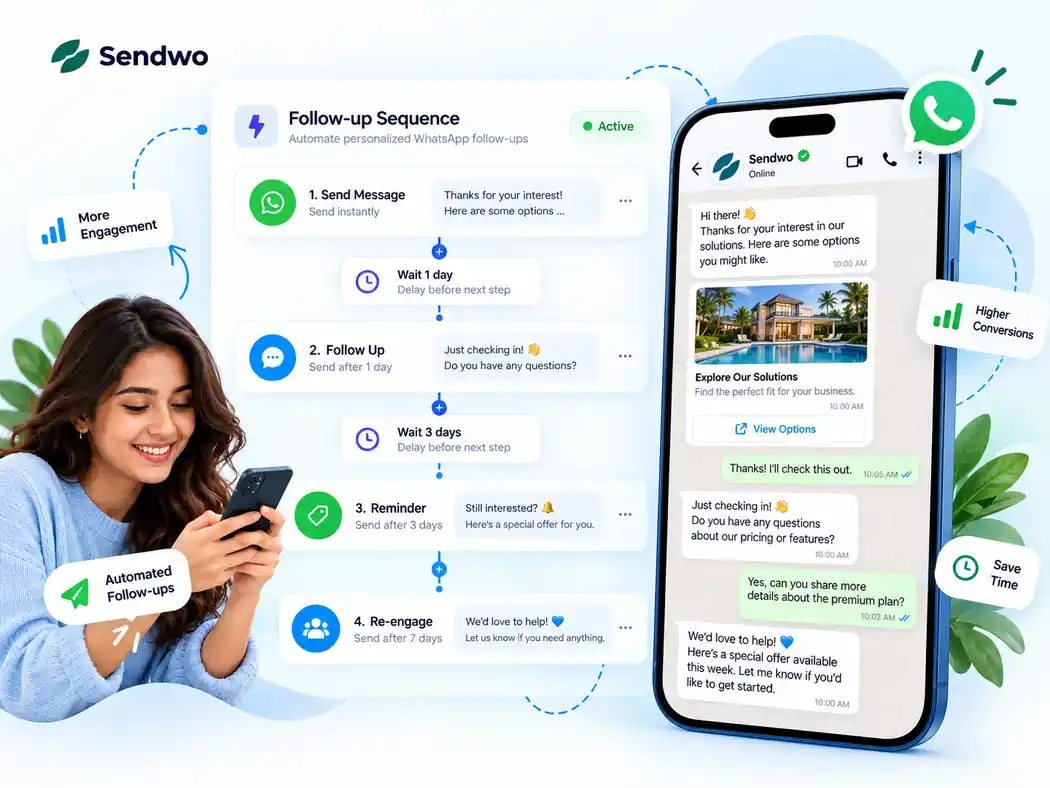
Sequences and timely follow-ups
Build sequences that help prospects continue a purchase or customers receive a useful reminder. Configure relevant delays and rules instead of relying on someone remembering to send every follow-up.
Ecommerce and integrations
Support customers beyond the initial chat. Connect store events, forms or external services so your business can send useful updates and retrieve relevant details when a customer asks.
Use supported Shopify or WooCommerce events for purchase and fulfillment communication.
Ask for confirmation as part of a store-specific cash-on-delivery workflow.
Follow up on abandoned carts where the integration and messaging permissions allow.
Fetch relevant information using authorized API, webhook or Google Sheets connections.
Built around real customer tasks
The best journey is determined by the question your customer is trying to answer, not by a generic automation template.
Help shoppers with products and orders; trigger relevant cart, COD and delivery messages.
Share course information, collect admission enquiries and send class reminders.
Handle appointment enquiries and reminders while reserving sensitive cases for staff.
Qualify property enquiries, share relevant listings and collect viewing requests.
Answer booking FAQs, record travel preferences and share confirmations or updates.
Resolve common questions, look up authorized information and transfer complex cases.
Connected workflows
Connect the appropriate product integration or set up HTTP API and webhook workflows for custom business processes.
Google Sheets, webhook workflows, Pabbly, Make, n8n, and API access are also available for relevant workflows.
Getting started
No need to recreate your complete support process on day one. Start with one high-volume customer question, test it, then expand as you learn.
Set up your eligible number using the supported WhatsApp Business Platform connection method.
Create a greeting, the first choices, relevant questions and a fallback.
Check responses, external actions, customer information and human handoff.
Review real conversations and refine the flows based on recurring requests.
Clear costs, fewer surprises
WhatsApp software and WhatsApp message delivery are not the same charge. Review your plan and expected activity together.
Software access, limits and available support according to the plan you choose.
Applicable WhatsApp Business Platform charges, subject to Meta rules, message category and recipient market.
Any enabled AI consumption or add-on allowance, depending on your configuration and plan.
Common questions
Answers to the practical questions that come up before configuring a chatbot for your business.
A WhatsApp chatbot is an automated conversation system connected to the WhatsApp Business Platform. In Sendwo, you can create structured replies and flows, collect information, take actions, and hand a conversation to your team.
No. Sendwo provides a visual builder for messages, buttons, user input, conditions and follow-up paths. Technical knowledge may be useful for custom HTTP API or webhook integrations.
Yes. Rule-based automation can handle structured paths, while AI capabilities can assist with questions outside those paths. Knowledge configuration, AI usage and human fallback should be set up for the business use case.
Yes. Sendwo supports live-agent handoff and team conversation management through the shared inbox. Team access and exact capabilities depend on your plan and account configuration.
Often, but the process depends on whether the number is on the Business app, already connected to the Business Platform, or eligible for coexistence or migration. Confirm the supported setup before changing your current number.
Sendwo combines chatbot journeys with broadcasts and follow-up sequences. Businesses need appropriate opt-in and must follow WhatsApp messaging-window and template requirements. Follow-ups cannot be treated as unrestricted free-form messaging.
Sendwo supports store integrations and configurable external automation methods, including Google Sheets, HTTP APIs and webhooks. The exact actions depend on the connected systems, credentials and workflow setup.
Your Sendwo software plan and any optional AI usage are separate from Meta’s WhatsApp messaging charges. Meta rates and applicable free-message rules depend on the market and message type. See Sendwo pricing for current plan details.
You can begin from the available free signup offer. Plan limits and access to onboarding or dedicated support differ by plan. Check pricing and support details before choosing a plan.