Imaginea customer fills up their online shopping cart with your products, only to leave your site without checking out. It’s like watching a shopper walk out of a physical store and disappear, leaving a full basket behind. This scenario, known as shopping cart abandonment, happens roughly 7 out of 10 times in e-commerce. In fact, the value of products abandoned in carts globally reaches an estimated $4 trillion each year, representing a massive chunk of lost revenue. The good news? With savvy strategies, up to 60% of those abandoned sales can be recovered. One of the most powerful ways to win back those customers is through WhatsApp – a messaging platform your shoppers already know and love.
In this comprehensive guide, we’ll explore WhatsApp for e-commerce and how you can leverage it to recover abandoned carts organically (with a spotlight on how tools like SendWo help automate the process). We’ll cover why WhatsApp is a game-changer, how to set up an abandoned cart recovery campaign step by step, best practices for crafting messages, real-world success stories, and a handy FAQ. By the end, you’ll be equipped to turn those ghosted carts into conversions. Let’s dive in!
The High Cost of Cart Abandonment (and Why Recovery Matters)
First, let’s understand the problem. Cart abandonment occurs when a shopper adds items to their online cart but leaves without completing the purchase. This happens for many reasons – maybe they got distracted, experienced sticker shock at shipping fees, or wanted to compare prices elsewhere. Regardless of why, the impact is huge. The average cart abandonment rate is ~70% across e-commerce. That means for every 10 potential sales, only 3 actually go through – the rest slip away. Researchers estimate that these abandoned carts account for around $4 trillion in lost sales annually.
For online retailers, that’s a massive revenue leak. Recovering even a fraction of those carts can significantly boost your bottom line. In fact, experts suggest that with the right follow-up tactics (like timely messages and incentives), roughly 63% of that lost revenue is recoverable. That’s why abandoned cart recovery is so crucial – it’s essentially low-hanging fruit. You’ve already done the hard work of getting customers to add products to their cart; a well-timed nudge can often convince them to finish the purchase. It’s far more cost-effective to recover an almost-sale than to find a brand new customer.
Why WhatsApp Is a Game-Changer for Abandoned Cart Recovery
You might already be using email reminders or retargeting ads to chase down abandoned carts. Those can work, but WhatsApp brings some unique advantages that make it a powerful cart recovery channel. Here’s why leveraging WhatsApp for e-commerce can dramatically improve your results:
Huge User Base & Engagement: WhatsApp is one of the most popular messaging apps in the world, with over 2 billion active users. Chances are, your customers are already on WhatsApp. Not only that, people are highly active on it – on average users open the app about 23+ times per day (essentially checking WhatsApp almost every hour!). This near-constant engagement means your message is more likely to be seen quickly.
Sky-High Open Rates: Unlike emails that often sit unread, WhatsApp messages almost always get opened. WhatsApp messages boast an open rate around 98%, dramatically higher than the ~20% open rates typical for marketing emails. In other words, nearly everyone you message on WhatsApp will actually see your reminder. This alone gives WhatsApp a huge edge in re-engaging cart abandoners.
Instant, Direct Communication: WhatsApp is a real-time chat platform sitting right on the customer’s phone, so it enables instant communication. The moment you send a cart reminder, the user gets a notification like they would from a friend. If they have a question or concern, they can reply immediately and have a two-way conversation. This immediacy and personal touch build trust. A friendly “Hey [Name], you left something in your cart 🙂 Can I help?” feels more personal than a formal email. Customers appreciate the quick, conversational approach and are more likely to respond or take action.
Rich Media & Interactive Messages: WhatsApp isn’t just text – you can send images, videos, and buttons in your messages. This is perfect for abandoned carts. For example, you can include a photo of the product they left behind, reminding them what they’re missing out on. You can also insert a direct link or button that takes them straight back to their cart to check out. WhatsApp even supports features like clickable call-to-action buttons, product catalogs, and WhatsApp “Flows” (interactive forms) that can streamline the purchase process. This rich media capability means your reminders can be visually engaging and ultra-convenient – a big upgrade from plain text emails.
Higher Conversion Potential: Combine the above factors (high visibility, personal touch, and ease of interaction), and it’s no surprise that WhatsApp reminders often convert better than other channels. In fact, businesses have found that WhatsApp messages lead to significantly more customers coming back to finish checkout. For instance, one retailer saw 70% higher read rates on cart messages sent via WhatsApp compared to other channels, resulting in a notable jump in recovered sales. When customers actually read and engage with your reminder, you have a much better shot at winning them back.
Cost-Effective & High ROI: WhatsApp marketing can be very cost-effective relative to the revenue it generates. Messaging through the WhatsApp Business API does involve a small fee per conversation, but it’s often just a few cents – a worthwhile investment if it recaptures a $50 or $100 sale. Many companies see an impressive return on investment (ROI) from WhatsApp cart recovery. For example, one online store achieved a 21× ROI on their WhatsApp marketing efforts by sending personalized cart reminders with a discount. Essentially, WhatsApp helps you recover sales cheaply compared to paid ads or other methods, making it a smart addition to your marketing mix.
In short, WhatsApp offers an unparalleled combination of reach, immediacy, and effectiveness for abandoned cart recovery. It lets you communicate with shoppers in the same way they chat with friends and family, which is a powerful opportunity to nudge them back to your store.
How to Recover Abandoned Carts Using WhatsApp (Step-by-Step)
Ready to start recovering those lost sales? Setting up WhatsApp cart recovery might sound technical, but it’s quite straightforward with the right tools. Here’s a step-by-step game plan to implement WhatsApp abandoned cart recovery for your e-commerce store:
Obtain WhatsApp Business API Access: To send automated WhatsApp messages to customers, you’ll need to use the WhatsApp Business API (the interface that lets businesses send messages at scale). This isn’t the same as the regular WhatsApp or even the WhatsApp Business app – the API is more powerful but requires going through an official provider. Sign up for the API through a WhatsApp Business Solution Provider (BSP). For example, SendWo is an official Meta BSP that can get your WhatsApp API account set up easily. The provider will help register your WhatsApp Business profile (including getting a verified sender number and template approvals). Don’t worry, you don’t need any coding – BSPs like SendWo provide user-friendly platforms where you can compose messages, manage contacts, and automate campaigns once your API access is approved. Getting this API access is the foundation; it ensures your messages comply with WhatsApp’s rules and get delivered reliably.
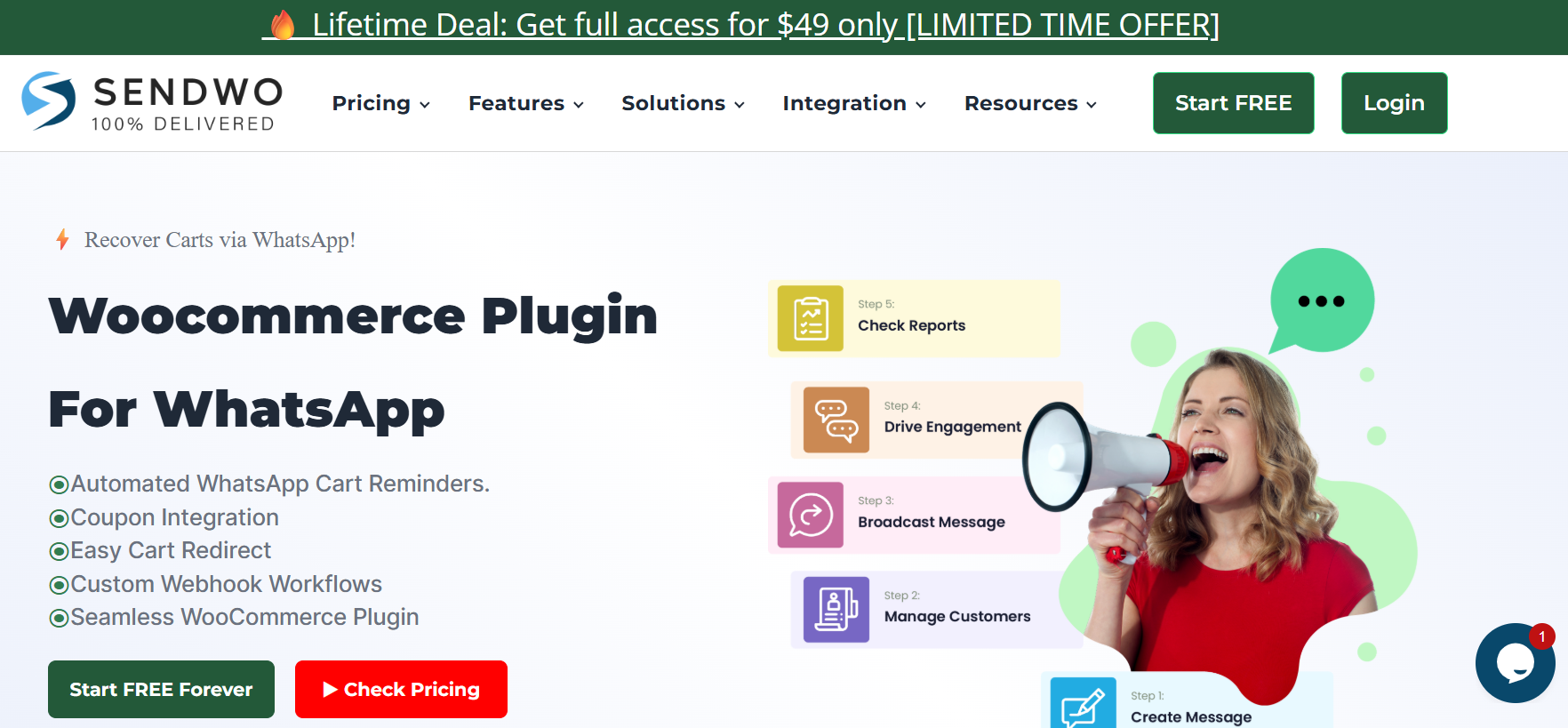
Integrate WhatsApp with Your Online Store: Next, connect your e-commerce platform (whether it’s WooCommerce, Shopify, Magento, etc.) to your WhatsApp messaging system so that cart abandonment events trigger a WhatsApp message. Many platforms have ready integrations or plugins to simplify this. For instance, if you use WooCommerce (WordPress), SendWo offers a dedicated WooCommerce Abandoned Cart plugin that captures key cart details (like the customer’s phone number and the items they left) and sends that information to SendWo’s system via webhook when a cart is abandoned. This enables an automatic WhatsApp message to be sent to the customer as soon as the cart is flagged as abandoned. In practical terms, once configured, the plugin monitors your store and if a user doesn’t complete checkout within a set time (e.g., 1 hour), it will alert SendWo, which then triggers your pre-set WhatsApp cart recovery flow. For other platforms like Shopify, you can integrate through webhook URLs or third-party apps. The idea is similar: whenever a cart is abandoned (or a checkout is not completed), a notification is sent to your WhatsApp provider (like SendWo), which then automatically sends out the cart reminder. Integration is usually a one-time setup. Once in place, this data pipeline runs in the background, feeding customer and cart info from your store to WhatsApp so you can re-engage shoppers in real time.
Craft Personalized Message Templates: With the tech connected, it’s time to create the WhatsApp message you’ll send to customers. WhatsApp requires the use of pre-approved message templates for outbound notifications (like an abandoned cart alert), so you’ll design one or a few templates that fit your brand voice and use case. Focus on making the message concise, friendly, and actionable. Key elements to include:
Personalization: WhatsApp makes it easy to personalize messages with placeholders. Always include the customer’s name (e.g., “Hi John,”) and consider mentioning the item(s) they left, especially if you can name the product (“...you left a Blue Widget in your cart.”). This shows the message is specifically for them, not a generic blast, which increases engagement.
Visuals: Include a product image or thumbnail if possible – a picture of that awesome item they liked can rekindle their interest. WhatsApp supports rich media, so leverage it to make your reminder eye-catching.
Clear Call-to-Action: Your message should make it super easy to resume checkout. Provide a direct link to the abandoned cart or a big “Complete Purchase” button right inside the WhatsApp message. This way, with one tap, the user is back on your site with their cart loaded, ready to buy. The goal is to remove friction and make the path to completion as short as possible.
Incentive (Optional): A proven tactic is to sweeten the deal with a small incentive, especially if the first reminder didn’t convert. This could be a discount code (like “Use CART10 for 10% off”) or an offer such as free shipping for completing the order. Fear of missing out can spur action – for example, “Complete your purchase in the next 24 hours to get an extra 10% off!”. If you plan to offer an incentive, you might use one template without it (for the first reminder) and a second template with a discount for a later reminder.
Friendly Tone: Write in a warm, conversational tone as if you’re chatting with the customer. A little emoji or a casual greeting can make your message feel more human (for example, “👋 Hi Jane, we noticed you left something in your cart…”). Just don’t overdo it – one or two emojis are fine if it fits your brand. The key is to sound helpful, not pushy.
Before sending to customers, your template must be submitted for approval in the WhatsApp Business dashboard (your BSP will handle this). Once approved, you can use it freely. Creating 2–3 variants (e.g., initial reminder, follow-up with discount, etc.) is a good idea so you can automate a sequence.
Automate the Timing and Frequency: Timing is everything in cart recovery. You’ll want to send your first WhatsApp reminder relatively quickly while the shopping desire is still fresh. Best practice is to shoot out the first WhatsApp cart reminder within an hour of the cart being abandoned – this quick nudge often catches the shopper before they forget about your site entirely. After the first message, if the customer still doesn’t buy, you can schedule one or two follow-ups. For example, you might send a second message 24 hours later, and perhaps a final reminder 72 hours (3 days) later as a last attempt. Many businesses find a series of 2–3 messages works well: a gentle reminder, a follow-up (maybe adding an incentive or urgency), and a “last chance” note. WhatsApp’s API allows you to automate this schedule – you can set up triggers so that these messages go out at the designated times without manual intervention. Just be sure to respect the customer’s time and privacy: space out your messages and do not bombard them. Two to three reminders in total are usually plenty. If they haven’t engaged after the last one, it’s best to stop – you don’t want to come across as spammy. Also, remember WhatsApp’s 24-hour session rule: if a customer replies, you have a 24-hour window to chat freely. But beyond 24 hours since their last message to you, you can only send templated messages. So plan your sequence accordingly and ensure each message provides value (reminder, help, incentive) rather than just repeating “buy now” over and over.
Offer Incentives and Support when Needed: To maximize your chances, be ready to assist the customer and address any hesitation they might have. Sometimes a shopper abandons a cart due to a concern (sizing, return policy, etc.) if your WhatsApp message prompts them to ask a question – great! Be sure to respond quickly (this is where having customer support or a chatbot on WhatsApp helps). A fast answer might close the sale. Along with support, as mentioned, consider adding an incentive on a follow-up message if the first reminder didn’t do the trick. A limited-time coupon code, free bonus, or even a friendly note like “Need help deciding? We’re here to chat!” can tip the scales. Businesses have seen excellent results by combining personalized outreach with special offers; for example, one online store saw a 40% reduction in abandoned carts after sending WhatsApp reminders that included limited-time discounts. The key is to make the customer feel it’s worth coming back. However, use incentives strategically so you’re not unnecessarily cutting your margin on every cart recovery. You might reserve the discount for the second or third message (i.e., only customers who didn’t buy from the first reminder get the offer). This way, you capture the easy sales at full price first, and give a nudge to the more hesitant customers later.
Monitor, Analyze, and Optimize: Once your WhatsApp cart recovery flow is up and running, don’t set it and forget it. Track how it’s performing and look for ways to improve. Key metrics to watch include your message delivery rate, open/read rate (though WhatsApp’s read receipts can give you some indication if enabled), and most importantly, the cart recovery rate – i.e., what percentage of abandoned carts are you converting with WhatsApp messages. A good abandoned cart recovery rate from multi-channel efforts is typically 10–30%, and using high-engagement channels like WhatsApp can push you toward the higher end of that range. If you’re not seeing at least a teen percent of carts recovered via WhatsApp, you may need to tweak things. Look at the content and timing of your messages: Did the first message get a lot of responses but few conversions? Perhaps the follow-up with a discount performs better – in which case, consider adjusting your offer or when it’s presented. A/B test different message wording, different incentive values, or sending at different times of day. For instance, you might find that sending in the evening gets more engagement than in the morning. Also, pay attention to any feedback. If customers reply with questions or even complaints (“I didn’t authorize messages” or “I already bought this elsewhere”), use that insight to refine your approach (perhaps clarify the opt-in process or update your templates). Many WhatsApp marketing platforms (including SendWo) provide analytics dashboards to track message sends, customer responses, and conversions, making it easier to see what’s working. By continually monitoring and fine-tuning your campaign, you’ll improve its effectiveness over time. Even incremental gains in recovery rate can mean a lot of extra revenue!
By following these steps, you’ll set up a robust WhatsApp abandoned cart recovery system that runs largely on autopilot, reaching out to customers at just the right moments with the right messages. It’s a blend of automation and personalization that can dramatically boost your sales by turning missed opportunities into completed orders.
SendWo in Action: Seamless WhatsApp Integration for Cart Recovery
You might be wondering, how exactly does a tool like SendWo fit into this process? Let’s take a closer look at Sendwo as an example of implementing WhatsApp cart recovery in an organic, non-intrusive way.
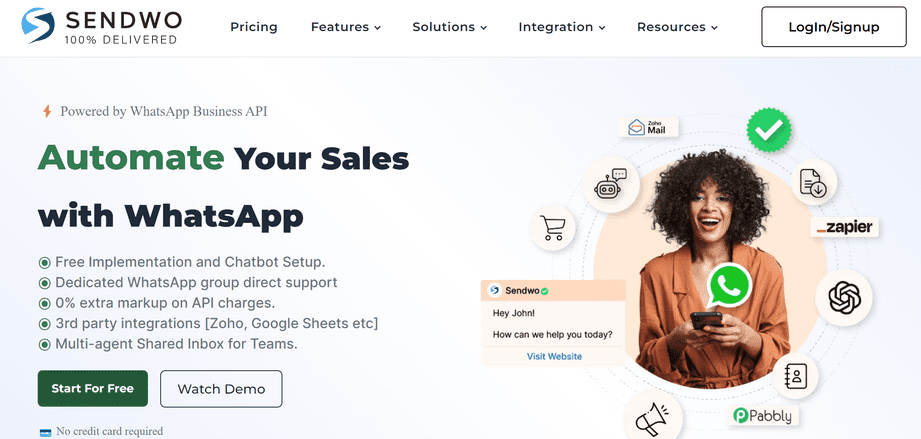
SendWo is an official WhatsApp Business Solution Provider (Meta BSP) that offers a platform for WhatsApp marketing and customer communication. In practical terms, SendWo serves as the bridge between your online store and WhatsApp.
Here are some of the ways SendWo streamlines abandoned cart recovery (organically, without coming off as “salesy”):
One-Click E-commerce Integration: SendWo provides native integrations for popular e-commerce platforms. We mentioned the WooCommerce plugin – with that installed, SendWo will automatically capture the details when a cart is abandoned (including the customer’s WhatsApp number, cart contents, etc.) and trigger your WhatsApp workflow. For Shopify and others, SendWo uses webhook integration to achieve the same result. This means you don’t have to custom-build anything – SendWo slots right into your store’s backend, quietly working to catch those abandoned carts in real time.
Automated WhatsApp Reminders: Using SendWo, you can set up the automated message flow we outlined earlier. You create your message templates in SendWo’s dashboard, set the timing rules (e.g., send Template A after 1 hour, Template B after 24 hours if still no purchase), and activate the campaign. From then on, SendWo handles it. The reminders go out personally addressed via WhatsApp, directly to each shopper’s phone, without any manual sending on your part. This kind of hands-off automation is crucial for scale, whether you have 5 abandoned carts a day or 500, each customer gets a timely, tailored nudge with no additional effort from you.
Rich Message Features: SendWo fully supports WhatsApp’s rich messaging features, so you can include coupon codes, product images, and clickable buttons in your cart recovery messages. For example, SendWo lets you easily add a “Return to Cart” button in the WhatsApp message that takes the user straight to their saved cart on your site. It also supports merging in dynamic content (like the product names or a unique discount code for that user). These capabilities allow your outreach to be highly relevant and convenient, which feels organic to the customer. Instead of a generic “Please come back” email, they receive a helpful message with their exact items and a quick link, possibly even a “Here’s 10% off, just for you” perk – all of which feels like good customer service rather than advertising.
Official API & Compliance: Being an official provider, SendWo uses the WhatsApp Business API, which means messages are sent through WhatsApp’s approved channel. This ensures deliverability and compliance with WhatsApp’s rules (no spamming, only messaging users who opted in, etc.). Customers will see that green tick (if your business is verified) and know it’s a legitimate communication. Because it’s API-based, customers can also reply to your WhatsApp messages, and you (or your team/chatbot) can carry on the conversation. This two-way interaction is where cart recovery can turn into a positive customer experience: e.g., a customer might ask, “Do you have this in another color?” and you can instantly address it, leading to a sale. SendWo’s platform provides a Live Chat Inbox to manage these WhatsApp conversations seamlessly alongside your automation.
Additional E-commerce Features: SendWo isn’t limited to abandoned cart messages. It’s a full-suite WhatsApp marketing tool that can handle order notifications (e.g., order confirmations, shipping updates), bulk promotional broadcasts, chatbots, and even WhatsApp-based ads. Why is this relevant? It means the same platform that recovers your carts can also help you nurture customers post-purchase and engage them in other ways. For example, after recovering a cart, you could later send that customer a WhatsApp message about a related new product or a feedback request, all via SendWo’s unified dashboard. This creates a holistic and organic customer journey on WhatsApp. You’re not just shooting one-off cart messages; you’re building a relationship on a channel the customer enjoys.
Crucially, everything described above can be done without making it feel like a hard sell. The key is that SendWo allows you to automate helpful, personalized reminders rather than generic promotions. The platform stays mostly behind the scenes – to your customers, it simply feels like your brand reached out on WhatsApp in a thoughtful way. For instance, a SendWo-powered message might read: “Hi Sarah, we noticed you left a few items in your cart. We’ve set them aside for you 👉 [View Cart]. Need help or have questions? Just reply to this chat – we’re here to help! 😊*”. This kind of message comes across as customer service. If Sarah doesn’t respond or purchase, perhaps a day later she gets: “Hi Sarah, just a friendly reminder – your cart items are almost gone. Complete your purchase in the next 24h and use code SAVE10 for 10% off. Don’t miss out!”. Again, the tone is encouraging, not pushy, and it offers value. SendWo’s tools make it easy to execute this sequence at scale.
In summary, SendWo acts as the hero behind the curtain: it equips you with the tech and templates to recover carts via WhatsApp seamlessly, while your customers simply experience timely, organic messages from your brand. The result is more recovered revenue for you and a smoother shopping journey for them – a win-win.
Results: How Effective Is WhatsApp Cart Recovery? (Success Stories)
By now, you might be curious what kind of real-world impact businesses see from using WhatsApp for abandoned cart recovery. The answer: significant improvements. Here are a few success stories and stats that highlight the effectiveness of this approach:
The Hatke (Niche E-commerce Store):The Hatke, an online store selling unique phone cases, managed to reduce their cart abandonment rate by 40% after implementing WhatsApp reminders. They sent personalized WhatsApp messages and offered a limited-time discount to entice customers back. The result? A whopping 21× ROI on their WhatsApp campaign. In other words, for every $1 they spent on WhatsApp messaging, they got $21 in sales back – a testament to how profitable this channel can be when used right.
Skullcandy (Global Audio Brand): Even big brands have embraced WhatsApp. Skullcandy, the well-known headphones and audio accessories company, leveraged WhatsApp automation to recover between 25%–40% of their abandoned carts. By sending timely, engaging messages with product images and special offers, they re-engaged a huge chunk of customers who would have otherwise been lost. This demonstrates that WhatsApp isn’t just a novelty – it can drive serious revenue recovery at scale for established brands.
Lojas Renner (Retail Fashion Leader): Lojas Renner, one of Brazil’s largest fashion retailers, used WhatsApp during seasonal sales and saw remarkable results. They experienced a 50%+ increase in online conversion rate after adding WhatsApp cart recovery into their strategy. WhatsApp messages achieved 70% higher read rates than the other channels they used, meaning far more shoppers saw and acted on the reminders. In some cases, customers even added more items to their cart after the WhatsApp follow-up, then proceeded to checkout. This case shows how WhatsApp not only recovers sales but can potentially upsell by keeping the conversation going.
These examples span from small niche sellers to large retailers, and the takeaway is consistent: WhatsApp works for abandoned cart recovery. While results will vary depending on your industry, audience, and execution, it’s not uncommon to reclaim a substantial portion of lost carts once you start using WhatsApp strategically. Many businesses report double-digit percentage improvements in recovery rates and a higher overall customer lifetime value because the personal touch of WhatsApp fosters loyalty.
The bottom line is that implementing WhatsApp for cart recovery can give you a competitive edge and incremental revenue that significantly boosts your annual sales. Whether you’re looking at a 15% bump or a 50% bump, these are gains you can’t ignore in a tight e-commerce market. Plus, you’re likely to outperform competitors still relying solely on email or ads to retarget abandoners.
Conclusion & Next Steps: Turn Those Chats into Conversions (CTA)
In the ever-evolving world of e-commerce, abandoned carts don’t have to be a lost cause. As we’ve explored, a simple WhatsApp message – sent at the right time with the right tone – can be all it takes to bring a customer back and close the sale. By integrating WhatsApp into your cart recovery strategy, you’re meeting customers where they already spend their time and providing service on their terms. It’s a more human, conversational approach to marketing that today’s shoppers appreciate.
If you haven’t started with WhatsApp for your business yet, now is the time. Setting it up is easier than you might think, and the potential ROI is impressive. Don’t leave money on the table by letting abandoned carts remain abandoned. You can take action today: for example, set up a free account with a WhatsApp BSP like SendWo (they even offer a free-forever plan to get you started) and connect it to your store. In just a short time, you could have automated WhatsApp reminders running and customers coming back.
Remember to keep your messages friendly, helpful, and on-brand. Think of them as an extension of your customer service. Test out different offers and timings to see what resonates best with your audience. And once those orders start rolling in from recovered carts, consider expanding your WhatsApp use for post-purchase follow-ups, reviews, and more, building an ongoing relationship with your customers.
In summary, WhatsApp for e-commerce is not just a buzz term – it’s a practical tool to boost your sales and enhance customer experience. Abandoned cart recovery is one of the most impactful ways to use it. So, go ahead and turn those chats into conversions! Your customers will love the personal touch, and your business will love the extra revenue.
Ready to reclaim lost sales?Start leveraging WhatsApp for your cart recovery now – those abandoned carts are waiting to be turned into happy customers. 💬🛒💰
1. How does WhatsApp's abandoned cart recovery work?
WhatsApp abandoned cart recovery involves sending a WhatsApp message to customers who left items in their online cart without purchasing. Once a customer has opted in to receive WhatsApp updates from your business, your system (via the WhatsApp Business API) can automatically send a personalized reminder to them about the items they left behind. Typically, an integration between your e-commerce platform and a WhatsApp service (like SendWo) will detect the cart abandonment and trigger a WhatsApp template message to that customer. The message usually includes details of the cart (maybe listing the product name or image) and a direct link or button to resume checkout. The goal is to gently remind the shopper and provide an easy one-click path back to their cart. Often, businesses send a series of WhatsApp reminders (for example, one message after 1 hour, another after 24 hours, etc.) and may include a discount or incentive in a follow-up message to encourage completion. All of this is done through automated workflows – once you set it up, the process runs in the background for each abandoned cart event.
2. What is SendWo and how does it help with cart recovery?
WhatsApp) that provides tools for businesses to communicate with customers on WhatsApp. In the context of cart recovery, SendWo makes it easy to automate WhatsApp abandoned cart messages. It offers integrations (like a WooCommerce plugin and API/webhooks for other platforms) that connect your store to WhatsApp. When a cart is abandoned, SendWo’s system detects it and can automatically send out your pre-approved WhatsApp template message to that customer, complete with details like their cart items and a checkout link. Essentially, SendWo handles the heavy lifting – ensuring the message goes through the official WhatsApp API (so it’s delivered reliably), personalizing the content with the customer’s info, and logging any responses. SendWo also provides a dashboard where you can design message templates, schedule follow-ups, and view analytics on open rates and conversions. Beyond cart recovery, SendWo supports bulk messaging, chatbots, customer support chat, and more, all via WhatsApp. Because SendWo is an official provider and uses the WhatsApp Business API, it adheres to WhatsApp’s guidelines and best practices. In short, SendWo is a platform that enables you to use WhatsApp as a marketing and customer engagement channel, with abandoned cart recovery as one of its key use cases. (Bonus: SendWo has a free forever plan, so it’s easy to test out its features without upfront cost, making it a popular choice for small and medium businesses looking to boost their WhatsApp marketing.)
Aditi, a content marketer at SendWo, is a passionate writer and marketing enthusiast. She excels in driving revenue campaigns, building client relationships, and mastering content creation, SEO, customer service, and project management.
SendWo is Meta's official business solution Provider. Broadcast Bulk WhatsApp messages and automate using AI Chatbots.