Collecting WhatsApp opt-ins is essential for any business looking to leverage WhatsApp’s massive reach for marketing or customer communication. WhatsApp boasts nearly unparalleled engagement – with about 98% open rates and 45–60% click-through rates, far higher than email. But before you can tap into this potential, you must obtain customers’ permission (opt-in) to message them. In this comprehensive guide, we’ll explore how to collect WhatsApp opt-ins legally and effectively, ensuring you comply with all rules and get the best results. We’ll cover what WhatsApp opt-ins are, why they matter, proven strategies to gather opt-ins, compliance tips, and how a few tools can be a game-changer. Let’s dive in!
WhatsApp opt-in refers to a customer’s consent to receive messages from your business on WhatsApp. In other words, the user explicitly agrees (“opts in”) to let you send them messages on WhatsApp. This could include promotional updates, order notifications, customer service messages, etc., depending on what they agree to.
First, it’s required by WhatsApp’s policies and often by law. WhatsApp’s Business Policy clearly states that a business may only contact people if: (a) the person gave you their phone number and (b) you have received their opt-in permission confirming they want to receive messages from you. This rule exists to prevent spam and ensure users only get messages they expect. If you message people without consent, they can block or report you, which can hurt your sender reputation, reduce your WhatsApp “quality rating,” or even lead to account suspension.
Secondly, requiring opt-in builds trust. When customers willingly subscribe, they’re more likely to engage positively with your messages. Opt-ins ensure your WhatsApp outreach is welcome, not intrusive, creating a better experience and relationship with your audience.
Collecting WhatsApp opt-ins legally means following both WhatsApp’s platform rules and any applicable data privacy laws (like GDPR). Here are the key requirements and recent updates you should know:
Bottom line: Always ask permission and be clear about it. A little upfront effort in obtaining lawful opt-ins will pay off with higher engagement and peace of mind that you’re on the right side of regulations.
👉Tip: In some cases, using a double opt-in process is considered best practice. Double opt-in means after a user signs up (e.g., via a form or link), you send a WhatsApp message asking them to confirm their subscription (for example, by replying “YES”). This extra step, while optional, provides extra proof of consent and ensures the person controlling that phone number indeed wants to hear from you. It’s especially recommended under GDPR for demonstrable consent. We’ll discuss tools to automate this later on.
Now that we know the rules, let’s explore how to actually collect opt-ins. The goal is to integrate WhatsApp opt-in opportunities into your customer journey so that subscribing is easy and appealing. Here are some proven strategies:
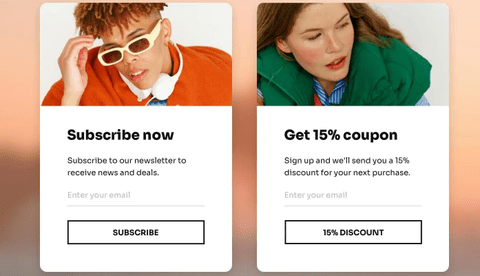
Your website is a prime place to capture WhatsApp opt-ins. Consider deploying an eye-catching pop-up or banner on high-traffic pages (homepage, blog, etc.), encouraging visitors to subscribe to your WhatsApp updates. For example, a timed pop-up might say: “ Want VIP Deals? Get our updates on WhatsApp – join now and enjoy 10% off your first order!”. Offering an incentive (a discount, exclusive content, etc.) can motivate users to opt in.
In addition to pop-ups, include a WhatsApp opt-in option in your sign-up forms. If you have a newsletter subscription form or account registration, add a simple checkbox like: “Yes, I want to receive updates via WhatsApp.” Make sure this checkbox isn’t pre-checked (remember, consent must be deliberate). You can also integrate opt-in on your “Contact Us” or demo request forms, so when someone inquires, they can tick a box to agree to follow-ups on WhatsApp. Clearly highlight the benefit: e.g., “Get order confirmations and timely offers on WhatsApp for convenience.”
For e-commerce sites, implement a WhatsApp opt-in during the checkout process (more on this below, since it’s so effective it deserves its own section). By placing opt-in opportunities on your site where users are already engaging, you turn web traffic into WhatsApp subscribers seamlessly.
Think about all the followers and subscribers you’ve already built up on other channels – those are potential WhatsApp contacts if you invite them. Use your social media presence to promote your WhatsApp channel. For example, share posts or Stories on Instagram, Facebook, LinkedIn, etc., saying “We’re on WhatsApp! Sign up to get [valuable content] via WhatsApp – link in bio.” Include a WhatsApp click-to-chat link (or QR code) in your bio or post so that users can easily tap and opt in. You could even pin a tweet or Facebook post explaining how to join your WhatsApp list for updates. Consistently remind your social followers about the benefits of connecting on WhatsApp (like quicker updates, personal tips, or whatever suits your business).
Don’t forget email marketing as well. In your email newsletters, add a section or call-to-action: “Prefer WhatsApp? Click here to get these updates via WhatsApp too!”. You might send a dedicated email to subscribers encouraging them to join your WhatsApp list for real-time alerts or special WhatsApp-only deals. Highlight how WhatsApp messages will complement their emails (not spam them). Since email subscribers already showed interest, many may opt for the convenience of WhatsApp updates as the next step.
Even SMS contacts can be prompted. If you have customers who get SMS texts from you, send a message about your WhatsApp channel, e.g., “Hi! Now you can get instant news and offers via WhatsApp – reply YES to get a signup link.” Always make it one-click or one-step if possible. The key is to use the channels where you’re already engaged with customers and gently nudge them towards WhatsApp.
By leveraging existing channels – social followers, email lists, SMS subscribers – you can cross-promote your WhatsApp opt-in and quickly grow that list with people who already trust your brand.
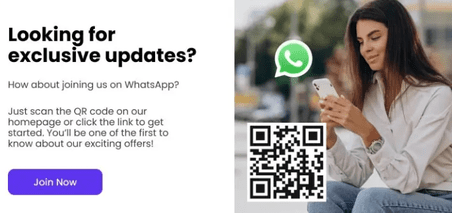
QR codes are a fantastic bridge between offline and online opt-ins. WhatsApp allows you to create a QR code that, when scanned, opens a chat with your business (or directs to a WhatsApp opt-in landing page). Print or display these QR codes wherever your audience might see them. For instance:
Make sure the QR code is tied to an easy opt-in flow. The simplest approach: have the QR open a WhatsApp chat with a preset message like “I want to subscribe” that the user just sends. Once they send it, you respond (automatically) with a confirmation or welcome – voilà, they’re opted in. Provide a little teaser text near the code explaining what they’ll get by subscribing (e.g., “Scan to get our weekly fashion tips on WhatsApp”). QR codes effectively turn real-world touchpoints into digital opt-ins, expanding your reach.
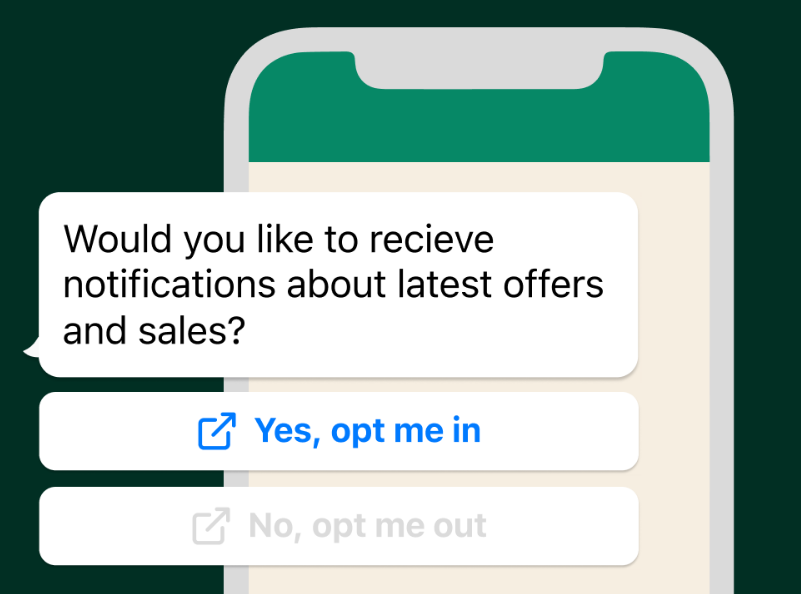
One of the most natural moments to collect a WhatsApp opt-in is when a customer is already talking to you or using your services. If someone has reached out for support (via phone, email, or live chat) or when you’re wrapping up a customer service conversation, simply invite them to continue the conversation on WhatsApp in the future. For example, after resolving an issue, your support agent or an automated chat can say: “Glad I could help! By the way, we can send you future updates or tips on WhatsApp so you don’t miss important info. Would you like that?”. If the customer agrees, guide them through the quick opt-in (perhaps by sending them a WhatsApp message to reply to, or by directing them to a sign-up link).
This strategy works well because at the moment of a successful support interaction, the customer’s trust in your company is high. They’ve just received help and are likely to say “sure, why not” to hearing from you on a convenient channel like WhatsApp. The Infobip team found that simply requesting opt-in at the end of a support chat is one of the easiest ways to grow your WhatsApp contacts.
You can also build this into your existing systems. For instance, integrate your helpdesk or CRM so that whenever a ticket is closed or an agent ends a call, an automated follow-up email/SMS can ask for a WhatsApp opt-in with a link. Or during a phone support call, have the agent mention WhatsApp updates and offer to send a quick text with the opt-in link. Even IVR systems (phone menus) can be used: “Press 5 to get updates on WhatsApp.” If they press it, you can text them the WhatsApp opt-in link or number to message.
The idea is to strike while the iron is hot: the customer is engaged and presumably happy with your service. By opting them into WhatsApp at that moment (with their permission, of course), you keep the conversation going on a channel that’s direct and personal. This also shifts future interactions from possibly more expensive channels (like phone calls) to WhatsApp, which can be handled efficiently (even with chatbots or templated answers). It’s a win-win: the customer gets quick info and you get an opt-in.
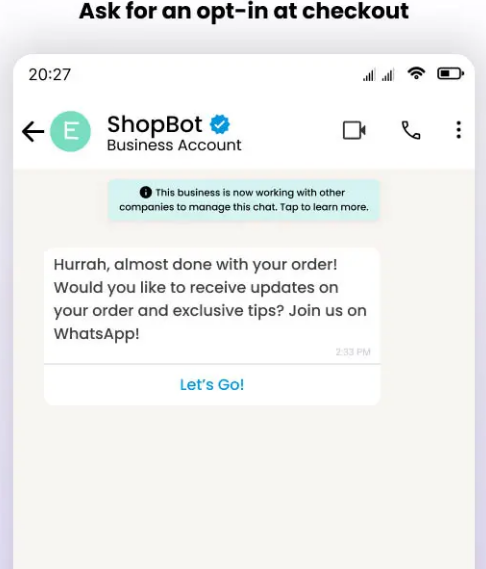
The point of purchase is another prime opportunity to collect WhatsApp opt-ins. When a customer is buying something, they often appreciate receiving immediate confirmations and updates about their order. By offering WhatsApp as a communication channel during checkout, you meet that need and grow your subscriber list.
How to implement it: On your e-commerce checkout page (or in the app), include a checkbox or field like “Yes, send me order updates and exclusive offers on WhatsApp” along with the phone number input. Since the customer is already providing their number for shipping or contact, you can have them simply check a box to consent to WhatsApp messages. Ensure the wording is clear and enticing – e.g., “Get your order confirmation, tracking, and a surprise discount on WhatsApp – opt in.” This way, they understand the value. Also ensure the checkbox is opt-in (unchecked by default).
You can also prompt after the purchase is complete. For example, on the order confirmation page or thank-you page, display a call-to-action: “Receive updates about your order and future deals via WhatsApp – click here to subscribe.” Since the customer just bought something, they’re highly likely to want shipping alerts or support, which WhatsApp can provide conveniently. It’s at this moment that the customer is most receptive to after-sales communication.
If you have a physical store, during checkout at the register, you could similarly ask customers if they’d like a receipt or future offers via WhatsApp. They can sign up on the spot (perhaps by scanning a QR code or providing their number on a form that triggers a WhatsApp message).
By integrating the opt-in into the natural flow of purchase, you’re catching customers when they’re excited about their purchase and want to stay informed. They’ll gladly opt in for “notifications about my order status,” – which you can later transition into marketing messages (that they agreed to). Just be sure to explicitly mention if you’ll also send promotions, or get separate opt-ins for marketing vs. purely transactional messages to stay compliant. Many customers will opt in for order updates (transactional messages), and if you plan to also send occasional offers, it’s best practice to have them agree to that category as well.
This strategy not only boosts opt-ins but can also improve customer experience by providing a channel they love for post-purchase communication. It’s a no-brainer for any online retailer.
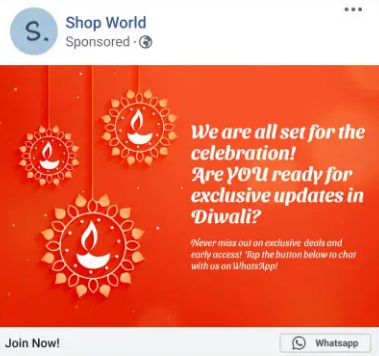
Take your opt-in efforts to the next level by using Click-to-WhatsApp ads. These are ads on platforms like Facebook and Instagram (or even Google search ads with WhatsApp extensions) that include a “Message on WhatsApp” button. Instead of filling a form, interested users tap the ad and are immediately taken to a WhatsApp chat with your business. This instantly converts an ad viewer into a WhatsApp conversation – essentially an opt-in if handled properly.
For example, you might run a Facebook ad that says, “Chat with us on WhatsApp to get a free quote/discount!” When the user clicks, it opens WhatsApp with a pre-filled greeting message (“Hi, I’d like to sign up...”). Once they hit send, you have an open thread to interact, and you can treat that as an opt-in (since the user initiated contact) – though it’s good to still confirm like “Thanks for messaging us! Reply YES to confirm you’d like updates from us.” This way you’ve got explicit confirmation to be safe.
These ads are powerful because they lower the barrier for opt-in – a user just taps a button instead of filling out a form. They also allow you to start a personalized conversation immediately, which is great for engagement. You can even program an automated welcome message or offer through WhatsApp Business API when someone comes in from an ad. For instance, an e-commerce brand could automatically reply, “Hi! Thanks for your interest. Here’s your 10% off code to use right now. Would you like to receive product updates from us on WhatsApp too?”.
Businesses using Click-to-WhatsApp ads have seen impressive results. By engaging customers in chat right from the ad, some companies achieved higher conversion rates and ROI – in fact, using WhatsApp for follow-ups can boost ad return on ad spend (ROAS) significantly. (One report noted up to 7.5× ROAS when retargeting leads on WhatsApp versus standard channels!). Even if that number varies, it’s clear that a warm WhatsApp chat can turn a curious click into a loyal customer much more effectively.
To make the most of these ads, ensure your ad targeting hits the right audience (such as your website visitors or lookalike audiences likely to engage). Then have a plan for the WhatsApp conversation flow – possibly using a chatbot or saved replies to handle common inquiries and lead the user toward an opt-in or sale. For example, an insurance company might run a Google ad for “Get a quote on WhatsApp” – user clicks, enters WhatsApp chat, and the bot gathers info and also asks if they’d like future reminders via WhatsApp.
In summary, Click-to-WhatsApp ads are an excellent tactic to rapidly grow your opt-in list. They combine marketing and opt-in collection in one step. If you run online ads, consider funnelling that traffic directly into WhatsApp chats – you’ll likely see higher engagement and a fast-growing subscriber list.
Collecting opt-ins is not just about quantity – quality and compliance matter too. To ensure your WhatsApp outreach remains effective and user-friendly, follow these best practices:
By following these best practices, you’ll build a high-quality WhatsApp contact list that is both compliant and primed for engagement. Your subscribers will feel respected and stay happy to hear from you, which is exactly what you want for sustained success.
Collecting and managing WhatsApp opt-ins might sound complex – but you don’t have to do it all manually. SendWo comes to the rescue as a hero tool to simplify and supercharge your WhatsApp marketing (while keeping it fully legal and compliant). SendWo is a free WhatsApp marketing platform powered by the official Meta WhatsApp Business API, which means everything you do through SendWo aligns with WhatsApp’s rules by design. Here’s how SendWo can help you with WhatsApp opt-ins:
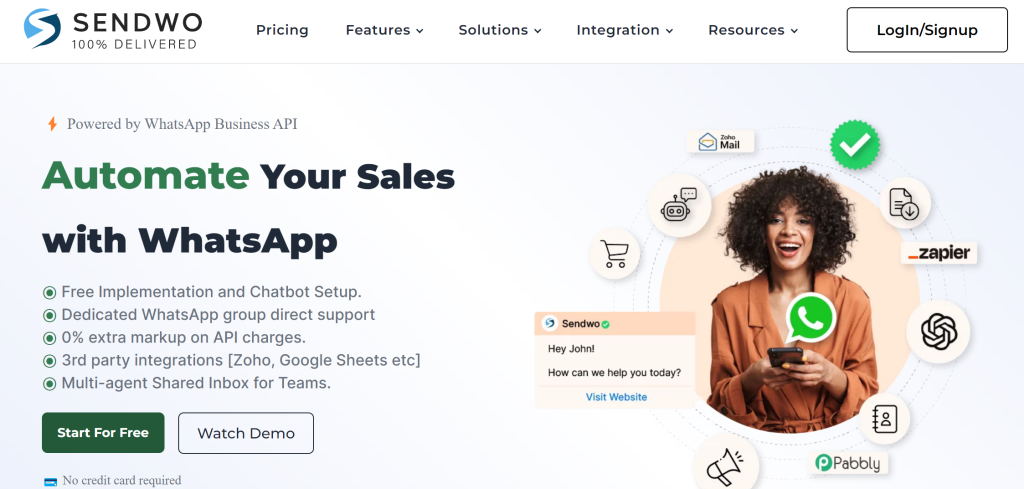
In short, SendWo empowers you to do WhatsApp marketing the right way. It combines legal compliance, ease of use, and powerful automation in one platform. Instead of juggling manual opt-in lists and worrying about violating WhatsApp rules, you can rely on SendWo to streamline the whole process – from opt-in collection to engagement. This means higher efficiency for you and a better experience for your customers.
👉 Pro Tip: You can sign up for SendWo in minutes and immediately deploy a WhatsApp chat widget or integrate your WhatsApp Business API number. It’s a practical step to implement all the strategies we discussed here, with far less hassle. Why work harder when a smart tool can do the heavy lifting?
WhatsApp is a powerful channel to connect with your audience – but success on WhatsApp starts with legally and effectively collecting opt-ins. By now, you’ve learned that getting user consent isn’t just a checkbox exercise; it’s an opportunity to build trust and set the stage for meaningful engagement. From your website pop-ups to social media, from in-store QR codes to online ads, there are numerous creative ways to grow your WhatsApp subscriber list. The key is to always respect the user’s choice: be clear, add value, and comply with policies and laws.
The reward for doing it right is huge. With an opted-in list, you can enjoy those sky-high open rates, instant reach, and interactive conversations that only WhatsApp can offer. Your messages won’t be spam – they’ll be welcomed updates in a channel your customers check daily. Over time, this can boost customer loyalty, increase conversion rates (remember, WhatsApp click-through can be 10x higher than email!), and even open up new avenues like conversational commerce.
Now is the time to put these strategies into action. Start implementing WhatsApp opt-in points across your customer touchpoints. And consider leveraging a robust tool like SendWo to make the whole process smooth and scalable. With SendWo’s free official WhatsApp solution, you can accelerate your opt-in growth and stay compliant effortlessly – it’s like having an expert partner by your side.
Ready to boost your engagement and sales through WhatsApp? Don’t wait for competitors to snatch the opportunity. Act now: set up that website widget, launch a WhatsApp campaign, and invite your customers to join you on WhatsApp. They’ll love the convenience and personal touch, and you’ll love the results. Take the first step today. Sign up for SendWo for free, and start building your WhatsApp opt-in list legally and effectively. Your future loyal audience is just a message away!
A WhatsApp opt-in is a person’s consent to receive WhatsApp messages from a business. In practice, the user agrees (for example, by checking a box or sending a message) that your company can contact them on WhatsApp. Without this permission, you’re not allowed to send them marketing or non-transactional messages on WhatsApp. It’s essentially the WhatsApp version of subscribing to a mailing list – the user “opts in” to hear from you.
Yes. For any proactive messaging (like promotions, alerts, etc.), you must have the customer’s opt-in beforehand. WhatsApp’s policy explicitly requires businesses to get user permission before messaging them. The only exception is if a customer initiates a conversation (e.g., they message you first with a question); you can respond to that without an opt-in. However, for sending broadcasts or marketing messages, an opt-in is absolutely required by WhatsApp’s terms and often by law. Messaging people without consent can lead to user complaints, which may result in your number being blocked or banned. Always play it safe and get that opt-in!
To collect WhatsApp opt-ins legally, use a clear consent process. This means the user should take an affirmative action like ticking an unchecked box that says “I agree to receive WhatsApp messages,” or sending a specific opt-in message to your business. Be sure to mention your business name and what they’re signing up for in the prompt (e.g., “Send me updates from [Brand] on WhatsApp”). Also, ensure you’re following privacy laws: for instance, keep a record of their consent and provide an easy way to opt out later. In practice, you can collect opt-ins via methods like signup forms, chat widgets, QR codes, or by having users text a keyword. The key is that the user knowingly agrees – that makes it legal and compliant.


