
How to fixed Catalog order management permission control issue - Easy Guide
Learn how to fixed Catalog order management permission control issue in SendWo using a proven checklist: catalog permission setup, Meta catalog connection, team roles, allowed stores, and order status controls. Fix catalog order permission issue, catalog order management access denied, SendWo catalog permissions, role-based access control for catalog orders, Catalogue Order access issue. 1. What […]
 By Aditi Kamini
Published: April 10, 2026
Updated: April 12, 2026
10 min read
By Aditi Kamini
Published: April 10, 2026
Updated: April 12, 2026
10 min read
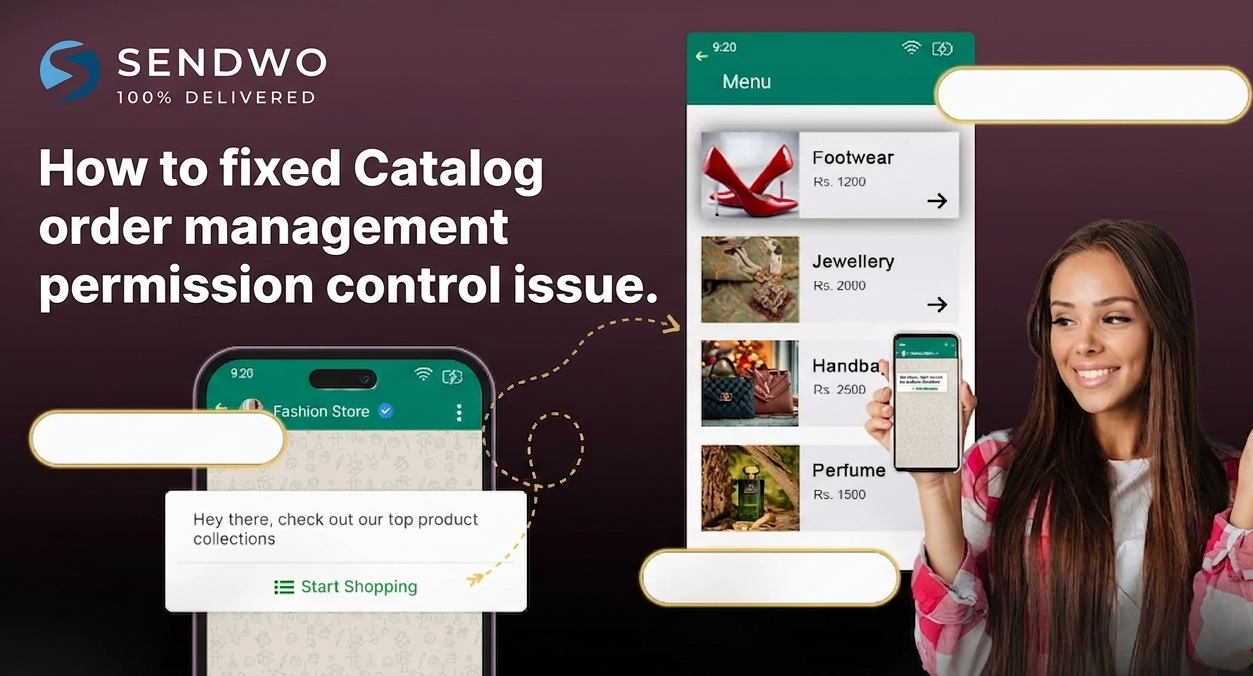
Learn how to fixed Catalog order management permission control issue in SendWo using a proven checklist: catalog permission setup, Meta catalog connection, team roles, allowed stores, and order status controls. Fix catalog order permission issue, catalog order management access denied, SendWo catalog permissions, role-based access control for catalog orders, Catalogue Order access issue. 1. What […]
Learn how to fixed Catalog order management permission control issue in SendWo using a proven checklist: catalog permission setup, Meta catalog connection, team roles, allowed stores, and order status controls. Fix catalog order permission issue, catalog order management access denied, SendWo catalog permissions, role-based access control for catalog orders, Catalogue Order access issue.
1. What the Catalog order management permission control issue looks like
You finally launch WhatsApp catalog selling, customers add items to cart, checkout links go out… and then your ops team can’t do the one thing that keeps revenue sane—open “Catalogue Order,” view orders, or change order status inside your dashboard. That’s exactly what people mean when they say “fixed Catalog order management permission control issue.”
In SendWo, catalog commerce is designed to be operationally simple: create and connect a catalog, sync it, configure catalog checkout/reminders, then manage orders via the “Catalogue Order” area (including status changes).
When permission control breaks, it usually shows up as one (or more) of these symptoms:
- A team member can’t see “Catalogue Order” at all, even though they should help manage catalog orders.
- Orders show up, but “change status” actions fail (classic “access denied” or silent failure).
- Only the owner/admin account can manage catalog orders, while team roles appear misapplied.
It’s also important to know this: SendWo’s changelog explicitly states that the “fixed Catalog order management permission control issue” was fixed in the January 26, 2026 product update. So if you’re still seeing the problem today, you’re typically dealing with configuration/role scope (or a stale/incorrect connection path), not “mystery behavior.”
2. Why catalog order permissions matter beyond convenience
Fixed Catalog order management isn’t just a workflow feature—it's an access-control boundary. Order dashboards include customer identifiers, contact numbers, order values, fulfillment notes, and status actions that can impact refunds, delivery, and customer trust.
Security research consistently shows that access control failures are common and high impact:
- OWASP reports Broken Access Control as a top web risk and notes that 94% of applications in their dataset were tested for some form of broken access control (with large numbers of occurrences).
- NIST defines least privilege as restricting permissions to the minimum needed to do the job—exactly what you want for agents who can view orders but shouldn’t change payment settings or export all customer data.
- Real-world incident trends show why “permissions” isn’t a minor detail: Verizon’s 2025 DBIR executive summary highlights credential abuse and vulnerability exploitation as leading initial access vectors. If a role has more access than needed, a compromised account becomes a bigger problem.
- The business impact can be massive. IBM’s 2025 report lists the global average cost of a data breach at USD 4.4M and emphasizes the role of access controls and governance gaps in modern environments.
In plain terms: permissions protect revenue (ops integrity) and reputation (customer confidence)—especially on WhatsApp, where commerce is increasingly conversational and fast-moving.
3. Root causes of catalog order permission errors in SendWo
This issue typically comes from one of four buckets. The fastest fixes happen when you identify the bucket first.
Misconfigured WhatsApp connection type and catalog permission
- SendWo supports two connection modes: with catalog permission and without catalog permission. If your WhatsApp was connected without catalog permission (common for service businesses), catalog features won’t behave like “full commerce mode.”
- Also, when you choose “with catalog permission,” Meta’s embedded flow asks you to select an existing product catalog and accept terms—missing or incomplete steps here often lead to “catalog exists but order module behaves oddly” situations.
Catalog not properly connected/synced before order management
Operationally, SendWo’s catalog workflow depends on correct catalog setup and sync:
- Create catalog in Meta commerce tooling, connect it to WhatsApp Manager, then in SendWo use Connect Account → Synchronize, and finally manage catalog settings/actions in the eCommerce catalog module.
If the catalog isn’t properly linked to the WhatsApp Business Account, “fixed Catalog order management” can’t reliably function because the inventory/cart/order layer depends on that connection.
Team Role permissions not toggled on (or not applied where expected)
- SendWo’s docs are clear: to assign tasks to team members, you create a Team Role and toggle on permissions for the tasks that role should handle.
- If the role lacks eCommerce catalog/catelogue-order permissions (or equivalent toggles), the UI may hide pages or block actions.
Team Member scope missing “allowed ecommerce stores” (and related access fields)
This one is the silent killer.
- When you create a team member in SendWo, you can configure scope like allowed WhatsApp bots and allowed ecommerce stores. If a user isn’t allowed the relevant store/bot, they can look “properly added” but still fail permission checks when working with catalog orders.
- This is exactly how many “permission control issue” tickets happen in practice—permissions are granted, but the user’s allowed store scope is empty or incorrect.
4. How to fix Catalog order management permission control issue in SendWo
This is the step-by-step workflow that resolves the majority of fixed Catalog order management—especially post–January 2026. Follow it in order; each step eliminates a common failure point.
Confirm you’re on the fixed SendWo release
- SendWo’s official product update notes: “fixed Catalog order management” in the January 26, 2026 update. That means the platform-side defect should no longer be present for current environments.
- If you’re still experiencing the fixed Catalog order management, treat it as a configuration + role scope problem first (next steps), then escalate to support with reproducible evidence.
Verify your WhatsApp connection includes catalog permission
Open the SendWo connection flow and confirm you’re not using the wrong connection type:
- If you need commerce features, ensure the WhatsApp number is connected with catalog permission.
- In the embedded signup flow, “with catalog permission” requires selecting a catalog and completing permission/verification steps.
- Fast signal you picked the wrong mode: you can message, broadcast, and use inbox features—but your eCommerce Catalog / Catalogue Order features are missing or partial.
Validate catalog connection and sync end-to-end
Treat this as an “integration pipeline” check. You’re confirming the catalog is truly connected and visible where it needs to be.
In SendWo’s catalog documentation, the expected flow includes:
- Connecting the catalog to WhatsApp (via WhatsApp Manager) and then using SendWo’s Connect Account → Synchronize for the WhatsApp account.
- In eCommerce catalog settings, you can view products, synchronize changes, and manage catalog actions including public status and URL sharing.
- Under catalog manager/configuration, SendWo notes you can view catalog orders and change order status from “Catalogue Order” at the top of the page.
If “Catalogue Order” exists for admins but not for team members, proceed to role + scope steps next.
Fix Team Role permissions the right way
This is where most permission control issues get solved.
SendWo’s Team Role docs describe the official workflow:
- Go to Management → Team Role.
- Create a role and toggle on the permissions you want that team to have.
- Assign team members to that role (and you can assign multiple roles if needed).
What to toggle on (practically): any permissions related to eCommerce Catalog, Catalog Manager, and Catalogue Order (order view + order status changes). The exact toggle names can vary by UI, but the goal is consistent: give the role access to fixed Catalog order management actions—not just catalog viewing.
Best practice tip: create two roles, not one:
Turn this learning into your next WhatsApp campaign.
Start with Sendwo’s free plan, explore WhatsApp broadcasts, automation, AI chatbot flows, and upgrade only when your business needs more power.
- “Catalog Ops – View Only” (can view orders, not change status)
- “Catalog Ops – Manage” (can change order status, handle operational tasks)
This aligns with least privilege and reduces the risk of accidental changes.
Fix Team Member scope: allowed WhatsApp bots and allowed ecommerce stores
Even with the perfect Team Role, a team member can still fail if they aren’t scoped to the right assets.
SendWo’s Team Member creation flow explicitly includes fields like:
- team role
- allowed WhatsApp bots
- allowed ecommerce stores
Action checklist:
- Edit the team member and confirm the correct team role is selected.
- Confirm the correct ecommerce store is in “allowed ecommerce stores.”
- Confirm the relevant WhatsApp bot/account is included under “allowed WhatsApp bots.”
If “allowed ecommerce stores” is empty, the user may see either nothing in “Catalogue Order” or only a partial UI with blocked actions.
Re-test by changing an order status (the real permission check)
A permission system can “look fine” until you attempt a privileged action.
Use this test:
- As the team member, open the eCommerce catalog area and locate Catalogue Order.
- Attempt a low-risk action first: view order details (read).
- Then attempt the action that typically fails when permissions are misconfigured: change the order status
If read works but write fails, your role toggles likely grant visibility but not management actions—adjust the Team Role permissions accordingly.
If the issue persists, create a support-ready debug packet
If you’ve walked through the steps above and the problem persists, treat it like a reproducible access-control defect and document it cleanly.
Include:
- The affected user email (team member) and their assigned Team Role(s).
- The specific WhatsApp account connection type (with or without catalog permission).
- The ecommerce store name selected in “allowed ecommerce stores.”
- Exact action that fails (e.g., “change status from Pending to Confirmed”) and where (Catalogue Order).
- A screenshot/video of the error state (especially if the UI shows access denied).
This mirrors the “log access control failures and test access controls” prevention principles OWASP recommends.
5. Prevent the issue from coming back
Fixing the immediate issue is good. Preventing repeats is how you outperform competitors (and reduce ops stress).
Use role-based design with least privilege
NIST’s least privilege principle is simple: give only the permissions necessary to perform assigned tasks.
In catalog operations, that usually means separating:
- Order viewing vs. order status changes
- Order management vs. payment settings/configuration
- Support agents vs. admins
This matters because access control weaknesses are widespread and often exploited when credentials are abused.
Keep catalog connected, visible, and monitored
- Catalog-based commerce depends on consistent inventory visibility and correct catalog settings.
- Recent catalog platform documentation emphasizes that if a catalog is disabled, catalog-related UI can disappear or show invalid link warnings. Keeping catalog visibility and configuration clean reduces “it vanished” confusion that gets misdiagnosed as permissions.
Stay current with product updates and known fixes
SendWo publishes ongoing update notes, including fixes related to catalog team member visibility and permission-related UI behavior. Tracking these updates helps you distinguish between a “known fixed defect” and a “configuration oversight.”
Conclusion and call to action
The fastest way to fixed Catalog order management is to treat it like a structured access-control problem:
- confirm you’re on the platform update where the issue is fixed,
- verify WhatsApp connection uses catalog permission,
- ensure catalog connection + sync is correct end-to-end,
- then lock in SendWo Team Role permissions and Team Member scope (especially allowed ecommerce stores).
Once your permissions are clean, your catalog ops team can manage orders confidently—without giving away admin-level access or risking accidental changes. That’s how you scale conversational commerce safely on WhatsApp.
Call to action: If you’re building WhatsApp catalog commerce and want a permissions setup that stays stable as your team grows, start by implementing the role + allowed-store structure today—and review your latest product updates whenever you add new agents or stores. If you need help validating your setup, SendWo support can verify your account configuration and reproduce permission issues quickly when you provide the debug packet described above.
FAQ
1. Why can’t my team member see “Catalogue Order” in SendWo?
This is almost always caused by one of two issues: the Team Role permissions don’t include catalog order management capabilities, or the team member isn’t scoped to the correct allowed ecommerce stores (even if the role is correct).
2. Do I need “with catalog permission” to manage catalog orders?
Yes—if you want full WhatsApp catalog commerce features, SendWo’s embedded signup flow distinguishes between connecting with catalog permission and without catalog permission. Catalog features (including order flows) depend on selecting the correct connection type and completing the associated permission steps.
3. Where do I change catalog order status inside SendWo?
SendWo’s WhatsApp eCommerce Catalogue documentation states you can view catalog orders and change the status of an order from “Catalogue Order” at the top of the catalog page area.
4. What does “permission control issue” mean in catalog order management?
It usually means the system is not enforcing access rules as expected—either blocking authorized users or allowing unauthorized ones. OWASP describes access control failures leading to unauthorized viewing/modification and emphasizes deny-by-default and reusable access controls.
5. Was the “Catalog order management permission control issue” already fixed by SendWo?
SendWo’s official changelog shows the item “fixed Catalog order management” in the January 26, 2026 update. If you still see the problem, it’s commonly due to role/scope configuration rather than an unfixed platform bug.
Aditi Kamini
Aditi, a content marketer at SendWo, is a passionate writer and marketing enthusiast. She excels in driving revenue campaigns, building client relationships, and mastering content creation, SEO, customer service, and project management.


