
Shopify
Connect order events, customer details, and cart workflows to WhatsApp using the data your store makes available.
View Shopify integrationSendwo for D2C ecommerce
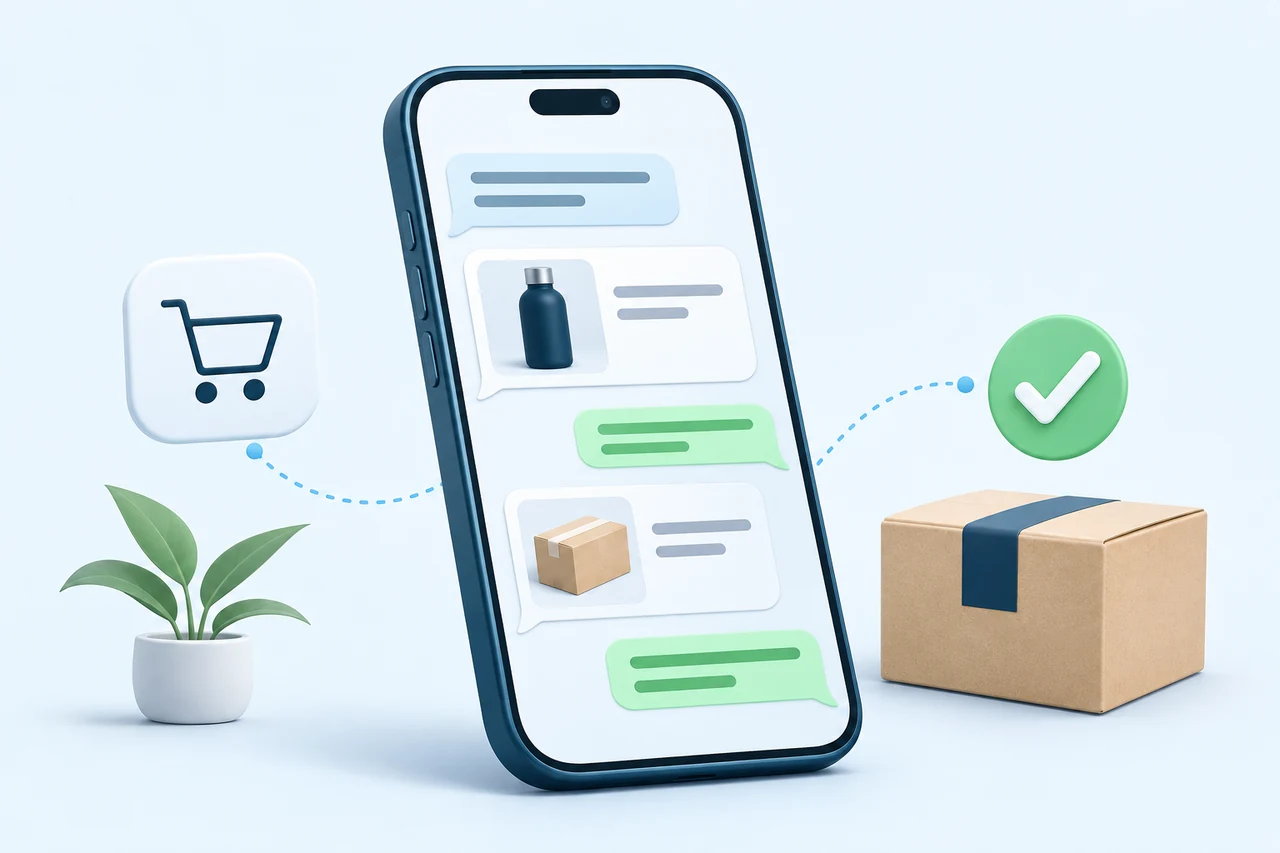
Connect your Shopify, WooCommerce, or custom store to Sendwo. Help shoppers find products, recover unfinished checkouts, confirm COD orders, and answer delivery questions in the chat they already use.
Applicable WhatsApp messaging charges are billed separately by Meta.

 Franchise outlets

















































The ecommerce workflow
Shoppers need different things at different moments. Give them a useful next step when they’re deciding what to buy, when they’re waiting for delivery, and when it’s time to reorder.
Start from a store visit, an ad, a form, or a message.
Suggest products, show the catalog, or recover a cart.
Check COD details or guide the buyer to payment.
Share status changes from the connected store or carrier.
Use AI for routine queries and hand off exceptions.
Ask for feedback or send a relevant restock or reorder message.
01 / Product discovery and checkout
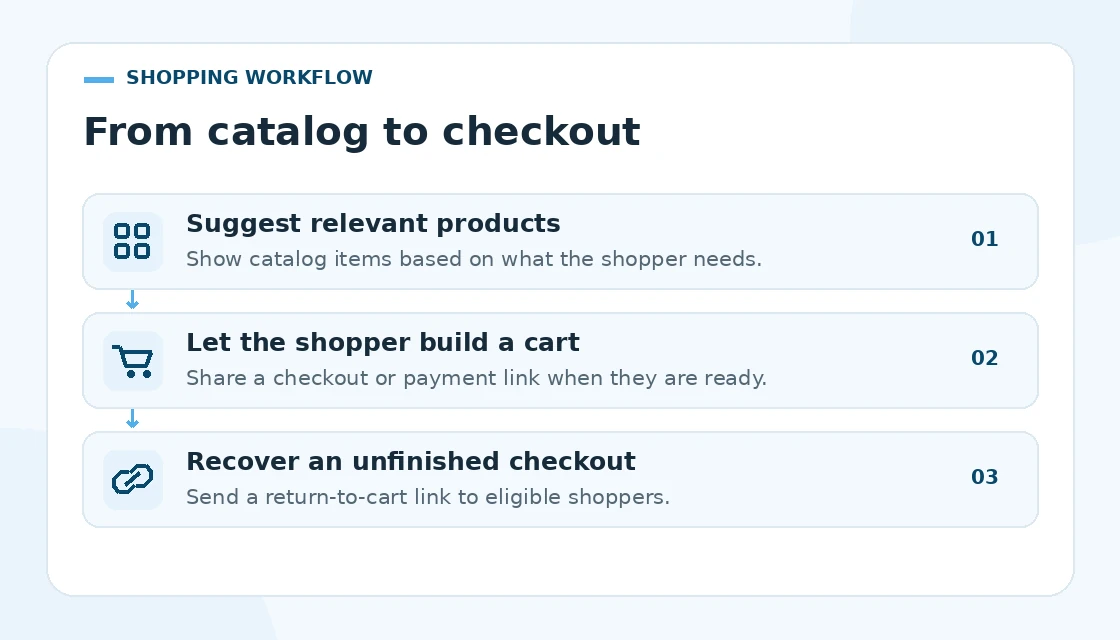
Connect your WhatsApp product catalog so shoppers can browse items and add them to a cart in chat. Build a chatbot that asks about size, budget, or use, then suggests relevant products. Send buyers to your configured checkout or payment link when they’re ready.
If an eligible shopper leaves before paying, trigger a WhatsApp reminder from the cart event. Include the return-to-checkout link, offer a relevant discount where appropriate, and give shoppers a way to ask for help.
02 / COD and fulfillment
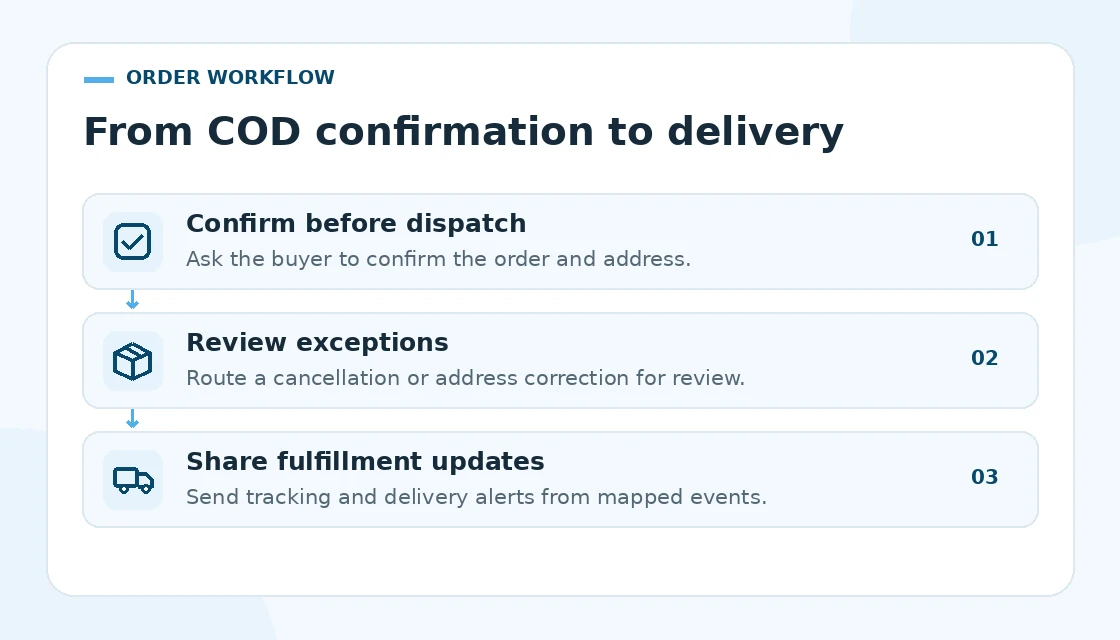
Ask cash-on-delivery buyers to confirm the order and delivery address before fulfillment. Route cancellations, corrections, and unconfirmed orders for review so your team can catch problems before shipping.
Use events from your connected store or fulfillment system to send order confirmations, payment updates, tracking links, and delivery alerts. Configure delay or out-for-delivery messages where your integration provides those events.
03 / AI support and team handoff
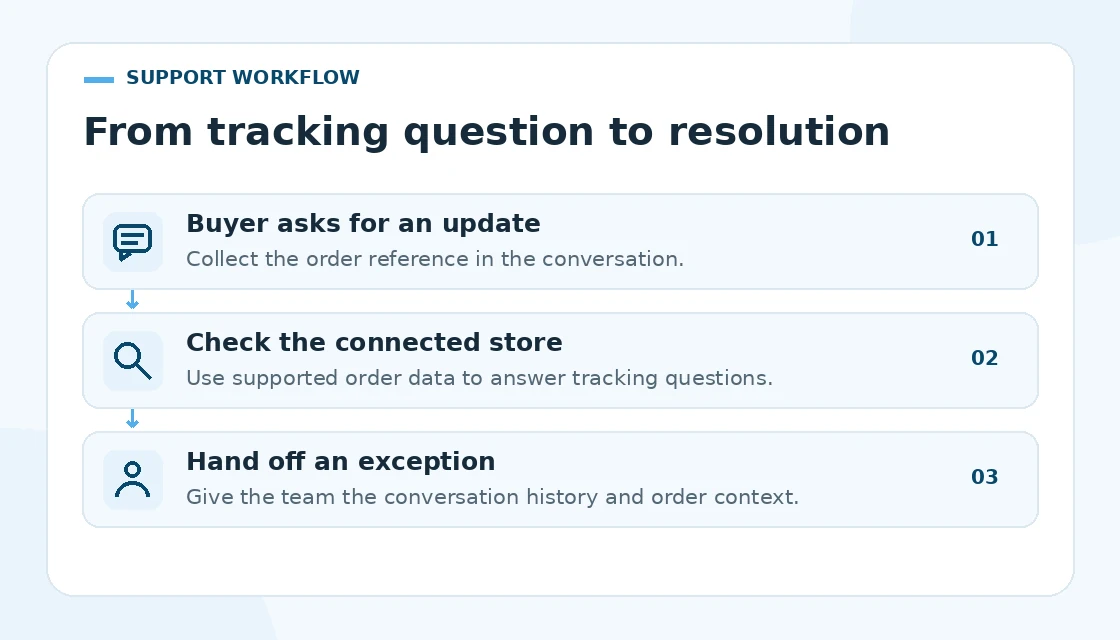
Configure an AI support agent with your product information, size guides, shipping policy, and return rules. With a supported store connection or order lookup, it can help answer tracking questions. Hand off refunds, delivery exceptions, and other requests that need a person.
Bring WhatsApp, Instagram, Facebook Messenger, Web Chat, and Telegram into the shared inbox. Assign conversations and use labels, notes, and CRM context to keep sales, support, fulfillment, and returns teams in the loop.
04 / Retention and broadcasts
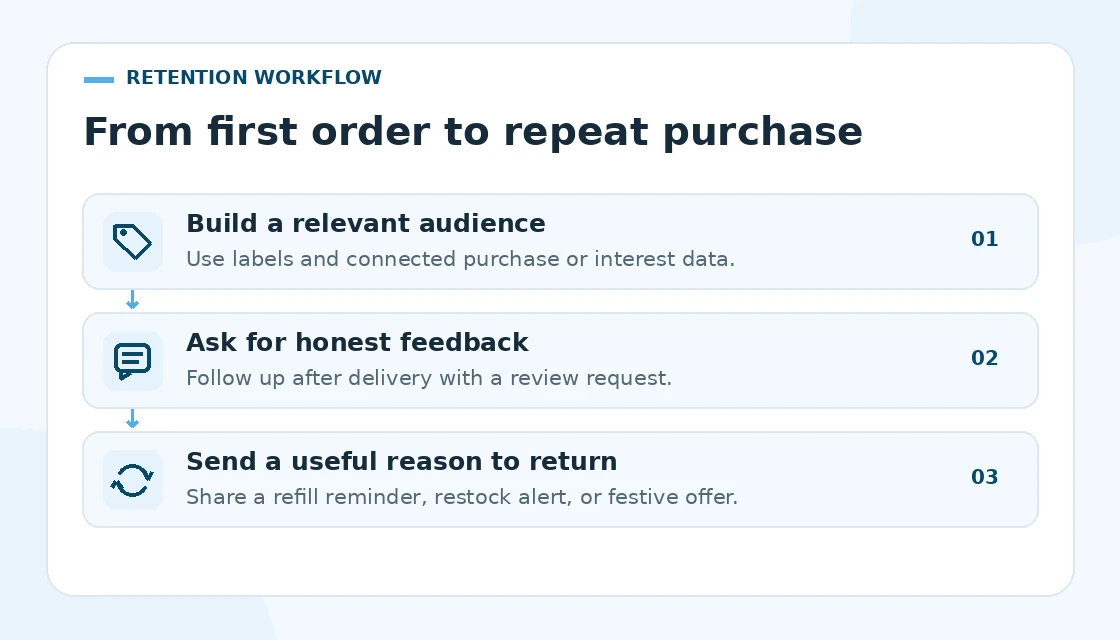
Use labels and customer data from connected workflows to build segments by product interest, cart status, purchase history, location, order value, or campaign source. Send a refill reminder to people who bought a consumable, or tell shoppers when the item they asked about is back in stock.
Use WhatsApp broadcasts for launches, flash sales, festive offers, clearance, bundles, and loyalty campaigns. After delivery, ask customers for an honest review, photo, or feedback. Get permission before using customer content in promotions.
Ecommerce integrations
Use Shopify or WooCommerce integrations, or connect a custom store through Sendwo’s HTTP API and webhooks. Bring across the product and order data your workflows need, then configure catalog publishing, event triggers, and field mapping for your setup.
Connect order events, customer details, and cart workflows to WhatsApp using the data your store makes available.
View Shopify integrationUse WooCommerce events for cart recovery, COD confirmation, and post-purchase updates.
View WooCommerce integrationUse API endpoints and webhooks to exchange supported data with your store, CRM, or third-party tools and trigger configured WhatsApp workflows.
Read the API overviewUse a connected sheet for order information or customer records. Map the fields your workflows need and trigger messages from supported sheet events.
View Google Sheets integrationConnect forms, CRMs, and other apps to pass store events or customer details into your workflows.
View Zapier integrationShare payment links from supported providers such as Razorpay or Stripe. Send reminders or confirmation updates when your gateway supplies the relevant event. Availability depends on your market and setup.
Explore WhatsApp payment workflowsFor ecommerce teams
Store conversations cross departments. Keep the buyer’s context in one place as the conversation moves from an inquiry to a purchase or support request.
Start chats from Click-to-WhatsApp ads, product pages, forms, and social DMs. Collect buying intent and route interested shoppers.
Explore lead generationAnswer pre-purchase questions, recommend products, and help shoppers move from catalog to checkout.
Explore sales workflowsUse labels to select audiences for cart recovery, festive campaigns, restocks, and replenishment reminders.
Explore marketing workflowsHandle tracking and returns, flag order exceptions, and give teammates the conversation history at handoff.
Explore support workflows
Shares promotions and customer updates, and follows up with customers.
 Dilbagh Singh

Handles resort inquiries and booking questions with chatbot-assisted replies.
 Philip Mensah, CEO

Uses click-to-WhatsApp ads to start conversations and qualify leads.
 Ingo Lederer

Keeps students informed with class reminders and education updates.
 Daren Hunt
Ecommerce FAQs
Compare plans for your store and check how WhatsApp messaging charges are billed.
Shoppers can browse your connected catalog and add products to a cart in WhatsApp. Depending on your setup, complete the order through cash on delivery or send a checkout or payment link. Payment options vary by market and provider.
Connect your WhatsApp catalog and choose the products to publish. Shopify, WooCommerce, and custom stores can supply product data through configured integrations or feeds. Catalog sync depends on how your product data is connected.
Yes. Use supported store events to trigger cart reminders with checkout links, and configure a COD confirmation message before dispatch. Your team can review replies that flag a cancellation or address change.
Yes. Map available events from Shopify, WooCommerce, or a custom integration to your message templates. The events and fields you can use depend on the connected store and fulfillment system.
Configure an agent with product information and store policies, and connect an order lookup where supported. Your team can take over in the shared inbox for exceptions such as refunds, disputed deliveries, or returns.
Yes. Use HTTP API endpoints and webhooks to exchange supported data with a custom store or CRM. Connect Google Sheets if you manage order or customer information in a spreadsheet.
Yes. Build an audience with labels and relevant customer data. Use the appropriate approved templates and follow Meta’s consent and messaging rules. Your Sendwo plan and applicable Meta messaging charges are separate.