
WhatsApp, with over 2 billion users worldwide, uses blue ticks (two blue checkmarks) to show when a message has been read. While helpful, these read receipts can feel intrusive. As Times of India notes, blue ticks “can raise privacy concerns and social pressures” because people may feel rushed to respond. If you’ve ever googled “how to turn off blue tick in WhatsApp” or “how to remove blue tick from WhatsApp,” you’re in the right place. This guide covers exactly how to disable blue tick in WhatsApp on Android and iPhone (and even on WhatsApp Web), what read receipts mean, and tips to use WhatsApp more privately. We’ll also answer common questions like “how to disable blue tick in WhatsApp” and “read receipts in WhatsApp means what”, so you can keep your messaging stress-free. Let’s dive in! how to turn off blue tick in WhatsApp.
WhatsApp uses checkmarks (ticks) to indicate message status. Here’s how they work:
In other words, blue ticks mean “seen”. The image above shows this sequence (Sent ▶ Delivered ▶ Seen). Turning off blue ticks is the same as disabling read receipts: other people will no longer know when you’ve read their messages (and vice versa).

Many users turn off read receipts for privacy and peace of mind. With blue ticks on, you may feel pressured to reply immediately. As Times of India explains, blue ticks confirm delivery but they “may also create a sense of urgency to respond promptly”. Disabling them can reduce stress.
Benefits of disabling blue ticks include:
SendWo’s own experience shows business users value this control too. WhatsApp Business accounts have the same setting, so a team can disable blue ticks to manage customer expectations without stress. In short, if you want to know how to turn off blue tick in WhatsApp for privacy or calmer chats, it’s a quick setting change away.
Disabling blue ticks is built into WhatsApp’s privacy settings. Here’s how to do it on each platform:
Each of these steps will disable the blue ticks (read receipts) for personal chats. Remember: when you turn off read receipts, it applies both ways. The sender won’t see blue ticks on messages you read, and you won’t see blue ticks for messages the sender reads.
For WhatsApp Business users, the procedure is the same as regular WhatsApp. After how to turn off blue tick in WhatsApp, you can always re-enable read receipts by following these steps again.
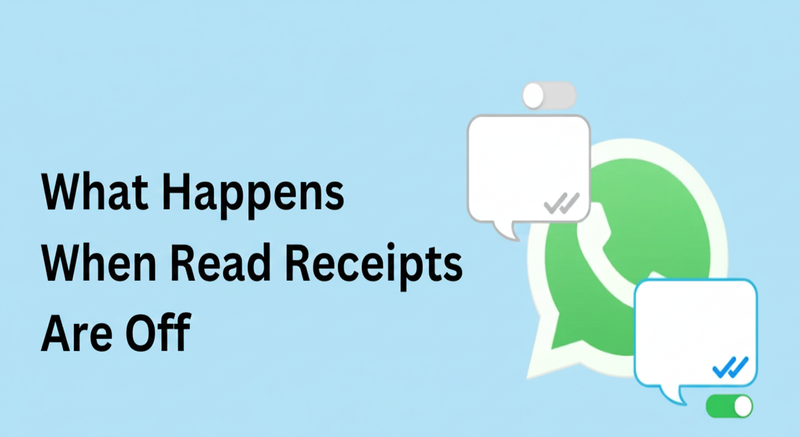
Disabling read receipts (blue ticks) has these key effects in WhatsApp chats:
For example, Airdroid explains: “once read receipts are turned off, the blue ticks in individual chats will no longer appear… This change won’t affect group chats… You also won’t be able to see when someone reads your messages”. Keep these points in mind as you decide whether to disable WhatsApp’s read receipts.
If you prefer not to toggle off read receipts permanently, there are a few temporary workarounds:
Use these hacks when you want to peek at messages without alerting the sender. Just remember they only work temporarily and require manual steps; disabling read receipts in Settings is the more permanent solution.
A: Go to Settings > Account > Privacy in WhatsApp, and toggle off Read Receipts. On Android you tap ⋮ > Settings > Account > Privacy, on iPhone tap Settings (gear icon) > Account > Privacy. This will disable the blue ticks.
A: No – WhatsApp’s read receipt setting is global. If you how to turn off blue tick in WhatsApp called Read Receipts, it applies to all individual chats. You cannot selectively disable blue ticks per person.
A: They refer to the two blue checkmarks that indicate a message was opened and read. In other words, once you see double blue ticks, you know the recipient has read your message.
A: No. Disabling read receipts is reciprocal. Neither party will see blue ticks for messages read by the other.
A: No. Read receipts are separate from Last Seen/Online. Disabling read receipts does not affect your Last Seen or Online visibility. Those have their own Privacy settings.
A: Yes. Group chat read receipts always work the same – blue ticks appear when everyone reads the message. Your read receipts setting only affects one-on-one chats.
A: Generally, yes. Voice messages behave like an exception. Most guides (and WhatsApp’s own info) note that when the recipient plays a voice note, a blue play icon/checkmark will appear regardless of the read receipts setting. So assume voice notes will still send a confirmation when heard.
A: There’s no definitive way. If you only ever see gray ticks and never blue, it could be because they read receipts off (or they simply haven’t read it). WhatsApp offers no notification for someone disabling read receipts


