
How to Fix Live Chat Translate Issue Appearing Without Permission - Easy Guide
Discover quick fixes for the Live Chat Translate issue appearing without permission in WhatsApp Business or tools like Sendwo.
 By Aditi Kamini
Published: April 20, 2026
Updated: May 11, 2026
8 min read
By Aditi Kamini
Published: April 20, 2026
Updated: May 11, 2026
8 min read
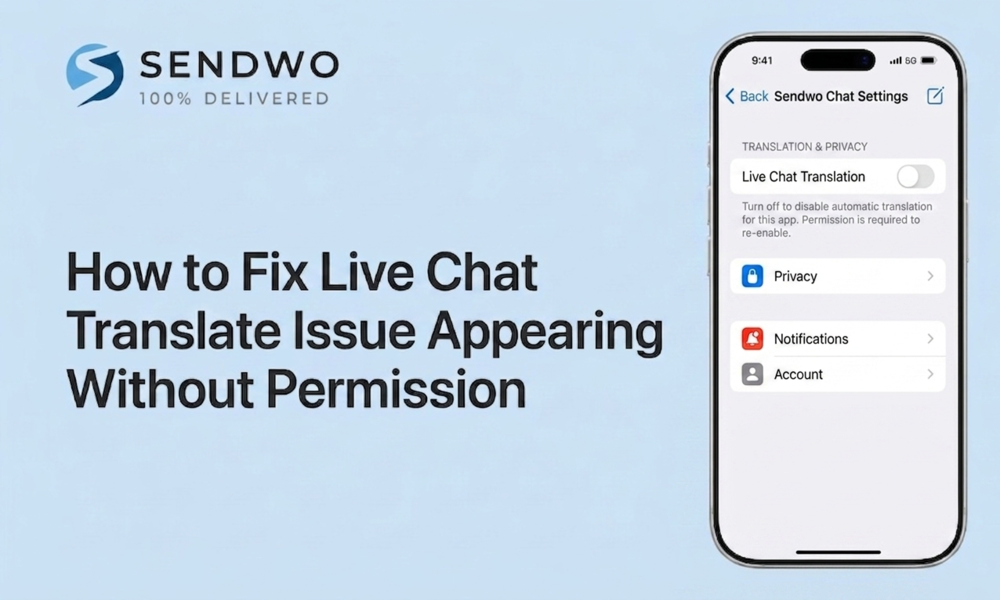
Discover quick fixes for the Live Chat Translate issue appearing without permission in WhatsApp Business or tools like Sendwo.
If you searched for “How to fixed Live chat translate issue appearing without permission”, here is the plain-English answer. SendWo publicly lists multilingual support with translation as a feature in its WhatsApp API Live Chat Inbox, and its public product update logs that on January 26, 2026 it both updated the live chat translate button location and fixed the live chat translate issue appearing without permission. In short, translation is a real SendWo feature, but the company also acknowledges that the control was surfacing incorrectly and shipped a fix for it.
This is not a tiny cosmetic issue. The messaging channel itself handles more than 175 million daily messages to business accounts, Live Chat Translate Issue benchmarks report customer satisfaction around 92%, reported conversion data shows pre-purchase chat can reach conversion rates up to 40%, and multilingual support matters because 68% of consumers prefer to speak with brands in their native language. When translation appears for the wrong user or at the wrong moment, you are not just cleaning up the interface. You are protecting customer trust, agent workflow, and revenue.
1. Why this issue matters more than it looks
- SendWo’s Live Chat Translate Issue and Shared Team Inbox are designed for multi-agent collaboration, subscriber management, translation, follow-up notifications, AI-powered responses, and role-based access. The same environment also depends on team roles, access levels, and agent assignment, which means even a small entitlement mistake can create a very visible front-end problem for support teams.
- When a translate control appears without approval, the damage spreads fast. Agents may assume translation is officially allowed in that workflow, supervisors lose clarity over who should use language tools, and managers waste time debugging the inbox when the real cause may be the browser or the embedded widget rather than SendWo itself. The smartest way to handle this is to diagnose the issue at three levels: SendWo, browser, and website embed.
2. What usually causes the live chat translate issue in SendWo
A SendWo-side UI or permission rendering bug
- The clearest evidence comes from SendWo’s own changelog. In the same January 26, 2026 release, SendWo noted that it updated the live chat translate button location and fixed the live chat translate issue appearing without permission. That pairing strongly suggests the defect was not the existence of translation itself, but when, where, or for whom the control was being displayed.
A role or access-level mismatch inside the inbox
- SendWo’s permission model is explicit. Admins create a Team Role, toggle the permissions that role should receive, and then assign team members to it. SendWo’s Shared Team Inbox page also highlights access levels, controlled access, and role-managed collaboration. So if the problem appears for one team, one agent, or only non-admin users, a role scope issue is one of the first things to check.
Browser auto-translation in Chrome or Edge
- Sometimes the translate behavior is not really coming from SendWo. Chrome lets users turn translation on or off, define automatically translated languages, and maintain a never translate list. Edge can automatically prompt translation when a page is not in one of the user’s preferred languages, and it also supports Always translate and Never translate behavior for a given language. That means two agents can open the same SendWo workspace and see different language behavior simply because their local browser settings are different.
Missing language metadata or an unprotected chat container on your website
- If you are using SendWo’s chat widget on a website, the site’s HTML matters. The lang attribute defines the language of an element, while the translate attribute can be set to no to mark content that should not be translated. MDN notes that although support is not identical everywhere, automatic translation systems respect translate="no". Because SendWo’s widget embed code is inserted directly into website templates or page files, weak or missing language metadata can make the chat UI more likely to be treated as translation-ready content by the browser or translation layer.
3. How to fix live chat translate issue appearing without permission
The fastest path is to work from inside out: fix SendWo first, then the browser, then the website embed.
Fix the SendWo side first
Start with Dashboard → Management → Team Role. SendWo’s docs say this is where admins create roles, toggle permissions, and assign members. Compare the affected user against an admin or a teammate who does not see the issue. If the role is broader than intended, narrow it. If the role is correct, treat the January 26, 2026 changelog entry as your reference point and verify that your workspace is behaving in line with that fixed version.
A practical order of action looks like this:
- Confirm whether the issue affects every user or only selected agents. If it is selective, role or access settings are the stronger suspect.
- Review the Team Role assigned to the affected user and re-save the correct permission scope. SendWo’s role system is built around explicit toggles, not implicit inheritance.
- Retest the inbox after the role review and compare the result against an admin account. This helps separate a genuine current problem from old UI behavior already listed as fixed in the changelog.
Stop the browser from adding translation on top of SendWo
If the problem appears on one machine, one browser, or one browser profile, move to browser settings immediately.
- In Chrome, go to Settings → Languages. You can turn translation off, remove a language from Automatically translate these languages, or add it to Never offer to translate these languages.
- In Edge, go to Settings → Languages and turn off Offer to translate pages that aren’t in a language I read, or select Never translate for the source language from the translation prompt.
- Retest in a clean browser profile or private window after changing the settings so you are not validating against old personal translation preferences.
This layer is easy to overlook because browser translation can imitate a SendWo permission problem almost perfectly.
Re-test with a controlled checklist
After making changes, validate the result in a predictable way:
Turn this learning into your next WhatsApp campaign.
Start with Sendwo’s free plan, explore WhatsApp broadcasts, automation, AI chatbot flows, and upgrade only when your business needs more power.
- test with one admin and one restricted agent
- test in Chrome and Edge
- test both on the live website widget and inside the SendWo inbox
- test using the language your support team actually works in
This helps isolate whether the problem is workspace-wide, user-specific, browser-specific, or widget-specific.
4. How to keep the translate issue from coming back
The long-term fix is not a one-time patch. It is a small internal operating procedure. SendWo’s public update history shows ongoing fixes and improvements across Shared Inbox and Live Chat Translate Issue, including changes to translate controls, search, filters, assigned-agent behavior, and other permission-sensitive UI areas. If your support team depends on multilingual workflows, changelog review should be part of your routine operations.
A simple prevention policy works well:
- Define who is allowed to use translation and document that in your team SOP.
- Use least-privilege role setup so agents only see the functions they truly need.
- Standardize browser language settings on support devices so one agent is not auto-translating while another sees the original interface.
- Apply proper lang and translate metadata anywhere the widget is embedded.
- Re-test after important SendWo UI updates in Shared Inbox and Live Chat.
Treating translation as a workflow governance issue, not just a UI annoyance, is the most reliable way to prevent repeat incidents.
5. Why SendWo is still the right setup for multilingual live chat
- This issue is frustrating, but it does not change the bigger picture. SendWo is clearly positioning its Live Chat Inbox as a multilingual, multi-agent customer support workspace. Its product pages highlight translation, subscriber management, follow-up notifications, AI-powered response automation, access levels, and team collaboration, while the homepage promotes a Free Forever starting point and says there is no credit card required to begin.
- That matters because the right answer is not to remove translation from your support stack. The right answer is to make translation intentional. When configured correctly, multilingual Live Chat Translate Issue helps teams serve customers faster, keep communication clearer, and support a global audience without forcing every agent to be fluent in every language.
- If your goal is to run multilingual support without random translate controls, permission confusion, or inconsistent browser behavior, SendWo gives you the pieces you need: role-based team management, live chat collaboration, translation support, and website widget control. The win comes from configuring those pieces deliberately.
FAQ
1. Why is the translate option showing in SendWo live chat without permission?
Usually it is one of three things: an older SendWo UI behavior that was explicitly logged as fixed on January 26, 2026, a Team Role or access-level mismatch, or browser-level translation from Chrome or Edge making the interface look like SendWo added translation when the browser actually did it.
2. How do I stop Chrome from translating my live chat page?
Open Chrome → Settings → Languages and either turn translation off, remove the language from the Automatically translate list, or add it to Never offer to translate these languages. Chrome’s help documentation supports all three controls.
3. Does translate="no" work for chat widgets?
Yes, it can help. MDN says translate="no" marks content that should not be translated and notes that automatic translation systems respect it, even though browser behavior is not perfectly identical everywhere. That makes it a strong defensive layer for chat widgets and launcher text.
4. Should I apply translate="no" to the whole site or only the widget?
Apply it to the whole site only if the entire page should never be translated. If you still want the rest of the page to remain translatable but want the chat interface to stay fixed, apply translate="no" just to the widget container and set the correct lang value there as well.
5. Why do some agents see the issue while others do not?
That pattern usually points to browser settings or role-based access differences. SendWo uses Team Role permissions and access levels, while Chrome and Edge maintain per-user translation preferences. Different browser profiles can therefore produce different live chat behavior inside the same workspace.
Aditi Kamini
Aditi, a content marketer at SendWo, is a passionate writer and marketing enthusiast. She excels in driving revenue campaigns, building client relationships, and mastering content creation, SEO, customer service, and project management.


