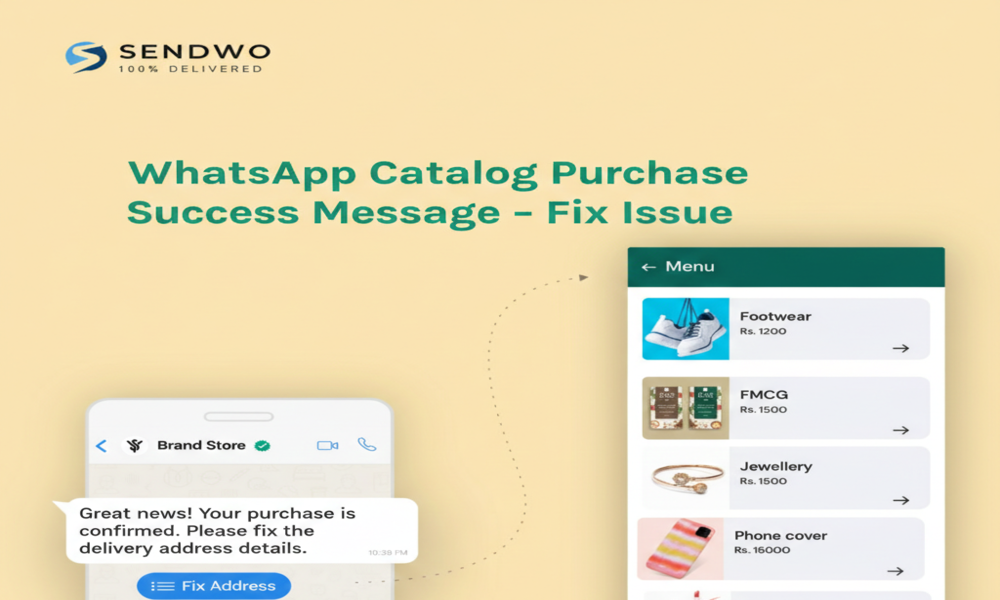
In today’s mobile-first world, WhatsApp Business is a vital channel for e-commerce. Customers around the world use it to browse products – over 40 million people view business catalogs on WhatsApp every month! When a buyer completes an order via a WhatsApp Catalog, they expect an immediate confirmation or “success” message. However, many businesses recently ran into a glitch where this confirmation didn’t arrive. Without a clear order success message, customers may worry their purchase failed, leading to confusion and lost sales. The good news? This issue has been identified and fixed in mid-2024. In this post we’ll explain the problem, why it matters, and step-by-step how to resolve WhatsApp Catalog Purchase Success Message so your WhatsApp sales run smoothly.
1. Understanding WhatsApp Catalog and Purchase Flow
WhatsApp’s built-in Catalog feature lets you showcase products directly within chat. Customers can browse your catalog, add items to a cart, and click Place Order right from WhatsApp. Behind the scenes, WhatsApp uses approved message templates to handle this checkout flow. For example, the platform sends a “Checkout Message Template” linking customers to a payment page. By default this template might say: “Thanks! You can complete your order on our store using this link: {CatalogCheckoutURL}”.
- What should happen: Once a user completes the order and payment, your system (or WhatsApp directly) should send a final order confirmation message. This is the “purchase success” message – typically a thank-you note or receipt confirming the sale. It reassures the customer their order went through.
- When things go right: The flow feels seamless. A buyer inquires about a product, sees its price in the catalog, places an order, and gets an immediate confirmation message. This boosts customer trust and satisfaction – after all, WhatsApp Business messages boast ~98% open rates.
- When the success message fails: Some businesses found that after checkout, no confirmation message was delivered. The screen goes quiet, leaving customers uncertain. This hiccup was traced to a bug in how certain WhatsApp integrations handled the final message step. In July 2024, major WhatsApp Business solution providers (including SendWo, a Meta-approved partner) released updates to fix this.
2. Why the Purchase Success Message Matters
- Imagine you run an online boutique. A customer places a beautiful dress order via WhatsApp, but never receives a confirmation. She might try ordering again, get frustrated, or contact support – all impacting your credibility. With 53% of retailers automating WhatsApp messaging and high purchase intent on the platform, every lost message is a missed opportunity. In fact, 66% of consumers make purchases after interacting with brands on WhatsApp. That final “thank you” or receipt message can be the difference between a completed sale and an abandoned cart.
- Boldly put, a broken success message hurts your bottom line. No one wants to wonder if their order went through or chase you for confirmation. By fixing WhatsApp Catalog Purchase Success Message issue, you keep the buyer journey smooth and protect your reputation.
3. How to Fix the WhatsApp Catalog Purchase Success Message Issue
Follow these steps to ensure every order in your WhatsApp Catalog sends a clear confirmation:
- Update Your WhatsApp Solution: The fastest fix WhatsApp Catalog Purchase Success Message is to update your platform. If you use SendWo (Meta Business Partner) or any WhatsApp chatbot software, log in and get the latest version.SendWo’s July 2, 2024 release “fixed: WhatsApp Catalog Purchase Success Message issue”.
- Verify Your Message Templates: WhatsApp requires all outbound messages (like order confirmations) to use pre-approved templates. In Meta Business Manager, check that your Checkout/Order Confirmation template is active and approved. (As DelightChat notes, the default “Checkout Message” might be like “Thanks! You can complete your order… {CatalogCheckoutURL}”.) If the template expired or was rejected, no message can be sent. Re-submit or reactivate any missing templates so WhatsApp can deliver your success message.
- Re-Sync Your Catalog and Settings: Sometimes simply re-syncing helps. In your WhatsApp Business settings or chatbot dashboard (for example, SendWo Catalog module), click Sync WhatsApp Catalog Purchase Success Message to refresh products. Then double-check that the “Enable Checkout” or “Send Confirmation Message” toggle is on. In SendWo, this might be in the WhatsApp Catalog Purchase Success Message settings section.
- Test the Purchase Flow: Conduct a test order yourself. Add products to the WhatsApp cart, proceed to checkout, and place the order. Confirm that after payment you receive the success message. If it works, great! If not, note at which step it broke. Sometimes, additional third-party payment integrations can interfere. Make sure any linked store (Shopify, etc.) is also connected properly.
- Contact Support if Needed: If you still see problems, don’t hesitate to reach out. For SendWo customers, our support team can verify your account settings. Often, once updated, no further action is needed. But if your setup is unique (custom code, unusual webhook), a quick support ticket can clear things up.
By following these steps—especially updating your platform—you’ll restore the missing confirmation. In practice, once the July 2024 patch is applied, the WhatsApp API correctly fires the final “thank you” template. In a way, SendWo and other BSPs have already fixed the engine for you; it’s just a matter of flipping the switch in your account.
4. Next Steps and Best Practices
To keep WhatsApp Catalog selling smoothly, also remember:
- Use Conversational Commerce: Consider automating post-checkout chats. Beyond just a success message, follow up with upsell offers or feedback requests to boost engagement.
- Monitor Engagement: WhatsApp catalogs are popular – business accounts see daily interactions from 175 million customers. Use analytics (provided by your BSP) to track how many orders convert after the purchase message is fixed.
- Stay Updated on Features: WhatsApp frequently adds new commerce tools. For example, dynamic URL buttons and embedded webviews were added to catalogs in 2024. Keep an eye on product updates or subscribe to provider changelogs (like SendWo’s) for immediate news on fixes and features.
By fixing the success message issue and following best practices, you make WhatsApp a seamless sales channel. With 98% message open rates, it's one of the most effective ways to connect with customers.
Conclusion & Call to Action
- WhatsApp Business Catalogs offer a high-conversion shopping experience, but even minor bugs can disrupt orders. The purchase success message issue – where customers don’t see the “Thank you, your order was received” note – has been resolved in recent updates. Ensure your system is updated, templates are approved, and the flow is tested.
- Don’t let tech hiccups steal your sales! Use a reliable platform likeSendWo to manage your WhatsApp commerce. As a Meta Business Partner, SendWo continuously updates the WhatsApp Business API integration. We’ve already rolled out the fix for this issue, so your catalog orders will deliver the proper confirmation message.
- Ready to sell smarter on WhatsApp? Start a free forever SendWo account today and enjoy stable WhatsApp catalog sales, automated messages, and AI-powered chatbots – all with guaranteed delivery. Click here to get started and turn every WhatsApp chat into a successful sale! 🚀
FAQ
1. Why didn’t my customer receive a WhatsApp purchase confirmation?
Often due to a known bug in the final order message. Update your WhatsApp tool (e.g., SendWo) to the latest release with the fix. Ensure your order confirmation template is approved in Meta Business Manager.
2. How do I send a WhatsApp Catalog order confirmation message?
Use approved templates. Activate the Checkout/Order template in settings. It sends automatically on catalog checkout. SendWo or BSPs handle this once set up.
3. Can I customize the purchase success message?
Yes—create a template like “Thank you! Order confirmed. Track here: {link}.” Submit for approval in WhatsApp Business. Use it post-order via your platform.
4. What if the issue persists?
Verify updates and settings. Then contact your provider’s support. SendWo users: Open a ticket—our team will activate the July 2024 fix.
5. Is WhatsApp catalog ordering free?
Yes, API and catalog features are free (some message types may incur fees). SendWo has subscription costs, but core functions boost sales ROI.