Imagine you're juggling multiple WhatsApp group chats – family, work, school, and maybe a hobby group – and important updates get lost in the noise. Now picture having one umbrella space that ties related groups together, making it easy to broadcast announcements and organize discussions by topic. That's exactly What is Communities in WhatsApp offers. Launched globally in late 2022, What is Communities in WhatsApp are a game-changing feature designed to streamline group conversations on WhatsApp. In this comprehensive guide, we'll explore what Communities in WhatsApp are, how they work, what is the use of community in WhatsApp, and how you can make the most of this feature. Let's dive in!
1. What is a WhatsApp Community?
What is Communities in WhatsApp “group of group chats” – a new feature that allows you to connect multiple related WhatsApp groups under one umbrella structure. This means What is Communities in WhatsApp can bring together separate group chat (for example, different class groups in a school or various teams in a company) into a single coordinated hub. Members can then easily switch between topic-specific sub-groups while also receiving broad announcements that go out to everyone in theWhat is Communities in WhatsApp.
2. How does it work?
When you create a Community, WhatsApp automatically creates an Announcement group for that community. This Announcement group is a one-way broadcast channel where only community admins can post messages to reach all members of the Community in one go. Meanwhile, the Community can contain multiple sub-groups for different topics or departments. For instance, a school Community might include separate groups for each classroom or grade, and a work Community might include groups for each project team. All these sub-groups live under the same Community banner, keeping related chats organized in one place
WhatsApp Communities were built with real-world group networks in mind. Think of a school principal using a Community to unite all the class group chats: parents and teachers can discuss in their respective class groups, while the principal posts school-wide announcements (like event dates or policy changes) in the Community Announcement group that reaches everyone. Similarly, neighborhood groups, volunteer organizations, sports clubs, or workplace teams can all benefit from a Community structure that keeps conversations focused yet interconnected.
Privacy and security are core to What is Communities in WhatsApp. Like all WhatsApp chats, Communities are end-to-end encrypted, so your messages and calls remain private – not even WhatsApp can read or listen to them. Additionally, your phone number is only visible to other members who share a group with you, not to every member of the Community at large. This means you can participate in a Community without exposing your number to people you don't interact with directly, a nice privacy upgrade over traditional large group chats
WhatsApp Communities let you connect related group chats in one place. A Community includes an admin-only Announcement group to broadcast updates to all members, and multiple sub-groups for different topics – members can easily switch between groups under the community umbrella.
3. How Do WhatsApp Communities Work? Key Features and Structure
Multiple Groups Under One Umbrella: A single WhatsApp Community can contain many group chats (sub-groups) centered around different topics or purposes. You can either create new groups or add existing group chats into a Community. For example, a company’s Community might include groups like “Marketing Team”, “Engineering Updates”, and “All-Staff Social”. All these sub-groups are listed within the Community, making it easy for members to find and join the conversations relevant to them.
Announcement Group: Every Community comes with a special Announcement group that all members are part of by default. This group is marked with a 📢 (speaker) icon and is used for one-to-many broadcasts. Only community admins can send messages in the Announcement group, which is perfect for important news, alerts, or updates that everyone in the Community. Regular members cannot chat back in this particular group, which keeps it uncluttered – think of it like a newsletter or bulletin board for the whole Community. (Recent update: WhatsApp now even allows members to reply to announcements in a structured thread format, so admins can get feedback without turning the announcement feed into a chaotic chat.)
Admin and Member Roles: In Communities, admins have enhanced powers to manage the space. Community admins can add or remove groups, invite or remove members, and send announcements to everyone. They also moderate content – for instance, they can delete inappropriate message across the Community groups if needed. A Community can have multiple admins (up to 20 admins can share management duties)eazybe.com, making it easier to handle large communities. Members, on the other hand, participate in the sub-group chats, can react to messages or vote in polls, but cannot post in the Announcement channel or make structural changes. Members are free to exit a Community silently (without notifying everyone) whenever they want, just as they could leave a regular group.
Capacity and Size Limits: What is Communities in WhatsApp are built for large-scale communication, but there are still limits to keep things manageable. As of the latest updates, a single Community can include up to 100 sub-groups and can have up to 2,000 members in total (i.e. the Announcement group can broadcast to 2,000 people at once). Each sub-group within the Community can host up to 1,024 members, which is the current limit for a normal WhatsApp group. These numbers are huge compared to old WhatsApp groups (which were once limited to 256 members). With Communities, you could theoretically organize and reach thousands of people across various sub-groups..) Also, community invites are private – Communities aren't publicly discoverable in-app, so you join via an invite link or being added by an admin, keeping membership controlled.
New Group Features: Alongside what is Communities in WhatsApp, WhatsApp rolled out several new features to enhance group interactions. These apply to groups (especially within Communities) to improve large discussions. Notable features include: Emoji reactions to messages (so you can quickly 👍 or ❤️ a message instead of typing a new reply), in-chat polls that let admins or members vote and gauge opinions in real time (great for deciding meeting times or making group decisions), large voice calls supporting up to 32 people on a single call (useful for community-wide meetings or hangouts), and file sharing up to 2 GB so large documents or media can be sent without hassle. These tools make managing a community easier and more interactive. In fact, in May 2024 WhatsApp introduced Event creation (letting you schedule events in a group and see RSVPs) specifically in Community groups, further helping organize real-life meetups or virtual events. All these improvements raise the bar for what you can do in WhatsApp group chats and Communities.
Privacy & Moderation: What is Communities in WhatsApp were designed with privacy in mind. All messages are end-to-end encrypted, ensuring only participants can read them. Additionally, phone number of members are not exposed to the entire Community – you only see the phone number of someone who is in a same sub-group as you or if you are both community admins. This prevents harvesting of member contact info and adds a layer of confidentiality in large communities. Admins also have moderation tools to keep the Community safe: they can remove problematic messages (for everyone), eject members who violate rules, and even downgrade other admins if necessary to maintain a healthy environment. Members can report abuse or block others just like in regular chats. Overall, Communities give admins control to ensure things stay spam-free and respectful, while members have control over their participation (they can leave quietly or mute the announcement notifications if needed).
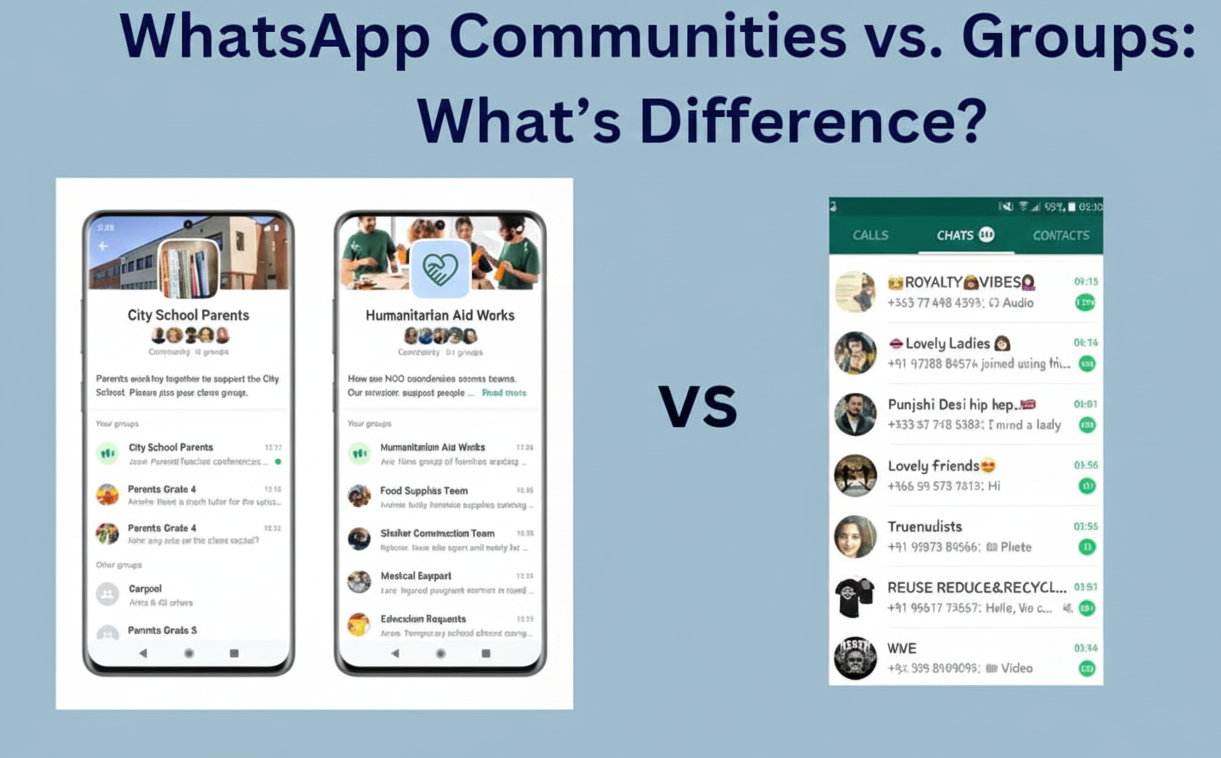
4. WhatsApp Communities vs. Groups: What's the Difference?
You might be wondering how Communities differ from the regular WhatsApp group chats you're used to. Here’s a quick breakdown of WhatsApp Communities vs WhatsApp Groups and what sets them apart:
Structure: A Group is a single chat room for people to message each other. A Community, on the other hand, is like a folder of multiple group chats. It organizes several related groups under one umbrella with an Announcement channel tying them together. Think of a Community as the whole house and groups as the individual rooms inside it.
Communication Flow: In a standard group, every member can send messages and everyone sees them in one continuous chat thread. In a Community, most conversations happen in the various sub-group chats (where members interact freely), plus there's the Announcement group for one-way broadcasts to all members. This two-layer system means what is Communities in WhatsApp can support both broad announcements (without chatter interrupting them) and smaller focused discussions in parallel.
Member Capacity: WhatsApp Groups currently support up to 1,024 members in one chat. What is Communities in WhatsApp massively expand the reach: you can have several groups each up to 1,024 members, and up to 2,000 unique members in the overall Community network. In practical terms, a Community could connect a lot more people than a single group by splitting them into sub-groups. For example, a Community could include 10 groups of 200 members each, all under one umbrella, easily surpassing the old group size limits while keeping discussions segmented by topic.
Admin Control and Roles: Group admins manage one chat; Community admins oversee an entire ecosystem of groups. Communities allow multiple admins (up to 20) and give them tools to manage all included groups centrally (adding/removing groups, controlling membership, posting announcements). Regular groups have admins too, but their scope is limited to that single group. Also, members in Communities can leave without alerting everyone – in a normal group, WhatsApp posts a system message when someone leaves, but exits from a Community are silent, avoiding any awkwardness.
Discovery & Joining: Many WhatsApp groups can be joined via shareable links and some are even semi-public. Communities are more private – they are not searchable within WhatsApp and you can only join via an invite from a Community admin or by being added. This keeps What is Communities in WhatsAppmore closed and controlled, which is ideal for organizations or schools that don't want random people stumbling in. It also means if you're looking to market or broadcast to unknown audiences, Communities might not be the tool (a broadcast list or WhatsApp Channel might suit that use-case better).
Information Overload: In large group chats, it’s easy to feel overwhelmed by hundreds of messages on all sorts of topics. What is Communities in WhatsApp tackle this by organizing conversations into sub-groups. Members can choose which sub-groups to join based on their interest or role, rather than being flooded by everything. The Announcement group ensures important info stands out by keeping it separate from chatter. This structure reduces information overload significantly – for example, a community member can pay attention to just the announcements and the few sub-groups they care about, instead of muting a busy all-purpose group or sifting through off-topic messages.
In summary, WhatsApp Groups are great for small-scale collaboration and casual chats, but Communities are built for managing larger networks of people with multiple discussion threads, all while keeping those discussions organized and everybody in the loop on key announcements. If you find your group chats outgrowing themselves or branching into different topics, it might be time to create a Community.
5. What Is the Use of Community in WhatsApp? (Benefits and Use Cases)
Why did WhatsApp introduce Communities, and who are they for? created to help people stay organized and connected when they have lots of related conversations. Here are some of the key uses and benefits of WhatsApp Communities:
Organized Communication: The primary use of a Community is to organize group conversations by topic or category. This is hugely beneficial for schools, clubs, and organizations. For example, a school can have one Community for all parents and teachers, subdivided into classes, extracurricular groups, etc. No more giant all-school chats where important messages get buried; instead, each class has its own group, and school-wide notices go in the announcement channel where everyone sees them . It's easier to find information because it's sorted by context.
Broadcast Important Updates Efficiently: Communities shine when you need to send announcements to a large audience. Community admins can post in the Announcement group and instantly notify everyone in all the sub-groups. This is great for urgent alerts (think: a weather cancellation for all sports team groups in a league, or a CEO’s message to all departments in a company). Unlike normal groups, the message won't get lost in chatter – it's right there in the announcements feed. As a bonus, recent updates now allow members to reply to these announcements in an organized thread, so admins can get feedback or answer questions without derailing the main news feed.
Focused Group Discussions: Community members can join only the sub-groups that matter to them, which keeps their chats relevant. In a neighborhood Community, for instance, you might have separate groups for general discussions, local events, and security alerts. Residents who only care about security can stick to that group and check announcements, rather than being spammed by every neighborhood chat. Communities help prevent information overload by segmenting topics, yet still linking everyone together when needed.
Enhanced Collaboration Tools: Communities come with all the new WhatsApp features that aid collaboration – polls for gathering opinions, large voice/video calls for meetings, and file sharing for documents. This makes WhatsApp a more powerful platform for teamwork or group coordination. A volunteer group Community could run a poll to choose a charity event date, share PDFs of plans, and hop on a 20-person call – all within WhatsApp, all within their Community.
Use Cases for Businesses: Businesses and brands are also exploring Communities to engage with their audience in a structured way. For example, a small business could create a Community for VIP customers: sub-groups for product discussion, feedback, and support, with an announcements channel for new product drops or exclusive offers. This creates a brand community where loyal customers feel a sense of belonging and get insider updates. (Since Communities are invite-only, a brand could invite select customers to join for an exclusive feel.) For internal use, companies can use Communities to organize teams and departments – it’s like a mini intranet on WhatsApp. In fact, WhatsApp designed Communities with organizations in mind, so that teams, clubs, and workplaces could coordinate better while keeping conversations secure.
Better Moderation and Safety: From a use-case perspective, Communities are useful for those who need to manage large groups with control and safety. Community admins can ensure rules are followed across all sub-groups – they can broadcast community guidelines in the Announcement group, quickly remove any harmful content, and oversee the tone of discussions. This is ideal for youth groups, advocacy networks, or any community where maintaining a respectful environment is important. Everyone in a Community knows there's an admin presence across all chats, which can deter spam or misconduct. And if someone does act out, they can be removed from the entire Community in one step, rather than hunting through each group.
Examples in Action: To make it more concrete, let's look at a couple of scenarios:
Neighborhood Watch: A neighborhood forms a WhatsApp Community to improve communication. They have one Announcement group for community-wide alerts (like "Suspicious activity reported on Elm Street"), and sub-groups for General Chat, Pet Owners, Local Events, and Emergency Response. Neighbors join the ones relevant to them. When a storm hits, the admins post updates and safety tips in Announcements (reaching everyone), while the General Chat buzzes with folks checking on each other. The Emergency Response group organizes help for anyone in trouble. This Community keeps the neighborhood tightly informed and connected, far better than a single chaotic group chat or dozens of disjointed ones.
Company Internal Communications: A mid-sized company adopts What is Communities in WhatsApp to replace some email chains. They create a Community for all employees. Within it are groups like HR & Announcements (an Announcement group for HR notices and company news), Team Discussions (each department like Marketing, Sales, Engineering has its own group), and Social & Fun (an optional group for off-topic chat and bonding). Now, when the CEO or HR needs to announce a policy update or an all-hands meeting, it goes in the Announcement channel – employees see it without HR having to send mass individual messages. Teams coordinate in their own chats, but if someone has a question about the announcement, they can reply to it (thanks to the new reply-to-announcement feature) or ask in their team group. The result: communication is streamlined, and employees don't miss important info in an overflowing all-company chat.
In essence, the use of What is Communities in WhatsAppis to create a more organized, scalable, and engaging way to connect people who share a common affiliation or interest. Whether you're a community leader trying to rally members, a business aiming to engage customers, or just someone tired of managing dozens of separate group chats, Communities provide a centralized solution. They combine the intimacy of group messaging with the reach of broadcasting, all while keeping things tidy and secure.
6. How to Create a WhatsApp Community (Step by Step)
Setting up a WhatsApp Community is straightforward and can be done from your mobile app (Android or iOS) or even WhatsApp Web/Desktop. If you've used WhatsApp groups, you'll find this pretty easy. Here's how to get started:
Open WhatsApp and Go to the Communities tab: On Android, tap the new Communities icon at the top of your Chats screen. On iPhone, the Communities tab appears at the bottom of the app. Click that to enter the Communities section.
Start a New Community: Tap “New Community” (it might also show as Start Your Community). WhatsApp will prompt you to set up your community. Enter a Community name, add a description that explains the purpose of your community, and set a profile photo or icon that represents it. (Tip: Choose a clear name and image, since all members will see these and it sets the tone.)
Create or Add Groups: After the basic info, WhatsApp will ask you to add groups to your Community. You have two choices:
Create New Groups: You can make a brand-new subgroup on the spot (for example, "Project A Team" or "Grade 10 Parents"). You'll be asked to name the group and add members to it just like creating a normal WhatsApp group.
Add Existing Groups: Alternatively, you can pull in some of your existing group chats (perhaps you already have a few related groups that you want to unite). Note: You must be an admin of an existing group to add it to a Community; you can't add groups where you're just a member and not admin. You can add up to 100 groups into one Community (more than enough for most uses!). You can also skip adding groups for now and do it later – but a Community isn't very useful until it has at least one subgroup for people to chat in.
Finalize and Launch: Once you've added one or more groups (new or existing), tap the checkmark or Create button. WhatsApp will create your Community and automatically generate the Announcement group for it. By default, anyone who was in the groups you added will receive an invitation to join the new Community. When they accept, they'll be part of the Community and in the Announcement channel.
Invite Members: You can invite more people to the Community by using the Invite link or QR code that WhatsApp provides for your Community. This link will invite people to join the Community (and typically you might assign them to relevant sub-groups once they're in). Remember, people have to join the Community first to see its sub-groups and announcements. You can share this invite link privately – since communities are invite-only, you might post it in an email to your organization or send directly to contacts.
Manage Your Community: As the Community admin, you can now manage it through the Community settings. You can add or remove sub-groups, appoint other admins, and moderate content. It’s a good idea to set some community guidelines and share them in the Announcement group (for example, no spamming, respect others, etc.). All community admins can post in Announcements and manage the Community info. Regular group admins (of sub-groups) can continue to manage their individual groups, but they won't automatically have rights to manage the whole Community unless you promote them to Community admin.
Engage and Enjoy: Now that your Community is live, encourage members to explore the sub-groups that interest them. They can tap the Community name and see a list of all groups under it, and join those groups if they want. As an admin, you can send out a welcome message in the Announcement group to introduce the Community's purpose and maybe highlight which sub-groups are available. Going forward, post announcements for key updates, and keep an eye on group chats to ensure everything runs smoothly. Communities can grow large, so having a few co-admins (for different time zones or areas of responsibility) can be helpful.
Managing and Moderation Tips: Running a big Community might seem daunting, but WhatsApp gives you tools to simplify it. For example, all Community members will see an Announcement group message, so you don't need to repeat info in each group – a single announcement does the job. If a subgroup chat gets too noisy or off-topic, consider creating another subgroup for that topic or reminding members of the community rules. Members can always mute busy groups or just leave ones that aren't relevant to them, so encourage people to customize their notifications to avoid overwhelm. As an admin, you can also remove any group from the Community if it's no longer needed or merge groups if appropriate. Keep the Community purpose clear and the structure well-organized, and you'll find it's much easier to handle than dozens of unconnected groups.
7. Conclusion of What is Communities in WhatsApp
What is Communities in WhatsApp are transforming the way we connect in groups by making large-scale communication more organized, efficient, and engaging. This feature takes the best parts of group chat – real-time discussion, personal connection – and scales it up with structure and admin tools to keep everything coherent. If you frequently coordinate information among a big group of people (be it a business, community organization, classroom, or fan club), WhatsApp Communities could be a game-changer for you. It's like having your own private social network within WhatsApp, tailored to your group's needs and interests.
The best part is how easy and user-friendly What is Communities in WhatsApp are. They live right inside the WhatsApp app everyone already knows, lowering the barrier for members to join and participate. No new app to download, no complex setup – it’s an extension of WhatsApp's familiar interface. This means your Community members will likely adapt quickly and appreciate having a central hub for all related chats.
So, what are you waiting for? Now that you know What is Communities in WhatsApp are and how to use them, you can start one for your group and take your communication to the next level. Whether you're uniting your customers, organizing a local initiative, or just tired of managing disjointed group chats, give Communities a try. Start by creating your own WhatsApp Community today and invite your core groups to join. It's free, secure, and could save you a lot of headaches in managing conversations.
(Call to Action) 👉 Ready to supercharge your WhatsApp communication? If you're a business or community leader looking to get the most out of WhatsApp, consider using tools like SendWo alongside What is Communities in WhatsApp. SendWo offers powerful WhatsApp marketing and automation features that complement What is Communities in WhatsApp – helping you broadcast messages, set up chatbots, and manage customer interactions at scale. Combine the structure of WhatsApp Communities with SendWo’s capabilities to create an unbeatable engagement strategy. Get started now and watch your community thrive on WhatsApp!
(FAQ)
Q: What is a WhatsApp Community?
A: A WhatsApp Community links multiple related groups under one umbrella with an Announcement group for all members and sub-groups for specific topics.
Q: How is it different from a regular group?
A: Communities have up to 2,000 members across many groups, an Announcement channel for admins, segmented conversations, and enhanced privacy with invite-only access.
Q: Who can create a Community?
A: Anyone with the updated regular WhatsApp app can create one; Business app users cannot. Groups added must be admin-controlled.
Q: How many can join?
A: Up to 2,000 members total. Sub-groups can hold 1,024 members each, with multiple groups under one Community.
Q: Are Communities safe?
A: Yes, all chats are end-to-end encrypted, phone numbers are limited to subgroup members, and admins can moderate content.
Q: Can members reply to announcements?
A: Yes, replies are organized separately so discussion doesn’t clutter announcements, with muted notifications by default.
Q: What if someone leaves?
A: Leaving the Announcement group means leaving the whole Community quietly, removing access to its groups; only admins know who left.
Aditi, a content marketer at SendWo, is a passionate writer and marketing enthusiast. She excels in driving revenue campaigns, building client relationships, and mastering content creation, SEO, customer service, and project management.
SendWo is Meta's official business solution Provider. Broadcast Bulk WhatsApp messages and automate using AI Chatbots.