WhatsApp marketing stands out in 2025 with unmatched engagement. It boasts open rates near 98%, meaning almost every message is read. Click-through rates (CTR) are equally impressive: industry data reports 15–80% CTR for WhatsApp campaigns, far above email’s ~2–5%. For example, one D2C brand saw an 80% CTR on WhatsApp versus just 5% on email, and many WhatsApp Business clients report CTRs over 50%.
🟠 These benchmarks highlight why marketers are shifting budget to WhatsApp, and almost everyone sees your message, and a significant share of them click the links.
Understanding these numbers is key to optimizing your campaigns. In this report, we break down the latest WhatsApp CTR benchmarks, compare them with other channels, explain how CTR is defined, and share practical tips to boost your click-through performance.

WhatsApp’s engagement metrics vastly exceed those of traditional channels. Key comparisons include:
For example, Dotdigital notes that its clients see WhatsApp click rates between 40% and 70%, whereas email CTR usually stays in the single digits. Another study found SMS CTR ~45% – already good, but still lower than WhatsApp’s.
In short, any double-digit CTR on WhatsApp is typical, while the same message on email would rarely exceed 5%. This dramatic gap is why brands that migrate part of their marketing to WhatsApp often see huge engagement boosts.
“Click-through rate” on WhatsApp is defined just like in other channels: the percentage of delivered messages that generate a click on a link or button.
Formally:
CTR (%) = 100 × (Number of clicks on message links) / (Number of messages delivered with a link).
WhatsApp’s own metrics dashboard tracks this as “the percentage of delivered WhatsApp messages with a link or button that users click”. For example, if you send 1,000 broadcasts with a special offer link and 300 recipients tap that link, your CTR is 30%. Alongside CTR, marketers also track open rate (reads) and conversion rate (final actions). Together, these KPIs show campaign performance.
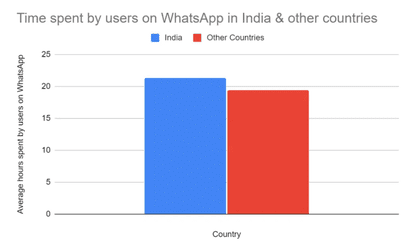
A high open rate guarantees eyeballs, but CTR shows engagement. If people click your links, your message is clearly resonating. WhatsApp’s rich media and conversational format often turn opens into clicks more effectively than other channels.
WhatsApp is a global platform with over 3 billion users by 2025. In regions where it dominates (e.g., India, Brazil, UAE), usage and engagement are especially high. Across markets, brands report:
📊Industry analysis confirms 45–60% of recipients will click a WhatsApp message link (compared to ~2–5% from email/SMS). For example, ChatArchitect reports WhatsApp Business API campaigns with 45–60% CTR on average. In India, surveys found that 45–60% conversion rates are common once customers click through (again, versus ~2–5% via email).
Sector-specific examples include:
These figures are benchmarks demonstrating what’s achievable with good execution.
We’ll now share what drives such high CTRs.
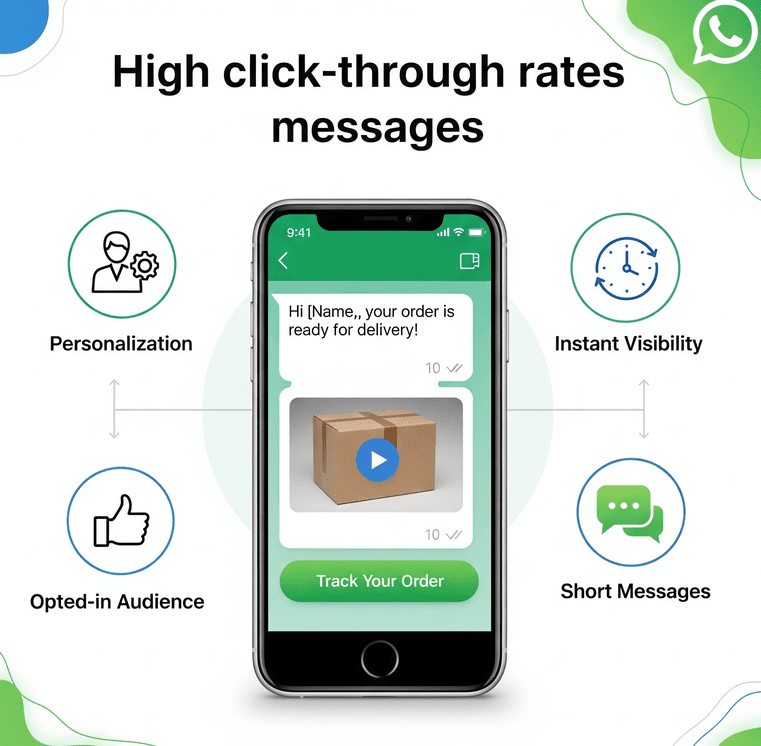
All these create a near-perfect storm for clicks. Even if your email CTR limps along at 2–5%, a comparable WhatsApp campaign – properly targeted and crafted – can easily hit tens of percent CTR.
Follow these proven tips to maximize your WhatsApp click rates:
1. Use Compelling CTAs
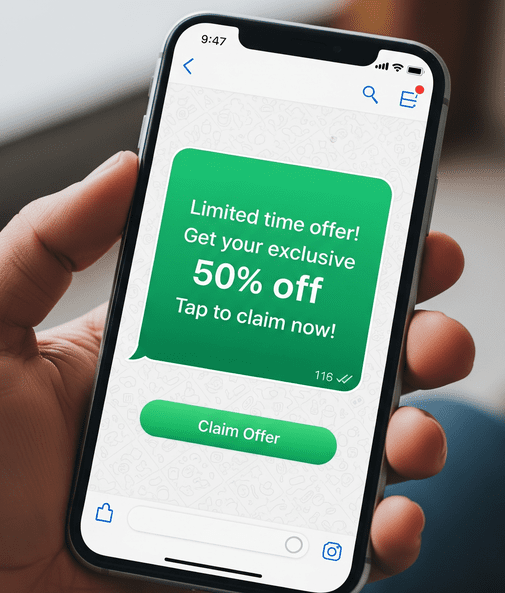
Put a clear action word in every message. E.g., “Shop Now,” “View Your Gift,” or “Claim Offer.” Make it obvious what to do. Phrases like “Limited time – tap to save!” convey urgency. Emphasizes that a straightforward, urgent CTA significantly raises CTR.
2. Include Rich Media and Buttons
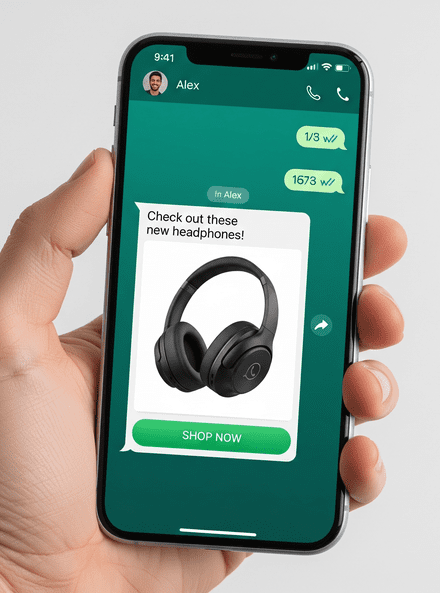
Attach an eye-catching image or product video, and use WhatsApp’s call-to-action buttons. For example, a “Pay Now” or “Visit Store” button beneath your message creates an easy tap target. Messages with visuals and buttons see far more engagement than text alone.
3. Keep Messages Concise
Long blocks of text deter clicks. Write short, conversational texts that get to the point. Ideally, use one link per message. (Too many links can overwhelm the user.) A single, clear offer – like “Tap the link below to see today’s deal!” – avoids confusion and yields better CTR.
4. Personalize Each Message
Reference the user’s name, past purchase, or preferences to make the message feel tailor-made. Personalized touches earn trust and make recipients more likely to click. In fact, WhatsApp experts note that adding personal details based on customer data greatly boosts CTR.
5. Segment Your Audience
Send relevant offers to the right segments. A clothing brand might target different styles to men vs. women, or offer maternity deals only to expectant mothers. Segmented campaigns feel more relevant and see higher click rates.
6. Time Your Sends Wisely
Test send times. For some businesses, lunchtime or early evening may yield the highest CTR as people check their phones. (Wapikit reports 95% of messages in India are read within 3 minutes, so timing can be crucial.) Avoid weekends if your audience is offline, or late-night pushes if your data shows low night engagement.
7. A/B Test and Optimize
Always test two versions of your message (different copy, images, buttons). Whichever version gets more clicks is the winner. Over time, you’ll learn what phrasing and visuals best resonate with your audience.
Using these techniques has helped many companies skyrocket their CTR. For instance, one football club saw its engagement rate hit 95% after optimizing its WhatsApp content (vs. a mere baseline of ~15% when messages were generic). Personalization and media can make all the difference.
To apply these benchmarks right away, start by analyzing your own campaigns:
By integrating WhatsApp thoughtfully, you harness its exceptional CTR potential. The stats are clear: double-digit click rates and conversion lifts by tens of percent are achievable when you optimize for this channel.
With the data, it is evident that WhatsApp click-through rates are off the charts compared to email and other channels. With nearly every message opened and a large share of readers tapping your links, WhatsApp turns engagement into action like nothing else. For marketers, this means a real opportunity. By crafting concise, personalized messages with strong CTAs and rich content, you can easily achieve CTR in the double digits – often 3–10× what you’d get from an email blast.
Ready to boost your results? Start integrating WhatsApp into your next campaign today. Build a targeted broadcast or a click-to-WhatsApp ad, include clear “Shop Now” or “View Offer” buttons, and watch the clicks (and sales) roll in. The platforms and templates exist – all it takes is creativity and testing. Given WhatsApp’s 98% read rate and proven CTR lifts, moving even a portion of your outreach to WhatsApp can dramatically improve engagement and ROI.
Take action now: draft a compelling WhatsApp message, send it to your audience, and track that click-through rate. The numbers are on your side – seize the opportunity and outperform your last email campaign with WhatsApp.
There’s no single “good” number, but benchmarks help. Industry reports show many WhatsApp campaigns achieve CTRs in the 20–60% range. Even hitting 15% is often considered a strong result, given that unoptimized messages typically see only ~15%. Companies that tailor content can reach 40–60% or higher. In practice, any CTR well above your old email benchmark is an excellent outcome.
CTR = (Number of link clicks ÷ Number of messages delivered with a link) × 100%. WhatsApp’s analytics tools define it as the percentage of delivered messages containing a link or button that users tap. For example, if you send 10,000 WhatsApp notifications with a product link and 2,500 people tap it, your CTR is 25%.
Several reasons: WhatsApp messages are opt-in and read almost immediately (open rate ~98%). The messaging format is personal and two-way, and you can send rich media content with clickable buttons right in the chat. By contrast, promotional emails often go unopened or get skimmed. Industry data confirms that WhatsApp CTR (often >40%) greatly exceeds typical email CTR (~2–8%).
Personalization, media, and clarity. Use the recipient’s name or past behaviour to make messages relevant. Include images, GIFs, quick-reply buttons, or product carousels to engage. Most importantly, have one clear call-to-action in each message. Experts advise making your CTA obvious and urgent. Also, segment your audience and send at optimal times. Implementing these best practices has helped brands “skyrocket” their click rates.
Imagine a customer’s phone buzzes with a WhatsApp notification early in the day. Within seconds, they check the message – after all, WhatsApp messages boast an open rate around 98% (versus ~20% for emails). The message is from your business. Will it spark their interest and lead to a click or purchase, or will it be swiped away like any other spammy promo? The answer lies in how well the message is crafted.
WhatsApp has over 2 billion users worldwide and is a powerhouse for marketing with sky-high engagement. In fact, marketing on WhatsApp can drive up to 89% higher purchases per user compared to other channels. Its personal, chat-based nature means customers tend to respond fast – the average response time is just 90 seconds! With such potential, writing high-converting WhatsApp marketing messages has become a must-have skill for businesses.
In this comprehensive guide, we’ll show you how to craft WhatsApp messages that engage customers and drive your conversions. We’ll cover best practices, from using a conversational tone and personalization to adding compelling calls-to-action, all presented in an easy-to-scan format. By the end, you’ll be equipped to write WhatsApp marketing copy that not only gets read but also compels readers to take action. So why wait? Let’s dive in!
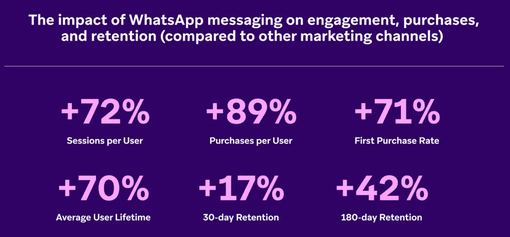
WhatsApp isn’t just another messaging app; it’s a marketing goldmine. With 2+ billion users in 180+ countries, it offers direct access to nearly a quarter of the world’s population. More importantly, people actually read WhatsApp messages. The platform’s open rates are around 98%, far higher than traditional email open rates. That means your promotional message is almost guaranteed to be seen, which is half the battle in marketing.
Not only are WhatsApp messages seen, but they also prompt quick engagement. Studies show the average user responds within 90 seconds on WhatsApp, reflecting how immediate and attention-grabbing this channel is. This real-time interaction can translate into impressive conversion metrics – WhatsApp campaigns have reported 20–60% conversion rates in turning leads into customers. For context, email marketing often sees conversion rates in the low single digits. Clearly, WhatsApp can be a high-converting channel when used effectively.
WhatsApp is inherently a one-to-one conversational platform. Messages land directly in a user’s chat list with no spam filters to worry about (WhatsApp messages are delivered ~9 out of 10 times, whereas many emails get filtered out). Crucially, customers on WhatsApp opt in to hear from you, ensuring your audience is genuinely interested in your brand.
This opt-in model means your WhatsApp contact list is a high-quality audience primed for engagement – a stark contrast to blasting messages at uninterested masses. When you reach out on WhatsApp, you’re meeting customers where they already chat with friends and family, making your marketing feel more like a friendly conversation than a sales pitch.
WhatsApp combines massive reach, extraordinary open rates, and an intimate communication style. It’s the perfect recipe for engagement and conversions – but only if your message itself is compelling.
In the next sections, we’ll explore how to write WhatsApp marketing messages that make the most of this platform’s strengths. From crafting the perfect opening line to adding a powerful call-to-action, here are the strategies that will set your messages (and your conversion rates) apart from the rest.
Each tip below is SEO-friendly and rooted in what works in 2025’s marketing landscape.

✔️High-converting messages start with understanding who you’re talking to.
✔️Take time to research your target audience’s demographics, interests, and pain points.
✔️Use your customer data and analytics to segment your WhatsApp contact list into relevant groups (by preferences, purchase history, location, etc.).
✔️A one-size-fits-all blast is far less effective than a tailored approach.
For example, if you run an e-commerce store, you might segment customers into groups like “frequent buyers”, “interested in electronics”, or “holiday shoppers”, and then send slightly different messages to each. By knowing your audience, you can speak to their specific needs, which dramatically increases the chances they’ll engage.
Always ensure that these contacts have opted in to receive your WhatsApp updates (offer incentives for opt-ins if needed). A high-quality, permission-based list will yield much better conversion results than a large but cold list.
✔️Before typing a single word, ask yourself: What is the goal of this WhatsApp message? ✔️Every high-converting message has a single, focused objective.
✔️Are you aiming to generate leads, drive a sale, announce a new product, or increase brand awareness?
✔️Define one primary call-to-action or outcome per message. This clarity will keep your copy on track and actionable.
For instance, if your goal is to recover an abandoned cart, your message objective might be to get the customer to click your cart link and complete the purchase. Everything in that message, from the text to the button, should serve that specific goal.
Avoid mixed messages; don’t cram multiple offers or requests together, as it confuses the reader. A clear objective ensures your WhatsApp marketing copy stays focused and high-converting.
✔️WhatsApp is a personal, chatty platform, so your marketing messages should feel friendly and individualized, not like mass spam.
Use the recipient’s name and any relevant details you know about them (past purchases, interests) to show the message is tailored for them.
For example: “Hi John, thanks for being a loyal customer! We thought you’d enjoy this update…” – This kind of opener immediately feels more personal than a generic “Dear customer”.
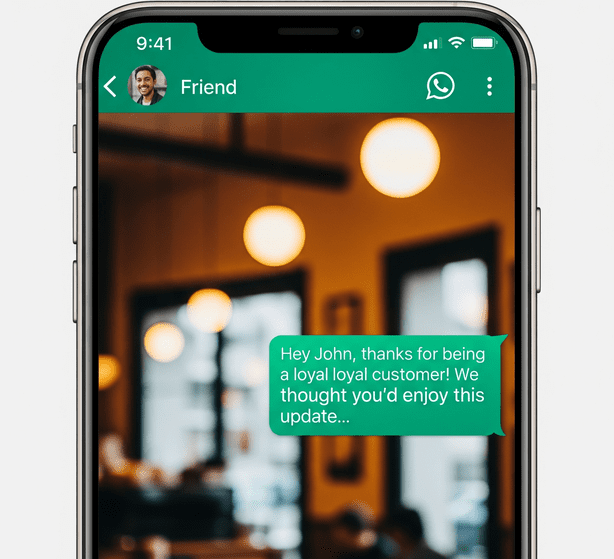
✔️Personalization can significantly boost conversions – studies have found that personalized marketing can increase conversion rates by up to 200+%. Along with personalization, use a conversational, human tone. Write as if you’re talking to a single person, not a faceless crowd.
Avoid overly formal language or jargon; emojis and a light tone can make your brand sound more approachable (more on formatting and emojis soon). The key is to make the reader feel like you’re speaking to them, not at them. This builds trust and rapport, which in turn makes them more likely to act on your message.
✔️The first sentence of your WhatsApp message is make-or-break. To maximize conversions, start with a hook that immediately draws the reader in. You have limited characters before a user might have to tap “Read more,” so put the most compelling idea up front. Great hooks could be: a question (“Looking to save on your next order?”), an interesting fact or stat (“Did you know 80% of our users double their savings with this tip?”), a personalized reference (“We noticed you liked our summer collection...”), or a bold statement (“Your exclusive offer inside, but only for 24 hours!”).
The hook’s job is to pique curiosity or address a need so the reader wants to read the rest.
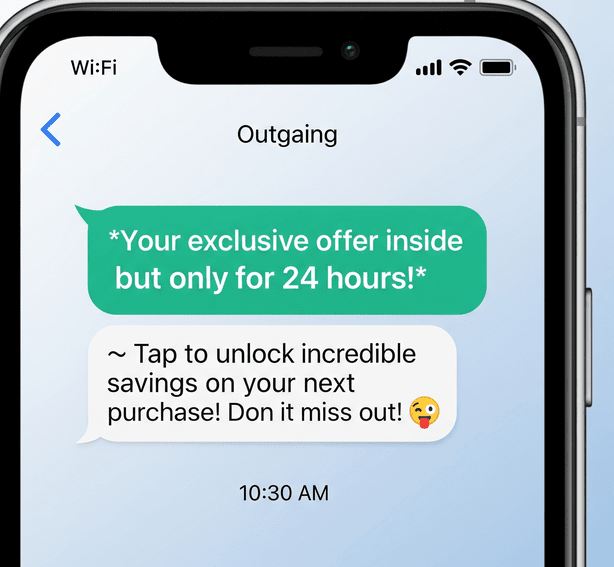
✔️Storytelling can also be a powerful hook – for instance: "👋 Hi Anna! Remember how you said you were too busy to shop? Imagine if your groceries could order themselves..." Such a narrative approach taps into the customer’s situation and makes them eager to see the solution. However you do it, make those first words count. An engaging opening line will vastly improve the chances that the user keeps reading and ultimately clicks through.
✔️When it comes to WhatsApp marketing messages, brevity is your friend. Users are on a mobile chat app, not reading a blog. If your message is too long or looks like a wall of text, many recipients will simply skip over it. Aim to convey your core message in a few concise sentences (3-5 lines max).
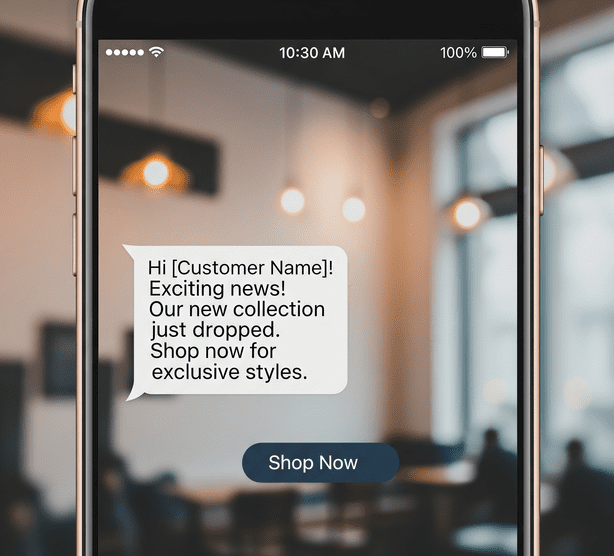
Get to the point quickly – what are you offering and why should the reader care? Use short sentences and simple language; cut out fluff, filler, and any overly technical jargon. A crisp, clear message respects the reader’s time and increases the likelihood they’ll read the whole thing.
✔️Focus on one main idea per message, and if you have more to say, consider sending it in a follow-up or using other content (like a link to a landing page or a brochure). Remember, WhatsApp is a “quick communication” platform – your marketing copy should feel quick to absorb as well. By keeping it short, you not only hold the reader’s attention but you also make your call-to-action more prominent.
✔️To convert readers into customers, your message must clearly answer their unspoken question: “What’s in it for me?” Instead of merely listing a product’s features or a generic offer, highlight the specific benefit or value the user will gain. For example, rather than saying “We offer 24/7 support,” frame it as a benefit: “Never worry about issues – our team is here to help you 24/7 so you’re always covered.” If you’re promoting a sale, don’t just say “50% off shoes”; add why it’s great: “50% off our best-selling running shoes – upgrade your comfort and performance for half the price!”.
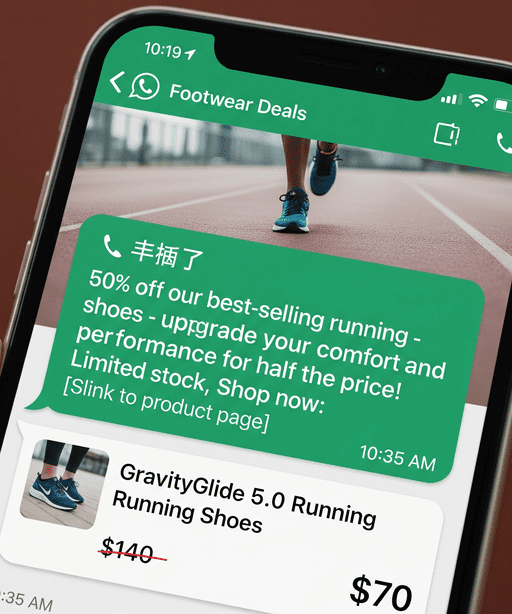
✔️By highlighting how your offer solves a problem or improves the customer’s life, you tap into their motivations. Use benefit-focused language that speaks to desires or pain points.
Remember, most recipients will quickly scan your message for value – make it obvious. You can even bold key benefit words or phrases to ensure they stand out (more on formatting later). The more a customer can envision the benefit they’ll gain, the more likely they are to click or convert. In fact, explicitly conveying value and personalization builds trust, making recipients more inclined to act.
✔️Humans are wired to act when they sense they might miss out on something great. Adding a bit of urgency or scarcity to your WhatsApp messages can significantly boost conversion rates. This doesn’t mean every message must be a flash sale, but if appropriate, let the reader know why they should act now. Phrases that convey urgency include: “Today only,” “Limited spots available,” “Offer expires in 24 hours,” “Only 5 left in stock,” etc. For example: “🔥 Flash Sale: 30% off all gadgets for the next 4 hours only!”.
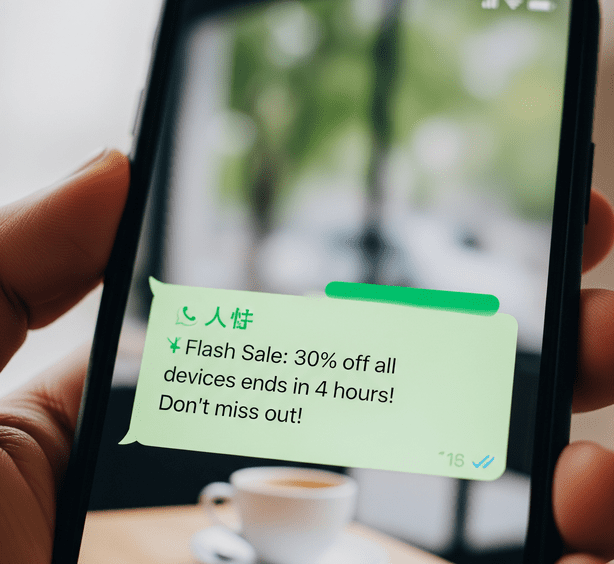
✔️You can even include a countdown or deadline to spur immediate action. FOMO (fear of missing out) is a powerful motivator – nobody wants to be the one who passed up a great deal or an exclusive opportunity. Use it ethically and sparingly (constant false urgency can annoy customers), but when you truly have a time-sensitive offer or limited quantity, make sure your WhatsApp message highlights that.
The combination of a personal channel + urgency often compels readers to stop what they’re doing and act, which is exactly what high-converting messages achieve.
✔️A WhatsApp marketing message without a call-to-action is a dead end. After hooking your reader and building interest, tell them exactly what to do next. Whether it’s “Shop Now,” “Claim Your Discount,” “Book Your Spot,” “Read More,” or “Reply YES to confirm,” make the CTA explicit and easy to follow.
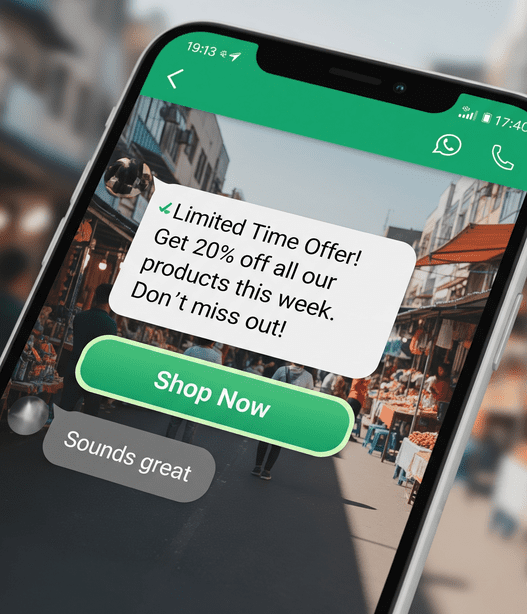
In WhatsApp, CTAs can be part of the text or even a button if you’re using WhatsApp Business templates (for example, a clickable button that says “Buy Now” or “View Details”). Keep the CTA short and action-oriented, and if possible, highlight the benefit of clicking: e.g., “Grab My 50% Off Coupon” is more enticing than just “Click here”. Also, only include one primary CTA per message – having multiple different actions (e.g., “click this link AND call us AND visit our site”) will confuse or overwhelm users.
✔️Make sure the action is something they can do immediately on their phone. For instance, if you want them to make a purchase, link directly to the product page and ensure the site is mobile-friendly. If you want them to reply, ask a simple question or provide a one-tap quick reply option. The CTA should stand out – consider using caps or emoji pointers 👉 to draw attention to it. By combining a strong CTA with the urgency and value from previous steps, you’re paving a direct path to conversion for the customer.
✔️A big block of text can be intimidating on a small screen. Format your WhatsApp message to be easy to scan and visually appealing. Break text into short lines or separate messages if needed, use line breaks to separate ideas, and consider using WhatsApp text formatting like bold or italics for emphasis on key points (for example, SALE 50% or limited time). WhatsApp also supports emojis, which can add personality and catch the eye. A well-placed emoji can convey emotion or draw attention, such as 🔥 for a hot deal or ⏰ for a time-sensitive offer.
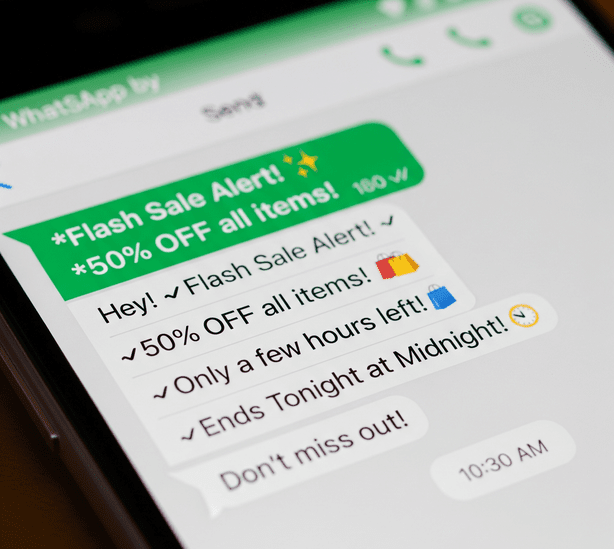
✔️However, use emojis strategically and sparingly – make sure they match your brand voice and message context. For instance, a friendly “😊” can warm up a greeting, and a pointed “👉” can direct attention to your link or CTA. Formatting elements like these help important information pop out when a user glances at the message.
✔️Bold text highlights your main message or offer, and bullet points or numbered lists (if your message is a bit longer or contains multiple items) can structure information clearly. The goal is that even if someone doesn’t read every word, their eyes quickly catch the highlights: the offer, the deadline, the CTA.
✔️Given that WhatsApp is mobile, always preview your message on a phone to see how it appears. A clean, organized message with some visual flair (but not clutter) will hold attention and improve your conversion chances significantly.
✔️Remember the saying, “a picture is worth a thousand words”? On WhatsApp, an eye-catching image or short video can dramatically increase engagement. People are drawn to visuals; in fact, content with relevant images or media gets significantly more views and responses than text-only messages. If it suits your campaign, include a media attachment in your WhatsApp message: it could be a product image, a quick video clip, an infographic, or even an audio message.
For example, if you’re promoting a new product, an image of that product in action can spark interest immediately. If you’re announcing an event, a short video invitation or a poster graphic can convey excitement better than text alone. Visuals not only grab attention but also help convey complex info fast (like a flyer image summarizing an offer).
WhatsApp Business allows rich media messages, so take advantage of that. Keep file sizes reasonable so they send quickly, and ensure the visual is clear and high-quality on mobile screens.
✔️Also, consider adding a tiny bit of text overlay or caption on the image if needed (but avoid too much text on an image, as WhatsApp will show a preview). One important note: always make sure your image/video is relevant and adds value – don’t send a random picture unrelated to your message just to add flash. A pertinent visual plus your concise, value-focused copy can be a powerful one-two punch to drive conversions.
Tip: Many brands see great success with WhatsApp by sending product photos with a price and a “Buy Now” button right in the chat – it feels like a personal recommendation rather than an ad.
✔️WhatsApp offers interactive message features that can skyrocket conversion by reducing friction. If you have access to WhatsApp Business API or the WhatsApp Business app’s features, utilize quick reply buttons and call-to-action buttons in your messages. Quick reply buttons let users respond with one tap (great for surveys, confirmations, or simple yes/no offers), while CTA buttons can send users straight to a website or app from the chat.
For example, if your message is about scheduling a demo, you could include buttons like “✅ Yes, book my demo” and “📅 See other times,” making it effortless for the customer to respond. Likewise, a “Shop Now 🛍️” button next to your promotion can directly lead them to checkout.
These interactive elements make your WhatsApp marketing truly conversational and convenient, which encourages action. Customers appreciate when taking the next step is as easy as tapping a button, and this ease-of-use can greatly improve conversion rates. While crafting your message, think if any part of the user’s journey can be simplified with such features.
Just remember, these are available if you’re using templates or the Business API for outbound messages. Even if you don’t use buttons, you can simulate a similar effect by phrasing your CTA as something they can reply to (e.g., “Reply 1 for more info”). The key is to remove any barriers between the customer and the action you want them to take.
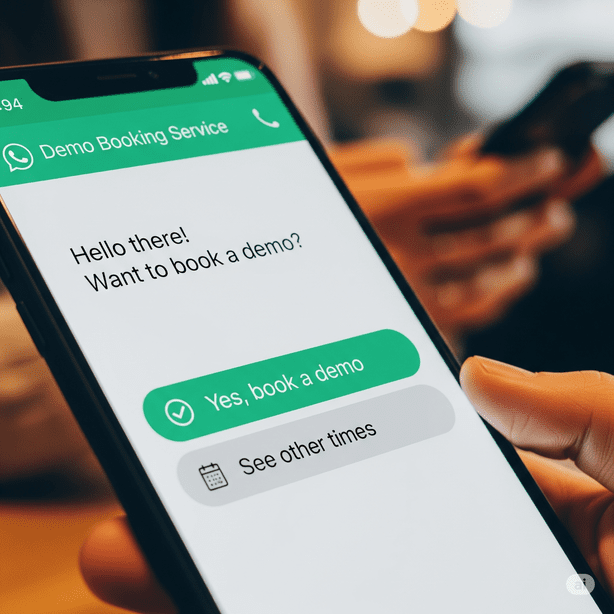
If you’re using Sendwo, these interactive elements can be built right into your WhatsApp campaigns without coding, making your marketing truly conversational and convenient. Customers appreciate when taking the next step is as easy as tapping a button, and this ease-of-use can greatly improve conversion rates.
Writing high-converting messages is part art and part science.
✔️Testing and iteration are crucial to keep improving your WhatsApp marketing performance. Don’t be afraid to A/B test different message variations with small segments of your audience. Try two different wording styles, emojis vs. no emojis, or different hooks, and see which version gets a better response or click-through rate. Track your metrics: delivery rates, open/read rates (WhatsApp’s double-check marks can give some insight), click rates on any links, and of course, the conversion rate (e.g., how many made a purchase or took the intended action).
✔️Pay attention to customer responses as well – are people replying positively, asking questions, or opting out? Each campaign’s data will teach you something. For instance, you might discover that messages sent in the evening get a higher response than morning, or that adding an emoji boosts engagement by 10%. Use these insights to refine your messaging strategy. Over time, you’ll identify the best message length, format, and tone for your specific audience.
✔️Also, stay updated on WhatsApp policy changes and new features (the platform evolves, e.g., new message template options or interactive elements might roll out). By continuously learning and tweaking, you’ll turn WhatsApp into a conversion engine for your business. Remember, what worked last year might not work now, so keep testing new ideas, and double down on what works best.
By following these tips, you’ll be well on your way to crafting WhatsApp marketing messages that not only reach your audience but also resonate with them.
WhatsApp marketing is all about turning a conversation into a conversion. By applying the strategies, which include knowing your audience, writing compelling and concise copy, and using the interactive tools at your disposal, you can transform a simple chat message into a catalyst for sales and customer loyalty. Remember that on WhatsApp you’re speaking in a personal space, so treat your customers like friends: be helpful, genuine, and respectful of their time. If you deliver real value in a friendly tone, your audience will welcome your messages rather than mute them.
Now it’s time to put these tips into action. Start crafting your own high-converting WhatsApp message today. Maybe it’s a warm welcome message for new subscribers, a time-sensitive promo for your VIP list, or a helpful tip that subtly showcases your product’s value – whatever it is, use what you’ve learned here to make it engaging and conversion-driven. Measure the results, keep refining, and watch as WhatsApp becomes a powerhouse in your marketing toolkit.
Ready to boost your conversions? Don’t just wait on the sidelines – apply these WhatsApp message writing tips now and turn those casual chats into loyal customers. Your next high-converting campaign is just a message away.
🚀 Start typing and happy converting!
Keep it personal, clear, and action‑driven. Greet the customer by name, hook their attention with a question or benefit, and highlight your offer in simple, friendly language. Use emojis for warmth, keep it brief, and end with a clear call‑to‑action (e.g., “Tap to claim your discount!”).
Keep it short—3‑5 brief sentences or 5‑7 bullet points max, so it fits on one screen. Use a friendly greeting, share your main offer or message, then give a clear call‑to‑action. Skip long paragraphs and link out if more detail is needed. Concise messages are more likely to be read and acted on.
Imagine updating a Google Sheets spreadsheet and instantly reaching your audience on WhatsApp – without lifting a finger. This isn’t a far-fetched scenario, but a reality that savvy businesses are leveraging today. WhatsApp is one of the world’s most popular messaging platforms, now boasting over 3 billion monthly users, and about 80% of its messages are read within 5 minutes of receipt (with ~98% overall open rates).
By integrating Google Sheets (a powerful, cloud-based spreadsheet tool) with WhatsApp, you can automate personalized messages, send bulk updates, and streamline communication workflows. The result? Huge time savings, lightning-fast engagement, and communication at scale with the human touch of personalization.
In this comprehensive guide, we’ll explore how to send WhatsApp messages via Google Sheets using multiple methods – from simple formula hacks to official API integrations and no-code automation tools. Whether you’re a small business owner looking to send order updates or a marketer planning a campaign broadcast, these strategies will help you connect Google Sheets with WhatsApp easily.
We’ll also cover the benefits, best practices, and answer frequently asked questions. Let’s dive in and supercharge your WhatsApp messaging workflow!
Connecting Google Sheets to WhatsApp can be a game-changer for individuals and businesses alike. Here are some key benefits and scenarios where this integration shines:
Instead of manually sending the same message to multiple contacts, you can automate the process. For example, a teacher can send exam reminders to all students listed in a sheet with one setup, or a salesperson can follow up with leads recorded in a spreadsheet automatically.
✔ This saves time and reduces manual effort significantly.
Google Sheets makes it easy to store and manage data like names, phone numbers, and custom details. By linking it with WhatsApp, you can send bulk messages that feel personal. Each message can pull in the recipient’s name or specific info from the sheet (like an appointment date or order number), creating a personal touch at scale.
✔ This leads to better engagement and customer experience.
Many teams use Sheets to log status updates (e.g., order processing, task progress, inventory levels). With an integration, any update on the sheet can trigger an instant WhatsApp notification. For instance, imagine a small restaurant using a Google Sheet to track delivery orders – when an order’s status changes to “Ready” or “Dispatched” in the sheet, a WhatsApp message could automatically notify the customer and delivery driver.
✔ This real-time communication keeps everyone informed and improves efficiency.
By using Google Sheets as your central hub for messaging data, you maintain an organized record of what was sent and to whom. You can easily update contact lists, tweak message content, and see a history of communications all in one place (the spreadsheet). This is much easier than juggling a phone’s broadcast lists or copying and pasting messages one by one.
As noted, WhatsApp messages enjoy extremely high open and response rates compared to email or SMS. If you have critical alerts (payment reminders, important announcements, meeting links, etc.), automating them through WhatsApp ensures they’re seen promptly. Integrating with Google Sheets means you can manage those alerts in a structured way (e.g., schedule or trigger them based on data changes), combining WhatsApp’s immediacy with Sheets’ organization.
✔ In short, linking Google Sheets with WhatsApp allows you to work smarter, not harder.
Next, let’s explore the various methods to achieve this integration, from quick hacks to more robust solutions.
One of the simplest ways to send WhatsApp messages through Google Sheets is by using clickable WhatsApp web links.

This method requires no coding or third-party tools – just a clever use of formulas in your spreadsheet. It’s perfect if you want a quick, free solution for moderate messaging tasks.
Here’s how it works:
Create WhatsApp Message Links: In a new column (say, “WhatsApp Link”), use a formula to generate a WhatsApp API URL for each row. WhatsApp offers a simple URL format that can pre-fill a chat with a specific number and message. The format is:
https://api.whatsapp.com/send?phone=<PhoneNumber>&text=<URL-encoded message>
In Google Sheets, you can build this dynamically. For example, if the phone number is in column B and the message text is in column C, your formula in the “WhatsApp Link” column might look like:
=HYPERLINK("https://api.whatsapp.com/send?phone=" & B2 & "&text=" & ENCODEURL(C2), "Send via WhatsApp")
Pros: This method is extremely easy and free. You can prepare dozens or hundreds of personalized messages in your sheet and send them out relatively quickly by clicking each link. It leverages the official WhatsApp click-to-chat feature, so it’s not violating any rules (since you are manually sending each message). It’s great for scenarios where you have a list of recipients and need to send each a message with minimal effort (e.g., event invites, reminders, etc.).
Cons: The drawback is that it’s not fully automated – you still have to click each link and send it manually. For a small list, this is fine, but it doesn’t scale well to thousands of messages, and it won’t send on its own without your action. Also, your WhatsApp must be open and connected for each message, and you can’t schedule these for later automatically. Essentially, it streamlines manual sending but doesn’t eliminate manual work entirely.
This no-code hyperlink hack is a fantastic starting point and requires almost no technical setup.
However, if you’re looking for true automation (where messages are sent automatically based on triggers or in bulk at once), you’ll want to consider using the WhatsApp API along with some scripting or third-party tools, which we’ll cover next.
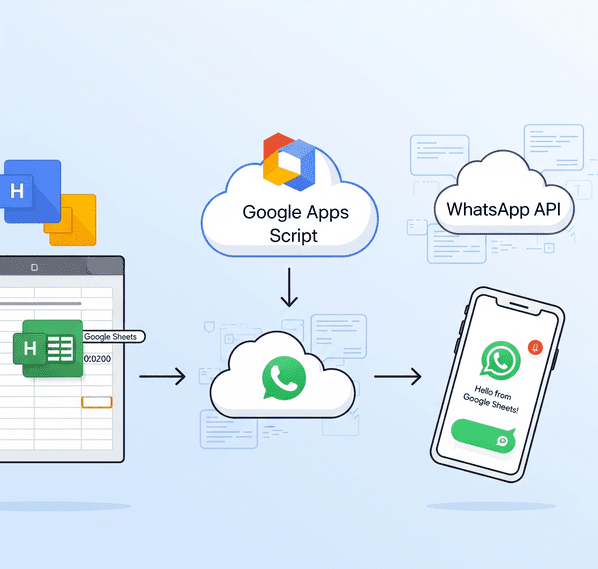
For a more powerful and hands-off solution, you can use Google Apps Script (JavaScript-based scripting in Google Workspace) to connect to the WhatsApp Business API. This approach allows Google Sheets to send WhatsApp messages automatically – for example, the script could iterate through a list and send out messages to all contacts with one command, or even trigger messages when new rows are added. This method does require some technical setup and coding, but it’s very effective for bulk messaging and advanced automation. Let’s break down the steps at a high level:
1. Obtain WhatsApp API Access: You have two main routes to get access to WhatsApp’s API:
Don’t worry, basic templates (like appointment reminders, order updates) usually get auto-approved quickly. The Cloud API is great because it’s official and free to start, but note that if you want to send messages beyond the 5 testing numbers or to customers at scale, you will have to move to production: that means connecting an actual WhatsApp Business number, getting it verified, and potentially incurring costs per message (WhatsApp charges a small fee per template message in most regions once you exceed free limits). Still, it’s the proper way to automate WhatsApp and avoids any risk of getting your number banned for automation, since this is fully authorized by WhatsApp.
The advantage of using a provider is that they often have simpler onboarding – e.g., Twilio’s sandbox lets you test by joining a sandbox via code and sending messages to any number that joined it, and for production, you can get a Twilio WhatsApp number without dealing with Facebook directly. The downside is cost – BSPs charge their own fees per message or monthly plans on top of WhatsApp’s fees. If you’re just experimenting or prefer a smoother UI, a BSP can be helpful.
In either case (official or BSP), by the end of this step, you should have: a WhatsApp API endpoint, an API token, and possibly a template name (if using templates) or the permission to send session messages (messages within 24h of user interaction, if applicable).
2. Write a Google Apps Script to Send Messages: Now, go to your Google Sheet, click on Extensions > Apps Script to open the script editor. You’ll write a script that reads data from the sheet and makes an HTTP POST request to the WhatsApp API for each contact. In pseudo-code, the script will do something like:
Writing this script requires some coding knowledge. Thankfully, you don’t have to start from scratch – Meta’s documentation and community tutorials provide examples. For instance, developer Amit Agarwal’s tutorial on using WhatsApp API with Google Sheets includes sample Apps Script code that demonstrates how to format the payload and loop through sheet data. You can adapt such examples to your needs.
Approve those. If everything is set up correctly, the script will go through each row and send out the WhatsApp messages in sequence. Monitor the execution log for any errors (e.g., if phone numbers are formatted incorrectly or if the API credentials are wrong, you’ll see errors that you can troubleshoot).
If using the official testing sandbox, check on your phone that the messages arrived to the test numbers. They should match your template with data from the sheet. It’s quite magical to see your spreadsheet essentially blasting out WhatsApp messages on its own!
Or schedule a trigger to send reminders every morning using data from the sheet. This way, you achieve hands-free automation – you don’t even need to click a button; new entries or scheduled times will cause messages to go out.
Pros: Using Apps Script with WhatsApp API is very powerful and scalable. You can send hundreds or thousands of messages (just be mindful of WhatsApp rate limits and message template rules) without manual effort. It’s fully customizable – you have full control over how and when messages are sent, message content, logic to skip certain rows, etc. It is an officially supported method (when using WhatsApp’s Cloud API or a BSP), so it complies with WhatsApp’s terms of service, meaning no risk of bans as long as your content is legitimate. This is the kind of setup large businesses use for CRM integrations, order notifications, OTPs, etc., albeit with more robust infrastructure. But thanks to Google Sheets and Apps Script, even individual users can build a mini system like this.
Cons: The obvious con is the technical complexity. You need to be comfortable writing and debugging code, or have a developer to help. The initial setup with Facebook Developers or Twilio can be a bit tedious if you’re not familiar with APIs. Also, once you go beyond testing (more than 5 people, or long-term use), you likely need to pay for WhatsApp API usage – costs vary by region, but typically it’s a few cents per message template delivered (incoming messages are free). It’s generally very cost-effective for the impact it delivers (especially compared to SMS), but it isn’t entirely free like using your personal WhatsApp app.
Additionally, WhatsApp Business API requires that you only send messages to users who have opted in to receive messages from your business, and any template messages have to be approved and non-spammy. So you can’t just blast a million unsolicited messages – that’s not allowed, and your API access could be revoked for spam. But for legitimate use cases (notifications, subscribed alerts, customer communications), this method is gold.
If coding isn’t your cup of tea, don’t worry. There are no-code solutions that achieve similar results. Let’s explore those next.

Not everyone is comfortable with scripting or API details. Fortunately, a number of third-party tools, integrations, and Google Sheets add-ons exist to help you send WhatsApp messages from spreadsheets with little to no coding. These solutions often provide user-friendly interfaces or connectors that do the heavy lifting in the background.
Below, we’ll cover some popular options that you can leverage:
Similarly, Interakt (another WhatsApp API solution) has a Google Sheets plugin: you can find it by searching “Interakt” in the Add-ons store. It’s listed as “WhatsApp sender – Jio Haptik Technologies Ltd”. After installing, you log in and basically can send messages directly from your sheet through Interakt’s service. The big advantage of these add-ons is simplicity – they integrate into the familiar Google Sheets interface. They often provide a sidebar UI to set conditions or pick which message template to send. If you already use a particular WhatsApp API provider (like WATI, Interakt, or others), check if they have an official Google Sheets integration or add-on; using it will save you from dealing with raw scripts.
The process typically involves signing up on SendWo, configuring a “flow” or “campaign,” and linking it to your Google Sheet (often by pasting a webhook URL and adding a small Apps Script to your sheet, which SendWo provides – this script sends data to SendWo when the sheet changes occur). Once set up, SendWo handles the message sending through the WhatsApp API on their end.
Other notable platforms include Picky Assist, which has a “Connector” feature for Google Sheets similar to SendWo’s approach, and AiSensy, Gupshup, Haptik, etc., which are official API providers that may allow sheet integrations or CSV uploads to send bulk messages. These platforms often come with intuitive dashboards – you might upload your Google Sheet of contacts to their system or use their preset Google Sheets integration to map columns to message template parameters.
The key benefit here is that you get a full-fledged solution with support and possibly advanced features (scheduling, analytics, managing replies via a shared inbox, etc.), usually for a subscription fee or per-message cost. When mentioning platforms like SendWo, it’s important to note: they are not “WhatsApp hacks” but legitimate services using WhatsApp’s Business API on your behalf. Thus, they ensure compliance and reliability, which is crucial for business use.
There are community Zap templates like “Send a WhatsApp message via Twilio when a Google Sheet row is added” – you’d configure your Twilio WhatsApp account in Zapier, and then map sheet fields to the message content. Make.com provides a more flexible scenario builder and actually has modules for WhatsApp Business Cloud API, where you can input your Facebook Cloud API credentials and connect to the Google Sheets module on the other side.
Essentially, these automation platforms are ideal if you already use them or if you want to connect multiple steps. They can, for example, take a new row from Sheets, look up additional info from somewhere else, then send a WhatsApp, and even log the result back to another sheet – all without coding. The trade-off is that Zapier and Make have usage limits for free accounts and can get costly at scale, and you still need an API provider or account to do the actual WhatsApp sending (Zapier/Make are just middlemen orchestrating the process). But for moderate volume and for those who prefer visual workflow builders, this is a user-friendly solution.
However, there are significant drawbacks: since they automate WhatsApp Web, they violate WhatsApp’s terms of service. If you send a large number of messages this way (especially unsolicited ones), your number can be flagged and banned by WhatsApp's spam detection. The extensions themselves even warn that premium versions can’t guarantee avoiding bans. Essentially, they are workarounds suitable for very small-scale use or one-off needs. We mention them for completeness, but businesses should be careful.
If you’re serious about WhatsApp outreach, using official API methods or trusted providers (as discussed above) is far safer and more reliable. That said, for a hobby project or a very limited personal use (like messaging a club’s members who expect your message), tools like WA Sender might do the trick. Just remember the risk that comes with anything that isn't officially endorsed by WhatsApp.
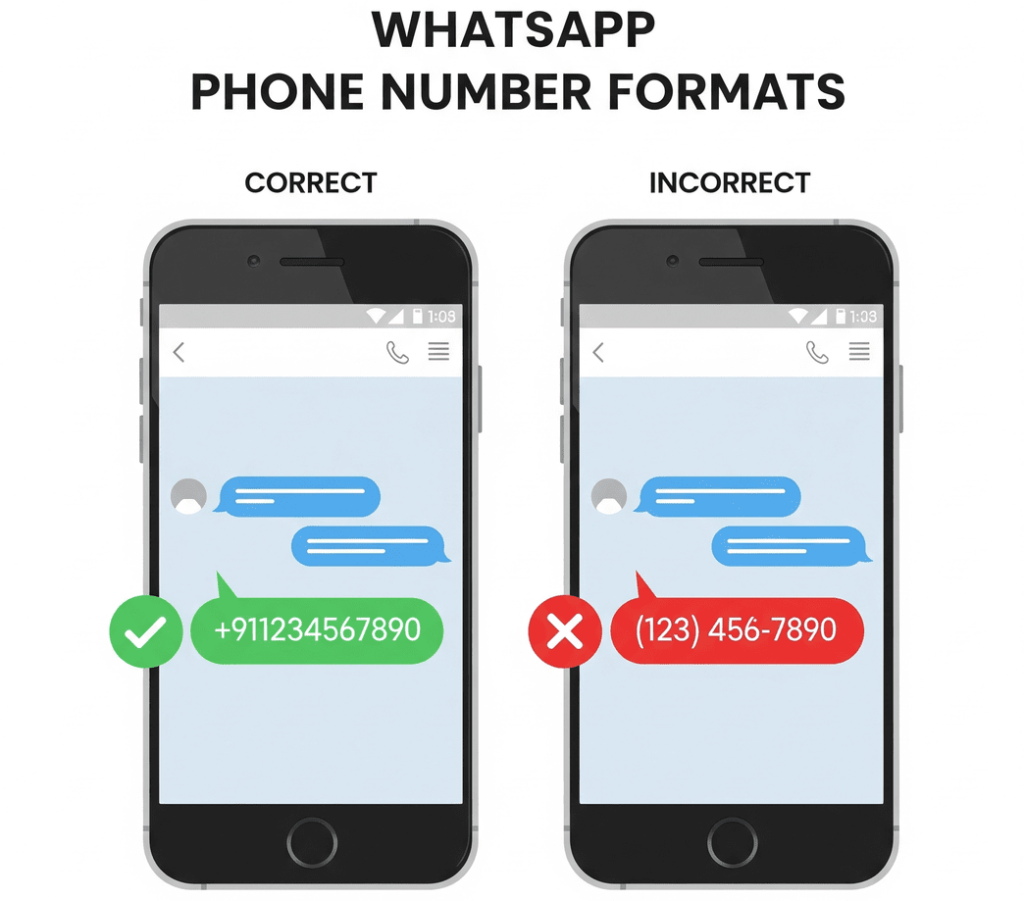
Always include the country code and avoid any symbols or spaces in the phone numbers in your Google Sheet. For example, use +911234567890 instead of writing 0 or using parentheses. WhatsApp API requires the international format and ensures your clickable links (in Method 1) work universally.
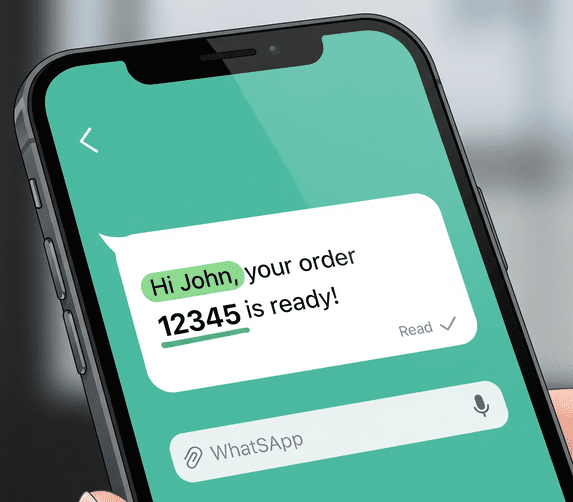
One of the advantages of using a spreadsheet is the ability to personalize each message (e.g., “Hi John, your order 12345 is ready!”). Take advantage of this – personalized messages tend to receive better responses. However, make sure the core message is short and clear, especially since many will read it on mobile. Include key information early in the message (WhatsApp shows a preview of the first line or two in notifications).
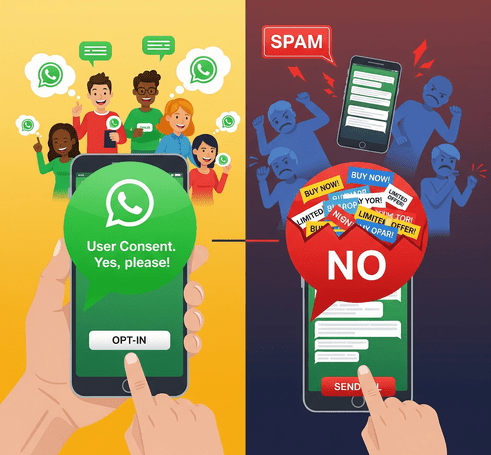
Just because you can send bulk messages doesn’t mean you should spam people. WhatsApp is a personal platform, and users can quickly report numbers that send unsolicited promos. If you’re using the Business API, you are required to have user opt-in before messaging them and to use approved templates for outbound messages. Even if you’re sending manually or via extension, ensure your recipients expect to hear from you and find your message valuable.
This will protect your number’s reputation and deliverability. Quality over quantity is key – a well-targeted message to 100 interested customers is far better than blasting 1,000 strangers and getting blocked.
When setting up an automation (be it a script, add-on, or Zap), do a dry run with a few test entries. Use your own number or colleagues’ numbers to see how the messages look on WhatsApp. This helps catch any formatting issues (like an incorrectly encoded URL or a placeholder that didn’t get replaced properly) before you send to real customers. It also ensures the timing and triggers work as expected. Only scale up once you’re confident the system is behaving.
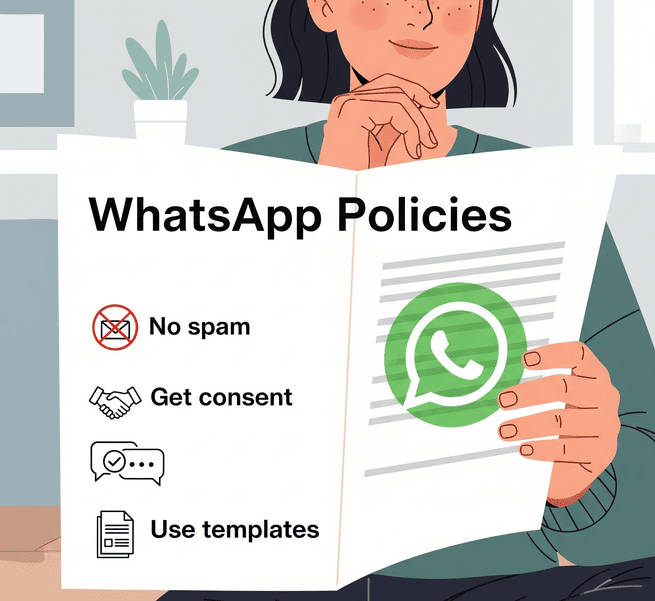
If using the official API, get familiar with WhatsApp’s messaging rules. For instance, template messages cannot be purely promotional – they should either be transactional, informational, or contain some utility to the user (WhatsApp has categories like authentication, shipping update, alert update, etc.). If a template is too salesy or spammy, it might not get approved.
Also, respect the 24-hour customer service window: if a user messages you, you have 24 hours to freely chat with them (session messages) before needing templates again. For those using personal WhatsApp via web or app, note that sending too many identical messages rapidly can trigger spam flags. If you’re using a workaround method, consider spacing out messages and avoiding message content that might look like spam. Ultimately, adhering to the platform rules will ensure your number isn’t blocked and your messages consistently get delivered.
Google Sheets often contains personal data (names, phone numbers, maybe even confidential info). If you integrate with third-party services, make sure they are reputable and secure, since you might be sharing contact data with them. Use the principle of least privilege – for example, if using an Apps Script, do not publish broad access to your sheet if it is not needed. And of course, keep your WhatsApp API tokens or service credentials safe; treat them like passwords.
Following these best practices will help you maximize the benefits of Google Sheets–WhatsApp integration while minimizing any potential pitfalls.
Conclusion
Linking Google Sheets with WhatsApp can transform the way you communicate, turning a simple spreadsheet into a powerful messaging engine. We’ve explored various methods, from a quick no-code link formula to advanced API scripts and user-friendly integration tools. The right approach for you depends on your needs and resources, but one thing is clear: automating WhatsApp messages can save you time, ensure timely outreach, and leverage WhatsApp’s incredible engagement rates to keep your audience informed and engaged.
Ready to supercharge your workflow? Pick a method from this guide and give it a try. If you’re a beginner, start with the easy hyperlink trick or a trusted add-on. If you’re tech-savvy or have growing business needs, explore the API/script route or sign up with a WhatsApp API provider for a more scalable solution. The sooner you implement one of these methods, the sooner you’ll free yourself from tedious manual messaging and start focusing on what matters – crafting great content and conversations that build relationships.
Don’t get left behind while others automate their communication. Embrace these tools and tips to streamline your WhatsApp messaging via Google Sheets today. With a bit of setup, you’ll reap the rewards of faster responses, happier customers, and a more efficient workflow. Happy messaging, and here’s to your newfound productivity!
If you found this guide useful, take action now – set up a small test in your Google Sheet and send yourself a WhatsApp message automatically. Seeing it in action is the best proof of how much time and effort it can save. Start leveraging the power of WhatsApp and Google Sheets integration and watch your communication processes become smoother than ever!
Yes! You can use no-code methods to send WhatsApp messages from Sheets. The simplest is using a hyperlink formula (as described above in Method 1), which creates a click-to-chat link for each message – you click and WhatsApp opens with the message ready to send. Additionally, there are Google Sheets add-ons (like those from WATI or Interakt) and services like SendWo that don’t require you to write code. These let you configure WhatsApp messaging through menus and templates. You could also use automation tools like Zapier or Make to connect Sheets to WhatsApp without coding (you’d configure a workflow visually). So, even if you’re not a programmer, you have plenty of options to get Google Sheets talking to WhatsApp.
Several tools have emerged to make Google Sheets ↔ WhatsApp integration easier. To name a few reliable ones:
1. SendWo
2. WATI
3. Interakt (Jio Haptik)
4. Picky Assist
5. Zapier / Make
6. Heltar
7. AiSensy
8. Gupshup
9. 360dialog
10. WA Sender (SheetWA)
Each of these has its pros and cons (pricing, ease of use, limits). “Reliable” also depends on your context: For mission-critical business messaging, stick to official API-based solutions (WATI, SendWo, etc.). For quick personal tasks, a free extension like WA Sender might be “reliable enough.” It’s always a good idea to read recent reviews and documentation of these tools, since WhatsApp policies and integration features can evolve. As of 2025, the ones listed above are among the well-known options in this space.
Imagine waking up to find your WhatsApp Business account suddenly banned on the morning of a big promotion. In an instant, you lose access to all your customer chats and leads. Unfortunately, this scenario is all too real for businesses that run afoul of WhatsApp’s rules. WhatsApp Business has become a crucial communication channel for over 200 million businesses each month, but with great reach comes great responsibility.
To keep the platform safe and spam-free, WhatsApp enforces strict policies, and breaking them can result in warnings, feature restrictions, or even permanent bans. Being locked out with the dreaded “Your account can no longer use WhatsApp” message is every business owner’s nightmare.
The good news is that such outcomes are preventable. In this comprehensive guide, we’ll break down what WhatsApp Business policy violations are, why accounts get banned, and how you can avoid common pitfalls. We’ll also cover what to do if you’ve been banned and a few similar challenges. By understanding these rules and best practices, you can keep your WhatsApp Business account in good standing and continue engaging customers without interruption.
Let’s dive in and ensure your WhatsApp business communications stay compliant, effective, and ban-proof.
WhatsApp Business policy violations refer to any use of the platform that breaks WhatsApp’s official rules for businesses. Meta (WhatsApp’s parent company) has outlined clear Business Messaging Policies and Commerce Policies that businesses must follow when using the WhatsApp Business app or API. These policies cover how you obtain customer consent, what kind of messages you send, and what products or services you can promote on WhatsApp. If your account activity goes against these guidelines or the Terms of Service, it’s considered a violation.
❌Common examples of policy violations include spamming users, sending messages without permission, sharing prohibited content (like illegal products), or using unauthorized automation tools.
WhatsApp actively monitors business accounts for such behavior to keep the user experience positive and safe. Accounts that violate the rules may be limited or banned – sometimes without warning. In fact, WhatsApp explicitly states that it will ban accounts if it believes the activity involves spam, scams, or puts users’ safety at risk. In other words, anything that confuses, deceives, misleads, or harms users is strictly off-limits on WhatsApp.
It’s important to note that WhatsApp’s policies apply globally, and they cover both the WhatsApp Business App and the WhatsApp Business Platform (API).
Even if you’re a small business just using the free app, you are expected to follow the same rules as larger companies. Ignorance of the policies is not an excuse – a violation is a violation, whether intentional or accidental.
They’re there to protect users and ensure a quality experience. Users should only hear from businesses they want to hear from, and they shouldn’t be exposed to fraud or unsafe content. By understanding what counts as a policy violation, you can keep your outreach within acceptable bounds and avoid the risk of an account ban.
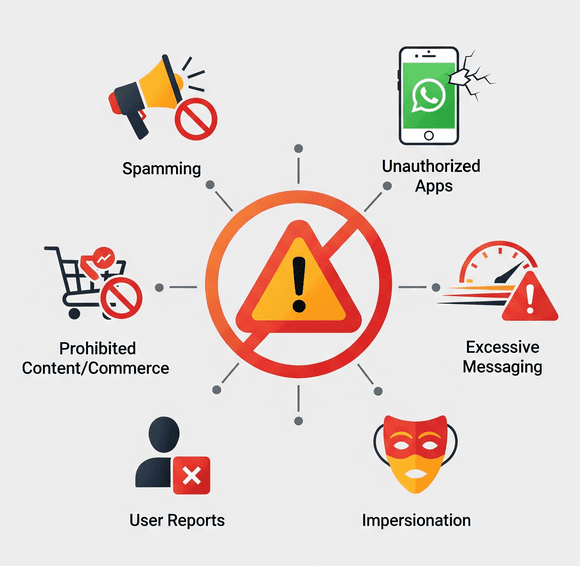
One of the fastest ways to violate WhatsApp’s rules is by sending unsolicited messages or spam. WhatsApp’s Business Messaging Policy requires that you only contact users who have given you their phone number AND consent to be messaged.
Adding customers to broadcast lists or groups without their permission, or blasting promotional messages to people who never opted in, is a direct violation. It’s against the rules and can get your number flagged.
WhatsApp uses spam detection algorithms and user reports to identify businesses that send high volumes of unwanted messages. If you send bulk messages to many new contacts in a short time, it can trigger WhatsApp’s systems to mark it as spammy or automated behavior.
❌For example, sending out hundreds of marketing texts within a few minutes, especially to users who haven’t interacted with you before, is a big red flag. Even well-intentioned businesses can get caught by this if they’re not careful. The result? A possible immediate suspension or ban of your account for spam.
Always ensure customers have explicitly opted in to receive your updates (for instance, by ticking a box on your website or agreeing via message) and avoid mass messaging people who haven’t asked for it. Consent-based messaging isn’t just polite – it’s required to stay compliant.
Pro Tip: Focus on quality over quantity. It’s better to message 50 customers who want your updates than 5,000 who never agreed. Unsolicited blasting will only harm your reputation and could cost you your WhatsApp access.
Another common violation is using unofficial methods to access WhatsApp. WhatsApp strictly prohibits using the personal WhatsApp app for commercial purposes, as well as any modified or “cracked” versions of WhatsApp (like GB WhatsApp or WhatsApp Plus). Similarly, using unapproved third-party automation tools or bots to send messages in bulk is a violation of WhatsApp’s terms.
❌These shortcuts might seem convenient for reaching many users, but WhatsApp can detect them and will not hesitate to ban accounts using them.
For example,
✅The safest route is to stick with the official WhatsApp Business app or API solutions provided by Meta and its partners. They have features for automation and broadcasting that comply with policy (more on that later).
Remember, any tool promising to “bypass” WhatsApp limits or send bulk messages freely is likely violating WhatsApp’s policies. Using such tools puts your business account at serious risk. It’s just not worth losing your verified business number and customer trust for a quick spam campaign.
WhatsApp has rules about what you can send, not just how you send it. The Commerce Policy forbids using WhatsApp to promote or sell certain products and services, even to willing customers. If your messages contain banned content, that’s a violation.
Some examples of prohibited content include:
If your business is in a regulated industry, you can still use WhatsApp for customer communication in many cases – you just can’t use certain features for transactions. For instance, a licensed alcohol retailer may chat with customers on WhatsApp and take orders manually, but cannot use WhatsApp’s built-in catalog or payment features to sell alcohol because it’s a restricted product.
WhatsApp has made it clear that commerce features (like product listings or in-app payments) are off-limits for prohibited items, even if selling that item might be legal in your region. Always double-check WhatsApp’s Commerce Policy to see if your goods or services are allowed.
Also, keep your content professional and safe for all audiences. Sending pornography, graphic violence, or harassment violates WhatsApp’s terms and can get you banned.
Pro Tip: Stick to legal, legitimate, and user-friendly content in your business chats. If you wouldn’t put it on a public website, you probably shouldn’t send it on WhatsApp either.
Even if you have user consent and your content is allowed, how you message can trigger policy enforcement. WhatsApp keeps an eye on messaging patterns that look like spam. If your account suddenly shoots out an unusually large number of messages in a short time, it could be flagged.
For example,
✅To avoid this, pace your communications. Use broadcast lists and group messages sparingly and strategically. It’s better to stagger a large campaign over several days than blast everyone at once. Make sure your messages are personalized and provide value, so users are less likely to report or block you.
Pro Tip: Remember, WhatsApp’s systems are very sensitive to spam-like behavior – even if you’re not intentionally spamming, an algorithm might mistake high-volume repetitive activity as a violation. When in doubt, slow down and prioritize meaningful interactions over mass messaging.
Your customers have a powerful tool in their hands: the Report and Block buttons. If many people report your business or block you, it sends a clear signal to WhatsApp that something might be wrong. WhatsApp may then review your recent messages (they get to see a few messages when a user reports a business, despite encryption) to check for policy violations. If they find you’ve been spamming, sending abusive content, or otherwise breaking rules, they can swiftly ban your account.
❌Even if your messages technically follow the content rules, excessive reports can get you in trouble. Each time a user hits “Report” on your chat, it’s logged. When those reports pile up, WhatsApp’s system can decide to temporarily or permanently ban your account as a precaution. This is one of the most common reasons businesses get banned. It usually means the business was messaging people who didn’t want to be contacted or was irritating users with low-quality content. A high report rate also correlates with a poor sender reputation (low quality rating), compounding the risk of enforcement.
The takeaway: keep customers happy and engaged, not annoyed. Respect any requests to stop messaging – if someone asks to unsubscribe or opts out of the platform, remove them from your list immediately. Provide easy ways for users to reach you or manage their preferences. The fewer people feel the need to block or report your business, the safer your account will be. Maintaining trust and relevance in your messaging isn’t just good for business – it literally protects your WhatsApp number from being flagged.
Besides the big ones above, here are a few more policy violations (some obvious, some less so) that can trip up businesses:
Policy violations range from how you message to what you message. By avoiding the traps above, you significantly reduce the chances of your account getting into trouble.
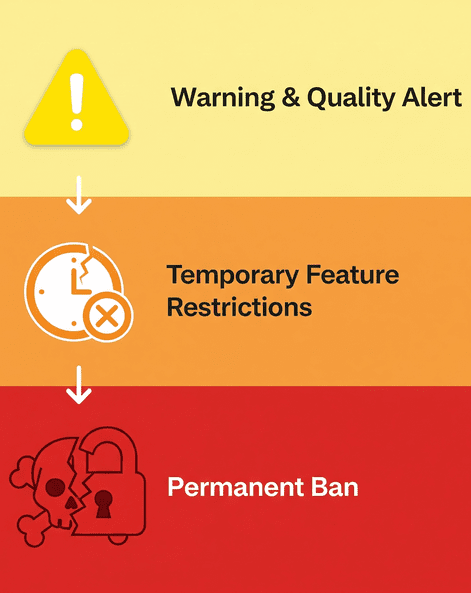
What actually happens if you break the rules? In short, WhatsApp will take action to protect users and its platform. The consequences can escalate if issues aren’t corrected:
For minor or first-time violations, WhatsApp often issues a warning. For example, if your messages are getting poor feedback, you might see a notification in your WhatsApp Business Account Quality dashboard warning you to improve messaging practices. This is your chance to course-correct before harsher action is taken.
Repeated or moderately severe violations can lead to temporary blocks on your account’s capabilities. WhatsApp might impose a 1-day or 3-day send restriction, where you cannot initiate new chats for that period. If problems continue, it can escalate to 5 or 7-day restrictions where you can’t even respond to incoming messages during the ban. These escalating penalties are designed to get your attention and force you to pause problematic behavior.
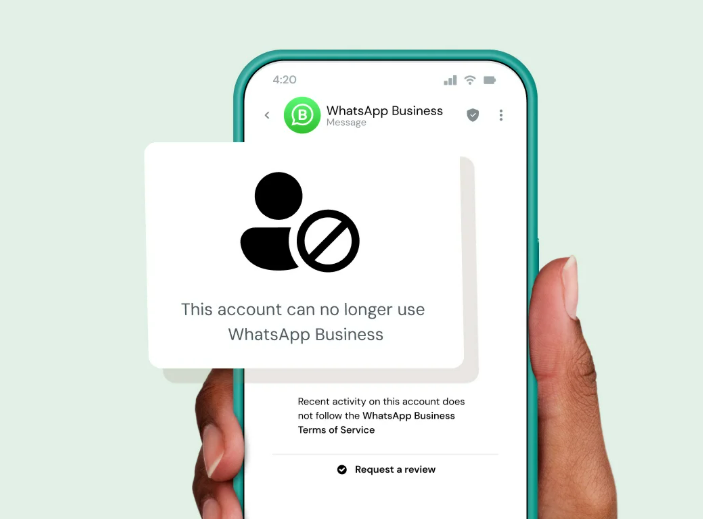
This is the harshest penalty; your WhatsApp Business account is permanently disabled. You’ll know this happened when you open the app and see a message like “This account can no longer use WhatsApp” on your screen. For severe violations, WhatsApp may ban you outright with no warning.
For instance, evidence of child exploitation, terrorism, or the sale of illegal drugs will trigger an immediate and outright ban of the business account. In less extreme cases, a permanent ban might come after multiple warnings and temporary blocks if you fail to address the issues. A banned account cannot be used to send or receive any messages, essentially cutting off that phone number from WhatsApp services.
The impact of a ban goes beyond just lost messages. If your business loses its WhatsApp access, it can severely disrupt operations and damage customer trust. Imagine customers suddenly seeing you “went offline” or can’t reach you – it erodes confidence. Moreover, a banned account that was Meta Verified loses its verified status with no refund, and you won’t get that coveted green check back unless the ban is overturned.
WhatsApp’s enforcement can also affect your business phone number’s reputation. If you try to simply register a new WhatsApp account with the same number, you won’t be able to – the ban is tied to the number. You’d have to get a new phone number to use WhatsApp again if the ban isn’t lifted, which is a major headache for any established business.
So by now, it is very evident that violating WhatsApp’s policies can result in anything from a temporary messaging timeout to a total, permanent loss of your account. The more serious the violation (or the more often you violate), the more serious the punishment. This is why it’s critical to stay on the right side of the rules – the cost of a ban is far too high. Next, we’ll look at how to avoid ever reaching that point.
Always get permission before messaging customers. Use clear opt-in methods (website forms, in-store sign-ups, etc.) to let people agree to hear from you on WhatsApp. Make sure they know what type of content to expect and how often. Only message users who have given you their number and agreed to be contacted. If someone asks to opt-out or blocks your number, honor that immediately – remove them from your contact list to prevent accidental future pings. Consent isn’t a one-time thing; maintain it by respecting user preferences.
If you’re using the WhatsApp Business API, remember that outside of the 24-hour window after a user’s last message, you can only send messages using approved templates. Avoid violating the messaging window, as it’s part of the Business Messaging Policy. Always respond promptly to incoming messages (within a day) to keep conversations open, and use WhatsApp’s template messages correctly for any outreach beyond that timeframe.
Stick to the official WhatsApp Business app or API for all your communications. Avoid using unauthorized modes or automation software, as these can put your account at risk. If you need advanced features like bulk messaging, chatbot automation, or CRM integration, consider upgrading to the official WhatsApp Business API through a trusted provider.
Platforms like Sendwo work as official WhatsApp Business API partners, helping businesses manage bulk sends with approved template messages, integrate with CRMs, and access valuable insights—all while staying fully compliant. By leveraging such official solutions, you ensure secure communication, better support, and improved performance, without risking account suspension.
In short, don’t try to cheat the system; leverage official solutions that are designed for business use.
Always cross-check your messages against WhatsApp’s Commerce Policy. If you’re not sure whether a product is allowed, err on the side of caution. Avoid mentioning or selling banned items (firearms, illegal drugs, endangered animals, etc.) in your WhatsApp communications. Even for allowed products, make sure your message content is truthful and not misleading.
Steer clear of spammy language (e.g., too many ALL CAPS or clickbait claims), which might prompt users to report you. Providing genuine value and assistance in your messages will make users happy to hear from you, rather than reaching for the Block button.
Pace your messages and avoid blasting large volumes in one go. If you need to announce something to many users, consider segmenting your sends or using broadcast lists wisely (note: broadcasts only go to those who have your number saved, which by design targets engaged users). Monitor WhatsApp’s messaging limits for your account tier – new accounts have lower send limits that increase as you build trust.
By gradually scaling your messaging and avoiding sudden spikes, you stay under the radar of WhatsApp’s spam detection. It’s also a good idea to monitor your Account Quality dashboard (available in WhatsApp Manager for API users), which can show if your recent campaigns are generating blocks or reports. Early signs of user dissatisfaction should prompt you to adjust your approach immediately.
At the end of the day, the best way to avoid violations is to treat your customers with respect on WhatsApp. Personalize your messages, provide helpful information, and make it easy for users to ask questions or request support. Encourage two-way conversations instead of just pushing promotions. When users engage back, it actually improves your standing.
Keep an eye on feedback: if you start seeing many people leaving the chat or not responding, reconsider your content strategy. A smaller list of highly engaged customers is far better than a huge list that’s annoyed by your messages. By cultivating positive interactions, you’ll naturally reduce reports and ensure WhatsApp sees your account as a healthy participant.
WhatsApp’s policies can evolve. For instance, they occasionally update what’s allowed in commerce (recently, some health products and digital services got new guidelines). Keep an eye on official WhatsApp announcements or help center articles for any changes in policy. Make sure your team is aware of the latest do’s and don’ts. Being proactive about compliance is much easier than dealing with a ban after the fact.
By implementing the above practices, you’ll create a win-win situation: your customers will receive useful, welcome messages, and your WhatsApp Business account will remain in good standing.
Prevention is key – it’s far better to avoid violations in the first place than to try to fix a banned account.
Let’s say you’re reading this a bit late and your account is already banned – what can you do? Don’t panic; there are steps to take, which we’ll cover in the following section.
Finding out that your WhatsApp Business account has been banned can be alarming, but there is a process to address it. Here’s what you should do if you face an account ban:
1. Understand the Ban Reason
When WhatsApp bans your account, it usually provides a brief explanation in the app. The message “Your account can no longer use WhatsApp” will often be accompanied by a note like “because it violated our policies by [reason].” It might mention spam, unauthorized use, or a commerce policy violation. This clue is important as it guides your next steps.
Determine if the ban was likely due to something you did (unintentionally or otherwise). Sometimes the cause is obvious (e.g., you sent prohibited content or used an unofficial app), and other times, you might be genuinely unsure.
2. Request a Review (Appeal the Ban)
WhatsApp offers a built-in appeals process for banned accounts. Immediately submit a review request through the app – there should be a “Request a review” option on the ban notice screen. Tap that, and you’ll be prompted to add any relevant details. This is your chance to make your case.
Be polite and factual: explain if you believe the ban was a mistake or if you recently took corrective actions. For example, if you suspect you were reported for spam, you might explain that you have since cleaned your contact lists to ensure opt-ins only. Once you submit, WhatsApp’s team will manually review your account activity and decision.
During the review period, check the app periodically. WhatsApp will send a notification with the outcome of your appeal. Reviews typically take a few hours to a couple of days. Do not flood the system with multiple appeals – one thorough request is enough (additional requests won’t speed things up).
3. Outcome of the Appeal – What to Expect
If your appeal is successful, congratulations – your account will be reinstated. This usually happens if WhatsApp determines your account didn’t truly violate policies or if the violation was minor and correctable. You’ll regain access, but take this as a final warning. It’s critical to immediately implement compliance measures (like those discussed above) to avoid another incident. Repeated violations after a reinstatement are far more likely to result in a permanent ban.
If your appeal is denied, WhatsApp has decided the ban was justified. At this point, that phone number is essentially blocked from WhatsApp Business. There is no formal secondary appeal process beyond the first review – you can contact WhatsApp support again, but unless you have new evidence, it’s unlikely to change the outcome. A denied appeal typically means either a serious policy breach was confirmed or multiple violations piled up.
4. Last Resort Options
If you cannot get your original account back, you have a tough decision. One option is to register a new WhatsApp Business account with a different phone number. This gives you a “fresh start,” but proceed with caution:
Another avenue, if applicable, is to work with an official Business Solution Provider (BSP) if you weren’t already. Sometimes BSPs have channels to assist with appeals or migration to the API, which might be more stable. This is more relevant for medium to large businesses.
5. Learn and Improve
A ban (even a temporary one) is a clear sign that something went wrong. Treat it as a learning experience. Analyze what caused it – was it a contact acquisition mistake? An overzealous marketing campaign? A misunderstood policy? Use that insight to strengthen your compliance going forward. Update your team’s training on WhatsApp usage, adjust your messaging strategy, and ensure it doesn’t happen again.
While getting banned is painful, many businesses do recover by appealing and then strictly following the rules. Stay persistent but patient through the review process. If you genuinely did not violate policies, say so with evidence (e.g., “Users opted in via our form on 01/05, here’s proof”). And if you did mess up, acknowledge it and explain how you’ve remedied the situation. There are cases where WhatsApp gives second chances – just make sure to seize that chance to reform your practices.
Navigating WhatsApp Business policies might seem daunting at first, but it boils down to respecting your customers and playing by WhatsApp’s rules. When you provide value, obtain consent, and avoid forbidden content or tactics, you create a win-win environment – customers enjoy hearing from you, and WhatsApp rewards you with continued access to its powerful platform.
WhatsApp Business is a fantastic tool for building relationships, with features that can significantly boost engagement and sales when used correctly. By understanding the guidelines on messaging frequency, content, and appropriate use, you ensure that this tool remains available to you for the long run. Compliance isn’t just about avoiding punishment; it’s about creating a better experience that ultimately benefits your brand’s reputation.
Now it's your time to review your current WhatsApp communication strategy and ask yourself: Are all my contacts genuinely opted in? Am I sending messages that I would welcome as a customer? Am I following the official pathways (Business app/API) for my campaigns? If there’s any doubt, use this guide to make adjustments today. A few changes now can save you from the huge setback of an account ban later.
Remember, every WhatsApp message your business sends is a reflection of your brand. Stay on the right side of the policies, and you’ll not only avoid violations, but you’ll also likely see better customer responses and trust. Keep the conversation going in a compliant, customer-centric way, and WhatsApp will remain one of your most valuable business channels.
Don’t wait for a warning or ban to occur.
Proactively audit your WhatsApp Business practices and implement the best practices outlined above. If you’re unsure about anything, consult WhatsApp’s official policy pages or reach out to a WhatsApp Business Solution Provider for guidance. By investing in compliance, you invest in the longevity and success of your customer relationships. Stay compliant, and watch your business thrive on WhatsApp!
It’s any action that breaks WhatsApp’s Business terms or policies. This includes spamming users without consent, using unauthorized WhatsApp apps or bots, sharing illegal or prohibited content, or otherwise misusing the platform in ways that could harm users. For example, sending messages that involve scams, threats, or violating privacy can all be considered policy violations. Essentially, if it’s forbidden in WhatsApp’s Business Messaging Policy or Commerce Policy, doing it with your account is a policy violation.
If your account is banned, you will be completely unable to use WhatsApp Business. When you open the app, you’ll see an error message such as “This account is not allowed to use WhatsApp” or “Your account can no longer use WhatsApp.”. This message indicates WhatsApp has cut off access to that number. You won’t be able to send or receive any messages, and features will be locked. In many cases, WhatsApp also sends an in-app notice explaining a broad reason (e.g., “account banned due to policy violation: spam activity”). If you see this, unfortunately, your number has been flagged and removed from service.
It depends on the severity of the violation. Some bans are temporary, especially for less serious issues or first-time violations. WhatsApp might ban you for a short duration (e.g., 1 day or 3 days where you can’t send messages) as a warning. With repeated violations, the temporary bans can extend to 7 days. After the specified time, you may regain messaging ability if the ban was truly temporary.
However, serious or repeated violations can lead to a permanent ban, meaning the ban does not expire on its own. In cases of severe policy abuse (like fraud or illegal content), WhatsApp can permanently disable the account immediately. In summary, minor violations might carry a timeout of a few days, but major ones can result in a permanent ban unless successfully appealed.
In today’s digital age, WhatsApp is transforming how teachers, students, and parents connect. This messaging app, once just for friendly chats, is now a powerful educational tool bridging the classroom and home. With over 2.78 billion active users globally (as of 2024), WhatsApp’s widespread adoption makes it a natural choice for schools. Educators are leveraging it to share instant updates, coordinate learning activities, and build a supportive community beyond school walls. The result? More engaged students, better-informed parents, and a stronger school-home partnership.
In this comprehensive guide, we explore why WhatsApp is a game-changer for education, how it can engage students and parents through innovative strategies, and best practices to maximize its impact. We’ll also address common questions about using WhatsApp in education. By the end, you’ll see how WhatsApp can enrich communication in your school – and be ready to put it into action.
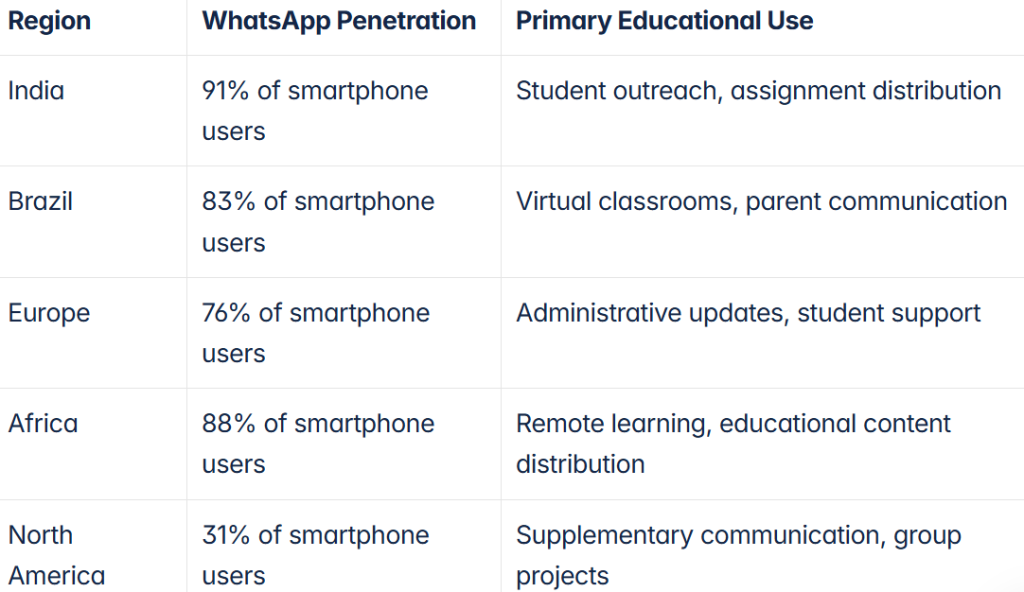
1. Everyone’s Already There
One of WhatsApp’s biggest advantages is its ubiquity. Parents, students, and teachers are likely already using it daily. This means no learning curve or new app to install – communication can start right away on a familiar platform. In many countries, WhatsApp is nearly universal: for example, messaging app penetration is around 97-98% in places like Brazil and India. With such reach, schools can reliably contact almost their entire community with a single message.
2. Instant, High-Engagement Messaging
WhatsApp delivers messages in real time, leading to rapid responses and engagement. Unlike school emails that might sit unopened (the average open rate for emails is only ~25%), WhatsApp messages boast an open rate of about 98%. In fact, education tech experts note that WhatsApp outperforms email and SMS in student engagement by over 75%. This immediacy is invaluable – urgent announcements (like a weather closure or schedule change) reach everyone within minutes. As one college administrator put it, “receiving immediate responses to campaigns is a great modern way to communicate with learners who do not always read their emails!”.
3. Multi-Modal and Interactive
WhatsApp isn’t just text – it’s images, videos, voice notes, documents, and even quick polls. This multimedia support makes communication vibrant and clear. Teachers can send a photo of the day’s homework on the board, a quick voice note to explain a tricky concept, or a video snippet of a class activity. Such rich content turns static announcements into engaging storytelling. Students respond better to these interactive messages than to plain text, and parents appreciate the window into their child’s day. The app’s features (like emojis, stickers, GIFs) can add a bit of fun and personality, making conversations feel more human and approachable.
4. Cost-Effective and Accessible
WhatsApp is free and works on almost any smartphone with internet. Schools don’t need costly new communication systems when a simple WhatsApp group can do the job. There are no SMS fees, and messages can be sent anywhere globally at no extra cost. This is a boon for schools with families spread across regions or countries. It also works on Wi-Fi, so even those with limited mobile data can stay connected. By eliminating geographical barriers and high costs, WhatsApp opens countless opportunities for learning and collaboration, from urban centers to remote communities.
5. Secure and Private
Concerned about privacy? WhatsApp’s messages are protected with end-to-end encryption, meaning only the sender and receiver can read them. Even WhatsApp itself can’t access the content. This is critical when sharing school-related information. Communications like student progress updates or grade reports stay confidential to the group or individual chat. The platform is also compliant with major data protection regulations (like GDPR in Europe) and continually adds safety features. In short, messages are secure from prying eyes – a reassuring fact for schools and parents alike.
Story Spotlight: At a public school in New York City, a simple WhatsApp group became “the heart” of the school community during the COVID-19 lockdown. Parents and teachers exchanged hundreds of messages, sharing everything from virtual talent show videos to urgent tech support tips for online classes. Remarkably, this constant communication helped keep student attendance at 98% during remote learning. The WhatsApp group wasn’t just about academics; it became a lifeline, organizing food drives, troubleshooting internet issues, and keeping morale up in a challenging time. This real-world example shows WhatsApp’s power to hold a school community together, even in crisis.
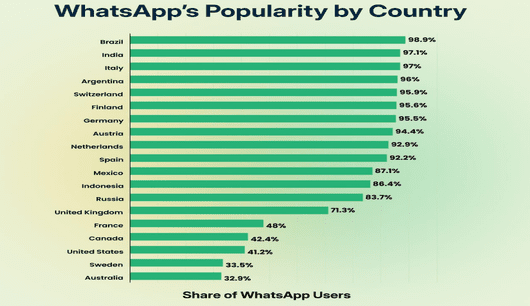
WhatsApp enables students to ask questions anytime and receive quick responses from teachers or peers. This immediate support strengthens understanding, prevents confusion from compounding, and promotes continuous learning. Whether it’s homework help or concept clarification, real-time communication boosts student confidence and motivation.
WhatsApp groups act as virtual study spaces, encouraging students to discuss assignments, share resources, and collaborate on projects. Group chats promote peer-to-peer learning, communication skills, and inclusivity, especially for students less likely to speak in class. The platform supports continuous academic interaction beyond school hours.
Teachers can share images, videos, audio clips, and documents to explain concepts more vividly. From science demos to pronunciation practice or quick polls, WhatsApp turns lessons into engaging experiences. These varied formats cater to different learning styles and make studying feel more dynamic and fun.
One-on-one chats allow teachers to give targeted feedback or encouragement to students needing extra support. This personal attention fosters stronger relationships, helping students feel seen and supported in their learning journey.
Whether during absences, field trips, or school closures, WhatsApp ensures learning continues. Teachers can post recaps, assignments, and updates anytime. The app supports educational continuity across different contexts, including vacations and remote learning.
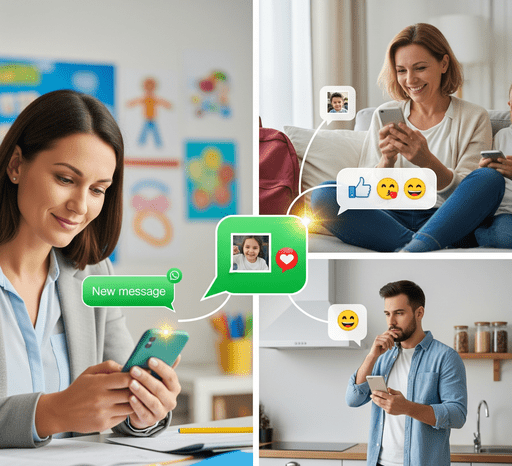
Engaging parents in their child’s education is crucial – studies have long shown that active parent involvement leads to improved student performance and better learning outcomes. WhatsApp makes it significantly easier for schools to keep parents in the loop and foster a supportive community. Here’s how:
No more crumpled notices lost at the bottom of a backpack! With WhatsApp, schools can send instant announcements directly to parents’ phones. Whether it’s a reminder about upcoming parent-teacher meetings, a change in the school schedule, or a notice that “Grade 5’s field trip will return at 5 PM, not 4 PM”, WhatsApp ensures the message is seen promptly. Many schools create a broadcast list or a parents’ group for each class to share homework updates, test schedules, and event invitations. Because messages pop up as notifications, parents are far more likely to see them compared to emails or printed flyers. This immediacy gives parents more time to plan and respond, for example, making arrangements for a late pickup on that field trip day. In one survey, school administrators noted they could reach more parents via WhatsApp and get responses faster than any other platform.
Traditionally, parents heard about their child’s progress only during report card time or occasional conferences. WhatsApp enables more continuous, informal communication about how a student is doing. Teachers can quickly message a parent to share a small victory (“Johnny solved a tough math problem today!”) or note a concern early (“I noticed Ana seemed distracted in class this week.”). These quick exchanges help catch issues before they escalate and reinforce positive behavior in real-time. Some teachers even share snapshots of a student’s artwork or a short video of them presenting in class, giving parents a proud glimpse of classroom moments. This kind of ongoing dialogue builds trust – parents feel the teacher truly knows and cares about their child, and teachers gain insights from parents that help in class. The home-school connection becomes stronger, forming a team around the student.
WhatsApp groups that include parents (and sometimes students with the teacher, depending on age) can function as vibrant mini-communities. In these groups, parents can ask questions, share ideas, and support each other. For example, a parent might ask if any other child struggled with a homework question, and another parent (or the teacher) can clarify it. When used positively, these groups create a sense of “we’re all in this together.” Parents celebrate each other’s children’s achievements shared in the group, be it a sports win or a good grade, fostering a supportive atmosphere. During lockdowns and remote learning phases, many schools found that parent WhatsApp groups became indispensable for mutual help, from sharing tips on setting up Zoom to arranging neighborhood study pods. In a Brooklyn school’s parent WhatsApp chat, families even coordinated food drives and tech support for each other during COVID-19, truly becoming “una gran familia” (one big family).
When communication is easy and open, parents naturally become more involved. WhatsApp lowers the barriers – parents don’t have to wait for the monthly newsletter or struggle to find time for a phone call; they can engage on the go. A quick query about homework or a clarification about an upcoming event is just a message away. This convenience particularly helps busy working parents stay connected. Engaged parents can reinforce classroom messages at home, help students with assignments they know about, and generally create a more consistent support system for the child. However, with great connectivity comes the need for boundaries: Teachers should set expectations that while they welcome messages, replies might be within work hours. It’s also wise to establish etiquette (for example, no spamming the group with unrelated forwards or gossip). When managed well, increased engagement via WhatsApp is a win-win: parents feel heard and informed, and teachers gain allies who reinforce education at home.
By leveraging WhatsApp, schools demonstrate transparency – an openness to communicate regularly and directly. This can significantly build trust between families and the school. Parents are more likely to trust a school when they feel informed about what’s happening and have a direct line to ask questions. Whether it’s curriculum changes, updates on a child’s behavior, or emergency communications, WhatsApp keeps everyone on the same page. A trusted relationship means parents will be more comfortable reaching out with concerns, and also more receptive to feedback or suggestions from teachers. Over time, this trust leads to a stronger collaborative effort toward each child’s success.
While WhatsApp is a fantastic tool, its effective use in schools requires some planning and policy. Here are the best practices to ensure smooth, productive communication that benefits everyone:
1. Establish Clear Guidelines: Set the ground rules from the start. Decide who can post in groups and what content is appropriate. For instance, a class group may be for academic topics and important announcements only, not idle chit-chat. Some schools choose a one-way “announcement group” (only admins/teachers can post) for official notices, and a separate discussion group for Q&A and general chatter. Clearly communicate expected etiquette: no sharing of anyone’s personal data, no rumors or inappropriate language, and respect for privacy. Also define “quiet hours” when teachers will not respond (e.g., not after 8 PM or on Sundays) to maintain work-life balance. A 2017 study on parent-teacher WhatsApp use concluded that the tool is “necessary and beneficial” – but only if boundaries are defined and respected. So, outline those boundaries early!
2. Get Consent and Be Inclusive: Before adding someone to a group, especially parents, get their consent. Not everyone may be familiar or comfortable with group messaging. Explain the purpose of the group and how it will be used. It’s also important to ensure no one is left out – if a family doesn’t use WhatsApp, have an alternative way to reach them (like SMS or email) for important info, or help them get set up if possible. In multicultural communities, consider language needs – you might need to have bilingual announcements or appoint a parent volunteer who can translate key messages in the chat so all parents understand. Inclusion builds trust and maximizes the reach of your communication.
3. Use Groups (and Communities) Strategically: Avoid the chaos of a single giant group for the whole school. Instead, organize WhatsApp communication by relevance:
4. Protect Privacy: Remind all participants that WhatsApp shows phone numbers to group members (unless using Communities, where members of separate groups don’t see each other’s numbers). Encourage respect for privacy – no one should share a contact’s number outside the group or use it for unsolicited messaging. For sensitive communications (like discussing a child’s specific issue), a direct one-on-one WhatsApp chat or a phone call is better than a group message. Never post confidential student information (e.g., grades, medical info) in a group chat. If sharing photos or videos from class, make sure parents are okay with it (many schools include media consent in their onboarding forms). It’s also wise for teachers/admins to use features like disappearing messages for certain chats if discussing something sensitive – this adds an extra layer of privacy. By being mindful of privacy, you create a safe space that people feel comfortable participating in.
5. Moderate and Manage Kindly: Every WhatsApp group needs an admin who can steer the conversation and step in if things go off track. For class groups, the teacher (or a responsible parent representative) should monitor that the chat stays on topic. If a heated discussion or misinformation starts brewing, intervene calmly: clarify facts or suggest taking detailed debates offline. Enforce the rules consistently – e.g., if someone shares a non-school promotional link, gently remind them of the group’s purpose and delete the message if needed. WhatsApp now allows admins to delete messages for everyone, which can be useful to remove inappropriate content quickly. Also, use the “only admins can post” setting for announcement groups to avoid noise. By keeping groups well-managed, you ensure they remain valuable and everyone feels respected.
6. Leverage WhatsApp Features for Efficiency: Use WhatsApp’s built-in tools to your advantage. Star important messages (like an address or deadline a parent shared) so you can find them later. Use labels (if using WhatsApp Business) to tag conversations (e.g., “Fees query” or “Transport”) for easy follow-up. The search function can help locate past info (like if a parent asks, “When is the annual day?”, you might find you posted it last month). You can also pin the most important group (perhaps your class group) to the top of your WhatsApp for quicker access. For schools handling large volumes of chats, there are even WhatsApp Business API solutions that integrate with CRM systems to broadcast messages or manage inquiries at scale, but for most, the regular app suffices. The key is to stay organized and use these tools so that WhatsApp remains a help, not a distraction, in your workflow.
7. Maintain Professionalism and Tone: WhatsApp feels casual, but when using it for school, maintain a friendly yet professional tone. Avoid slang that could be misinterpreted, and be mindful of cultural differences in communication. Emojis can help convey warmth, but use them judiciously. Also, remember that written text lacks tone – what’s meant as a lighthearted comment could be taken seriously by someone else. So, when in doubt, err on the side of clarity and courtesy. Encourage parents and students to do the same. By setting an example of a positive, respectful tone, you’ll prevent most misunderstandings and make the group a pleasant place for all.
8. Know When to Switch Channel: Not every conversation is best on WhatsApp. If an issue is complex or sensitive (e.g., a serious concern about a student’s performance or behavior), it might be better addressed through a phone call or in-person meeting rather than an extended chat exchange. Use WhatsApp to schedule a meeting or call in such cases (“I understand your concern. Can we discuss this over a call tomorrow?”). This keeps the chat from becoming an overwhelming wall of text and ensures important discussions get the attention they deserve. Also, if a parent or student is unresponsive on WhatsApp, have a backup plan to reach them (some people mute groups, or they might change numbers).
Following these best practices will help your WhatsApp communications run smoothly, minimizing hiccups and maximizing the benefits for your educational community.
While WhatsApp offers numerous benefits, educators should be aware of potential pitfalls and how to address them:
WhatsApp’s impact on education isn’t just theoretical – numerous schools and institutions have reported tangible improvements after adopting the platform for communication:
As mentioned earlier, during remote learning phases, active WhatsApp communication helped some schools maintain astonishingly high attendance. In one example, a school achieved 98% attendance in virtual classes thanks in part to consistent WhatsApp updates and check-ins with parents. Students felt accountable and supported, knowing their teacher and classmates were just a message away each day. Even in traditional settings, teachers note that students participate more in learning activities when a WhatsApp forum is available for follow-up questions and discussions.
Schools utilizing WhatsApp often see an uptick in parent satisfaction and involvement. Busy parents appreciate being informed without needing to dig through emails or wait for newsletters. Quick resolution of doubts (e.g., confirming if it’s a dress-down day or uniform day) reduces anxiety and last-minute scrambles. In feedback surveys, parents frequently cite the class WhatsApp group as a highlight, making them feel “in the loop” and connected to the school community. This goodwill can translate into more parent volunteers for school events and a generally positive school reputation.
From coordinating last-minute schedule changes to rallying help for a family in need, WhatsApp speeds up the mobilization of resources. Case in point: In the Brooklyn school community chat, when families mentioned they were short on food or had tech trouble, responses and solutions were crowdsourced within hours. In another instance, a high school used WhatsApp to coordinate tutoring sessions for struggling students; volunteer seniors stepped up to help sophomores once the need was posted in a group. This agility means small issues are addressed before they become big problems, creating a safety net through collective effort.
While WhatsApp itself is not teaching content, the increased communication often leads to better academic support. Students who might procrastinate on projects get gentle reminders in the group. Those who are confused can ask questions and get clarifications, leading to less frustration and better homework completion. Some teachers run fun quizzes or share extra learning videos on WhatsApp, which reinforce classroom learning. Over a term or year, these little boosts add up. It’s hard to directly measure, but teachers report higher homework turn-in rates and even test score improvements in classes that actively use WhatsApp for academic support. Moreover, a systematic review of WhatsApp utilization in education found positive effects on collaborative learning and student motivation in multiple studies.
Perhaps the most significant impact is the strengthening of trust and rapport between the school and families. Instead of parents only hearing from school when there’s a problem or at formal meetings, WhatsApp keeps a steady flow of two-way communication. This transparency and frequent, informal touchpoints mean that when a serious issue does arise, there’s already a foundation of trust to build upon. Teachers become more approachable figures rather than distant authorities – a win for student support. Parents, on the other hand, feel more accountable and engaged in the education process. Over time, the school community transforms into something more tight-knit and supportive, much like an extended family aligned for the students’ well-being.
Some educators have creatively integrated WhatsApp into their pedagogy. For example, language teachers set up WhatsApp “immersion” chats where only the foreign language is allowed, giving students daily practice. History teachers ran a week-long role-play in a WhatsApp group, with students posting messages as historical figures during a mock crisis, blending fun with deep learning. Science teachers share “fact-of-the-day” or short puzzles on WhatsApp to spark curiosity outside class hours. These innovations keep students excited and thinking about subjects beyond the classroom. WhatsApp’s informal medium often encourages students to engage in ways traditional methods did not, simply because it feels less like school and more like a personal challenge or game.
These success stories illustrate a common theme: when used thoughtfully, WhatsApp can significantly enhance engagement, support, and outcomes in education. It’s not a magic bullet – good teaching and involved parenting are still the core. But WhatsApp serves as a powerful enabler, connecting those elements more efficiently and humanizing the educational experience.
WhatsApp has emerged as a dynamic ally for educators and parents aiming to enrich the learning journey of students. Its real-time, conversational style of communication brings a human touch that formal emails and portals often lack. From instant clarifications on assignments to sharing the joy of student achievements, WhatsApp bridges gaps and brings the classroom into the palm of your hand. We’ve seen how it boosts student engagement through collaborative learning and timely support, and how it empowers parents to be more involved without being intrusive. By implementing best practices and clear boundaries, schools can harness WhatsApp’s benefits while minimizing potential downsides.
It has been very evident by now that schools that communicate better, perform better, and WhatsApp is helping make that happen with ease and speed. Education in the digital era is all about connectivity and community, and WhatsApp delivers both in spades.
Now, it’s your turn. Is your school or classroom ready to join the WhatsApp revolution? Don’t be left behind – many forward-thinking educators are already transforming their communication and seeing happier, more engaged students and parents. Take action today by creating a class WhatsApp group with clear guidelines, or introduce the idea of a school-wide WhatsApp community to your PTA or principal. Even a small step can make a big difference in how information flows and how everyone feels supported.
Go ahead and unlock the power of WhatsApp in your educational community. By doing so, you’ll not only save time and reduce communication gaps – you’ll also build stronger relationships that ultimately enhance the educational experience for all. In the journey of education, let’s stay connected and learn together – one WhatsApp message at a time.
The sooner you embrace these tools, the sooner your students and parents will feel the difference. Engage, inform, and inspire – with WhatsApp as your partner, the possibilities are endless.
WhatsApp can be used in education by creating class groups for discussions, sending announcements and reminders, sharing learning materials (like PDFs, videos, links), and enabling quick Q&A between students and teachers. Teachers often use it to provide homework help or feedback in real-time, while schools use it to update parents about events and student progress. The key to effectiveness is setting clear guidelines for its use (for example, keeping chats on-topic and during reasonable hours) and ensuring all participants have access. When used well, WhatsApp becomes a virtual extension of the classroom, increasing engagement and ensuring everyone stays informed.
There are many benefits. First, WhatsApp offers real-time communication, so students can get doubts cleared quickly rather than waiting for the next class. Second, it enables collaborative learning – group chats let students brainstorm and help each other anytime, building a supportive peer network. Third, WhatsApp’s multimedia features make learning interactive; teachers can share videos, images, and voice notes to explain concepts in diverse ways. Finally, because students are comfortable on WhatsApp, they are more likely to participate – studies have found that student engagement on WhatsApp is significantly higher compared to traditional channels. All these factors lead to more motivated students who take initiative in their learning.
In the digital age, patient communication and engagement have become as critical as the medical care itself. Healthcare clinics and doctors worldwide are turning to WhatsApp as a marketing and communication channel – and for good reason. WhatsApp boasts over 2 billion active users globally, offering a direct line to patients on a platform they already use daily. With its personal, instant, and convenient nature, WhatsApp marketing for healthcare has emerged as a game-changer in how clinics and practitioners connect with patients.
Imagine a patient receiving a friendly WhatsApp reminder about their upcoming appointment, or a doctor broadcasting wellness tips to hundreds of subscribers with one click. The result? Higher patient satisfaction, reduced no-show rates, and stronger doctor-patient relationships.
In this comprehensive guide, we’ll explore why WhatsApp marketing is so powerful for clinics and doctors, how to implement it effectively with real-world use cases, best practices to follow, tools you can leverage, and important privacy considerations. By the end, you’ll see how embracing WhatsApp can elevate your practice’s outreach and patient care – and you’ll be ready to put it into action with confidence.

A healthcare professional leveraging WhatsApp to connect with patients, illustrating the power of direct messaging in modern healthcare marketing.
WhatsApp is one of the most widely used messaging apps in the world, available in over 180 countries and approaching 3 billion users. Patients of all ages are on WhatsApp, which means your clinic can reach a broad audience instantly. Moreover, WhatsApp messages enjoy an open rate of around 98%, far higher than email’s typical ~20%. In other words, nearly every message you send will be seen and read, often within minutes, giving you a direct line to patient attention.
Unlike traditional marketing channels, WhatsApp enables two-way conversations in real time. Doctors and clinics can chat directly with patients in a personal, conversational manner. This immediacy means questions get answered faster and issues addressed sooner, improving the patient experience. In fact, responding quickly via WhatsApp helps patients get help quicker, with less waiting, leading to a better overall experience. The personal touch – using the patient’s name, addressing their specific needs – also builds trust and a deeper connection.
One practical impact of WhatsApp marketing in healthcare is more efficient appointment management. Sending patients an automated reminder or a quick “See you tomorrow at 10 am” message can dramatically reduce no-shows.
Case in point: one hospital saw a 30% reduction in missed appointments by using WhatsApp reminder messages. Patients appreciate the nudge, and clinics maintain a smoother schedule – a win-win. Additionally, via WhatsApp, you can allow patients to confirm, reschedule, or cancel appointments with a simple reply, making the process convenient and keeping your calendar up-to-date.
WhatsApp isn’t just about logistics – it’s an excellent medium for patient engagement and education. Healthcare providers can send out wellness tips, preventive care advice, and health educational content straight to patients’ phones. For example, a nutrition clinic might broadcast weekly healthy eating tips, or a pediatrician might share child wellness advice to young parents. Because messages arrive in a personal chat, patients are more likely to pay attention and interact. They can even ask follow-up questions easily, turning marketing into a two-way engagement. Regularly sharing health tips, reminders, and educational materials via WhatsApp keeps patients informed and invested in their health, and it keeps your clinic top-of-mind when they need services.
Healthcare topics can be complex, but WhatsApp allows you to simplify them with multimedia. You can send images, short videos, PDFs, or voice notes to explain things in a clearer, more engaging way. For instance, a doctor can share an infographic about managing diabetes or a short video message about an upcoming vaccination camp. Visual and audio content can make your messaging more impactful than text alone. WhatsApp’s support for photos, videos, and voice messages makes it easier to explain and understand complex health information compared to a phone call or email. This not only helps in marketing your services (by demonstrating expertise and care) but also in enhancing patient understanding of medical advice.
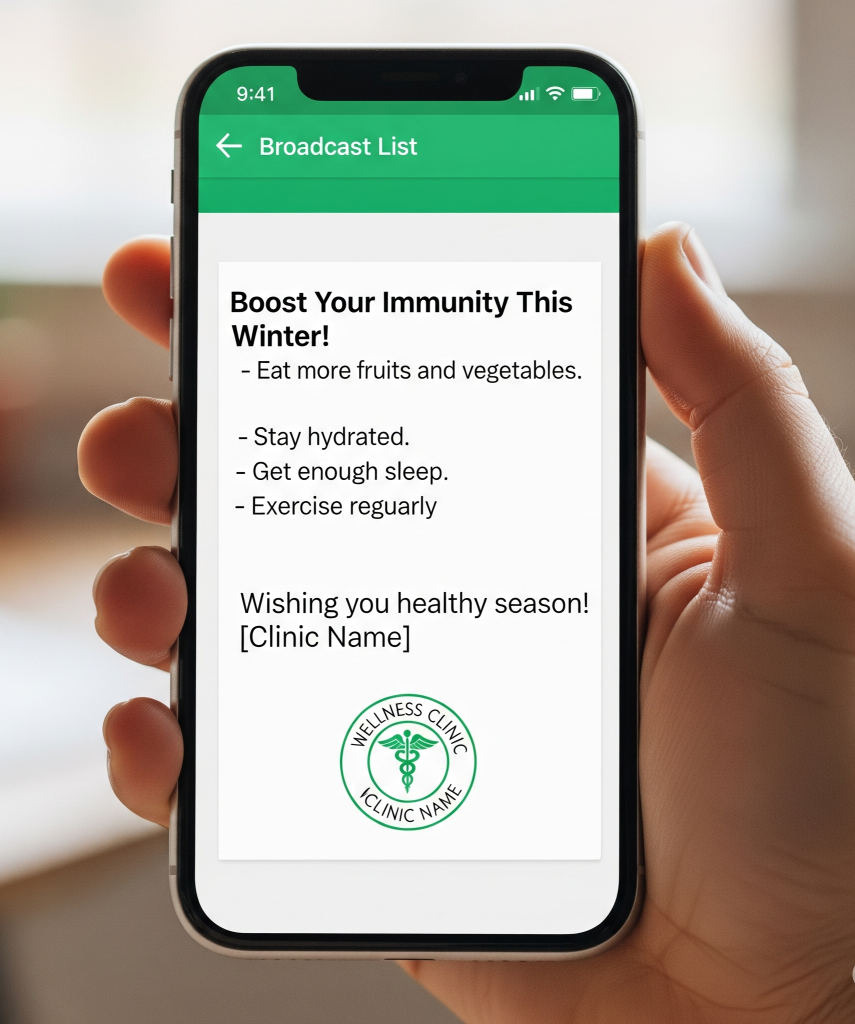
For clinics and practitioners with limited marketing budgets, WhatsApp is a cost-effective solution. Sending WhatsApp messages uses internet data and is essentially free – there are no SMS fees or postage costs, and the WhatsApp Business app itself is free. Compared to traditional marketing (print mailers, phone calls) or even SMS campaigns, WhatsApp marketing costs pennies but yields high impact. It’s an efficient channel where a single message can reach thousands (if you use broadcast lists or groups) without the need for expensive ad spends. In many markets, WhatsApp is more widely used than email, meaning you might reach people here that you’d miss elsewhere. This high return on minimal investment makes WhatsApp an attractive channel for healthcare outreach.
Studies even show WhatsApp marketing can deliver significantly better message delivery and conversion rates than other channels. It has a vast global reach, near-guaranteed message visibility, immediacy, and personal touch – all of which are invaluable in healthcare communication. Whether you run a small clinic or a large hospital department, these benefits translate to stronger relationships with patients and more effective marketing of your services.
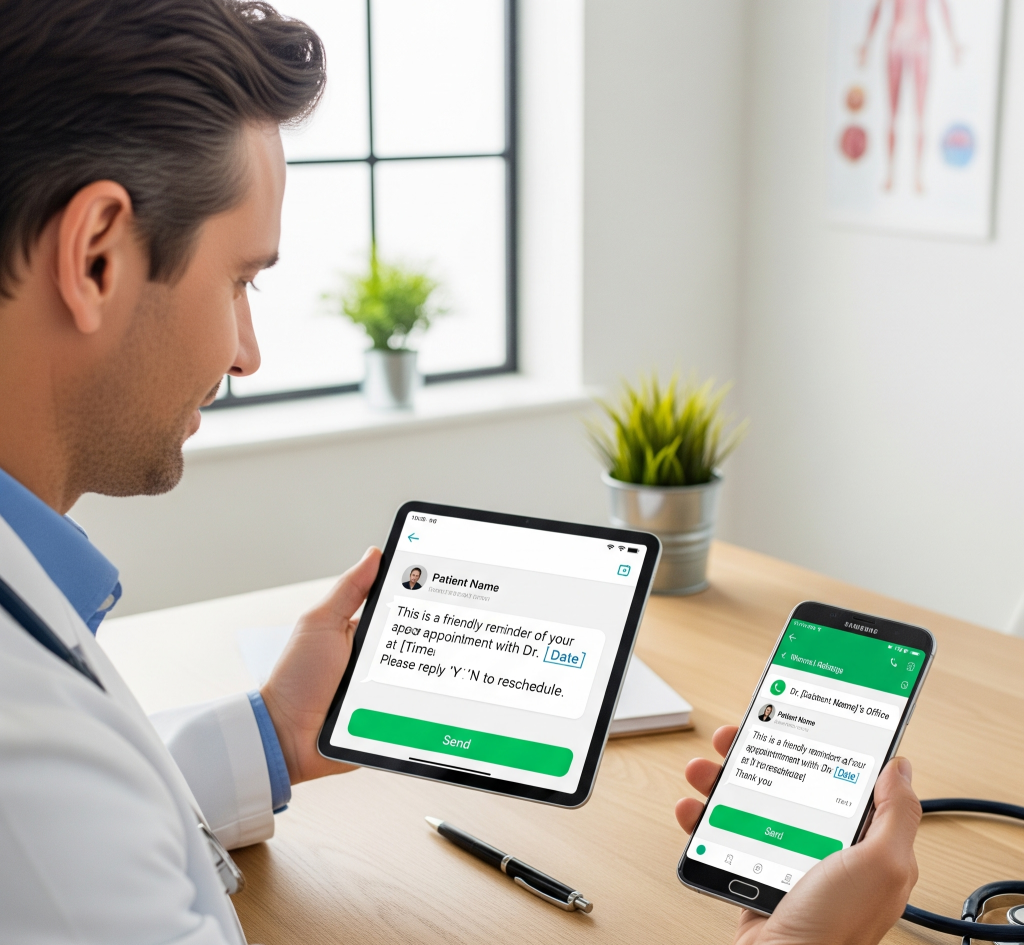
Knowing the benefits is one thing, but how can healthcare providers actually use WhatsApp in practice? The possibilities go far beyond simple chat. Let’s explore some practical WhatsApp marketing strategies and examples for clinics and doctors:
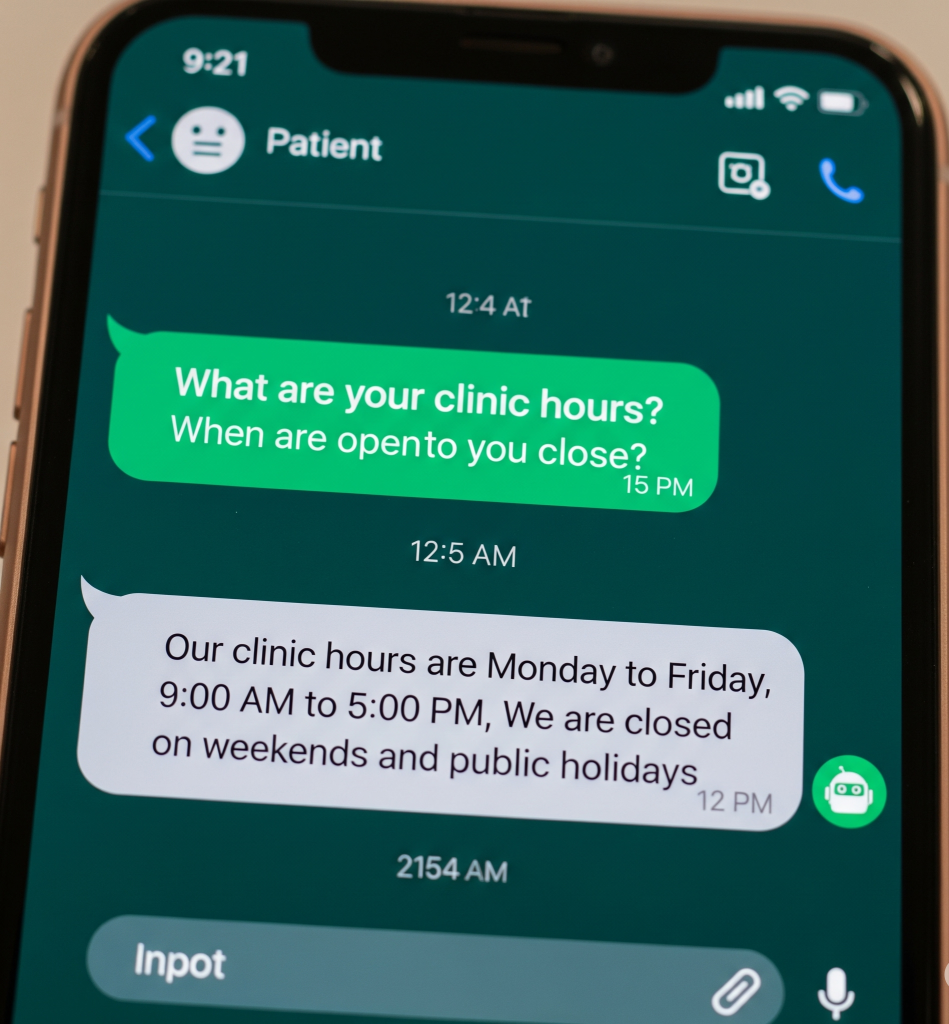
Example: Dr. Rina, a pediatrician, decided to use WhatsApp to keep in touch with parents between visits. Each month, she broadcasts a “Child Health Tips” newsletter via WhatsApp – short messages about nutrition, common seasonal illnesses, or child safety reminders. Parents love it – they feel like their doctor is proactively caring for their child’s well-being. One mother, Sarah, received a tip about managing pollen allergies, which helped her child tremendously. When it was time for Sarah to choose a pediatrician for her second baby, she stayed with Dr. Rina, citing those helpful WhatsApp tips as a reason for her loyalty. This is the power of providing consistent value through WhatsApp – it fosters trust and keeps your clinic at the forefront of patients’ minds.
From appointment scheduling to education and support, WhatsApp can touch many aspects of the patient journey. Start with one or two of the above strategies that fit your practice. For instance, you might first roll out automated reminders, then gradually add a weekly health broadcast or a chatbot for FAQs. The key is to use WhatsApp in ways that genuinely enhance patient convenience and care – when you do that, it naturally serves as a highly effective marketing and retention tool for your clinic.
Here are the best practices and tips to ensure your WhatsApp marketing is effective, professional, and patient-friendly:
Always ask for explicit permission before adding patients to WhatsApp lists or groups. This can be a checkbox on forms or a direct verbal ask. Never message patients without their approval, as this builds trust and fulfills legal requirements like HIPAA (U.S.) and GDPR (Europe). Make clear what kind of messages patients will receive, and always provide a simple opt-out path (such as replying “STOP”). Respecting these preferences is essential for ethical and legal communication.
Messages should be friendly but always professional. Use a conversational style that feels personal, but avoid slang or informality. When delivering reminders or updates, express genuine care: “Hi Sarah, hope you’re well. It’s time for your annual check-up—shall we schedule it?” For sensitive or complex topics—like test results or diagnosis—use WhatsApp to arrange a call or visit, rather than providing all details via text. This helps maintain empathy and clinical professionalism.
Each message should be meaningful: appointment info, health tips relevant to the patient’s needs, medication reminders, or personalized wellness advice. Use the patient’s name and reference specifics (for example, “We hope your physiotherapy is going well!”). Segment your audience—send specific advice to relevant groups (like prenatal care tips to expecting moms, or diabetes management to those diagnosed). Tailored content increases engagement and makes patients feel cared for, not spammed.
Avoid overloading patients with frequent or lengthy messages. Schedule communications—such as reminders a day or two before appointments, or health tips once a week. Use concise, clear wording; send attachments (like PDFs) for lengthy instructions rather than packing everything into a long text. For instance, “Reminder: Your appointment at Sunrise Clinic is tomorrow at 10:00 AM. Reply ‘1’ to confirm.” Quality trumps quantity—patients appreciate timely and relevant information, not constant notifications.
Fill out your clinic’s business profile with address, hours, and contact info. Use Quick Replies for common questions (like directions or office hours), Greeting Messages for first-time contacts, Away Messages for out-of-hours responses, and Labels to keep track of patient status (e.g., new, follow-up needed). These tools streamline operations and personalize the patient experience.
For larger-scale needs, a WhatsApp chatbot or integration with the Business API can help handle repetitive tasks—such as booking appointments, answering FAQs, or sharing clinic hours—24/7. However, always provide an option to escalate to a real staff member for complex or emotional concerns. Automation should enhance, not hinder, patient support.
Even though WhatsApp offers end-to-end encryption, be very cautious with any personal health information. Only share sensitive details if absolutely necessary and with patient consent. Always verify who you are communicating with before sharing results. Avoid patient-identifiable details in group chats. Secure all devices, turn off message previews on lock screens, and train staff on privacy best practices. Stay compliant with legal frameworks—document consents and provide opt-outs as required.
Watch how patients respond—track reads, replies, and opt-outs. Pay attention to feedback: if many patients opt out of certain messages, consider adjusting the content or frequency. Encourage feedback proactively (“How can we improve our communication?”). Learn from patient interactions to continuously improve your WhatsApp outreach and service.
By following these best practices, your WhatsApp marketing efforts will remain patient-centric, effective, and compliant. You’ll nurture a community of patients who not only appreciate your medical expertise but also your thoughtful communication. Remember, at the heart of healthcare marketing is building trust, and every WhatsApp message you send is an opportunity to strengthen that trust by being helpful, respectful, and responsive.
To maximize the effectiveness of your WhatsApp marketing, especially as your communication volume grows, it’s essential to leverage specialized tools and potentially the WhatsApp Business API. Here’s how you can take your WhatsApp marketing to the next level and what platforms can help along the way:
If you’re just beginning, the free WhatsApp Business app (available for iPhone and Android) can cover basic needs. It allows single-user management of chats and features like quick replies, labels, and broadcast lists. However, there are limits—broadcasts are capped at 256 contacts per list, and there’s no support for multiple user access or software integrations. For larger operations or advanced requirements, the WhatsApp Business API is ideal. The API isn’t a standalone app; it’s an interface that enables businesses to programmatically send and receive messages at scale, typically by working with third-party solution providers. This approach lets you automate communications, use chatbots, integrate with CRMs or scheduling systems, and have multiple agents operate on one WhatsApp number. It’s particularly suitable for organizations like clinics or healthcare services handling high message volumes or requiring complex automation (e.g., mass appointment reminders or AI-powered triage).
To access the WhatsApp API, you'll need to work through a WhatsApp Business Solution Provider (BSP) or a certified software platform. These platforms (such as Twilio, MessageBird, WATI, SendWo, Infobip, 360dialog, and Yellow.ai) feature dashboards for managing bulk messages, building chatbots, and supporting team-based chat management. They also ensure compliance with WhatsApp’s rules, including template message approval for outbound campaigns. When evaluating these tools, consider usability, support for media-rich communications, chatbot sophistication, and cost structures—most offer either pay-as-you-go or subscription pricing, often based on messaging volume or user count.
Beyond the major API-driven providers, several standalone tools and desktop applications are available for organizations that may not need full-scale API integration but want efficient ways to manage outreach. SendWo is an example of a desktop-based WhatsApp messaging solution. This tool offers bulk messaging from your PC, helping organizations broadcast messages efficiently while including features like anti-blocking measures, multi-language support, personalization (such as customizing messages with recipient names), and bulk contact management. SendWo can be especially appealing to smaller clinics or businesses looking for a cost-effective, accessible solution to run campaigns such as appointment reminders or service updates.
Other helpful platforms include:
WATI: Offers a team inbox for shared message management and a no-code chatbot builder, ideal for clinics needing coordinated staff responses and automation.
Zoko: Focuses on multi-agent collaboration, e-commerce support (interactive buttons, quick replies), and unified communication channels.
Vepaar (formerly WhatHash): Adds CRM-like capabilities, letting you manage contacts and campaigns, gather responses, and even run polls within WhatsApp.
Browser Extensions: Chrome add-ons such as WAMessager or WhatsApp Web CRM tools can help with automating broadcasts, managing contacts, exporting chat histories, or facilitating translations—often very useful for one-off or small-scale campaigns. For example, some clinics use these to upload Excel contact lists and send out bulk appointment reminders with a customized message.
Selecting the Right Tools for Your Clinic or Business

Identify your needs based on patient volumes, campaign frequency, and required integrations. Small organizations with a few hundred patients might combine the WhatsApp Business app with desktop messaging tools like SendWo or browser plugins for affordable, straightforward outreach and campaign management. Larger practices, or those wanting chatbots and deep CRM integration, will benefit from API-driven platforms or providers like Twilio, WATI, or similar BSPs. No matter which tool you choose, it’s critical to ensure compliance with WhatsApp’s terms and prioritize patient privacy—official API solutions, for instance, maintain end-to-end encryption and restrict message data access.
Many platforms now make it possible to connect WhatsApp messaging to your CRM or electronic health record (EHR) system. This allows actions within your internal system (like marking an appointment) to trigger automated WhatsApp messages, with replies centrally logged for staff reference. Additionally, promoting your WhatsApp channel elsewhere—via website chat links, QR codes, social media, or printed materials—can make it easier for patients to reach you on their preferred platform.
The right combination of WhatsApp marketing tools can dramatically scale your patient engagement and operational efficiency. Whether you use simple desktop tools or a robust API-driven platform, always pair technology with thoughtful communication strategies, ensuring you have patient consent, provide valuable content, and respect privacy. This approach enables you to build a reliable, scalable, and trusted patient communication system without promoting any single vendor or solution.
When using WhatsApp for healthcare communication, privacy and compliance are non-negotiable. Healthcare clinics and doctors must be mindful of patient confidentiality, data security, and legal regulations at every step of their WhatsApp marketing strategy. Here’s what you need to keep in mind:
In summary, privacy and security must underpin your WhatsApp marketing efforts. The platform can be used safely for healthcare, provided you stick to guidelines: get consent, use encryption, share info responsibly, and follow the law.
As we’ve seen, WhatsApp marketing offers a powerful way for healthcare clinics and doctors to connect with patients in a direct, personal, and effective manner. From timely appointment reminders to educational health tips and responsive patient support, WhatsApp can enhance every step of the patient journey. Clinics that have adopted WhatsApp communication are already reaping rewards – higher patient satisfaction, improved appointment attendance, and stronger loyalty. With real-time messaging, you can provide the kind of attentive, accessible care that patients remember and value. In a world where patients expect convenience and quick communication, leveraging WhatsApp sets your practice apart as forward-thinking and patient-friendly.
Now is the time to embrace this modern channel by integrating WhatsApp into your marketing and communication strategy in small ways – send out that first broadcast of wellness tips, or set up WhatsApp reminders for next week’s appointments. Gradually, build on what works. Remember to follow the best practices (consent, value, personalization, and privacy) to maintain trust. If you need help managing scale, explore tools like SendWo or other WhatsApp Business API solutions to streamline your efforts. The barriers to entry are low, and the potential gains are high. Don’t miss out on the opportunity to engage your patients on a platform they already love and use daily. Whether you run a local clinic or a large healthcare facility, WhatsApp can become your secret weapon for patient engagement and practice growth. Take the next step today – set up your clinic’s WhatsApp Business account, let your patients know they can reach you there, and start experiencing the difference.
Healthcare providers can use WhatsApp in various ways to build patient relationships and improve communication. Doctors and clinics can send patients relevant, timely information – for example, updates on new services, wellness tips, or personalized health recommendations. WhatsApp is also used to streamline operations like appointment scheduling and reminders (reducing phone tag and no-shows). Providers might hold virtual consultations or follow-ups over WhatsApp’s chat or call features for minor issues or post-visit check-ins. It’s important to obtain patient consent before using WhatsApp and to maintain professionalism in chats. When used correctly, WhatsApp becomes a tool to engage patients with valuable content and provide quick support, which in turn serves as an effective marketing strategy by boosting patient satisfaction and loyalty.
WhatsApp marketing offers direct, high-visibility patient communication with a 98% message open rate. It enables instant two-way interaction, boosting patient engagement and trust. Clinics using WhatsApp reminders report fewer no-shows, some up to 30% reductions. It’s cost-effective and supports rich media like images and PDFs, helping patients better understand care instructions. Overall, it improves patient satisfaction, practice efficiency, and retention.
In today’s mobile-centric world, businesses rely heavily on messaging to reach customers. Two of the most popular channels are traditional SMS text messaging and the WhatsApp Business API (the interface for companies to send WhatsApp messages at scale). Both channels can deliver your message effectively – SMS can reach 5.1 billion users (about 67% of the global population) on any mobile phone, while WhatsApp boasts over 2.24 billion active users worldwide.
But when it comes to cost and value, how do WhatsApp and SMS compare? This comprehensive guide will compare the costs of WhatsApp API vs SMS, including pricing structures, real-world examples, ROI considerations, and best-use scenarios. By the end, you’ll know which channel (or combination) is more cost-effective for your business in 2025.
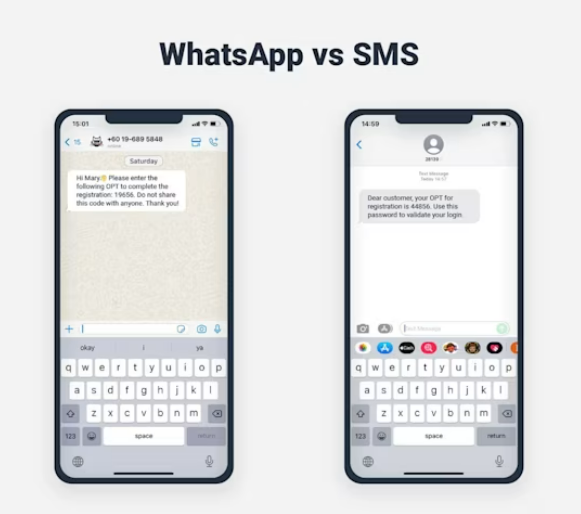
| Feature | WhatsApp Business API | SMS (Short Message Service) |
| Launch Year | 2009 | 1980s |
| User Base | 2+ billion monthly active users | ~5 billion mobile phone users worldwide |
| Device Requirement | Smartphone with WhatsApp app and internet connection required | Any mobile phone with a service plan |
| Reach | Limited to WhatsApp users only | Universal—any mobile phone can receive SMS |
| Message Length | Up to tens of thousands of characters | 160 characters per message; longer texts are split and charged separately |
| Media Support | Rich media: images, videos, documents, interactive buttons, etc. | Text only (no media, links are plain text) |
| Security | End-to-end encryption ensures secure conversations | No encryption; messages sent “in the clear” |
| Interactivity | Supports engaging, two-way conversations with rich and interactive elements | Basic one-way or simple two-way communication |
| Cost Structure | Priced per delivered message, varies by country/region, features, and conversation type | Priced per SMS message or segment, varies by country/operator |
| Business Use Cases | Customer service, notifications, promotions, two-way chats, media-rich campaigns | Simple alerts, OTPs, mass notifications, basic reminders |
WhatsApp Business API and SMS are both powerful tools for business communication, each with distinct advantages. SMS is the most accessible messaging channel, reaching any mobile phone globally, making it the best way to connect with customers who don’t use smartphones or lack consistent internet access. Its simplicity, however, means messages are short and can’t include images or advanced features.
WhatsApp Business API, in contrast, provides a much richer messaging experience. Businesses can send images, documents, videos, and even interactive buttons straight to customers. Plus, messages are secure thanks to end-to-end encryption. However, it’s only available to WhatsApp users and requires internet access and a smartphone.
Choosing between WhatsApp and SMS depends on your audience and objectives. If your goal is maximum reach, SMS is unmatched. For deeper engagement with interactive, secure conversations, WhatsApp is a top choice. Both channels can play complementary roles in modern business messaging strategies.
One of the most significant differences between WhatsApp and SMS is how you pay for messages on each platform. Let’s break down the pricing models:
| Pricing Aspect | WhatsApp Business API (2025) | SMS (2025) |
| Pricing Model | Per-message billing (effective July 1, 2025) for template messages. Free for service messages within a 24-hour user-initiated window. | Per-message/segment billing—charged for each SMS sent (and sometimes for received) |
| Primary Cost Units | Charges depend on message category: Marketing, Utility, and Authentication (free for Service). | Charged per message (160 characters = 1 SMS), longer messages billed as multiple SMS |
| Typical Domestic Rates | $0.005–$0.02 per WhatsApp message (varies by country, category, volume) | $0.01–$0.05 per SMS in most countries (US/UK averages); international often higher |
| Setup/Number Fees | No separate phone number rental required for Cloud API (Meta-hosted); minimal or no monthly/hosting fees for many providers | Usually requires monthly fees for short code or toll-free number, e.g. $10 to $100+/month (short code can be $500–$1,000/month with setup fee) |
| Volume Discounts | Tiered discounts by message category and region—prices drop as volume increases, especially for authentication messages | Volume bundles/credits; discounts exist, but are less dramatic compared to the WhatsApp API |
| Hidden/Extra Fees | Some 3rd-party providers may add platform or markup fees. No charge for inbound customer messages | Regulatory or compliance charges, number registration fees, and possible charges for incoming SMS |
| Free Messages | All replies to a user within a 24-hour window are free. Utility messages are also free in this window | Generally, no free messages—every outbound (and sometimes inbound) SMS is charged |
| Global Reach Costs | Rates align closely with SMS; the same price to message any WhatsApp user worldwide | International SMS rates are much higher. Carrier and country-specific routing may add complexity and cost |
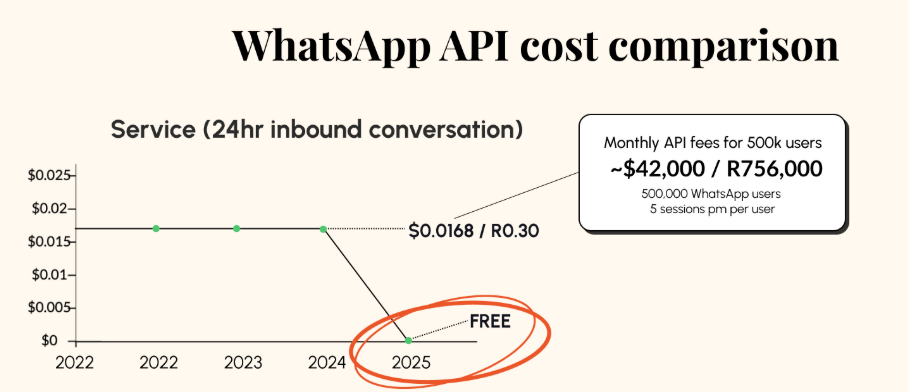
Now that we’ve outlined how pricing works, let’s compare the actual cost of sending messages on WhatsApp API versus SMS with a few scenarios and stats:
By now, it is evidently understood that SMS may have a lower sticker price per message in some cases, but WhatsApp often delivers more value per message. If your goal is pure one-way broadcasting at the lowest possible cost and you need to reach every basic phone, SMS could win. But if you aim for rich engagement, two-way conversations, and higher conversion rates, WhatsApp’s slightly higher per-message cost can pay off significantly.
Businesses today have more direct ways than ever to reach customers, but choosing between SMS and WhatsApp depends on your audience, goals, and message type. Both channels have unique strengths that make them best suited for specific situations. Here’s how to decide:

Best for: SMS (WhatsApp as a backup)
Why: SMS delivers instantly, even without an internet connection, making it the top choice for urgent messages like emergency alerts, OTPs, and bank notifications. SMS reaches any mobile phone and appears within seconds. WhatsApp can also be used, especially where you know users are active, but should not be solely relied on for critical situations, as users may lack internet or not have the app installed. Advanced: WhatsApp’s Authentication template offers cheaper OTPs for large user bases, but SMS remains essential for universal delivery
SMS enjoys a near-universal 98–99% delivery rate and is opened within 3 minutes on average. OTP SMS delivery typically takes 1–3 seconds.

Best for: WhatsApp for engagement, SMS for broad/low-cost reach
Why: WhatsApp enables richer, interactive content—think images, videos, coupons—that drives better engagement and conversion rates compared to plain text SMS. Users are more likely to interact and respond on WhatsApp, but bulk SMS is often cheaper and reaches anyone with a phone. SMS is effective for simple, wide-reaching campaigns, especially for audiences not on WhatsApp. Many brands blend both: WhatsApp for opt-in users, SMS as a fallback.
SMS marketing open rates average 90–98%, but response rates are usually under 5%. WhatsApp business messages can drive response rates as high as 40–60%, and click-through rates are often 2–10× higher than SMS.

Best for: WhatsApp
Why: WhatsApp is designed for conversations, supporting chat threads, rich media, quick replies, and interactive menus—perfect for customer support and ongoing chats. Most SMS systems are limited to basic text and can feel clunky for back-and-forth interaction. With WhatsApp, customers report higher satisfaction and trust, and service conversations are generally free, letting you manage many inquiries at no cost.
Companies using WhatsApp for customer support report up to 3× higher customer satisfaction compared to SMS. WhatsApp’s service conversations are often free, while SMS is billed per message (e.g., $0.02 per SMS × multiple replies).

Best for: WhatsApp
Why: WhatsApp operates globally via the internet, allowing brands to reach users in over 180 countries without worrying about international SMS fees or carrier restrictions. If your audience is international, WhatsApp streamlines global messaging and is typically more cost-effective for cross-border communication. Exceptions apply in markets where WhatsApp is restricted (e.g., China), where SMS or region-specific apps are required.
WhatsApp has over 2.7 billion monthly active users across more than 180 countries. International SMS rates can cost 3–10× domestic rates, and deliverability may be inconsistent due to regional carrier issues.
Best for: Use Both; combine for security
Why: SMS is nearly universal for two-factor authentication (2FA), but not encrypted, and can be vulnerable to SIM swap attacks. WhatsApp offers secure, encrypted delivery and dedicated templates for OTPs. The most secure strategy is to try WhatsApp first for users who have opted in, and quickly fall back to SMS if delivery fails, minimizing cost and maximizing reliability.
Over 80% of internet users have received SMS 2FA codes, but this has increased SIM swap fraud risk (thousands of cases annually). WhatsApp authentication adds encryption; businesses using a hybrid approach minimize cost by sending 20–50% of OTPs through WhatsApp when possible.
Rather than choosing SMS or WhatsApp, successful companies often use both in complementary ways. As one industry guide put it, these channels “greatly complement each other – engage customers over WhatsApp and fall back to SMS for those not on WhatsApp”. For example, you might use WhatsApp as the primary channel for rich engagement, and use SMS as a backup channel for those who can’t be reached on WhatsApp or for truly universal emergency messaging.
In fact, an omnichannel strategy can maximize your reach and optimize costs: send messages on the cheapest or most effective channel depending on the user’s preferences. An e-commerce business might find a 70/30 split (70% WhatsApp, 30% SMS) works well – WhatsApp to handle most marketing, confirmations, and support, and SMS for the critical alerts or non-WhatsApp users. The exact mix will depend on your customer demographics and which regions you operate in, but using the strengths of each channel ensures you’re not leaving any gaps (and not overspending where you don’t need to).
Let’s summarize the cost comparison of WhatsApp API vs SMS:
In many cases, WhatsApp’s per-message fees are in the same ballpark as SMS or even cheaper, especially after the 2025 pricing updates aiming to align with other channels. However, depending on the region, SMS can sometimes be the cheaper option for purely one-way messaging. Always compare the specific rates for your key markets – e.g., North America, WhatsApp marketing messages ~$0.014 vs SMS ~$0.007-$0.01; in India, WhatsApp might be ₹0.30 and SMS ₹0.15, etc. Generally, SMS has an edge in some local markets price-wise, whereas WhatsApp shines in global scenarios and high-message conversations.
SMS may require spending on short codes, compliance (10DLC registration fees in the US, etc.), and managing deliverability. WhatsApp requires effort in template message creation/approval (for outbound messages, you must use approved templates, which takes some time to set up, but not a monetary cost). With WhatsApp, you don’t pay for phone numbers or monthly service – your costs are mostly just the messages you send (and possibly a platform fee if using a BSP). This often makes WhatsApp simpler and potentially cheaper at scale, whereas SMS might have fixed monthly costs regardless of volume (like number leases).
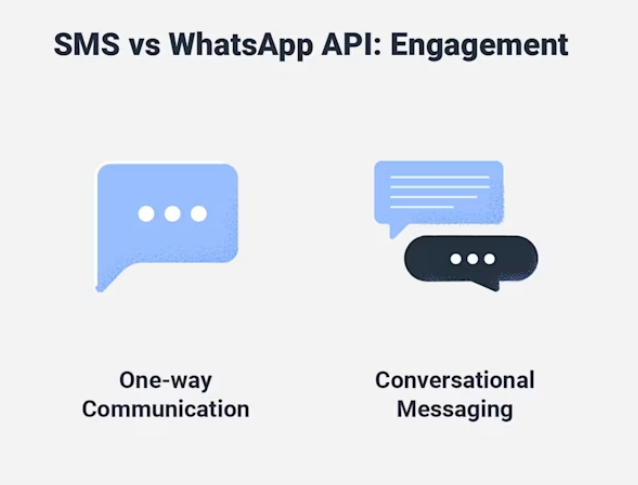
This is where WhatsApp often wins big. You might pay a little more to send a WhatsApp message, but if it generates significantly more customer action (clicks, replies, sales) than an SMS would, the cost per conversion is lower on WhatsApp. For example, spending $100 to get 50 customers to buy via WhatsApp is better than spending $50 to get 5 customers via SMS. Many businesses report higher ROI from WhatsApp campaigns due to the richer interaction. As one source notes, WhatsApp’s popularity and interactive design lead to much better engagement – some have seen conversion rates on WhatsApp an order of magnitude higher than via SMS. Thus, WhatsApp often gives more “bang for your buck.”
WhatsApp messages have delivery receipts and tend to reliably reach the user (except in rare cases like app uninstalled or network issues). SMS can sometimes fail silently due to carrier filters, especially for promotional content. Also, today’s consumers (especially younger demographics) may trust and prefer messaging on apps like WhatsApp or iMessage over SMS. A 2019 survey found 53% of consumers are more likely to buy from a company they can contact via a chat app (like WhatsApp). So offering WhatsApp as a channel can improve customer sentiment and outcomes, which is an indirect cost benefit (happier customers = better retention and sales).
In pure dollar terms, SMS vs WhatsApp cost depends on usage: SMS might be cheaper for a one-off blast to a large list, but WhatsApp can save money (or deliver higher value) when you engage in dialogues or multimedia messaging. The good news is you don’t have to choose one exclusively – you can leverage both to optimize costs and customer experience.

If you’re excited about WhatsApp’s potential but worried about costs piling up, SendWo is here to be a game-changer. SendWo is an all-in-one WhatsApp marketing platform that dramatically lowers the cost of WhatsApp campaigns for businesses. In fact, SendWo’s model is unique: no pay-per-message fees – you pay a flat rate for bulk WhatsApp messaging. This means you can send unlimited WhatsApp messages without worrying about each message’s cost, which is revolutionary compared to the typical per-message pricing.
It provides a software platform that lets you connect multiple WhatsApp Business accounts, manage campaigns, and even rotate sender numbers to maximize deliverability. You get tools like bulk messaging, WhatsApp chatbot, autoresponders, multimedia support, contact management, and detailed campaign analytics all in one place. Essentially, SendWo gives you the power of the WhatsApp API without the usual billing meter running for every message.
Some highlights of using SendWo for WhatsApp marketing:
In a direct cost comparison, if you’re using a typical WhatsApp API provider, you might pay, say, $0.005 per message. That’s $5 per thousand messages, or $500 per 100k messages. With SendWo’s unlimited model, your cost for 100k or even 1 million messages doesn’t increase – it’s a fixed subscription or lifetime fee. That can translate to massive savings for businesses doing large-scale outreach. Essentially, SendWo turns WhatsApp into a one-time or fixed cost channel, much like email, rather than a variable cost channel.
Actionable Tip: If you’re currently using SMS for large campaigns due to cost concerns, try SendWo’s free trial. You could potentially reach the same audience on WhatsApp at a fraction of the effective cost and see better results. It’s an opportunity to modernize your customer communication strategy and save money.

When comparing WhatsApp API and SMS costs, there’s no one-size-fits-all answer—it depends on your use case, audience, and how you define “cost.” Per-message fees may make SMS seem cheaper in some cases, while WhatsApp may be less expensive in others. However, when you consider hidden costs and the value generated by each message, WhatsApp often proves more cost-effective for businesses focused on customer engagement and conversions. Its ability to support rich, free-flowing conversations and leverage WhatsApp’s widespread popularity leads to higher revenue and stronger customer loyalty, delivering greater value per dollar spent.
SMS remains important due to its ubiquity and reliability for simple alerts. Many successful businesses use both channels: WhatsApp as the primary channel to capitalize on its high engagement at a reasonable price, and SMS as a backup or supplementary channel when needed. Recent WhatsApp pricing changes, including free service messages and volume discounts, have further reduced cost differences.
Your messaging strategy should align with your customer base. If your customers are active WhatsApp users, ignoring WhatsApp means missing a favored channel, and cost is now less of a barrier. For users not on WhatsApp, SMS ensures you still reach them. Consider the return on investment: spending a bit more on WhatsApp often yields significantly higher engagement, making it worthwhile. Conversely, if a simple SMS suffices at minimal cost, it remains a solid option. The smartest approach is to use each channel where it excels.
Tools like SendWo enhance WhatsApp’s cost advantage by removing per-message fees for WhatsApp campaigns. This innovation allows businesses to reach thousands of customers on WhatsApp without worrying about message costs. Given WhatsApp’s rich features and improved pricing, now is an excellent time to adopt WhatsApp Business messaging.
Ready to improve customer communication while controlling costs? Try WhatsApp Business messaging today and see the engagement difference. Start with SendWo’s free trial to send bulk WhatsApp messages at nearly no cost and experience the impact firsthand. Don’t let outdated channels or cost concerns hold you back—unlock WhatsApp’s power to connect with your customers in a more meaningful and affordable way. Your customers are on chat—your business should be, too!
It can be. WhatsApp’s pricing has evolved to be very competitive with SMS. In many regions, a WhatsApp message costs only a few cents (or less), similar to an SMS. WhatsApp also offers free messages in certain cases (e.g., replying to customers’ inquiries is free). SMS, by contrast, charges for every message sent and sometimes received. If you are sending one-way bulk messages and your local SMS rates are extremely low, SMS might appear cheaper per message. But if you engage in conversations or consider conversion rates, WhatsApp often ends up cheaper per successful interaction because more customers engage with it. Plus, WhatsApp doesn’t require renting expensive short codes or paying monthly fees for numbers, which can make the overall cost lower. With solutions like SendWo (flat pricing for unlimited WhatsApp messages), WhatsApp can become dramatically cheaper than SMS for marketing since you’re not paying per message at all with that model. So, WhatsApp API can be cheaper when you factor in all these aspects, especially for two-way communication and high volumes.
As of 2025, WhatsApp Business API charges per message, replacing the previous per-conversation pricing. Costs vary by message type and country: user-initiated service messages are free; utility messages (e.g., updates, reminders) cost about $0.005–$0.01; authentication (OTP) messages are around $0.01 or less; marketing messages range from $0.005 to $0.02+ depending on region. Meta offers free inbound and service messages within a 24-hour customer service window, effectively providing ~1,000 free service messages monthly. Third-party providers (BSPs) may add small fees, though some, like SendWo, offer no extra charges or free trials. Volume discounts can reduce costs to fractions of a cent per message at scale. For exact rates, check Meta’s official pricing or your BSP. Overall, WhatsApp pricing is now transparent and competitive with SMS in most markets.
Imagine a customer fills up their online shopping cart with your products, only to leave your site without checking out. It’s like watching a shopper walk out of a physical store and disappear, leaving a full basket behind. This scenario, known as shopping cart abandonment, happens roughly 7 out of 10 times in e-commerce. In fact, the value of products abandoned in carts globally reaches an estimated $4 trillion each year, representing a massive chunk of lost revenue. The good news? With savvy strategies, up to 60% of those abandoned sales can be recovered. One of the most powerful ways to win back those customers is through WhatsApp – a messaging platform your shoppers already know and love.
In this comprehensive guide, we’ll explore WhatsApp for e-commerce and how you can leverage it to recover abandoned carts organically (with a spotlight on how tools like SendWo help automate the process). We’ll cover why WhatsApp is a game-changer, how to set up an abandoned cart recovery campaign step by step, best practices for crafting messages, real-world success stories, and a handy FAQ. By the end, you’ll be equipped to turn those ghosted carts into conversions. Let’s dive in!
First, let’s understand the problem. Cart abandonment occurs when a shopper adds items to their online cart but leaves without completing the purchase. This happens for many reasons – maybe they got distracted, experienced sticker shock at shipping fees, or wanted to compare prices elsewhere. Regardless of why, the impact is huge. The average cart abandonment rate is ~70% across e-commerce. That means for every 10 potential sales, only 3 actually go through – the rest slip away. Researchers estimate that these abandoned carts account for around $4 trillion in lost sales annually.
For online retailers, that’s a massive revenue leak. Recovering even a fraction of those carts can significantly boost your bottom line. In fact, experts suggest that with the right follow-up tactics (like timely messages and incentives), roughly 63% of that lost revenue is recoverable. That’s why abandoned cart recovery is so crucial – it’s essentially low-hanging fruit. You’ve already done the hard work of getting customers to add products to their cart; a well-timed nudge can often convince them to finish the purchase. It’s far more cost-effective to recover an almost-sale than to find a brand new customer.
You might already be using email reminders or retargeting ads to chase down abandoned carts. Those can work, but WhatsApp brings some unique advantages that make it a powerful cart recovery channel. Here’s why leveraging WhatsApp for e-commerce can dramatically improve your results:
In short, WhatsApp offers an unparalleled combination of reach, immediacy, and effectiveness for abandoned cart recovery. It lets you communicate with shoppers in the same way they chat with friends and family, which is a powerful opportunity to nudge them back to your store.
Ready to start recovering those lost sales? Setting up WhatsApp cart recovery might sound technical, but it’s quite straightforward with the right tools. Here’s a step-by-step game plan to implement WhatsApp abandoned cart recovery for your e-commerce store:
By following these steps, you’ll set up a robust WhatsApp abandoned cart recovery system that runs largely on autopilot, reaching out to customers at just the right moments with the right messages. It’s a blend of automation and personalization that can dramatically boost your sales by turning missed opportunities into completed orders.
You might be wondering, how exactly does a tool like SendWo fit into this process? Let’s take a closer look at Sendwo as an example of implementing WhatsApp cart recovery in an organic, non-intrusive way.
SendWo is an official WhatsApp Business Solution Provider (Meta BSP) that offers a platform for WhatsApp marketing and customer communication. In practical terms, SendWo serves as the bridge between your online store and WhatsApp.
Here are some of the ways SendWo streamlines abandoned cart recovery (organically, without coming off as “salesy”):
Crucially, everything described above can be done without making it feel like a hard sell. The key is that SendWo allows you to automate helpful, personalized reminders rather than generic promotions. The platform stays mostly behind the scenes – to your customers, it simply feels like your brand reached out on WhatsApp in a thoughtful way. For instance, a SendWo-powered message might read: “Hi Sarah, we noticed you left a few items in your cart. We’ve set them aside for you 👉 [View Cart]. Need help or have questions? Just reply to this chat – we’re here to help! 😊*”. This kind of message comes across as customer service. If Sarah doesn’t respond or purchase, perhaps a day later she gets: “Hi Sarah, just a friendly reminder – your cart items are almost gone. Complete your purchase in the next 24h and use code SAVE10 for 10% off. Don’t miss out!”. Again, the tone is encouraging, not pushy, and it offers value. SendWo’s tools make it easy to execute this sequence at scale.
In summary, SendWo acts as the hero behind the curtain: it equips you with the tech and templates to recover carts via WhatsApp seamlessly, while your customers simply experience timely, organic messages from your brand. The result is more recovered revenue for you and a smoother shopping journey for them – a win-win.
By now, you might be curious what kind of real-world impact businesses see from using WhatsApp for abandoned cart recovery. The answer: significant improvements. Here are a few success stories and stats that highlight the effectiveness of this approach:
These examples span from small niche sellers to large retailers, and the takeaway is consistent: WhatsApp works for abandoned cart recovery. While results will vary depending on your industry, audience, and execution, it’s not uncommon to reclaim a substantial portion of lost carts once you start using WhatsApp strategically. Many businesses report double-digit percentage improvements in recovery rates and a higher overall customer lifetime value because the personal touch of WhatsApp fosters loyalty.
The bottom line is that implementing WhatsApp for cart recovery can give you a competitive edge and incremental revenue that significantly boosts your annual sales. Whether you’re looking at a 15% bump or a 50% bump, these are gains you can’t ignore in a tight e-commerce market. Plus, you’re likely to outperform competitors still relying solely on email or ads to retarget abandoners.
In the ever-evolving world of e-commerce, abandoned carts don’t have to be a lost cause. As we’ve explored, a simple WhatsApp message – sent at the right time with the right tone – can be all it takes to bring a customer back and close the sale. By integrating WhatsApp into your cart recovery strategy, you’re meeting customers where they already spend their time and providing service on their terms. It’s a more human, conversational approach to marketing that today’s shoppers appreciate.
If you haven’t started with WhatsApp for your business yet, now is the time. Setting it up is easier than you might think, and the potential ROI is impressive. Don’t leave money on the table by letting abandoned carts remain abandoned. You can take action today: for example, set up a free account with a WhatsApp BSP like SendWo (they even offer a free-forever plan to get you started) and connect it to your store. In just a short time, you could have automated WhatsApp reminders running and customers coming back.
Remember to keep your messages friendly, helpful, and on-brand. Think of them as an extension of your customer service. Test out different offers and timings to see what resonates best with your audience. And once those orders start rolling in from recovered carts, consider expanding your WhatsApp use for post-purchase follow-ups, reviews, and more, building an ongoing relationship with your customers.
In summary, WhatsApp for e-commerce is not just a buzz term – it’s a practical tool to boost your sales and enhance customer experience. Abandoned cart recovery is one of the most impactful ways to use it. So, go ahead and turn those chats into conversions! Your customers will love the personal touch, and your business will love the extra revenue.
Ready to reclaim lost sales? Start leveraging WhatsApp for your cart recovery now – those abandoned carts are waiting to be turned into happy customers. 💬🛒💰
WhatsApp abandoned cart recovery involves sending a WhatsApp message to customers who left items in their online cart without purchasing. Once a customer has opted in to receive WhatsApp updates from your business, your system (via the WhatsApp Business API) can automatically send a personalized reminder to them about the items they left behind. Typically, an integration between your e-commerce platform and a WhatsApp service (like SendWo) will detect the cart abandonment and trigger a WhatsApp template message to that customer. The message usually includes details of the cart (maybe listing the product name or image) and a direct link or button to resume checkout. The goal is to gently remind the shopper and provide an easy one-click path back to their cart. Often, businesses send a series of WhatsApp reminders (for example, one message after 1 hour, another after 24 hours, etc.) and may include a discount or incentive in a follow-up message to encourage completion. All of this is done through automated workflows – once you set it up, the process runs in the background for each abandoned cart event.
WhatsApp) that provides tools for businesses to communicate with customers on WhatsApp. In the context of cart recovery, SendWo makes it easy to automate WhatsApp abandoned cart messages. It offers integrations (like a WooCommerce plugin and API/webhooks for other platforms) that connect your store to WhatsApp. When a cart is abandoned, SendWo’s system detects it and can automatically send out your pre-approved WhatsApp template message to that customer, complete with details like their cart items and a checkout link. Essentially, SendWo handles the heavy lifting – ensuring the message goes through the official WhatsApp API (so it’s delivered reliably), personalizing the content with the customer’s info, and logging any responses. SendWo also provides a dashboard where you can design message templates, schedule follow-ups, and view analytics on open rates and conversions. Beyond cart recovery, SendWo supports bulk messaging, chatbots, customer support chat, and more, all via WhatsApp. Because SendWo is an official provider and uses the WhatsApp Business API, it adheres to WhatsApp’s guidelines and best practices. In short, SendWo is a platform that enables you to use WhatsApp as a marketing and customer engagement channel, with abandoned cart recovery as one of its key use cases. (Bonus: SendWo has a free forever plan, so it’s easy to test out its features without upfront cost, making it a popular choice for small and medium businesses looking to boost their WhatsApp marketing.)
Collecting WhatsApp opt-ins is essential for any business looking to leverage WhatsApp’s massive reach for marketing or customer communication. WhatsApp boasts nearly unparalleled engagement – with about 98% open rates and 45–60% click-through rates, far higher than email. But before you can tap into this potential, you must obtain customers’ permission (opt-in) to message them. In this comprehensive guide, we’ll explore how to collect WhatsApp opt-ins legally and effectively, ensuring you comply with all rules and get the best results. We’ll cover what WhatsApp opt-ins are, why they matter, proven strategies to gather opt-ins, compliance tips, and how a few tools can be a game-changer. Let’s dive in!
WhatsApp opt-in refers to a customer’s consent to receive messages from your business on WhatsApp. In other words, the user explicitly agrees (“opts in”) to let you send them messages on WhatsApp. This could include promotional updates, order notifications, customer service messages, etc., depending on what they agree to.
First, it’s required by WhatsApp’s policies and often by law. WhatsApp’s Business Policy clearly states that a business may only contact people if: (a) the person gave you their phone number and (b) you have received their opt-in permission confirming they want to receive messages from you. This rule exists to prevent spam and ensure users only get messages they expect. If you message people without consent, they can block or report you, which can hurt your sender reputation, reduce your WhatsApp “quality rating,” or even lead to account suspension.
Secondly, requiring opt-in builds trust. When customers willingly subscribe, they’re more likely to engage positively with your messages. Opt-ins ensure your WhatsApp outreach is welcome, not intrusive, creating a better experience and relationship with your audience.
Collecting WhatsApp opt-ins legally means following both WhatsApp’s platform rules and any applicable data privacy laws (like GDPR). Here are the key requirements and recent updates you should know:
Bottom line: Always ask permission and be clear about it. A little upfront effort in obtaining lawful opt-ins will pay off with higher engagement and peace of mind that you’re on the right side of regulations.
👉Tip: In some cases, using a double opt-in process is considered best practice. Double opt-in means after a user signs up (e.g., via a form or link), you send a WhatsApp message asking them to confirm their subscription (for example, by replying “YES”). This extra step, while optional, provides extra proof of consent and ensures the person controlling that phone number indeed wants to hear from you. It’s especially recommended under GDPR for demonstrable consent. We’ll discuss tools to automate this later on.
Now that we know the rules, let’s explore how to actually collect opt-ins. The goal is to integrate WhatsApp opt-in opportunities into your customer journey so that subscribing is easy and appealing. Here are some proven strategies:
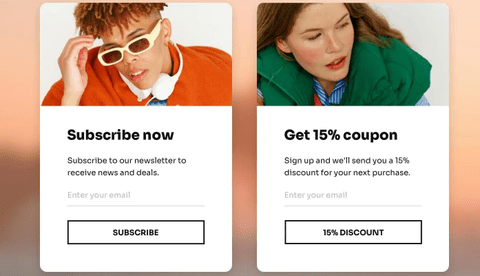
Your website is a prime place to capture WhatsApp opt-ins. Consider deploying an eye-catching pop-up or banner on high-traffic pages (homepage, blog, etc.), encouraging visitors to subscribe to your WhatsApp updates. For example, a timed pop-up might say: “ Want VIP Deals? Get our updates on WhatsApp – join now and enjoy 10% off your first order!”. Offering an incentive (a discount, exclusive content, etc.) can motivate users to opt in.
In addition to pop-ups, include a WhatsApp opt-in option in your sign-up forms. If you have a newsletter subscription form or account registration, add a simple checkbox like: “Yes, I want to receive updates via WhatsApp.” Make sure this checkbox isn’t pre-checked (remember, consent must be deliberate). You can also integrate opt-in on your “Contact Us” or demo request forms, so when someone inquires, they can tick a box to agree to follow-ups on WhatsApp. Clearly highlight the benefit: e.g., “Get order confirmations and timely offers on WhatsApp for convenience.”
For e-commerce sites, implement a WhatsApp opt-in during the checkout process (more on this below, since it’s so effective it deserves its own section). By placing opt-in opportunities on your site where users are already engaging, you turn web traffic into WhatsApp subscribers seamlessly.
Think about all the followers and subscribers you’ve already built up on other channels – those are potential WhatsApp contacts if you invite them. Use your social media presence to promote your WhatsApp channel. For example, share posts or Stories on Instagram, Facebook, LinkedIn, etc., saying “We’re on WhatsApp! Sign up to get [valuable content] via WhatsApp – link in bio.” Include a WhatsApp click-to-chat link (or QR code) in your bio or post so that users can easily tap and opt in. You could even pin a tweet or Facebook post explaining how to join your WhatsApp list for updates. Consistently remind your social followers about the benefits of connecting on WhatsApp (like quicker updates, personal tips, or whatever suits your business).
Don’t forget email marketing as well. In your email newsletters, add a section or call-to-action: “Prefer WhatsApp? Click here to get these updates via WhatsApp too!”. You might send a dedicated email to subscribers encouraging them to join your WhatsApp list for real-time alerts or special WhatsApp-only deals. Highlight how WhatsApp messages will complement their emails (not spam them). Since email subscribers already showed interest, many may opt for the convenience of WhatsApp updates as the next step.
Even SMS contacts can be prompted. If you have customers who get SMS texts from you, send a message about your WhatsApp channel, e.g., “Hi! Now you can get instant news and offers via WhatsApp – reply YES to get a signup link.” Always make it one-click or one-step if possible. The key is to use the channels where you’re already engaged with customers and gently nudge them towards WhatsApp.
By leveraging existing channels – social followers, email lists, SMS subscribers – you can cross-promote your WhatsApp opt-in and quickly grow that list with people who already trust your brand.
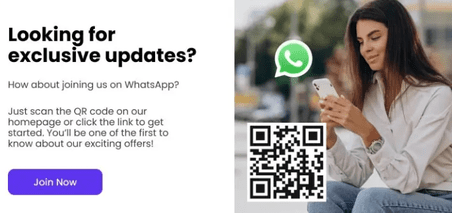
QR codes are a fantastic bridge between offline and online opt-ins. WhatsApp allows you to create a QR code that, when scanned, opens a chat with your business (or directs to a WhatsApp opt-in landing page). Print or display these QR codes wherever your audience might see them. For instance:
Make sure the QR code is tied to an easy opt-in flow. The simplest approach: have the QR open a WhatsApp chat with a preset message like “I want to subscribe” that the user just sends. Once they send it, you respond (automatically) with a confirmation or welcome – voilà, they’re opted in. Provide a little teaser text near the code explaining what they’ll get by subscribing (e.g., “Scan to get our weekly fashion tips on WhatsApp”). QR codes effectively turn real-world touchpoints into digital opt-ins, expanding your reach.
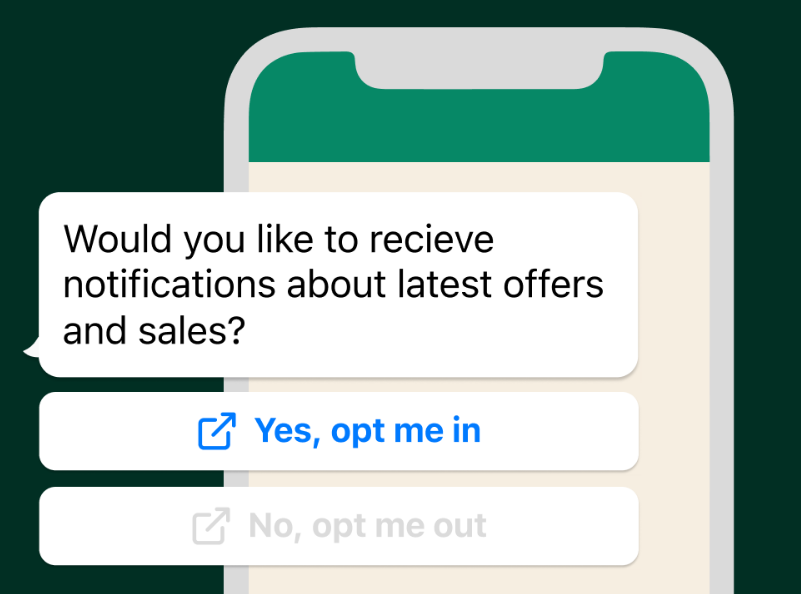
One of the most natural moments to collect a WhatsApp opt-in is when a customer is already talking to you or using your services. If someone has reached out for support (via phone, email, or live chat) or when you’re wrapping up a customer service conversation, simply invite them to continue the conversation on WhatsApp in the future. For example, after resolving an issue, your support agent or an automated chat can say: “Glad I could help! By the way, we can send you future updates or tips on WhatsApp so you don’t miss important info. Would you like that?”. If the customer agrees, guide them through the quick opt-in (perhaps by sending them a WhatsApp message to reply to, or by directing them to a sign-up link).
This strategy works well because at the moment of a successful support interaction, the customer’s trust in your company is high. They’ve just received help and are likely to say “sure, why not” to hearing from you on a convenient channel like WhatsApp. The Infobip team found that simply requesting opt-in at the end of a support chat is one of the easiest ways to grow your WhatsApp contacts.
You can also build this into your existing systems. For instance, integrate your helpdesk or CRM so that whenever a ticket is closed or an agent ends a call, an automated follow-up email/SMS can ask for a WhatsApp opt-in with a link. Or during a phone support call, have the agent mention WhatsApp updates and offer to send a quick text with the opt-in link. Even IVR systems (phone menus) can be used: “Press 5 to get updates on WhatsApp.” If they press it, you can text them the WhatsApp opt-in link or number to message.
The idea is to strike while the iron is hot: the customer is engaged and presumably happy with your service. By opting them into WhatsApp at that moment (with their permission, of course), you keep the conversation going on a channel that’s direct and personal. This also shifts future interactions from possibly more expensive channels (like phone calls) to WhatsApp, which can be handled efficiently (even with chatbots or templated answers). It’s a win-win: the customer gets quick info and you get an opt-in.
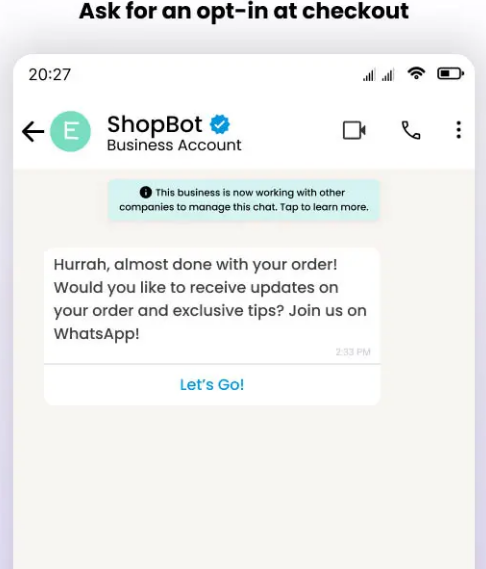
The point of purchase is another prime opportunity to collect WhatsApp opt-ins. When a customer is buying something, they often appreciate receiving immediate confirmations and updates about their order. By offering WhatsApp as a communication channel during checkout, you meet that need and grow your subscriber list.
How to implement it: On your e-commerce checkout page (or in the app), include a checkbox or field like “Yes, send me order updates and exclusive offers on WhatsApp” along with the phone number input. Since the customer is already providing their number for shipping or contact, you can have them simply check a box to consent to WhatsApp messages. Ensure the wording is clear and enticing – e.g., “Get your order confirmation, tracking, and a surprise discount on WhatsApp – opt in.” This way, they understand the value. Also ensure the checkbox is opt-in (unchecked by default).
You can also prompt after the purchase is complete. For example, on the order confirmation page or thank-you page, display a call-to-action: “Receive updates about your order and future deals via WhatsApp – click here to subscribe.” Since the customer just bought something, they’re highly likely to want shipping alerts or support, which WhatsApp can provide conveniently. It’s at this moment that the customer is most receptive to after-sales communication.
If you have a physical store, during checkout at the register, you could similarly ask customers if they’d like a receipt or future offers via WhatsApp. They can sign up on the spot (perhaps by scanning a QR code or providing their number on a form that triggers a WhatsApp message).
By integrating the opt-in into the natural flow of purchase, you’re catching customers when they’re excited about their purchase and want to stay informed. They’ll gladly opt in for “notifications about my order status,” – which you can later transition into marketing messages (that they agreed to). Just be sure to explicitly mention if you’ll also send promotions, or get separate opt-ins for marketing vs. purely transactional messages to stay compliant. Many customers will opt in for order updates (transactional messages), and if you plan to also send occasional offers, it’s best practice to have them agree to that category as well.
This strategy not only boosts opt-ins but can also improve customer experience by providing a channel they love for post-purchase communication. It’s a no-brainer for any online retailer.
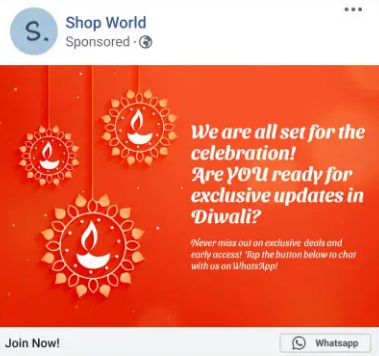
Take your opt-in efforts to the next level by using Click-to-WhatsApp ads. These are ads on platforms like Facebook and Instagram (or even Google search ads with WhatsApp extensions) that include a “Message on WhatsApp” button. Instead of filling a form, interested users tap the ad and are immediately taken to a WhatsApp chat with your business. This instantly converts an ad viewer into a WhatsApp conversation – essentially an opt-in if handled properly.
For example, you might run a Facebook ad that says, “Chat with us on WhatsApp to get a free quote/discount!” When the user clicks, it opens WhatsApp with a pre-filled greeting message (“Hi, I’d like to sign up...”). Once they hit send, you have an open thread to interact, and you can treat that as an opt-in (since the user initiated contact) – though it’s good to still confirm like “Thanks for messaging us! Reply YES to confirm you’d like updates from us.” This way you’ve got explicit confirmation to be safe.
These ads are powerful because they lower the barrier for opt-in – a user just taps a button instead of filling out a form. They also allow you to start a personalized conversation immediately, which is great for engagement. You can even program an automated welcome message or offer through WhatsApp Business API when someone comes in from an ad. For instance, an e-commerce brand could automatically reply, “Hi! Thanks for your interest. Here’s your 10% off code to use right now. Would you like to receive product updates from us on WhatsApp too?”.
Businesses using Click-to-WhatsApp ads have seen impressive results. By engaging customers in chat right from the ad, some companies achieved higher conversion rates and ROI – in fact, using WhatsApp for follow-ups can boost ad return on ad spend (ROAS) significantly. (One report noted up to 7.5× ROAS when retargeting leads on WhatsApp versus standard channels!). Even if that number varies, it’s clear that a warm WhatsApp chat can turn a curious click into a loyal customer much more effectively.
To make the most of these ads, ensure your ad targeting hits the right audience (such as your website visitors or lookalike audiences likely to engage). Then have a plan for the WhatsApp conversation flow – possibly using a chatbot or saved replies to handle common inquiries and lead the user toward an opt-in or sale. For example, an insurance company might run a Google ad for “Get a quote on WhatsApp” – user clicks, enters WhatsApp chat, and the bot gathers info and also asks if they’d like future reminders via WhatsApp.
In summary, Click-to-WhatsApp ads are an excellent tactic to rapidly grow your opt-in list. They combine marketing and opt-in collection in one step. If you run online ads, consider funnelling that traffic directly into WhatsApp chats – you’ll likely see higher engagement and a fast-growing subscriber list.
Collecting opt-ins is not just about quantity – quality and compliance matter too. To ensure your WhatsApp outreach remains effective and user-friendly, follow these best practices:
By following these best practices, you’ll build a high-quality WhatsApp contact list that is both compliant and primed for engagement. Your subscribers will feel respected and stay happy to hear from you, which is exactly what you want for sustained success.
Collecting and managing WhatsApp opt-ins might sound complex – but you don’t have to do it all manually. SendWo comes to the rescue as a hero tool to simplify and supercharge your WhatsApp marketing (while keeping it fully legal and compliant). SendWo is a free WhatsApp marketing platform powered by the official Meta WhatsApp Business API, which means everything you do through SendWo aligns with WhatsApp’s rules by design. Here’s how SendWo can help you with WhatsApp opt-ins:
In short, SendWo empowers you to do WhatsApp marketing the right way. It combines legal compliance, ease of use, and powerful automation in one platform. Instead of juggling manual opt-in lists and worrying about violating WhatsApp rules, you can rely on SendWo to streamline the whole process – from opt-in collection to engagement. This means higher efficiency for you and a better experience for your customers.
👉 Pro Tip: You can sign up for SendWo in minutes and immediately deploy a WhatsApp chat widget or integrate your WhatsApp Business API number. It’s a practical step to implement all the strategies we discussed here, with far less hassle. Why work harder when a smart tool can do the heavy lifting?
WhatsApp is a powerful channel to connect with your audience – but success on WhatsApp starts with legally and effectively collecting opt-ins. By now, you’ve learned that getting user consent isn’t just a checkbox exercise; it’s an opportunity to build trust and set the stage for meaningful engagement. From your website pop-ups to social media, from in-store QR codes to online ads, there are numerous creative ways to grow your WhatsApp subscriber list. The key is to always respect the user’s choice: be clear, add value, and comply with policies and laws.
The reward for doing it right is huge. With an opted-in list, you can enjoy those sky-high open rates, instant reach, and interactive conversations that only WhatsApp can offer. Your messages won’t be spam – they’ll be welcomed updates in a channel your customers check daily. Over time, this can boost customer loyalty, increase conversion rates (remember, WhatsApp click-through can be 10x higher than email!), and even open up new avenues like conversational commerce.
Now is the time to put these strategies into action. Start implementing WhatsApp opt-in points across your customer touchpoints. And consider leveraging a robust tool like SendWo to make the whole process smooth and scalable. With SendWo’s free official WhatsApp solution, you can accelerate your opt-in growth and stay compliant effortlessly – it’s like having an expert partner by your side.
Ready to boost your engagement and sales through WhatsApp? Don’t wait for competitors to snatch the opportunity. Act now: set up that website widget, launch a WhatsApp campaign, and invite your customers to join you on WhatsApp. They’ll love the convenience and personal touch, and you’ll love the results. Take the first step today. Sign up for SendWo for free, and start building your WhatsApp opt-in list legally and effectively. Your future loyal audience is just a message away!
A WhatsApp opt-in is a person’s consent to receive WhatsApp messages from a business. In practice, the user agrees (for example, by checking a box or sending a message) that your company can contact them on WhatsApp. Without this permission, you’re not allowed to send them marketing or non-transactional messages on WhatsApp. It’s essentially the WhatsApp version of subscribing to a mailing list – the user “opts in” to hear from you.
Yes. For any proactive messaging (like promotions, alerts, etc.), you must have the customer’s opt-in beforehand. WhatsApp’s policy explicitly requires businesses to get user permission before messaging them. The only exception is if a customer initiates a conversation (e.g., they message you first with a question); you can respond to that without an opt-in. However, for sending broadcasts or marketing messages, an opt-in is absolutely required by WhatsApp’s terms and often by law. Messaging people without consent can lead to user complaints, which may result in your number being blocked or banned. Always play it safe and get that opt-in!
To collect WhatsApp opt-ins legally, use a clear consent process. This means the user should take an affirmative action like ticking an unchecked box that says “I agree to receive WhatsApp messages,” or sending a specific opt-in message to your business. Be sure to mention your business name and what they’re signing up for in the prompt (e.g., “Send me updates from [Brand] on WhatsApp”). Also, ensure you’re following privacy laws: for instance, keep a record of their consent and provide an easy way to opt out later. In practice, you can collect opt-ins via methods like signup forms, chat widgets, QR codes, or by having users text a keyword. The key is that the user knowingly agrees – that makes it legal and compliant.
Ever wondered if you could turn a simple WhatsApp chat into your next big sale? In 2025, this popular messaging app isn’t just for texting friends – it’s a lead generation goldmine for businesses. With nearly 3 billion active users across 50+ countries, WhatsApp has become a key channel for finding prospects and boosting conversions. Businesses worldwide are embracing WhatsApp to connect with customers in a more personal, immediate way – and seeing amazing results. In fact, WhatsApp messages boast open rates around 98% (versus ~20% for email), meaning your marketing messages actually get seen. Some companies even saw a 138% increase in lead generation after introducing WhatsApp chatbots into their strategy.
WhatsApp’s unique advantages make it a powerhouse for marketing in 2025. It offers one-on-one, personalized communication that builds trust, sky-high engagement rates, and real-time chat for instant responses. You can share rich media (images, videos, PDFs) to showcase products dynamically, and even let customers browse catalogs or complete purchases without leaving the app. Plus, WhatsApp is cost-effective and feels more conversational (not spammy) compared to traditional channels. All these factors combine to deliver higher conversion rates – making WhatsApp an essential part of any modern lead gen strategy.
In this comprehensive guide, we’ll explore 10 powerful WhatsApp lead generation tactics that leverage the latest features and trends of 2025. From chatbots and QR codes to broadcast lists and status updates, each tactic is packed with practical tips, examples, and best practices. Let’s dive in and see how you can start turning WhatsApp conversations into conversions!

A WhatsApp chatbot interacts with a new lead, automating responses to FAQs and collecting user info.
A WhatsApp chatbot is a powerful tool to automate customer interactions and capture leads even while you sleep. By integrating an AI or rule-based chatbot via WhatsApp Business, you can provide instant answers to inquiries, qualify prospects, and collect essential details (like name, email, or preferences) without any human intervention. This means potential customers get immediate attention anytime – a huge plus, since fast responses keep leads from losing interest.
For example, a fitness studio’s chatbot might greet new prospects, ask about their fitness goals and schedule, then offer a tailored membership plan based on the answers. Similarly, a study abroad agency’s bot can let users choose a language and inquiry type, answer FAQs, or seamlessly hand off to a human agent for complex questions. The key is to design your chatbot script to be engaging and helpful: start with a friendly welcome message and use quick-reply buttons or menus to guide the conversation. You can even program the bot to share your product catalog, schedule appointments, or send personalized offers automatically.
Beyond saving time, chatbots significantly boost lead generation. They ensure no inquiry falls through the cracks and can nurture multiple prospects simultaneously. It’s no surprise that businesses leveraging WhatsApp chatbots have reported dramatic gains – one brand saw a 138% jump in leads after deploying a chatbot to engage customers. To maximize success, keep refining your bot’s responses based on real conversations and integrate AI features (like voice message handling) to make interactions smoother. A well-crafted WhatsApp chatbot can become your hardest-working sales rep, converting curious visitors into qualified leads around the clock.
Read More: Ready to Create Your WhatsApp Chatbot with Sendwo
A WhatsApp chat widget on a website (bottom-right) offers visitors instant help, turning web traffic into WhatsApp leads.
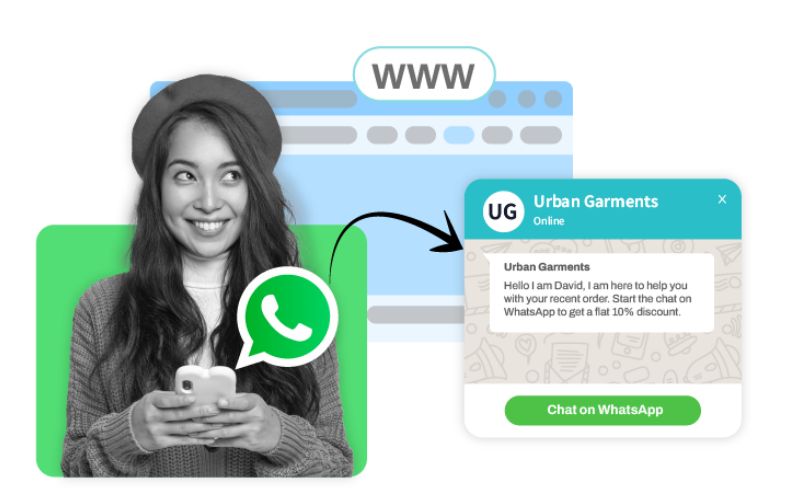
Don’t make interested prospects hunt for ways to contact you – bring WhatsApp to them. By embedding a WhatsApp chat widget or using click-to-chat WhatsApp links on your website and landing pages, you give visitors a one-click path to start a conversation. This strategy drives high-intent leads directly into chat with minimal friction. For instance, you can add a WhatsApp “Chat with us” button that pops up a conversation window, allowing users to ask questions or request a quote in real time.
A WhatsApp widget can be customized with a friendly welcome message or call-to-action to encourage engagement (“Hi! 👋 Questions? Chat with our team now.”). When a visitor taps it, they’re instantly connected to your business on WhatsApp – no forms or emails needed. This personal, immediate touch often converts curious web visitors into warm leads. An online clothing store, for example, used a chat widget on its product pages so shoppers could inquire about sizing and stock; the team responded with style advice and even exclusive discount codes, successfully turning browsers into buyers.
Besides your website, deploy WhatsApp click-to-chat links across multiple channels. You can place a short WhatsApp link (wa.me/yournumber) in your social media profiles, email signatures, blog posts, or digital ads. When clicked, it opens a chat with a preset message like “Hi, I’d like to learn more about [Your Business]!” – prompting the user to hit send. Personalizing these links with a pre-filled greeting or question makes it even easier for prospects to reach out. Whether someone discovers you on LinkedIn or from a marketing email, a handy WhatsApp link lets you capture the lead in a chat at the peak of their interest. Make sure any chat links or widgets are prominently displayed (especially on mobile) and include a compelling text like “Chat Now for an Instant Quote” to draw clicks. By meeting customers where they are and inviting them to talk, you’ll see more inbound leads sliding right into your WhatsApp inbox.
Starbucks India shared a WhatsApp QR code on Instagram, inviting followers to join its Rewards program via chatbot.
Bridging your offline and online marketing is seamless with WhatsApp QR codes. These scannable codes instantly open a chat with your business, making it effortless for someone to connect with you from any medium. Companies are using WhatsApp QR codes on printed materials (business cards, flyers, brochures, storefront posters) and digital channels to capture leads everywhere. For example, if you run a booth at an event, a poster with your WhatsApp QR code can encourage visitors to scan and message you for a free demo or coupon – converting foot traffic into online leads on the spot.
When scanned using a phone camera or WhatsApp, the QR code can include a pre-written intro message, such as “Hello, I’d like to know more about your services.” This saves the user time and lowers the barrier to reaching out. Get creative with placement: add your WhatsApp QR in product manuals, ads, or even on product packaging so customers can easily ask questions or reorder. Starbucks India demonstrated a clever use of this tactic on social media – they posted a QR code on Instagram inviting people to join their WhatsApp-based loyalty program. Scanning the code launched a chat with Starbucks’ chatbot, which then guided users through joining the rewards program and getting personalized offers.
To make the most of QR codes, give people a compelling reason to scan. For instance, “Scan to get 10% off your first order!” or “Scan to chat with our expert now” can entice action. Place the code somewhere highly visible and explain the benefit (in a caption or small text) so users know what they’ll get. Because it’s so quick and convenient, WhatsApp QR codes are a great way to capture leads anywhere – merging real-world interest with an instant messaging conversation. By meeting potential customers in seconds through a scan, you convert casual interest into direct engagement with your business.
An Instagram ad with a Click-to-WhatsApp CTA leads users into an instant chat and even auto-subscribes them to a campaign.
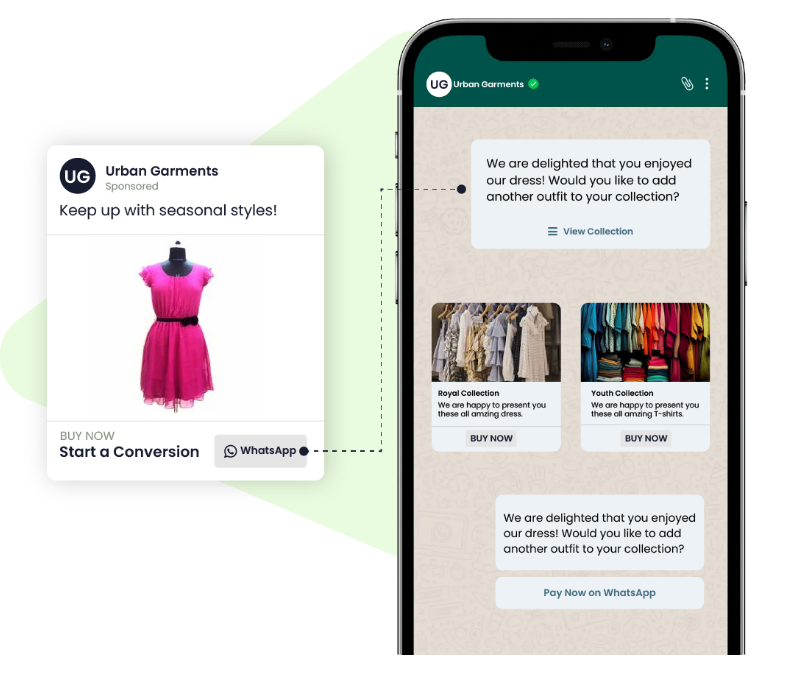
Why make customers fill out forms when you can start a conversation with one tap? Click-to-WhatsApp ads allow you to do exactly that. These are ads on Facebook, Instagram, or other Meta platforms with a special “Send Message on WhatsApp” button. When someone clicks the ad, it immediately opens a WhatsApp chat with your business – no phone number typing needed. This smooth transition from ad to chat drastically shortens the lead capture process.
Click-to-WhatsApp ads are highly effective because they target users where they already scroll and invite them into a personal dialogue. You can refine your ad targeting by location, age, interests, etc., to reach your ideal prospects at specific stages of the buyer journey. For example, a travel agency might run a Facebook ad showcasing a holiday package with the CTA “Message us on WhatsApp for exclusive deals.” When interested users tap the ad, they’re taken to WhatsApp where an agent (or bot) is ready with trip details and an easy booking process. This real-time engagement helps convert ad clicks into qualified inquiries instantly.
To get the best results, optimize your ad content and chat experience together. Make sure your WhatsApp Business profile is fully set up with a friendly greeting and business info (so users trust they’re chatting with a legit company). It’s smart to set up an automated welcome message or chatbot for these ad-sourced chats. For instance, upon clicking an ad, a user could receive: “Hi there! 👋 Thanks for your interest. Let us know what questions you have, or type a number to see options.” This ensures no one is left waiting and helps gather initial info before a human steps in. One real example is a kitchen design brand that ran an Instagram giveaway ad – to enter, users had to subscribe to the brand’s WhatsApp newsletter, facilitated through the ad’s click-to-chat CTA (as shown above). The campaign not only grew their contact list but also sparked one-on-one conversations with each entrant, i.e., new leads!
The numbers speak for themselves: 175 million+ people message businesses on WhatsApp every day, and click-to-chat ads make it easier than ever to join that crowd. By using click-to-WhatsApp ads, you combine the broad reach of social platforms with the high conversion potential of direct messaging. It’s a fast-track to fill your pipeline – turning passive ad impressions into active WhatsApp conversations with prospective customers.
While one-on-one chats are great, don’t overlook the power of WhatsApp Groups (and the new Communities feature) for lead generation. A WhatsApp group lets you gather up to 256 interested people in a single chat, creating a mini-community around your brand or topic. By creating and managing targeted groups (for example, a group for real estate investment tips or a VIP customer group for new product sneak peeks), you can share valuable insights, spark discussions, and nurture members into leads. The key is to make the group highly relevant to your audience so they’re eager to join and engage.
For instance, a marketing consultant could run a free 5-day challenge or workshop via a WhatsApp group – participants join to get daily tips, ask questions, and ultimately learn about the consultant’s paid programs. Throughout the week, the consultant builds trust and demonstrates expertise, converting many active group members into clients by the end. WhatsApp Communities, introduced recently, take this further by allowing you to organize multiple related groups under one umbrella (like sub-groups for different subtopics or local chapters). This can expand your reach while keeping conversations more focused for each subset of users.
To leverage groups effectively, set clear rules and provide consistent value. People will stay (and convert) if your group isn’t just a sales pitch. Encourage member introductions, moderate spam, and regularly post useful content – be it tips, industry news, or answers to popular questions. Position yourself as a helpful facilitator of the community. Over time, as members find value, they’ll naturally trust your offerings. You can occasionally share a call-to-action: e.g., “We’re launching a new course next week – group members get early access, message me if interested!” This creates opportunities to take the conversation to a private chat or landing page for conversion.
Keep in mind that blasting promos in a group can turn people off, so use groups primarily for engagement and education. Think of it as fostering relationships at scale. Even though group chats aren’t private, they feel more intimate than public social media. Participants see you interacting directly and see others’ enthusiasm, which builds social proof. Over time, a well-run WhatsApp group can become a pipeline of warm leads who are already familiar with and fond of your brand. By building a community, you’re not just generating leads – you’re cultivating brand advocates.
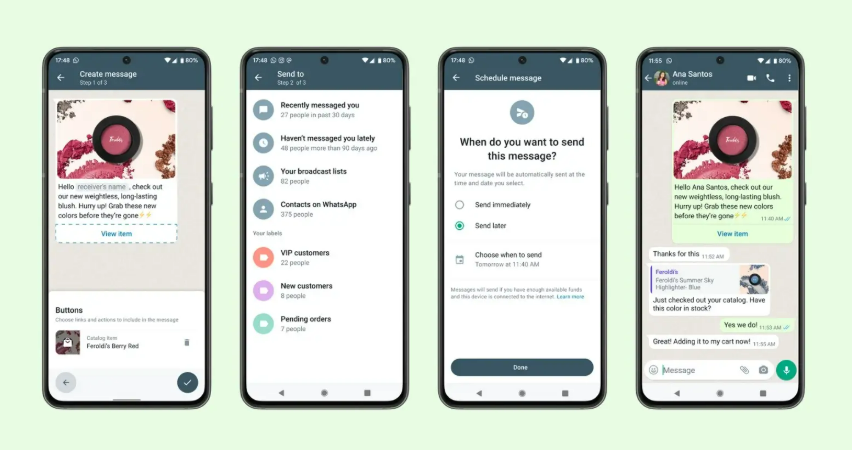
Not ready for managing group chats? WhatsApp’s Broadcast Lists offer a powerful alternative to reach many people personally and at scale. A broadcast list lets you send the same message to multiple contacts at once, without them seeing each other. To the recipient, it appears as a one-on-one message in their chat with you, maintaining that personal touch. This feature is fantastic for sending out newsletters, announcements, or promotions to a large number of leads who have opted in. In fact, WhatsApp broadcasts can achieve open rates 5× higher than email campaigns, making them an efficient way to stay top-of-mind.
Using broadcast lists, you can create segmented groups of contacts (e.g., by interest, location, or lead source) and tailor your messages accordingly. For example, a retail brand might maintain a “New Arrivals” broadcast list for fashion-savvy leads. When new products drop, they send a personalized update like: “Hi [Name], we just got a new summer dress collection 😍. Here’s a sneak peek [link] – check it out before it sells out!” Because it’s a broadcast, hundreds of subscribers receive it in one go, yet each person feels like you messaged them individually. This combination of scale and personalization is gold for lead nurturing.
To do broadcasts right, follow best practices: Only message users who have given consent (to comply with WhatsApp policies and avoid being spammy). Always provide value in your broadcasts – useful info, exclusive discounts, early access, etc. – so people are happy to be on your list. Use their first name and any relevant details you know to make the content feel tailored. Also, keep messages concise and include a clear CTA (e.g., “Tap to shop now,” “Reply to book a spot”). Since broadcasts are one-way (recipients can reply to you privately, but they don’t see each other’s replies), you maintain a direct line of communication like email, but with much higher engagement.
One huge benefit: broadcasts are private and spam-free (users won’t get notifications of others replying or leaving, as happens in groups). This means leads are more likely to stay subscribed if your content is good. Monitor responses and follow up individually when someone shows interest (e.g., clicks a link or asks a question). In summary, WhatsApp broadcasts let you scale your outreach while feeling one-on-one, helping you convert warm leads into customers en masse without losing that personal touch.

WhatsApp Status isn’t just for personal updates – it’s a hidden gem for marketers. The Status feature (similar to Instagram/Facebook Stories) allows you to post images, short videos, text, or links that disappear in 24 hours. How does this help with lead generation? High visibility and engagement. Only users who saved your number can see your Status, meaning this audience is already interested in your brand. As a result, WhatsApp Status posts often get much higher engagement since you’re not competing with a noisy news feed. In fact, WhatsApp’s content feed is less saturated with ads and random posts, so your updates stand out more.
Use Status to nurture leads and drive action in a casual, authentic way. Because Status feels informal (it’s where people share daily moments), your content can have a more personal tone. Some effective ideas for businesses:
The beauty is that viewers can reply directly to your Status update, instantly opening a chat with you. This is where the magic happens: a passive viewer becomes an active lead by initiating conversation. For instance, a follower might reply “Interested!” to your limited-time offer Status – giving you the chance to engage and close the sale right in WhatsApp. It’s essentially another funnel entry point.
To maximize reach, post Status updates consistently (but don’t overdo it – quality over quantity). Use eye-catching visuals, add captions or stickers to grab attention, and always include a simple call-to-action in your Status (like “Message us now to learn more!”). Since Status posts vanish after a day, they create urgency and FOMO, which can spur leads to act quickly (“I better message them now before the deal is gone!”). By leveraging WhatsApp Status as part of your lead gen mix, you engage your audience in a channel they check frequently, in a format that feels fun and organic – all while subtly guiding viewers toward becoming customers.
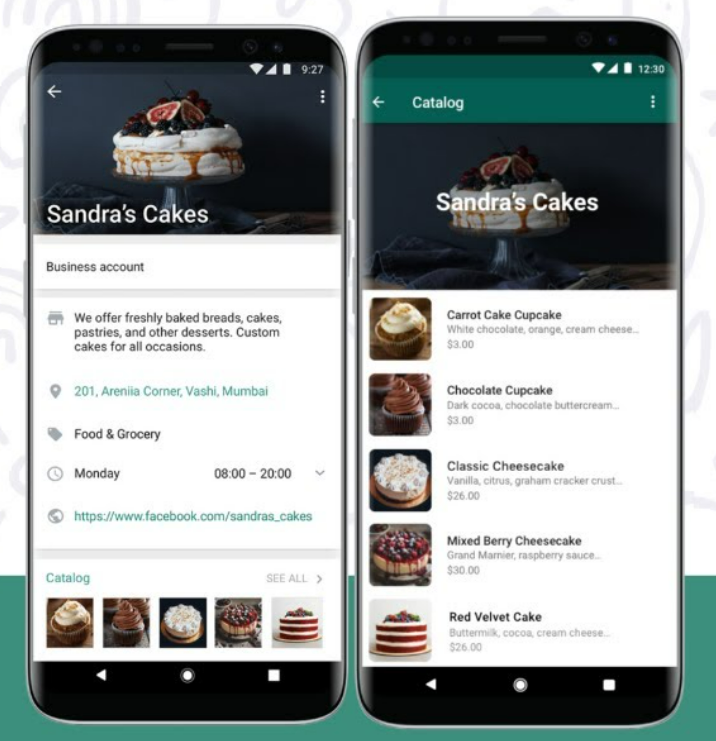
If you’re selling products (or even service packages), make use of the WhatsApp Business Catalog feature to generate and convert leads. The catalog functions like a mini storefront inside WhatsApp – you can display product images, descriptions, and prices, and users can browse and inquire about items they’re interested in. This streamlines the buying process by keeping everything within the chat app. Leads don’t have to click out to a website to see what you offer; fewer steps mean less drop-off and a smoother path to purchase.
Setting up a WhatsApp catalog is easy through the Business app: add your items with images (high-quality photos are a must), add details, and organize them into categories if needed. Now, when chatting with a potential customer, you can quickly send them an item from your catalog. For example, if someone messages a home bakery asking about cakes, you can reply with, “Sure! Here are some of our popular cake options,” and share 3-4 catalog listings (each appears with a thumbnail, price, and title). The customer can tap any item to see the full description and then message you, “I want this one!” This makes the experience interactive and visual, almost like they’re shopping on an e-commerce site, but with the convenience of chat.
WhatsApp catalogs also shine in broadcasts and group contexts. You could broadcast a “New Arrivals” message with direct catalog links to products, allowing interested leads to browse on their own. In groups, if someone asks “Do you have X product?”, you can drop the catalog entry that answers their question and shows off the product instantly.
The result of using catalogs? Higher conversion rates and more impulse purchases, because you remove friction. Customers can see and decide quickly, and even check out within WhatsApp using integrated payment links (available in some regions). As Zoko (a WhatsApp solution provider) notes, an in-app catalog improves product visibility and keeps the experience within WhatsApp, which significantly reduces drop-offs in the sales funnel. It caters to today’s impatience – people want info now, and a catalog delivers that without any waiting or extra browsing.
To get the most lead gen value, keep your catalog updated (nothing worse than a lead asking about an out-of-stock item), and highlight your best-sellers or lead magnets in the first few items. Treat it like a showcase window for your business. It not only helps convert active chats into sales, but also impresses new leads who see you have a professional, convenient setup on WhatsApp. It signals that contacting you on WhatsApp will be easy and productive, which encourages more prospects to reach out in the first place.
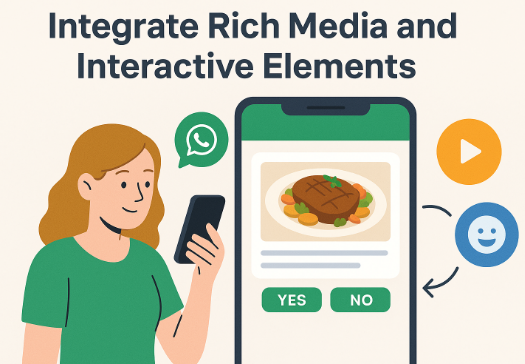
In the digital age, speed matters. When a new lead messages you on WhatsApp, responding quickly can make the difference between a hot lead and a lost opportunity. That’s where automated greetings and quick reply templates come in. WhatsApp Business allows you to set an instant greeting message that’s automatically sent to anyone who texts you for the first time or after a long silence. It’s a simple step that makes leads feel seen and attended to right away. For example, your greeting might be: “Hi there! Thanks for contacting [Your Business]. We’ll reply shortly. In the meantime, can you let us know what you’re looking for?” This kind of prompt, friendly hello establishes a professional tone and reassures the prospect that their message went through and that you care. It helps reduce drop-offs – instead of waiting in silence, the user gets an immediate touchpoint and often will respond with more info.
Quick Replies take speedy service to another level. These are saved response templates for FAQs or common queries (set up in WhatsApp Business settings with a shortcut like “/price” or “/hours”). With quick replies, you can address routine questions in a snap, ensuring consistency in your answers. Say a lead asks, “What are your consulting rates?” – you could type “/rate” and WhatsApp will paste your pre-saved answer: “Our rates depend on the package. For example, 5 hours of consulting is $500. Let me know if you’d like the full pricing sheet. 🙂”. The lead gets info immediately rather than waiting hours for someone to manually type it out. This boosts efficiency and keeps leads engaged in real time. You can still personalize a quick reply on the fly (e.g., add their name or tweak details), but having the base ready is a huge time-saver.
Combined, auto-greetings and quick replies ensure that no WhatsApp lead falls through the cracks. Every new contact gets a warm hello, and every frequently asked question gets a prompt, polished answer. This is crucial in maintaining momentum – a fast response dramatically increases your chances of converting a lead, because it capitalizes on their peak interest. Conversely, if a lead is left waiting a day for an answer, they may lose interest or contact a competitor.
By setting up these features:
Keep your quick reply templates up to date (revise them if you notice new common questions, or if details change). And even though auto-messages are used, monitor chats and jump in with a human touch as soon as possible for high-priority leads. Ultimately, speedy, helpful communication wins leads, and WhatsApp’s automation features let you deliver that at scale.

One clever way to generate leads is by making WhatsApp not just a communication channel, but a privileged space where people get something special. This means using exclusive content, lead magnets, or contests delivered through WhatsApp to attract and capture prospects. The idea is simple: if folks have a reason to message you or opt into your WhatsApp updates (beyond just “contact us”), you’ll pull in more leads. Here are a few approaches:
The unifying theme here is providing value upfront. When you give prospects a good reason to initiate a WhatsApp conversation (valuable info, chance to win, special treatment), you’re not just chasing them – they’re coming to you. It flips the dynamic and usually results in higher-quality leads, since they genuinely want what you’re offering. Just be sure to deliver on the promise (send that PDF quickly, run a fair contest, continue to share good content) so you build trust. With their permission, you can then continue the conversation, gradually educating them about your offerings and moving toward a sale. In essence, turn WhatsApp into a lead magnet hub: a place where leads happily engage because they get something out of it, and where you get to convert them in a friendly, interactive way.
By now, it’s clear that WhatsApp isn’t just a messaging app – it’s a powerful marketing platform where conversations lead to conversions. We’ve covered 10 actionable tactics – from chatbots and click-to-chat ads to broadcast lists and beyond – that you can start implementing today. The common thread among all these strategies is building genuine, timely, and valuable interactions with your prospects. When you meet customers on a channel they love (and trust) like WhatsApp, you remove barriers and make it easy for them to engage with your business.
Now it’s your turn. How will you apply these tactics? You might begin by adding a WhatsApp widget to your homepage or setting up a friendly auto-reply so no lead goes unattended. Perhaps you’ll launch a small WhatsApp campaign – say, a broadcast to recent inquiries with a helpful tip or an exclusive discount – and see the responses pour in. The key is to start somewhere and be consistent. Monitor what works, gather feedback, and refine your approach as you go. Even implementing a few of these WhatsApp lead generation strategies can dramatically increase your engagement and lead flow.
Remember, success on WhatsApp (as with any marketing) comes from putting the customer first. Be responsive, be personal, and above all, deliver value in every chat. Do this, and you’ll not only generate more leads – you’ll cultivate loyal customers who appreciate the human touch of your outreach. So don’t wait: turn those WhatsApp chats into your competitive advantage. Start today by embracing WhatsApp’s tools to capture new leads, nurture them with care, and watch as casual conversations grow into lasting customer relationships. Happy connecting, and here’s to your lead generation success on WhatsApp!
Ready to supercharge your lead generation? Open WhatsApp and engage your next potential customer – your first message could be the start of your next big deal.
Yes. WhatsApp is highly effective for lead generation because it enables direct, personal communication with potential customers. You can use WhatsApp to capture new leads (for example, via click-to-chat links or QR codes that bring prospects into a conversation) and to nurture leads by sending updates, answering inquiries instantly, and building trust through one-on-one chat. With features like chatbots, broadcast lists, and rich media sharing, businesses can guide prospects through the sales funnel entirely on WhatsApp. The app’s huge user base and high engagement (messages are almost always read) make it a powerful channel to generate and convert leads, often outperforming traditional email or cold calls in engagement and response rates. In short, if you integrate WhatsApp into your marketing strategy – providing value and quick responses – it can absolutely bring in more leads and sales.
To get customers to initiate chats (opt in) on WhatsApp, you need to make it easy and appealing for them. Here are a few effective ways:
1. Promote your WhatsApp channel everywhere: Add WhatsApp click-to-chat links or buttons on your website, social media profiles, email newsletters, and ads. For example, include a “Chat with us on WhatsApp” button on your contact page or a direct link in your Instagram bio.
2. Offer an incentive or value: Give people a reason to message you. This could be a lead magnet (“Message us for a free guide/ebook”), a discount or coupon (“Chat with us to get 15% off your first order”), or entry into a contest or giveaway. Exclusive WhatsApp-only deals or early access to content also work well.
3. Use QR codes for offline audiences: If you have physical touchpoints (stores, events, product packaging), print a WhatsApp QR code with a call-to-action (like “Scan to ask questions on WhatsApp”). This connects offline customers to you with one scan.
4. Highlight the convenience: Let customers know they can get fast, personal service via WhatsApp. For instance, mention in your marketing, “Have questions? WhatsApp us for instant assistance!” People are more likely to reach out if they expect quick answers and easy conversation.
5. Build awareness: Announce on your other channels that you’re available on WhatsApp. Some businesses send an email blast saying, “We’re now on WhatsApp – chat with us for any help!” or create a social post about it.
By combining these tactics, you reduce friction for the customer and actively invite them into a WhatsApp conversation. Once they message you, remember to be responsive and helpful (using tools like auto-greetings can help) so they have a great experience and stay engaged.


