WhatsApp is one of the world’s most popular messaging apps – as of 2025 it boasts over 3.3 billion active users globally. However, concerns about data privacy and personal security have driven many people to seek a fresh start. Whether you’re switching to a more private chat app or simply need a clean break, deleting your WhatsApp account is straightforward. In this guide, we’ll walk you through exactly how to delete whatsapp account on both Android and iPhone, explain what happens behind the scenes, and answer common questions so you can make an informed decision.
1. Why Delete Your WhatsApp Account?
Users may delete WhatsApp for various reasons. Privacy and security tops the list: WhatsApp has faced criticism over its data collection and sharing practices. For example, some switch to alternatives like Signal or Telegram to safeguard personal information, and closing your WhatsApp account ensures your data is erased from WhatsApp’s servers. Others simply want to take a digital detox, remove old groups, or declutter their messaging apps. One user story highlights this: “After years of WhatsApp groups I rarely use, I decided how to delete whatsapp account for a fresh start and switch to a more secure messenger.”
Regardless of why you’re leaving, deleting your account is permanent. Unlike uninstalling the app, account deletion wipes all your data (messages, backups, groups) from WhatsApp’s system. This reset can give you a clean slate, but make sure it’s really what you want before proceeding.
2. Things to Do Before You Delete Your Account
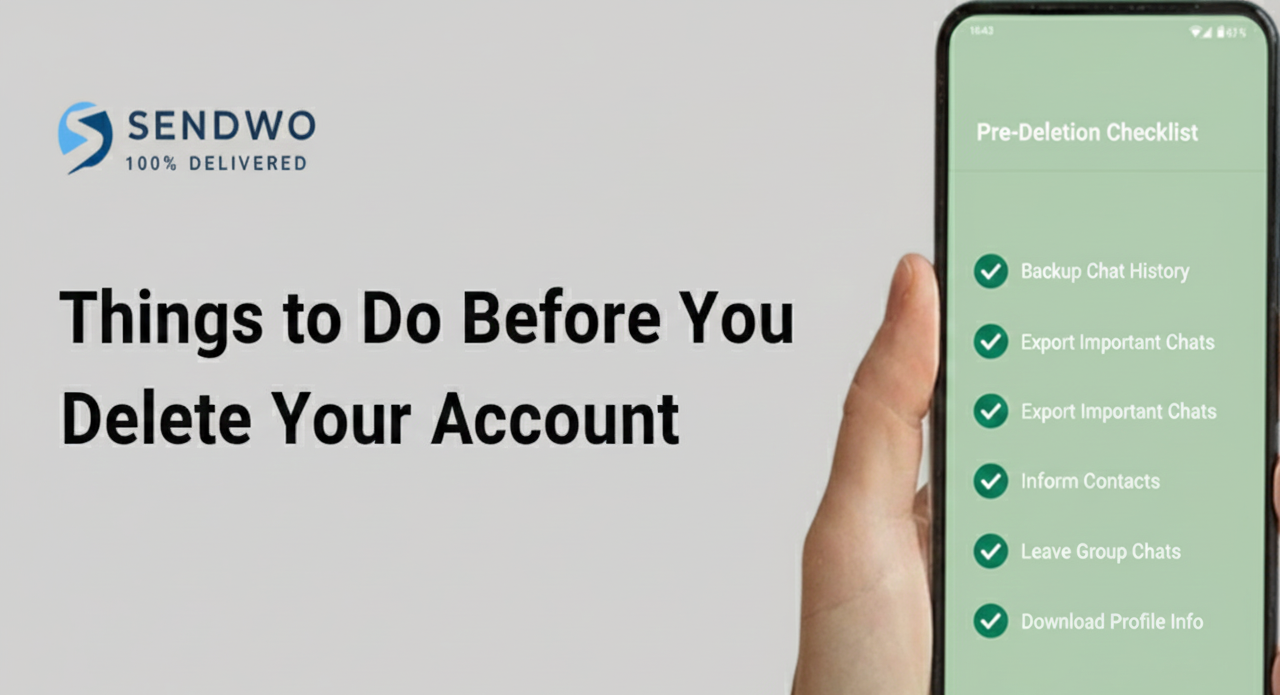
Before you tap that final Delete button, be prepared. Here are some key steps to take:
Backup or Export Important Chats. Deletion erases your chat history and backup permanently. If there are messages or photos you might need later, export them now. On Android/iOS, open a chat, tap More (Android) or the contact’s name (iOS), select Export chat, and save the file (with or without media). This ensures you have a copy outside WhatsApp.
Inform Your Contacts. WhatsApp won’t notify friends or groups that you’re leaving. To avoid confusion, let people know you’re deleting the account and how to reach you elsewhere (e.g. email or another app). A quick broadcast message can save a lot of “Where did you go?” texts later.
Review Privacy Settings. If you’re unsure about deleting, you might adjust your privacy instead. You can clear chats, leave groups, or Uninstall the app temporarily (your account stays intact). WhatsApp doesn’t have a “pause” button, but an uninstall lets you take a break without losing data. Also consider enabling two-factor authentication for extra security before you go.
Understand the Consequences. Once you delete, everything goes: your profile photo, all message history, and all account data on WhatsApp’s servers. You’ll also be removed from all your WhatsApp groups. Importantly, messages you’ve sent to others will still remain on their phones how to delete whatsapp accountdoes not delete sent messages from recipients’ chats). Additionally, any channels (broadcast-only channels) you created will be deleted if you were the sole admin. In short, treat deletion like erasing your WhatsApp footprint entirely – except for the message copies others already have.
3. How to delete whatsapp account (Step-by-Step)
Deleting your account is done in the app on your phone. (You cannot delete from WhatsApp Web or the desktop app.) The process is virtually the same on Android and iPhone, with slight UI differences. Follow the instructions below for your device.
On Android
Open WhatsApp and tap the three-dot menu (⁝) in the top-right corner, then select Settings.
In Settings, tap Account (it will have a key icon).
In the Account menu, scroll down and tap Delete my account (shown above).
Enter your full phone number (with country code) as prompted.
Choose a reason from the list (optional) and tap Delete my account again to confirm.
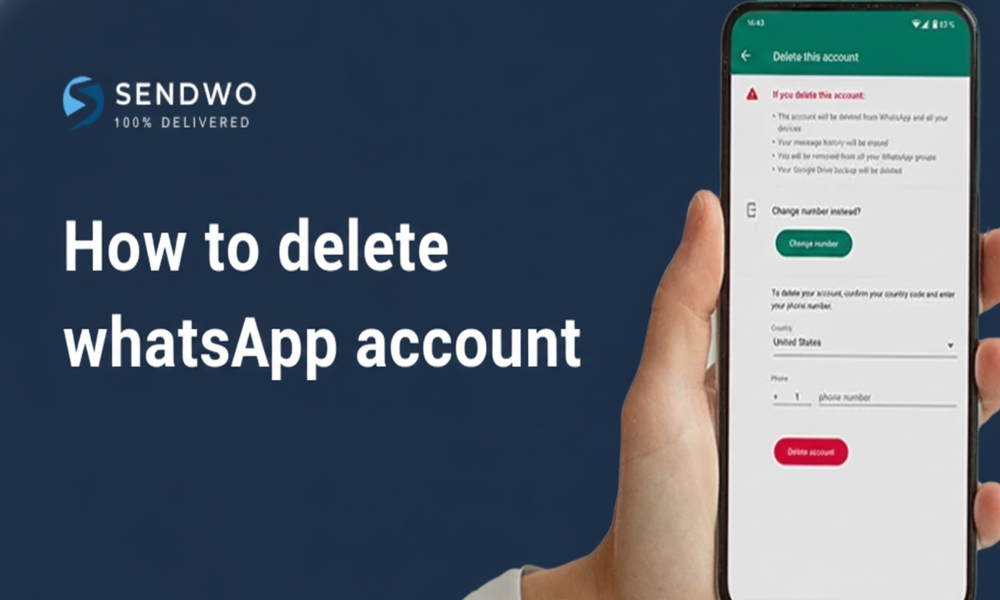
You will see a final warning screen, explaining that this action will erase all your data (your screen will look like the image above). Tap the red how to delete whatsapp account button to complete the process. Your WhatsApp account is now deleted from that phone.
On iPhone
Open WhatsApp and go to Settings (gear icon) in the bottom-right.
Tap Delete My Account. You’ll be asked to select a reason (optional); choose one if you like and tap Delete My Account again to confirm.
After confirming, WhatsApp will erase your data. You’ll see a message confirming your account is deleted. Note that this only deletes the account on that device; if you have WhatsApp installed on another phone with the same number, you should how to delete whatsapp account there too. Remember: WhatsApp does not send a confirmation email or SMS – your account is simply gone.
WhatsApp Business and API Accounts
If you use WhatsApp Business (the separate mobile app) and want to how to delete whatsapp account that business account, the steps are identical to above. However, if you’re a company using the WhatsApp Business API (through a Business Solution Provider likeSendWo), you cannot delete the account via the app. In that case, contact your BSP or use WhatsApp’s Business Manager to remove the account.
4. What Happens After Deletion?
Once you delete your WhatsApp account, WhatsApp starts cleaning up your data:
Account Access: Your account is gone – you cannot log back in to it. If you reinstall WhatsApp and register the same number, it will create a new account (old data will not be restored).
Chats & Backups: All your chat history on the device is erased. Cloud backups (Google Drive or iCloud) tied to that account are scheduled for deletion, which may take up to 90 days. During this time, the backup is inactive. After that, even backups are purged.
Messages to Others: Messages and media you previously sent remain on recipients’ phones. Deleting your account does not remove copies of chats from other users. They won’t see your profile or new messages, but old messages you sent stay in their chat thread.
Groups and Channels: You will be removed from all WhatsApp groups. Groups you created will remain but you will no longer be in them. As for WhatsApp Channels (broadcast channels launched in 2023), any channel you solely owned will be deleted; if it has other admins, control transfers to the next admin.
Notifications to Others: WhatsApp does not notify your contacts that you deleted your account. From their perspective, your profile photo and “last seen” info disappear and your chat shows “You deleted this contact”. Friends may notice you’re unreachable, but there’s no explicit alert.
Data Retention: According to WhatsApp, some data may linger for technical or legal reasons. For example, copies of certain logs may be kept in anonymized form, and information needed for legal compliance may be retained. However, WhatsApp states it eventually removes personal data from active systems; for complete details see their privacy policy.
In summary, account deletion is almost immediate on your end, but WhatsApp may take up to 3 months to purge your backups and logs. Meanwhile, your profile vanishes and the app simply won’t work for your number.
5. Alternatives to Deleting WhatsApp
If you’re uncertain about deleting or only want a temporary break, consider these options first:
Uninstall the App: Simply removing WhatsApp from your phone keeps your account intact on WhatsApp’s servers. You can reinstall later and pick up where you left off. This is useful if you want to free up space or take a short break without losing chats.
Mute Chats & Notifications: If constant pings bother you, mute noisy groups or conversations. You can silence individual chats or all notifications for a period (Android/iOS Settings ▶ Notifications ▶ WhatsApp). This can reduce distractions without drastic measures.
Adjust Privacy Settings: WhatsApp lets you hide your profile picture, status, “last seen,” and control who can add you to groups. You could also enable Two-Step Verification for more security. Sometimes tweaking privacy is enough rather than full deletion.
Switch Numbers: If your goal is separating personal from work, WhatsApp’s “Change Number” feature lets you migrate account data to a new number without losing chats. This is different from deletion but can solve some problems if you’re changing phones or numbers.
Use WhatsApp Business: For users overwhelmed with mixing work and personal contacts, downloading the free WhatsApp Business app allows running two accounts on one phone (personal and business). That way you can keep your original account and move certain chats to the Business app instead of deleting everything.
Try a New App: If privacy is your concern, you could install a private messenger (Signal, Telegram, or others) and simply switch to using that, while leaving your WhatsApp account dormant or deleting it later.
These alternatives can give you flexibility without an irreversible step. But if you ultimately want to how to delete whatsapp account, follow the steps above and rest assured you’ve covered all bases.
Frequently Asked Questions
Q: How to delete whatsapp account?
A: Open WhatsApp on your phone, go to Settings ▶ Account ▶ Delete My Account, enter your phone number and follow the prompts. We covered the step-by-step process above for both Android and iPhone.
Q: What happens to my data when I delete WhatsApp?
A: Your entire account data (profile, messages, groups, backups) is scheduled for deletion. WhatsApp says account access is blocked immediately and backup data is deleted within about 90 days. You will be removed from groups, and any backups tied to your account will eventually disappear. However, messages you sent others will not be removed from their chats.
Q: Will my contacts be notified if I delete my account?
A: No, WhatsApp does not notify your contacts explicitly. To them, your profile will just disappear – they will no longer see your picture or be able to message you, and your status will say something like “Account deleted”. It’s a good idea to tell close contacts beforehand if you want to avoid confusion.
Q: Can I recover my WhatsApp account after deleting it?
A: No, account deletion is permanent. Once gone, WhatsApp cannot restore your account or chat history. If you sign up again with the same number, it will be a fresh account with no previous chats. The only way to keep anything is to export or backup chats before deleting.
Q: How long does WhatsApp keep my data after deletion?
A: Officially, WhatsApp states that your backup data may remain on their servers for up to 90 days before it’s fully deleted. After that period, even backups should be gone. Other data (like log files) may be retained in anonymized form or for legal reasons beyond that.
Q: Can I delete WhatsApp from one phone and still use it on another?
A: Deleting your account signs it out everywhere. If you how to delete whatsapp accounton one device, your account is removed from all devices and can’t be used until you register again. You cannot delete from WhatsApp Web or from a linked device; deletion must be done from the primary phone app.
Q: Do I lose everything if I just uninstall WhatsApp?
A: No, uninstalling the app alone does not delete your account or messages. Your data remains on WhatsApp’s servers and you can pick up right where you left off when you reinstall. Uninstalling is a temporary stop – deletion is permanent.
Conclusion
Deleting your WhatsApp account is a big step, but sometimes the right one for privacy or a fresh start. Just be sure to backup anything important, inform your contacts, and understand that the process is irreversible. Once deleted, all your chat data and backups will vanish (within about 90 days) and your profile will disappear from WhatsApp.
Aditi, a content marketer at SendWo, is a passionate writer and marketing enthusiast. She excels in driving revenue campaigns, building client relationships, and mastering content creation, SEO, customer service, and project management.
SendWo is Meta's official business solution Provider. Broadcast Bulk WhatsApp messages and automate using AI Chatbots.