The way businesses communicate with their audience must be smooth, and WhatsApp is the clear winner in this area. And now, also companies are moving to WhatsApp Cloud API for betterment of their business communication and strategies more deeply.
The detailed guide below gives a complete process, step by step, to move your system smoothly and effectively. With this method, you can use the advanced characteristics and expandability of WhatsApp Cloud API.
Migrating to the WhatsApp Cloud API offers several benefits:
Scalability: Handle a larger volume of messages without performance issues.
Automation: Automate responses and integrate with CRM systems.
Security: Enhanced security features to protect your business communications.
Cost-Efficiency: Reduced operational costs with cloud-based solutions.
Make sure you do the following :
1.You have to make sure your current WhatsApp Business account is active.
2. You have to signup for a WhatsApp Cloud API account through Meta's Official Portal
3. For extra safety, back up all the chat data and media from your current account to avoid losing any information.
Now, in case you possess a WhatsApp account for your business and wish to use the same phone number on WhatsApp Cloud API, proceed as described below:
Disconnecting Your Number from Existing WhatsApp Account:
If we attempt to add a number on WhatsApp Cloud API that is already in use, we could get this error message: "This number is registered with another WhatsApp account. Remove the connection from that account. Once done, come back here and enter the number again." Note: It may take up to 3 minutes for the number to become available."

Delete the Existing WhatsApp Account :
In order to fix this, you need to delete your WhatsApp account. To do this, you have to go the WhatsApp Mobile app and from there click on "Settings" button then proceed Account.

After you make account, there is a choice that shows "Delete My Account". Tap on it and it will take you to the Delete option.

Now, you should type in your phone number and then press the "Delete" button.

Now, you simply need to press on the NEXT button and afterwards, click on the "Delete My Account" button.

Just wait for 3-4 minutes before trying to add the number once more into WhatsApp Cloud API, and after this time you should go back to the WhatsApp Cloud API portal and re-enter your phone number.
Conclusion
Using WhatsApp Cloud API has the potential to improve your communication abilities and make your work more efficient. By following the steps mentioned, you can switch over smoothly and profit from advanced elements provided by the Cloud API. Enjoy better flexibility, automation and merging of communication activities to boost your business communications.
For more questions, you can leave them in the comments part of this blog post. We are happy to answer your queries.
The Meta company has launched WhatsApp blue tick. It is a remarkable move by the company for its WhatsApp product. In this blog, we are going to share all the information about WhatsApp blue tick which you can apply to your business.
The coveted blue tick is a verified batch that businesses get on their WhatsApp profile. These verified badges can be approved for their types of WhatsApp profiles
In order to apply for WhatsApp blue tick, there are different ways for different versions of WhatsApp. Let us cover them one by one. Before that, check the eligibility criteria for getting approved for the blue tick
The WhatsApp business app gets blue tick based on paid subscription plan. Not or businesses can buy this subscription. You need to pass the following eligibility criteria to purchase this subscription.
Enterprise businesses who want more automation and integration of WhatsApp into their businesses, they opt for WhatsApp business API. If you are a small business with less than 1000 unique customers every month, we recommend you to use the WhatsApp business App version. In this section, we are going to discuss the eligibility criteria to get a WhatsApp blue tick on WhatsApp API-enabled number.
If you have done the above process, you can apply for WhatsApp blue tick. You can also contact us to get a WhatsApp blue tick.
Considering that your business has passed the eligibility check, let's understand the application process to get the WhatsApp blue tick.
You need to make yourself compliant with certain Meta's WhatsApp business policies and WhatsApp commerce policies. We will cover the verification process one by one for each type of WhatsApp profile.
Follow the instructions below to apply for WhatsApp blue tick.
With the above process, you will be able to apply for the WhatsApp business app version blue tick. Let us also understand the application process for WhatsApp API.
You need to follow these setups to apply for a blue tick on WhatsApp.
After you have submitted your application for WhatsApp API blue tick, it will take up to 48 hours to get approved.
Note: This feature may not be available to you yet. To check availability, go to Settings or Business Tools in the WhatsApp Business app and tap Meta Verified. If you don’t see the Meta Verified option, it’s currently not available to you.
Meta Verified is a subscription service designed to enhance your business's credibility, attracting new audiences and fostering greater engagement to help grow your brand.
Depending on eligibility and availability, Meta offers various subscription plans. These plans provide benefits tailored to help you build credibility with new audiences, drive more engagement, and ultimately grow your brand.
| Plans | What's included |
| Business StandardOur Business Standard package that helps protect and support your business. | a verified badgeImpersonation protectionMeta Verified Support (in-app support)1 verified channela business web pageLink up to 4 devices |
| Business PlusOur Business Plus package with prioritized support and additional features to help your business stand out. | a verified badge Impersonation protection Meta Verified Support (prioritized in-app support) 3 verified channelsa business web page Link up to 6 devices |
| Business PremiumOur Business Premium package with more of everything to help optimize your business, like exclusive access to additional business support. | a verified badge Impersonation protection Meta Verified Support (prioritized in-app support) 5 verified channelsa business web page Link up to 8 devices |
| Business MaxOur Business Max package with the most robust business support, impersonation protection, and enhanced features to help optimize your business. | a verified badge Impersonation protection Meta Verified Support (prioritized in-app support) 10 verified channelsa business web page Link up to 10 devices |
Plans and benefits may be limited to select businesses and/or locations. Meta determines plan eligibility based on a broad set of measures, including your business activity and volume of interactions with consumers on WhatsApp.
NOTE: Their is zero cost on WhatsApp Blue tick for WhatsApp API enabled numbers.
Well friends, if you are reading our article on how to unblock WhatsApp account, you must be in a frustrating situation of having your WhatsApp account blocked, especially if you're leveraging this platform for your operations and business communication. Also, you have almost tried a number of ways to overcome the situation.
Now, you must be wondering how to unblock WhatsApp account.
Before directly diving into it, let us also uncover the reasons behind this setback, how to use it responsibly, and how to gain access to your Whatsapp account.
Let's begin your journey to unblock WhatsApp account!
The first thing we need to understand is the WhatsApp account ban.
So be clear between the WhatsApp ban and the WhatsApp block.
Both these two terms often are used interchangeably, but they can have slightly different implications.
✅WhatsApp Block: This typically refers to a temporary restriction that is imposed on your account due to violations like spamming, harassment, or non-compliance with policies. However, a block gets lifted after a certain period when the user addresses the issue.
✅WhatsApp Ban: This is a more severe and often permanent action taken against your WhatsApp account. The core reasons include serious violations such as security breaches, repeated policy violations, or the use of unauthorized apps. A ban generally means the user cannot regain access to their account.
It is now evident that a WhatsApp account ban occurs when a WhatsApp account is temporarily or permanently suspended due to non-compliance with WhatsApp's policies or terms of service.
In the coming sections, let's quickly figure out why WhatsApp accounts are blocked.
So, friends, to better understand how to unblock WhatsApp account, we need to first understand the reasons for this setback.
➡️ User Reports and Blocks: Blocking a contact on WhatsApp is very common. But when many users block your WhatsApp account, this often indicates spammy or unwanted behavior, prompting WhatsApp to take action against your account, and hence your account gets banned.
➡️ Bulk Messaging to Contact where you are not listed: When you send a large volume of messages to people for whom you are a stranger, it indicates a red flag to WhatsApp, leading to getting banned by WhatsApp.
➡️ Sending Malicious Files: WhatsApp prioritizes safety first, so if you send suspicious files, WhatsApp scans for malware. If you send files flagged as suspicious, you risk getting blocked by WhatsApp. If the file is suspicious, the system may block the sender’s WhatsApp account to strengthen community Safety.
➡️ Joining groups rapidly: Joining groups in a short period of time makes you identify as a bot by WhatsApp, leading to blocking your WhatsApp account.
➡️ Violation of Terms of Service: Users are always recommended to read the terms and conditions before using WhatsApp to ensure not to violate community policies. Sending unauthorized bulk messages broadcasting message, hateful, discriminatory and other messages or automations results in getting banned.
➡️ Using unauthorised versions of WhatsApp: Many of us download cracked versions of WhatsApp, which have more advanced functions. However, these modified versions are not officially approved by WhatsApp, and you risk having your account blocked.
➡️ Obtaining personal data: WhatsApp ensures the privacy and security of each user. Therefore, extracting personal information without consent will block your account.
➡️ Fake or Inaccurate Information: Providing fake or inaccurate information during the account creation process can lead to your account being blocked.
WhatsApp bans are majorly of two types:
Temporary Ban: As the name suggests, a temporary ban is usually for a short period, typically ranging from a few hours to a few days, due to spamming, using unauthorized apps, or violating minor policies.
Permanent Ban: This is more severe and can result in your account being permanently suspended. In most cases, the account cannot be restored.
There are several steps to consider in case of a permanent ban:
✔️ Contact WhatsApp Support: Reach out to WhatsApp support to understand the reason for the ban and to request assistance in resolving the issue. If you think you were falsely banned from WhatsApp, you can appeal to get your WhatsApp account unbanned.
✔️ Review WhatsApp Policies: Ensure that you are aware of WhatsApp's policies and guidelines to avoid similar issues in the future.
✔️ Consider Creating a New Account: If your account is permanently banned, you may need to create a new account. Ensure that you provide accurate and up-to-date information during the account creation process.
There are several methods you can use to unblock WhatsApp account if it is blocked.
↪️ Check Your Account Information: Ensure that all your account information is accurate and up-to-date. In case of fake and inaccurate information, WhatsApp gets blocked. So all you need is to correct it to unblock your account.
↪️ Review WhatsApp Policies: Check if you have not violated the terms and conditions of WhatsApp's policies and guidelines. If you have been found to be non-compliant, you may need to make changes to your account to comply with these policies.
↪️ Re-register your phone number with WhatsApp: This process includes uninstallation and re-download of WhatsApp or WhatsApp Business app with the help of a 6-digit registration code. If your account is still banned, you can wait 30 days and try again.
↪️ Contact WhatsApp Support: WhatsApp provides support emails for banned numbers. Fill out the online contact form and send an email to one of these email addresses based on your location and type of account.
↪️ Through Web Support: On the official WhatsApp website you can opt for WhatsApp Help Centre and then try out the “Contact Us” option at the footer menu.
Some important WhatsApp email addresses that'd be of help to you
✔️ Email Support: contact@whatsapp.com
✔️ For Android users: android_web@support.whatsapp.com
✔️ For iPhone users: iphone_web@support.whatsapp.com
✔️ For Windows Phone users: wp_web@support.whatsapp.com
✔️ For using WhatsApp Web or Desktop: webclient_web@support.whatsapp.com
To unblock WhatsApp accounts is actually a frustrating and tiresome task since we are so engrossed with WhatsApp and its features that we can't even imagine facing this setback, especially if the WhatsApp account is for business use. So, instead of getting blocked, it's better to be mindful and avoid any reasons that could put us at risk of getting blocked. Follow these life-saving tips:
💡 Be Thoughtful: Use WhatsApp responsibly and avoid engaging in spamming or other malicious activities. Before forwarding a message, link, or file, ensure its authenticity.
💡 Use the Official WhatsApp App: Don't get trapped in enjoying the advanced features of the cracked version of WhatsApp. Always use the official WhatsApp app to avoid risking a permanent ban.
💡 Adhere to the Policies: Ensure that you comply with WhatsApp's policies and guidelines.
💡 Provide Accurate Information: Provide accurate and up-to-date information during the account creation process.
💡 Avoid Sending Unsolicited Messages: Avoid sending unsolicited messages or engaging in other forms of harassment. Unauthorized automation also results in a permanent ban
✔️ If you don’t want your WhatsApp account to be blocked, we would suggest 2 basic core suggestions.
Always use WhatsApp responsibly and partner with an API provider that is officially recognised by Meta/WhatsApp. Sendwo is an official API partner that allows businesses to integrate WhatsApp into their operations to streamline their functions. If you are a business, it may be the right time to upgrade to WhatsApp API to take advantage of its features and benefits.

As one of the official API-authorized global partners, Sendwo offers a series of services, such as chatbots, bulk broadcasts, chat widgets, etc. Further, to add more, it complies with strict review guidelines to ensure that your WhatsApp account will not be blocked.
Sendwo is Meta's official technology partner. With Sendwo, you can unleash the power of WhatsApp marketing and grow your business every day.
All you need to do is start the free plan provided by Sendwo and experience how a series of advanced features can quickly improve your operating efficiency!

In conclusion, WhatsApp account bans or unblock WhatsApp accounts can be frustrating and inconvenient at times but it's not the end of the road. However, with a clear understanding of the reasons behind these bans, you can clear the roadblocks and regain access to your blocked WhatsApp account.
With the right knowledge and patience, you can unlock your WhatsApp account once again and keep connecting with loved ones and customers around the globe.
Stay safe and stay connected !!
WhatsApp account bans can occur due to various reasons, including spamming or harassment, non-compliance with policies, security violations, and fake or inaccurate information.
You can unblock your WhatsApp account by checking your account information, reviewing WhatsApp policies, contacting WhatsApp support, or waiting out the ban period.
In most cases, WhatsApp bans are temporary. However, if your account is permanently banned, reversing the decision can be challenging. You can appeal the ban through WhatsApp support, but success is not guaranteed.
Business owners are using WhatsApp Business all over the world to scale their business by focusing on increased engagement with the audience and becoming a household brand which is driving sales.
Be it a small or medium to large-scale business, it has become easier for companies to build relationships, and respond with ease through WhatsApp for two-way interaction, and showcase their product.
WhatsApp has recently shared,
“Using WhatsApp, we put our best face forward to customers as we rebounded from lockdowns that significantly impacted our industry. Boosting awareness of our brand through such a popular channel has contributed to a 200 percent increase in year-over-year sales."
You can find more such information and read the success stories of businesses using WhatsApp Business on business.whatsapp.com
In this blog, we'll help you learn about the different benefits of using WhatsApp Business to grow your business, engage with your customers, and how you can get the official business API to bring your business online.
From quick and reliable customer support to organizing contacts for categorical broadcasts, WhatsApp offers a variety of features you can benefit from. Let's check out the top 18 benefits of using Whatsapp Business.
Whatsapp Business allows business owners to simplify their workflow by automating responses to common queries. Although you will need API integration for the upgraded features. Still, with WhatsApp Business, you can schedule these pre-written messages to the audience or customer based on their predefined actions.
Some common examples of automated messages, when you are not available to respond, include: "Thank you for reaching out to us", "Hey, we are happy to help" etc. This feature not only saves time but also ensures effective interaction driving customer satisfaction. You can further customize these messages.
Many companies, nowadays, use WhatsApp Business API for marketing and providing real-time customer support through automation.
One such example can be seen in the company Lenskart, an Indian eyewear retail chain. It sends offers, and updates and allows customers to place orders. You can find it in the image below.
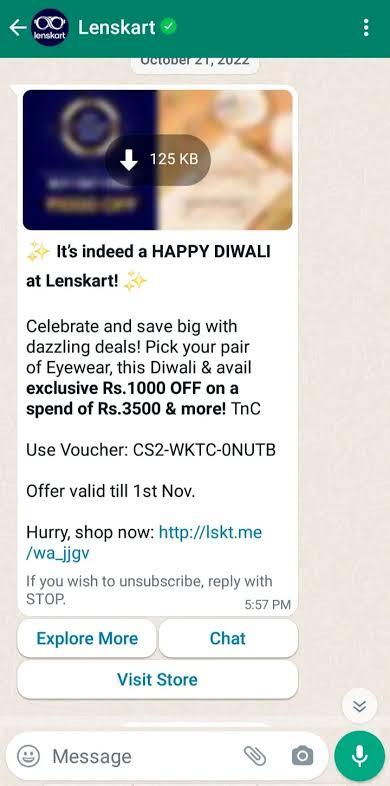
WhatsApp Business allows industries to connect with audiences worldwide. One of the most reliable benefits is instant messaging.
Along with bridging the time and geographical gap, you can communicate internationally without spending additionally on international calls and SMS. It is not only cost-efficient but also supports multiple languages to communicate.
This feature helps you to analyze the user's data and frame location-based marketing strategies to attract foreign traffic and convert them into potential leads or customers.
You can even create broadcast channels for sending regular updates and provide 24*7 customer support to your clients to enhance their trust in your brand. One such company is Amazon which has its customers worldwide and uses WhatsApp Business.
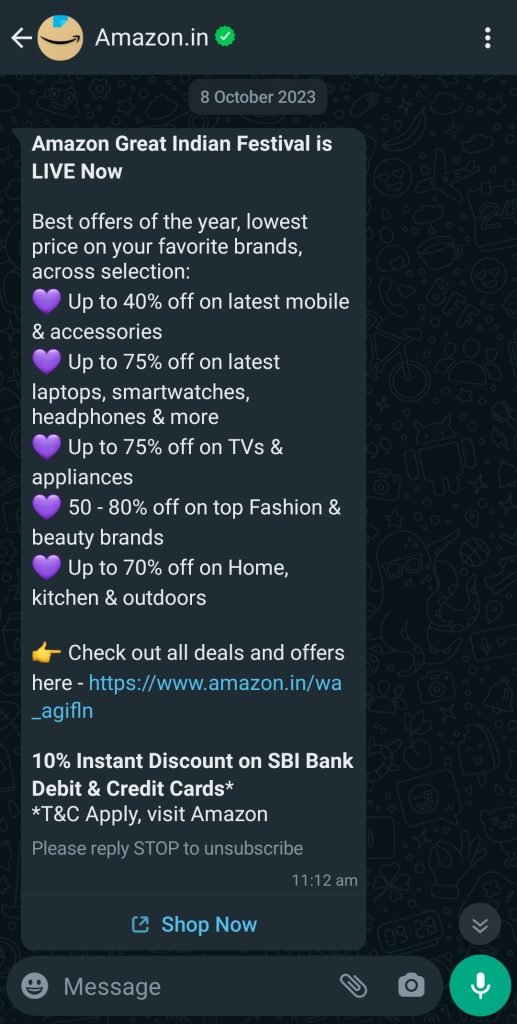
To avoid miscommunication and for real-time messaging along with creating a responsive communication channel, WhatsApp Business benefits businesses through its two-way communication feature. Providing personalized answers and addressing queries has become much more efficient with this.
Customers can initiate chats, get order updates, and give feedback and insights for the product through WhatsApp Business.
Multimedia sharing and multilingual support have enhanced the quality of the conversation. One must not forget that this two-way communication also allows the companies to predefined solutions for some frequently asked queries leading to effective communication.
Most of the brands provide 24*7 customer support promising real-time conversation along with the option of switching to "Talk with live agent" to get solutions to queries and build stronger relationships.
The agents can send multimedia texts including pictures, videos, locations, documents, etc for better assistance. Companies often use message templates to streamline responses such as order tracking, updates regarding shipments, etc.
WhatsApp Business supports multiple languages and the agents can address the customers by name to make the conversation more personalized. Once the issues are resolved, the feedback given by the user or the customer helps the company to improve the quality of its services.
You must have noticed that once you purchase something from a brand that uses WhatsApp Business, you keep on receiving updates on all the future deals and offers along with all the special announcements for the subscriber. This strategy is none other than a type of marketing campaign. The business owners broadcast promotional messages to all the customers to reach a wider audience.
WhatsApp marketing automation helps to send automated bulk messages via the official WhatsApp Business account. These personalized messages are based on the user’s location and preferences.
A survey has proven that WhatsApp Marketing drives 27% more sales leads. Companies such as Netflix, Unilever, Lenskart, and Flipkart have been using WhatsApp Business for marketing campaigns.
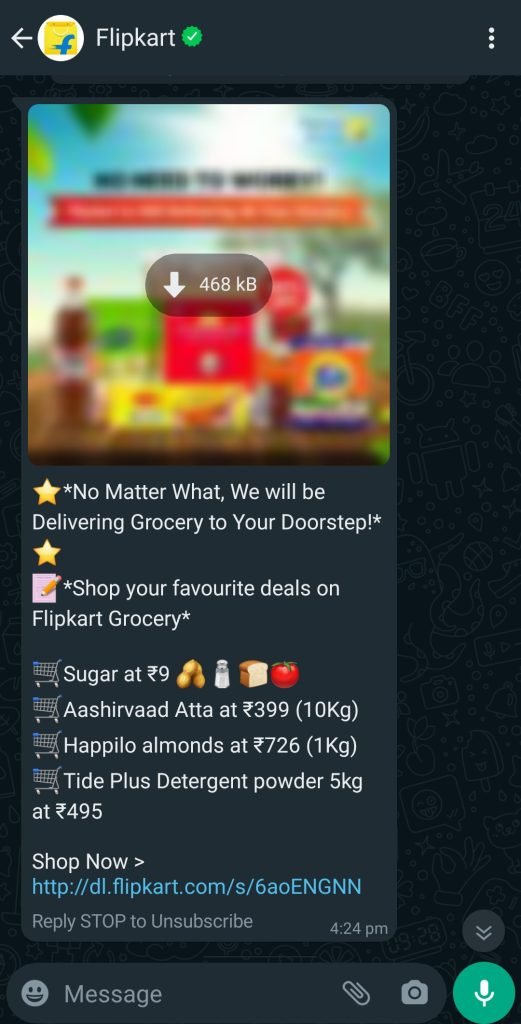
According to the data on the internet, "Flipkart made the best use of WhatsApp, as the results were visible in only 2 short weeks. The company achieved 3.5x higher conversion, 7x higher number of quality leads, and a whopping USD 2.5 million in revenue."
If you're planning to create a WhatsApp campaign for your business, check out these awesome WhatsApp marketing campaigns run by some big brands.
WhatsApp Business can be used only by businesses after they go through a verification process. This builds the trust of the customers.
Once you're a verified company, you can share multimedia files such as videos, images, documents, and locations with the size and format criteria set by WhatsApp. This rich content can be included in Appointment Scheduling, reports and updates, placing orders, etc.
Using WhatsApp Business, you can create interactive messages that include buttons that lead to specific actions like confirming an order, etc. You can also add links and URLs to your text message. For sharing information you can attach product catalogs and PDFs.
Once you're clear about the customers' needs and preferences, it is much easier to serve them with a tailored service. WhatsApp interactions can help you with these insights.
WhatsApp Business provides several Data Analytics such as audience segmentation and automation optimization which includes the division of the audience based on demographics and streamlining the workflow through automation.
You can check the response rate, customer engagement, and success of marketing campaigns and analyze the feedback to improve your services. Another thing is you can calculate the Return on Investment for WhatsApp Business usage using a WhatsApp ROI Calculator. Data-driven decision-making not only leads to business growth but also detects your performance against industry standards and competitors.
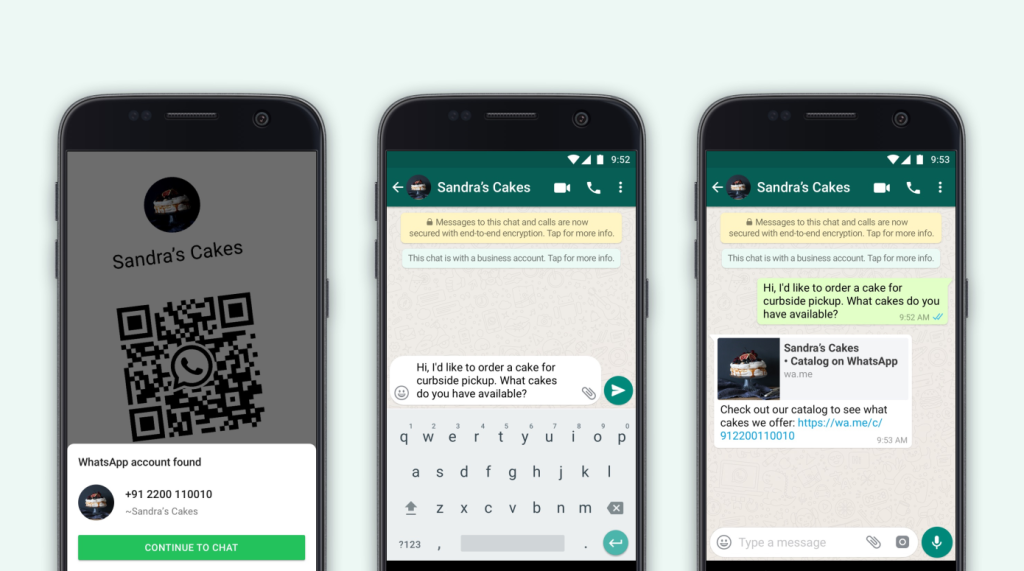
Using a WhatsApp business account you can directly connect with customers and connecting with subscribers is now made easier by using QR codes.
You can now generate a WhatsApp Business number, and interested customers can scan it to start a conversation with your business. This can be a useful way to build your customer base and engage with them directly.
According to the data WhatsApp has provided,
"WhatsApp Business QR codes are an easy way for customers to discover and reach out to your business. Existing and new customers can send you messages through the WhatsApp Business app by scanning your business account’s QR code. Your unique QR code won’t expire unless you reset it or delete your WhatsApp Business account."
Click on the link given above to find out how you can create a QR code for your business account.
Note: Learn how to make a WhatsApp business account through our step-by-step guide.
Whatsapp Business advises you to use conversations to deliver personal experiences that accelerate the buyer journey and build long-lasting customer relationships.
It allows you to create a business profile with options of including essential information such as address, website, and business hours. Once you update all the information, WhatsApp takes its time to verify your account which increases the credibility.
Personalization helps you to connect with customers by tailoring content, products, and services. It makes the customer feel valued and understood which builds a stronger bond.
When you offer personalized products, you technically convert leads into customers and hence this helps you boost sales.
When a business protects customer's personal information, financial data, and intellectual property, it is indirectly gaining the trust and confidence of the customer.
The security feature of Whatsapp Business protects and safeguards sensitive data. The assurance of safe transactions makes customers comfortable with the service.
Customer satisfaction gives your business a competitive edge in the marketplace. This increases brand reputation and contributes to the continuity of business operations. Security features prevent identity theft, credit card fraud, and online scams.
GDPR refers to General Data Protection Regulation which is an important regulation in the European Union for data privacy and protection.
GDPR compliance can benefit the users of WhatsApp business by ensuring that personal data like phone numbers, and addresses remain protected. Businesses, at times, would require the consent of the users before processing their data.
The customer has access to their data probability and the businesses are bound to provide transparency in data handling practices. Data deletions, data security, and accountability are the key factors that benefit the users the most.
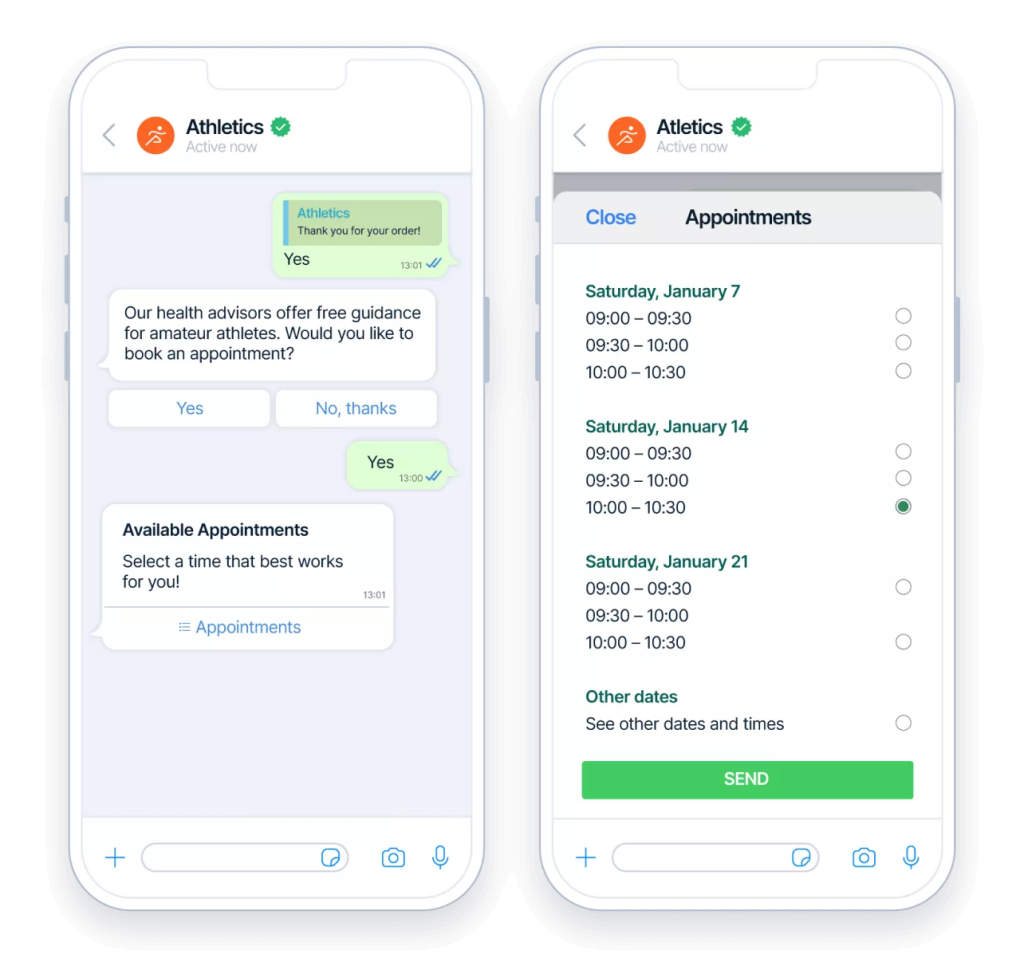
Customers who have been using WhatsApp regularly find it much easier to book an appointment online directly through a few clicks and texts. This saves a lot of time and money for them. The real-time conversation bridges the time gaps as the company could efficiently respond to the appointments.
The increased visibility and personalized appointments with updates and follow-ups make it easier for both the company and the customer to manage their schedules.
Many e-commerce companies have been following this practice which has increased the traffic on their sites and simplified the process.
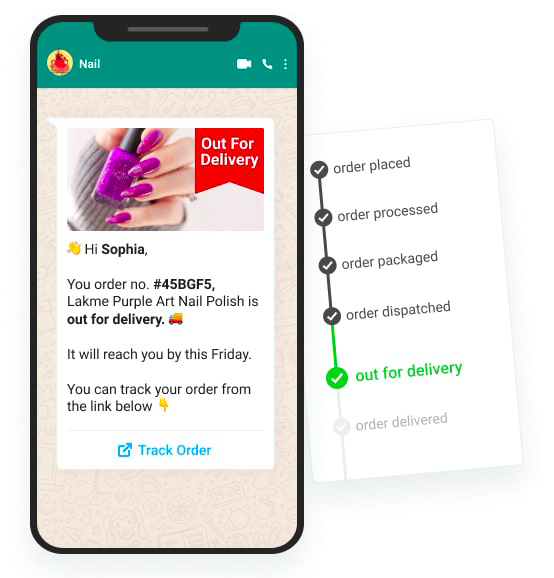
Once a customer has placed an order from your company, he/she can keep a check on its status by simply contacting your company directly through your WhatsApp Business Account.
You can send a confirmation, order number, and tracking details directly to your customers through WhatsApp chats for convenient tracking.
A few other things that could prove to be beneficial are language preferences and delivery estimation time. Customer feedback is also collected through the Business account for further analysis. This makes the tracking more engaging and customer-centric.
WhatsApp Business allows you to create a list of 256 contacts with whom you can broadcast the same message at a time. The advantage of this is, that you save time by not sending messages individually.
You can also create multiple broadcast messages and you can categorize them according to your filters, depending on timezone, culture, language, or other determinants.
Be it occasional brand graphics or greetings, broadcast messages keep you on top of your prospect and client's WhatsApp and minds.
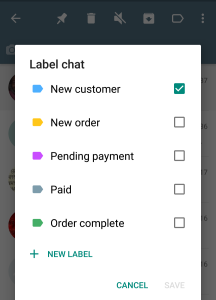
Creating labels is a way to group your chat contacts or even groups with particular labels for actions. For example, if you are scrolling through your WhatsApp contact list and suddenly recall sending someone a customized plan you have forgotten, you can put a label and if you find more contacts like that, you can label them together for future reference.
This is an incredible WhatsApp Business tool for businesses. You can efficiently organize contacts, allowing personalized interactions and improved response times. Categorize your chats, businesses prioritize urgent matters, and facilitate team collaboration.
Labels also aid in tracking the customer journey and enhancing marketing strategies. This feature goes beyond organization, empowering businesses to streamline communication, enhance customer satisfaction, and gain valuable insights.
You can create and optimize your business profile to run WhatsApp ads. Strategize a broadcast list, craft some visually and readily appealing content so the viewers can engage, put a strong CTA, and monitor the data on CTR and customer responses.
This is a cost-effective process and if targeted properly can bring high engagement results from the palm of your hand with your mobile device.
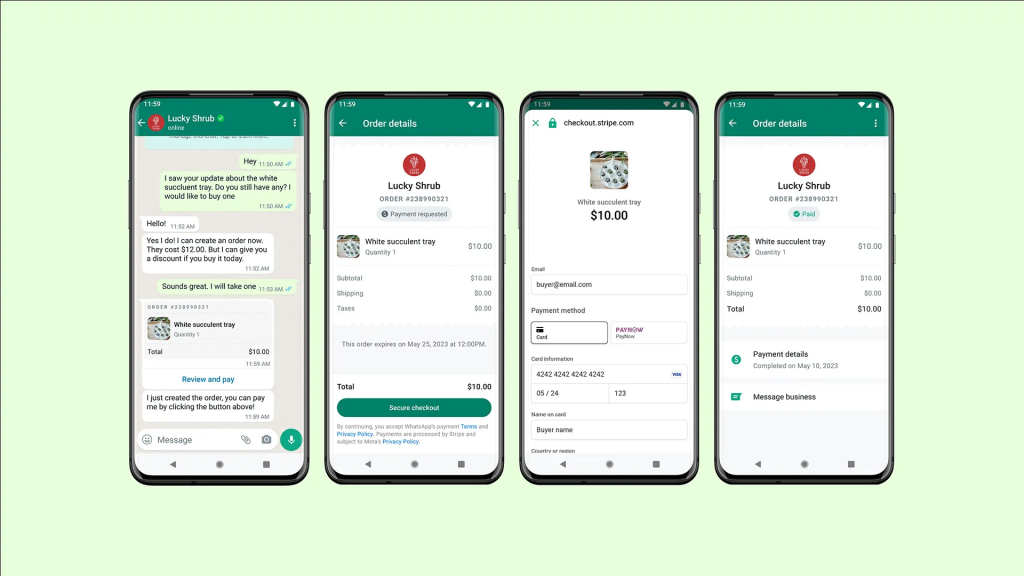
With WhatsApp Business, you can streamline your order processing and payment gates. With secure payment gateways integrated into the platform, customers can place orders, make payments, and receive confirmation, all within the same chat window.
This is beneficial for both you and your customer to keep track of all the purchases and can be added to the datasheet for further R&D and to modify your strategy or improve your product/ service.
Last but not least, since people use WhatsApp regularly as their primary communication software, businesses are choosing to market through WhatsApp and capture their prospects and customers on this platform.
Having windows like catalogs and prices makes it easy for customers or prospects to interact and with that data, you can tailor your product/ service for better customer satisfaction.
These insights help you to stay ahead and make better decisions with the statistics for sustainable growth.
In this blog, we came across a lot of benefits of using WhatsApp Business API but businesses need to consider the limitations to using WhatsApp Business API and to ensure compliance with WhatsApp's policies and guidelines to avoid potential issues. One such issue is the message volume limit. You can send up to 1,000 messages per day to WhatsApp users.
Another issue that might arise is during the verification process for the WhatsApp Business account. To use certain features, your business needs to go through a verification process, which may take some time and could be restrictive for small businesses.
And for such problems, Meta has launched WhatsApp Business API as a solution. WhatsApp Business API usually involves a partnership with an authorized WhatsApp Business Solution Provider, and there are associated costs and regulations that businesses need to stick to. This API is typically used by larger enterprises to create a more structured and professional interaction channel with their customers on WhatsApp.
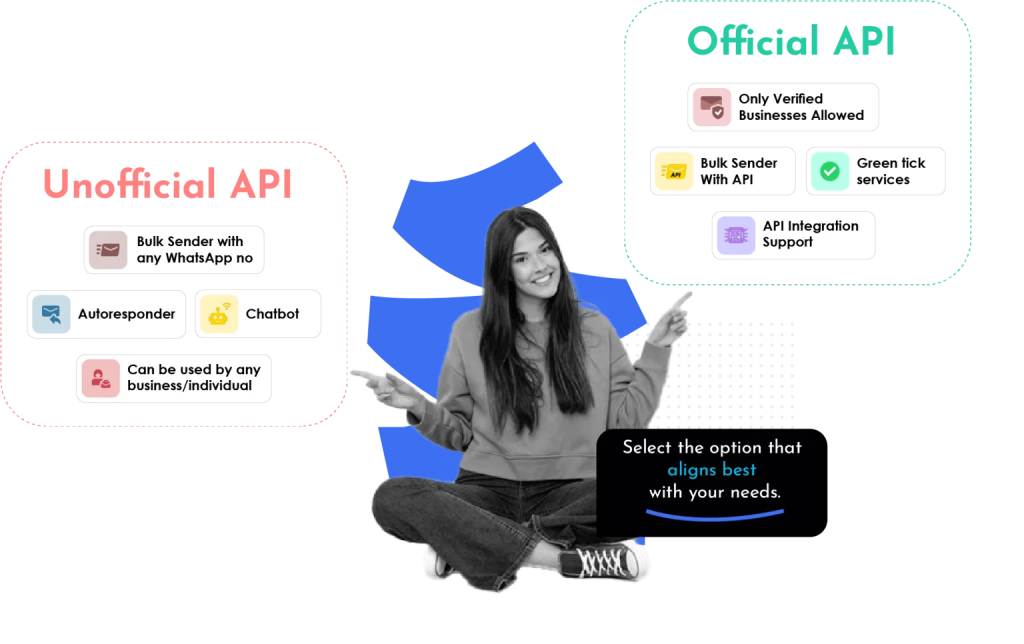
API is generally of two types: official API and unofficial API. Sendwo is a platform that offers both API at affordable rates that includes various features. Learn how to set up and link your WhatsApp Business API with Sendwo.
We'll be discussing both APIs further in the blog.
Featured brands and businesses should opt for an official business API and increase the features of WhatsApp Business overcoming the limitations.
The popular features offered by Sendwo for official business API include:
We understand the cost of official APIs is relatively higher and to serve the same purpose, Sendwo also offers unofficial APIs.
The features offered by Sendwo with unofficial API include:
You need to be very careful and specific while using unofficial API as WhatsApp may detect and ban your number. But you need not worry, we have solutions to all your problems
In case you're a small business owner, you don't have to limit your business with WhatsApp Business. Try our 7-day free trial of API and figure out the difference.
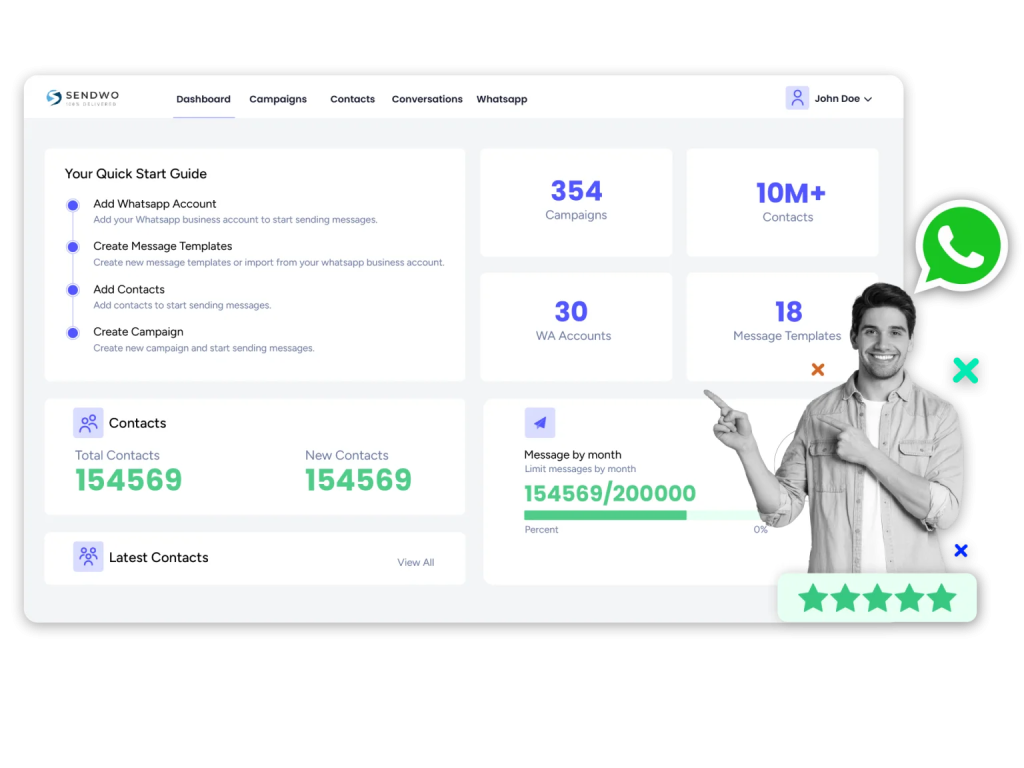
If you're looking for someone to set up the API for you, Sendwo is your one-stop destination. Our teams of experts will help you not only with setting up the API but also will help you to get an interface if you have an API installed.
Sign up on Sendwo API-based WhatsApp marketing software and get a 7 days free trial.
WhatsApp Business is a need of the hour for businesses of all kinds. With its unique features and accommodating tools for business, it has become a must-have.
If you are running a service-based company or a product-based company, you can make your business profile, showcase your catalogs, and prices, even run ads, set up auto-responses like greetings and away messages, and also organize the texts with label features.
If you enjoy all these features and want to scale it forward, getting a WhatsApp Business API and integrating it with a marketing tool like Sendwo for a dashboard and better management will do your business wonders.
WhatsApp business messages are highly structured messages that are mostly used by brands to create better communication channels with their customers and even curate various campaigns.
Pre-defined message formats used by businesses to communicate with their clients can be of great use to level up the business of any organization. These templates need to be pre-approved by WhatsApp. Almost all the WhatsApp business message templates are carefully scrutinized by WhatsApp to ensure they align with the WhatsApp message template guidelines.
WhatsApp business message templates came into the scenario to ensure fair two-way communication between the business and the customers with the core aim of mitigating spamming.
In this blog, we will provide you with 45 awesome WhatsApp Business message templates that you can easily use in your future campaigns for better conversion.
Let's get started!
If you truly want to level up your business and are looking for the right track, a WhatsApp Business Message is just the right one to get started with. It will boost your business communication game.
Here are 45 highly convertible WhatsApp business message templates that almost all industries can use:
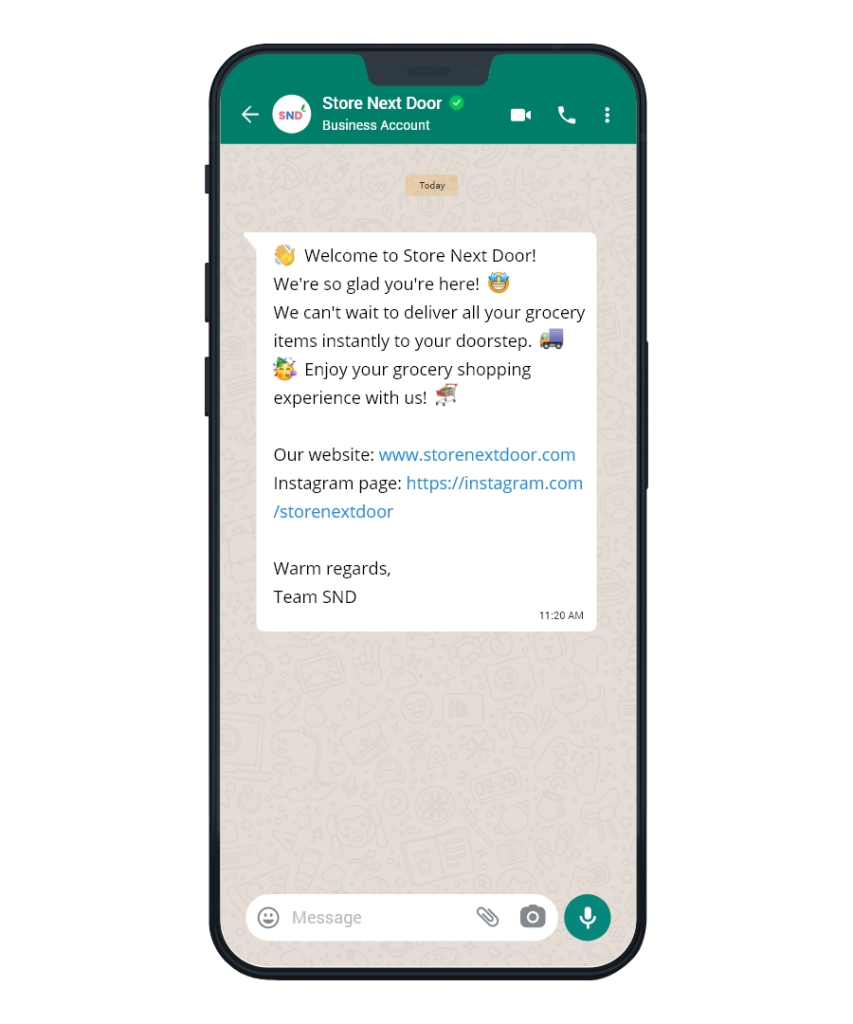
Welcome messages are usually generated whenever any new user signs up on a brand platform. It is sort of a greeting to welcome new users on board. It creates an extremely good impression about the brand on the user - showing off how much worth and value the brand attaches to every new user who joins the brand.
Account confirmation updates are also included in this set of messages. It can even be a confirmation message for profile activation and contain a call to action that will redirect the user to the main site page or so on.
Hey [Customer's Name],
Welcome to [Your Business Name] family!
We're excited to have you on board. As a token of our appreciation, here's a special welcome offer just for you.
Enjoy a [15%] discount on your first purchase. 🎁
Don't miss out, this offer is valid until [30 days from today].
Simply use code: [WELCOME15] at checkout.
CTA - Shop Now
Hi [New Subscriber's Name],
A big hello and welcome to [Your Business Name]!
We're thrilled that you've joined us. To kick things off, here's an exclusive welcome gift for you. 🎁
Get a [Rs. 100] voucher for your next purchase. 🛒
Redeem it on our website using code: [WELCOMER100].
Feel free to explore our latest products and enjoy shopping with us. 😊
CTA - Start Shopping
Greetings, [Customer's Name]!
Welcome to [Your Business Name] – your destination for [Product/Service].
To make your first experience even better, we have a limited-time offer just for you. 😍
Buy any [Product/Service] and get [20%] off your first order.
This offer is valid until [end of the week], so don't miss out! ⏳
Click the link below to explore our catalog and start saving. 👇
URL Link - [Your Website URL]
CTA - Explore Now
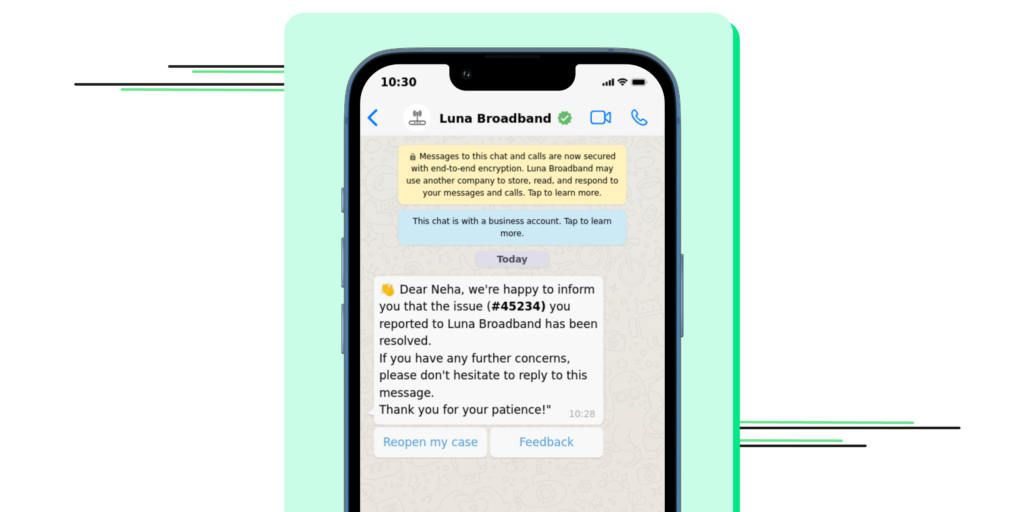
When dealing with any online brand, there may arise multiple issues ranging from the need for customer support to queries about any account. In recent days, chatbots have been quite in use to address the queries of the users.
But what about updating the users regarding their issue resolution? It can be done with a simple WhatsApp message template that will update the user regarding their current problem status as well as enhance their faith in the services of the brand.
Hi [Customer's Name],
We're sorry to hear about the issue you encountered with your recent order. 😔
Our team has investigated the matter and resolved it for you. Here are the details:
Issue: [Describe the issue]
Resolution: [Explain how the issue was resolved]
If you have any further questions or concerns, please feel free to reach out. Your satisfaction is our priority.
Thank you for choosing [Your Business Name]. We appreciate your understanding. 😊
Hello [Customer's Name],
We sincerely apologize for the inconvenience you faced with your recent experience. Your feedback is important to us.
To make it up to you, we'd like to offer you a [15%] discount on your next purchase. Simply use code [NEXT15] at checkout. 🛍️
We are committed to providing you with a better experience next time.
Thank you for your patience and understanding. 🙏
Hi [Customer's Name],
We hope the resolution provided for your issue has met your expectations. Your satisfaction is our priority.
If you have any more questions or need further assistance, please don't hesitate to reach out to our customer support team. We're here to help you. 😊
Thank you for choosing [Your Business Name], and we look forward to serving you better in the future.
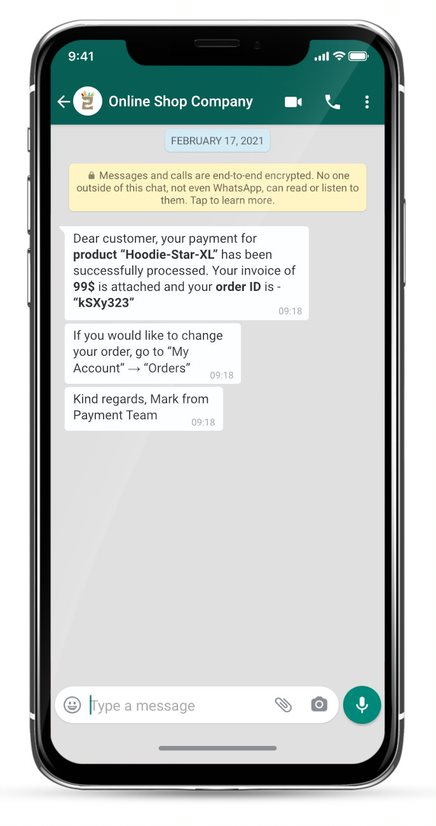
The payment update is quite a wide genre of messages encompassing multiple subsets. It could be an update regarding the payment already made and processed - payment confirmation while it could also be a reminder of due payments.
Payment update message must be extremely precise and probably contain all the details of the message, for example, the transaction ID for the payment already made and the call to action “Pay Now” for the due payments.
Hello [Customer's Name],
We're pleased to confirm that your recent payment of [Amount] has been successfully received. 💰
Transaction ID: [Transaction ID]
Payment Date: [Date]
If you have any questions or require a payment receipt, please don't hesitate to reach out to our support team. We appreciate your prompt payment and look forward to serving you further. 😊
Hi [Customer's Name], 😊
We hope this message finds you well. Our records indicate that a payment of [Amount] is due on [Due Date] for your [Product/Service].
Kindly ensure the payment is made on time to avoid any disruption to your service. If you've already made the payment, please disregard this message.
Thank you for your prompt attention to this matter. Your timely payment is greatly appreciated. 🙏
Dear [Customer's Name], 👋
We regret to inform you that the recent payment attempt for [Amount] on [Due Date] was unsuccessful. 😔
To ensure uninterrupted service, please review your payment method and update it as necessary. If you require any assistance with this, feel free to reach out to our support team.
We value your business and are here to help with any payment-related questions. Thank you for your understanding.
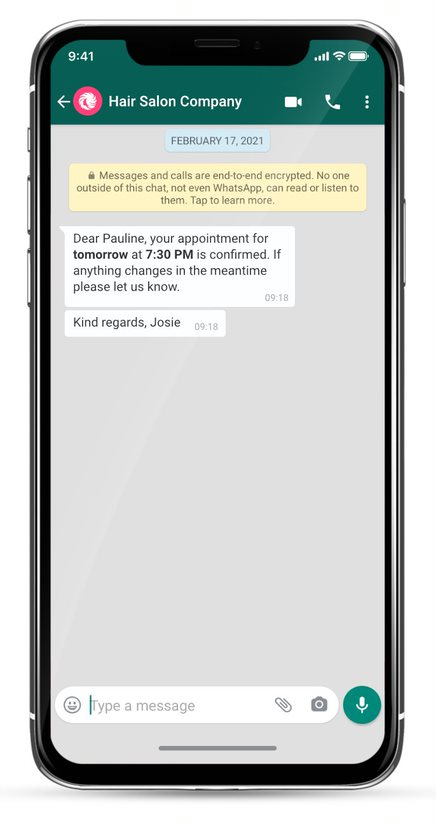
Appointment updates are really crucial because they are time-sensitive. Reservation and appointment update reminders can be sent through WhatsApp business messages, and the templates are quite precise for these.
The WhatsApp business message templates have multiple call-to-action buttons like options for rescheduling the appointment. The customers are usually overwhelmed by the efforts of the companies to keep them updated and prevent missing out on appointments.
Hello [Customer's Name],
We're excited to confirm your upcoming appointment with us. 📅
Appointment Date: [Date]
Appointment Time: [Time]
Location: [Location]
If you need to reschedule or have any questions, please feel free to reach out. We look forward to meeting you on the scheduled date. 😊
Hi [Customer's Name], 😄
A friendly reminder of your upcoming appointment with us. 🕒
Appointment Date: [Date]
Appointment Time: [Time]
Location: [Location]
Please be sure to arrive on time. If you need to reschedule or have any questions, don't hesitate to contact us. We value your time and look forward to serving you. 🙌
Dear [Customer's Name],
We regret to inform you that your appointment scheduled for [Date] at [Time] has been canceled due to unforeseen circumstances. We apologize for any inconvenience this may cause. 😓
If you would like to reschedule or have any questions, please reach out to us, and we will be happy to assist you. We appreciate your understanding. Thank you.
It is essential to appreciate your existing customer base. Loyalty programs are a great way to show affection, gratitude, and a worthy appreciation to your existing customers.
Loyalty programs ensure repeat sales and help to retain customers. The call to action for such messages can be framed as access to exclusive and unique rewards. Loyalty campaigns are a great way to hold back the customers.
Hello [Customer's Name],
We are thrilled to introduce our new loyalty program - [Loyalty Program Name]!
As a valued customer, you're automatically enrolled. Here's what you can look forward to:
Earn [X] points for every [Amount] spent
Redeem points for exclusive discounts and rewards
Special birthday offers just for you! 🎂🎁
Stay tuned for more exciting benefits coming your way. Thank you for being a part of our loyal community. 😊
Hi [Customer's Name],
Great news! You have [X] loyalty points ready to be redeemed in our [Loyalty Program Name]. 🎉
Here's how you can use them:
[Explain how to redeem points]
[List available rewards]
Visit our website or app to start redeeming and enjoying your well-deserved benefits. 😍
Dear [Customer's Name],
It's been [X] years since you joined our loyalty program, and we want to celebrate this milestone with you! 🥳
As a token of our appreciation, we're offering you a special [X%] discount on your next purchase. Use code [ANNIVERSARY] at checkout. 🎁
Thank you for your continued loyalty. We look forward to serving you for many more years to come.
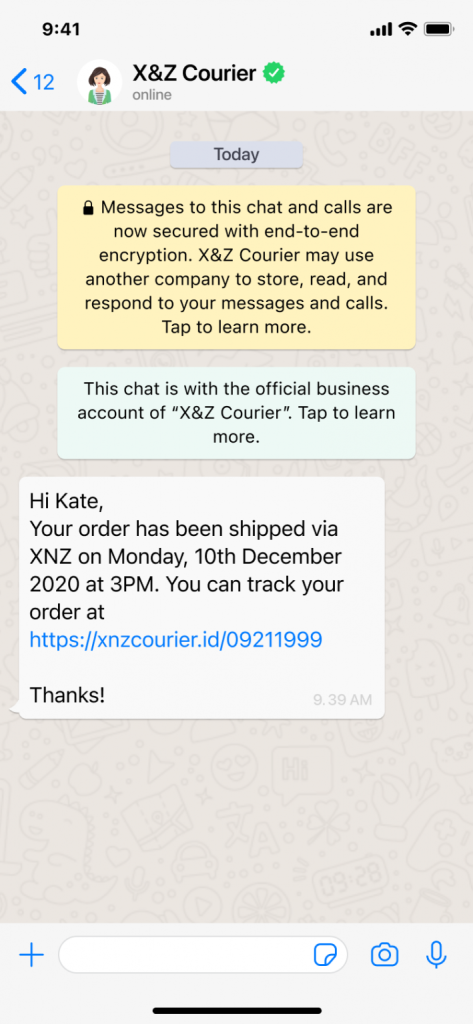
Your order is on your way. That message indeed feels great for almost any user. Whenever an order is on its way, the shipping update is automatically generated and forwarded to the user.
The shipping WhatsApp business message templates are quite simple, and the CTA is “Track the Order''. Updating customers on their orders highly enhances their purchase experience and also encourages the users to stay connected with the brand.
Hi [Customer's Name],
We're excited to inform you that your order has been shipped! 📦
Shipment Details:
Tracking Number: [Tracking Number]
Estimated Delivery Date: [Delivery Date]
You can track your package's journey using the provided tracking number. If you have any questions or need assistance, feel free to contact us. We hope you enjoy your purchase! 😊
Hello [Customer's Name],
We regret to inform you that there is a slight delay in the delivery of your order. 😓
New Estimated Delivery Date: [New Delivery Date]
We apologize for any inconvenience this may cause. Our team is working diligently to ensure your order reaches you as soon as possible. Thank you for your patience and understanding. 🙏
Hi [Customer's Name],
Great news! Your order has been successfully delivered! 📦
If you've received your package, we hope you're delighted with your purchase. If you have any feedback or questions, please don't hesitate to let us know. We're here to ensure your satisfaction. Enjoy your new items! 😍
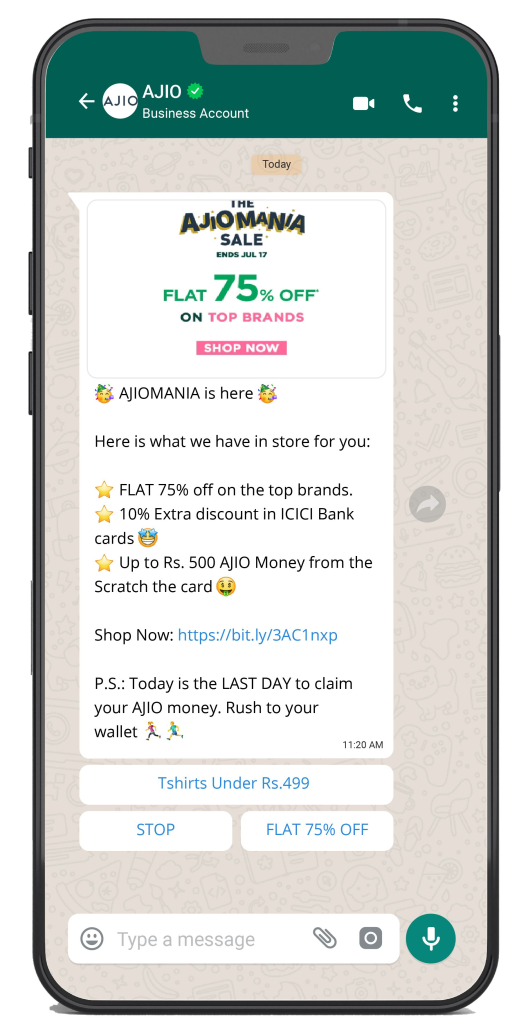
Promotional messages are usually non-transactional notifications sent to the users. Initially, these were not allowed by WhatsApp, but now they are officially allowed by the WhatsApp API Platform.
Promotional messages are of great worth in not only acquiring new customers but also retaining old ones. It makes them feel cherished, appreciated, valued and encourages more purchases.
Hello [Customer's Name],
Discover our latest collection of [Product]! 🛍️
[Highlight key features]
Available in various colors and sizes
Limited stock, grab yours now!
Don't miss out on the opportunity to upgrade your [Product] game. Shop now and enjoy [X%] off. 😍
CTA - Shop Now
Hi [Customer's Name],
Exciting news! Our exclusive Flash Sale is now live! ⚡
Get up to [X%] off on selected items, but hurry, the sale ends at midnight. 🕛
[List featured items]
Limited stock available
Don't wait! Click the link below to explore the deals and start saving. 👇
URL Link - [Your Website URL]
CTA - Shop Now
Hi [Customer's Name],
As a valued member of our loyalty program, you're eligible for an exclusive offer! 🌟
[Describe the offer, e.g., discount, free gift, etc.]
Valid until [End Date]
To claim your special offer, simply use code [PROMOCODE] at checkout. Thank you for your loyalty, and we look forward to serving you. 😍
CTA - Claim Offer
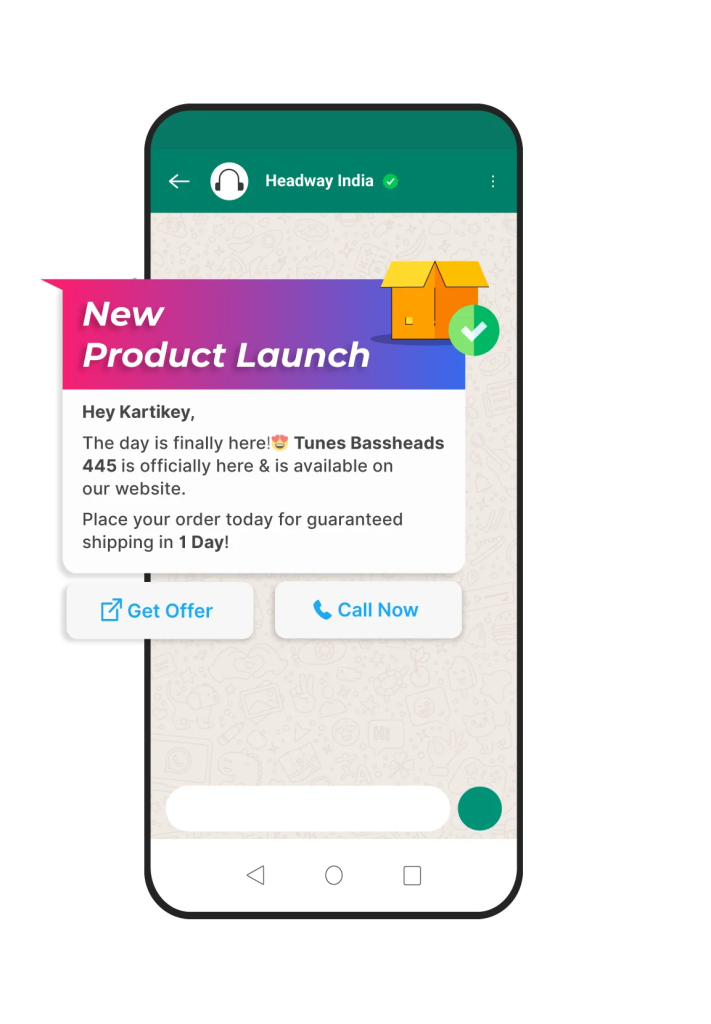
Convey the message of any new product launch to potential users through a fabulously curated WhatsApp business message. The template must contain media and essential visuals to convince the users and let them have a better idea of the product.
The CTA for such message WhatsApp business message templates should be the “Buy” option. Pre-launch offers can also be conveyed through similar types of WhatsApp Business Messages.
Hey [Customer Name],
Exciting news! [Your Company Name] is launching a brand-new product - the [Product Name]. 🚀
Be the first to experience its amazing features and benefits. Order now and receive [X%] off as our special launch offer. 😍
Don't miss out; this offer is valid until [End Date]. ⏳
Click the link to learn more: [Product URL]
CTA: Shop Now
Hello [Customer Name],
Big announcement! [Your Company Name] is introducing an innovative product, the [Product Name], designed to make your life easier. 🌟
As a loyal customer, you're entitled to an exclusive [X%] discount on the launch price.
Limited stock available, so grab yours before it's gone. Offer expires on [End Date]. ⏰
Explore the product details here: [Product URL]
CTA: Order Now
Hi [Customer Name],
We're thrilled to share our latest creation with you - the [Product Name].
To celebrate the launch, we're offering you a special deal. Use code [LaunchCode] and save [X%] on your purchase. 😎
Act fast; this offer is valid only until [End Date]. ⌛
Check out the product: [Product URL]
CTA: Get Yours Now
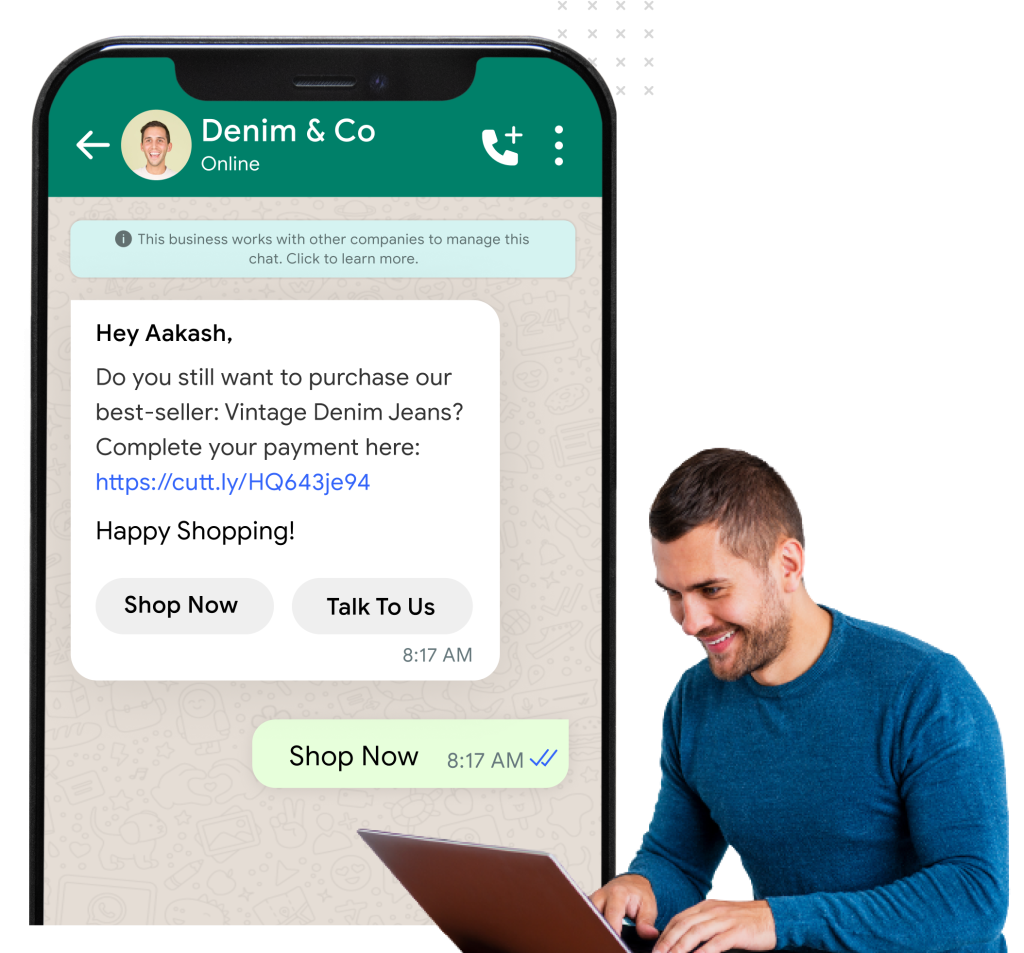
This type of message template is extremely useful for e-commerce websites because most customers add products to the cart and then forget about them.
The abandoned cart reminder message is just a simple WhatsApp message to remind the users about their wishlist products still lying in the cart.
To make it even more functional, businesses can add a call to action button in the message that will automatically redirect the users to the cart.
Hi [Customer Name],
Did you forget something in your cart at [Your Store Name]? 🛒
Your [Product Name] is still waiting for you. Plus, we have an exclusive offer for you: Use code [RECOVERY10] and get an extra [X%] off on your purchase. 🎁
Don't let it slip away; the offer expires soon. Click the link to complete your order: [Cart URL]
CTA: Complete Order
Hello [Customer Name],
We noticed you left some fantastic items in your cart at [Your Store Name]. Don't miss out on them! 🛍️
For a limited time, we're offering you [X%] off your cart total. Use code [SAVEBIG] and enjoy the savings. 😍
Hurry, this offer won't last forever. Click the link to finalize your purchase: [Cart URL]
CTA: Finish Shopping
Hey there, [Customer Name], 🛒
It looks like you forgot about the [Product Name] in your cart at [Your Store Name].
But don't worry! We're offering you a special [X%] discount on your cart items if you complete your purchase today. Use code [SAVENOW]. 🌟
This deal won't be around for long, so act fast. Click the link to get your cart back on track: [Cart URL]
CTA: Retrieve Cart
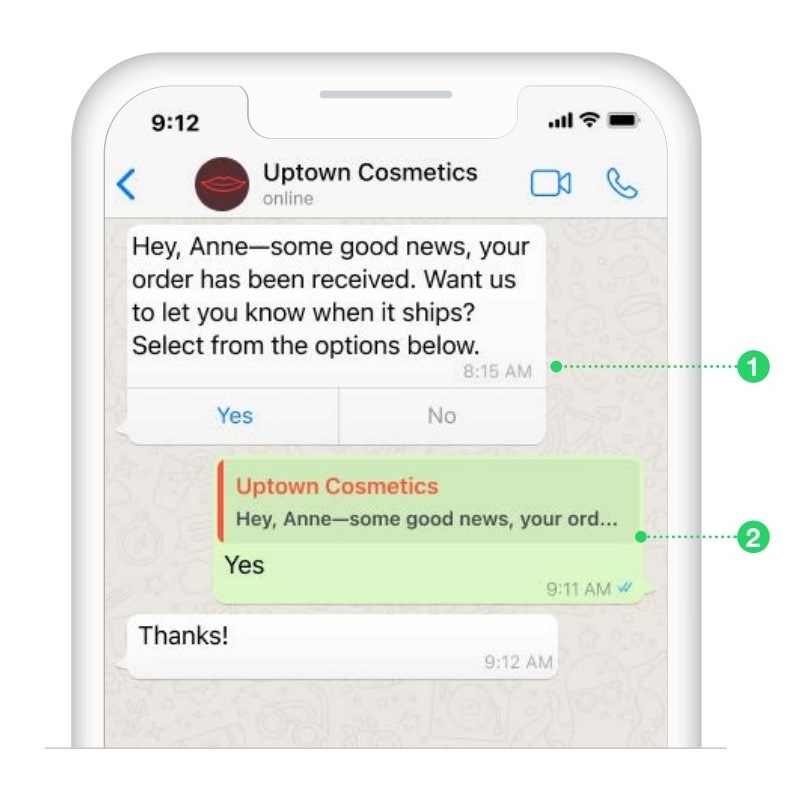
Order confirmation messages are directed to keep the customers informed about their order status. This specific message template is mostly in use by the e-commerce industry. It is automated whenever the user places a purchase order with any brand.
It is a way to keep in touch with the user and also assure them that the brand acknowledges their worthy time and investment for placing the order.
Hi [Customer Name],
We're delighted to confirm your order #[Order Number] with [Your Store Name]. 🛍️
Here are the details:
[Product Name 1]
[Product Name 2]
[Product Name 3]
Total Amount: [Order Total]
Your order will be processed shortly, and you'll receive a notification once it's on its way. Thanks for choosing us!
CTA: Track Order
Hello [Customer Name],
Your order #[Order Number] at [Your Store Name] has been successfully placed. 🎉
Order Details:
[Product Name]
Quantity: [Quantity]
Amount: [Order Total]
We'll start preparing your order right away. Stay tuned for further updates.
CTA: Order Details
Hey [Customer Name],
Great news! Your order #[Order Number] at [Your Store Name] is confirmed. 🚚
Here's a recap:
[Product Name]
Quantity: [Quantity]
Total: [Order Total]
We're working hard to get your order ready for shipping. You'll be notified once it's out for delivery.
CTA: Order Status
Every brand relies a lot on the feedback from the customers regarding their products and services. It is the feedback that directs improvements and upgrades.
Through specially curated WhatsApp business message templates, brands are able to collect feedback from their customers and make changes accordingly to come up with better services and products.
The messages usually follow the byline “Share Your Experience With Us” or “We Would Love to Hear From You.”
Hi [Customer Name],
We value your opinion!
You recently purchased our [Product Name]. We'd love to hear your feedback. Your insights help us improve. Please take a moment to share your thoughts.
[Product Image]
Your feedback is important to us! Click here to provide your review: [Feedback Link]
Thank you for being part of our journey!
Hello [Customer Name],
Your experience matters to us! 🌟
You recently got our [Product Name]. We're eager to know what you think. Your feedback guides us in making our products even better.
[Product Image]
Please share your thoughts with us. Click here to leave your review: [Feedback Link]
Your input is greatly appreciated!
Hey [Customer Name],
Help us enhance your experience! 📣
You're one of our valued customers who purchased the [Product Name]. Your feedback can make a difference.
[Product Image]
Share your thoughts and feedback with us. Click here to review the product: [Feedback Link]
We look forward to hearing from you!
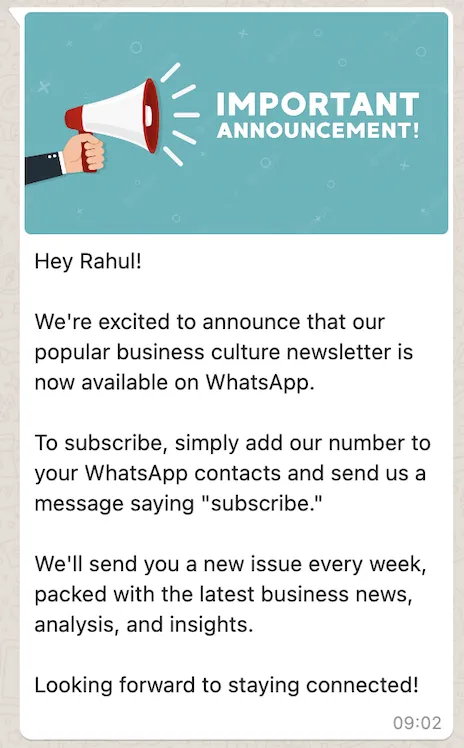
Every time any user subscribes or signs up for newsletters, they should receive a message that thanks them for subscribing to the newsletter and encourages them to stay connected for more updates.
A similar type of message can also be forwarded to the users to remind them to renew their newsletter subscription. It is one of the best-tested ways to keep in touch with users and establish a communication channel with the users.
Hi [Customer Name],
Don't miss out on our latest newsletter! 📰
Stay in the loop with all the exciting updates, exclusive offers, and tips from [Your Company Name]. Our newsletter is packed with valuable content. Check it out now!
[Newsletter Image]
Click here to read: [Newsletter Link]
Thank you for being part of our community!
Hello [Customer Name],
Time for some great reads! 📖
Our latest newsletter is here. Dive into insightful articles, product spotlights, and more from [Your Company Name]. Stay informed and inspired.
[Newsletter Image]
Catch up on our newsletter by clicking here: [Newsletter Link]
We appreciate your continued support!
Hey [Customer Name],
Stay informed with our newsletter! 🚀
The latest edition is out now, featuring exciting updates and stories. Explore what's happening at [Your Company Name].
[Newsletter Image]
Don't miss out; click here to read the newsletter: [Newsletter Link]
Thank you for being part of our community!
Brands progress by connecting better with their customers, and what could tie them more than sending festive wishes?
The other agenda of such festive wishes is to inform the users about any festive season sales.
Promotional or festive sales are a great time not only for the brands to amplify their sales quotient but also for the users to indulge in massive shopping hauls.
Hi [Customer Name],
Merry Christmas! 🎁
Wishing you a day filled with joy and warmth, surrounded by loved ones. May your heart be light, and your holiday spirits bright! ❄️
[Your Company Name] appreciates your continued support.
With love and best wishes for the season, [Your Name]
Hello [Customer Name],
Happy Halloween! 🎃
Trick or treat, may your day be sweet! Wishing you spooky fun, delightful treats, and a frightfully good time.
[Your Company Name] is thrilled to have you in our community.
Enjoy this eerie night, and stay safe! 🧛♂️
Warmly, [Your Name]
Hey [Customer Name],
Happy New Year! 🥂
As the clock strikes midnight, may new opportunities, success, and happiness come your way. Here's to a fantastic year ahead! 🥳
[Your Company Name] is grateful for your support throughout the year.
Cheers to new beginnings and all that's to come!🎆
Best wishes, [Your Name]
Usually in use for webinars and seminars. Whenever any participant signs up for an event or any course, WhatsApp Business messages can be sent to the participants for confirmation of their registration.
This template should also include the name of the institution, course, or event that users have registered for - the time of the event and other details should be an integral part of this particular WhatsApp message template.
Hi [Customer Name],
Great news! Your registration with [Your Company Name] is confirmed. 🎉
Welcome to our community of [your service or product]. You're all set to enjoy exclusive benefits and updates.
Stay tuned for exciting offers and content tailored just for you. 📩
Thanks for choosing us!
Hello [Customer Name],
To provide you with the best experience, we kindly request you to update your profile information. 📝
Please click on the link below to verify and complete your profile details. Your input helps us serve you better. 🙏
[Profile Update Link]
Hey [Customer Name],
Your [subscription/service] with [Your Company Name] is up for renewal soon. ⏰
To continue enjoying uninterrupted service, please ensure your subscription is renewed. Click here to renew now. 🔄
[Renewal Link]
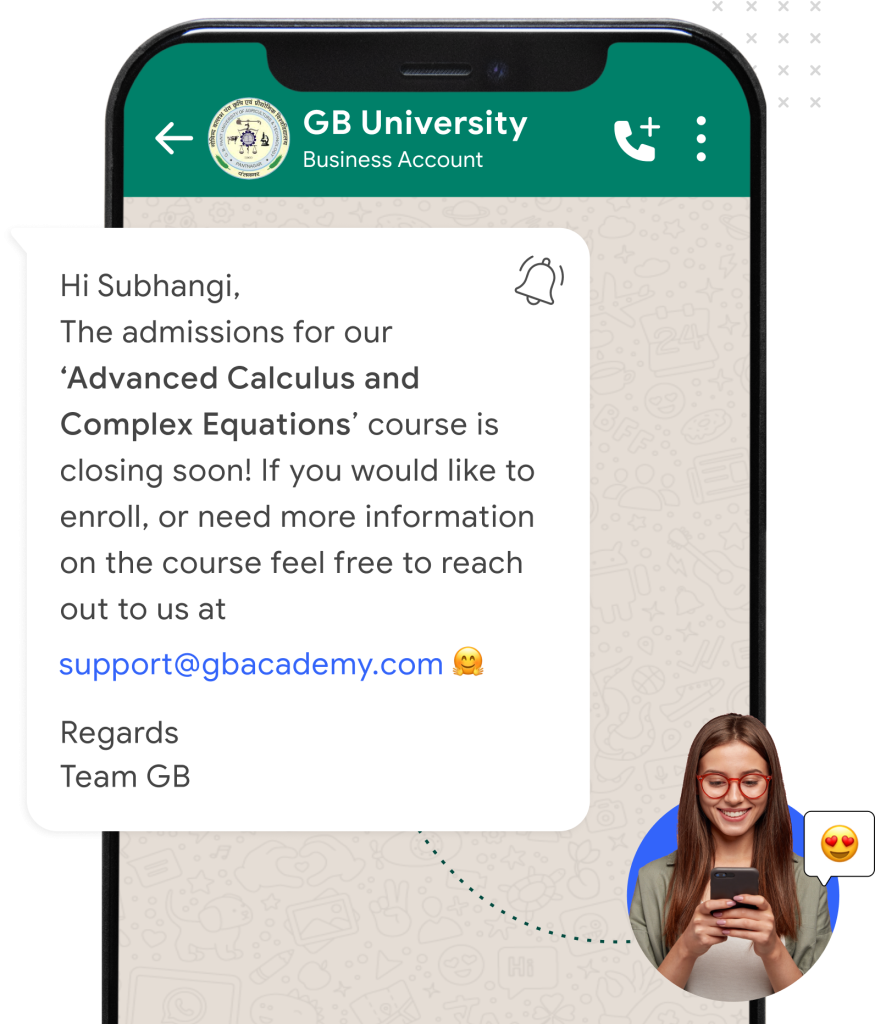
Most applicable for the education and ed-tech industry, this WhatsApp message template helps the users to enhance the sign-ups for courses by forwarding the complete details of the courses to all the participants who have enrolled for the course.
The CTA for such messages should be “complete your application” or “connect directly for queries.” It is a great way to not only stay connected with the applicants but also attract a greater number of participants.
Hi [Customer Name],
We're excited to introduce you to our [Course Name]! 📚
In this course, you'll learn [Brief Course Description]. We'll cover [Course Highlights] and provide you with the tools you need to succeed.
The course starts on [Start Date]. Are you ready to embark on this learning journey with us? 🚀
For more information, click here: [Course Link]
Hello [Customer Name],
Great news! Your enrollment for [Course Name] is confirmed. 🙌
Here are the key details:
Start Date: [Start Date]
Duration: [Course Duration]
Instructor: [Instructor Name]
Materials: [Course Materials]
You'll receive further instructions and access to the course materials before the start date. Prepare for an enriching learning experience!
Hey [Customer Name],
Don't forget! Our [Course Name] starts soon. 📅
Just a friendly reminder that the course begins on [Start Date]. Make sure you're ready for the first session. 🕒
If you have any questions or need assistance, please feel free to reach out to our support team. We're here to help!
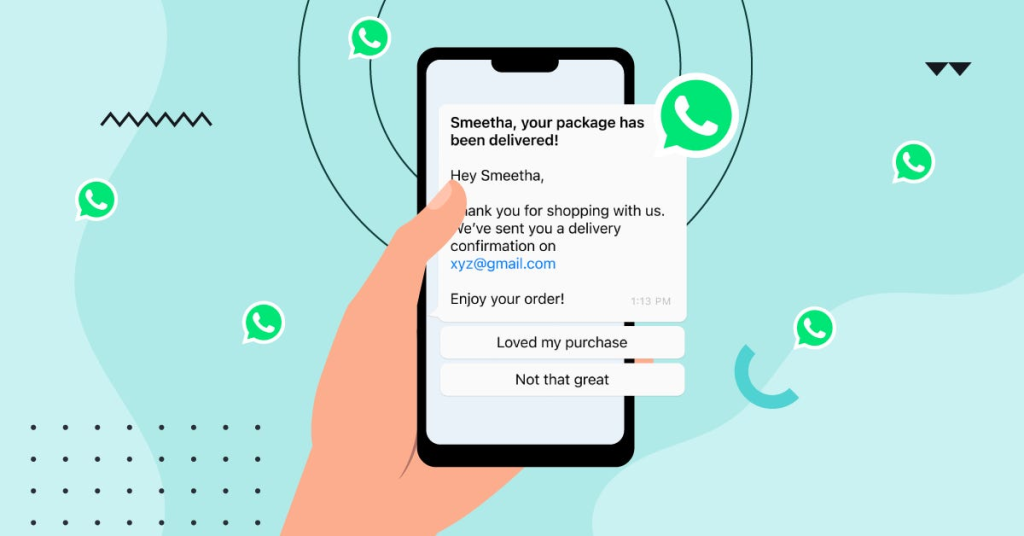
One might presume that framing a WhatsApp Business Message Template is all about creativity and business manifestation, but in reality, it is not so. There are plenty of technicalities to abide by. The basic guideline to follow is not to make your message too promotional or include any insensitive content in the message.
Here is a list of the essential guidelines to follow to prevent your WhatsApp Business Message template from being rejected:
Here are some of the common reasons for which WhatsApp business message templates may face rejection as per the official guidelines by Meta:
These are the core reasons for rejection - there are many others for WhatsApp to negate any template, but these remain on the top of the list.
Sendwo is the only WhatsApp marketing solution that can support all types of industries. It is your go-to tool for sending WhatsApp business messages. It streamlines the entire procedure and makes sure that your messages create a lasting impression on your customers.
Irrespective of the WhatsApp Business API you've got (official or unofficial), Sendwo assists in sending bulk messages without getting banned on WhatsApp. In case you have not registered for the API yet, Sendwo is just a call away! The team will help you in getting it at ease.
Before sending promotional messages to your customers on WhatsApp, you need to get your WhatsApp Business message template approved by WhatsApp. With Sendwo, you can create WhatsApp marketing campaigns and send your WhatsApp Business message templates for approval.
That said, follow the steps below to send WhatsApp marketing messages to your clients upon registering your API.
Note: In case you are using the official WhatsApp Business API, you will have to obtain approval for the WhatsApp message template via the WhatsApp Manager Dashboard. Alternatively, you can also create the template inside Sendwo and request for official approval. However, if you're using an unauthorized API, you can send your messages instantly. You do not have to wait for WhatsApp to approve your greeting messages.
Sign up on Sendwo API-based WhatsApp marketing software to send WhatsApp Marketing Messages in bulk.
WhatsApp Business Messages are a perfect way to deliver almost all valuable information to customers - be it product updates, payment reminders, or a simple festive promotion message. The right WhatsApp business message templates could be your gateway to a successful marketing game.
If you are planning to create a fabulous WhatsApp marketing campaign, the right destination for you would be Sendwo. Sendwo offers official Business API and every other broadcasting software that would help you level up your WhatsApp marketing game.
With Sendwo, you can work with both official and unofficial APIs along with the dashboard and features of any WhatsApp API.
Business owners understand the importance of chatbots and how they help in their business communication.
From answering incoming queries from their 24*7 availability to being able to auto-curate personalized responses to prospects and customers regularly, chatbots are an inevitable part of businesses online.
WhatsApp launched its chatbot that you can access through WhatsApp Business API. Since we are all very accustomed to WhatsApp Messenger, friendly interaction made it very significant in recent days.
Today, we will discuss 13 WhatsApp bot examples and how big brands are leveraging the tool.
Like any other chatbots, WhatsApp chatbots are programmed with artificial intelligence and natural language processing to interact with humans. They are the virtual chat support whenever you land on a website, and you have some queries that you would like to get answered right at the moment.
The best part of WhatsApp chatbots is that they have a conversation with us in the usual interface of WhatsApp messenger that we are so used to answering instantly and is available 24/7.
As business owners, you are assigning a virtual assistant to your business with chatbots. Let’s look at 13 WhatsApp bot examples of how some renowned brands implemented WhatsApp chatbots.
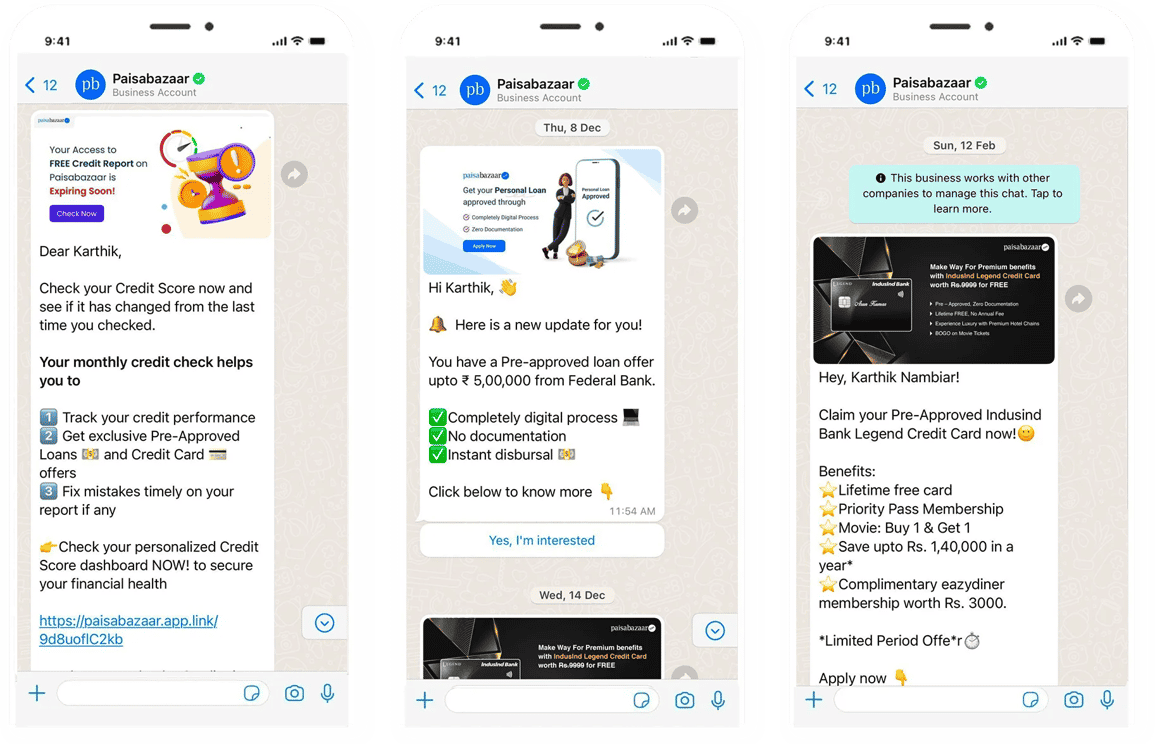
Paisabazaar is one of the leading-edge platforms to get lifetime free credit scores and reports along with access to the best deals on cards, loans, insurance, and investments.
Being a digital consumer credit marketplace, they have launched the most user-friendly way of communication, i.e., through WhatsApp Chatbot.
Once you sign up for Paisabazaar, it provides you with an option of getting updates through WhatsApp Messenger.
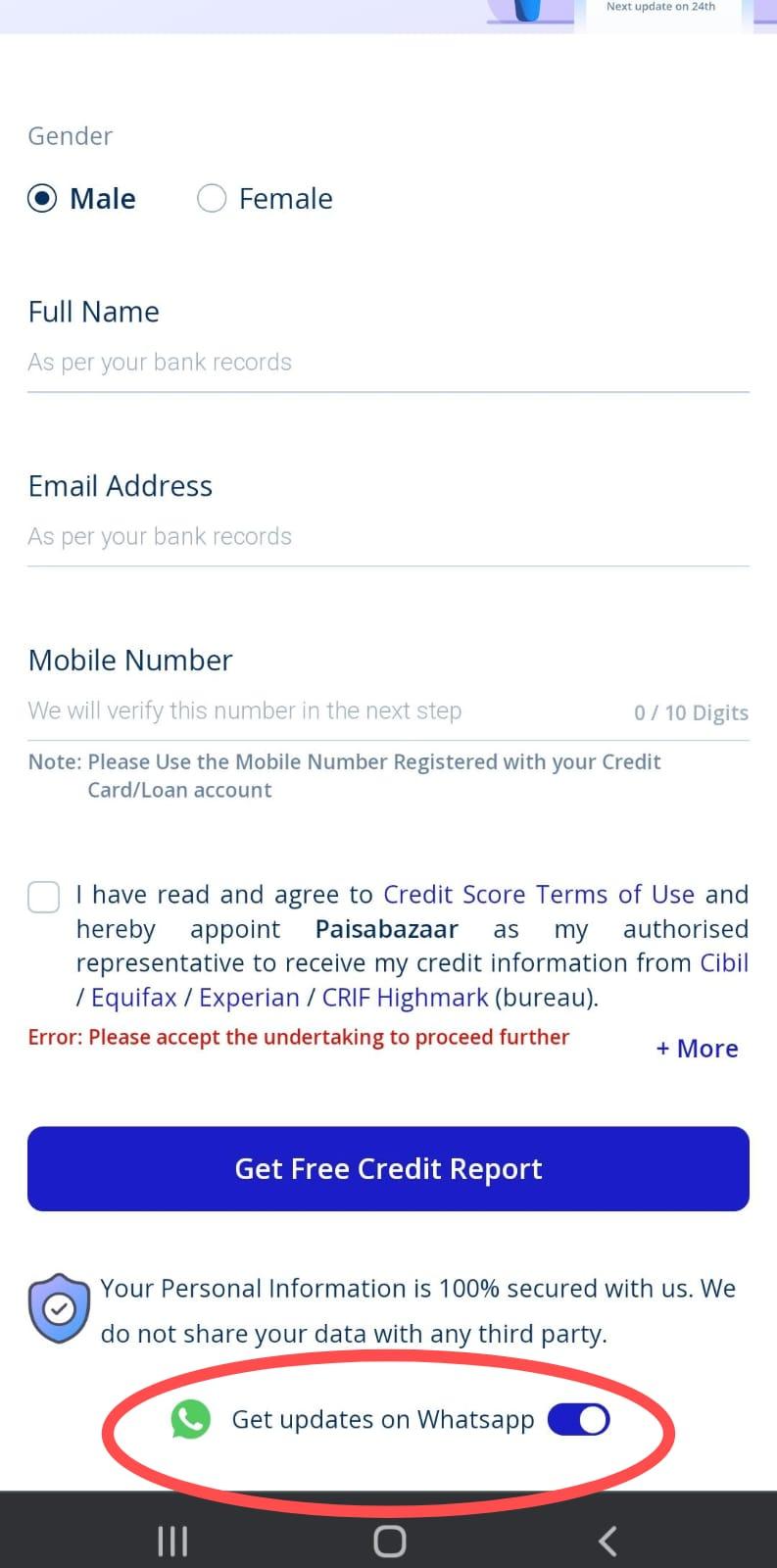
This feature allows the customers to interact seamlessly and get personalized responses at any time of the day.
The key feature of Paisabazaar's WhatsApp Chat Bot is that from sharing reminders and updates like other insurance companies, it shares your credit score report directly through WhatsApp.
Upstox claims to be the one-stop destination when it comes to stock market trading, with more than 1 crore Indian members. This real stock broker offers retail trading services and allows the users to trade in stocks, digital gold, mutual funds, futures, etc, through a Demat Account.
If you're a WhatsApp Business API user, you can enjoy the benefits of Upstox's personalized guidance and workflow through better engagement within a few texts through your WhatsApp messenger.
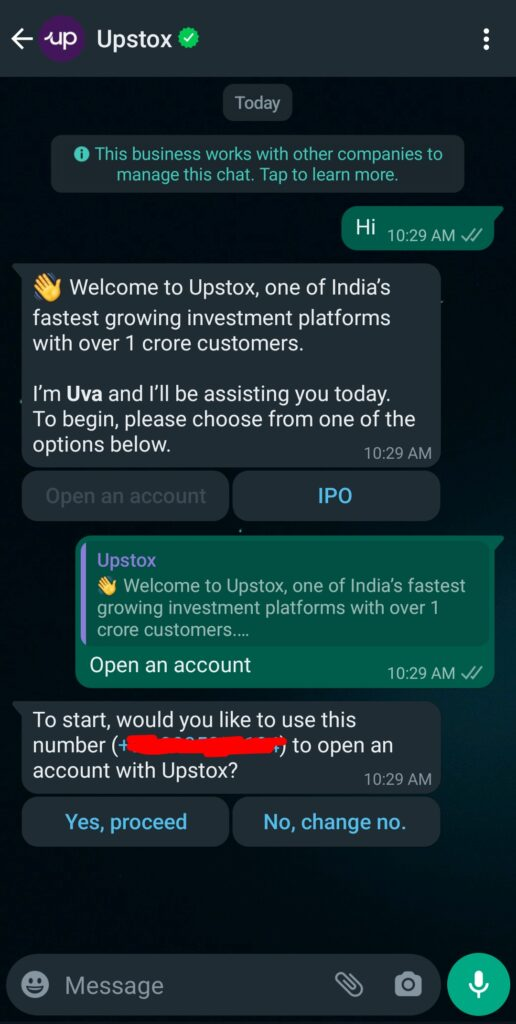
Along with benefiting the traders, the use of WhatsApp Chatbot has helped Upstox to increase its sales exponentially.
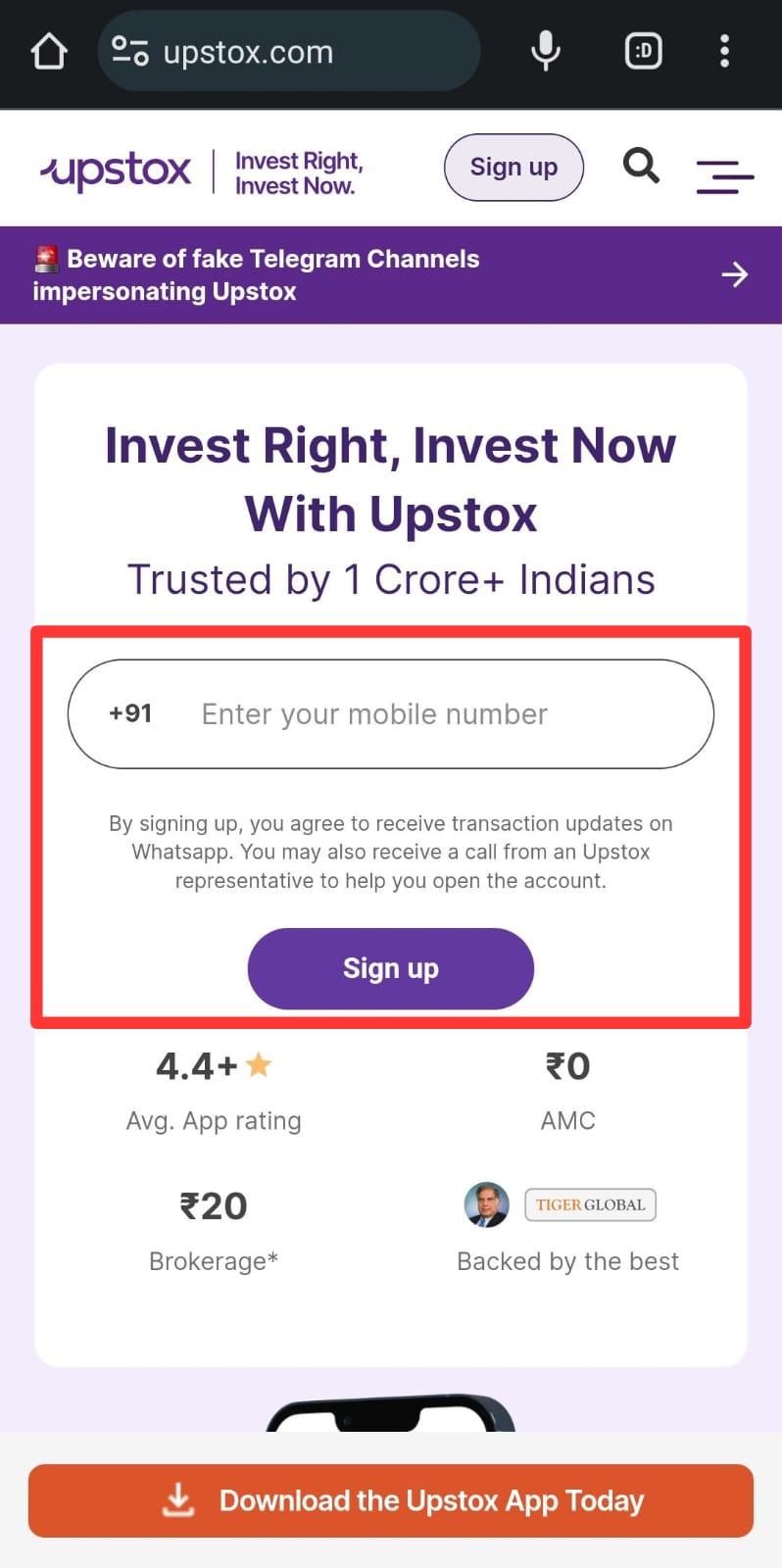
Registering your number at Upstox enables it to send you messages through WhatsApp.
JioMart, as the name itself suggests, is a platform that provides online as well as offline grocery services. It provides you with the facility to shop online from a wide range of categories, including groceries, home and kitchen appliances, electronics, jewelry, toys, books, and a lot more, and get it delivered to your doorstep.
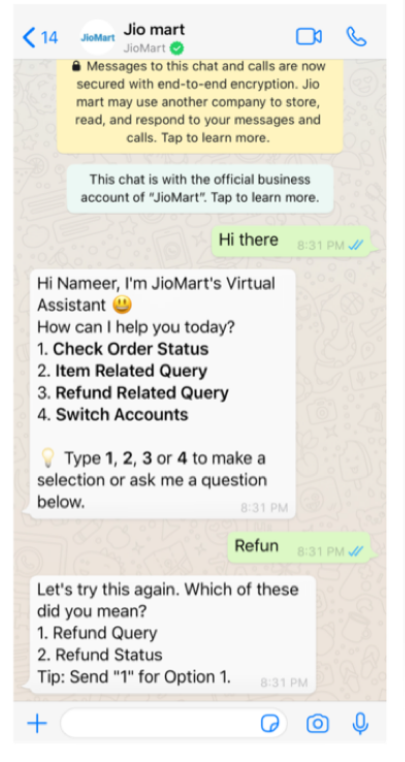
Being run by Reliance, JioMart experienced an increase in the traffic on their sites, which made them realize the need for automated customer support.
A survey has shown that WhatsApp ChatBot has helped JioMart resolve 80% of their queries and reduce the response time by 60%.
Now, you can even place your order through WhatsApp. This has also helped the customers to keep an update on their order status, delivery status, replacement requests, and refund queries all in one place.
Eureka Forbes is India's leading health and hygiene brand that is a multi-product organization striving towards helping everyone live a better and healthier life. It allows you to choose from a wide range of water purifiers, vacuum cleaners, air purifiers, and many more products at the Forbes store.
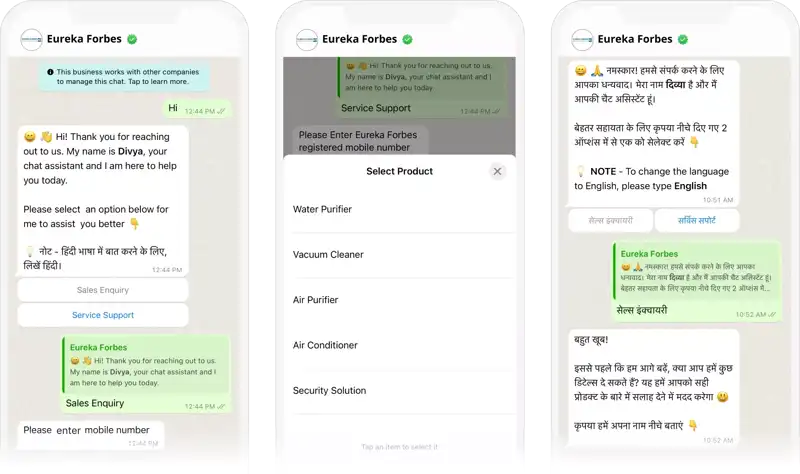
It created a WhatsApp chatbot to resolve the issue of increased traffic and overwhelmed customer service.
More than 1 million people have engaged with Eureka through WhatsApp, which has helped them to choose the best by recommending various products.
Oyo Hotel, also known as Oyo Rooms or Oyo Homes, is an Indian multinational chain of hotels. This platform allows small businesses with hotels, homes, and rooms to increase earnings and help guests find affordable and trustworthy places to stay.
To reach more guests, manage many conversations with customers simultaneously, and decrease response time, Oyo Rooms has set up its WhatsApp chatbot.
These Chatbots can transfer the chatbot conversation to live agents to provide the customers with overall satisfaction, make bookings, and support productivity. This has helped Oyo to attract the audience at a larger scale.
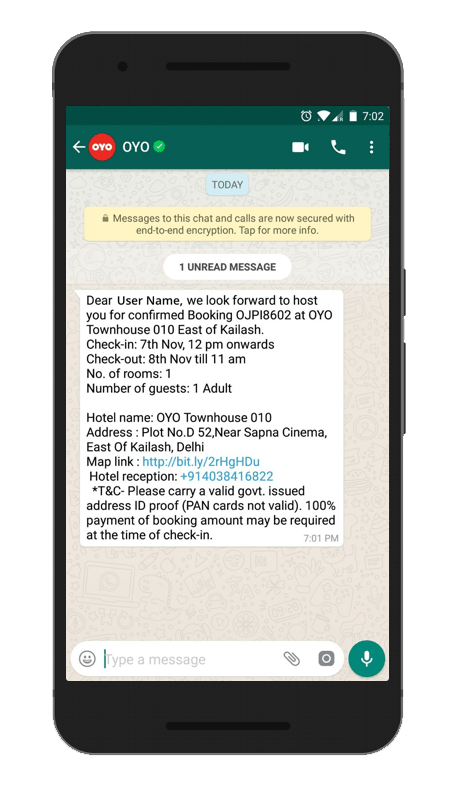
Find more information related to hospitality chatbots here.
This Renowned global fashion and design company has around 4800 stores in more than 75 countries and has a hold in the online market in more than 60 countries. H&M, along with Meta, now works as your Stylist.
It collects feedback from the customer according to their preference of size, color, style, etc, and aligns the searches accordingly. Talking to a Chatbot rather than a human has resulted in quick and better responses.
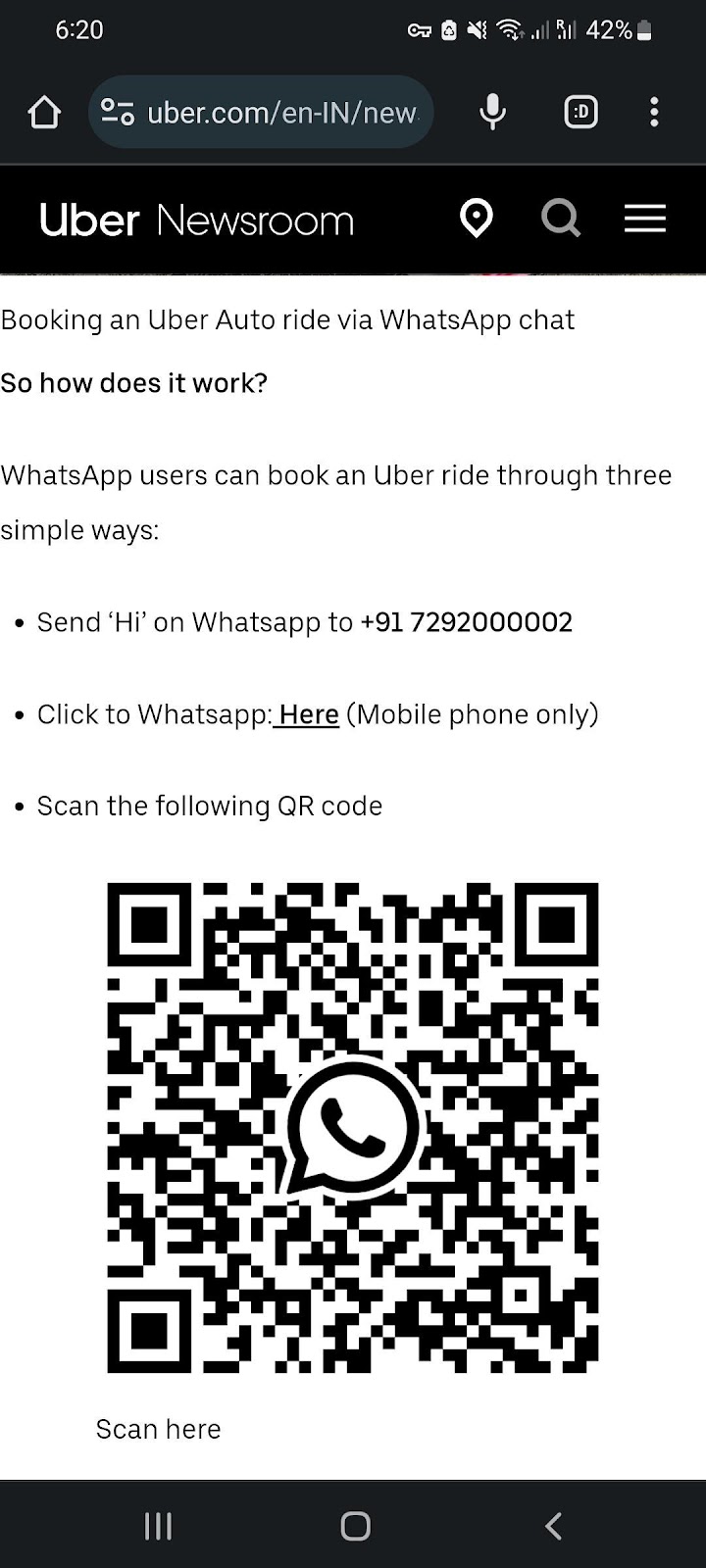
With operating in over 70 countries and 10,500 cities, Uber Technologies Inc. has proven to be one of the best food delivery and transport partners, along with their ride-hailing services.
In 2022, In India, Uber decided to expand the access to their services by connecting the riders and drivers to the users through WhatsApp.
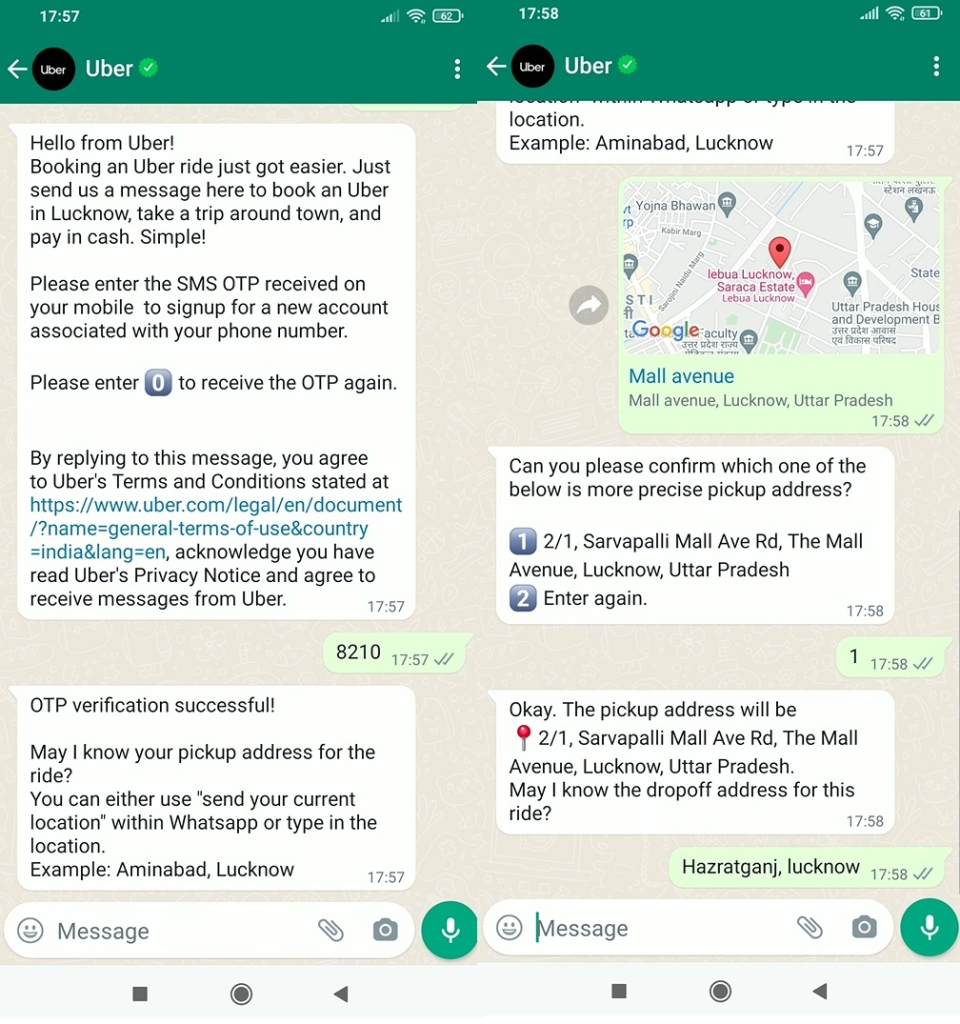
Through Uber's Whatsapp Chatbot, you can do everything within a few clicks, from user registration to booking a ride, getting the trip receipt, etc.
In the following image, you can find the steps to book Uber through WhatsApp.
United Nations International Children's Emergency Fund, or UNICEF, is an agency of the United Nations that provides aid for the welfare of Children worldwide.
The outbreak of the Covid-19 pandemic led to the urgent need to spread trustworthy healthcare information online. The quickest and most convenient way was to spread it through the direct UNICEF Whatsapp Chatbot rather than passing on the forwarded messages. Tried and tested blueprints were used to help users.
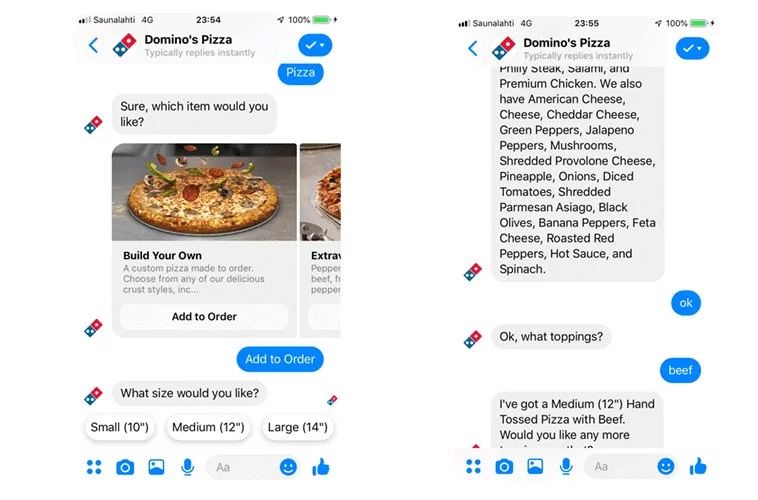
Once you sign in to Domino's official website with your phone number, it asks you to permit location tracking.
From then on, it’s as easy as asking your friend to come over with food for lunch. You chat with Domino's WhatsApp bot and ask it to track your location and the order and pay, all from WhatsApp without leaving the app.
What’s Dominos getting out of it? They are collecting user data and drawing a personalized tone of conversation and preferences to keep the user coming back again and again.
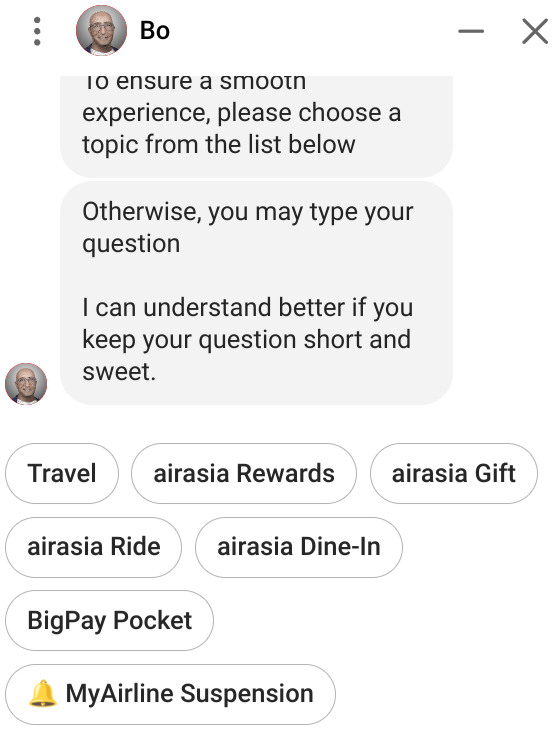
AirAsia launched their AirAsia Virtual Allstar (AVA) on WhatsApp, through which passengers can text “hi” and get started with all their queries.
You can ask the bot about booking a flight to check eligible offers.
You can chat with IndiGo’s chatbot, Dottie, from WhatsApp by texting a “hi.”
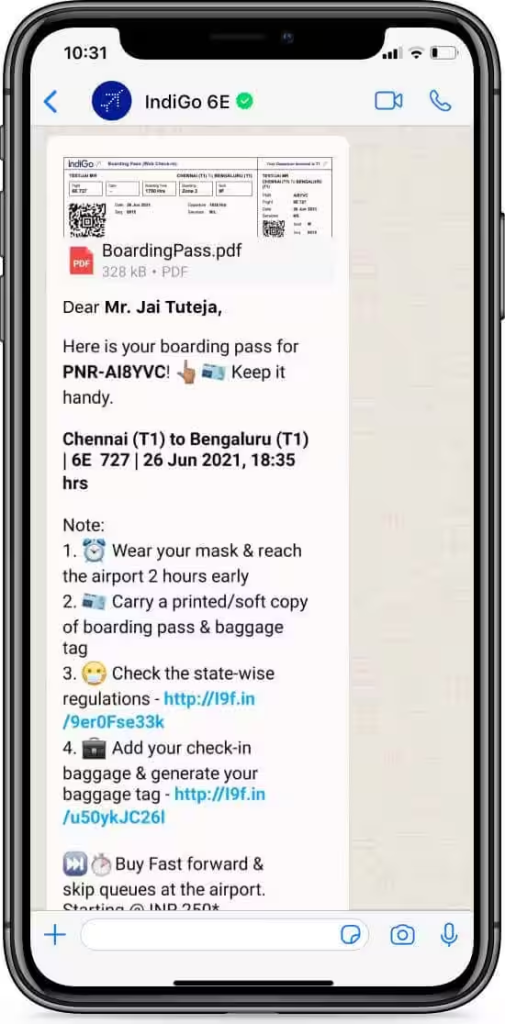
The WhatsApp bot can help you with flight booking, payment, and different commonly asked questions.
While these chatbots are increasingly updating themselves, they surely are helping people in ways even humans could not have done at a similar pace.
MakeMyTrip is one of the leading travel booking and solution-providing platforms. To ease a traveler's journey by planning the best package, they launched their WhatsApp chatbot that shares the best deal offers and notifications about traveling.
One of the out-of-the-box features of the chatbot is it provides you with the ticket status just by writing the PNR number to the chatbot.
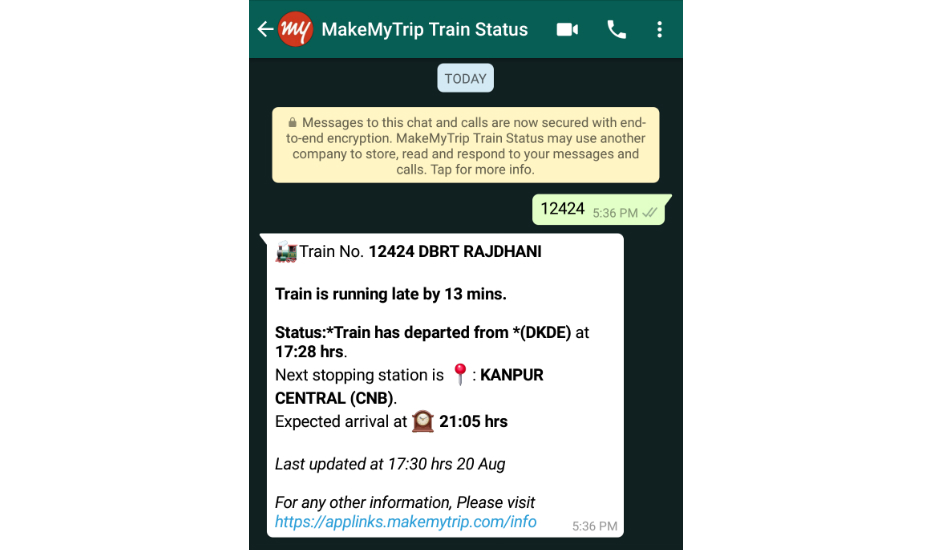
Looking for a one-stop destination that sells books, music, and movies along with all the facilities of an online mart?
Amazon will solve your purpose. Being a vast internet-based company, it attracts not only retailers but also middlemen targeting all sectors of society. To maintain a smooth interaction between the buyers and the sellers, it has come up with the idea of WhatsApp Chatbot.
One of the biggest advantages of using Amazon WhatsApp chatbot is that you can track your orders and subscriptions and get all your queries resolved within the WhatsApp software.
It is easy to communicate virtually with the discovery of WhatsApp. There's no doubt that the software has made our day-to-day life easier with its user-friendly interface.
But the technology really paid off when companies like Jio, Uber, etc. started using WhatsApp Chatbot to communicate with their customers and made shopping and transactions seamless.
From occasionally promoting the business to receiving orders and transactions, WhatsApp Chatbot is the real deal.
In today's digital era, WhatsApp has simplified the way families, businesses, and communities can connect to share their thoughts and information. Collaborative discussions among multiple individuals can be easily done through the group chat feature of WhatsApp.
However, manually adding each contact to your device for them to join your WhatsApp group can be a cumbersome task. But how to create a WhatsApp group link?
To resolve the same, in this article, we'll introduce you to the feature of WhatsApp group invite link. The WhatsApp invite link, exclusively created by the group admin, can be shared with anyone who has WhatsApp installed, simplifying group invitations.
This feature of invite benefits both individual and business levels by streamlining marketing, promotion, networking, customer support, and guest invitations and planning.
Follow through to find out how to create a WhatsApp group link through different devices.
To generate the WhatsApp Group Link on your PC, follow these steps.
Step 1: Log in to your WhatsApp account using the WhatsApp Web feature.
For this, visit web.whatsapp.com on your computer. Scan the QR code visible on the screen through your mobile to log in.
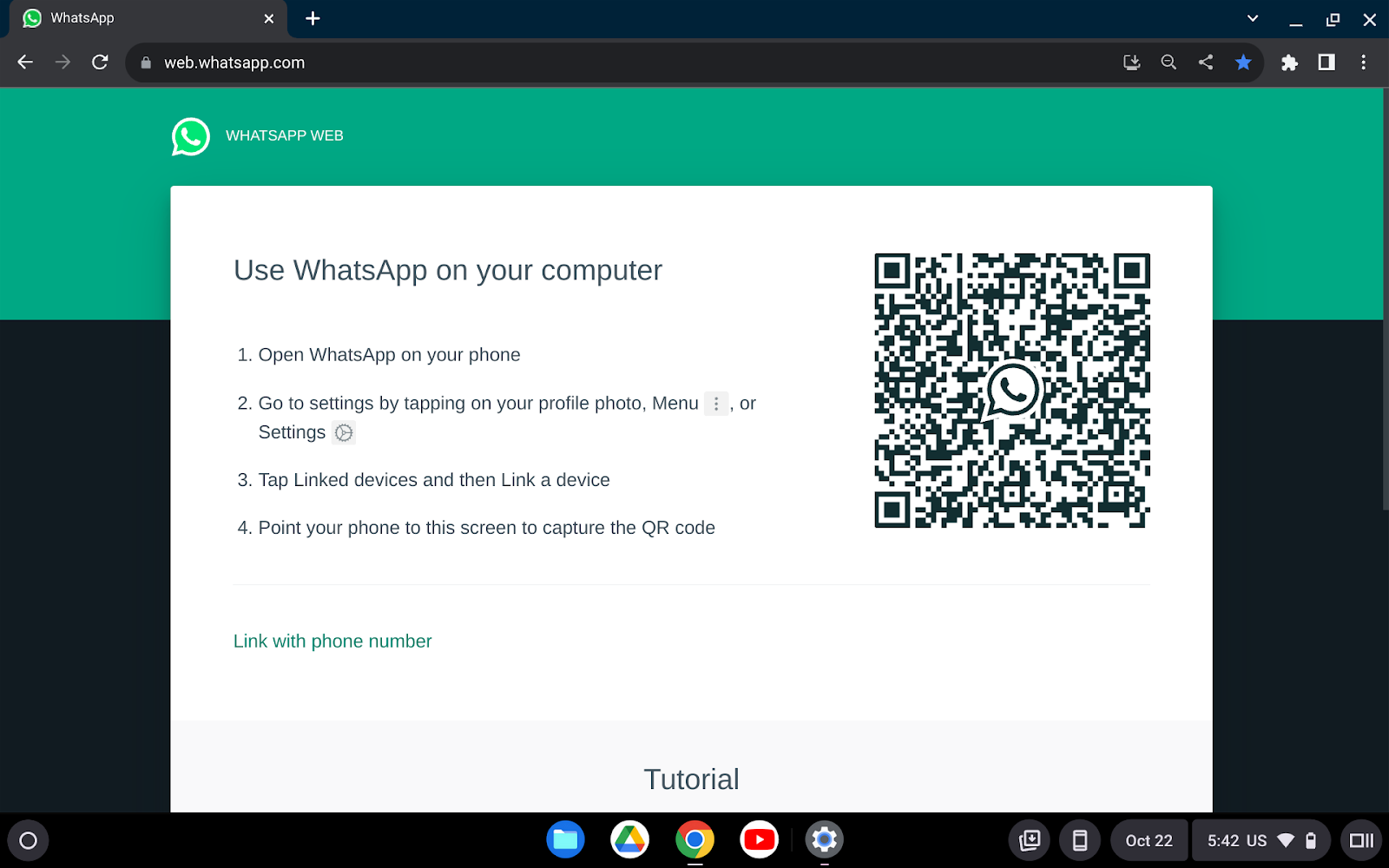
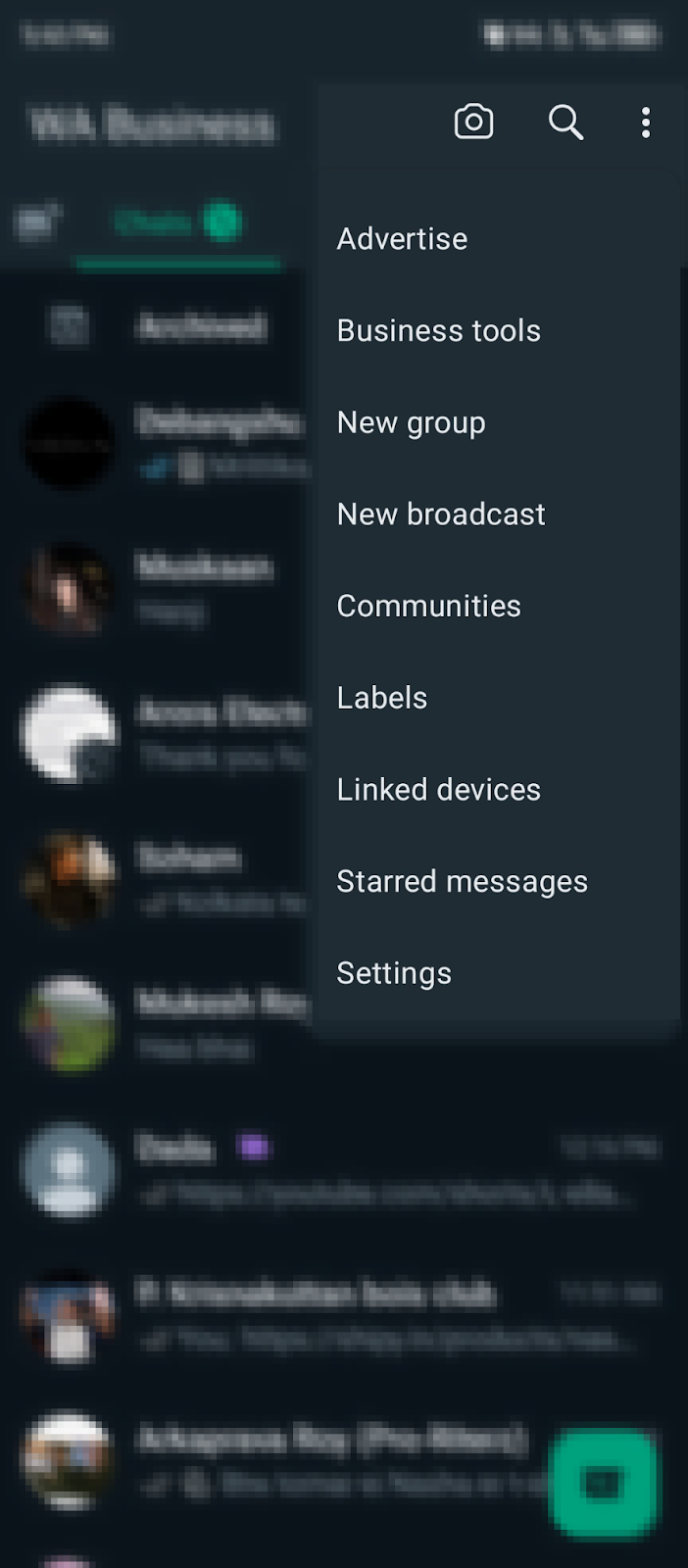
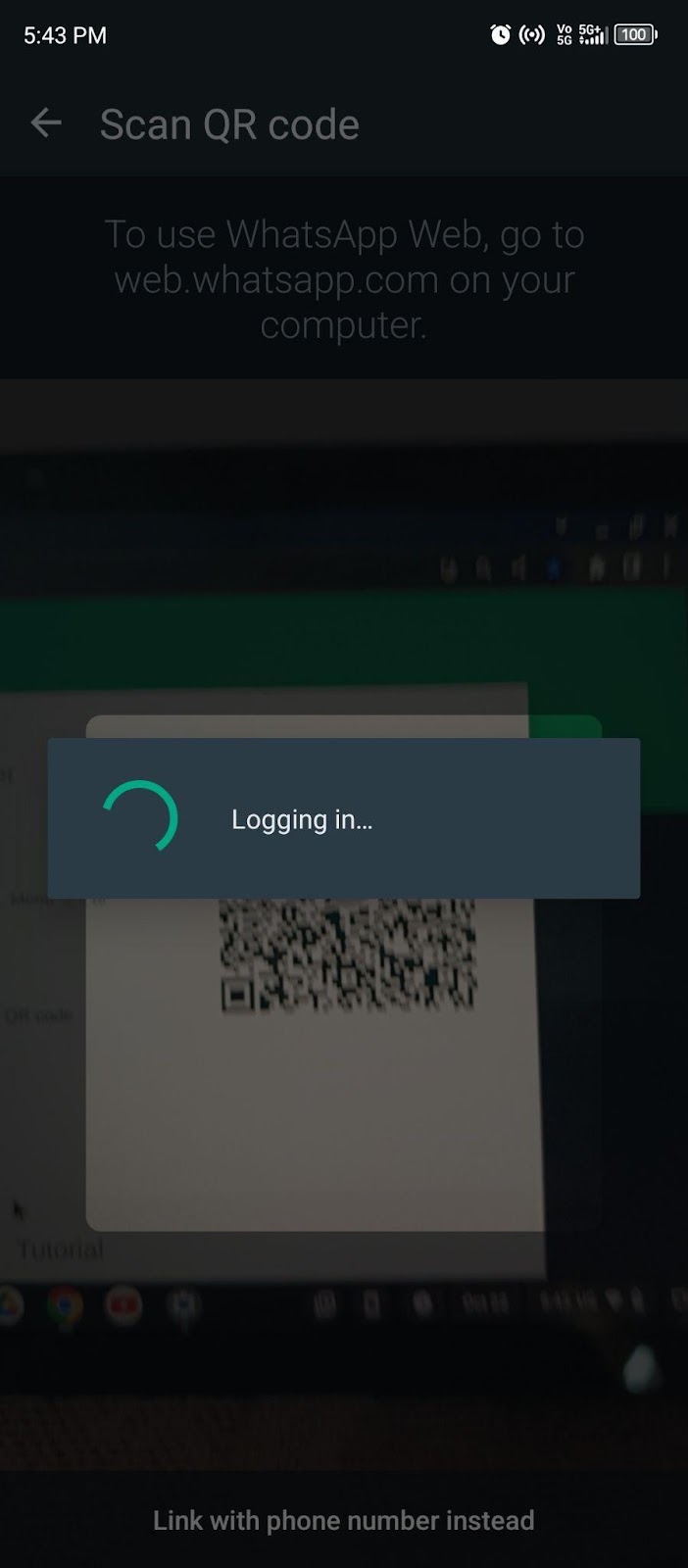
Step 2: After you log in to your account, scroll through your chats and open the WhatsApp group you wish to create the link or You can create a new group through Menu.
Step 3: Once you open the group chat, click on the Group Name.
Step 4: You will find options such as Overview, Participants, Media, Files, Links, etc. Tap and select Participants.
Step 5: Select Invite to group via link option present below Add Participants.
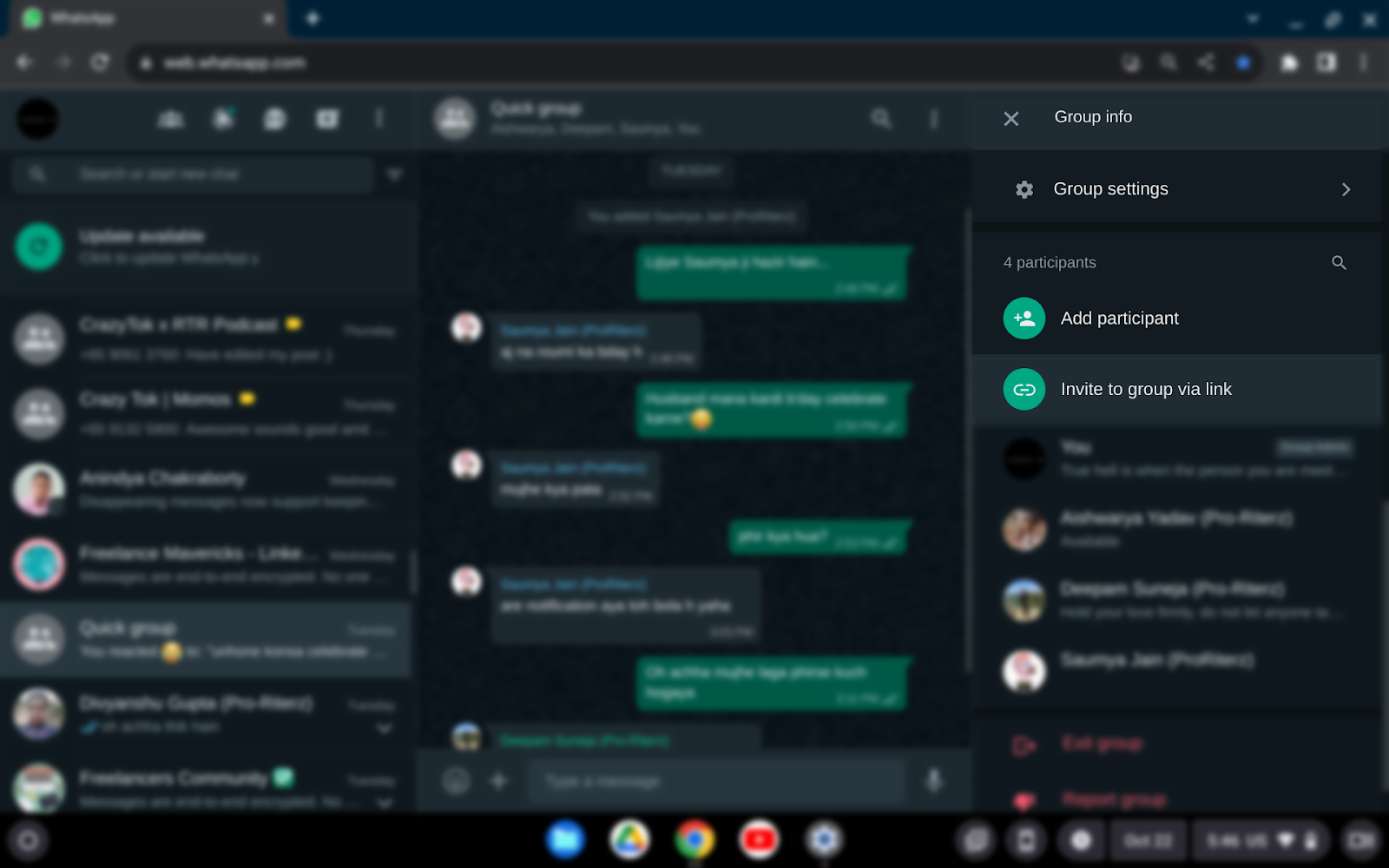
Step 6: Now, copy the link visible on the screen to your clipboard and share it via different platforms to invite people to join.
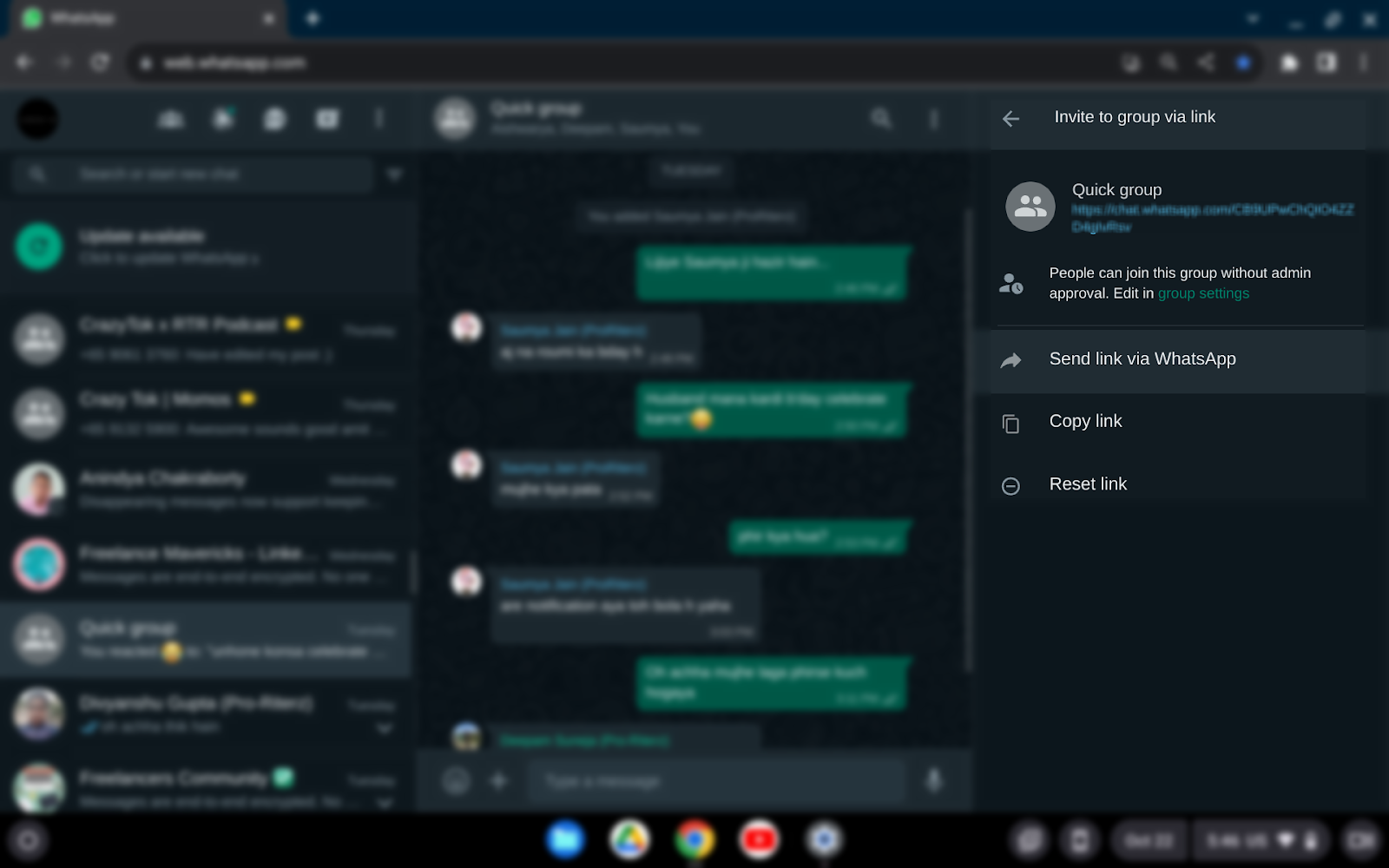
Now, anyone who clicks on the link will directly be added to your WhatsApp Group.
Using an iPhone to create and share WhatsApp group invites is comparatively easier. All you need to do is to follow these simple steps.
Step 1: Open the WhatsApp application on your iPhone.
Step 2: Choose the group you wish to create the invite link for and open the group chat.
Step 3: Click on the Group Name and scroll down to Participants.
Step 4: If you are the admin of the group, you'll find the option of Invite to Group via Link. Tap on it.
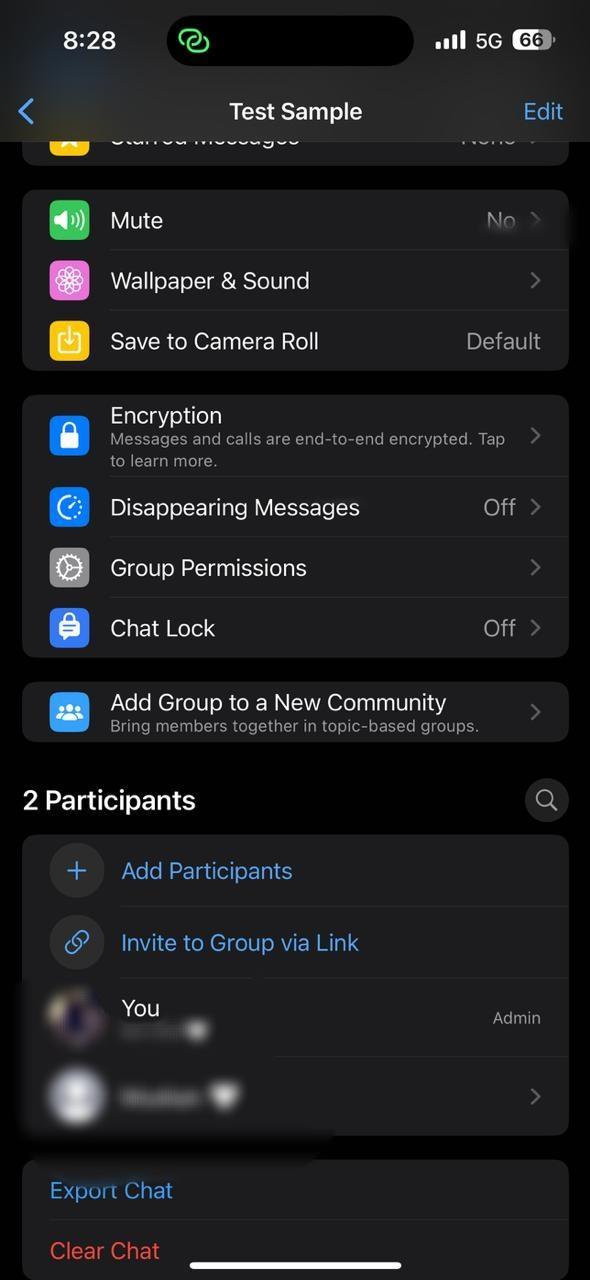
Step 5: A new page will appear with the link below the group name, along with options such as
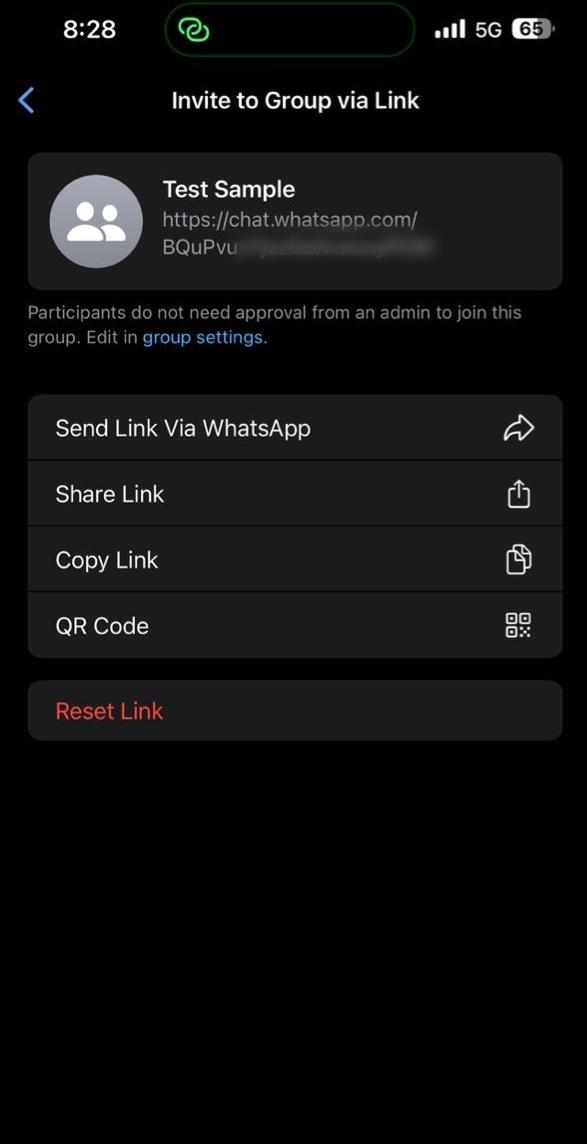
Step 6: Select your desired option from the send, share, and copy link and QR code to share the invite link through various platforms.
If you want to reset the link, you can click on the reset link, and this will generate a new link, making the previous link nonfunctional.
Android users can benefit from creating the invite link by following these steps.
Step 1: Open the WhatsApp application on your Android device.
Step 2: Choose or create the group you wish to share the group invite link.
Step 3: Tap on the Group Name to open the group information page and scroll down to Participants.
Step 4: If you are the admin of the group, you'll find the option of Invite to Group via Link. Tap on it.
Step 5: A new page will appear with the link below the group name, along with options such as
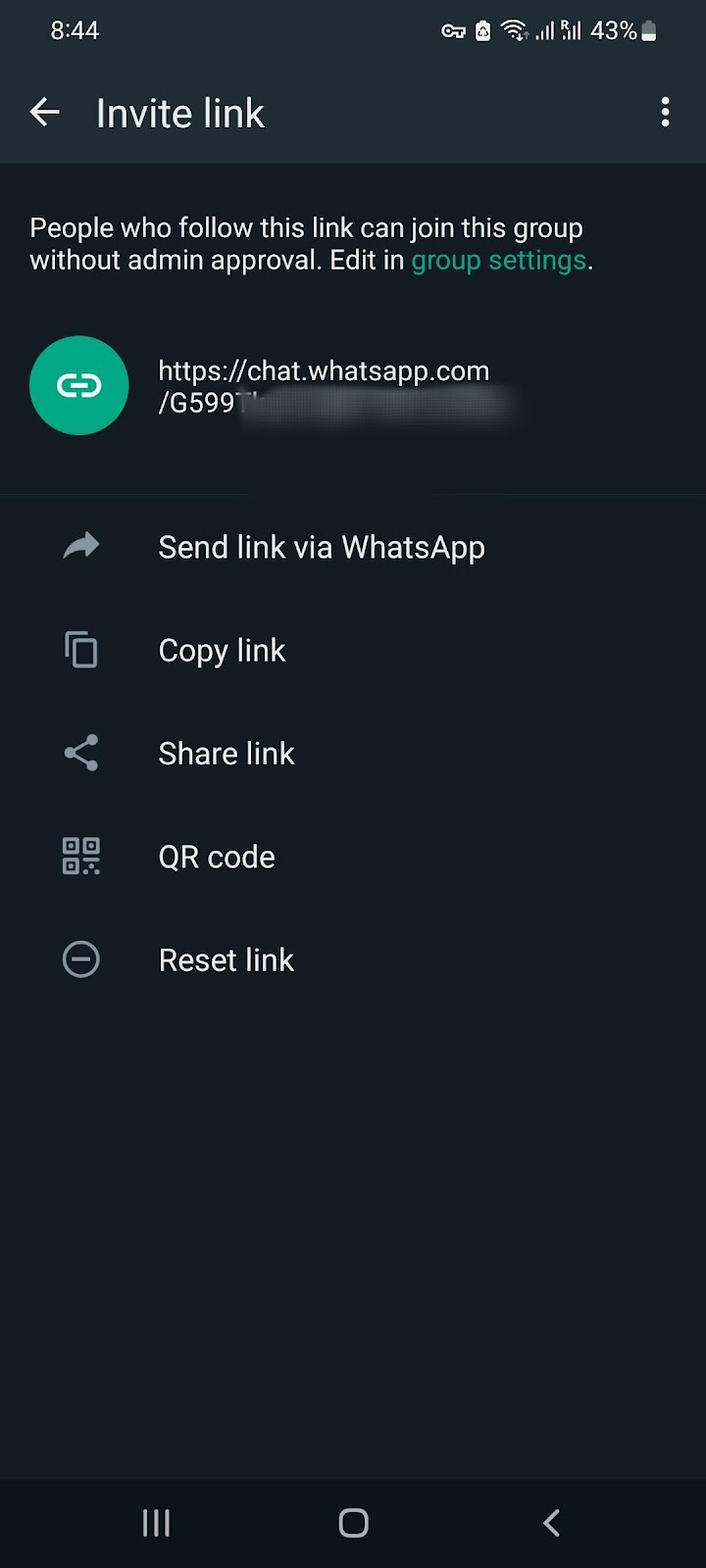
Step 6: Select your desired option from the send, share, and copy link and QR code to share the invite link through various platforms.
You can also click on the link, and it will provide you with different ways to share it by copying it directly.
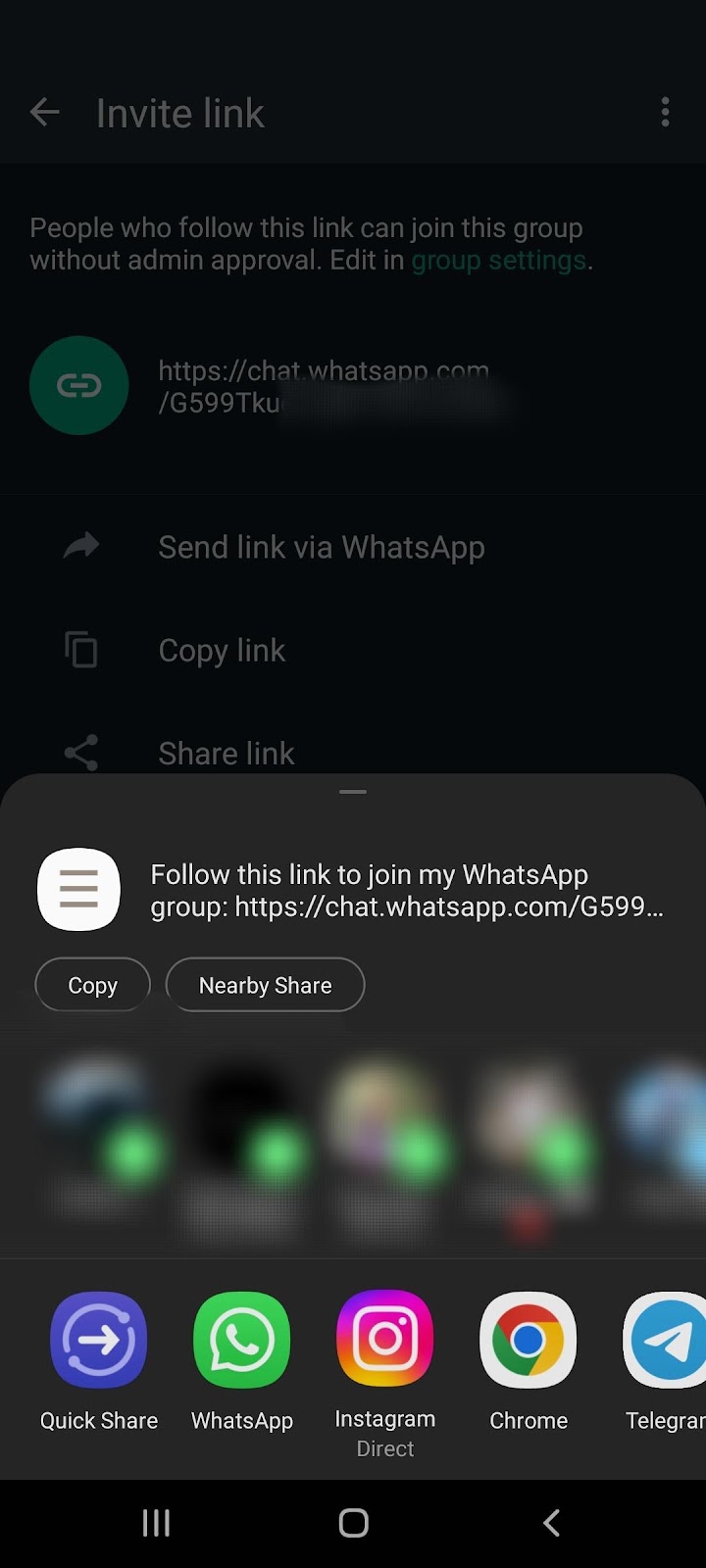
Group links have simplified access to WhatsApp group chats and information, enabling users to effortlessly create and invite others to join their groups via a shared link. This feature also allows individuals to join various groups without the need to add new contacts to their devices.
If you are an admin, you can also set the link's permission using WhatsApp privacy settings, like the number of users after which a link expires, mandatory permission of an admin for new members to join, etc.
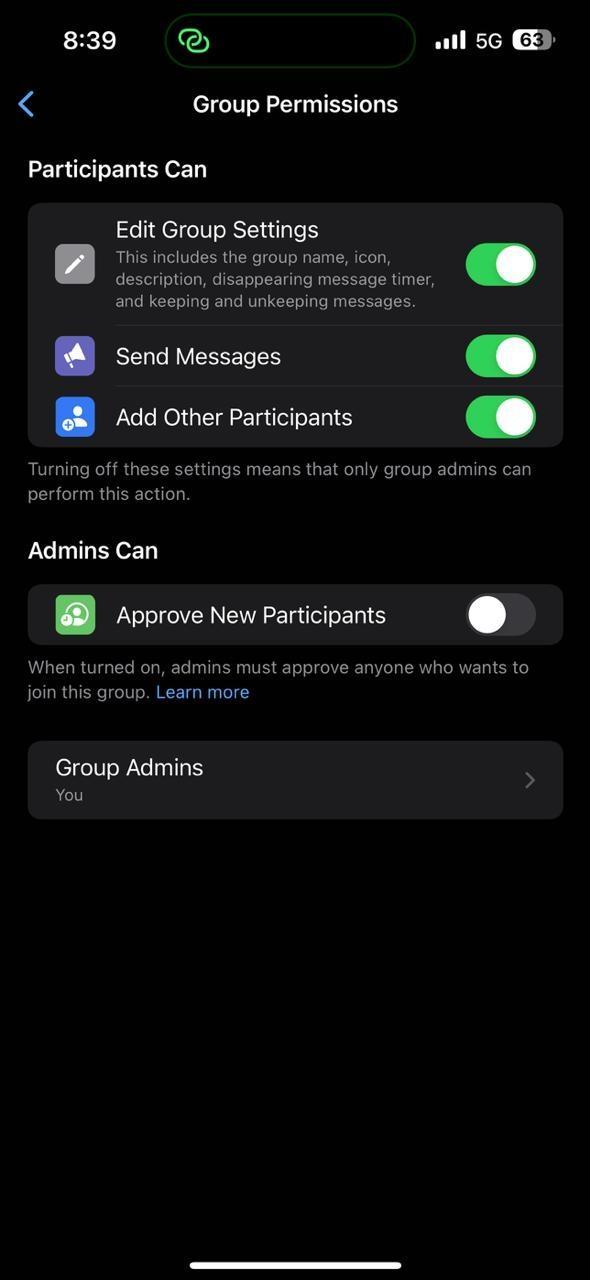
There is one more feature termed the "Revoke link," which we have discussed in the upcoming section.
Revoking a WhatsApp group link refers to making the group link invalid so that no new member can join. To revoke the group invite link,
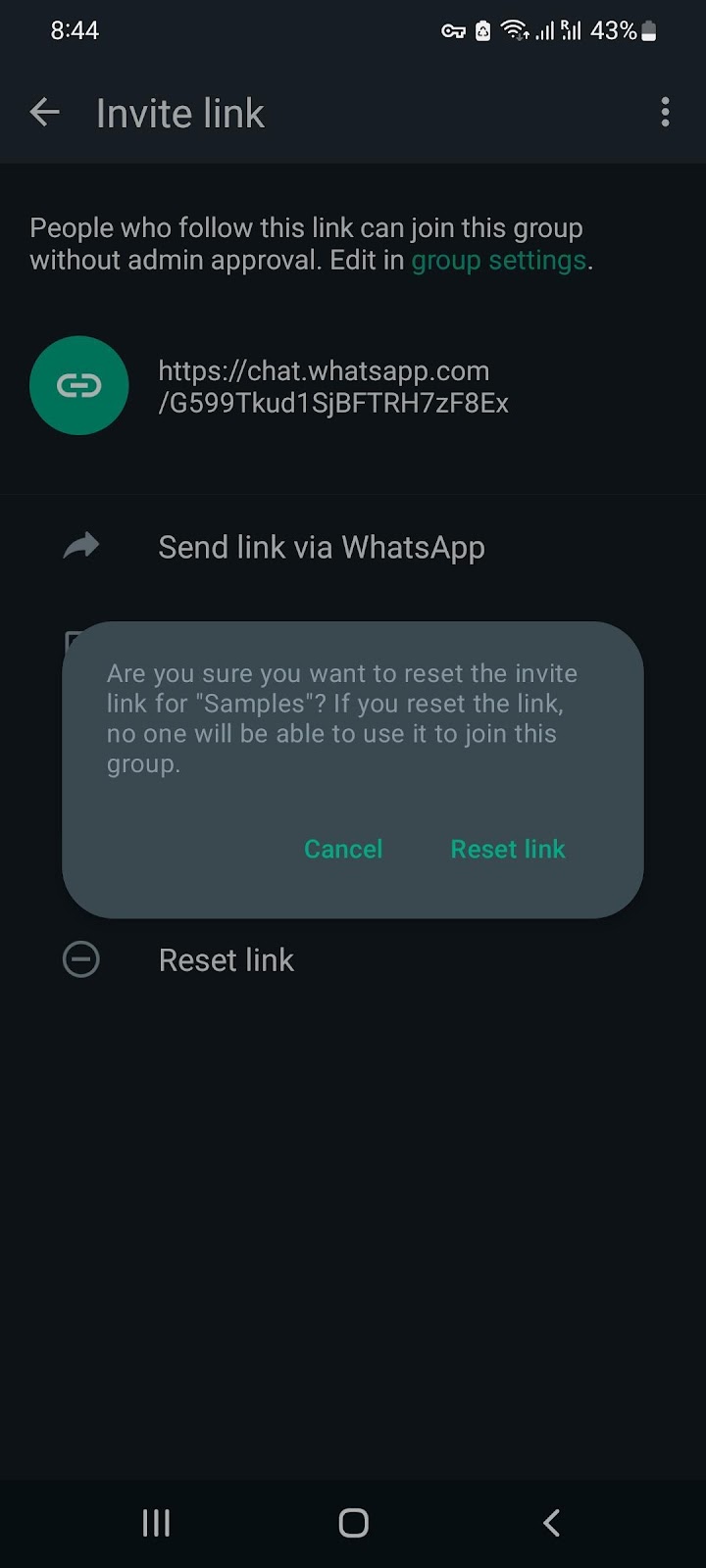
These simple steps will protect your group from anonymous spamming and random people joining your group.
Having a WhatsApp group is equally beneficial for individuals as well as businesses and community managers. As individuals, if you are in your college study group or various office groups, it helps you get updated information and vice-versa. Because communicating the same information to multiple people individually can be daunting.
Similarly, if you are an admin of a business or community manager to a certain discussion, it’s easier to monitor and manage both information and people via a group. What’s better than the most common text message platform- WhatsApp?
We have covered all the steps for creating a WhatsApp group link and joining people on the group across all the major operating systems. Create groups and enjoy connecting with your peers.
If you have a business and need to send bulk messages regularly or do WhatsApp marketing, Sendwo has some brilliant solutions for you. Check out our features and choose the right option for your business.
Sign up on Sendwo API-based WhatsApp marketing software to leverage WhatsApp automation
Is there anyone who’s not using WhatsApp today? Connecting with others is seamless with texting, voice, or video calling with WhatsApp. But today, we will talk about the use of WhatsApp in Business, with a dedicated application called WhatsApp Business.
Since WhatsApp is a very popular messaging app, connecting with your prospects and customers through WhatsApp is easier than other platforms. Due to its user-friendly interface and people spending most of their time on the day on WhatsApp, messages have a 98% opening rate.
The above are very strong reasons why businesses are opting for communication and marketing through WhatsApp. Let’s discuss how you can scale your business with WhatsApp Business and automation.
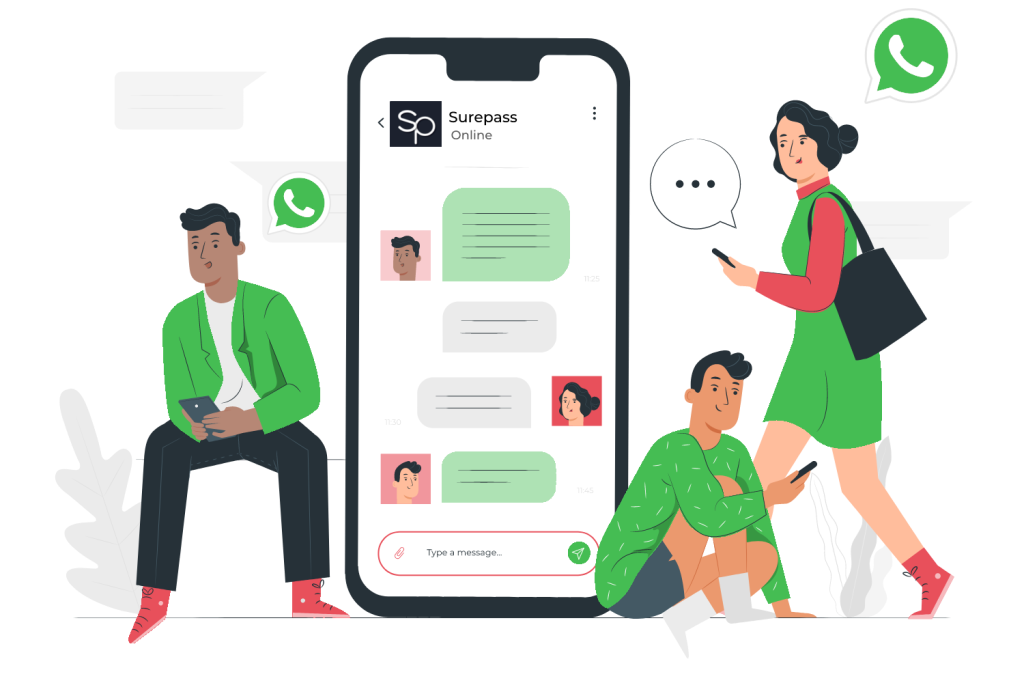
WhatsApp automation means automating your communication and marketing strategy using the WhatsApp Business and WhatsApp Business API. Since there’s a limitation to the in-built features, you can take support of different 3rd party WhatsApp marketing solution tools like SendWo. Since WhatsApp is a messaging application, businesses can announce any new offer or send recurring promotional messages to customers and prospects with a dedicated CTA button.
For example, if you want to do WhatsApp marketing and send messages in bulk without getting banned, Sendwo has curated a bulk WhatsApp sender tool to reduce manual work and maintain all of the data through a dashboard. And if your customers have queries and it’s outside your business hours, WhatsApp chatbot is available 24*7 to help them out with chat support.
Let’s look at the benefits of WhatsApp automation in detail.
While there are multiple WhatsApp automation benefits, we have covered the top 5 of them for you to make a conscious decision and try it yourself.
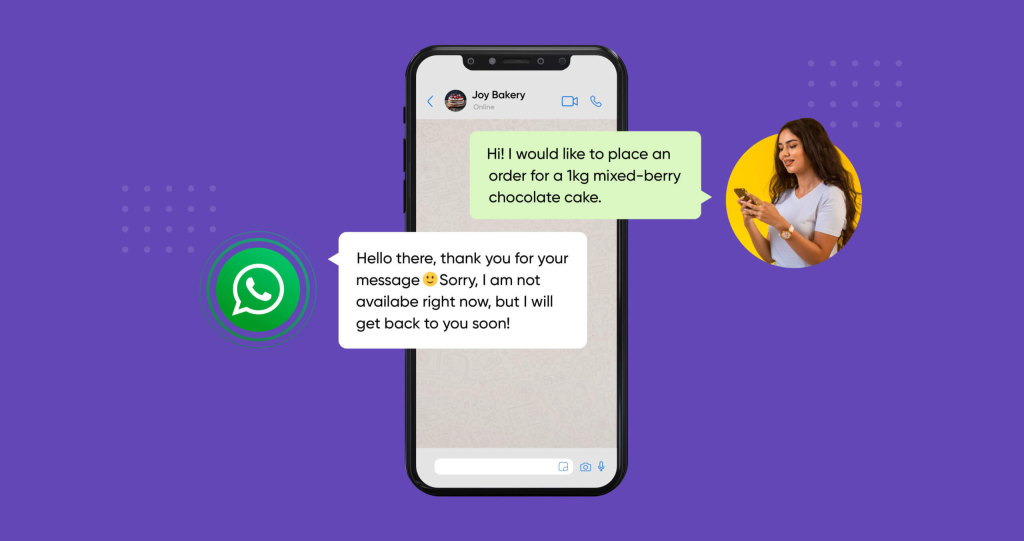
The following components can transform the communication between your brand and customers. With these automation tools, conversation rates go high, and you can offer instant responses, etc.
WhatsApp Business comes with various useful business tools, which include two automated messaging features. The first one automatically sends a greeting message whenever someone texts you after a gap of 14 days. You can customize the message as well as the recipients list. The second feature sends an away message depending on how you schedule it to work. Mostly, it is used to reply to incoming messages after the business hours set by you.
Fortunately, both of them are free. So, if you are new to automation, these will help you understand how beneficial WhatsApp automation is to your business communication.
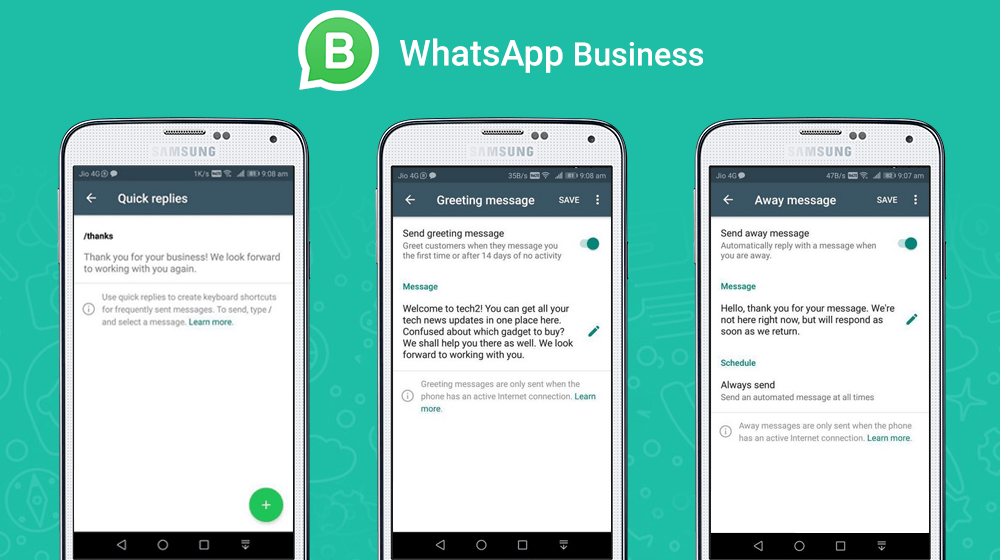
Let’s look at how you can automate messages with WhatsApp Business:
You are all set to use the built-in automated messaging tool of WhatsApp Business.
Although these features are great and amazing for small business owners, there are a few limitations to using the built-in feature.
But if you have a medium to large size business, it’s wise to get WhatsApp Business API and integrate it with third-party tools.
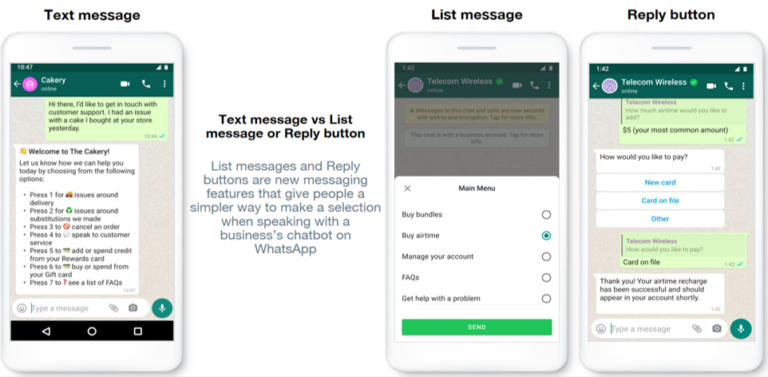
Getting WhatsApp Business API isn’t tough. If you already have an account, follow the steps to launch your automation journey. If you are yet to get WhatsApp Business API, Go through these requirements and follow the next steps.
Alternatively, we can help you get your WhatsApp Business API account and integrate it with our user-friendly interface.
Launch the tool on your computer, enter all the credentials, and go to the dashboard.
Follow these 3 simple steps and launch your WhatsApp automation effortlessly.
However, we offer support for two different APIs - official and unofficial. While the official one is expensive, it is more secure than the unofficial one, which is prone to getting banned.
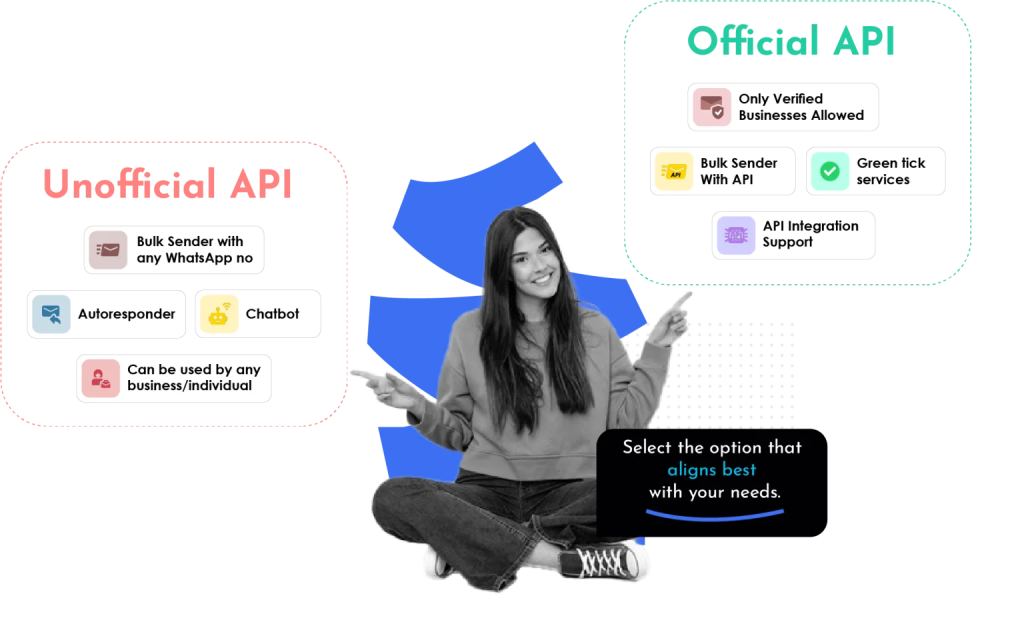
There are multiple ways you can use Sendwo to leverage WhatsApp automation.
You can set up the automation tool in very easy steps:
Sendwo sets up your WhatsApp Business API with the tool with absolutely zero cost and also gives you the choice of going with the official API or an unofficial API. The difference is simply that one is more expensive than the other, but the cheaper one, i.e., the unofficial one, is prone to be banned.
We have previously discussed the benefits of using WhatsApp automation in brief. Let’s talk about what are the things you can do with the official WhatsApp Business API from Sendwo in detail.
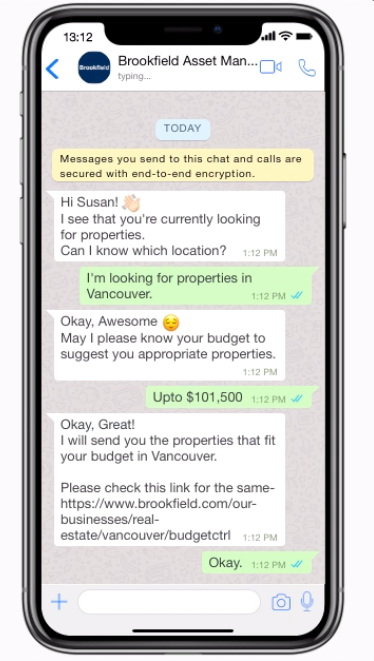
Utilize Sendwo's WhatsApp Business solution to automate lead generation processes, engaging potential clients and capturing valuable information seamlessly.
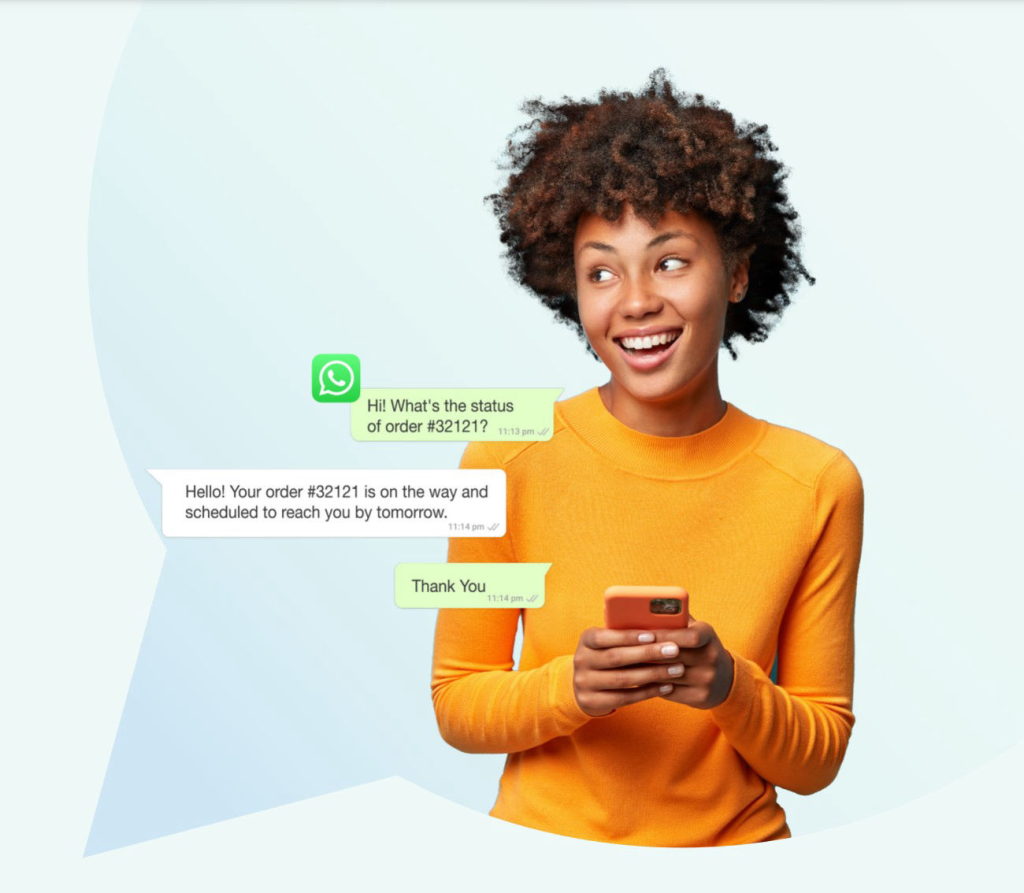
Boost your sales efforts by automating personalized product recommendations, order confirmations, and follow-ups, ensuring efficient sales management and improved customer satisfaction.
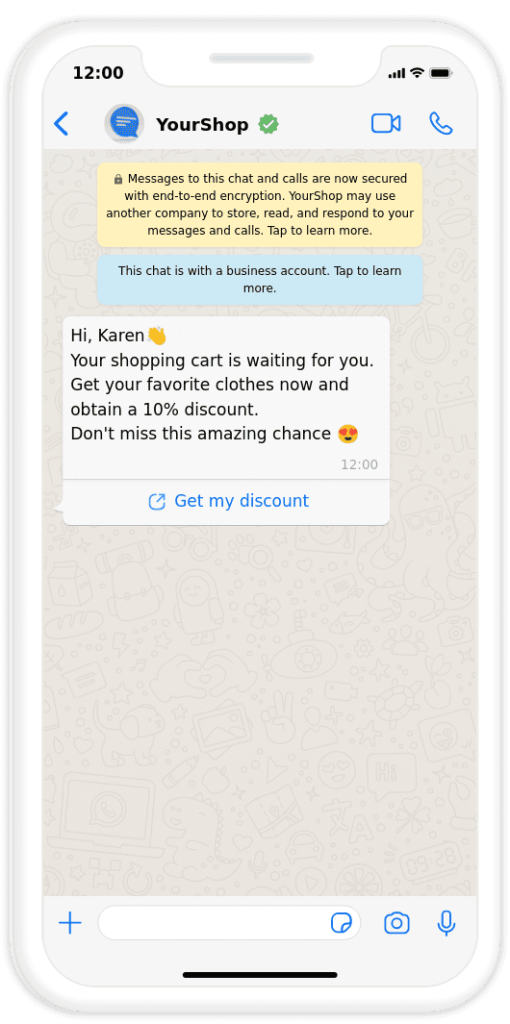
Combat cart abandonment effectively by implementing automated messages on WhatsApp, encouraging customers to complete their purchases, and providing instant assistance.
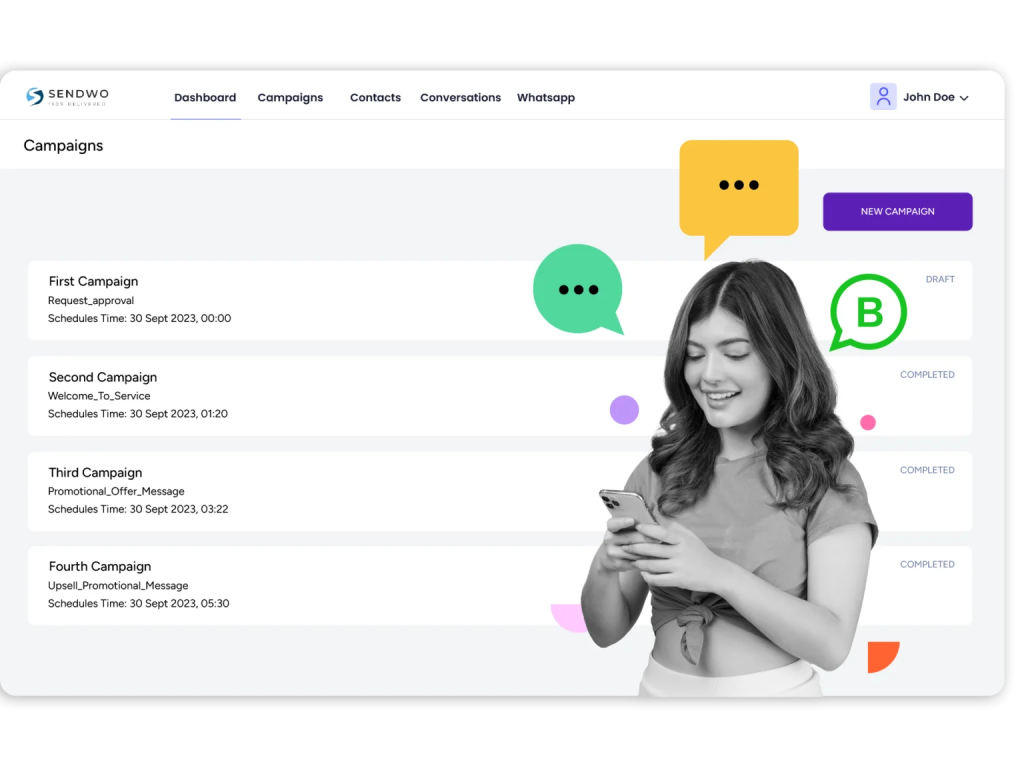
Send targeted promotions, event invites, and updates directly to your audience's WhatsApp, ensuring higher open rates and better campaign management.
Optimize your advertising strategy by automating performance marketing ads on WhatsApp, reaching potential customers with tailored content, and driving conversions.
Enhance customer experience with intelligent chatbots that provide instant responses, answer queries, and guide users through various stages, all powered by Sendwo's WhatsApp Business API.
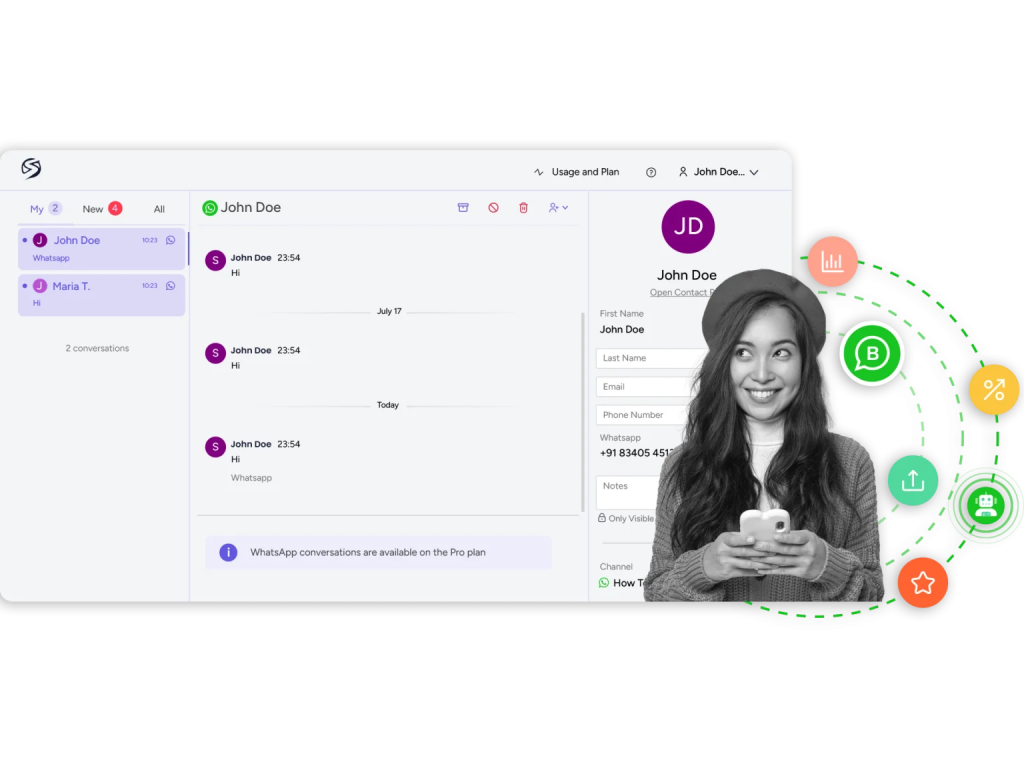
Offer real-time website chat support through WhatsApp, enabling visitors to connect with your business instantly, enhancing customer satisfaction, and building trust.
If you have a tight fund to start, we also offer an unofficial WhatsApp Business API on Sendwo for you.
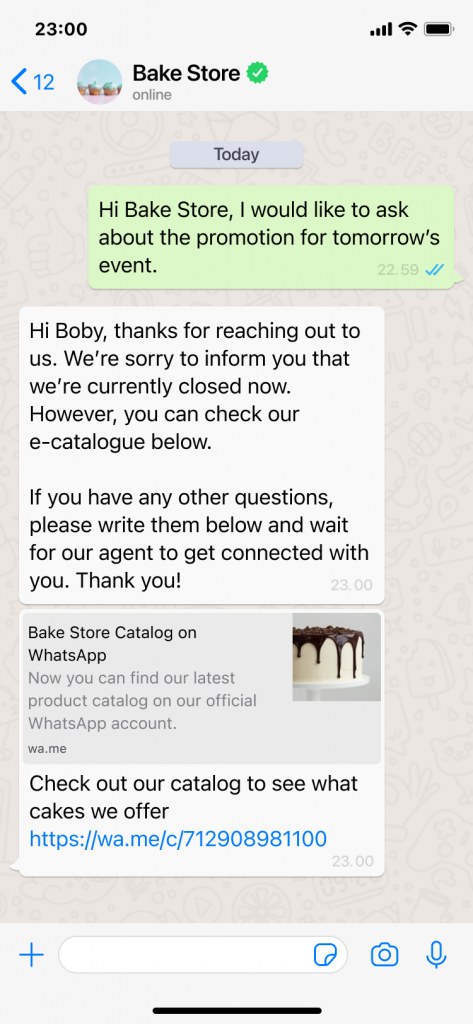
Automate quick responses to customer inquiries, ensuring immediate acknowledgment and improving engagement even without the official WhatsApp Business API.
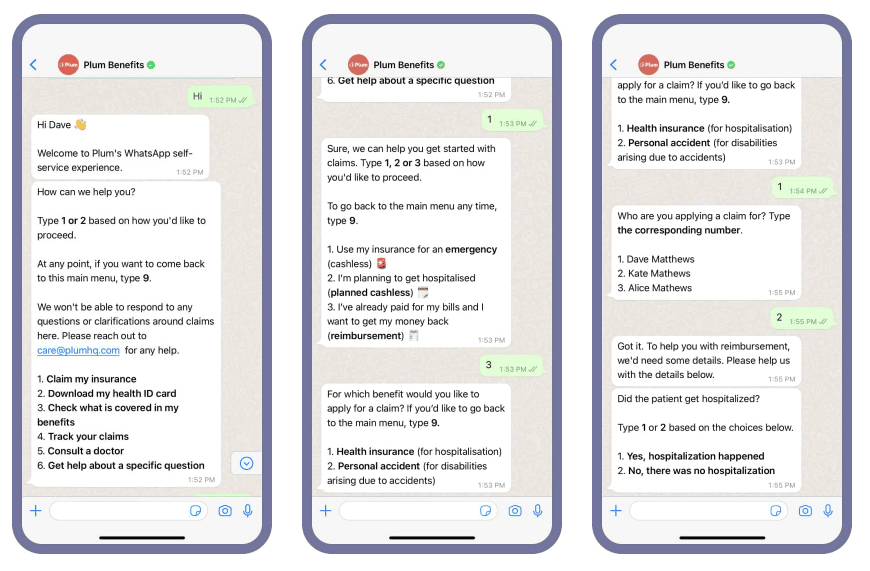
Implement basic chatbot functionalities to handle frequently asked questions and provide automated assistance, enhancing user experience and saving time for both customers and your team.
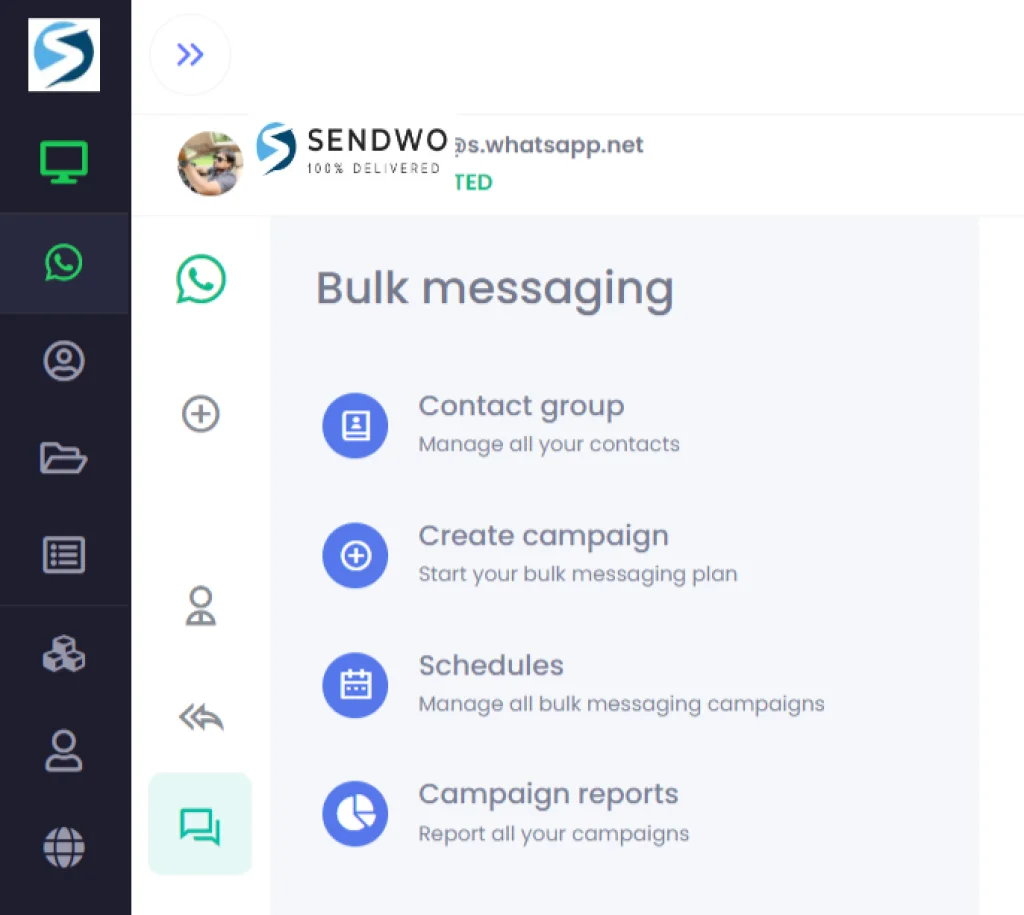
Leverage the power of bulk scheduled messaging to reach a wider audience, promoting your products, services, or events efficiently, all within budget, using the unofficial WhatsApp API.
Sign up on Sendwo API-based WhatsApp marketing software to leverage WhatsApp automation
We have previously discussed the benefits of using WhatsApp automation in brief. Let’s talk about it in detail.
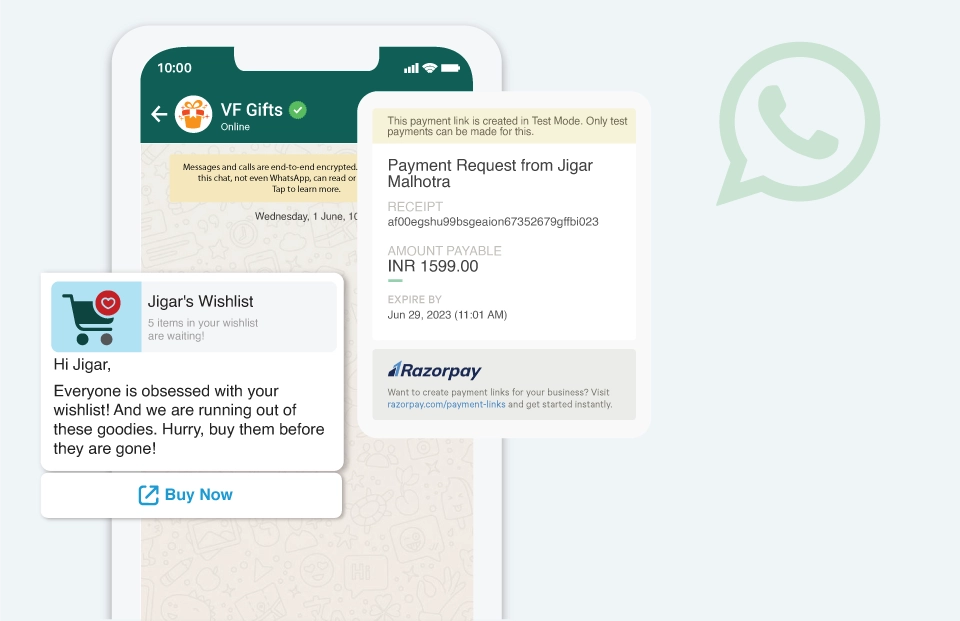
While we are talking about automation tools, it still needs the correct setup and best practices to get the optimum output.
We have listed down the 7 most effective practices to follow.
WhatsApp has emerged as one of the most important business communication tools. Customers can get in touch with the business without even opening the actual shopping app. Hence, businesses can capitalize on using WhatsApp Business, integrating it with other third-party tools, and staying in constant touch with their customers.
We can hope that business and marketing with WhatsApp are going to be even better with the addition of more built-in features that can help small business owners operate without resorting to other third-party tools.
Until then, use WhatsApp Business and integrate the API with our Sendwo automation tool to get the best out of your business with WhatsApp Business and marketing journey.
A WhatsApp message can do more wonders than you can probably think. With a current conversion rate of 45% to 60%, WhatsApp is surely creating wonders in the world of marketing.
Marketing legends say that the best WhatsApp marketing campaigns are ones that do not feel like marketing and have a personal touch to them.
Some of the globally renowned brands have successfully curated such campaigns to not only attract more customers but also retain the existing ones.
Through this blog, let us dive deeper into some of the best WhatsApp marketing campaigns that created a milestone.
Here are the globally popular, fabulously curated, and fantastically executed WhatsApp marketing campaigns that reigned the hearts of customers and extended their realms to much more than merely product-selling tools:
With a brand portfolio encompassing over 400 products to date, Unilever is indeed one of the most promising consumer goods companies in the globe right now.
They have launched and conducted several WhatsApp marketing campaigns to date, but the one that literally stole the limelight was the “I Will Bring Back Your Beloved Clothes” campaign to launch a new Fabric Softener called “Comfort.” This campaign was particularly targeted at the country Brazil and used the unique WhatsApp marketing approach for the same.
The city of Sao Paulo was filled with Billboards advertising the campaign name with a WhatsApp number. When potential users message on the same WhatsApp number, a chatbot sends them unique tips to care for their clothes.
The CTA of the campaign included a fabulous deal of 50% off on their first purchase and free shipping. Over 12k customers participated in this campaign, and the sales of Comfort increased by almost 14 times.
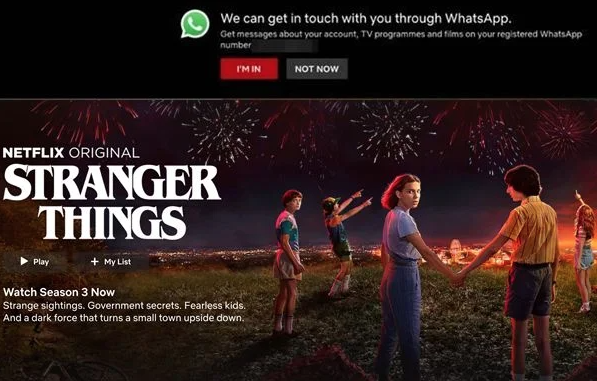
While most brands focus primarily on Product acquisition, Netflix came up with something different - it shifted the spotlight to user retention instead. Netflix has literally paved a benchmark for all the subscription model-based businesses to look up to.
The famous Netflix campaign “I Am In”, which was launched in 2019, aimed at reconnecting with the subscribers who are inactive or have recently churned out.
Netflix, with the help of WhatsApp, sent some great Netflix movies and show recommendations to touch inactive users. It also included some announcements, notifications, and favorite suggestions.
Something that is truly inspirational in this campaign is that - it did not use any complex AI mechanism. It is just a simple WhatsApp newsletter crafted with exceptional creativity.
And boom, it could bridge the gap between the brand and clients and even bring back a great deal of inactive users to re-subscribe to the channel.
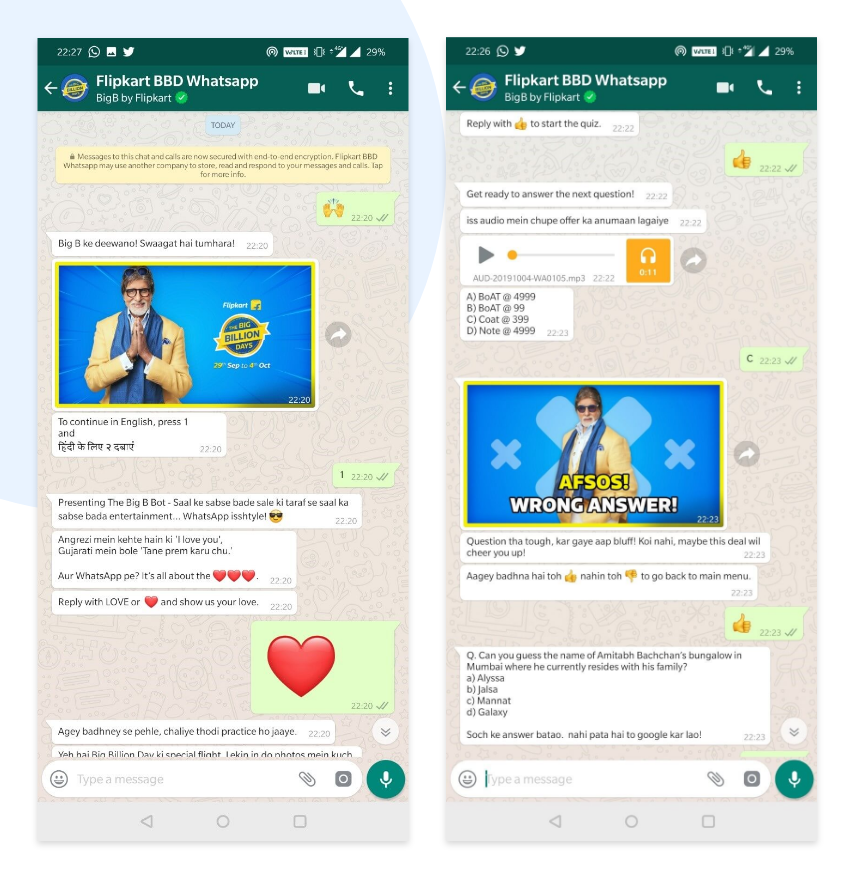
The Flipkart Personal Shopper is a game changer in the e-commerce industry. This creative campaign, popular among customers as “Big Billion Days,” is specially curated to reach the customers in the most memorable fashion.
The Big Billion Days campaign involves a unique chatbot that helps the customers connect with the Big B of Bollywood. The fantastic and tremendous offers that this campaign offers are one of a kind.
The revolutionary concept of using emojis to initiate a search is another unique sales point. Indian customers wait the year for this fabulous Big Billion Days Offer, and to spice it up more, Flipkart has introduced fun activities and multiple mini-games.
To further increase the acceptability of the campaign, it was also launched in Hindi and English.
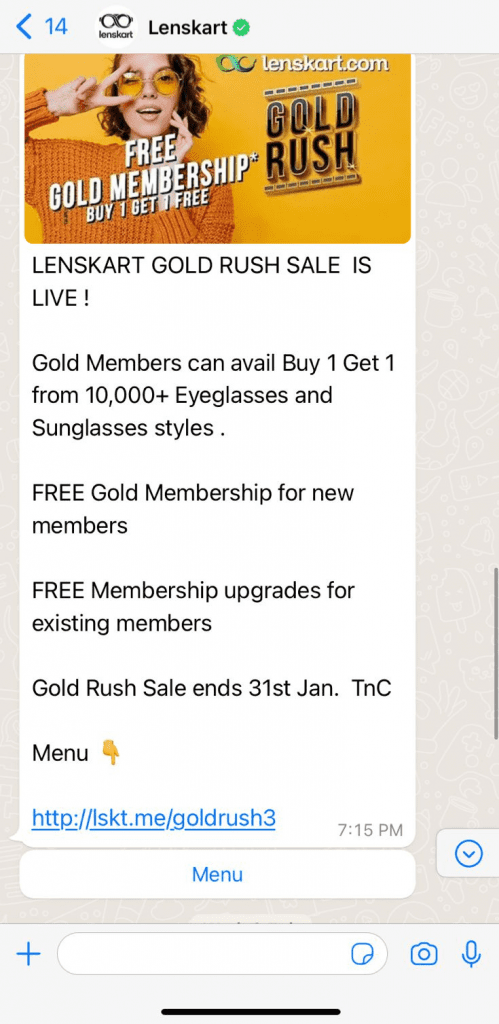
Lenskart is truly doing a great job in terms of brand awareness as well as product sales. In 2022, Lenskart, the popular eyewear brand, turned into WhatsApp marketing, and their all-time popular Buy One Get One led to mesmerizing effects.
Along with such conventional offers, the brand also sets forth great cash-back offers for ardent and loyal customers.
The campaign was designed simply without the intervention of any complex bot. The customers only had to click on the link provided in the message, and they could avail of the discount.
The overall low costs of such promotion, especially when compared to conventional advertisement, is a boon. WhatsApp promotional messages also have a great open rate when compared to other communication channels.
Saffola is much more than just any other edible oil brand. The name of the brand is now associated with health and wellness. Saffola is one of the very few brands in India that has made maximum use of WhatsApp marketing campaigns, and that too consistently. The antioxidants infused in the oil help to improve the immunity of the consumers.
Saffola wanted to precisely pinpoint this health factor to establish and consolidate a base of trust among the users. The most popular campaign of the brand was “Beat the Crave”. Since unhealthy food is mostly based around food prepared with excessive oil and all of us almost carry out an eternal struggle to fight the unhealthy food craving, Saffola literally caught the nerves of the users.
The campaign was designed in the most interesting way. The customers had to sign up on the Saffola website by entering their WhatsApp number. This would give them access to a digital library sort of setup called “Digital Audio Buddy '' that would guide them to stay away from unhealthy food and also give them access to a healthy personal trainer.
Through tools like positively reinforcing videos or nutritional advice, the subscribers could maintain their health. The campaign turned out to be a big success, with over 6,000 WhatsApp subscribers and a net increase in sales of over 483%.
If you are a Vodka lover, there is no way that you have not yet sipped the premium Absolut Vodka. This leading brand of Vodka curated in South Sweden is known for its innovative marketing strategies as well as the Vodka they make.
When the brand decided to launch one of its limited edition premium Vodka in Argentina, it wanted to make the WhatsApp marketing campaign more conversational than traditional, which they generally are. They put out the marketing bait - A celebrity party would be organized, and the functional doorkeeper of the party would be Sven.
The customers will connect to Sven on WhatsApp through “Unique Access,” and if they become the winners, they will win two tickets to the celebrity party. The users could be convinced by sending photos, songs, and even videos. This was a stupendous social media buzz for the company.
The brand received over 1,000 message entries on WhatsApp, and guess what? They even gathered more than 600 WhatsApp contacts that they could use as the clientele base for future campaigns.
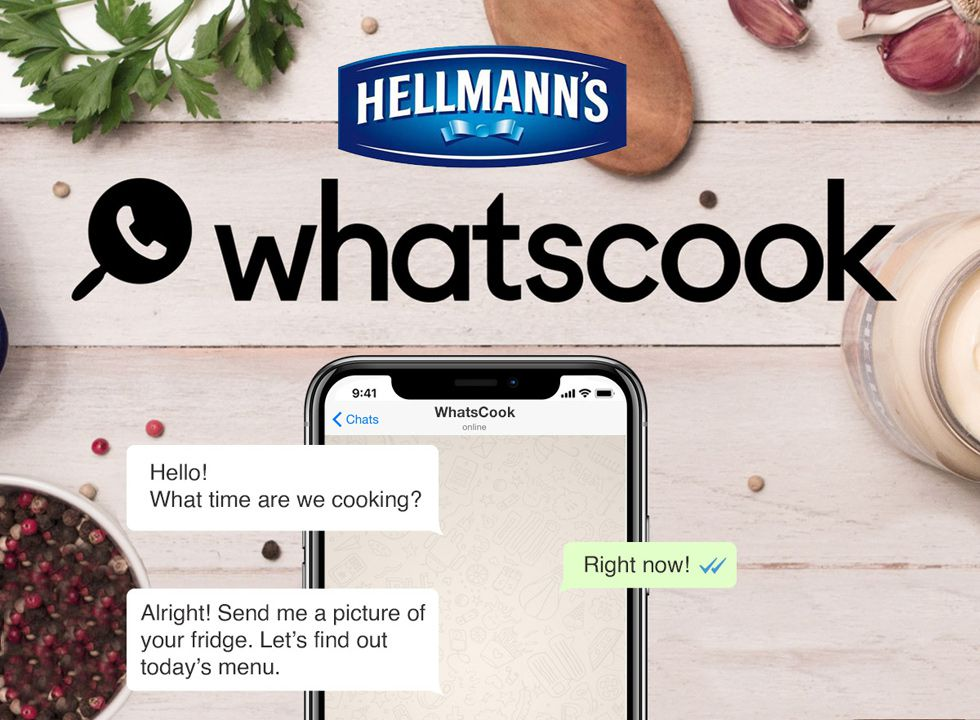
The name Hellman has become synonymous with Mayonnaise. The user base of Hellman clearly reflects that their leading product is Mayonnaise, and it is used as a condiment by 90% of users. Hellman wanted to break this stereotype and promote the fact that the Mayonnaise from the brand could also be used for cooking and not simply as a condiment.
The insights that drove the brand into launching this campaign were - most people do not know how to cook with Mayonnaise or couple it with the ingredients that they already have at home. The campaign was launched in the mode of some conversational recipe services where the customers would be connected in real-time to the chefs through WhatsApp.
All that the customers had to do was register themselves with their WhatsApp number on the Hellman official website. The chefs would guide them on how to curate the most delectable dishes with Hellman's Mayonnaise and the simple ingredients available at home.
It was a fantastically yielding campaign, and the overall registration was more than 13000. The WhatsCook campaign initially waved the flag in Brazil, followed by a subsequent rolling in several other countries.
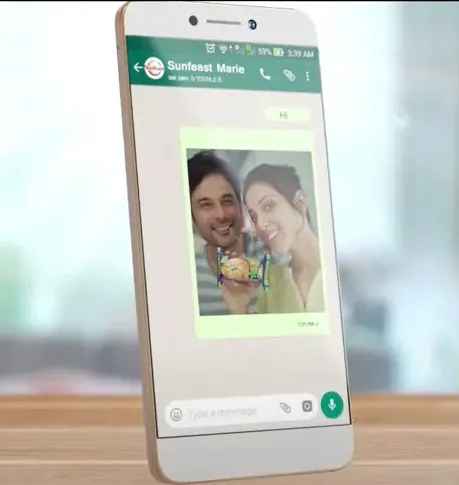
Who doesn’t like to participate in the selfie campaigns? We all love clicking selfies, and it gets even better when you pose with your favorite products at hand. Sunfeast Marie Light, through this unique campaign, increased the sales of their multifold products.
In this contest, the users had to send their Tea time selfie with Sunfeast Marie Light to the WhatsApp number of Sunfeast, and the winner of the contest would get a 42-inch LED TV as a gift. This opened up a new marketing channel for ITC, increasing their sales.
Also, the company got access to a huge database of user’s WhatsApp numbers that they could use in the future to create better one-to-one connections with clients.

Who doesn’t know Maggi? But the brand wanted to make its entry into the daily lives of people, where it becomes more than just another noodle and condiments brand, instead extending its branches into the lives of common people as an emotion.
Maggi created a skillfully designed virtual cooking curriculum on WhatsApp. The idea was to promote the use of Maggi by supporting the users on their culinary journey.
Through WhatsApp marketing campaigns, users could get access to some of the best recipes and create great food dishes in just a few steps. It was facilitated by a virtual assistant on WhatsApp who offered a step-by-step guide to the users to enhance their cooking techniques.
It was a 3 months long campaign, and over 2,00,000 messages were sent out just in the first eight weeks of the campaign. The campaign awareness also reflected a crazy 3-point lift, which is an overall boost for the business.
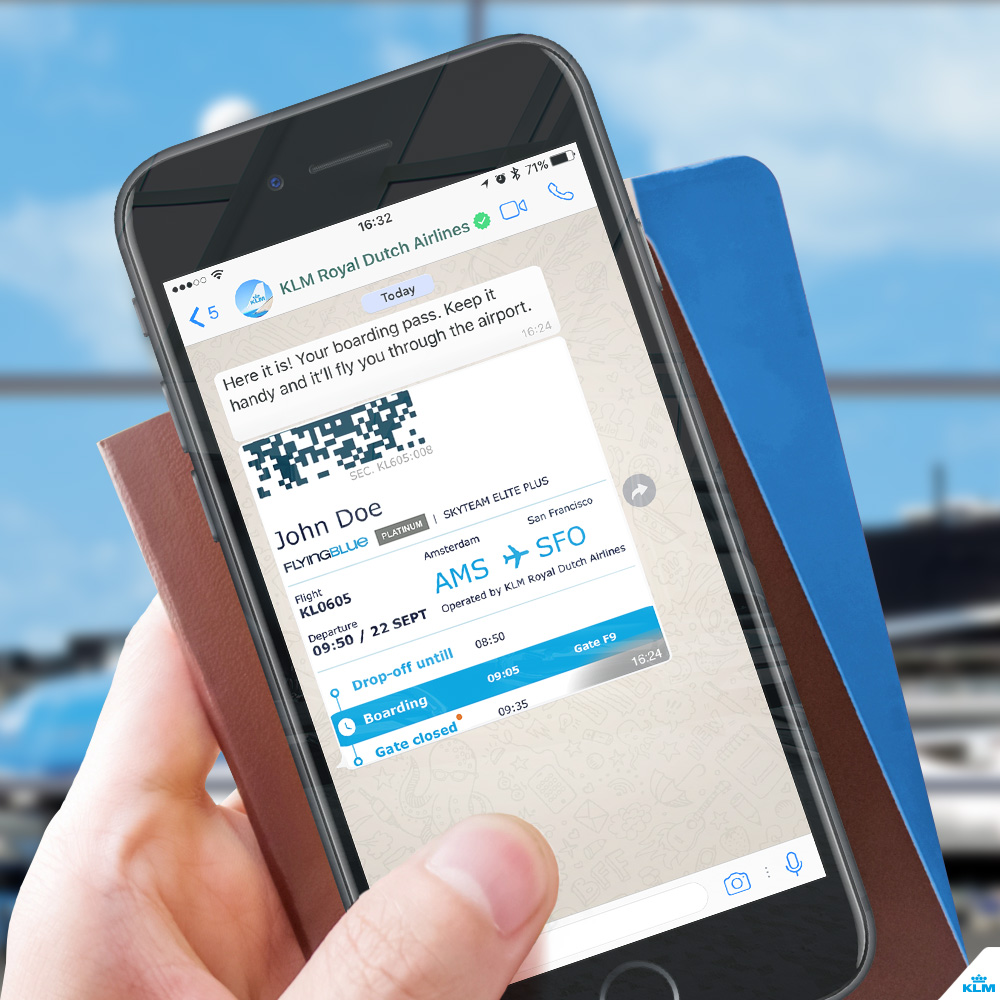
Can you imagine how a simple flight alert system can actively boost the sales of a company and turn out to be the most vigorous WhatsApp marketing campaign ever? Yes, you got that right - it was done by the Royal Dutch Airline Company - KLM.
The company used the emotional pain point of the flight passenger’s relatives. Whenever any near and dear ones fly, their family and friends are always worried about their safety.
The brand used a WhatsApp marketing campaign to inform the passenger’s friends and dear ones about their flight information. On booking the tickets with this flight company, the customers would get all the flight alerts and details on their registered WhatsApp number.
Not only the passengers but even their family members would receive the same message. The family members were also provided with real-time flight updates. In this way, not only did the brand successfully manage to retain the clients, but it also created a whole base of new potential clients.
ADAC - The well-known automobile club of Germany is into business for offering the best roadside assistance to its user panel.
ADAC was facing a particular issue in its client base. They observed their clientele demographics reflected a pattern - only the older generation related to their services (the age group that actually owned a car), while they did not have many younger clients.
The brand, however, wanted to popularize its services among the younger generation and resorted to this unique “Don’t Call Mom Call ADAC” WhatsApp marketing campaign.
They actually opened up a WhatsApp hotline where youngsters could put forward various queries like “How to get over a heartbreak” - the types of questions they won’t be comfortable asking their mom. It was a 6-week long campaign where experts and even social media influencers answered the queries of the youngsters.
There was a huge social media buzz around it, with over 140000 messages and even more than 20 million impressions on the video curated for the campaign.
When it comes to brand interactions, WhatsApp marketing campaigns can be an awesome tool. It is one of the best innovative ways to replace the traditional customer communication of the brands and help achieve the goals of the brand in terms of new customer acquisition and old customer retention. A WhatsApp marketing campaign is a drive or strategy that speeds up communication, boosts customer satisfaction, and enhances engagement rate.
One of the most important premises of WhatsApp marketing campaigns is sending bulk WhatsApp messages to customers. The brands curate a perfect WhatsApp marketing message for the customers (one that can potentially lead to conversions) and forward it to the customers - in thousands or millions. With WhatsApp Business, brands cannot send more than 1,000 messages per day. However, their target audience volume may be much more than that.
Now that you have already come across some fabulous examples of effective WhatsApp marketing campaigns, you must be tempted to curate one for your own brand. The best way to do so is using official WhatsApp Business API by Meta. One might presume that the WhatsApp Business API is a perfect tool for this one - but to your surprise, the perfect tool does not exist because this API by Meta is going to actually cost you much.
To mitigate the huge burden of expenses, you can switch over to the unofficial WhatsApp Business API, but even with that, there are several risks of getting banned if you can’t get it done right. Then what is the solution?
The easiest way to get around is by using a reputed tool like Sendwo. We offer services for both - official as well as unofficial WhatsApp Business API. Once you have the API registered, you can start creating WhatsApp marketing campaigns for your brand.
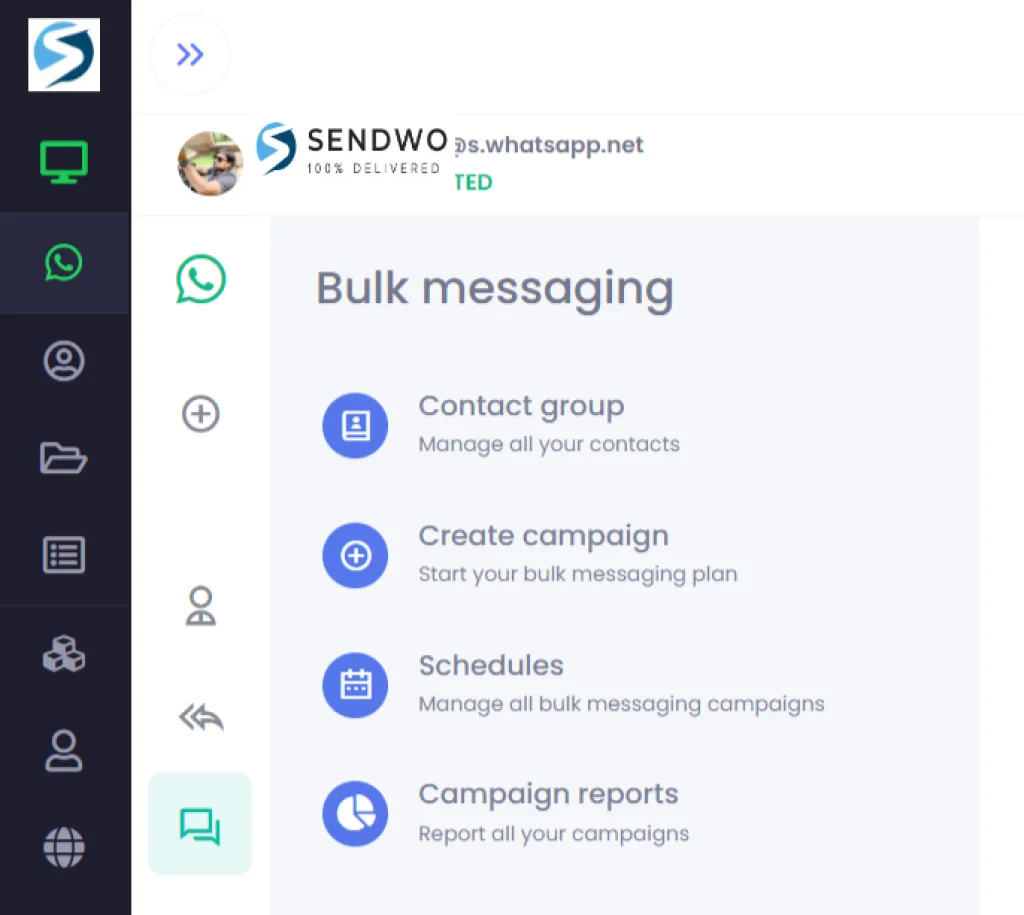
Here are the steps to use Sendwo for creating a WhatsApp marketing campaign and sending bulk messages to your customers:
When using the official WhatsApp Business API, you will have to obtain approval for the message template via the WhatsApp Manager Dashboard. Alternatively, you can also create the WhatsApp message template inside Sendwo and request Meta’s approval. However, if you're using an unauthorized API, you can send your messages instantly. You do not have to wait for WhatsApp to approve your message.
It is possible to send unlimited business messages through the WhatsApp Business API. But, you would need a third-party application like Sendwo to help the business owners send and set up the interface.
Sign up on Sendwo API-based WhatsApp marketing software to send WhatsApp Marketing Messages in bulk.
Whether launching new products, reaching out to new customers, or retaining old ones, WhatsApp marketing campaigns are one of the best ways to reach out to customers on a personal and individual level. WhatsApp marketing campaigns also aim at maintaining brand authenticity and building long-term relationships with clients.
With proactive interaction and engagement with potential clients, WhatsApp marketing campaigns can skyrocket sales through innovative ways. Potential and highly functional tools like Sendwo help create effective WhatsApp marketing campaigns and float them across a wide audience base. With minimum effort and smart work by trusted tools like Sendwo, give the much-needed thrust to your business.
Looking for the perfect way to send marketing messages to your customers about discounts, new product launches, updates regarding their carts, and even app promotions?
Look for no other way than WhatsApp marketing messages. Once a messaging platform - it has now completely evolved to give a new high-end edge to boosting business. In today’s business landscape, WhatsApp marketing messages have become fundamentally crucial to establish a bridge between brands and users by forming an engaging personal channel to promote their services and products.
WhatsApp marketing messages lead to greater customer engagement and communication directly with clients by sending messages to their smartphones. This one-to-one connection with the target audience is a big boost to business. It also leads to the instant delivery of messages.
Customers will no longer miss out on the limited sales offers because, guess what, the promotional messages are just gonna be sent to them instantly. Your short-term campaigns are on the way to gaining a perfect pitch with WhatsApp marketing messages.
If you are ready to glide through the world of WhatsApp marketing, here is the ultimate blog that will talk about 45 fantastic types of WhatsApp marketing messages.
Let’s check out some of the most effective WhatsApp marketing messages that you can directly copy-paste and use in your new campaigns. We have divided these templates into potential categories for a better understanding.
Let’s get started!
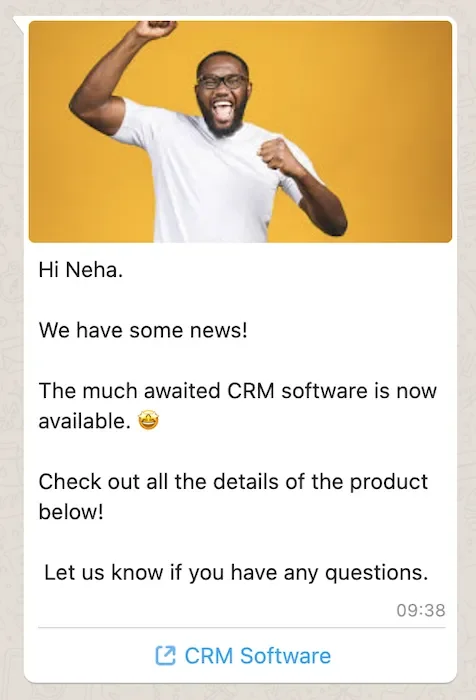
Standard template that is used to inform the customers about the launching of any new product. The message should be clear and concise, stating important details such as the proper nature and name of the product, the ideal launch date, and the time of the product.
Make sure the message has every corner covered that replies to all the possible queries from potential customers. Focus on the client’s needs and never oversell.
Hey [Customer Name], Exciting News! 🎉
Introducing our latest product - the [Product Name]! 😍
Features:
[Highlight Feature 1]
[Highlight Feature 2]
[Highlight Feature 3]
Be among the first to experience innovation at its finest. Get yours today and enjoy [10% off] as our special launch offer.
Limited stock available, so don't miss out! ⏳
Click here to explore: [Product Link]
Hello [Customer Name],
We're thrilled to introduce the all-new [Product Name] - your ultimate solution for [Problem/Need].Why you'll love it:
✅ [Benefit 1]
✅ [Benefit 2]
✅ [Benefit 3]
Ready to upgrade your [Problem/Need] game? Act now and enjoy an exclusive [15% discount] on your first purchase.
Click here to explore: [Product Link]
Hurry, offer ends on [End Date]!
Shop smarter with [Your Business Name]! 🛍️
Hey [Customer Name],
Big news just in!
Introducing the [Product Name] - your gateway to [Benefit/Experience].
What's inside the box?
🎁 [Feature 1]
🎁 [Feature 2]
🎁 [Feature 3]
We believe you deserve the best, so here's an exclusive [20% discount] on your first purchase of the [Product Name].
Get yours now: [Product Link]
Limited stock available, so don't wait! ⌛
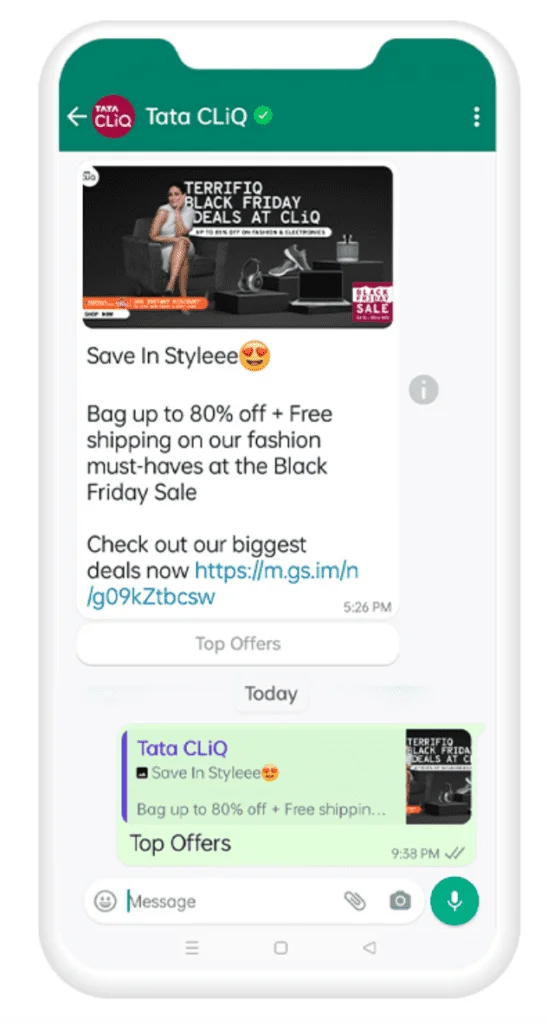
This is a fantastic type of WhatsApp marketing message to let the visitors know about an upcoming flash sale along with the time and date.
The discount codes should be accessible in this type of marketing message - so they remain handy to the visitors while browsing. The theme of this type of promotional message is to create a sense of urgency or countdown in the users.
Hey [Customer Name],
🚨 Flash Sale Alert! 🚨
Get ready for an incredible shopping spree at [Your Store Name]!
For the next [6 hours], enjoy a massive [50%] discount on all [Product Category] items.
Don't miss out on this limited-time offer. Shop now!
Click here to explore: [Sale Link]
Happy shopping! 🛒
Hello [Customer Name],
It's time for a surprise!
Our Flash Sale is live for the next [12 hours], and you're invited! 🎁
Enjoy huge savings with [30% off] on your favorite [Product Category].
Grab the deals before they vanish - shop now!
Click here to explore: [Sale Link]
Thank you for choosing [Your Business Name]!
Hey [Customer Name],
Ready for some excitement?
We've just launched a Flash Sale! Get [40%] off on [Product Category] items for the next [4 hours]. 🔥
This is your chance to upgrade your [Product Category] collection. Act fast!
Click here to explore: [Sale Link]
Limited time, unlimited savings! Shop now! 🛍️
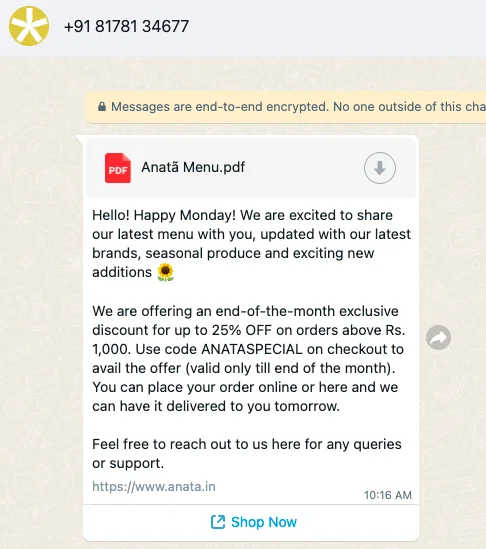
This message template helps to send information about any particular time constraint deal to the users. It sends out messages about any deal that is valid just for a few hours, like popular flash sales. It could also be callouts for the last sale chances.
Hey [Customer Name],
Limited Time Offer Alert!
It's your chance to save big at [Your Store Name].
For the next [24 hours], enjoy an amazing [20%] discount on all [Product Category] products. 😍
Don't wait, grab your favorites now!
Click here to shop: [Offer Link]
Happy shopping! 🛒
Hello [Customer Name],
Don't miss out on this exclusive deal!
Our Limited Time Offer is live for [48 hours] - get [25% off] on [Product Category] items. 🛍️
Shop now and upgrade your [Product Category] collection. Act fast!
Click here to explore: [Offer Link]
Thank you for being a part of [Your Business Name] family! 🙌
Hey [Customer Name],
Ready for some savings?
Our Limited Time Offer is here! For the next [12 hours], enjoy [15%] off on [Product Category] products. 🔥
Upgrade your [Product Category] collection today!
Click here to shop: [Offer Link]
Time is ticking - shop now! 🛍️
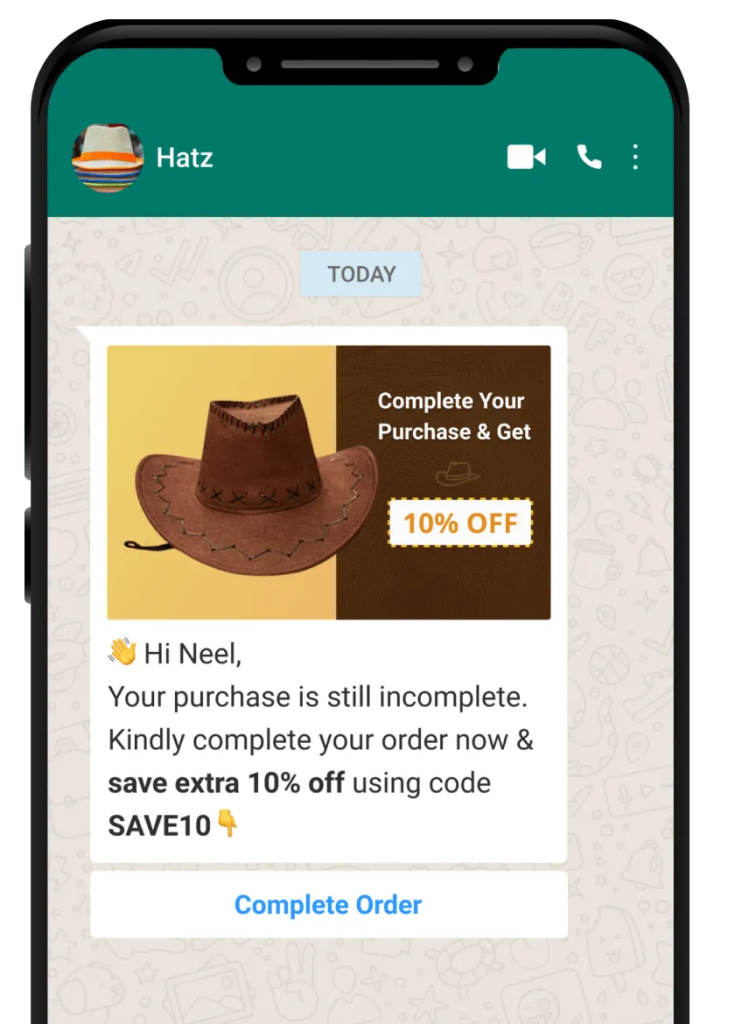
If you notice there is a high percentage of users of your brand who are surfing through the products and even liking some of them, leaving out the products in the form of abandoned carts, you can send them this abandoned cart WhatsApp marketing message:
Hey [Customer Name],
Oops! It looks like something was left behind in your cart. 🛒
We noticed you didn't complete your purchase of [Product Name]. It's still available, and we're offering a special [10%] discount if you complete your order now. 😍
Click here to return to your cart and finalize your purchase: [Cart Link]
We're here to help. Happy shopping!
Hello [Customer Name],
Your cart is feeling lonely without you! 🛒
You've got [Product Name] waiting for you. As a token of our appreciation, enjoy an exclusive [15%] discount on your entire cart. 🎁
Click here to reclaim your cart and enjoy your savings: [Cart Link]
Thank you for shopping with us!
Hey [Customer Name],
It happens to the best of us - a forgotten cart. 😅
Your [Product Name] is still available. Complete your purchase now and receive [10% off]. 🛍️
Get back to your cart right here: [Cart Link]
Don't let this great deal slip away. Happy shopping!
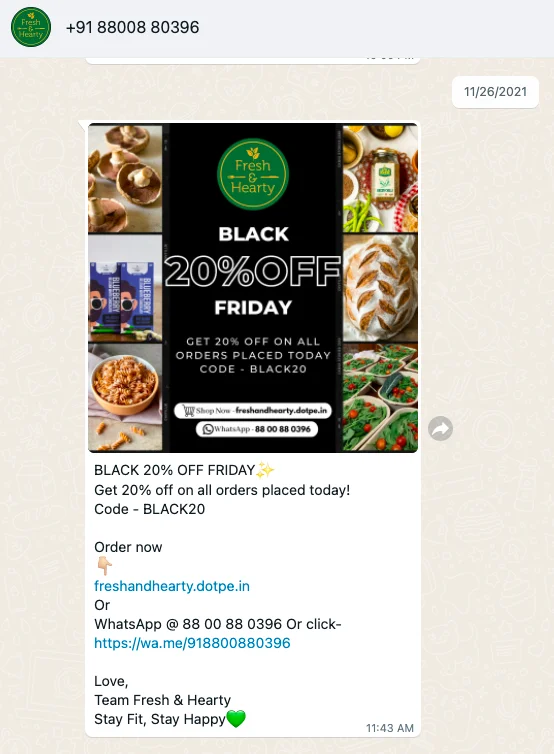
For any bargain shopper, the seasonal sales alerts could simply be a one time dream. Plenty of shoppers actually wait eagerly throughout the year to avail themselves of these fabulous seasonal sales and discounts to get their favorite products and services.
Sending promotional alerts for the big-time seasonal sales of a brand is a great way to engage customers in a shopping loop. Also, include reminder alerts to incentivize the shoppers to prepare themselves for shopping.
Hey [Customer Name],
Fall into Savings! 🍁
As the leaves change, so do our deals! Embrace the autumn season with a special [20%] discount on all [Seasonal Product Category]. 🎃
Don't miss out on these cozy savings. Shop now!
Click here to explore: [Offer Link]
Happy shopping!
Hello [Customer Name],
❄️ Winter Wonderland Alert! ❄️
Get ready for the magic of the season with our Winter Sale. Enjoy [25% off] on all [Seasonal Product Category] items. ⛄
It's the perfect time to shop for the holidays. Start now!
Click here to explore: [Offer Link]
Wishing you a joyful season from [Your Business Name]! 🛍️
Hey [Customer Name],
🌸 Spring has Sprung!
Welcome the season of renewal with our exclusive Spring Sale. Enjoy [15%] off on all [Seasonal Product Category] products. 🌼
Make your spring brighter with us. Shop today!
Click here to explore: [Offer Link]
Thank you for being a part of our seasonal celebration! 🌷
A great way to show respect and gratitude to the subscribers of a brand. It is a perfect motive to show that a brand cares for its customers and wants to make their shopping experience better with the brand by offering some amazing discounts.
Hey [Customer Name],
Exclusive Subscriber Offer! 🌟
As a valued subscriber, we're delighted to offer you a special [15%] discount on your next purchase. 🛍️
Use code [SUB15] at checkout to redeem your savings. Don't wait – this offer is just for you!
Click here to shop now: [Offer Link]
Thank you for choosing us!
Hello [Customer Name],
Subscriber Appreciation Discount! 🎉
It's our way of saying thanks for being part of our community. Enjoy [20% off] on any item of your choice. 🙌
Redeem your discount with code [THANKYOU] at checkout. Shop today!
Click here to explore: [Offer Link]
We're grateful for your support!
Hey [Customer Name],
Special Savings for Subscribers! 🤗
Here's a little gift for you – [10% off] your next purchase. 🎁
Use code [SUB10] at checkout to unlock your discount. It's our way of showing our appreciation.
Click here to shop now: [Offer Link]
We value your subscription!
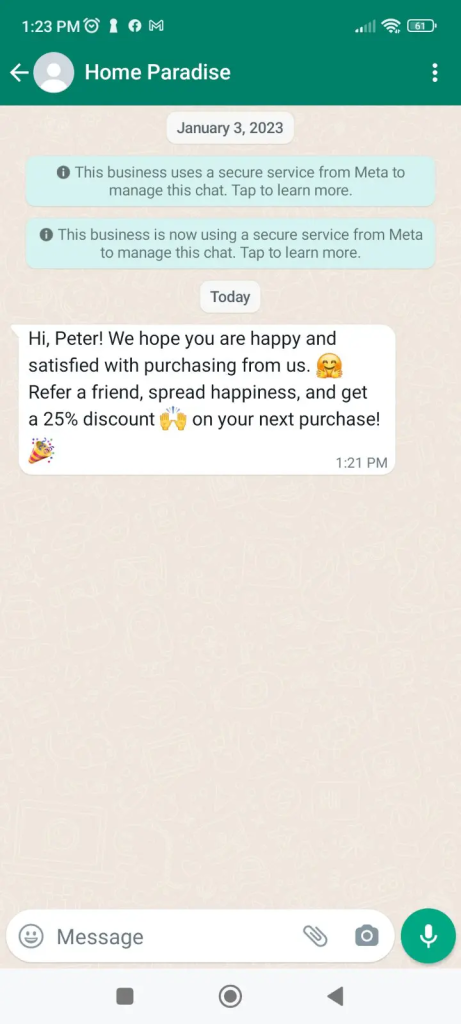
Referral is one of the most fabulous ways of boosting the spread and outreach of a brand when the users refer their friends to become ardent subscribers of the brand.
Hey [Customer Name],
🤑 Refer & Earn!
Did you know you can earn rewards by referring friends to [Your Business Name]? Share your unique referral link, and for each friend who makes a purchase, you both get [20% off] on your next order. 🎉
Start referring now: [Referral Link]
More friends, more savings!
Hello [Customer Name],
Sharing is Caring!
Spread the love and get rewarded. Refer a friend to [Your Business Name], and both of you receive [15% off] on your next purchase. 🤗
Share your referral link: [Referral Link]
It's a win-win for both you and your friends! 💖
Hey [Customer Name],
💰 Friends & Benefits!
Refer your pals to [Your Business Name] and earn big. For each successful referral, you'll get [10% off] on your next order, and your friend gets [10% off] too! 🎁
Share your referral link now: [Referral Link]
Start referring and start saving! 🛒
Some products are so much in high demand, that users want to avail of them almost all the time. Such hot cakes can easily get stocked out and the brand takes some time to restock them.
The brand usually informs the customers about this restock through some marketing messages. The back in stock notification helps the customers to purchase their wish listed items that went out of the stock.
Hey [Customer Name],
⏳ Restock Alert! ⏳
We've heard you, and your favorite [Product Name] is back in stock! Don't miss out on this opportunity to grab yours now.
Click here to order: [Product Link]
Hurry, they sell out fast! 🚀
Hello [Customer Name],
It's Back! 🎉
We're excited to announce the restock of [Product Name] – a customer favorite. Get yours before they run out again! 🙌
Order now: [Product Link]
Don't delay; they're going fast! 🛍️
Hey [Customer Name],
🛒 Restock Alert: [Product Name]
Your wait is over! [Product Name] is now available. Hurry and secure yours today.
Place your order here: [Product Link]
Act quickly; they're in high demand! 🏃♂️
Keep the users updates about their activities with the brand through the account update notifications. You can easily remind and notify the users through WhatsApp marketing messages whenever they make any change to their account such as changing their passwords or updating the email address. The message should contain all relevant details and must be personalized. Make the message engaging by building some visuals.
Hey [Customer Name],
📝 Account Update Notification
We've made some important updates to your account to enhance your experience. Please review your profile and settings to ensure all information is accurate. 🧐
Click here to update your account: [Update Link]
Thank you for keeping your details up-to-date!
Hello [Customer Name],
Stay Informed with Account Updates 🚀
Your account details matter to us. Please take a moment to verify and update your information to receive personalized offers and the latest updates. 📩
Access your account here: [Update Link]
We appreciate your attention to detail!
Hey [Customer Name],
📢 Important Account Update Alert
We're here to serve you better. Kindly review and update your account information, ensuring we have the most accurate details. It only takes a minute! ⏳
Click here to update your account: [Update Link]
Thanks for being a valued member of our community!
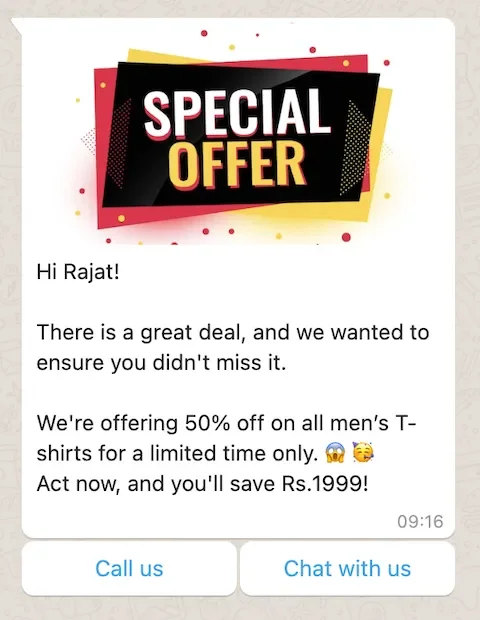
The last moment reminders should aim at making the customers feel a sense of urgency to place orders as soon as possible. It should be exciting and include a very bold call to action.
Include key information so that the customers can save time because they need to make fast purchases as the offer time would be running out. The content should be clear, precise and very crisp.
Hey [Customer Name],
Last Chance Alert! ⏰
Time is running out to grab our exclusive offer. Don't miss out on [10%] off your purchase. The offer ends [tomorrow]! 😱
Shop now and save: [Shop Link]
Hurry, don't let this opportunity slip away!
Hello [Customer Name],
🚨 Offer Ending Soon! 🚨
Our special deal of [50% off] on selected items is expiring at midnight today. Act fast to secure your savings! ⌛
Shop now: [Shop Link]
This is your last chance to enjoy the discount.
Hey [Customer Name],
🕒 Countdown Alert!
You've got [30% off] waiting for your next purchase as a token of our appreciation. But remember, it's only valid until the end of today. ⏳
Redeem your discount here: [Shop Link]
Time is ticking, so make your purchase now!
Not only acquiring new customers, but retaining the old customers is also a great way of sustenance and brand growth. Engaging the existing customers through valid loyalty programs helps to form long lasting relationships with customers and the loyal customers are much more likely to support the brand in terms of trying out any new launches because they have a preconceived faith in the brand. This umbrella of messages also includes Loyalty Membership Alerts and will motivate users to keep visiting the store.
Hey [Customer Name],
Exclusive Loyalty Offer 🌟
You're a valued member of our loyalty program, and we're excited to reward you! Enjoy [15% off] your next purchase as a token of our appreciation.
Shop now and save: [Shop Link]
Your loyalty means the world to us! 🙌
Hello [Customer Name],
Loyalty Has Its Rewards! 🎁
As a loyal customer, you've unlocked a special discount. Get [20% off] on your next order as a thank-you for your continued support. 🛍️
Redeem your discount here: [Shop Link]
We couldn't do it without you!
Hey [Customer Name],
Loyalty Deserves Recognition! 🤩
It's our pleasure to reward your loyalty with a [10% discount] on your next purchase. Your continued trust in us is truly appreciated. 🛒
Claim your discount here: [Shop Link]
Thank you for being a loyal part of our family!
Who doesn’t like exclusivity. There is a particular section of the buyers of each brand who are always interested in possessing the exclusive products of a brand. The pre booking type of whatsapp marketing message is especially targeted to them.
Again, such types of messages should be very detailed and include answers to all possible types of queries that might arise from the potential customers.
Hey [Customer Name],
🆕 Exclusive Stock Pre-Order 🆕
Be among the first to get your hands on our latest arrivals! Pre-order [Product Name] now and secure it before anyone else. Limited stock available! 🛍️
Pre-order here: [Pre-Order Link]
Get the exclusive experience!
Hello [Customer Name],
Pre-Order Exclusive Stock 🛒
Exciting news! You can pre-order [Product Name] to ensure you don't miss out. Act quickly, as these items are in high demand. 🚀
Reserve yours here: [Pre-Order Link]
Don't wait – secure your purchase now!
Hey [Customer Name],
📦 Be First in Line with Pre-Order!
Want to get your hands on [Product Name] before everyone else? Pre-order now to reserve yours. Don't wait; it's a limited opportunity! 🕒
Pre-order today: [Pre-Order Link]
Don't miss out on this exclusive stock!
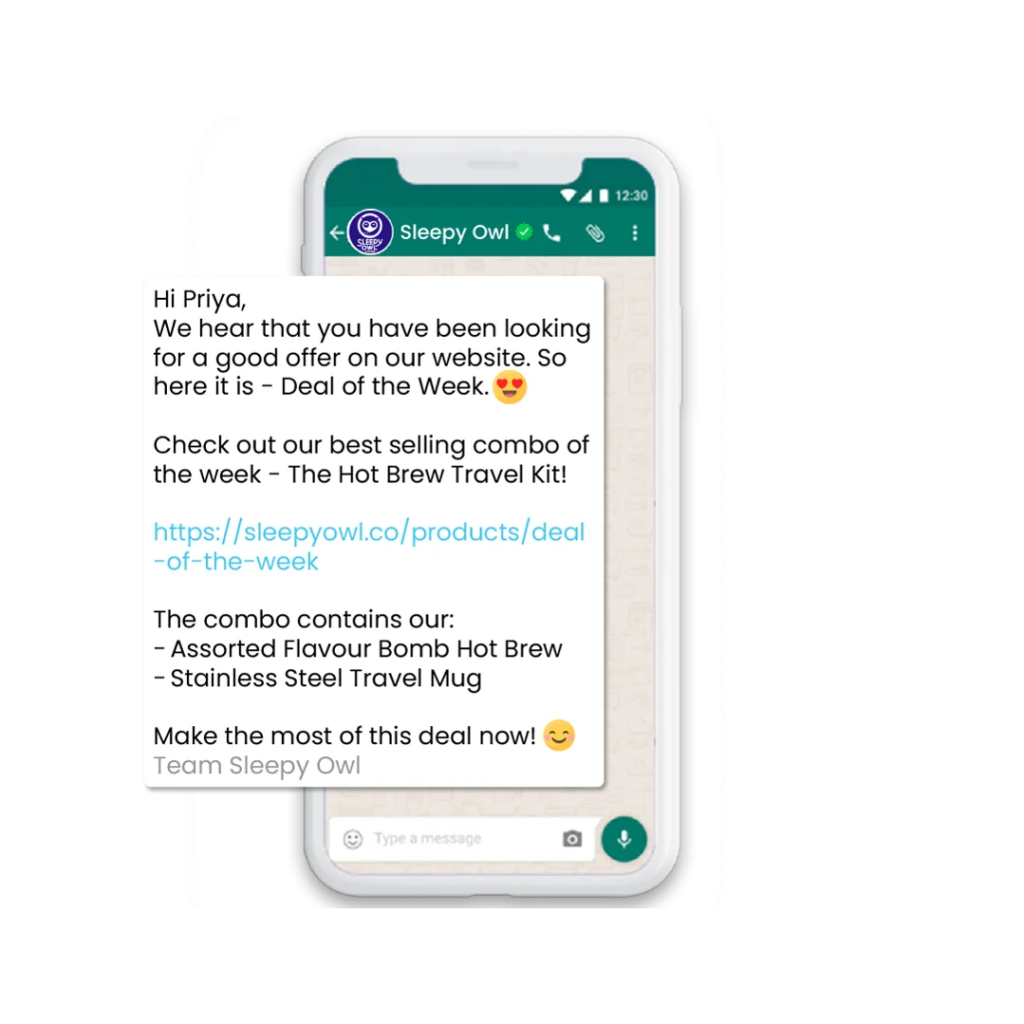
Push notifications in the form of whatsapp marketing messages to alert the customers about the ongoing monthly deals is a fantastic way to boost the monthly sales as many users deliberately wait for this time of the month to make their deemed purchases.
For example, sending them the reminder of shopping with a flat 10% discounts of the monthly sales. You can even customize and personalize the offer reminders according to their shopping history and preferences.
Hey [Customer Name],
Weekly Deals Alert! 🌟
Every week, we bring you the hottest deals. This week, enjoy [20% off] on [Product Category]. Don't miss out on these incredible savings! 🛒
Shop now: [Shop Link]
Explore our latest deals today!
Hello [Customer Name],
Monthly Deal is Here!
It's that time of the month! Get [30% off] on [Product Category] for the entire month. Treat yourself to fantastic savings. 🛍️
Shop now: [Shop Link]
Don't wait – grab the monthly deal!
Hey [Customer Name],
Exclusive Monthly Offer! 🚀
Our monthly deal is back, and this time it's [15% off] on [Product Category]. Take advantage of these great savings all month long! ⏳
Shop now: [Shop Link]
Discover the monthly discounts!
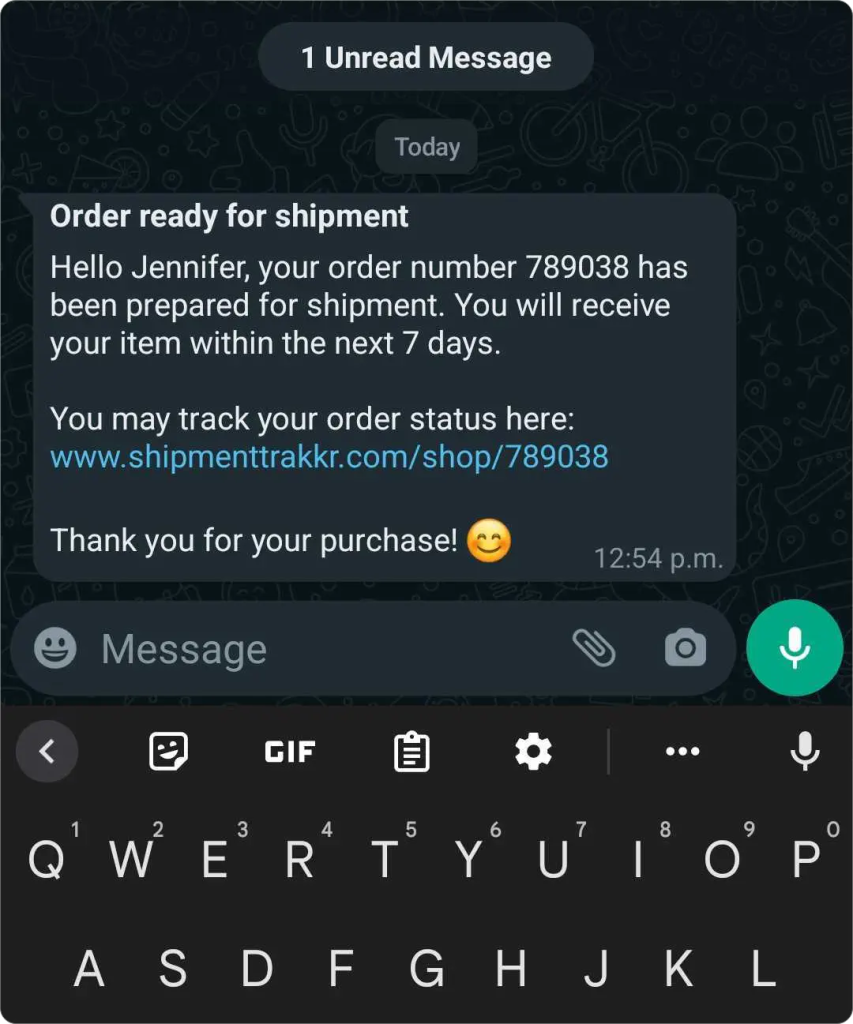
The most crucial piece of information for any client is to track the package that they have ordered for. Sending the order tracking and shipping update messages to the customers is also a great way to make them feel that the brand is concerned about their order and constantly trying to serve them the best and put up the best of services.
Hey [Customer Name],
🚚 Your Order Shipped!
Great news! Your order #[Order Number] is on its way. You can track your package using the following link: [Tracking Link]. Expect it to arrive within [Estimated Delivery Time]. 📦
Thanks for choosing us!
Hello [Customer Name],
Shipping Update! 📣
We're excited to inform you that your order #[Order Number] has been dispatched and is en route to you. Use this link [Tracking Link] to track its journey. Anticipated delivery: [Estimated Delivery Date]. 🚛
We appreciate your business!
Hey [Customer Name],
Order Status Update 📦
Good news! Your order #[Order Number] is now out for delivery. Follow its progress using this tracking link: [Tracking Link]. We expect it to reach you by [Estimated Delivery Date]. 🎁
Thank you for shopping with us!
Upselling is one of the most highly profitable businesses for the brand because you get more profits from the same customers at the same cost of acquisition.
Through this promotional message, the customer has a feeling that the brand is treating them with special care and offering them better features and upgrades of the product.
Hi [Customer Name], 👋
Exclusive Upgrade Offer!
Elevate your experience with our premium [Product/Service]. Upgrade today and enjoy [X%] off your purchase. Don't miss out on this opportunity to take your [Product/Service] to the next level! ✨
Explore our upgrades now: [Upgrade Link]
Hello [Customer Name],
Complement Your Purchase! 🛒
You've made a great choice with [Product/Service]. Why not enhance your experience with our hand-picked accessories? Buy any accessory now and get [X%] off your order. 😍
Shop accessories: [Accessory Link]
Hey [Customer Name],
Exclusive Add-Ons! 🎁
We've curated special add-ons for our valued customers. Check out our selection of complementary products to enhance your [Product/Service] experience. Shop now and enjoy [X%] off. 🛍️
Discover add-ons: [Add-On Link]
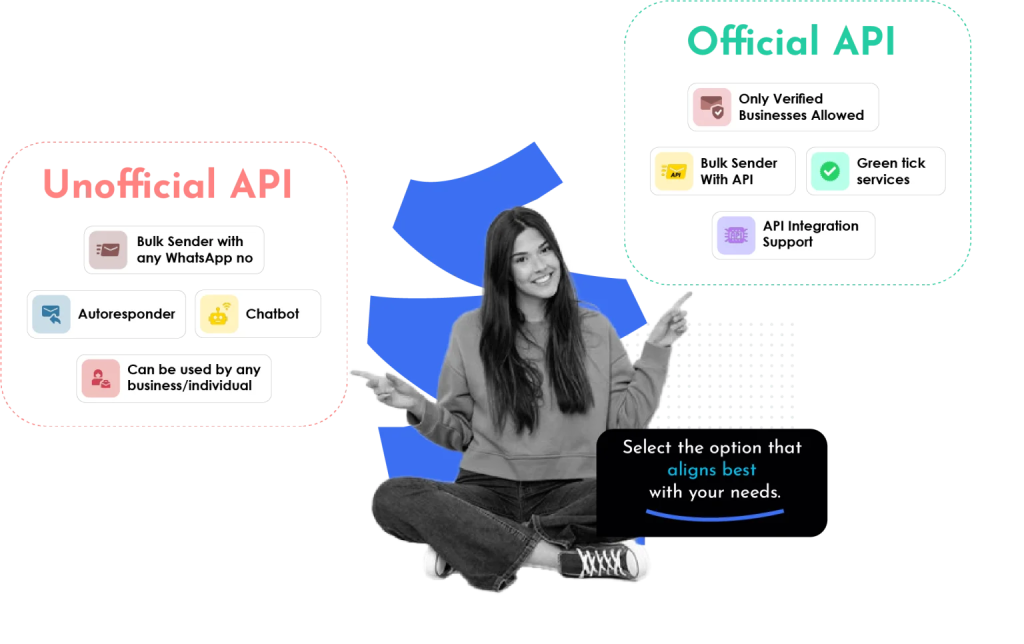
Business through Whatsapp is already quite difficult, it won’t be wise to make it more complex with some random messaging interface. That is the exact reason why applications like Sendwo can make your life so easy.
Sendwo helps in sending bulk WhatsApp marketing messages through two ways - either by using unofficial Whatsapp Business API or the official WhatsApp Business API. Sendwo has literally simplified the process of sending Whatsapp Marketing messages through these easy and simple steps:
Are you looking for any other steps?
There ain’t any; yes, you got that right; with these few easy and simple steps, your work is done.
In case you are concerned about what is the difference between sending WhatAapp promotional messages through the official and unofficial API, here is the answer - for using the WhatsApp message template through the official API, approval from the Whatsapp Manager Dashboard is required, whereas for the Unofficial API, there is no need for approval.
Sign up on Sendwo API-based WhatsApp marketing software to send WhatsApp Marketing Messages in bulk.
If you're struggling to set up WhatsApp Business API and link to Sendwo, then you must check out this guide.
Meta has opened up a whole new avenue for users to explore multiple features of messaging.
With trusted interfaces like Sendwo, the process gets even easier. Unlock the potential of your business by using trusted and user-friendly tools like Sendwo that help use WhatsApp as a business platform to generate leads and drive positive sales conversions.


