Small businesses thrive on building strong customer relationships and quick communication. In an age where instant messaging is the norm, leveraging WhatsApp’s massive reach can be a game-changer.
WhatsApp isn’t just for personal chats anymore – it’s now a powerful business tool. With nearly 3 billion people using WhatsApp worldwide and an astonishing 98% message open rates on the platform, savvy small enterprises are tapping into the WhatsApp Business API to engage customers like never before, and savvy small enterprises are tapping into the WhatsApp Business API to engage customers like never before.

Imagine being able to confirm orders, answer customer questions, and send promotions in real-time on a channel your customers open almost every time – that’s the opportunity.
We’ll cover the API, why it can be incredibly valuable for small and medium enterprises (SMEs), and how to optimize it to unlock its full potential for marketing, customer service, and growth.
You’ll find real-life examples from retail, healthcare, and restaurants, along with actionable tips, and stats to see the success rate in adopting the WhatsApp API in any small enterprise. Let’s dive in and supercharge your customer engagement via WhatsApp!
The WhatsApp Business API – also known as the Official WhatsApp API – is a solution provided by Meta (formerly Facebook) that allows businesses to integrate WhatsApp’s messaging into their systems. These systems can be billing, invoicing, payroll, CRM that triggers a WhatsApp message when any defined activity happens.
Unlike the free WhatsApp Business app (meant for very small businesses using a single phone), the API isn’t a standalone app. Instead, it’s an interface or “digital bridge” that connects your business software to WhatsApp’s network. This means you can send and receive WhatsApp messages programmatically, use chatbots, connect multiple agents, and automate conversations at scale.
You may use your in-house developers to connect the WhatsApp API to your existing systems but right now we are talking "How small enterprises can set this up". To do this, software like SendWo fills the gap. Using software like SendWo, you can easily integrate the WhatsApp API and archive all programmatic messaging. What to give it a try? Check out how you can set up WhatsApp API with SendWo in this video tutorial.
What’s the difference between the app and the API? In short:
For a small enterprise looking to grow, the API unlocks capabilities that the basic app can’t: rich automation, personalized messaging at scale, and integration with your other business tools. In the next sections, we’ll see why this matters and how to make the most of it.
Small businesses often face big challenges: limited marketing budgets, small customer service teams, and the need to stand out against larger competitors. The WhatsApp Business API helps level the playing field by providing affordable, efficient, and personalized communication. Here are key benefits that make WhatsApp Business API a game-changer for SMEs:
This incredible engagement means if you send a promotion or an update via WhatsApp, there’s a very high chance your customer will actually read it – and fast. It’s not just opens, either; conversion rates from WhatsApp messages can reach 45-60%, far eclipsing the ~5% conversion typical of emails
By being available on WhatsApp, you’re literally a quick message away for your customers, which improves satisfaction and trust.
Over 50 million companies worldwide are already using WhatsApp for marketing purposes, and more than 54% of users prefer receiving their order updates and promotions via WhatsApp instead of email or SMS
Customers are actually 76% more likely to do business with a company they can message directly, likely because of the convenience and confidence it brings.
WhatsApp Business API combines personal touch at scale with low-cost, high-impact communication. It allows a small enterprise to appear and operate with the efficiency of a larger company, all while preserving the warm, conversational tone that customers love about small businesses.
Ready to jump in? Setting up the WhatsApp Business API might sound technical, but it’s becoming easier and more accessible even for non-techy business owners. Here’s a quick overview of how a small business can get started:
Getting started tip: You don’t necessarily need any coding skills to use WhatsApp Business API. Many solutions for small businesses come with user-friendly interfaces – you can log in and start sending messages much like using any web chat app. The heavy lifting (servers, encryption, etc.) is handled by the provider in the background. So even a tiny shop can harness the power of the API without an IT department.
Now that your WhatsApp Business API is up and running, let’s look at strategies to optimize it for maximum benefit.
Implementing the WhatsApp Business API is just the first step. To truly leverage it effectively, small businesses should follow best practices and creative strategies. Here are several actionable strategies to optimize your use of WhatsApp API:
One of the greatest strengths of WhatsApp is the ability to have personal, one-on-one conversations at scale. Take advantage of this by personalizing your messages as much as possible. Generic blasts won’t get the same love as tailored notes. Fortunately, the API allows you to insert variables (like the customer’s name, order details, etc.) into template messages easily.
Segment your customers and tailor messages to their interests or behaviors. For example, if you own an online boutique, send a “Thank you, [Name]!” message after a purchase, followed by style tips or product recommendations based on what they bought. Use customers’ names in greetings and craft content that feels relevant to them (e.g., “Hi John, we thought you’d like to know our summer jackets are 20% off since you bought one last year!”). You can maintain simple segments like loyal customers, new inquiries, cart abandoners, etc., and adjust your tone or offers accordingly.

Remember, conversational tone is key on WhatsApp. You can use emojis or a friendly writing style if it suits your brand – it should feel like a helpful message from a trusted acquaintance, not a stiff corporate memo. Small touches, like wishing a customer happy birthday or happy holidays by WhatsApp (perhaps with a special coupon), can go a long way in building loyalty.
Personalized messages significantly boost engagement. As noted earlier, 72% of consumers are more likely to engage with marketing messages that are tailored to them on WhatsApp. Your small business already has the advantage of knowing your customers well – use that knowledge in your messaging. By making each customer feel seen and valued, you’ll nurture stronger relationships. This can lead to more repeat business and positive word-of-mouth, the lifeblood of any small enterprise.
Providing prompt customer service can be challenging when you have a small team. That’s where chatbots and automated replies come in handy. The WhatsApp Business API lets you integrate chatbot functionality – either through a third-party bot platform or your own setup – to handle common queries automatically.
Think about the frequently asked questions your business gets. For a retail store, it might be “What are your store hours?” or “Where’s my order?”. For a restaurant, “Can I see the menu?” or “Do you offer vegetarian options?”. A healthcare clinic might get “How do I book an appointment?”. You can train a simple chatbot to answer these instantly, 24/7. Even without a full AI chatbot, you can set up quick replies or auto-responses. For example, if someone messages “hours” or “menu”, the system can automatically reply with the information or a PDF attachment.
Use the API to set an away message or instant reply when you’re closed or busy. Something like, “Thanks for contacting us! We’ve received your message and will reply soon (usually within an hour). In the meantime, here are answers to common questions: [list].” This assures customers that you got their message and provides help right away if possible. Nobody likes feeling ignored – an immediate response (even if automated) keeps them engaged and patient until a human takes over if needed.

Make sure your chatbot or automation can hand off to a real person when queries get complex. For instance, if the bot doesn’t understand a question or the user types “agent” or “help”, ensure the conversation gets transferred to you or a team member. The WhatsApp API supports this kind of handover if your platform is set up for it. This gives the best of both worlds: speed and efficiency from automation, plus personal care when needed.
Quick response time is crucial. If you reply fast, customers are more likely to stay engaged and less likely to go to a competitor. In fact, slow replies on WhatsApp turn off 73% of users, and over half may abandon a purchase due to waiting too long. By automating FAQs, you’re ensuring that simple questions get answered instantly and your team’s time is freed to handle more complex inquiries or sales opportunities. Even as a small business, you can deliver round-the-clock customer service with a smart chatbot strategy, enhancing your professionalism and reliability.
To make the most of WhatsApp, don’t wait for customers to always message you first. The WhatsApp Business API allows proactive messaging to customers using pre-approved message templates. These are especially powerful for sending out alerts, reminders, and updates that customers appreciate.
Templates are standardized message formats you submit to WhatsApp for approval (via your provider). They’re required for any business-initiated messages outside the 24-hour window of the last customer message. But once you have them set up, you can proactively reach out with valuable information. Common template examples for small businesses include: order/shipment confirmations, delivery updates, appointment reminders, booking confirmations, payment reminders, and feedback requests.
The key is to use these templates for useful, timely communications – things the customer actually wants to know. Don’t abuse it by sending pure ads without consent; that could annoy customers. Instead, focus on messages that provide value (updates, reminders, important info). The good news is customers want these kinds of messages. A notable 85% of consumers say they’re interested in receiving proactive notifications from brands via WhatsApp (like the ones above). When you keep customers in the loop proactively, you’re delivering excellent service and they’ll appreciate it.
Always ensure the customer has opted in for these notifications. For example, during a purchase or signup, ask if they’d like WhatsApp updates about their order or appointments. And always give an easy way for them to opt out. If done right, proactive messaging through templates will boost customer satisfaction and reduce inbound questions (since you answered them before they had to ask “When will my order arrive?”). It’s a win-win.
Make your WhatsApp conversations engaging and convenient by using the platform’s rich media and interactive features. Small businesses can appear very high-tech by using these, but they’re actually easy to implement via the API.
Don’t hesitate to share images, short videos, audio clips, documents, or links when appropriate. Visuals can dramatically improve your message’s impact.
These rich media messages showcase your offerings in a way text can’t, and they make the chat experience more fun and interactive.
Interactive buttons and quick replies:
The WhatsApp API supports interactive message templates, which include buttons that users can tap. There are generally two types – quick reply buttons (which send a predefined reply from the user with one tap) and call-to-action buttons (e.g., “Call now” or “Visit website”).

How can a small business use these? Suppose you send a promo message: “Hi Kate! We’re offering 15% off all salon services this week. Would you like to book an appointment?” – you can include quick reply buttons like “Book Now” or “Maybe Later”. If Kate taps “Book Now,” your chatbot or team can then continue the booking process immediately. For an e-commerce context, you might send a cart recovery message: “You left items in your cart. Ready to complete your purchase?” with a button “Checkout ?” that directs them to your site’s checkout page. A travel agency could send a list of packages with each having a “View Details” button.
These interactive elements simplify the user’s next step (one tap instead of typing out a response or finding a link). They also provide you quick feedback – you know exactly what the user clicked, which can trigger the next automation.
If relevant, make use of WhatsApp’s catalog feature. Small retailers and restaurants can create a product/menu catalog that users can browse right within WhatsApp. While the full catalog feature is often associated with the WhatsApp Business app, the API can support sending product messages and integrating with your online catalog. For example, an auto-parts store could send a structured message of recommended products (image, price, description) for the user to scroll through in chat. This is basically enabling conversational commerce – letting customers shop via chat with ease.
Interactive and rich content increases engagement and conversion. It makes the conversation more like an app experience. Customers are more likely to respond when they can just tap a button or be enticed by a picture. And for you, it streamlines the process (collecting responses quickly, guiding the user journey). By incorporating these features, even a very small business can provide a modern, app-like experience on WhatsApp – without actually having to build a mobile app or complex website. It lowers friction for customers, which often means higher sales or inquiry completion rates.
While WhatsApp is great for one-to-one chats, the API also lets you reach many people efficiently – just be smart about how you do it. Segmentation and targeted broadcasts are key to avoid coming off as spammy and to improve effectiveness.
Not every customer should receive every message. Use segmentation to group your contacts by relevant criteria: purchase history, interests, location, stage in customer journey, etc. For example, a small clothing retailer might segment customers into those who like men’s fashion vs. women’s fashion, or seasonal buyers vs. frequent shoppers. Then, when a new women’s collection arrives, you message only the interested segment with those photos and not annoy the men’s segment with irrelevant content. Likewise, a restaurant could maintain a list of vegetarian customers and highlight new vegetarian dishes to them specifically.
Broadcast lists via API: The WhatsApp Business API doesn’t have a “broadcast list” in the same way the app does, but you can programmatically send the same message template to multiple recipients who have opted in. Many providers allow you to create campaigns or use tags to select recipient groups. When you send out a campaign (e.g., a holiday sale announcement or a newsletter-type update), it actually sends as individual messages to each user – which keeps it personal and allows you to track delivery and responses per user.
Make it relevant: Because you’ve segmented, you can craft content that resonates with each group. People are far more likely to read and act on messages that align with their interests. This ties back to personalization. It can be as simple as separating your VIP customers (who get an exclusive offer first) from your general list (who get a standard promo later). Or segment by industry/role if you’re a B2B small business – e.g., an accounting service might send different tip alerts to restaurant owners vs. retail store owners, tailored to their needs.
Timing and frequency: Be mindful of when and how often you send messages. Even if people have opted in, too many messages can irritate. For marketing broadcasts, quality beats quantity. Perhaps send your promotions or news updates no more than once a week or a few times a month, depending on your business. Pay attention to response rates – if a particular type of broadcast gets low engagement, refine it or send it to a smaller segment that truly finds it relevant. The API’s reporting (or your BSP’s analytics) can show delivery, read, and response metrics to help you gauge this.
Why it matters: Targeted messaging ensures higher engagement and reduces opt-outs. It’s better to send 100 highly relevant messages and get 50 responses, than 1000 generic messages and get 5 responses (and maybe 20 people blocking you). By segmenting, you respect your customers’ preferences and increase the success of your campaigns. Plus, when customers consistently receive content that matters to them, they’ll pay more attention to your business and see you as tuned into their needs.
Don’t use WhatsApp as a one-way megaphone – its real power is in conversation. Small businesses can build strong community and loyalty by engaging customers in dialogue and gathering feedback through WhatsApp.
Ask questions and invite interaction: After a sale or service, send a friendly follow-up on WhatsApp asking for the customer’s experience. This could be as simple as, “Hi [Name], thanks for visiting [Business]! ? We hope you loved it. How would you rate your experience? Please reply with a number 1-5 or let us know any feedback.” Because it’s a chat, customers may be more inclined to shoot back a quick reply as opposed to filling out a formal survey email. You can even use quick-reply buttons for ratings (e.g., “? Good” / “? Could Improve”). A restaurant might ask “Was your meal tasty? ?” or a gym might check in “How was your first week of workouts?”. Showing that you care about their opinion makes customers feel valued. It’s like having a personal conversation, which is the bread and butter of small business relationships.
Run simple interactive campaigns: You can get creative and engage customers with contests or interactive content. For example, a café could run a WhatsApp contest: “It’s Trivia Tuesday! Answer this: What year did we open our cafe? The first 5 correct replies get a free coffee ?.” This kind of engagement creates buzz and makes people excited to open your messages. A bookstore might do a weekly poll on WhatsApp: “Help us choose our next window display theme! Reply A for Fiction Favorites or B for Sci-Fi Classics.” People love sharing their opinion when asked – and they’ll be curious about the result, which means they’ll pay attention to your next message too.
Provide value, not just promotions: Share tips, advice, or content that’s genuinely useful to your audience to keep the two-way engagement going. If you’re a fitness coach, send a “Tip of the Week” on WhatsApp and ask clients to let you know how they like it or if they have questions. If you run a gardening shop, you could invite customers to send pictures of their plants if they need advice (effectively using WhatsApp like a consultation line). By positioning your WhatsApp communication as a helpful resource, customers will interact more freely beyond just transactional messages.
Act on feedback: When customers do respond or give feedback, acknowledge it. If someone had a poor experience and mentions it in WhatsApp, respond personally, apologize and offer to make it right. If someone gives a great suggestion, thank them and consider implementing it. This shows that behind the WhatsApp messages there are real humans who care – a strength of small businesses. Positive interactions like these can turn casual customers into loyal advocates.
Why it matters: WhatsApp is an intimate channel; treating it as a conversation strengthens customer relationships. By encouraging replies and actually talking with your customers, you gain insights and create a sense of community. Customers who engage with you regularly on WhatsApp are likely to feel a personal connection to your business – which competitors will have a hard time breaking. This can lead to higher customer retention and even increased spending (studies show 64% of users are willing to spend more with a business that is responsive and active on WhatsApp). For a small enterprise built on relationships, this strategy is invaluable.
To truly optimize WhatsApp for your business, integrate it with your other tools and continuously measure your performance. One advantage of the API is that it can hook into CRM systems, e-commerce platforms, ticketing software, etc., to create a seamless workflow.
Integration examples: Connect WhatsApp API to your CRM so that all chat histories are logged under each customer profile. This way, anyone on your team can see past interactions and preferences, and you won’t ask the customer the same question twice. Tie WhatsApp into your order management system so you can automatically trigger a WhatsApp message when an order status changes (no manual work needed to send shipping updates). If you use a helpdesk or support ticket system, integrate WhatsApp such that new inquiries create tickets or show up in the same dashboard as your emails and other channels – this prevents anything from slipping through cracks. Many solution providers and third-party tools make these integrations plug-and-play for small businesses.
Even integrating a simple Google Sheets or database with WhatsApp could help: e.g., update a sheet with customers who need follow-ups and have a script or tool send WhatsApp messages accordingly. The goal is to streamline your operations: let WhatsApp conversations inform your other processes and vice versa.
Analytics and optimization: Pay attention to the analytics your WhatsApp Business API or provider provides. Key metrics to watch include: delivery rate, open/read rate (typically high on WhatsApp), response rate, and conversion rate from messages (e.g., how many users clicked your link or made a purchase after a campaign). Also track your response time to customers – how quickly are you replying? If it’s not within a few minutes (for new leads) or a couple of hours (for general queries), consider adjusting with more automation or different staffing during peak times.
Run A/B tests when possible. For instance, try two variations of a promotional message to small subsets and see which phrasing gets more responses, then use the winner for the wider audience. Test sending messages at different times of day to see when your customers are most responsive (lunchtime vs. evening?). The API gives you the flexibility to experiment and gather data.
Refine based on data: Use the insights to continuously refine your WhatsApp strategy. If you notice customers rarely respond to a certain type of broadcast, maybe that content isn’t interesting to them – try something else. If your chatbot’s flow has a point where many users drop off, tweak the bot script to be clearer or hand off to a human sooner. Treat WhatsApp as a living part of your business strategy that you iterate on.
Why it matters: Small businesses have limited resources, so you want to make sure your efforts on WhatsApp are effective. Integration saves you time (no double data entry, no forgetting to follow up) and gives you a more complete view of customer interactions. Tracking results lets you demonstrate that WhatsApp is contributing to your business goals – whether that’s faster customer support resolution, more sales from campaigns, or higher retention. By being data-driven, you can justify investing more in this channel and ensure it’s optimized for the best ROI.
By implementing these strategies – from personalization and chatbots to proactive messaging and integration – a small enterprise can fully optimize the WhatsApp Business API to drive growth. Next, let’s look at some real-life examples of these principles in action across different industries.
To make things more concrete, here are a few industry-specific examples showing how small businesses can leverage WhatsApp Business API effectively:
Imagine a small online boutique or a local retail shop. The owner uses WhatsApp API to create a more personal shopping experience:
Result: The boutique sees higher customer engagement than through email or social media. Sales promotions on WhatsApp achieve a 3-4x higher conversion rate than their previous email newsletters, and customer inquiries are handled faster, leading to fewer lost sales. The owner notes that many customers have become regulars who “chat” with the store on WhatsApp whenever they need something, which has fostered loyalty and a sense of community around the brand.
Consider a small medical practice or dental clinic adopting WhatsApp API to enhance patient communication:
Result: Patients love the WhatsApp communication – the clinic’s internal survey finds very high satisfaction with the reminder system. Missed appointments dropped by 30% after implementing WhatsApp reminders. Staff workload for making phone calls went down, as confirmations happen automatically. The clinic also saw an increase in follow-up appointment bookings (since it’s so easy for patients to just respond on WhatsApp to book their next visit). All of this means better continuity of care and more efficient operations for the small clinic.
Now picture a popular neighborhood restaurant or a small chain of cafes using WhatsApp API to delight customers:
Result: The restaurant’s order volume increased as they tapped into the “order via chat” trend – it turns out a lot of customers find it easier than phoning in or using a third-party app. They’ve built a community of patrons who feel a personal connection; some customers even send a WhatsApp message just to say how much they loved a new dish! The immediate, two-way communication has improved their service quality (issues are caught and resolved quickly) and boosted customer loyalty. It’s not just a meal, it’s a relationship nurtured through friendly chat.
These examples barely scratch the surface. Any small business – from a home-based bakery to a tutoring service, from a travel agency to a car repair shop – can find creative ways to use WhatsApp Business API. The key is to integrate it into your customer touchpoints and treat it as a channel for genuine engagement, not just promotion. Businesses that do so are seeing higher customer satisfaction and growth in various industries.
Now, to address some common questions entrepreneurs often have about using WhatsApp for their business, let’s move to a quick FAQ.
It's a tool that lets businesses send and receive WhatsApp messages through software instead of a phone app. Ideal for automation, bulk messaging, and team access.
Yes. While originally for big companies, it’s now accessible and affordable for small businesses via third-party providers or Meta’s Cloud API.
You’ll need a verified Facebook Business account, a phone number not linked to WhatsApp, and a provider to activate the API and submit message templates.
No. WhatsApp charges per conversation or template message. Most providers also charge a small monthly or usage-based fee, but costs are manageable for small businesses.
The app is manual and single-user; the API allows automation, team handling, chatbots, and integrations with your CRM or helpdesk system.
WhatsApp has become an essential communication tool for individuals and businesses alike. With over 2 billion users worldwide, it's no surprise that companies want to leverage WhatsApp for marketing, customer support, and updates through bulk messaging.
However, sending mass messages on WhatsApp isn't as straightforward as you might hope. Whether you're a small business owner trying to reach customers, a digital marketer planning a WhatsApp campaign, an enterprise seeking customer engagement, or a developer integrating WhatsApp into your software, it's crucial to understand the limitations of WhatsApp bulk messaging.
In this comprehensive guide, we'll explore exactly what restrictions and challenges you face when attempting to send messages in bulk on WhatsApp. We'll compare the capabilities of the standard WhatsApp and WhatsApp Business API, delve into practical limitations like daily send limits, account bans, lack of automation, personalization hurdles, and privacy constraints. You'll also find real-world examples illustrating these points and discover workarounds and alternatives (such as the WhatsApp Business API and third-party tools) to help you reach your audience effectively without violating WhatsApp's policies. By the end, you'll know how to navigate WhatsApp's rules and pick the right approach for your messaging needs.
Not all WhatsApp platforms are created equal when it comes to bulk messaging. There are two main ways businesses use WhatsApp:

Understanding the differences between these is key to knowing your bulk messaging limits.
The regular WhatsApp application (and the free WhatsApp Business app) are designed primarily for person-to-person communication and small-scale interactions. They do offer a Broadcast List feature to send a message to many contacts at once, but it comes with significant constraints:

So, the standard WhatsApp (even the Business app) is fine for small-scale outreach and 1:1 chats, but it's not built for true mass messaging. Businesses attempting large broadcasts on the free app often hit these limits quickly. And, remember that it is only for messaging your own customer. Don't try cold messaging else banning is guaranteed.
The WhatsApp Business API is Meta's official solution for companies needing to send high volumes of WhatsApp messages in an automated way. Unlike the app, the API is used via software or third-party providers rather than a user interface. It expands your reach but has its own rules:

In practice, the WhatsApp Business API is the proper channel for bulk messaging on WhatsApp. It allows integration with your systems, automation, and personalization at scale – but you must play by WhatsApp’s rules regarding content and user consent every step of the way.
When you try to send bulk messages on WhatsApp, you will encounter several key limitations that restrict how and what you can send. These exist to prevent abuse and protect users:

WhatsApp doesn't publish an exact daily message limit, but it has built-in caps to curb mass sending. On the standard app, you can only broadcast to 256 contacts at once, and sending too many messages quickly (especially to new contacts) will trigger WhatsApp's spam filters or temporary blocks. With the Business API, you start with a limited number of messages per day (for example, 1,000 unique recipients) and can increase that limit over time as your number gains trust.
If you misuse WhatsApp for bulk messaging, you risk getting your number suspended or banned. WhatsApp's algorithms will flag accounts that send spammy content. Sending unsolicited messages to people who didn't opt in, or getting a lot of "report spam" feedback from recipients, can lead to an account ban. Similarly, using unofficial bulk-sending tools violates WhatsApp’s terms and often results in an immediate ban. Once banned, it’s difficult to recover your account.
The regular WhatsApp app does not support automation features. You cannot schedule messages or set up automatic triggers based on events, and there's no support for multi-user access or chatbots. Everything must be done manually in real time, which makes large-scale or perfectly-timed campaigns impractical without the API.
WhatsApp bulk messages via the standard app are one-size-fits-all. The broadcast feature sends identical content to everyone on the list; there's no way to dynamically insert each recipient's name or details. Unlike email marketing, WhatsApp has no mail-merge tags or personalization tokens in the app. This lack of personalization can make messages feel impersonal or spammy, potentially reducing engagement.
WhatsApp requires businesses to respect user privacy. User consent is mandatory – you should only bulk message people who have agreed to be contacted. You cannot just upload a random list of numbers and start messaging; contacts must be acquired legitimately and opt in to hear from you. Otherwise, you're likely violating WhatsApp policy and possibly laws like GDPR. Moreover, because WhatsApp prioritizes privacy (with end-to-end encryption), there are limited analytics and insight tools for bulk senders, so you have to operate with a privacy-first mindset.
Consider these examples that highlight WhatsApp bulk messaging limitations in action:
These scenarios underline why understanding WhatsApp’s bulk messaging constraints is so important. Small businesses realize they can’t just treat WhatsApp like email, and big companies see that the only viable path is the sanctioned one.
Despite these limitations, there are ways to effectively reach your audience via WhatsApp:
WhatsApp’s massive user base makes it an attractive channel for businesses, but the limitations of WhatsApp bulk messaging mean you can’t treat it like a free-for-all marketing platform. The standard WhatsApp apps are restrictive by design to prevent spam, and the Business API, while more open for bulk use, comes with rules and oversight.
As we've discussed, issues like message caps, account bans, lack of automation in the app, and consent requirements shape what you can do on WhatsApp. The key is to work within these limits: use official tools, build genuine customer relationships, and send messages people actually want to receive. Do that, and WhatsApp can be incredibly effective for you.
It depends on how you do it. WhatsApp bulk messaging is allowed only if you follow WhatsApp’s terms and get user consent. Sending bulk spam to people who haven’t agreed to hear from you is not legal under anti-spam laws and will violate WhatsApp policies. But if users opt in (say, by signing up for your WhatsApp notifications) and you use approved methods, then bulk messaging is perfectly legitimate.
There’s no published daily message limit for a normal WhatsApp user, but the platform will restrict you if your sending behavior looks like spam. For instance, sending hundreds of identical messages in a short time will likely get you blocked temporarily. With the WhatsApp Business API, you are limited by tiers (like 1,000 unique recipients per day at first, then higher tiers as your reputation grows). In any case, quality matters more than quantity – even a few dozen unsolicited messages can cause trouble, whereas thousands of wanted messages via the API might be fine.
The only safe way to send bulk WhatsApp messages is to do it with user consent and via official channels. Make sure your contacts have opted in to receive WhatsApp updates from you. Use the broadcast feature moderately or, for larger campaigns, use the WhatsApp Business API. Avoid any unofficial software or spamming techniques. Also, spread out your messages and personalize them if possible – this reduces the chance of people marking you as spam. Following WhatsApp’s guidelines is the best way to protect your account.
WhatsApp allows you to add up to 256 contacts in a broadcast list. When you send a broadcast message, it will go to those contacts (appearing as a normal message in each individual chat). If you need to reach more than 256 people, you have to create multiple broadcast lists. Keep in mind, those contacts must have your number saved for them to receive your broadcast message. The 256-recipient limit is a hard cap set by WhatsApp.
The WhatsApp Business app is a free mobile application intended for small businesses to communicate with customers, typically handling chats one-on-one or sending small broadcasts. It has the same limitations as standard WhatsApp (like the 256 broadcast cap and no automation beyond quick replies). The WhatsApp Business API, on the other hand, is designed for larger-scale messaging: it can handle thousands of messages, allows automation and integration (with some setup), and is the right choice for campaigns and notifications to a broad audience. If you only have a few hundred well-engaged contacts, the app might suffice. But for anything beyond that, the API (through an official provider) is the better and more compliant solution.
Gallabox is a popular WhatsApp-first conversational commerce platform for businesses that want to manage chats, automate lead follow-ups, send broadcasts, and run customer conversations from one place. It is especially useful for small and mid-sized teams that want a no-code WhatsApp automation tool with shared inbox, chatbot, broadcast, and CRM-style workflows.But Gallabox may not be the right fit for every business. Some buyers look for Gallabox alternatives because they want lower platform fees, more transparent WhatsApp API pricing, deeper e-commerce automation, better omnichannel coverage, developer-friendly APIs, stronger AI chatbot capabilities, or a simpler WhatsApp marketing setup. Pricing is also an important factor.
| Platform | Best For | Channels | Chatbot / Automation | Broadcasts | Pricing Transparency |
| Sendwo | WhatsApp marketing, automation, SMBs, agencies, e-commerce | WhatsApp, Instagram, Facebook Messenger, Telegram, webchat | AI bot, flows, integrations, campaigns | Strong | Public pricing from $0; paid plans from $29/month |
| WATI | WhatsApp-first SMB teams | WhatsApp, Instagram, Facebook, web widgets, calling | Strong AI and automation features | Strong | Public plan structure; message charges extra |
| Interakt | Indian SMBs, sales teams, WhatsApp CRM | WhatsApp, Instagram | Sales pipelines, chatflows, automation | Strong | Public pricing from ₹6,897/quarter for Starter |
| respond.io | Omnichannel sales and support teams | WhatsApp, Messenger, email, calls, custom channels | Workflows, AI agents, APIs | Strong | Public pricing from $79/month |
| Zoko | Shopify and D2C brands | WhatsApp, Facebook, Instagram | E-commerce flows, AI agents, Shopify automation | Strong | Public pricing from $49.99/month |
| DelightChat | E-commerce support + WhatsApp marketing | WhatsApp, Instagram, Facebook, email, live chat | GPT assistant, abandoned cart, order workflows | Good | Public pricing from $29/month + WhatsApp charges |
| QuickReply.ai | Shopify/e-commerce WhatsApp retention | Chatbots, cart recovery, customer engagement | Strong | Message pricing public; platform pricing may require demo | |
| AiSensy | India-focused WhatsApp marketing | Automation, live chat, campaign scheduler | Strong | Public pricing from ₹1,500/month | |
| Twilio | Developers and API-first teams | WhatsApp, SMS, voice, email, APIs | API-based automation | Developer-led | Public WhatsApp fee of $0.005/message + Meta fees |
| Bird | Enterprise messaging and API teams | WhatsApp, SMS, email, RCS, push | Full automation suite | Strong | Usage-based; WhatsApp starts at $0.005/message + passthrough costs |
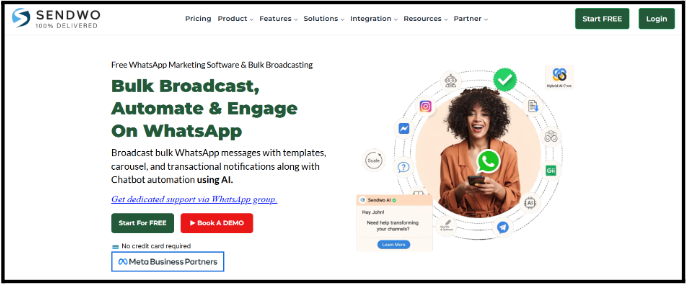
Sendwo is especially useful for:
Sendwo also offers support around template management, contact segmentation, broadcasting setup, campaign reporting, chatbot development, workflow automation, HTTP API integration, e-commerce integration, Google Sheets integration, and WhatsApp input flow/form setup on paid support plans.
CTA:- Start Free with Sendwo
Secondary CTA:- Whatsapp API Pricing
| Use Case | Best Alternative |
| Affordable WhatsApp marketing and automation | Sendwo |
| 0% markup positioning on WhatsApp API pricing | Sendwo |
| Indian WhatsApp marketing | Sendwo |
| WhatsApp CRM and sales pipeline | Zoko |
| Shopify WhatsApp commerce | Sendwo |
| E-commerce support plus WhatsApp marketing | Sendwo |
| Omnichannel sales and support | respond.io |
| Developer-first WhatsApp API | Bird |
| Enterprise messaging infrastructure | Sendwo |
| Customer support inbox | Sendwo |
| Established WhatsApp-first SMB platform | WATI |
If you are looking for the best Gallabox alternatives,start with Sendwo. Sendwo is a strong first choice because it combines WhatsApp marketing, AI chatbots, bulk broadcasts, e-commerce integrations, workflows, multichannel messaging, free entry pricing, affordable paid plans, and a 0% markup positioning on WhatsApp Business API pricing. For small businesses, agencies, e-commerce brands, and marketing teams, that combination makes it one of the most practical alternatives to evaluate first.
Sendwo is one of the best Gallabox alternatives for businesses that want WhatsApp marketing, automation, AI chatbots, multichannel messaging, e-commerce integrations, and affordable pricing. Its public plans start with a free plan and paid plans from $29/month.
Zoko is one of the strongest Gallabox alternatives for Shopify stores because it is purpose-built for Shopify brands and supports WhatsApp catalog, broadcasts, CTWA ads, customer tags, segments, APIs, webhooks, and e-commerce automation.
Among tools with public pricing, Sendwo has a free plan and paid plans from $29/month. AiSensy starts at ₹1,500/month, while DelightChat starts at $29/month plus WhatsApp charges.
respond.io is stronger for omnichannel sales and support because it supports customer conversations across multiple channels and offers workflows, AI agents, reports, APIs, webhooks, custom channels, and enterprise options.
Twilio is best for developer-first teams because it provides WhatsApp messaging APIs and charges a per-message Twilio fee plus Meta template message fees.
Ever wished your Instagram followers could message you on WhatsApp with a single tap? You're not alone. In today’s connected world, Instagram and WhatsApp are a powerhouse duo for communication. By connecting WhatsApp with Instagram, businesses can turn profile visitors into leads, influencers can engage followers more personally, and even casual users can make it easier for friends to reach them. Imagine a boutique owner who posts a new product on Instagram and, with one click on a WhatsApp link, interested customers can start a chat to buy it – no more lost sales or cumbersome DMs. Sounds great, right?
In this comprehensive guide, we'll walk through exactly how to add a WhatsApp link to Instagram. We'll cover everything from creating the link, adding it to your bio (for both personal and business accounts), using it in Stories via the link sticker (formerly swipe-up), and even handling multiple links with tools like Linktree. Whether you’re primarily on mobile (as most Instagram users are) or occasionally on desktop, we've got you covered with step-by-step instructions (with notes for desktop where applicable) and plenty of tips. Let's dive in and get your Instagram and WhatsApp talking to each other!
Before we get into the how, let's briefly talk about the why. Adding a WhatsApp link or button on Instagram can be a game-changer for a few reasons:
In short, adding WhatsApp to Instagram gives your profile visitors a convenient “Contact me on WhatsApp” option. Now, let's get into the practical steps to set this up for your own Instagram profile.
The first thing you need is the WhatsApp link itself. This is often called a “click-to-chat” WhatsApp link – basically a URL that, when clicked, opens a chat with your number on WhatsApp. There are a couple of ways to create this link:
Method 1: Manually Create a wa.me Link – The simplest way is to use WhatsApp’s official short link domain wa.me. It's a template you fill in with your phone number. Here’s how to do it:
https://wa.me/. Using our example, it becomes https://wa.me/12120000000. That URL is your WhatsApp link. When someone clicks it, it will launch WhatsApp (or WhatsApp Web) and open a chat with that exact number.
For reference, WhatsApp officially documents that using https://wa.me/ followed by your number is the correct format for a direct chat link. Make sure you include your country code and omit any special characters.
Optional: You can even add a default message that will appear in the chat box when someone clicks your link. To do this, you tack on a parameter ?text=YourMessage to the URL. For example: https://wa.me/12120000000?text=Hello%20I%20found%20you%20on%20Instagram. When a user taps that, it opens WhatsApp with the message “Hello I found you on Instagram” pre-filled, ready to send. This can be a nice touch for business – e.g., pre-fill a message like "Hi, I'm interested in your services." This step is optional but handy.
Method 2: Use WhatsApp Business App’s Short Link Feature (if you have WhatsApp Business) – If you’re using the WhatsApp Business app, it has a built-in tool to generate a short link for your number (and even include a default message). To use it:

wa.me/<yournumber> (and possibly a QR code). This is your WhatsApp direct link.
Either method gives you a URL that people can click to start a chat with you on WhatsApp. Keep this link handy (copy it to your clipboard or notes) because next, we'll add it to your Instagram profile.
Now that you have your WhatsApp link, let's put it on your Instagram profile where everyone can see it. There are two main ways to do this, depending on the type of Instagram account you have:
On a personal or creator profile, Instagram allows you one clickable link in your bio (by default). We will use that for your WhatsApp link. Here’s how to do it on mobile:
https://wa.me/<yournumber>). Make sure it’s correct. Tip: Double-check you included the country code and no extra characters.That’s it! Now visit your profile and you should see the link in your bio. It will typically show up just below your bio text. For example, it might display as wa.me/12120000000 in your profile. When someone taps that link, it will automatically open a chat with you on WhatsApp – magic! ? According to one quick guide, this method allows any user to add a clickable WhatsApp chat link to their bio in just a few steps.
Note for Desktop Users: You can also add the link via Instagram.com on a desktop browser. Click your profile > Edit Profile > paste the WhatsApp link into the Website field > submit. The effect is the same. On desktop, people clicking the link will be directed to WhatsApp Web or WhatsApp desktop app to chat with you.
Now anyone visiting your Instagram can quickly message you on WhatsApp by clicking that link in your bio. This works for all account types, but if you have a Professional (Business) account, there’s an even more prominent way to integrate WhatsApp – a direct button. Let's explore that next.
If you have an Instagram Business account (or you’re willing to switch to one, which is free), you can add an action button for WhatsApp. This button appears on your profile (usually next to the Follow or Message buttons) and says “WhatsApp”. It’s very eye-catching and saves users even the step of going to your bio link. When tapped, it immediately opens a WhatsApp chat with you.
However, note: This feature has a few requirements:
Here’s how to add the WhatsApp button on Instagram (steps are for mobile app):
According to a how-to guide, after following these steps, “you have added a WhatsApp button to your Instagram bio, and users can reach out to you in one click.” Indeed, now anyone visiting your profile can just tap that WhatsApp button, and it will open a chat with you in WhatsApp.
Visual guide: On your Instagram Business profile screen, you would now see something like a “Contact” or “WhatsApp” button near the top. If you only enabled WhatsApp as contact, it might show as a dedicated WhatsApp button with the WhatsApp logo. If you have multiple contact options (like Email and WhatsApp), Instagram might just show a generic “Contact” button – tapping it will show a menu with both Email and WhatsApp options. For best prominence, many prefer to have the standalone WhatsApp button. To get that, you might choose to include only WhatsApp as your contact method. (No worries, you can still have your website in the bio separately.)
Tip: If you don’t see the WhatsApp button appear immediately, double-check:
Now you have integrated WhatsApp into your Instagram bio, either as a clickable link or a direct button! Next, let's extend this to Instagram Stories, so you can drop a WhatsApp chat link directly into your story posts.
Instagram Stories are another powerful place to share your WhatsApp link. In the past, you needed 10,000 followers or a verified account to add a “Swipe Up” link in stories. But as of late 2021, Instagram introduced the Link Sticker for everyone, meaning any account can add a link in their story via a sticker. This is great news – now you can promote your WhatsApp contact link in your stories regardless of follower count.
We’ll show you how to add a WhatsApp link to your story using the link sticker. It's quite straightforward:
wa.me link into the URL field. You’ll also see a preview of the link. You can even customize the sticker text (it might default to “Visit Link” – you can change it to something like “Chat on WhatsApp” for clarity).In a nutshell, by using the Link sticker, you can effectively recreate the old swipe-up experience (except now users tap the sticker). An example from a guide: “Tap the Sticker icon and select Link. Paste your WhatsApp link. Adjust the sticker placement and share your Story.” – and just like that, viewers can reach your WhatsApp.
Visual guide: A screenshot here would show an Instagram Story in edit mode with a Link sticker being placed. You'd see the sticker with maybe “Chat on WhatsApp” text on the story image, and perhaps other story elements. When posted, a viewer sees that sticker and knows it's clickable.
Note: If you still see mentions of "swipe up", that’s the old method which has been deprecated. Now it’s all about the link sticker. The good news is everyone can use it now, not just big accounts.
Bonus – Save to Highlights: Instagram Stories vanish after 24 hours, but if this WhatsApp link story is important, consider saving it to an Instagram Highlight (those circles on your profile). To do this, after posting the story, open it and tap the Highlight button (heart icon that says “Highlight”) and create a highlight (e.g., name it "Contact" or "Chat with us"). This way, even new visitors to your profile can see that story and tap the WhatsApp link. It basically pins the story on your profile. Many businesses do this with a “Contact Us” highlight. According to one tutorial, saving the WhatsApp-link story to Highlights ensures users can find it anytime on your profile.
Now you've covered feed and stories. Next, let's address how to handle multiple links, because you might be thinking: "What if I want to keep my website link and have WhatsApp in bio?" There are solutions for that too.
Instagram traditionally allowed only one link in bio, which is why tools like Linktree became popular – to have one link that leads to a page of multiple links. However, as of a recent update, Instagram now allows users to add up to five links in their bio natively. This update is a huge improvement, though it has some quirks (only the first link is fully visible on the profile, others are hidden behind an "and X others" label). Let's discuss both approaches:
If you have the latest Instagram app, you can add multiple links directly through the app without needing a third-party tool. Here’s how (on mobile):
For example, you could have your online store as the first link and your WhatsApp chat link as the second. On your profile, it will show the first link title and then “and 1 other” which users can tap to see the WhatsApp link. Instagram’s new multiple links feature, rolled out in 2023, lets you include up to five links in your bio – a big step up from the single link before. This is great because now you might not need a separate link service if you’re okay with how Instagram displays them.
Note: If you add a Facebook link in addition to others, Instagram will by default display the Facebook link icon separately, plus one other link, etc. Just be aware of how it shows up and test how your profile looks to visitors.
Despite Instagram allowing multiple links now, many people still prefer using a single link that leads to a curated landing page (for branding or more control over presentation). Tools like Linktree, Taplink, Later's Linkin.bio, Shorby, and many others provide this service. Essentially, you put their link in your bio, and that link opens a simple webpage with all your links (WhatsApp, website, other socials, etc.) laid out nicely.
If you need more customization or analytics, these tools can be helpful. Here’s how you can use Linktree (as an example) to include a WhatsApp link among others:
wa.me link as the URL. You can also add other links like your website, portfolio, YouTube channel – whatever you want to share.Now, when users visit your Instagram, they click one link and get the menu of all your important links. This way you don't have to choose one single link for your bio. As one article suggests, these “link in bio” tools give you a page where you can place links to messaging apps and social networks all together. So you can include WhatsApp alongside other contact methods.
There are many alternatives to Linktree:
If using such a tool, the visual would be something like: your bio link opens a simple page listing, say, “? WhatsApp Us”, “? Visit Our Website”, “? Email Us”, etc., each of which is clickable.
Mobile vs Desktop: Setting up Linktree or similar is often easier on a desktop browser (just for typing convenience), but can be done on mobile too. And when users click the link on mobile Instagram, it will open the links in their browser or respective apps as needed. On desktop Instagram, the link opens in a new tab.
Between Instagram’s native multi-link and third-party tools, choose what suits you. If you just need a WhatsApp link and one more, the native method is quick and keeps people on Instagram. If you want a branded page or numerous links, a third-party link-in-bio tool might be better.
Now that we've covered all the technical steps, let's wrap up with a quick recap and some motivation to get you to actually do it!
By now, you should have a clear roadmap to add a WhatsApp link to your Instagram – whether as a simple bio link, a shiny WhatsApp button on a business profile, or a swipe-up style link in your Story. We’ve also looked at how to handle multiple links so WhatsApp doesn’t bump off your other important links. The process might have seemed a bit lengthy, but each step is quite straightforward and only takes a minute or two.
Why wait? The benefits of linking WhatsApp to Instagram are too good to pass up. You can boost engagement by making it effortless for followers to reach you, increase conversions (turn those curious profile visitors into customers or engaged community members), and simplify your communication channels. It’s a win-win for you and your audience – they get quick access, and you get a direct line to them.
So here's your call to action: Go to your Instagram profile right now and set up your WhatsApp link! Whether you paste the wa.me link in your bio or add the WhatsApp button via your business profile settings, it only takes a moment to implement. If you're feeling extra motivated, share a Story with the link and save it as a highlight, so everyone knows they can find you on WhatsApp.
In a world where instant messaging is king, bridging Instagram with WhatsApp can elevate your social presence and responsiveness. Give it a try – you might be pleasantly surprised by how many people start reaching out. Happy connecting, and enjoy the conversations! ?
Yes – but only with an Instagram Business account. If you switch your profile to a Business account, you can link a WhatsApp Business number and get a WhatsApp button on your profile. Personal accounts cannot have this button, but they can still add a WhatsApp link in the bio. To add the button, make sure you have WhatsApp Business set up, then go to Edit Profile > Contact Options and add your number. Once verified, your profile will display a "WhatsApp" button that visitors can tap to chat with you on WhatsApp. (If you have other contact methods enabled, it might show under a general Contact menu.) If you’re not a business or prefer not to switch, the workaround is to simply put a WhatsApp link in your bio (not as a button, but as a regular link).
Adding WhatsApp to Instagram makes it super easy for your audience to contact you. For businesses, it means potential customers can ask questions or place orders in a private chat without jumping through hoops – this can increase sales and trust. For influencers or creators, it provides a more personal way to connect with followers or coordinate collaborations. More generally, WhatsApp is hugely popular (with over 2 billion users globally), so many people prefer it for communication. By offering a WhatsApp contact, you’re meeting people on a platform they likely already use daily. It can also declutter your Instagram DMs if you direct inquiries to WhatsApp. Plus, if you use WhatsApp Business, you can take advantage of features like quick replies, labels, and even WhatsApp’s shopping catalog to serve users coming from Instagram. In short, it’s about convenience, better engagement, and converting casual viewers into active conversations.
The easiest and “best” way for most is to use the official wa.me short link. Just format it as https://wa.me/YourPhoneNumber (with country code, no symbols). This link is simple, trusted, and works universally. If you have the WhatsApp Business app, you can also use its built-in Short Link feature – which essentially gives you a wa.me link and even lets you include a default message for users to send. Both methods result in a link that opens a chat with you. There are also third-party link generators and QR code creators, but fundamentally they use the same API. So, the “best” is just use wa.me yourself or through WhatsApp Business settings. It’s free and straightforward. Pro tip: test the link once by clicking it yourself, to ensure it opens your chat properly.
Absolutely, yes. Your WhatsApp chat link (the URL) can be reused anywhere – bio, stories, posts (though in posts/captions it wouldn’t be clickable, but you could still write it), or even on other platforms like Facebook, emails, YouTube descriptions, etc. On Instagram specifically, you might put the link in your bio and also share it via an Instagram Story using the Link sticker. It’s the same link, and it will always direct users to chat with the same WhatsApp number (yours). There’s no technical limitation to using it in multiple places. In fact, for maximum reach, you should use it in multiple places: bio for those who check profiles, stories for those who engage with your content there. Consistency is key – it’s the same convenient one-tap experience no matter where the user finds it.
If you added a WhatsApp action button on a Business profile but don’t see it, a few things could be happening. First, ensure Display Contact Info is enabled in your profile settings, otherwise contact buttons are hidden. Second, if you added multiple contact options (like phone and email along with WhatsApp), Instagram might consolidate them under a generic Contact button on your profile – you’d have to tap that to see WhatsApp. To have WhatsApp show as its own button, try having it as the sole contact method. Third, remember that only WhatsApp Business numbers can be used for the Instagram button – a number linked to a regular WhatsApp (non-business) won’t work. Lastly, if you put a link in your bio and it’s not clickable, make sure you placed it in the “Website” field of your profile, not just in the bio text. Only the Website field (and now the new multi-link feature) makes a clickable link. If all else fails, double-check you saved the settings, and consider updating your app – occasionally, a quick reinstall or update fixes profile button issues. Once properly set, the link or button should definitely show up to your viewers.
By following the steps and tips above, you should be well on your way to enhancing your Instagram profile with WhatsApp. Happy Insta-WhatsApp-ing! ??

