
Follow up consistently
Plan the welcome, explanation and reminder before the campaign starts. Once an eligible subscriber enters the configured sequence, its scheduled steps reduce the repetitive work of remembering each follow-up.
WhatsApp drip campaigns
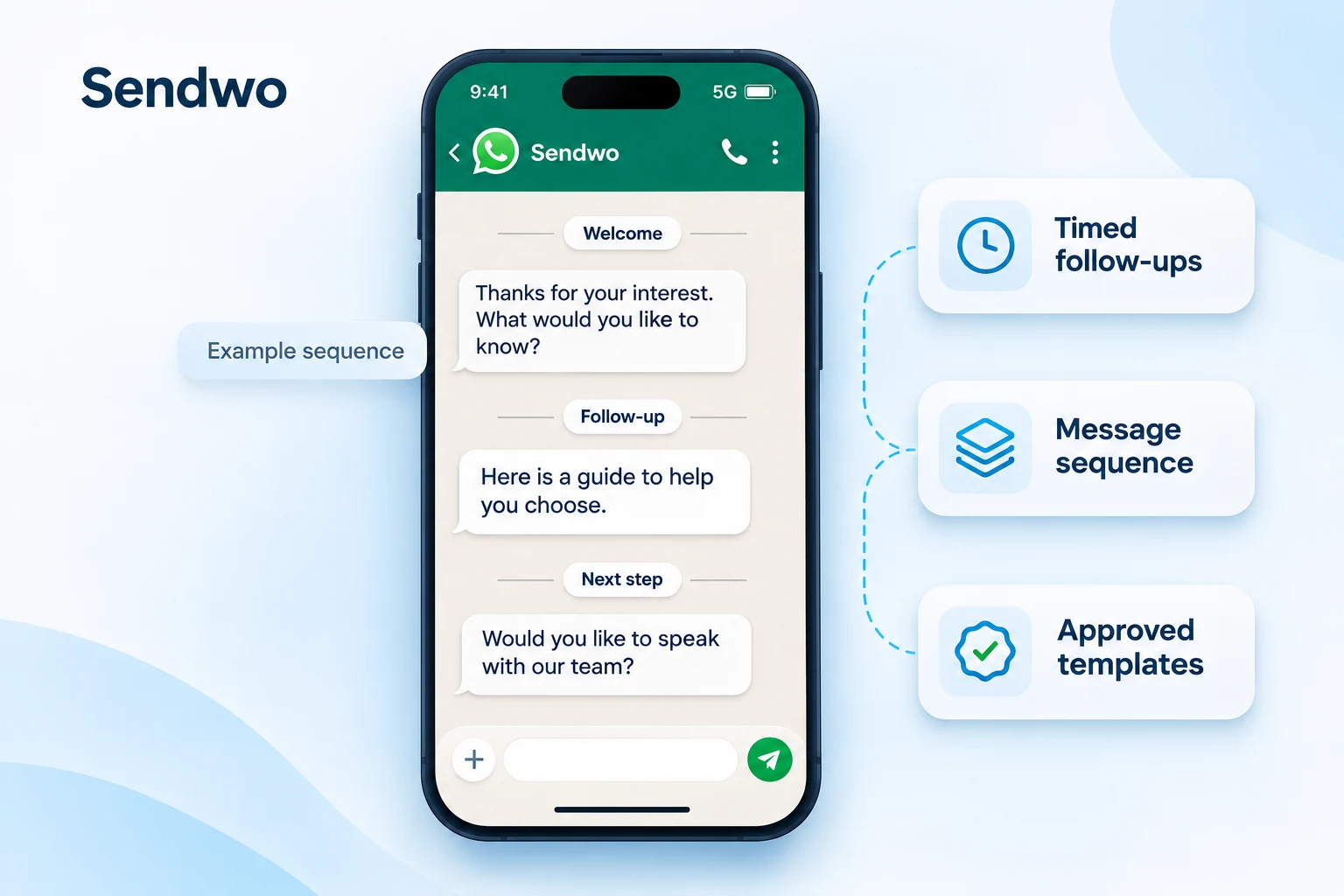
A first enquiry should lead to a useful next step. With Sendwo’s drip campaign feature, build a sequence that welcomes a lead, shares relevant information and follows up at the intervals you choose. Your team can focus on the conversations that need a personal reply.
Built inside Chatbot Builder. Available features depend on your plan and channel. Applicable WhatsApp messaging charges are separate and paid to Meta.
Brands that have used Sendwo






Follow-up with a purpose
A drip campaign is a series of messages sent over time after a subscriber enters a sequence. Plan the content and timing around the customer’s next decision, whether that is understanding an offer, completing onboarding or preparing for an appointment.
Plan the welcome, explanation and reminder before the campaign starts. Once an eligible subscriber enters the configured sequence, its scheduled steps reduce the repetitive work of remembering each follow-up.
Use labels, captured requirements and customer details to prepare the right audience. A new enquiry, an existing buyer and an inactive subscriber can each need a different message and a different pace.
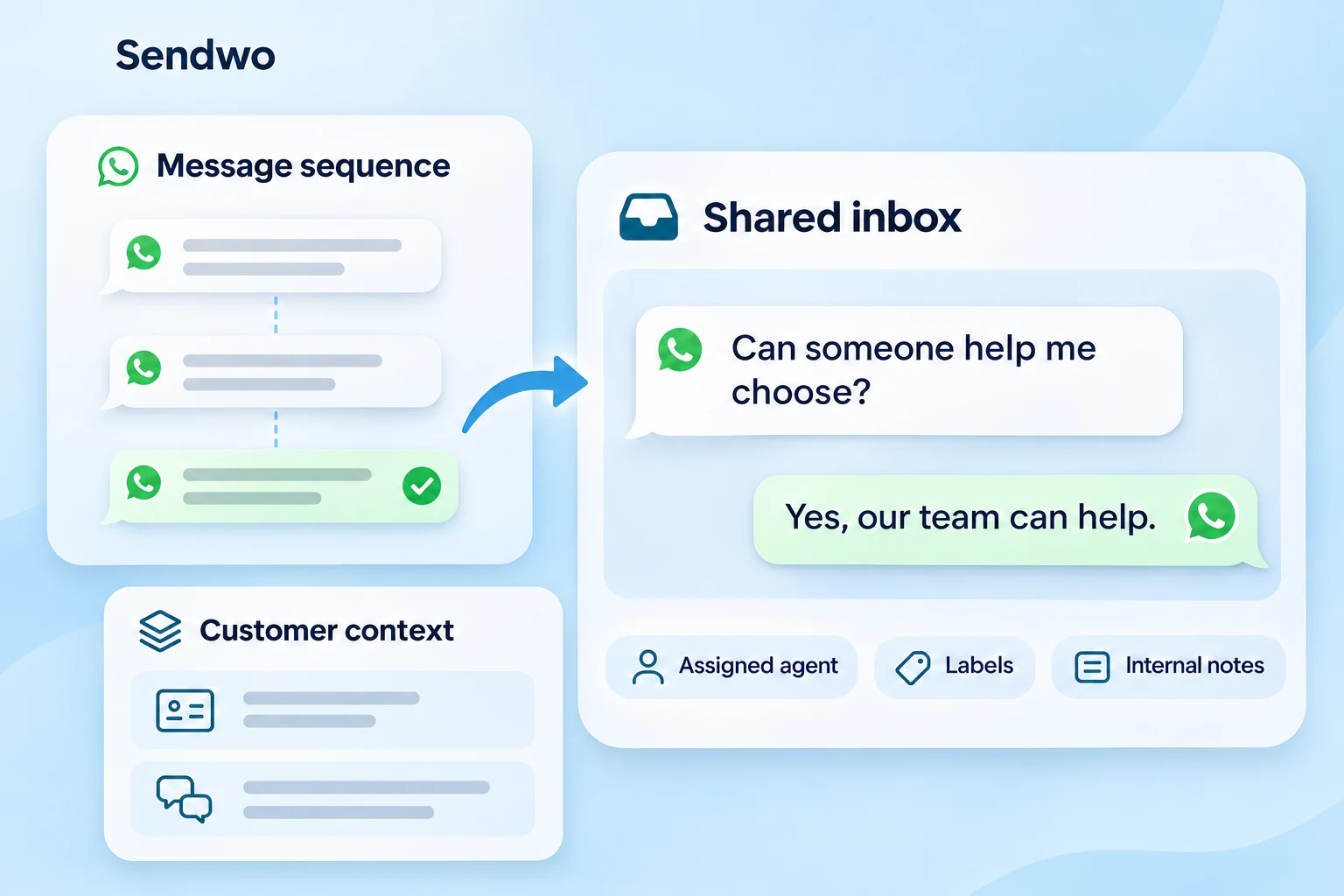
A sequence helps you stay in touch; your team still handles questions and decisions. Keep replies, subscriber context and agent assignments together so a useful follow-up can become a personal conversation.
How the feature works
Select the connected account and decide which eligible subscribers should enter. Use a configured chatbot action, subscriber assignment or supported integration for the entry point.
Build the sequence in Chatbot Builder. Give each step useful content, choose the supported message format and prepare any approved templates it needs.
Set the delay for each step, review delivery settings and test the sequence before enabling it for your audience. Check the message, condition and handoff behavior together.
Use the sequence report and actual customer conversations to find delivery issues, revise content and improve the next follow-up. Scheduled messages are not a guarantee of delivery or a sale.
Built in Chatbot Builder
You do not need to treat drip campaigns as a separate product or build an unrelated messaging journey. Use the sequence elements in Chatbot Builder to connect a subscriber’s entry action with the messages that should follow.
A customer can provide a requirement through a conversational Input Flow before entering a relevant sequence. Keep the response in the subscriber context, then use the configured flow action to subscribe them to the follow-up you have prepared.
Give the sequence a clear name so your team knows its purpose. Review its message steps and settings before activating it, and update the journey when the offer or customer need changes.
The configured customer interaction starts the journey.
Connect the entry action to a sequence.
Define the sequence and its delivery settings.
Set a delay and choose the message for that step.
Timing and delivery settings
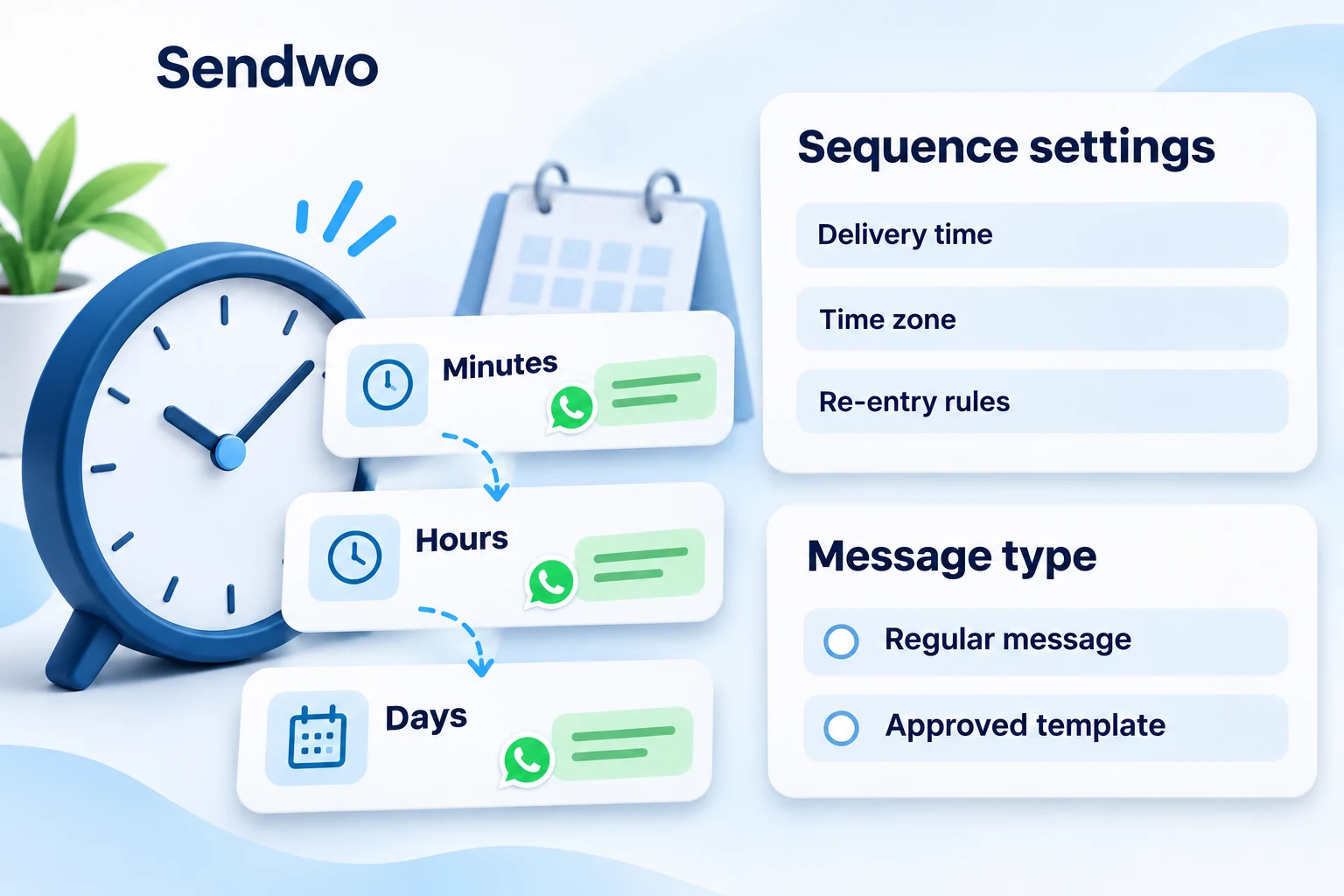
A product guide may be useful soon after an enquiry. An onboarding tip may make more sense later, after the customer has had time to try the product. Set your sequence delays around that purpose rather than sending every message together.
Use the available minute, hour or day intervals for your message steps. Review the preferred delivery time and time zone, and decide whether a subscriber should be allowed to enter the sequence again after completion.
These settings control the plan you create. Platform rules, message eligibility and delivery conditions still apply when each step is sent.
WhatsApp message types
For a WhatsApp sequence, a delay and a message type belong in the same decision. Check when the customer last messaged your business and select the appropriate format for the step.
Regular replies can be sent within the 24-hour window after the customer’s latest message. Use supported text, media or interactive content to answer a question or continue the active conversation.
Do not assume that sending another business message resets this window. A new message from the customer opens or resets it.
Use an approved WhatsApp template for a follow-up outside that window. Prepare the relevant template, category and content before scheduling the delayed step.
Template approval does not guarantee delivery. Account eligibility, template status and WhatsApp messaging rules still apply.
Use opted-in contacts and respect opt-out requests. Sendwo’s free plan and Meta’s messaging charges are separate; scheduling a message does not make that message free.
Audience and conditions
A single sequence does not have to serve every subscriber. Organize audiences using labels, subscriber lists and captured fields, then connect the right group to the relevant follow-up. Review the account source and subscription status before assigning the sequence.
Use the targeting options available in the relevant campaign or subscriber workflow. Your labels, customer fields, country criteria or recently added subscriber groups can help you prepare a more useful audience.
Store requirements from chatbot questions or supported forms. A product interest, appointment request or onboarding stage can help your team decide which sequence to assign and what the next message should explain.
Use supported user-data conditions when a step should run only for a particular group. If a reply or purchase should change the path, configure and test the field, label or integration that records that event.
A customer reply does not automatically mean every sequence stops. Configure the condition or sequence-removal action needed for your journey, and test that behavior before launch.
Replies and team handoff
When a customer responds to a follow-up, the conversation needs context. Use the shared inbox to review the reply alongside the subscriber’s labels, notes, assigned agent and captured details, rather than asking the customer to start again.
Sendwo AI and bot reply controls can support the response process where configured. Your team can take over when a customer needs help choosing, booking or resolving an issue, while keeping the next action clear on the record.
Keep sequence membership and reply handling coordinated. If the conversation has moved beyond the original offer, update or remove the subscriber’s sequence assignment as appropriate instead of continuing an outdated follow-up.
Feature coverage
Sequence setup, subscriber organization, connected workflows and reporting each play a different role. Explore the details your team needs without moving through a directory of unrelated pages.
Use cases
Use drip campaigns for the moments that need more than one message. The entry event, content and timing should reflect what that customer is trying to do.
Welcome a new enquiry, answer the first question and share useful product information over time. Add proof or an offer when it fits the journey, then connect an interested prospect with the team for a personal follow-up.
Use a configured cart event to start a relevant reminder sequence. Explain product value, provide the appropriate checkout step and coordinate purchase-related updates so the customer does not keep receiving an offer that no longer fits.
Prepare registration confirmation, reminders and joining information before the event. Afterward, share the replay or a relevant next step with the eligible audience rather than continuing the same registration message.
Use booking information to prepare confirmation, preparation instructions and reminder messages. Keep the timing aligned with the appointment, and use the relevant configured booking workflow when the schedule changes.
Give new customers a sequence they can act on: a welcome, the first setup task, a useful feature tip and a clear support route. Space the messages so the customer has time to complete each step.
Reconnect with inactive subscribers who remain eligible for contact. Share a useful update, ask a relevant question or offer a reason to return, while making the next step and opt-out choice clear.
WhatsApp first, multichannel when useful
Sendwo is built around WhatsApp marketing, with sequence support for Facebook Messenger, Instagram and Telegram too. Keep the same planning discipline across channels while adapting message formats and entry rules to each platform.

Keep lead nurturing, reminders and reactivation centered on WhatsApp, with the appropriate message format for each sending window.

Use supported sequence messaging for Messenger conversations. Available message types, eligibility and sending windows depend on the connected setup.

Plan timed follow-ups for supported Instagram messaging workflows, while respecting the platform’s permissions and messaging rules.

Use supported bot-subscriber sequences on Telegram. Telegram has its own messaging requirements, so WhatsApp template rules are not a universal channel setting.
Sequence reporting
The WhatsApp sequence report helps your team review the targeted, sent and delivered results, with available records grouped by the configured message intervals. Use those records to investigate a missed message or an unsuccessful step.
Review the available subscriber status, sent timestamp and response details. The response field may contain delivery or API information; it is not a substitute for reading the customer’s reply.
Use the inbox to understand what customers ask and what agents learn. A delivered message alone does not establish interest, revenue or a completed booking.
Use the findings to update timing, templates or audience criteria, then test the revised journey before extending it to more subscribers.
Customer stories
Explore how these businesses use Sendwo for customer conversations, updates, enquiries and follow-up.

Customer communications, promotions and follow-ups.
 Dilbagh Singh

Resort inquiries, booking questions and chatbot-assisted responses.
 Mr. Philip Mensah, CEO

Click-to-WhatsApp advertising, lead qualification and customer conversations.
 Ingo Lederer

Education communications, class reminders and student updates.
 Daren Hunt
Questions, answered