
Booking flows
Use appointment blocks, input flows, forms, buttons, and conditions to build booking journeys for your business.
Explore Chatbot BuilderUse Sendwo to create simple WhatsApp booking journeys for appointments, demo calls, consultations, clinic visits, salon slots, coaching sessions, service requests, and follow-up reminders.
Connect your Google account in Sendwo, select a Google Calendar, and configure your appointment in the dashboard. Customers can then choose a date and time through WhatsApp.
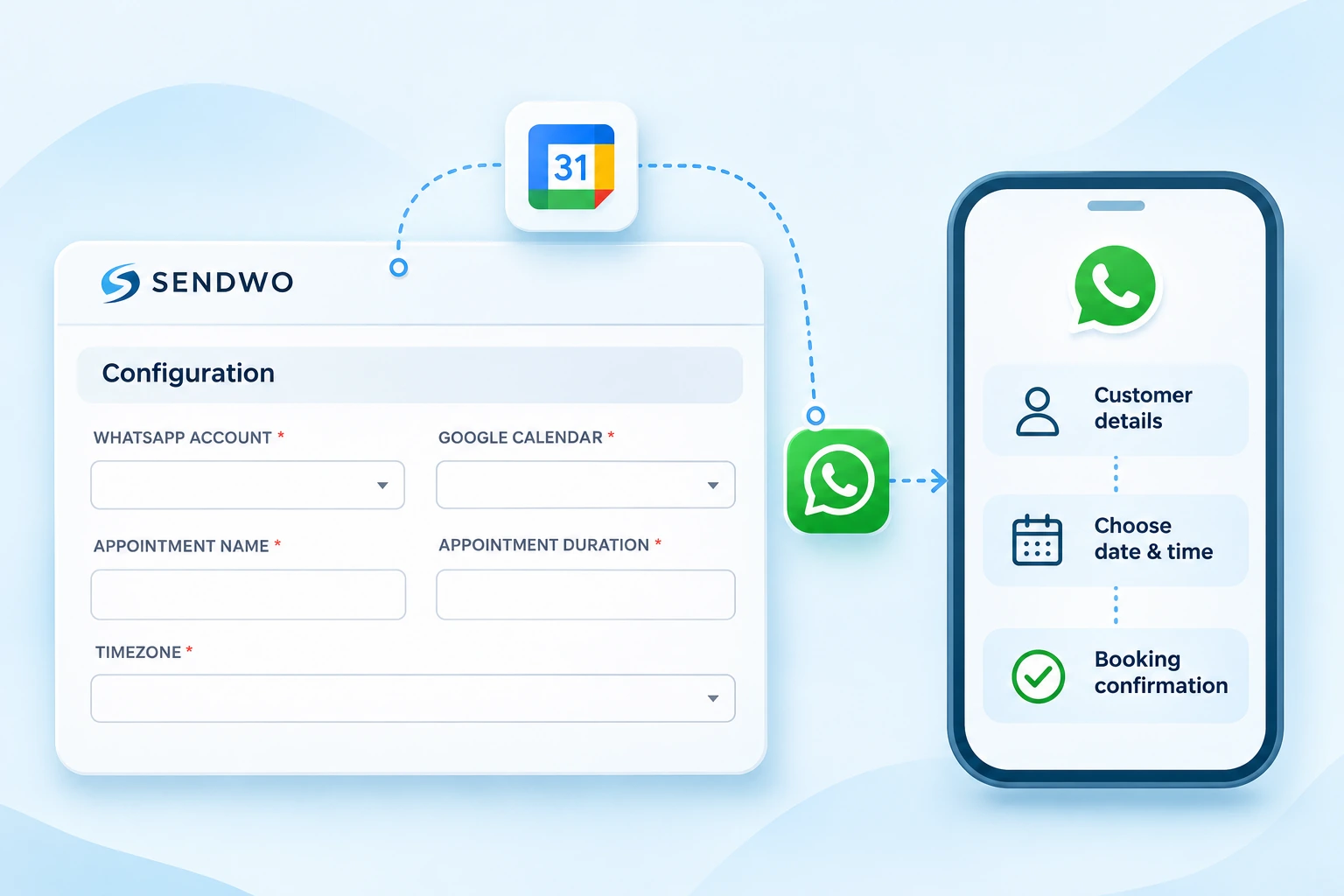





Many businesses still confirm bookings manually on WhatsApp. Sendwo helps you turn appointment inquiries into structured booking journeys.
Use Sendwo to collect details, confirm appointments, remind customers, assign teams, and continue follow-up after the meeting or visit.
Use appointment blocks, input flows, forms, buttons, and conditions to build booking journeys for your business.
Explore Chatbot BuilderCollect name, phone, preferred date, time, service type, branch, concern, and appointment reason through WhatsApp forms.
View WhatsApp FormsSend booking confirmation, reminder messages, reschedule nudges, post-visit follow-ups, and reactivation campaigns.
Sendwo helps businesses capture the booking request, confirm customer details, send reminders, and continue the conversation through WhatsApp.
Customer starts from WhatsApp chat, ad, form, website, or campaign.
Ask for service type, preferred date, time, branch, and contact details.
Send confirmation message and store appointment context with labels or fields.
Remind customers before the appointment to reduce missed visits.
Send feedback, next-step, reschedule, support, or repeat booking messages.
Sendwo appointment booking is designed for businesses that want to reduce manual scheduling work without making the booking journey complicated for customers.
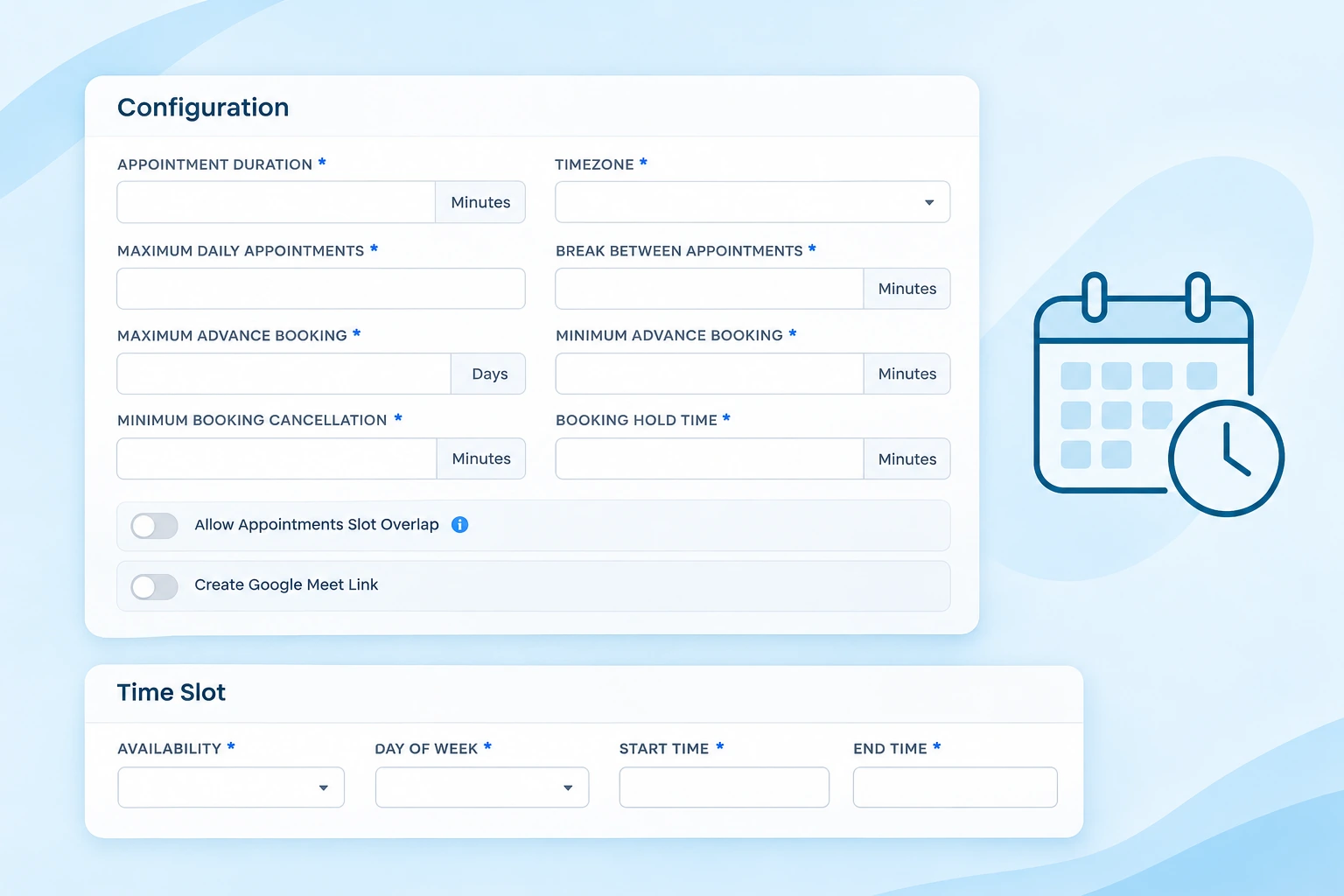
Set the appointment duration, timezone, daily booking limit and break between appointments. Define available days and start/end times, advance-booking windows, cancellation notice and booking hold time. Control slot overlap and enable Google Meet link creation when needed.
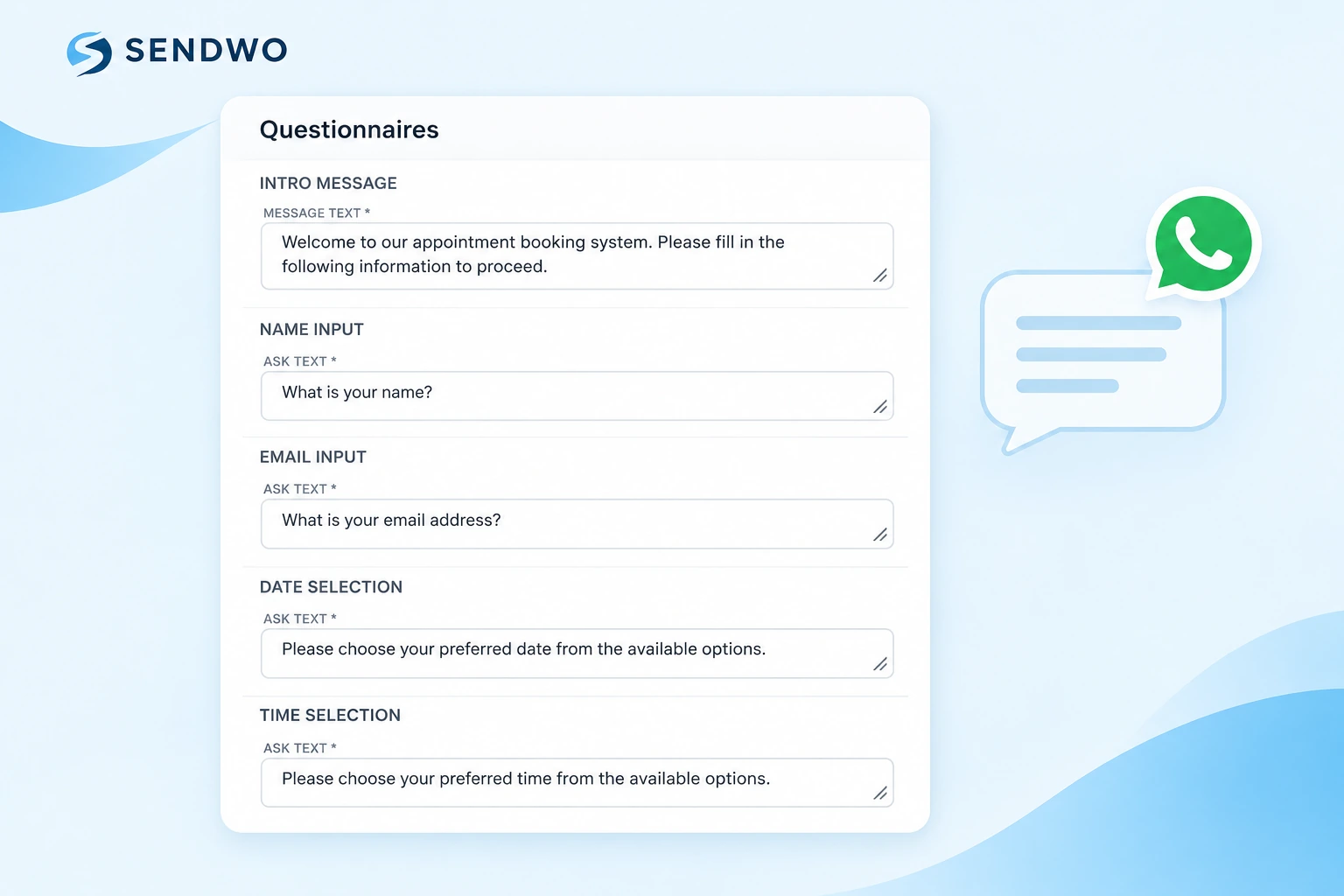
Customize the introduction, name and email prompts, date-selection text and time-selection text. Set the button labels and validation messages that guide customers through the WhatsApp booking journey.
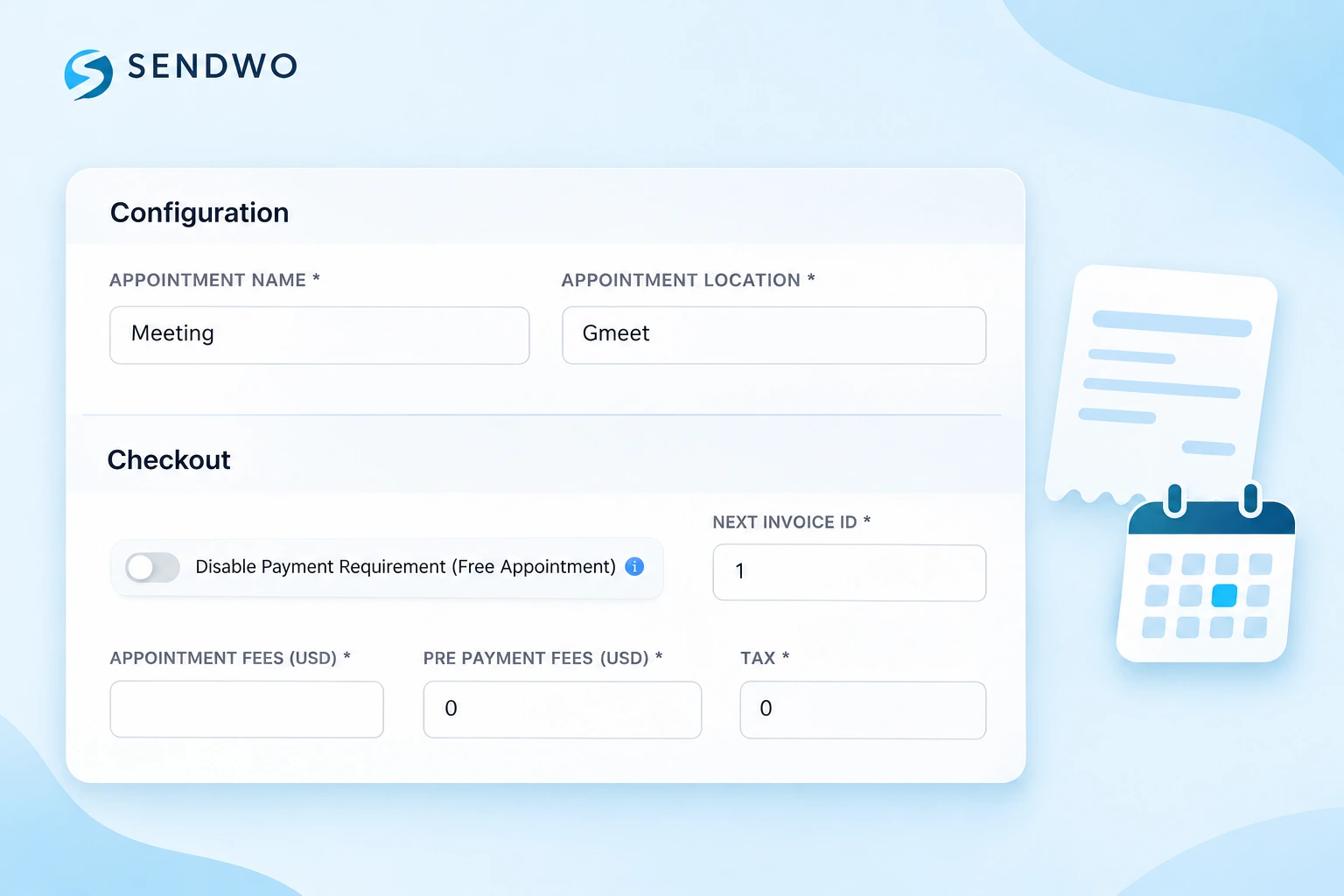
Use the checkout settings to disable payment requirements for free appointments, or configure appointment fees, prepayment fees, tax and the next invoice ID for your booking process. Set the appointment name and location in Configuration.
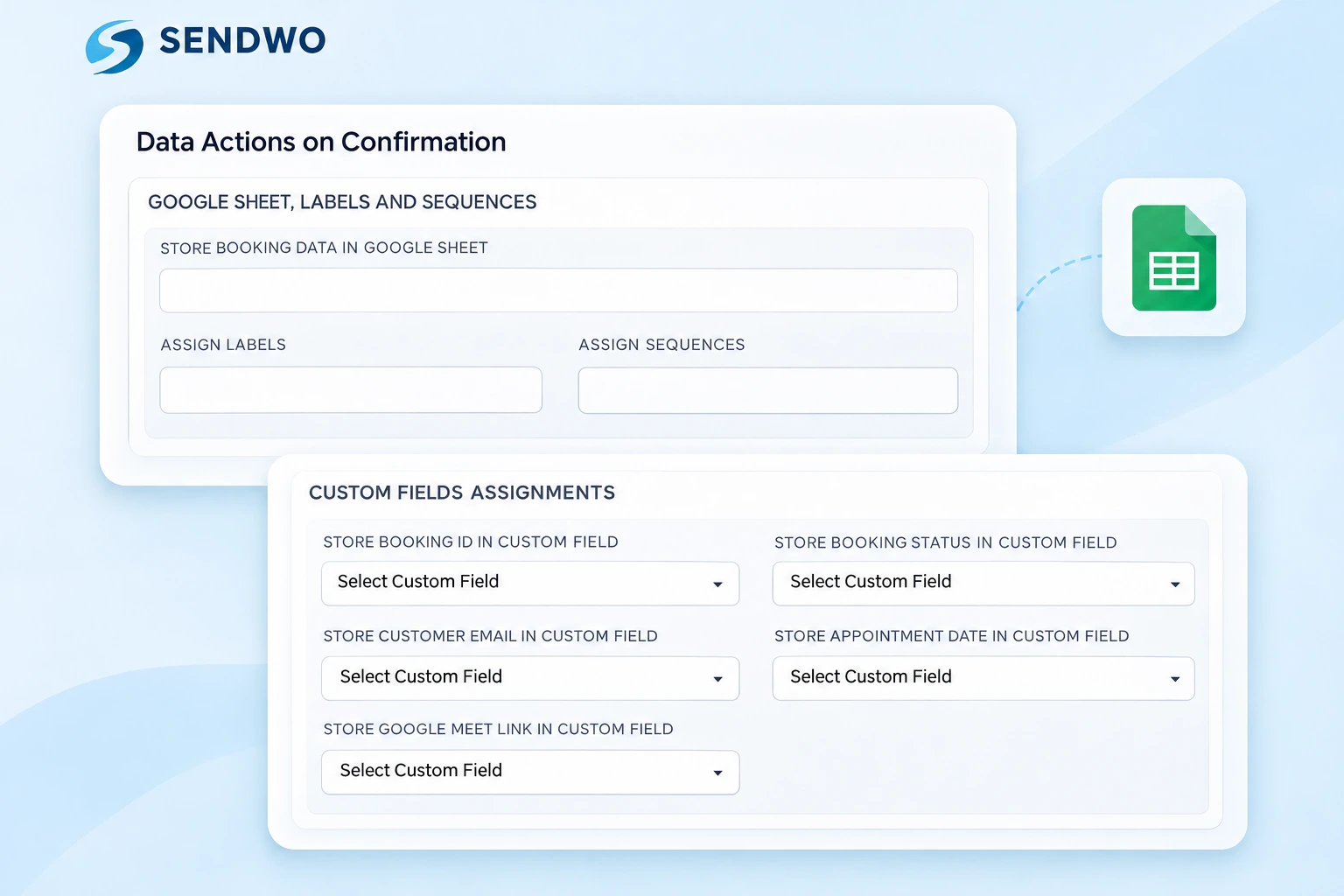
On confirmation, store booking data in Google Sheets, assign labels and connect message sequences. Map booking IDs, customer details, appointment dates and times, payment details, Google Meet links and Google Calendar event IDs to your custom fields.
Appointment journeys work best when connected with customer data, campaign triggers, automation flows, and team response systems.
Any business that depends on time slots, consultations, demos, visits, or service appointments can use Sendwo appointment journeys.
Book patient consultations, send appointment reminders, share preparation notes, and manage rescheduling requests.
Let customers book slots for salon, spa, wellness, fitness, beauty, or personal care services.
Book discovery calls, paid consultations, course counseling, training sessions, and webinar follow-ups.
Book demo classes, counseling calls, admission appointments, parent meetings, and student support sessions.
Book site visits, project consultations, follow-up calls, document meetings, and property walkthroughs.
Book repairs, home visits, installations, delivery slots, service calls, and customer support appointments.
Appointment booking requirements vary by business. Some teams only need a simple WhatsApp flow and reminder sequence, while others may need forms, Google Sheets, calendar tools, APIs, or manual agent confirmation. Sendwo can help you structure the right booking flow for your use case.
Sendwo keeps appointment booking connected with WhatsApp marketing, chatbots, forms, customer data, and follow-ups.
Manual process: Manual chat replies.
Structured flows, forms, and chatbot journeys.
Manual process: Manual and inconsistent.
Automated confirmation messages.
Manual process: Easy to forget.
Reminder workflows and template messages.
Manual process: Scattered across chats.
Labels, custom fields, notes, and contact profiles.
Manual process: No structured routing.
Shared inbox, assigned agents, and AI Assistant.
Manual process: Mostly manual.
Drip campaigns, reactivation, feedback, and repeat booking journeys.
Explore connected pages for flows, forms, chatbots, automation, segmentation, inbox, analytics, and WhatsApp API.
Customer conversations, follow-ups and service journeys across industries.

Customer communications, promotions and follow-ups.
 Dilbagh Singh

Resort inquiries, booking questions and chatbot-assisted responses.
 Mr. Philip Mensah, CEO

Click-to-WhatsApp advertising, lead qualification and customer conversations.
 Ingo Lederer

Education communications, class reminders and student updates.
 Daren Hunt
Quick answers for businesses that want to book appointments, send reminders, and manage follow-ups through WhatsApp.