
Stay with the customer.
Handle supported social and website messages in one workspace, with history ready when your team needs it.
Sendwo omnichannel shared inbox
Bring your customer chats, AI assistance and sales follow-ups into one shared inbox. Give your team the context to respond well and the tools to take the next step.
WhatsApp · Messenger · Instagram · Telegram · Website chat
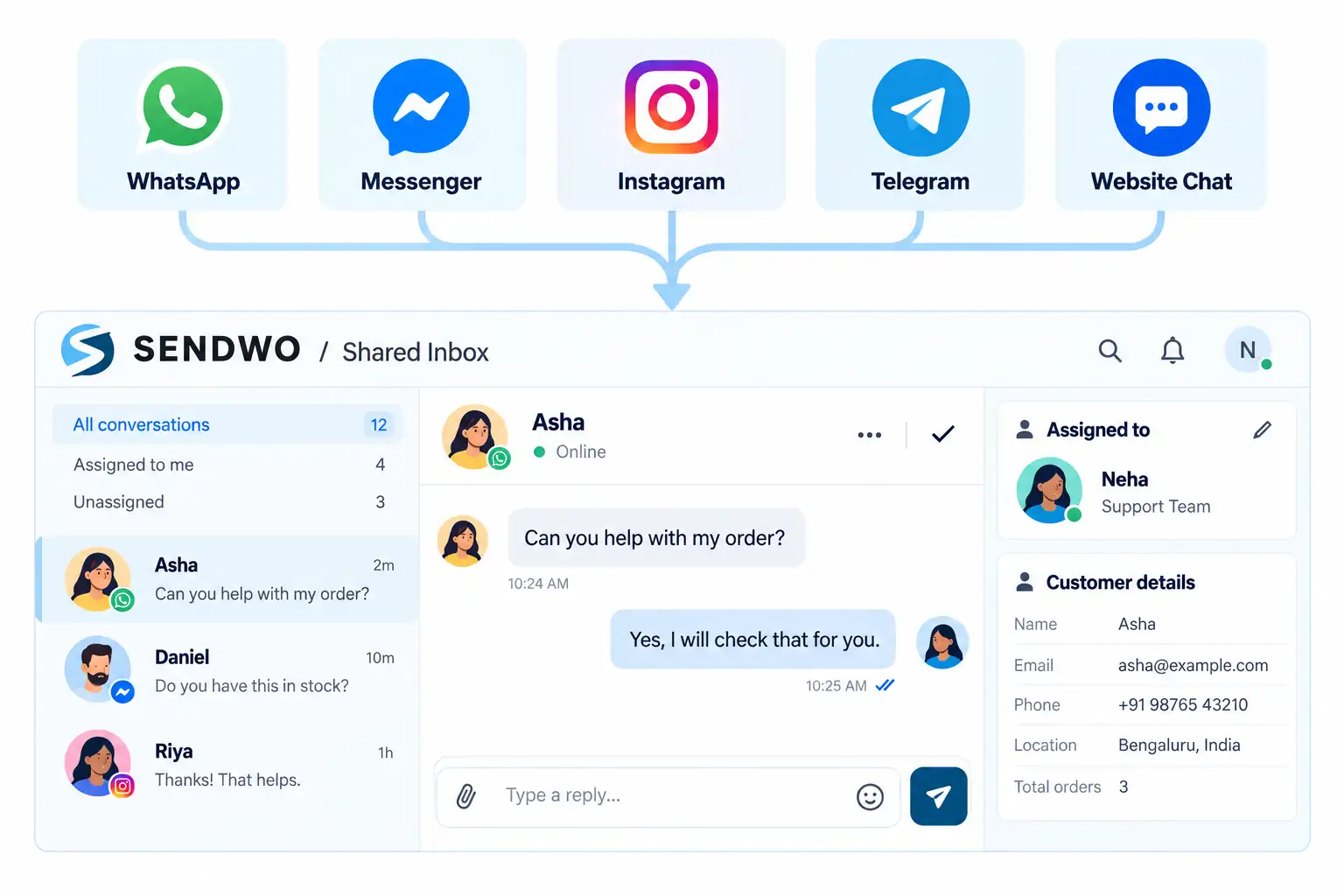
YOUR CHANNELS.
One place to work.
 WhatsAppMessenger
 Instagram
 TelegramWebsite chat
More than a message queue
Connect the reply with the customer record, the responsible teammate and the next action. Sendwo brings all three together.
Handle supported social and website messages in one workspace, with history ready when your team needs it.
Assign chats, join conversations and share internal notes so the next teammate starts with useful context.
Update deals, schedule follow-ups and trigger automation while the conversation is still in front of you.
Team collaboration
Give each chat a responsible teammate. See who has already joined, add an optional agent signature and leave private notes that help your team pick up the conversation.
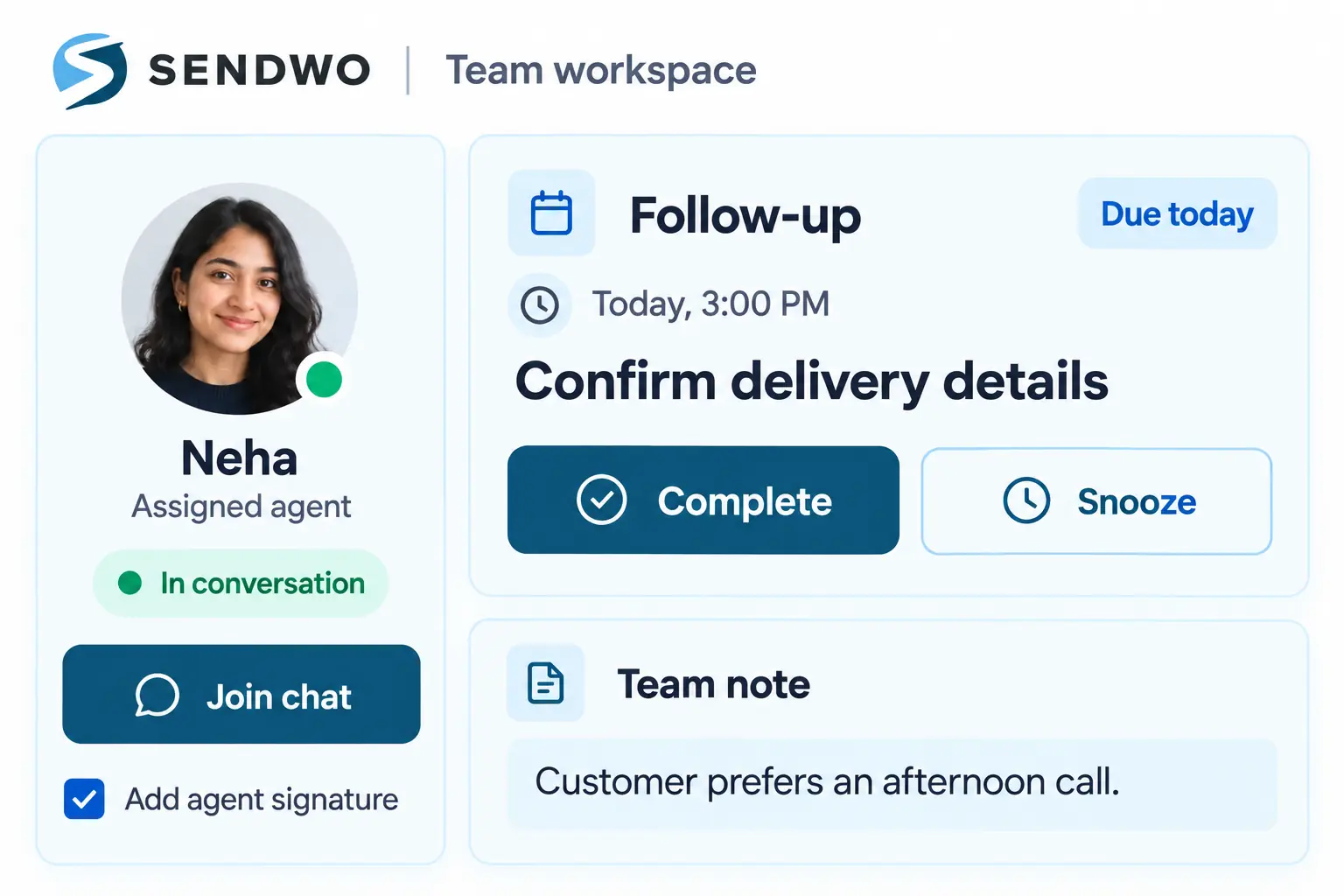
Example customer record
Customer organization
Organize the customer while you help them. Use the conversation sidebar to manage ownership, labels, lists, message sequences and custom fields.
AI + your team
Let AI help with everyday conversations, then give your team control when a customer needs personal attention. Pause and resume bot and AI responses independently.
Handle routine questions and keep the conversation moving.
Messages and customer details remain available in the thread.
Take over the chat and pause the bot or AI as needed.
Resume either when the conversation is ready for automation.
Inbox IQ
Get an AI briefing from recent messages before you reply. Inbox IQ helps your team assess intent, recognize concerns and choose a useful next action.
AI insights support your judgment. Review them in context.
The customer is exploring a shared workspace for sales and support. They want to understand team handoff and connected channels.
Conversation CRM
Track a deal without losing sight of the customer. The inbox keeps pipeline details, contact information and conversation history close together.
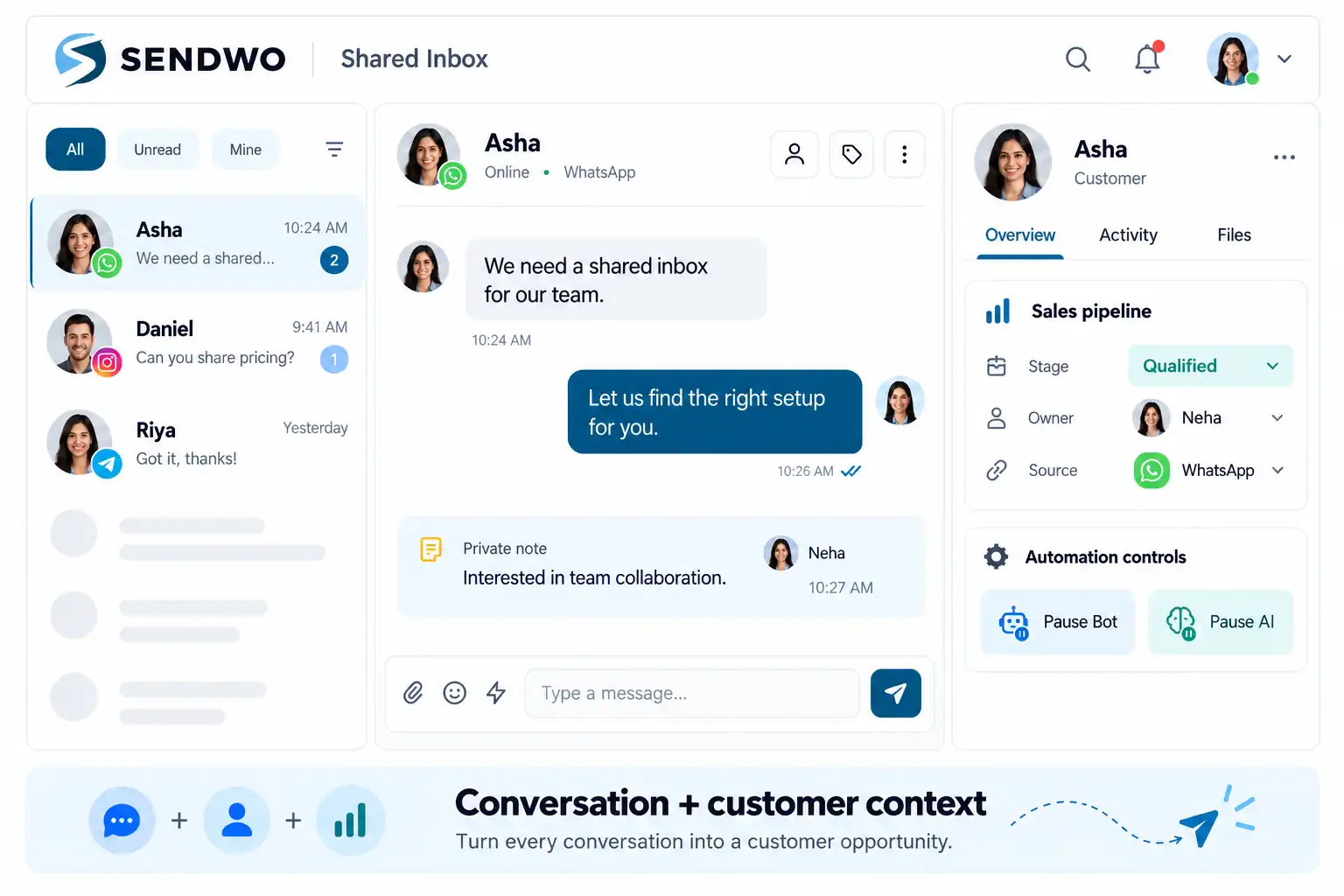
Pipeline, stage, active deal, value, owner, lead score, source and expected close date.
Customer email, last seen, bot, subscription and messaging-window status in the sidebar.
Open the Kanban view or enable optional AI autofill for deal fields. Turn autofill off when you prefer manual updates.
Follow-ups that stay visible
Set the next action while the details are fresh. Add a date, time, reason and internal note, then keep upcoming and completed reminders with the customer.
Illustrative reminder
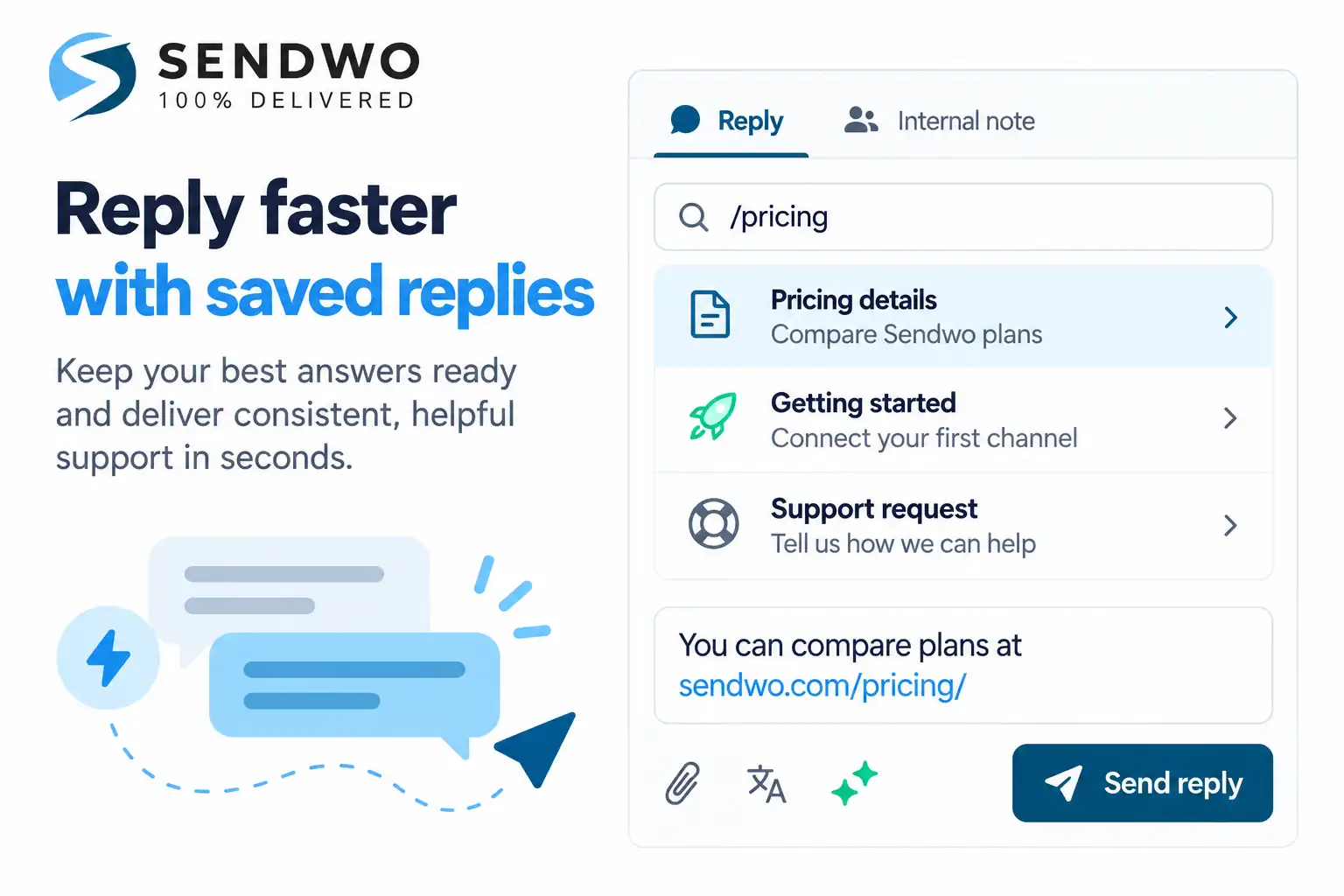
A faster reply workflow
Type / to insert a saved team reply. Reuse approved answers for pricing, onboarding or support, then personalize the message before you send it.
Saved replies are reusable team content, separate from AI-generated drafts.
Connected to the work
Check connected Shopify and WooCommerce order status beside the chat, without opening the store admin.
Explore integrations →Create a meeting link from the subscriber sidebar and share it in the conversation.
Use Mine, Unread, Important and Resolved filters to find the conversations that need attention.
Send a bot flow, message template or WhatsApp Flow now, or schedule it for later.
Explore WhatsApp Flows →Install the PWA on a supported phone or computer. Enable web push to stay aware of new chats.
Get drafting assistance and conversation context while your agent decides what to send.
Explore AI →Availability depends on connected channels, integrations and plan. Messaging permissions and channel rules still apply.
From setup to follow-through
Connect your channels once, then bring your team and customer workflows together.
Link WhatsApp, Messenger, Instagram, Telegram and website chat.
Invite sales and support agents and give conversations clear owners.
Add labels, update fields and set sequences or follow-up reminders.
Review Inbox IQ, update the deal, and reply with a message, saved answer or flow.
Built around your customers
Qualify enquiries, track deals and keep the next follow-up visible.
Share context, manage ownership and combine AI with personal help.
Connect order questions with store context and customer conversations.
Organize connected conversations and team responsibilities in one workspace.
Questions, answered
Channels, teamwork, AI, CRM and follow-ups: here is how they fit together.
Compare Sendwo plans →It is a shared workspace for customer conversations across WhatsApp, Messenger, Instagram, Telegram and website chat. Sales and support teams can reply, assign chats, add private notes, manage customer details and organize follow-ups in one place.
No. A customer’s email address can be stored in their contact profile, but email is not one of the supported inbox channels. The inbox connects WhatsApp, Facebook Messenger, Instagram Direct, Telegram and website chat.
Yes. Assign conversations to agents, see who has joined a chat and leave private notes for colleagues. Agents can join or leave a conversation and optionally send a signature message when they join.
An agent can join a conversation and independently pause the bot or the AI when personal attention is needed. Resume either when you want automation to continue. The conversation history stays available in the thread.
Inbox IQ uses recent messages to prepare a conversation summary, a lead score from 0 to 100, churn risk, sentiment and its trend, an indication of existing-customer status, and a suggested next action. AI assessments help your team prioritize; they are not guarantees.
Yes. The sidebar brings together the pipeline, stage, deal value, owner, lead score, source and expected close date. You can manage labels, lists, custom fields and message sequences too. Optional AI autofill can populate deal fields from the chat and can be switched on or off in inbox settings.
Set a date, time, reason and optional internal note from the conversation. Quick timing options include 1, 2, 4, 6 and 12 hours or 1 day. When a reminder is due, complete it or snooze it. Upcoming and completed follow-ups stay associated with the customer.
Connected Shopify and WooCommerce order information can appear alongside the conversation. Agents can also create a Google Meet link from the subscriber sidebar and share it with the customer.
Yes. Type / in the composer to insert a saved reply. You can also attach files, translate or AI-rewrite a draft, and send a bot flow, message template or WhatsApp Flow immediately or schedule it for later. Channel permissions, template requirements and messaging-window rules still apply.
Yes. Shared Inbox is installable as a progressive web app (PWA) on supported phones and computers. Web push alerts depend on browser support and notification permissions.
Create a Sendwo account, connect your supported channels and invite your team. Then assign conversations, organize customer details and start replying. Check the pricing page for current plan limits and feature availability.