Black Friday + Cyber Monday: 50% off annual subscriptions only50% off annual onlyBFCM50Get offer
Sendwo

Sendwo MCP for WhatsApp Business

Run your WhatsApp Business

Prepare a reply, follow up with a lead, or catch up on a customer chat from your AI assistant. You approve sends and changes in Sendwo.


Works with WhatsApp Business API numbers connected to Sendwo, including numbers using the WhatsApp Business app through Coexistence.

See Sendwo answer a prompt

Ask your assistant to look up your WhatsApp labels. This walkthrough uses the result from a Sendwo connection test.

Teams and brands that have used Sendwo

  • Himalaya
  • Honda franchise outlets
  • Liberty
  • Spotify
  • Fortis
  • Google
  • BYJU’S
  • Whirlpool
  • Vissco
  • Eduracle
  • Guardizon
  • Wojeski & Co.
  • Westorico
  • Stuffco
  • Starvacon
  • StarAgile
  • SGS
  • Plan Rombo
  • Nobel Communication
  • Nitronz Industrial
  • Netrika
  • Neo Travels
  • NEET Support
  • MedSoc
  • MAPS Edu
  • Manoratha
  • Maharashtra Paper
  • Lovenspire
  • Khyati Dental Clinic
  • Keller Logistics
  • Jaglista
  • Irish Golf Leaderboard
  • House Finder
  • H&G Cash and Carry
  • GoHoliday360
  • fäm Properties
  • Excellence
  • eSchool
  • Electrosmart
  • E-Disha
  • Dezaw
  • Daksya Academy
  • Conecte.ai
  • CIEL HR
  • Catalin Vasiliou
  • Borosil
  • Bishop Heber College
  • BenchTeq
  • Ambica Steels
  • Alpha Kitchen
  • Ajay Car Rental

What you can do

44 tools. One Sendwo connection.

Use the same tools in ChatGPT and Claude. Ask about one customer, or prepare the next action while the conversation is still fresh.

Illustration of chat bubbles, an attachment and a delivery check

Messages and templates

Send a Meta-approved template to one recipient, or prepare a text, media, or button reply while the 24-hour service window is open. Check delivery, review template status, or submit a new template to Meta.

  • Approved templates
  • Text, media, and buttons
  • Delivery status
Illustration of a contact, a conversation, and a team handoff

Contacts, labels, and team inbox

Look up recent messages and get a recap before replying. Add a contact, update their custom fields, apply a label, leave a note, or assign their conversation to a teammate.

  • Contact records
  • Conversation history
  • Team handoffs
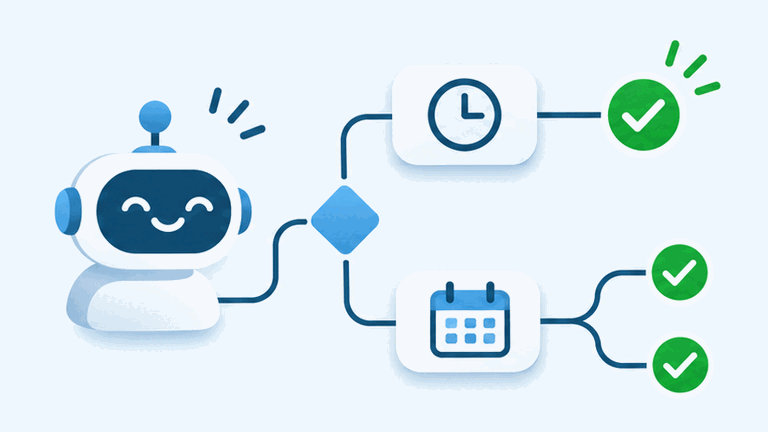
Illustration of a chatbot and a branching follow-up sequence

Sequences and chatbot flows

Start a flow you’ve already built in Sendwo, add or remove a contact from a follow-up sequence, or pause the bot for a contact while your team steps in.

  • Existing bot flows
  • Sequence enrollment
  • Bot and AI status
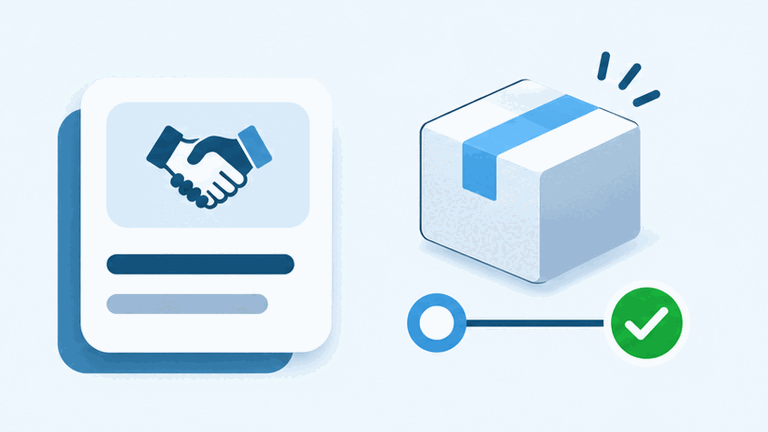
Illustration of a deal card, a parcel, and order status checks

CRM deals and catalog orders

Pull up a contact’s deal or check orders in a connected catalog. Prepare a deal-field or order-status update, or request a catalog sync for review.

  • Deal fields
  • Catalog orders
  • Catalog sync
Explore all 44 Sendwo MCP tools

The full list is available when message and record changes are enabled. The read-only connection shows the lookup tools.

Messages and templates

  • send_approved_template
  • send_text_message
  • send_interactive_buttons
  • send_existing_media
  • upload_media
  • get_message_status
  • list_templates
  • get_template_status
  • create_template
  • create_authentication_template
  • create_carousel_template
  • list_postbacks

Contacts, labels, and team inbox

  • get_subscriber
  • list_subscribers
  • create_subscriber
  • update_subscriber
  • delete_subscriber
  • get_conversation
  • get_subscriber_notes
  • add_subscriber_note
  • assign_chat_to_team_member
  • mark_conversation_status
  • list_labels
  • create_label
  • assign_labels
  • remove_labels
  • list_custom_fields
  • assign_custom_fields

Sequences and bot flows

  • list_bot_flows
  • trigger_bot_flow
  • list_sequences
  • assign_sequences
  • remove_sequences
  • reset_user_input_flow
  • get_automation_status
  • set_automation_status

CRM and catalog orders

  • get_crm_overview
  • update_crm_overview
  • list_catalogs
  • sync_catalog
  • list_orders
  • update_order_status

Connection and action status

  • connect_whatsapp_account
  • get_action_status

Example prompts

Ask the way you’d ask a teammate

Open ChatGPT or Claude with Sendwo connected, copy a prompt, and replace the customer or template name with one from your account.

Get up to speed

Look up Maya’s recent WhatsApp messages and tell me what I still owe her.

Hand off an enquiry

Find Arjun’s conversation, add a note that he asked about delivery, and prepare to assign it to Support.

Send an approved template

Prepare our approved appointment reminder template for Aisha. Show me the recipient and message before sending.

Start an existing follow-up

Prepare to enroll this contact in the demo follow-up sequence we’ve already set up.

Check a send

Use this message ID to check whether the WhatsApp reminder was delivered.

Update an order

Find the customer’s matching catalog order and prepare to mark it as shipped.

Connect Sendwo

Add it as a custom connector

Open MCP in your Sendwo dashboard and choose your assistant to find the server URL and setup details. You’ll also need the Sendwo API key and Phone Number ID for your connected number.

1. Add Sendwo to your assistant

Copy the connector URL from MCP in your Sendwo dashboard. The same URL works in both apps.

https://mcp.sendwo.com/mcp.php

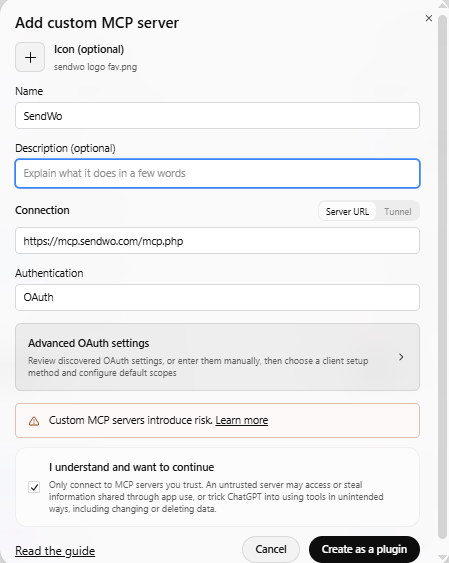
ChatGPT: Open Plugins, choose Add custom MCP server, enter Sendwo as the name, and paste the URL. Select OAuth.

Claude: Open Customize → Connectors and choose Add custom connector. Enter Sendwo and paste the URL. Choose Register automatically if prompted.

ChatGPT custom MCP setup with the Sendwo server URL and OAuth selected

2. Authorize your WhatsApp number

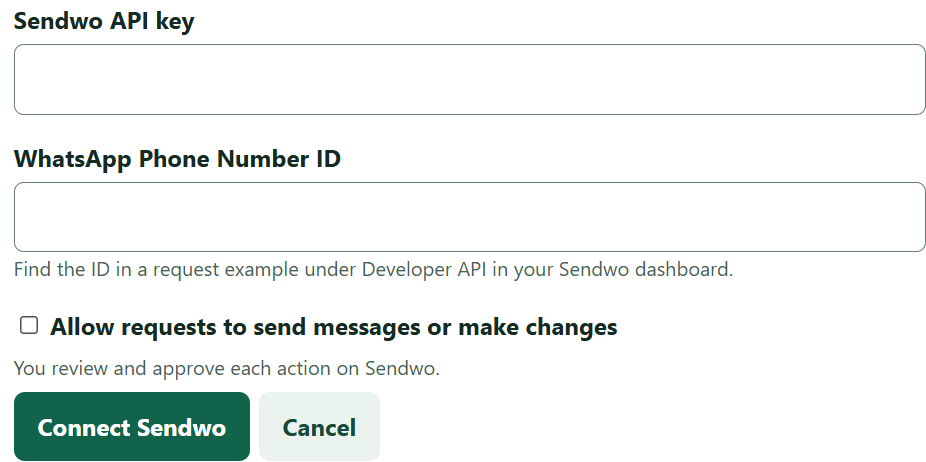
Choose Connect in ChatGPT or Claude. On the Sendwo authorization screen, enter your Sendwo API key and your WhatsApp Phone Number ID.

Turn on Allow requests to send messages or make changes if you want to approve write actions through the connector.

Back in your assistant, try asking it to list your WhatsApp labels.

Sendwo authorization screen showing blank API key and WhatsApp Phone Number ID fields
Watch the full setup walkthrough
Already have an account? Sign in to Sendwo and open MCP in the dashboard.

Account access

You decide what gets sent or changed

The connector works with the Sendwo account and WhatsApp number you authorize. Review the details in Sendwo before an action runs.

Sign in on Sendwo

Enter your API key on Sendwo’s authorization screen. The connector stores the key encrypted on the server.

Start with read-only access

Leave the send-and-change option unchecked if you only need to look up conversations, contacts, or records.

Review each action

For sends and changes, open the Sendwo approval link and check the details. Disconnect the connector when you want to end its access.

Customer stories

How customers use Sendwo on WhatsApp

Dilbagh SinghDhillon Dairy UK logo

Dhillon Dairy UK

Dilbagh Singh

Shares promotions and customer updates, and follows up with customers on WhatsApp.

Philip MensahPamV Estates logo

PamV Estates

Philip Mensah, CEO

Answers resort and booking enquiries with chatbot and AI-assisted responses.

Ingo LedererEZ35 logo

EZ35

Ingo Lederer

Qualifies leads who come in through click-to-WhatsApp ads.

Daren HuntAura International logo

Aura International

Daren Hunt

Uses WhatsApp for class reminders and student updates.

View All Customer Case Studies

FAQ

Questions about Sendwo MCP

Which WhatsApp numbers can I connect?

Use a number connected to Sendwo through the WhatsApp Business API. That includes numbers onboarded directly to the API and numbers that still use the WhatsApp Business app through Coexistence.

What is a WhatsApp MCP connector?

It lets an AI assistant use selected WhatsApp Business tools through the Model Context Protocol. Sendwo MCP connects those tools to ChatGPT and Claude.

What do I need to set it up?

A connected WhatsApp number, your Sendwo API key, and the Phone Number ID for that number. In ChatGPT or Claude, add the hosted server as a custom connector and authorize your account on Sendwo.

Can I use the same WhatsApp number in both apps?

Yes. Authorize Sendwo separately in ChatGPT and Claude using the same Sendwo account and WhatsApp Phone Number ID.

Can I send messages after the 24-hour window closes?

Use a Meta-approved WhatsApp template when the service window is closed. Text, media, and interactive replies depend on the conversation being within the service window.

Can I run broadcasts or build new chatbot flows from chat?

The connector can prepare a template send for one recipient and run existing bot flows or sequences. Use the Sendwo dashboard to build new flows and sequences or launch a bulk broadcast.

Why does Sendwo ask me to approve a message?

ChatGPT or Claude prepares the request. Sendwo shows you what will be sent or changed and runs the action after you approve it.