
How to Add Coupon System in Your WhatsApp Catalog - Easy Guide
Add Coupon System in Your WhatsApp Catalog by creating promo codes in your (Shopify, WooCommerce, etc.) and delivering them Via Sendwo.
 By Aditi Kamini
Published: April 28, 2026
11 min read
By Aditi Kamini
Published: April 28, 2026
11 min read
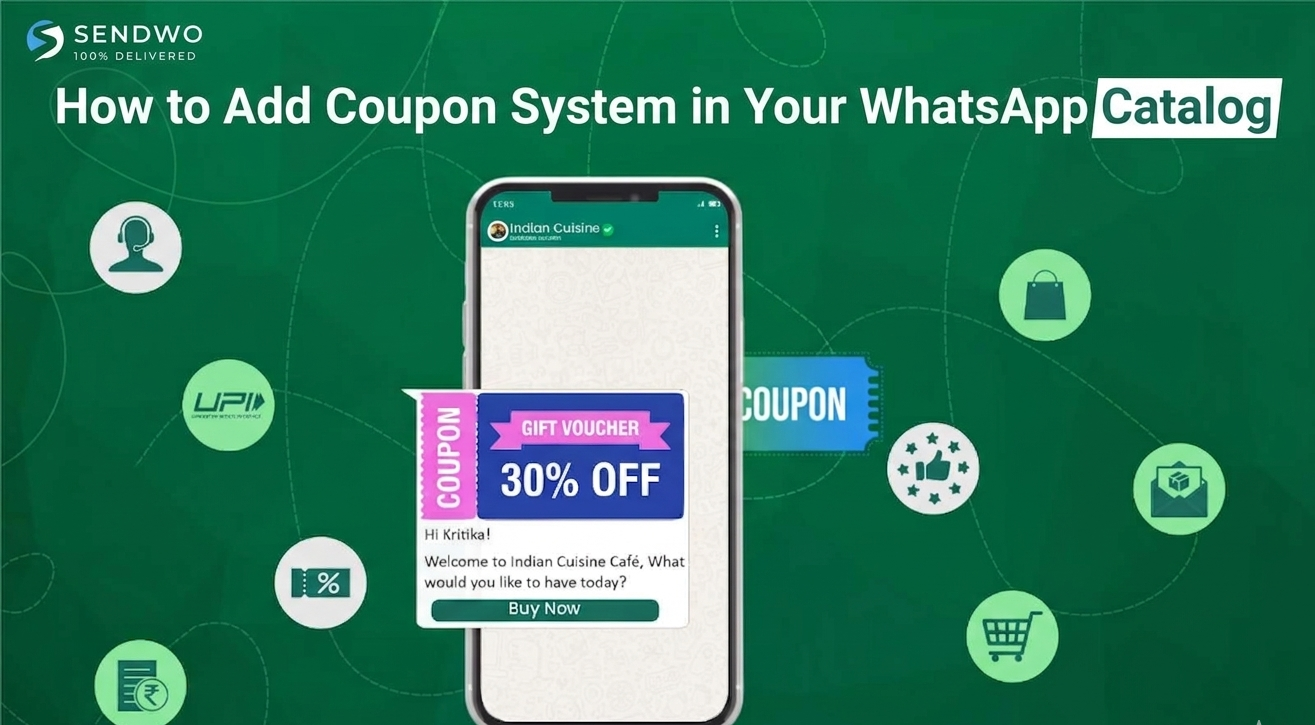
Add Coupon System in Your WhatsApp Catalog by creating promo codes in your (Shopify, WooCommerce, etc.) and delivering them Via Sendwo.
WhatsApp commerce in action: a user browses a product catalog and completes checkout all within WhatsApp. By combining this in-chat storefront with timely coupons, businesses dramatically boost conversion rates. According to industry data, WhatsApp campaigns see ~98% open rates and 45–60% click-through rates– far above email or SMS – and about 66% of marketers report positive ROI on WhatsApp marketing. Imagine leveraging that engagement by offering a 50%-off coupon mid-chat, as Unilever famously did to achieve a 14× sales lift. In this post (for SendWo users), we explain step-by-step how to integrate a coupon system into your WhatsApp catalog, why it works so well.Let see How to Add Coupon System in Your WhatsApp Catalog.
1. Why Offer Coupons Through Your WhatsApp Shop?
Coupons drive immediate action. Research shows that 82% of consumers redeem digital coupons within a week (30% on the same day), and shoppers who use coupons spend ~24% more than average. WhatsApp’s channel is ideal for this: messages land directly in hand, notifications pop up, and customers can click to use codes instantly. In practice, businesses see stunning results. For example, a recent SendWo case highlighted that a WhatsApp chatbot campaign offering a 50% off coupon yielded a 14× jump in product sales.
Key benefits of adding coupons to your WhatsApp catalog include:
- Sky-high visibility: WhatsApp messages get seen. Campaigns on WhatsApp typically achieve ~98% open rates and 45–60% click rates(versus ~20% open and 2–5% click on email). This means your promo code won’t go unnoticed. As one marketer noted, “Imagine sending an order confirmation, then later a reminder to reorder – all automated through WhatsApp”.
- Fast conversions: A timely discount creates urgency. Short-lived coupons (hours to a day) encourage customers to act now. In fact, 82% of recipients use digital coupons quickly. By triggering a coupon code right when a user is browsing or has an abandoned cart, you meet them at the critical moment.
- Higher cart value: Coupons can increase Average Order Value (AOV). The data shows coupon users spend about 24% more per order, especially when you tie the code to a minimum spend or specific products.
- Increased loyalty: Exclusive deals make customers feel valued. Personalized codes (“FLORAL10 for you”) or VIP-only offers encourage repeat business. Even solving a customer’s question with a little bonus (“thanks for asking – here’s 10% off your next purchase”) builds goodwill.
- Integrated experience: Customers already browsing your WhatsApp catalog can immediately apply the code. They browse items, add to cart, and then see the discount, all inside the chat. This frictionless flow (catalog → cart → coupon → checkout) keeps users in one place and dramatically improves the chance of purchase.
In short, coupons fuel WhatsApp sales. By combining SendWo’s official WhatsApp integration (to manage your catalog and flows) with well-timed promo codes, you turn casual catalog browsers into paying customers. Next, let’s look at the platform features that enable this.
2. WhatsApp Catalog & Coupon Features
WhatsApp Business provides built-in tools for catalogs and for sharing promo codes:
- WhatsApp Catalog: An official digital storefront. You can list up to 500 products (images, names, prices, descriptions, links) that customers browse directly on WhatsApp. Each item can link to your store or include a “Cart” so users can easily add it to their order in chat. With SendWo, you sync your Shopify/WooCommerce store to this catalog, automatically updating items and prices.
- Coupon Templates: WhatsApp supports special message templates for discounts. The “Coupon” template includes a one-tap Copy Code button. When the user taps it, the code is copied to their clipboard. This streamlines redemption (no typos) and makes coupons feel like native app features. You can send such templates via the WhatsApp Business API when messaging customers. (Note: these templates must be pre-approved in your WhatsApp Business Account.)
- Limited-Time Offers: There are also LTO templates with countdown timers. Use these to announce flash sales or expiring deals through WhatsApp messages. The ticking timer adds urgency.
- Open-Catalog Action: Within a message template (e.g. a marketing broadcast or a chatbot message), you can include a button that opens the WhatsApp catalog. This bridges messages and your store display. For example, a message could say “Check out our new arrivals” with a button that instantly pops open the catalog inside WhatsApp.
- Quick Replies & Buttons: Beyond templates, SendWo enables you to craft automated conversations. You might have the bot offer a coupon via a quick-reply option (e.g. user taps “Give me discount code”), or include a CTA button in a template link to a coupon.
All together, this means you can present products and deals seamlessly in chat. One common flow: a user adds items to cart via the catalog → they abandon or hesitate → SendWo triggers a reminder message with a coupon code (copy-button or text) to entice completion.
3. Step-by-Step: Add Coupon System in Your WhatsApp Catalog
Connect Your E-commerce Catalog to WhatsApp (via SendWo)
- First, ensure your product catalog is live in WhatsApp Business. In Facebook Commerce Manager create or select an “E-commerce” catalog and upload your products (manually or connect to Shopify/Woo). Then, in Facebook’s WhatsApp Manager, link this catalog to your business (All Tools > WhatsApp Manager > Catalog > Choose Catalog > Connect). Finally, in the SendWo dashboard go to eCommerce Catalog and click Synchronize. Your store’s products will appear under SendWo’s catalog manager, where you can set prices, images, and currency. (If your store updates frequently, Sync will pull new items automatically.)
Create Discount Codes in Your Store
- In your online store (Shopify, WooCommerce, etc.), go to the Discounts/Coupons section and generate one or more promo codes. These can be fixed-amount (e.g. $10 off), percentage (e.g. 10% off), free shipping, or even “buy X get Y” promotions. Use clear, simple code names (like WELCOME10 or VIP20) and set any conditions (minimum cart value, expiry date, one-time use). For WhatsApp coupons, it’s often best to keep them short-lived (hours or a day) to create urgency. If you have a large campaign, you might generate unique single-use codes for each user; otherwise a general code works fine. Make sure the code is active and tested on your checkout.
Configure WhatsApp Messages to Deliver the Coupons
With SendWo, you can automate sending those codes via WhatsApp messages. You have two main options:
Turn this learning into your next WhatsApp campaign.
Start with Sendwo’s free plan, explore WhatsApp broadcasts, automation, AI chatbot flows, and upgrade only when your business needs more power.
- Message Templates: Create an Approved Template in WhatsApp (via SendWo’s Message Template tool). For example, click Create Default to load SendWo’s built-in templates – one is an “Abandoned cart recovery with coupon” template. You can edit it to include your coupon code (use a variable like {{COUPON}} if your system dynamically inserts it) and call to action. This template will have the copy code button baked in if you set it as a Coupon template. Once approved, you or the bot can send it like any other message.
- Chat Flows & Broadcasts: Use SendWo’s automation to send regular messages with the code. For example, set up a workflow that triggers on cart abandonment or after a specific user action. In the chat flow editor or broadcast composer, just include the coupon text. SendWo lets you insert variables (like the customer’s name or product names) and rich media. Pro Tip: Always pair your coupon with a visual or product context – a product image or catalog card – instead of plain text. This feels more engaging. For instance, you might send a product photo plus a caption: “Still thinking it over? Here’s 10% off on this item with code SAVE10 — tap to copy!”. The copy button template is even better because it reduces friction.
Automate Coupon Triggers. Decide when to send coupons:
- Abandoned Carts: Configure SendWo’s catalog settings to automatically send a “cart reminder” if a user didn’t complete checkout. In the eCommerce Catalog manager scroll to Catalog Manager and set up an abandoned cart reminder message and timing. Include your coupon code in that reminder to entice return visits.
- Post-Purchase Upsells: After an order is placed, you might send a thank-you message with a next order coupon 1–2 days later (ideal for consumables or cross-sells). This prolongs engagement.
- Welcome Offers: When a user first opts in, send a welcome coupon (e.g. WELCOME10 for 10% off) via a broadcast or automation. Make it clear it’s exclusive to WhatsApp subscribers.
- Broadcast Campaigns: For store-wide sales (Black Friday, holidays), send a broadcast message to a segment (like VIPs or general list) with a coupon and a catalog link. Keep the offer time-bound and the message concise with a clear CTA.
- Direct Chats: If a customer initiates a chat (asking about a product or shipping), the support agent or chatbot can respond with help plus a small coupon (“Use code THANKYOU5 for 5% off”). This personal touch often seals the deal.
- By automating these flows in SendWo, you ensure coupons go out at optimal moments without manual effort. Monitor your shop analytics to see when carts drop off or what audiences are most active, and adjust the triggers accordingly.
4. Best Practices for WhatsApp Coupons
To get maximum impact, follow these tips:
- Personalize Whenever Possible: Use the customer’s name and context. For example, “Hi Alex, since you liked our floral dresses, here’s 10% off with code FLORAL10.” Tailored offers (interest-based or past-purchase-based) convert far better than generic blasts. Personalized codes or messages make customers feel seen.
- Use Visuals: Attach a product image, banner, or catalog item when sending the coupon. A vibrant graphic with the discount clearly shown will grab attention. Research suggests that pairing coupons with an image or catalog card feels more engaging and authentic than plain text.
- Set Clear Expiry: Always mention the expiration (e.g. “Good for 2 hours only!” or “Expires today midnight”). Limited-time offers drive urgency. In fact, one pro tip is to keep WhatsApp coupons short-lived (12–24 hours) to boost impulse buys.
- One Code per Campaign: Avoid sending one code to hundreds of people if you can use dynamic single-use codes. Unique codes prevent sharing and let you track redemptions precisely. Many e-commerce platforms let you bulk-generate unique codes (Shopify has a bulk tool, as does WooCommerce).
- Embed in Templates Smartly: Use WhatsApp’s official copy-code template block if possible. This ensures a tidy presentation and instant clipboard copy. Otherwise, even plain text codes work fine – just remind users to copy it exactly.
Test Before Sending: Always test your message on yourself or a colleague. Verify the coupon code applies correctly on checkout. Check how it appears on both Android and iOS WhatsApp.
Avoid Spammy Behavior: Don’t blast irrelevant promotions. Only send coupons to opted-in users or active customers. Respect privacy and WhatsApp’s 24-hour rules. Segmented, value-driven messages build trust (as SendWo’s best practices remind us). - Track and Iterate: Use your store’s analytics to see how coupons perform. Compare order rate with and without the code, keep an eye on redemption rates, and tweak your offer. If a coupon falls flat, try a bigger discount or different timing next time.
Conclusion & Call to Action
- Integrating a coupon system into your WhatsApp catalog can skyrocket engagement and sales by turning passive browsers into eager buyers. As shown above, tools like SendWo make it straightforward: you connect your product catalog, create discount codes in your store, and deploy those codes via SendWo’s WhatsApp templates and automation. The combination of WhatsApp’s ultra-high open rates and the lure of a discount is a powerful marketing tool.
- Ready to supercharge your WhatsApp shop? Start by setting up your SendWo-powered catalog today, and plan a small discount campaign. Even a modest offer can wake up your sales. For example, send a “15% off for 2 hours” coupon to cart abandoners or VIPs and watch how quickly customers bite. SendWo’s free plan and built-in templates (like the abandoned-cart coupon template) make it easy to get started. Don’t let your products just sit in a catalog—turn every chat into a potential sale with the right coupon strategy!
Call to Action: Sign up for SendWo (free forever plan) and integrate your store with WhatsApp to begin creating your first coupon-driven campaign. Need help? Book a demo or contact our support to see how easy it is to add coupons, recover carts, and double your sales via WhatsApp. ??
FAQ
1. How do I add a coupon code to my WhatsApp Business catalog?
WhatsApp Catalog lacks a native coupon field. Create the discount in your store (e.g., Shopify, WooCommerce), then use SendWo to send the code via message templates or broadcasts. Example: Add it to an "Abandoned Cart" template with a copy-code button for easy use at checkout.
2. What is a WhatsApp coupon template?
It's a pre-approved message with a promo code and "Copy Code" button for instant copying. Submit under "Marketing" or "Utility" in your WhatsApp Business account. Once approved, send it like any template for seamless discount sharing.
3. Can customers apply a promo code when checking out from a WhatsApp order?
Yes. With SendWo's Catalog integration, customers browse/add items, get a checkout link to your store, and enter the code there. (For WhatsApp payments, handle discounts via payment link or backend.) The WhatsApp message delivers the code; your site applies it.
4. How do I automate sending coupons on WhatsApp with SendWo?
Use SendWo's Broadcasts or Workflows. Trigger via WooCommerce/Shopify webhooks for abandoned carts, inserting coupon templates. Or schedule broadcasts to segments with personalized variables (e.g., "Alex, your 10% code!"). Ready-made templates available.
5. Are coupons effective in WhatsApp marketing?
Yes—high engagement drives quick redemptions. WhatsApp's personal chats boost immediate action; e.g., 15% off codes spike purchases. Pair with flows like cart recovery for higher conversions, AOV, and ROI.
Aditi Kamini
Aditi, a content marketer at SendWo, is a passionate writer and marketing enthusiast. She excels in driving revenue campaigns, building client relationships, and mastering content creation, SEO, customer service, and project management.


