
How to Resolve User Input Flow Answer Not Displaying in Shared Inbox - Easy Guide
Resolve User Input Flow Answer not showing in shared inbox by verifying bot permissions on the shared mailbox, checking flow logic.
 By Aditi Kamini
Published: April 27, 2026
7 min read
By Aditi Kamini
Published: April 27, 2026
7 min read
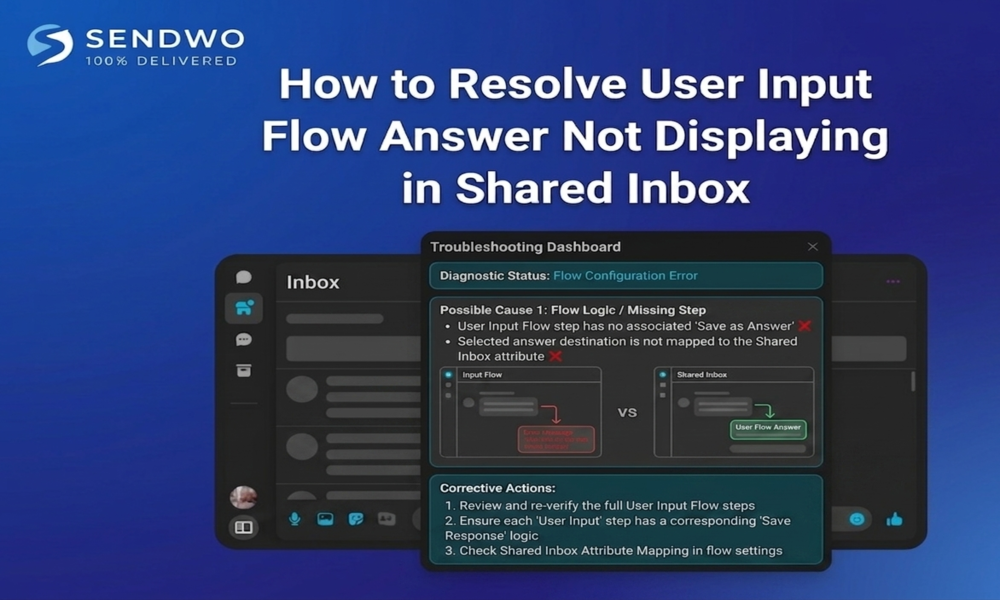
Resolve User Input Flow Answer not showing in shared inbox by verifying bot permissions on the shared mailbox, checking flow logic.
Imagine your WhatsApp support chatbot asking a customer for their details, but when the conversation reaches your team inbox, the customer’s answers vanish. This frustrating gap often stems from a known issue in SendWo’s system – and luckily there are clear fixes. In this guide, we’ll dive deep into How to Resolve User Input Flow Answer Not Displaying in Shared Inbox, and how to fix it step by step. SendWo’s Shared (Live) Inbox is designed for team collaboration: “Shared team inboxes streamline customer support by enabling seamless collaboration and real-time visibility”.
1. Why User Input Flow Answers Don’t Display
Several factors can hide flow answers. The most common causes are:
- Known Software Bug (Fixed in Jan 2026): SendWo recently addressed a glitch where User Input Flow answers weren’t displayed in chat. The January 26, 2026 update notes explicitly state: “Fixed: Facebook AI reply and Resolve User Input Flow Answer”. If you’re on an older version or missed an update, you could run into this bug.
- Agent Not in Conversation (“Join Chat” feature): If no agent has joined the chat, new bot messages may not be visible. With Signature/Join Chat enabled, only the agent actively in the conversation can reply. Ensure an agent is assigned or has clicked Join Chat so they see everything. Otherwise the bot’s messages (like flow answers) may not show up to the team.
- Outdated Business App: Some teams use SendWo’s Business mobile app to respond. An earlier issue caused messages sent from the mobile app to not appear in the Shared Inbox. Updating the app ensures those messages (and any flow replies) sync correctly.
- Browser/Cache Glitches: Occasionally, a cached session can hide new messages. If updates were recently applied, a full refresh or re-login can help load the latest chat data.
Latest SendWo Fixes
- SendWo’s own release notes confirm the problem was recognized and fixed. On January 26, 2026, SendWo announced: “Fixed: Resolve User Input Flow Answer”. This means if you update to the latest SendWo version, the bug should be gone. They also noted fixing “messages sent from the Business app not appearing in Shared Inbox”, another related symptom.In practice, the fix involves both updating SendWo and using the platform correctly. The steps below will guide you through both.
2. Resolve User Input Flow Answer Not Displaying in Shared Inbox Step-by-Step
Follow these steps to restore flow answers in your Shared Inbox:
- Update SendWo to the Latest Version. If your software is self-hosted or if updates are managed centrally, make sure the January 2026 (or later) update is applied. This update contains the fix for missing flow answers. After updating, log out and log back in – this clears cached states so the inbox can load all messages correctly.
- Refresh the Shared Inbox. Sometimes simply navigating away and back to the Shared Inbox, or refreshing the browser, will pull in any stuck messages. Check that the Shared Inbox is open (it now opens in a new tab by default) and that the conversation thread loads fully.
- Assign or Join the Conversation. If the problem persists, ensure an agent has “joined” the chat. In the Shared Inbox interface, either assign the chat to a team member or click Join Chat (if your Signature Messages/Join Chat feature is enabled). Once an agent joins, the flow answers should appear as part of the chat history.
- Update and Restart the SendWo Business App. If your team uses SendWo’s mobile app, update it from the app store. Then send a test message through the app and confirm it shows in the Shared Inbox. This fixes issues where app-originated messages were not syncing.
- Check Bot Error Logs. In SendWo’s Bot Manager, open Bot Error Logs to see if any flow steps failed. An error log entry might explain a broken flow sequence (e.g. malformed JSON) that stopped the answer from being sent. Fixing any logged errors (such as correcting an API call or JSON format) can restore normal flow execution.
- Test a New Input Flow. As a sanity check, create a simple test flow (e.g. a 2-step Q&A) and complete it with a test user. Observe whether each answer appears in the Shared Inbox. If it works, your system is fixed. If not, re-examine steps 1–5 or contact support.
Throughout these steps, focus on keeping key systems updated and agents actively engaged. Bold points to remember:
- Keep SendWo updated to ensure bug fixes are applied.
- Join/Assign Chats so that no messages get hidden.
- Clear cache/refresh after changes to make sure the inbox shows the latest conversation.
3. Best Practices & Prevention
Beyond fixing this issue, follow these tips to avoid similar problems:
Turn this learning into your next WhatsApp campaign.
Start with Sendwo’s free plan, explore WhatsApp broadcasts, automation, AI chatbot flows, and upgrade only when your business needs more power.
- Monitor and Log: Regularly check your bot’s error logs. Proactive monitoring can catch unseen failures before they affect the team. In fact, benchmarks show bots with real-time monitoring can reduce flow failures by up to 48%.
- Train Agents on Join Chat: Ensure all agents know to Join any new conversation (especially if multiple agents might handle it). Using signature messages with the “Join Chat” requirement can prevent missed messages.
- Document Bug Fixes: Keep a change log of system updates. If a new issue arises, check recent release notes (like those on SendWo’s site) to see if it’s a known bug with a patch.
- Use Descriptive Testing: When testing flows, label them clearly (e.g. “TestFlow”) so you can easily find those conversations in the Shared Inbox and verify everything appears.
Conclusion
- Lost chatbot messages can disrupt support and irritate customers, but in SendWo’s case the culprit is usually a fixable glitch. By updating SendWo, ensuring agents join chats, and refreshing your inbox, you’ll restore visibility Resolve User Input Flow Answer. In summary, make sure your system is current and monitor for any flow errors – that way, your team won’t miss a single customer reply.
- Ready to put these fixes into action? Update your SendWo platform now and test a sample Resolve User Input Flow Answer. If you need help or want to learn more, contact SendWo support or explore the SendWo Dashboard. Don’t let valuable lead information slip through the cracks – get all your WhatsApp chatbot replies logged and visible today!
FAQs
1. Why are my chatbot’s replies not appearing in the shared inbox?
This often happens if the platform is out-of-date or if agents haven’t joined the conversation. SendWo addressed a bug in Jan 2026 that caused answers to not display. Updating to the latest version and refreshing the inbox usually solves it. Also confirm an agent has clicked Join Chat so they see incoming messages.
2. How can I ensure user input flow answers show up for my team?
Always run flows after logging in or updating the app. Assign the conversation to an agent or enable “Join Chat”, so flow responses appear. Make sure the SendWo Business app and web app are updated (updates fixed message-sync issues). In short: keep software current, clear caches, and join the chat.
3. Is this a known SendWo bug?
Yes – as per SendWo’s release notes, a Resolve User Input Flow Answer fixed in Jan 2026. If you still experience missing answers after updating, it may be due to cache or user-action (like not joining the chat) rather than a bug.
4. What if I’ve updated but still see missing answers?
First, refresh or reopen the Shared Inbox to pull new messages. Then double-check that the agent has joined the chat. Also review the specific flow for any errors (use Bot Error Logs). If problems persist, clear your browser cache or try a different browser. As a last resort, reach out to SendWo support for help.
5. What is a user input flow in SendWo?
It’s a sequence of automated questions (like a form) that your chatbot asks in WhatsApp. Each user response should become part of the chat log. SendWo lets you build these under Bot Manager > Input Flow. The answers get saved as custom fields and should appear in the Shared Inbox unless there’s a sync issue.
Aditi Kamini
Aditi, a content marketer at SendWo, is a passionate writer and marketing enthusiast. She excels in driving revenue campaigns, building client relationships, and mastering content creation, SEO, customer service, and project management.


