WhatsApp MCP: Meta’s New AI-Powered WhatsApp Business Tools
Learn what WhatsApp MCP is, how it works, and how businesses can integrate AI tools like ChatGPT and Claude with WhatsApp for automation.
 By Snehil Prakash
Published: October 13, 2026
16 min read
By Snehil Prakash
Published: October 13, 2026
16 min read
Learn what WhatsApp MCP is, how it works, and how businesses can integrate AI tools like ChatGPT and Claude with WhatsApp for automation.
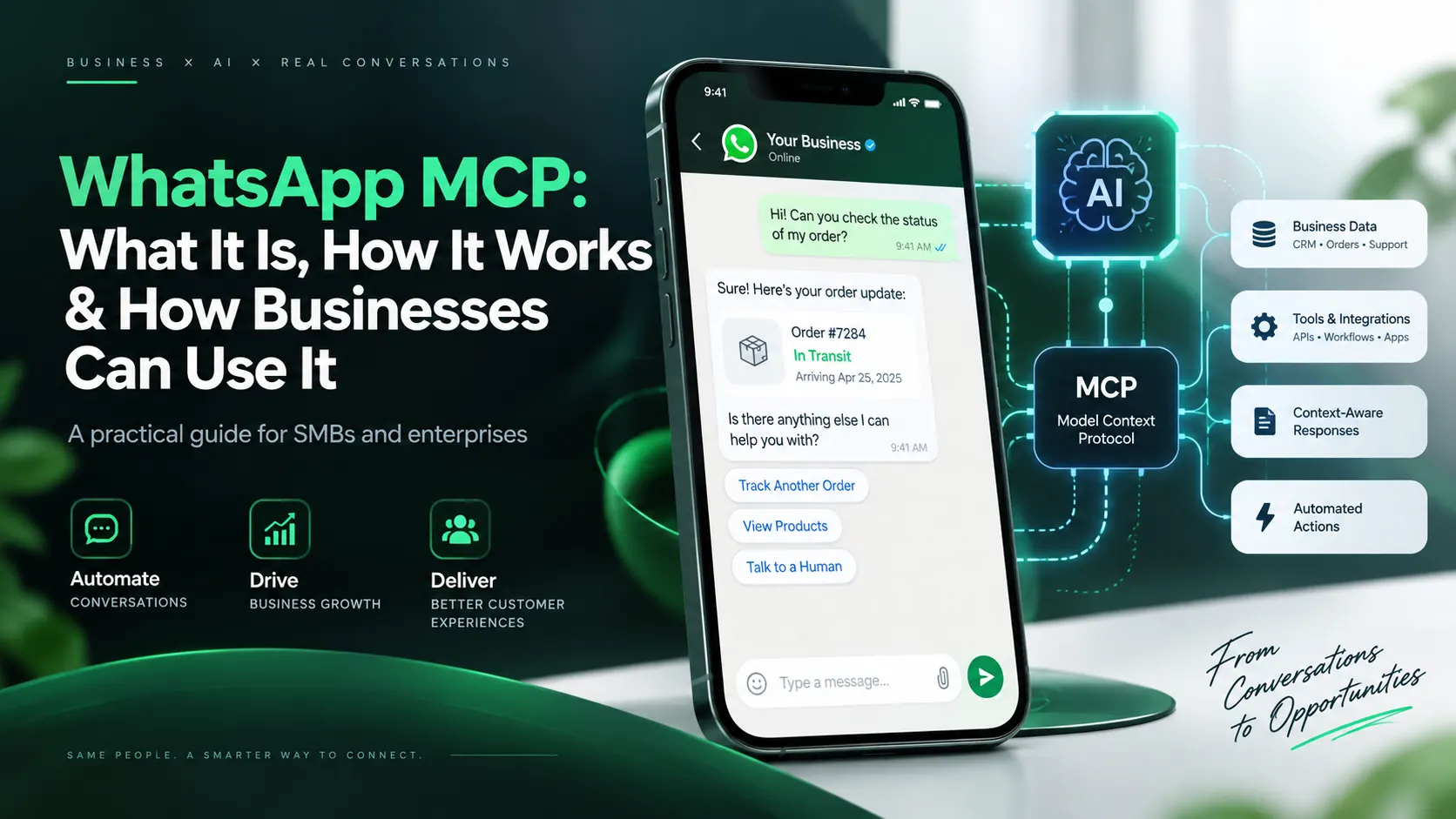
WhatsApp MCP is changing how developers and businesses interact with the WhatsApp Business Platform through AI assistants. Meta has introduced its official WhatsApp Business Tools MCP server, allowing compatible AI tools such as ChatGPT, Claude, and Codex to perform authorized WhatsApp Business management tasks using natural-language instructions.
But there is considerable confusion about what WhatsApp MCP actually does.
Can businesses send WhatsApp broadcasts directly from ChatGPT? Does WhatsApp MCP replace the WhatsApp Business API? Can companies connect their existing WhatsApp automation platforms to AI assistants? Does connecting MCP automatically create an AI chatbot?
The answers are more nuanced than many online explanations suggest.
In this guide, we examine Meta's documented WhatsApp MCP capabilities, explain the setup process, explore business use cases, clarify the limitations, and discuss how platforms such as Sendwo can complement MCP-powered workflows.
What Is WhatsApp MCP?
WhatsApp MCP refers to using the Model Context Protocol (MCP) to connect AI applications with WhatsApp-related tools and services.
MCP is an open protocol that allows AI assistants to discover and interact with external tools using a standardized interface.
Instead of manually navigating multiple dashboards or writing API requests for every operation, an authorized user can instruct a compatible AI assistant to perform supported tasks.
For example:
- "Show the WhatsApp Business Accounts I administer."
- "List the phone numbers connected to my business."
- "Check which message templates are approved."
- "Help me register a new WhatsApp business number."
- "Send this approved template to a test recipient."
The AI assistant interprets the request, selects an available MCP tool, and submits the required operation.
Importantly, MCP does not grant unrestricted access to WhatsApp. Every operation remains subject to permissions, platform policies, and the capabilities exposed by the MCP server.
What Exactly Has Meta Launched?
Meta's official offering is called WhatsApp Business Tools MCP.
It is a remotely hosted MCP server designed primarily for developers and administrators working with the WhatsApp Business Platform, including the Cloud API.
Its purpose is to make WhatsApp Business integration setup and management more accessible through AI-assisted workflows.
Official WhatsApp MCP server details
| Property | Details |
|---|---|
| Server name | WhatsApp Business Tools |
| Protocol | Model Context Protocol |
| Transport | Streamable HTTP |
| Authentication | Meta OAuth |
| Endpoint | https://mcp.facebook.com/whatsapp_business_tools |
| Availability | Beta, with gradual rollout |
The server operates on businesses, applications, and WhatsApp accounts that the authenticated user is authorized to manage.
It does not automatically become a customer-service chatbot, broadcast campaign platform, or replacement for the WhatsApp Cloud API.
How Does WhatsApp MCP Work?
To understand WhatsApp MCP, it helps to distinguish four components.
1. AI assistant or MCP client
This is the interface where a user enters instructions.
Examples include ChatGPT, Claude, Codex, or another compatible MCP client.
2. MCP server
The MCP server exposes specific tools that an AI assistant is permitted to invoke.
Meta's official server exposes tools for account discovery, phone-number onboarding, templates, messaging, webhooks, and account configuration.
3. WhatsApp Business Platform
The underlying WhatsApp Business infrastructure continues to manage registered numbers, business accounts, templates, message delivery, and applicable policies.
4. Business applications
Platforms such as Sendwo can provide additional workflows, including subscriber segmentation, broadcasts, chatbot flows, and business-triggered messaging.
These applications are not automatically connected merely because Meta MCP is enabled.
Example workflow
A developer asks:
"Find my WhatsApp Business Account, show its registered numbers, and list approved templates."
The AI assistant can:
- Invoke an authorized business-discovery tool.
- Identify the selected WhatsApp Business Account.
- Retrieve its phone numbers.
- Retrieve available message templates.
- Present the results in a readable format.
The main benefit is reducing the manual effort involved in coordinating several administrative steps.
What Can Meta's WhatsApp MCP Actually Do?
Meta's documentation identifies specific tools, generally using the whatsapp_biz_ prefix.
Understanding these tools is essential because they define what an AI assistant can actually accomplish.
1. Discover WhatsApp Business Accounts and Assets
Available tools:
whatsapp_biz_businesseswhatsapp_biz_accountswhatsapp_biz_phone_numbers
These tools help administrators discover businesses, connected WhatsApp accounts, and registered phone numbers.
They can also provide account or phone-number status information.
Business example: An agency managing multiple authorized WhatsApp accounts can ask an AI assistant to identify which business numbers are registered and ready for messaging.
The assistant only sees assets included within its authorized access.
2. Add, Verify, and Register Phone Numbers
Available tools:
whatsapp_biz_add_phone_numberwhatsapp_biz_send_verification_codewhatsapp_biz_verify_phone_numberwhatsapp_biz_register_phone_number
These tools support important phone-number onboarding operations.
A developer can initiate the process through an AI assistant, request an SMS or voice verification code, complete verification, and register an eligible number.
The process still requires valid business permissions and successful ownership verification.
Business example: A company launching WhatsApp customer support in another region can streamline parts of the new-number onboarding process.
3. Create and Manage WhatsApp Message Templates
Available tools:
whatsapp_biz_list_templateswhatsapp_biz_get_templatewhatsapp_biz_create_templatewhatsapp_biz_update_templatewhatsapp_biz_delete_template
These tools allow authorized users to list, inspect, create, update, and delete message templates.
For example, a business could ask:
"Create an English utility template for notifying customers that their orders have shipped."
The assistant can help prepare and submit the template through the available tool.
However, creating a template does not mean Meta has approved it.
Meta's template review, categorization, and messaging rules continue to apply.
4. Send WhatsApp Messages
Available tool:
whatsapp_biz_send_message
This tool allows an authorized assistant to send supported messages from a registered WhatsApp business phone number.
It supports:
- Free-form text messages within the permitted 24-hour customer-service window.
- Approved message templates for eligible messaging scenarios.
The documented flow includes confirming the intended recipient before sending.
Important limitation: This is a messaging operation, not a complete bulk-broadcast system.
The documented MCP tool set does not provide campaign segmentation, contact-list management, scheduled broadcast orchestration, or campaign analytics comparable to a dedicated marketing platform.
5. Configure WhatsApp Webhooks
Available tools:
whatsapp_biz_configure_webhookswhatsapp_biz_subscribe_webhook
Webhooks allow applications to receive events from WhatsApp, such as incoming message notifications and message-status updates.
These tools help configure callback details and subscribe authorized accounts to webhook events.
Business example: A developer can configure the webhook infrastructure needed for an application to process incoming WhatsApp events.
However, configuring a webhook does not automatically create the application that processes those events or generates AI responses.
6. Manage Account Setup Requirements
Available tools:
whatsapp_biz_configure_paymentswhatsapp_biz_verify_businesswhatsapp_biz_system_user_token
These tools assist with payment configuration, business verification, and system-user access-token setup.
The system-user-token tool provides a route to Meta's secure token-generation interface rather than exposing a permanent token directly inside the AI conversation.
These administrative capabilities can be particularly valuable when diagnosing incomplete WhatsApp Business Platform setups.
How to Set Up WhatsApp MCP With ChatGPT or Claude
Meta's server requires several prerequisites.
Step 1: Confirm eligibility
You generally need:
- A Meta business portfolio you administer.
- A WhatsApp-enabled Meta application connected to that business.
- Administrator permissions on both the business and application.
- Acceptance of the WhatsApp Business Cloud API terms.
- Access to a compatible MCP client and the beta service.
Having access to a business portfolio alone may not be sufficient.
Step 2: Add Meta's MCP server
Use the official endpoint:
https://mcp.facebook.com/whatsapp_business_tools
For Claude Code:
Add the server using the following command:
claude mcp add --transport http whatsapp_business_tools https://mcp.facebook.com/whatsapp_business_tools
Then use /mcp to complete authentication.
For Claude Desktop:
Open the connector settings, add a custom connector, and enter the server name and endpoint.
For ChatGPT:
Where custom MCP plugins are supported, open the plugin settings, create a new plugin, and configure the server URL with OAuth authentication.
For Codex:
Add a Streamable HTTP MCP server through its MCP settings and select OAuth authentication.
Actual menus and availability may differ across client versions and accounts.
Clients supporting only local MCP processes may require a compatible bridge to access the remote server.
Step 3: Authenticate with Meta
The OAuth flow generally involves:
- Opening the connection.
- Signing in to the Meta developer account.
- Choosing the businesses and applications to authorize.
- Granting the requested permissions.
- Returning to the MCP client.
Meta documents these relevant permission scopes:
business_managementwhatsapp_business_managementwhatsapp_business_messaging
An assistant's access depends on the user's existing permissions and the assets authorized during consent.
Step 4: Test with read-only operations
Before performing any configuration changes, test the connection.
For example:
Turn this learning into your next WhatsApp campaign.
Start with Sendwo’s free plan, explore WhatsApp broadcasts, automation, AI chatbot flows, and upgrade only when your business needs more power.
"List the WhatsApp Business Accounts I am authorized to manage."
Then request registered phone numbers or existing templates.
Read-only testing helps confirm that authentication, permissions, and asset selection are working correctly.
WhatsApp MCP vs WhatsApp Business API: What Is the Difference?
WhatsApp MCP and the WhatsApp Business API are related but not interchangeable.
| Capability | WhatsApp Business API | Meta WhatsApp MCP |
|---|---|---|
| Main purpose | Programmatic business messaging | AI-assisted access to defined tools |
| Integration method | API requests | MCP tool calls |
| Account management | Supported through applicable APIs | Supported through exposed tools |
| Message sending | Supported | Supported within documented scope |
| Incoming message processing | Webhooks and application logic | Requires separate event processing |
| Bulk campaign management | Requires application logic or a platform | Not a documented campaign feature |
| Customer-facing AI chatbot | Requires additional implementation | Not included automatically |
The WhatsApp Business Platform provides the underlying messaging infrastructure.
MCP makes selected operations accessible to compatible AI assistants.
A business may use both technologies together, but one does not replace the other.
Can You Use WhatsApp MCP With an Existing WhatsApp API Account?
Yes, potentially.
Businesses already using the WhatsApp Cloud API can use Meta's MCP server for eligible administration and development tasks, provided their business, application, and permissions meet the requirements.
They do not necessarily need to replace their existing provider or messaging software.
Practical uses for existing API customers
- Inspect connected WhatsApp Business Accounts.
- Review registered phone-number status.
- Examine existing approved templates.
- Assist with template creation and management.
- Investigate account setup prerequisites.
- Configure supported administrative settings.
However, businesses should be careful when changing webhook configurations.
For example, if an existing messaging platform depends on a particular webhook callback, replacing that configuration without planning can interrupt incoming-message processing.
An AI assistant should not be given unrestricted authority to change production infrastructure.
Can WhatsApp MCP Send Bulk Broadcasts From ChatGPT?
Not as a complete campaign-management solution through Meta's currently documented MCP tools.
This is one of the most important misconceptions to address.
Consider a business owner who asks ChatGPT:
"Send our new product promotion to 10,000 customers on WhatsApp."
Meta's MCP documentation does not describe a tool that automatically:
- Retrieves the company's marketing subscriber database.
- Segments contacts according to CRM attributes.
- Checks campaign-level opt-ins and exclusions.
- Creates a scheduled bulk campaign.
- Monitors complete campaign performance.
The whatsapp_biz_send_message tool is not equivalent to those operations.
A separate application could potentially orchestrate compliant messaging at scale using authorized APIs, but that requires more than simply connecting Meta MCP.
Where Does Sendwo Fit Into WhatsApp MCP?
Sendwo is a WhatsApp marketing, customer-engagement, chatbot, and automation platform built around business messaging workflows.
Its documented capabilities include:
- WhatsApp broadcast campaign creation.
- Subscriber management and label-based segmentation.
- Approved message-template management.
- Scheduled messaging campaigns.
- Chatbot flows and automated responses.
- Webhook-triggered messaging workflows.
- Integrations with business applications and external services.
These capabilities address a different layer of the business communication process from Meta's MCP administration tools.
Example: Sending a Segmented Campaign With Sendwo
A business wants to announce a new product only to customers who previously expressed interest in that category.
Using Sendwo's documented dashboard workflow, the business can:
- Select its connected WhatsApp account.
- Create a broadcast campaign.
- Define recipients using inclusion and exclusion labels.
- Select an appropriate message or approved template.
- Schedule or launch the campaign.
- Monitor campaign progress.
For messaging outside the 24-hour customer-service window, an appropriate approved WhatsApp template is required.
The business must also respect consent, eligibility, and Meta's messaging policies.
This workflow is distinct from Meta's MCP capabilities.
Can Sendwo Be Connected Directly to ChatGPT?
This is technically possible as an integration architecture, but there is an important distinction between what is possible and what is currently documented as available.
Sendwo offers business workflows, webhook integrations, and API-related capabilities.
However, a publicly verified, ready-to-use Sendwo MCP server or a documented API endpoint for creating complete broadcast campaigns is not available as of today, 14th october 2026.
Therefore, businesses should not assume that adding Meta's official WhatsApp MCP connection automatically makes all Sendwo campaign features available inside ChatGPT.
Three Possible Integration Approaches
Approach 1: Use Meta's Official MCP
Connect an authorized AI assistant directly to Meta's WhatsApp Business Tools MCP.
Best for:
- Account inspection.
- Template administration.
- Phone-number onboarding.
- Webhook configuration.
- Supported individual messaging tasks.
Approach 2: Integrate AI With Sendwo Through APIs or Webhooks
A developer can connect an AI-enabled application to supported Sendwo interfaces.
For example, Sendwo documents webhook workflows that can trigger approved template messages based on events from third-party systems.
An AI application could generate a permitted event through an authorized integration, subject to the webhook's actual capabilities and security controls.
This is not the same as general-purpose ChatGPT control over the entire Sendwo dashboard.
Approach 3: Build a Custom Sendwo MCP Server
A custom MCP server could expose specifically authorized Sendwo operations to compatible AI clients.
For example, subject to suitable API support, it might offer tools to:
- Retrieve available campaigns.
- Inspect approved recipient segments.
- Prepare a campaign draft.
- Select an approved template.
- Submit a campaign for human approval.
- Launch an approved campaign.
This would be a custom development project, not a capability automatically supplied by Meta's MCP server.
Its feasibility depends on Sendwo's supported API operations, available access methods, and required development work.
Example: Running a WhatsApp Campaign Through an AI Assistant
Imagine a marketing manager instructing an AI assistant:
"Prepare a Diwali campaign for our existing opted-in customers, exclude people who unsubscribed, and schedule it for Friday at 11 AM."
In a suitably developed integration, the process could work as follows:
- The assistant receives the campaign request.
- An authorized integration retrieves eligible audience information.
- The system applies consent and exclusion rules.
- The assistant prepares proposed messaging content.
- A suitable approved template is selected or prepared for approval.
- The application calculates the intended audience and estimated cost.
- A human reviews and approves the campaign.
- The connected messaging platform schedules the campaign.
- Delivery and campaign results are tracked.
This illustrates what a custom AI-to-messaging workflow could achieve.
It should not be confused with an out-of-the-box feature of Meta's official WhatsApp MCP.
WhatsApp MCP Use Cases for Small Businesses and Enterprises
Small Businesses
Small businesses can benefit from simplified WhatsApp Business administration.
Potential use cases include:
- Checking whether a business number is registered.
- Preparing customer notification templates.
- Identifying missing onboarding requirements.
- Testing permitted messaging operations.
- Reducing repetitive developer configuration work.
For customer campaigns, chatbot responses, and routine business automation, a messaging platform such as Sendwo may provide additional operational functionality.
Mid-Sized Businesses
Growing companies often manage multiple sales, marketing, and support workflows.
They can use MCP to simplify supported technical administration while continuing to use their existing business systems.
Examples include coordinating template management, inspecting account configurations, and supporting developers responsible for WhatsApp integrations.
Enterprises
Enterprise environments typically require stronger controls over permissions, customer data, approvals, and production changes.
Potential applications include:
- AI-assisted configuration review.
- Standardized onboarding procedures.
- Multi-account asset discovery.
- Controlled template administration.
- Faster investigation of selected integration issues.
Enterprises should combine these capabilities with existing access-control, audit, and change-management processes.
Important WhatsApp MCP Limitations
Despite its potential, the official server has clear boundaries.
1. Beta Availability
Meta describes the server as a beta offering with gradual availability.
Features, access, and tools may change.
2. Rate Limits
The server applies rate limits on a per-user, per-tool basis.
It should not be treated as an unlimited message-sending interface.
3. No Automatic Customer-Service AI
Connecting MCP does not automatically read incoming conversations, generate replies, and manage customer support.
Those functions require additional application infrastructure.
4. No Built-In Broadcast Manager
The documented tools do not provide a complete broadcast campaign system.
5. Existing WhatsApp Rules Still Apply
Using MCP does not bypass:
- The 24-hour customer-service messaging window.
- Approved-template requirements.
- Applicable recipient-consent rules.
- Messaging eligibility and quality restrictions.
- WhatsApp Business Platform billing.
6. Security and Authorization Matter
Businesses should apply minimum necessary access permissions, use secure authentication, and require approval before significant actions.
Sensitive operations should not be executed merely because an AI assistant suggests them.
Common WhatsApp MCP Myths vs Facts
Myth 1: WhatsApp MCP replaces the WhatsApp Business API.
Fact: MCP provides an AI-accessible interface to supported tools. The WhatsApp Business Platform remains the underlying messaging system.
Myth 2: Every ChatGPT user can immediately send WhatsApp broadcasts.
Fact: MCP client support, Meta access, authorization, and the available tools determine what actions are possible. Bulk campaign management is not included in Meta's documented MCP tool set.
Myth 3: WhatsApp MCP removes Meta messaging charges.
Fact: Applicable WhatsApp Business Platform pricing continues to apply.
Myth 4: WhatsApp MCP automatically creates an AI chatbot.
Fact: A functioning customer-facing AI chatbot needs additional software, message-event handling, and response-generation logic.
Myth 5: Existing WhatsApp API users must migrate to MCP.
Fact: MCP is an optional integration layer, not a mandatory replacement.
Myth 6: Any AI model automatically supports Meta MCP.
Fact: The application hosting the model must support the required MCP connection, authentication, and tools.
Best Practices Before Adopting WhatsApp MCP
Businesses should follow a controlled rollout process.
- Identify the objective. Determine whether the requirement involves account management, messaging, customer support, or marketing campaigns.
- Check the actual tools. Confirm that the operation is supported by the relevant MCP server or business API.
- Start with read-only access. Verify business discovery and permissions before making changes.
- Protect existing workflows. Avoid altering production webhooks or account configurations without an impact assessment.
- Enforce human approval. Require confirmation for messages, campaign launches, and other sensitive operations.
- Maintain compliance. Respect consent, template, privacy, and messaging rules.
- Test before scaling. Validate the complete workflow with authorized test accounts and recipients.
These controls become particularly important when AI assistants interact with real business infrastructure.
Frequently Asked Questions About WhatsApp MCP
1. What is WhatsApp MCP?
WhatsApp MCP refers to connecting AI assistants with WhatsApp-related tools through the Model Context Protocol. Meta's official WhatsApp Business Tools MCP provides access to defined business administration and messaging operations.
2. Is WhatsApp MCP officially launched by Meta?
Yes. Meta documents an official WhatsApp Business Tools MCP server. It is a beta offering with gradual availability.
3. Can I connect WhatsApp MCP to ChatGPT?
Meta documents a ChatGPT connection method using a custom MCP plugin. Availability depends on the supported ChatGPT configuration, account access, and successful Meta authentication.
4. Does WhatsApp MCP work with Claude?
Yes. Meta documents connection methods for Claude Code and Claude Desktop.
5. Can WhatsApp MCP send messages?
Yes. Meta documents a message-sending tool that supports eligible free-form text messages and approved template messages, subject to WhatsApp platform rules.
6. Can WhatsApp MCP send bulk marketing campaigns?
Meta's documented MCP server does not provide a complete bulk campaign-management feature. Dedicated applications or separately developed integrations are needed for campaign-level functionality.
7. Is WhatsApp MCP free?
The MCP server documentation does not establish that all associated services are free. Applicable WhatsApp Business Platform messaging charges and any third-party AI or application costs remain separate considerations.
8. Can existing WhatsApp API customers use MCP?
Yes, subject to the applicable business, application, permissions, and rollout requirements. They should preserve existing production integrations when making changes.
9. Can I connect Sendwo to WhatsApp MCP?
Sendwo operates with the WhatsApp Business Platform and offers complementary messaging workflows. However, connecting Meta's MCP does not automatically expose Sendwo's internal features. A separate supported integration would be required.
10. Can Sendwo be integrated with an LLM using MCP?
A custom MCP server could potentially expose supported Sendwo API operations to compatible AI clients. This requires development and verification of the relevant Sendwo interfaces.
11. Does WhatsApp MCP provide access to all customer conversations?
The documented Meta tools do not provide a general-purpose customer-conversation history reader. Applications requiring incoming message processing need appropriate event infrastructure and authorized access.
12. Is WhatsApp MCP suitable for enterprise automation?
It can be useful for supported administrative workflows. Production automation requires additional attention to authorization, auditability, reliability, privacy, and approval controls.
Final Thoughts: Is WhatsApp MCP Worth Using?
WhatsApp MCP is an important development because it makes selected WhatsApp Business Platform operations accessible through AI assistants.
However, its current scope should be understood accurately.
Meta's official MCP server focuses on supported WhatsApp Business administration, onboarding, templates, webhooks, and messaging operations. It is not a complete AI-powered marketing automation platform.
Businesses seeking customer engagement, segmented broadcasts, automated notifications, chatbot flows, or campaign management may still need a dedicated messaging solution.
That is where platforms such as Sendwo can play a complementary role.
The longer-term opportunity lies in combining AI assistants with well-defined, secure business integrations, allowing natural-language instructions to coordinate useful workflows without compromising control or compliance.
For businesses evaluating WhatsApp MCP today, the best approach is to begin with a specific use case, understand the documented limitations, and select the right combination of AI tools, APIs, and messaging software.
Snehil Prakash
Snehil Prakash is an expert WhatsApp consultant with SendWo. He has expertise in implementing WhatsApp API for enterprise businesses and built automation, chatbot and AI powered solution.