WhatsApp marketing compliance in 2026 is not only about avoiding bans. It is about building a clean, consent-based WhatsApp audience, sending the right message category, respecting unsubscribe requests, controlling campaign frequency, monitoring quality signals, and using official WhatsApp Business API workflows.
WhatsApp is one of the most direct customer communication channels, but users can quickly block or report businesses that send irrelevant, unexpected, or too-frequent messages. That means every WhatsApp campaign should be planned around user consent, message relevance, frequency capping, unsubscribe handling, approved templates, and customer experience.
This updated WhatsApp marketing compliance checklist explains how to stay compliant in 2026, including user consent, opt-out workflows, approved templates, customer service window rules, frequency capping, message categories, quality rating protection, data privacy, local regulations, and Sendwo-powered campaign controls.
If you want to run WhatsApp campaigns with safer workflows, explore Sendwo, WhatsApp marketing software, WhatsApp broadcast campaigns, and WhatsApp template library.
WhatsApp marketing gives businesses direct access to customer conversations. That makes it powerful, but also sensitive. Customers use WhatsApp for personal communication, so they expect business messages to be relevant, consent-based, timely, and easy to stop.
When businesses ignore compliance, the risk is not limited to policy violations. Poor WhatsApp practices can lead to:
Good compliance improves performance. When people knowingly opt in, receive relevant messages, and can unsubscribe easily, they are more likely to read, reply, click, buy, book, and stay engaged.
Customers are protective of their WhatsApp inbox. They want messages from brands they recognize, trust, and gave permission to contact them. Following consent and opt-out rules builds trust and improves engagement.
If you violate that trust through spam, vague offers, misleading copy, or excessive message frequency, users may block or report your business. This can hurt campaign performance and account health.
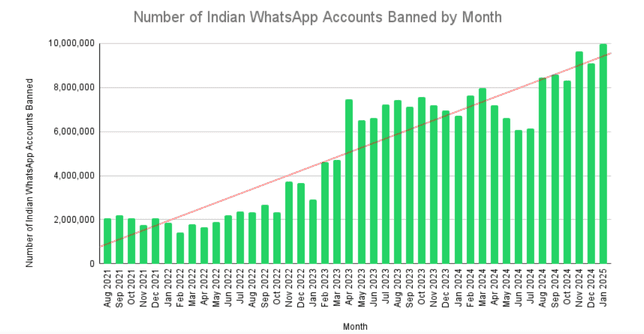
WhatsApp actively enforces spam and abuse policies, so businesses should treat consent, relevance, and user feedback as core compliance signals.
Do not use unofficial bulk sending tools, scraped contact lists, random phone databases, or personal WhatsApp accounts for business-scale marketing. Use official WhatsApp Business API workflows and approved templates for outbound campaigns.
WhatsApp’s own rules are only one part of compliance. Depending on your country, industry, and customer location, you may also need to consider privacy, telecom, consumer protection, ecommerce, healthcare, finance, advertising, or data protection laws.
For example, regions with strict privacy rules may require clear consent records, separate marketing consent, opt-out logs, and transparent privacy notices. Regulated sectors may need additional care before sending WhatsApp campaigns.
Important: this guide is not legal advice. Use it as a practical compliance checklist, and consult legal counsel for regulated industries, high-volume campaigns, or cross-border marketing.
Staying compliant avoids legal penalties and protects your reputation.
WhatsApp marketing compliance has become more practical and more performance-driven. Businesses now need to think beyond basic opt-in and approved templates. In 2026, compliance also means keeping campaign quality high, reducing user complaints, respecting message category rules, and avoiding over-messaging.
| Compliance Area | 2026 Requirement | What Businesses Should Do |
|---|---|---|
| User consent | Only message users who clearly opted in to receive WhatsApp messages from your business. | Store opt-in source, timestamp, consent copy, and message type permission. |
| Message categories | Use the correct category: Marketing, Utility, Authentication, or Service. | Do not send promotional content inside Utility or Authentication templates. |
| Customer service window | Service messages apply when users message your business and open a 24-hour support window. | After the window closes, use approved templates for business-initiated messages. |
| Frequency capping | Even opted-in users can block or report your business if you message too often. | Set campaign limits by use case, segment, source, and engagement level. |
| Unsubscribe handling | Businesses must respect opt-out requests received on or off WhatsApp. | Support STOP, UNSUBSCRIBE, and manual opt-outs from support or sales teams. |
| Quality rating | Negative user feedback can hurt template and number quality. | Monitor blocks, reports, failed messages, replies, opt-outs, and engagement. |
| Regional rules | Marketing rules can vary by country and industry. | Check local privacy, telecom, ecommerce, finance, healthcare, and advertising rules before scaling campaigns. |
Important: WhatsApp policy and regional laws can change. Review Meta’s latest WhatsApp Business Messaging Policy, your WhatsApp Manager notices, and local legal requirements before running high-volume campaigns.
Before using WhatsApp for marketing, understand the core rules that protect your account, customers, and campaign performance.
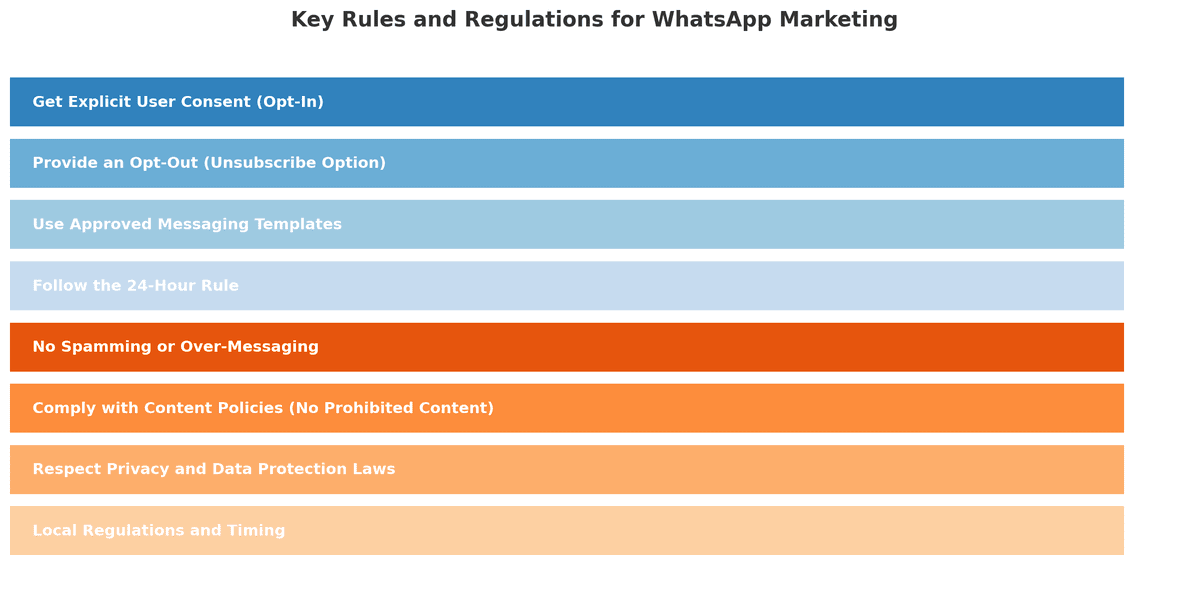
Before we get to the checklist, it’s important to understand the rules and regulations governing WhatsApp marketing. These come from two places: WhatsApp’s official policies and general marketing laws. Here are the key principles you must follow:
Only message people who have specifically opted in to receive WhatsApp messages from your business. Consent should be a clear action, such as checking an unchecked box, submitting a form, scanning a QR code with clear consent text, replying YES, or starting a WhatsApp conversation with an opt-in confirmation.
No opt-in means no proactive WhatsApp marketing. Do not upload scraped lists, purchased lists, or old customer numbers unless you have clear permission to message them on WhatsApp.
Every WhatsApp marketing flow should allow users to stop receiving messages. A simple instruction such as “Reply STOP to unsubscribe” is easy for customers to understand.
Your team should also honor manual unsubscribe requests. If a user says “do not message me,” “remove me,” or “stop sending offers,” treat it as an opt-out even if they do not use the exact keyword STOP.
When you send business-initiated messages outside the customer service window, use approved WhatsApp message templates. Do not misuse a template approved for one purpose to send a different type of message.
For example, do not use an approved delivery update template to send a coupon. Use a proper Marketing template for promotions and a Utility template for transactional updates.
When a user messages your business, you can reply inside the 24-hour customer service window. Outside that window, you need approved templates for business-initiated messages.
This rule prevents unwanted follow-ups and helps WhatsApp maintain a better customer experience.
Even if a user opted in, too many messages can create a bad experience. Over-messaging increases opt-outs, blocks, and reports. It can also reduce campaign performance.
Use frequency capping, segmentation, and campaign relevance checks before sending broadcasts.
Customers should immediately recognize who is messaging them. Keep your WhatsApp Business profile updated with accurate business name, website, email, phone number, and support contact information.
Do not impersonate another brand or use confusing sender identity.
Do not send illegal, deceptive, abusive, discriminatory, misleading, or restricted content. If your business operates in a regulated industry, review WhatsApp policies and local law before sending campaigns.
Phone numbers, names, order details, payment reminders, and support conversations are customer data. Store and process them responsibly. Use secure systems, limit access, and follow your privacy policy.
Now that we’ve covered the rules, let’s turn this into a practical checklist you can follow.
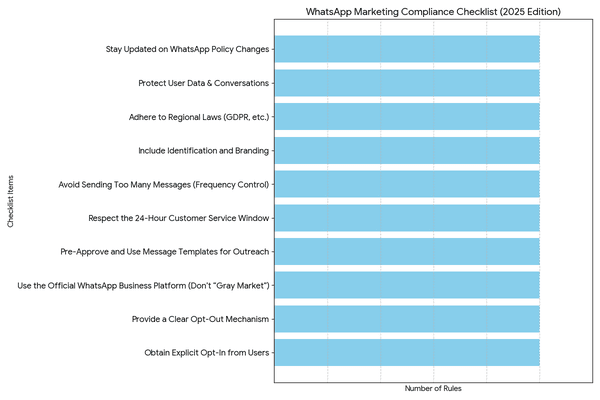
Consent is the foundation of WhatsApp marketing compliance. A user should clearly understand that they are agreeing to receive WhatsApp messages from your business.
| Consent Item | What It Means | Good Example |
|---|---|---|
| Business name | The user knows who will message them. | “I agree to receive WhatsApp updates from Sendwo.” |
| WhatsApp channel | The opt-in copy clearly mentions WhatsApp. | “Send me updates on WhatsApp.” |
| Message type | The user knows what kind of messages they will receive. | “Order updates, offers, reminders, and support messages.” |
| Active action | The user actively opts in. | Unchecked checkbox, reply YES, QR scan with clear consent text, or form submission. |
| Opt-out instruction | The user knows how to unsubscribe. | “Reply STOP anytime to unsubscribe.” |
| Consent record | Your business stores proof of opt-in. | Source, timestamp, phone number, consent copy version, and campaign source. |
Recommended opt-in copy:
Yes, I agree to receive WhatsApp messages from {{Business Name}} about {{message type}}. I understand I can unsubscribe anytime by replying STOP.
For more opt-in examples, read the WhatsApp opt-in guide and explore WhatsApp Forms.
Every WhatsApp marketing system should make unsubscribe handling simple, fast, and reliable. If a user opts out, your business should stop sending the relevant WhatsApp messages to that user.
| Opt-Out Scenario | What to Do | Recommended Automation |
|---|---|---|
| User replies STOP | Mark the user as unsubscribed from marketing messages. | Apply label: Opted Out / Marketing Unsubscribed. |
| User replies UNSUBSCRIBE | Stop future campaign broadcasts. | Add to suppression list automatically. |
| User says “don’t message me” | Treat it as an unsubscribe request even if they do not use the exact keyword. | Train agents to manually apply opt-out labels. |
| User opts out through email or support ticket | Honor the opt-out even if it happens outside WhatsApp. | Sync unsubscribe status into Sendwo or CRM. |
| User unsubscribes from marketing only | Stop promotional campaigns but allow necessary transactional updates where permitted. | Use separate labels for marketing and transactional communication. |
| User blocks or reports the business | Suppress the contact and review campaign relevance. | Monitor blocks, reports, opt-out spikes, and campaign quality. |
Recommended unsubscribe confirmation:
You have been unsubscribed from WhatsApp marketing messages from {{Business Name}}. You may still receive important transactional or support updates where applicable.
Do not keep messaging users who have opted out. Repeated messaging after opt-out can increase complaints, reduce trust, and create policy risk.
For serious WhatsApp marketing, use the official WhatsApp Business Platform or a trusted provider that works with WhatsApp Business API. Avoid unauthorized bulk sending tools, browser hacks, scraped lists, random sender numbers, or personal WhatsApp accounts used for business-scale marketing.
Official WhatsApp API workflows give businesses access to approved templates, structured campaigns, customer service window rules, delivery reporting, automation, inbox management, and better account safety.
Sendwo helps businesses use WhatsApp-first marketing, automation, chatbot flows, broadcasts, template campaigns, AI replies, live chat, and ecommerce workflows in a safer API-based setup.
WhatsApp message category selection is a major compliance checkpoint. Using the wrong category can increase rejection, pricing mismatch, campaign delay, and user complaint risk.
| Message Category | Use It For | Do Not Use It For | Example |
|---|---|---|---|
| Marketing | Offers, promos, product launches, abandoned cart, retargeting, upsell, cross-sell, winback | OTP, password reset, purely transactional order updates | Hi {{1}}, our {{2}} sale is live. Use code {{3}} before {{4}}. |
| Utility | Order updates, payment updates, appointment reminders, delivery alerts, ticket updates | Discount codes, product promotions, upsells, unrelated CTAs | Hi {{1}}, your order #{{2}} has shipped. Track it here: {{3}}. |
| Authentication | OTP, login code, password reset, account verification, transaction verification | Marketing links, offers, product suggestions, general updates | {{1}} is your verification code. Do not share it with anyone. |
| Service | Replies inside the 24-hour customer service window after a user messages your business | Proactive outbound marketing outside the customer service window | Thanks for reaching out. Your appointment is confirmed for {{1}}. |
For more examples, read the WhatsApp template approval guide, WhatsApp template library, and WhatsApp message template guide.
| Risky Message | Problem | Better Fix |
|---|---|---|
| Your order #{{1}} is shipped. Use SAVE20 for your next order. | Utility message contains a promotional offer. | Remove the offer or submit a separate Marketing template. |
| {{1}} is your OTP. Check our sale here: {{2}} | Authentication message contains marketing content. | Keep only the OTP and security text. |
| Hi {{1}}, you left {{2}} in your cart. Complete your order here: {{3}} | Cart recovery is conversion-focused. | Submit as Marketing. |
| Hi {{1}}, your appointment with {{2}} is confirmed for {{3}}. | Transactional update tied to a user action. | Submit as Utility. |
When a customer messages your business first, a 24-hour customer service window opens. During this window, your business can respond to the user’s inquiry. This is useful for support, sales assistance, product questions, booking help, and follow-up within the active conversation.
After the customer service window closes, you should use approved templates for business-initiated messages.
A good practice is to invite users to opt in during active conversations. For example:
Would you like to receive future order updates and offers from {{Business Name}} on WhatsApp? Reply YES to subscribe. You can reply STOP anytime to unsubscribe.
Frequency capping means limiting how often a user receives WhatsApp marketing messages from your business. Even if a user opted in, too many messages can cause blocks, spam reports, unsubscribes, and lower campaign quality.
There is no single perfect frequency for every business. A good frequency cap depends on the user’s opt-in source, message type, industry, purchase cycle, and engagement level.
| Campaign Type | Suggested Frequency Cap | Compliance Notes |
|---|---|---|
| Welcome sequence | 1–3 messages in the first few days after opt-in | Keep it educational and expectation-setting, not overly promotional. |
| Weekly promotional campaign | 1–2 marketing messages per week | Send only to users who opted in for promotional updates. |
| Abandoned cart recovery | 1–2 reminders per abandoned cart | Stop reminders if the user purchases or opts out. |
| Event or webinar reminders | Registration confirmation + 1–2 reminders before event | Keep reminders tied to the event the user registered for. |
| Appointment reminders | Confirmation + reminder before appointment | Use Utility templates and avoid adding unrelated promotions. |
| Reactivation campaign | 1–2 attempts in a defined reactivation window | Suppress users who do not engage or opt out. |
| High-value customer offers | Segment-based, not daily blasting | Use purchase history and engagement to keep offers relevant. |
Practical rule: if users stop replying, stop clicking, unsubscribe, or block your number, reduce frequency and improve targeting. WhatsApp marketing should feel helpful, not intrusive.
| User Segment | Suggested Approach | Reason |
|---|---|---|
| New opt-in | Send a short welcome or value-setting sequence. | The user recently gave permission and expects follow-up. |
| Active buyer | Send relevant order, support, loyalty, and product messages. | The user has recent engagement or purchase history. |
| Engaged subscriber | Send segmented offers or useful updates at a controlled frequency. | The user has opened, clicked, replied, or purchased recently. |
| Inactive subscriber | Send one reactivation attempt, then suppress if there is no engagement. | Repeated messages to inactive users increase quality risk. |
| Unsubscribed user | Do not send marketing campaigns. | Opt-out must be respected. |
WhatsApp marketing compliance is not only about getting permission before sending messages. It is also about how users react after receiving your messages. If users block, report, unsubscribe, or ignore your campaigns, your message quality and account reputation can suffer.
Your quality signals are affected by user experience. If a template or campaign feels irrelevant, too frequent, misleading, or unexpected, users are more likely to block or report it.
| Quality Signal | What It May Indicate | What to Do |
|---|---|---|
| High opt-out rate | Users did not expect the message or frequency is too high. | Reduce frequency, improve consent wording, and segment better. |
| High block/report rate | Campaign may feel spammy, irrelevant, or misleading. | Pause campaign, review copy, audience, and opt-in source. |
| Low reply rate | Message is not engaging or CTA is unclear. | Rewrite message with clearer value and better segmentation. |
| High failed messages | Contact list may be stale or numbers may be invalid. | Clean list and avoid sending to old or unverified contacts. |
| Template paused or disabled | Template may be receiving poor user feedback. | Stop using the template, rewrite it, and submit a better version. |
| Low engagement by source | One opt-in source may be weaker than others. | Compare website, CTWA, checkout, QR, and lead magnet opt-ins separately. |
Quality protection rule: start with smaller, relevant segments before scaling a campaign. Watch opt-outs, replies, clicks, blocks, reports, and failed messages before increasing volume.
WhatsApp marketing involves personal data, including phone numbers, names, order IDs, appointment information, preferences, and conversation history. Your business should handle this data responsibly.
Regional WhatsApp marketing rules and template availability can change by country, industry, and message category. Before sending campaigns to regulated or high-risk markets, review Meta’s latest policy notices and applicable local laws.
Use this checklist before every WhatsApp marketing campaign.
| Checklist Item | What to Confirm |
|---|---|
| Audience has opted in | Every recipient has given permission to receive WhatsApp messages. |
| Consent source is stored | You can identify whether opt-in came from website, checkout, CTWA, QR, support, or lead magnet. |
| Message category is correct | Marketing, Utility, Authentication, or Service is selected based on message intent. |
| Template is approved | The campaign uses an approved template for proactive outbound messaging. |
| Frequency cap is applied | The user has not received too many campaigns recently. |
| Unsubscribed users are excluded | STOP, opt-out, blocked, and manually suppressed contacts are removed from the audience. |
| Message matches consent | The campaign content matches what the user agreed to receive. |
| Brand identity is clear | The user can recognize the business and understand why they are receiving the message. |
| Links are safe | All URLs are HTTPS, branded, and relevant. No suspicious short links. |
| Quality signals will be monitored | You will track opt-outs, blocks, replies, failed messages, and engagement after sending. |
Sendwo helps businesses collect WhatsApp leads, segment contacts, use approved templates, manage opt-outs, run broadcast campaigns, automate replies, and track campaign performance from one WhatsApp-first dashboard.
With Sendwo, your business can manage:
Sendwo also supports ecommerce teams with Shopify WhatsApp integration, WooCommerce WhatsApp integration, abandoned cart templates, and COD confirmation templates.
Yes. WhatsApp marketing is allowed when businesses collect proper user consent, use official WhatsApp Business tools, send approved templates where required, respect opt-outs, and follow WhatsApp policies plus local laws.
Yes. Businesses should only send WhatsApp marketing messages to users who have clearly opted in to receive WhatsApp messages from that business.
Good opt-in copy should mention your business name, WhatsApp as the channel, the type of messages users will receive, and how they can unsubscribe.
Support keywords such as STOP and UNSUBSCRIBE, train agents to identify manual opt-out requests, suppress opted-out users from future campaigns, and honor opt-outs received outside WhatsApp too.
There is no universal frequency for every business. As a best practice, avoid daily promotional blasts, cap messages by campaign type, and monitor opt-outs, blocks, reports, and engagement.
Frequency capping means limiting how many WhatsApp messages a user receives within a specific time period so campaigns do not feel spammy or intrusive.
High blocks or reports can damage your quality signals and account reputation. Pause the campaign, review consent, improve targeting, reduce frequency, and rewrite templates before scaling again.
The major message categories are Marketing, Utility, Authentication, and Service. Marketing is for promotions and retargeting, Utility is for transactional updates, Authentication is for OTPs, and Service applies inside the customer service window after a user messages your business.
No. Utility templates should remain transactional and non-promotional. If the message contains an offer, discount, upsell, or abandoned cart recovery, it is usually Marketing.
Only if those customers gave proper permission to receive WhatsApp messages from your business. Old purchase history alone is not the same as clear WhatsApp marketing consent.
No. Purchased or scraped contact lists create major compliance, deliverability, and reputation risk. Build your WhatsApp audience using opt-in forms, checkout consent, QR codes, Click-to-WhatsApp ads, and customer-initiated conversations.
Sendwo helps businesses collect leads, segment contacts, manage templates, run broadcasts, automate replies, track campaign performance, and organize opt-outs from one WhatsApp-first dashboard.
WhatsApp marketing compliance in 2026 is about building trust at every step of the customer journey. Get permission before messaging, use the right message category, respect the customer service window, honor opt-outs, cap message frequency, protect quality rating, and monitor campaign feedback after every send.
The best WhatsApp marketing campaigns are not just compliant. They are expected, relevant, segmented, useful, and easy to unsubscribe from.
Use the checklist in this guide before every campaign. To collect leads, manage contacts, run approved broadcasts, and track replies from one dashboard, start free with Sendwo or explore WhatsApp marketing software.
WhatsApp opt-ins are the foundation of safe and effective WhatsApp marketing. Before a business sends promotional campaigns, order updates, reminders, support follow-ups, lead nurturing messages, or customer engagement broadcasts on WhatsApp, it should collect clear permission from the customer.
A WhatsApp opt-in means the user has agreed to receive WhatsApp messages from your business. This consent can come from a website form, checkout checkbox, Click-to-WhatsApp ad, QR code, lead magnet, customer support interaction, event form, or a direct WhatsApp message where the user confirms they want updates.
Collecting opt-ins correctly is important for three reasons. First, it helps your business follow WhatsApp Business Messaging Policy and applicable privacy laws. Second, it protects your WhatsApp quality rating by reducing spam complaints, blocks, and unsubscribes. Third, it builds a better list of people who actually want to hear from your brand.
This guide explains how to collect WhatsApp opt-ins legally and effectively, with practical examples for website forms, Click-to-WhatsApp ads, QR codes, checkout pages, lead magnets, support flows, source tracking, compliance checklists, and Sendwo-powered WhatsApp growth workflows.
If you want to collect, segment, and message WhatsApp leads from one dashboard, explore Sendwo, WhatsApp Forms, Click-to-WhatsApp Ads, and WhatsApp lead generation templates.
A WhatsApp opt-in is a customer’s permission to receive messages from your business on WhatsApp. In simple terms, the user agrees that your business can contact them on WhatsApp for specific types of messages.
These messages may include:
The exact opt-in wording should tell users what they are signing up for. A person who agrees to receive order updates may not automatically expect daily marketing offers. That is why clear consent language matters.
Collecting WhatsApp opt-ins legally means following WhatsApp’s platform rules and any applicable privacy or communication laws in the countries where your customers live.
At a practical level, your opt-in process should follow these principles:
Important: This guide is not legal advice. WhatsApp policy and privacy laws may vary by country, customer type, and message type. If you operate in strict privacy regions, consult a legal or compliance expert before launching large-scale WhatsApp opt-in campaigns.
Before collecting WhatsApp opt-ins from website forms, checkout pages, QR codes, Click-to-WhatsApp ads, lead magnets, or support interactions, make sure your opt-in copy is clear and specific.
A good WhatsApp opt-in message should include:
Simple opt-in copy format:
Yes, I agree to receive WhatsApp messages from {{Business Name}} about {{message type}}. I understand I can unsubscribe anytime by replying STOP.
This format is clear, consent-based, and easy to adapt for different business use cases.
Now that we know the rules, let’s explore how to actually collect opt-ins. The goal is to integrate WhatsApp opt-in opportunities into your customer journey so that subscribing is easy and appealing. Here are some proven strategies:
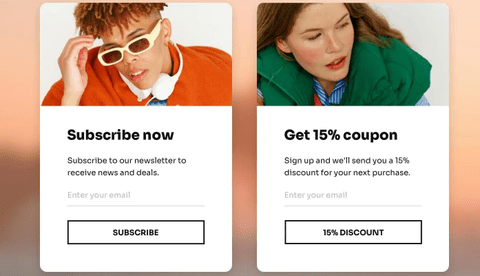
Website forms are one of the easiest places to collect WhatsApp opt-ins because the visitor is already interacting with your brand. You can add WhatsApp consent to newsletter forms, contact forms, demo forms, quote forms, webinar forms, and lead capture forms.
| Website Form Type | Opt-In Copy Example | Best For |
|---|---|---|
| Newsletter Form | Yes, I want to receive updates, offers, and helpful tips from {{Business Name}} on WhatsApp. I can unsubscribe anytime by replying STOP. | Blogs, SaaS, ecommerce, education, communities |
| Contact Form | Yes, {{Business Name}} can contact me on WhatsApp regarding my inquiry and related updates. | Service businesses, agencies, real estate, clinics, consultants |
| Demo Request Form | Yes, I agree to receive WhatsApp messages from {{Business Name}} about my demo request, pricing, setup, and product updates. | SaaS, B2B, software companies, agencies |
| Quote Request Form | Yes, I agree to receive quote details, follow-ups, and service updates from {{Business Name}} on WhatsApp. | Insurance, real estate, travel, local services, consultants |
| Webinar Form | Yes, send me webinar reminders, joining links, and related learning updates from {{Business Name}} on WhatsApp. | Education, coaches, SaaS, communities, consultants |
| Free Trial Form | Yes, I want to receive trial setup help, product tips, and account updates from {{Business Name}} on WhatsApp. | SaaS, software tools, apps, product-led businesses |
| Appointment Form | Yes, send me appointment confirmation, reminders, and follow-up updates from {{Business Name}} on WhatsApp. | Clinics, salons, consultants, coaches, service businesses |
Implementation tip: keep the WhatsApp checkbox unchecked by default. Do not hide WhatsApp consent inside your general terms and conditions. The user should clearly understand that they are agreeing to receive WhatsApp messages.
With Sendwo, you can connect website forms, WhatsApp forms, chat widgets, and lead capture workflows to build opted-in WhatsApp contact lists. Explore WhatsApp Forms, website chat widget, and WhatsApp lead generation templates.
Your existing social media followers, email subscribers, and SMS contacts are potential WhatsApp subscribers if you invite them correctly. The key is to explain why WhatsApp will be useful and give users a clear opt-in action.
If users already receive your emails or SMS messages, do not automatically add them to WhatsApp marketing broadcasts. Invite them to opt in separately or clearly explain that they are choosing WhatsApp as an additional communication channel.
Lead magnets work well because users receive something valuable in exchange for sharing contact details and giving consent. This can include a free guide, checklist, coupon, webinar, calculator result, product catalog, PDF, audit, demo, or consultation.
The key is to make the WhatsApp consent separate, clear, and connected to the lead magnet. Do not hide WhatsApp permission inside a vague download form.
| Lead Magnet Type | Opt-In Copy Example | Follow-Up Message Example | Best For |
|---|---|---|---|
| Free PDF Guide | Send me the {{Guide Name}} PDF and related tips from {{Business Name}} on WhatsApp. | Hi {{1}}, here is your {{2}} guide: {{3}}. Reply STOP anytime to unsubscribe. | B2B, education, consultants, SaaS, agencies |
| Discount Coupon | Send my discount code and future offers from {{Store Name}} on WhatsApp. | Hi {{1}}, your discount code is {{2}}. Use it before {{3}} here: {{4}} | Ecommerce, retail, restaurants, salons |
| Free Audit | Send my audit result and related recommendations from {{Business Name}} on WhatsApp. | Hi {{1}}, thanks for requesting your audit. Our team will send your result and next steps here on WhatsApp. | Agencies, SaaS, consultants, B2B services |
| Webinar Registration | Send me webinar reminders, joining link, and learning resources from {{Business Name}} on WhatsApp. | Hi {{1}}, your registration for {{2}} is confirmed. Join link: {{3}} | Education, coaching, SaaS, communities |
| Product Catalog | Send me the product catalog and offers from {{Brand Name}} on WhatsApp. | Hi {{1}}, here is the {{2}} catalog: {{3}}. Reply if you need help choosing a product. | Retail, ecommerce, real estate, travel, B2B products |
| Calculator Result | Send my calculator result and related recommendations from {{Business Name}} on WhatsApp. | Hi {{1}}, your estimated result is ready. View details here: {{2}} | Finance, SaaS, ecommerce, agencies, real estate |
Best practice: if the lead magnet is educational, do not automatically assume the user wants promotional WhatsApp broadcasts forever. Clearly mention what future messages they will receive and give them an easy way to unsubscribe.
You can connect lead magnet forms with Sendwo using WhatsApp Forms, Google Sheets integration, WPForms integration, and Elementor forms integration.
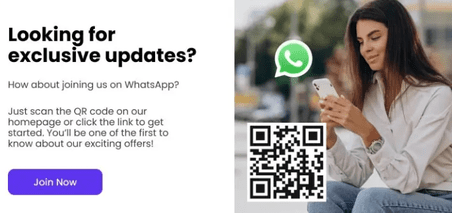
QR codes are useful when you want to collect WhatsApp opt-ins from offline locations, packaging, invoices, posters, events, product inserts, stores, restaurants, clinics, salons, or trade shows.
The QR code should either open a WhatsApp chat with a pre-filled message or open a dedicated WhatsApp opt-in landing page. The text near the QR code should clearly explain what the user is signing up for.
| Placement | QR Code Text Example | Pre-Filled WhatsApp Message | Best For |
|---|---|---|---|
| Retail Counter | Scan to receive offers and new arrivals from {{Store Name}} on WhatsApp. | YES, I want WhatsApp updates from {{Store Name}}. | Retail stores, boutiques, local shops |
| Product Packaging | Scan to get product tips, warranty updates, and offers on WhatsApp. | YES, I want product updates from {{Brand Name}} on WhatsApp. | Ecommerce, electronics, beauty, consumer products |
| Clinic Reception | Scan to receive appointment reminders and clinic updates on WhatsApp. | YES, I want appointment updates from {{Clinic Name}} on WhatsApp. | Clinics, dentists, diagnostic centers |
| Event Booth | Scan to receive event updates, resources, and follow-up messages on WhatsApp. | YES, I want event updates from {{Business Name}} on WhatsApp. | Events, expos, seminars, webinars, workshops |
| Restaurant Table Tent | Scan to get menu updates, offers, and booking reminders on WhatsApp. | YES, I want WhatsApp updates from {{Restaurant Name}}. | Restaurants, cafes, cloud kitchens |
| Real Estate Brochure | Scan to receive price list, floor plans, and site visit updates on WhatsApp. | YES, I want project updates from {{Business Name}} on WhatsApp. | Real estate developers and brokers |
Best practice: do not place a QR code without context. A QR code that simply says “Scan me” does not clearly explain consent. Add a short promise near the QR code so users know what they will receive.
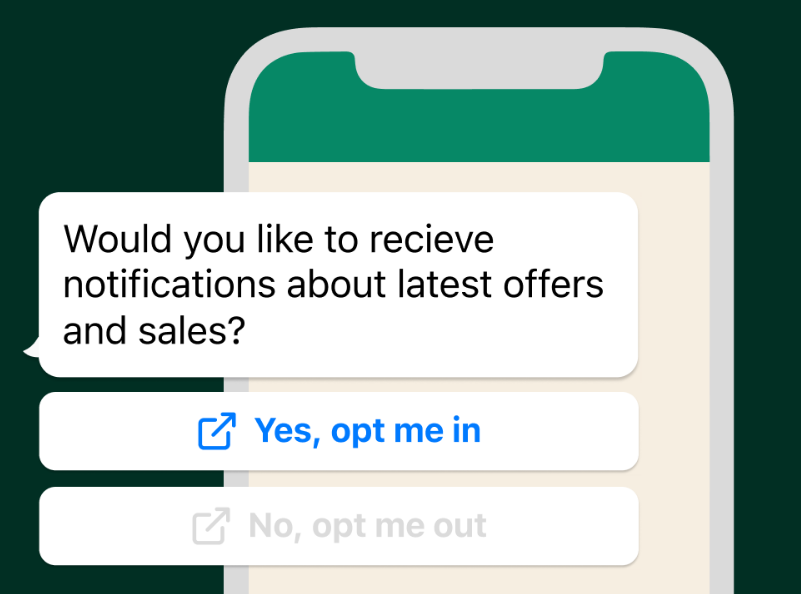
Customer service interactions are natural moments to request WhatsApp opt-in because the customer is already speaking with your business. This can happen after a live chat, support ticket, phone call, email conversation, or in-store service interaction.
| Support Moment | Opt-In Script Example | Best For |
|---|---|---|
| After ticket resolution | Glad we could help. Would you like to receive future support updates from {{Business Name}} on WhatsApp? Reply YES to confirm. | SaaS, ecommerce, agencies, support teams |
| After phone support | We can send your case update on WhatsApp for easier tracking. Reply YES if you agree to receive WhatsApp updates from {{Business Name}}. | Service businesses, clinics, B2B support, local businesses |
| After product inquiry | Would you like us to send product details, availability, and offers from {{Business Name}} on WhatsApp? Reply YES to opt in. | Retail, ecommerce, real estate, travel |
| After appointment request | We can send appointment confirmation and reminders on WhatsApp. Reply YES to receive updates from {{Business Name}}. | Clinics, salons, consultants, education counselors |
This approach works best when the user has just received value from your team. Keep the request optional, clear, and easy to confirm.
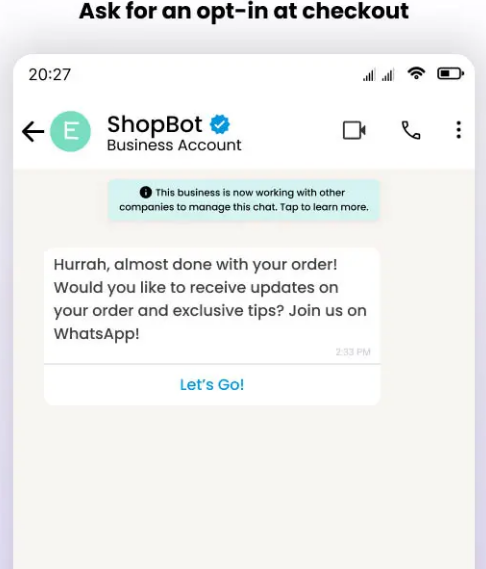
Checkout is one of the strongest places to collect WhatsApp opt-ins because the customer already expects order confirmation, shipping updates, payment alerts, delivery notifications, and support messages.
The safest approach is to separate transactional updates from promotional messages. A customer may want order updates but may not want marketing offers. If possible, offer separate checkboxes.
| Checkout Use Case | Opt-In Copy Example | Message Type | Recommended Checkbox Status |
|---|---|---|---|
| Order Updates | Send me order confirmation, shipping, delivery, and support updates from {{Store Name}} on WhatsApp. | Transactional / Utility | Unchecked by default |
| Marketing Offers | I also want to receive product offers, discounts, and new launch updates from {{Store Name}} on WhatsApp. | Marketing | Unchecked by default |
| COD Confirmation | Send my COD order confirmation and delivery updates on WhatsApp. | Transactional / Utility | Unchecked by default |
| Post-Purchase Thank You Page | Want faster order updates on WhatsApp? Click here to subscribe to order and delivery alerts from {{Store Name}}. | Transactional / Utility | User clicks to opt in |
| Repeat Purchase Offers | Send me WhatsApp offers, restock alerts, and product recommendations from {{Store Name}}. | Marketing | Unchecked by default |
Recommended ecommerce setup:
Sendwo can support ecommerce opt-in workflows through Shopify WhatsApp integration, WooCommerce WhatsApp integration, abandoned cart templates, and COD confirmation templates.
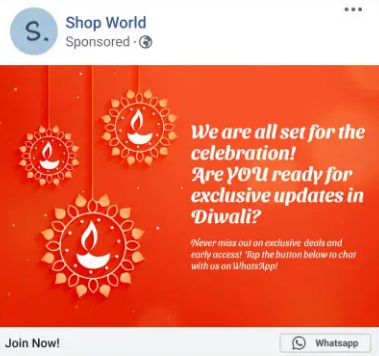
Click-to-WhatsApp ads are powerful because the user starts a WhatsApp conversation directly from a Facebook or Instagram ad. However, if you want to send future marketing messages, it is still safer to confirm the user’s opt-in inside the chat flow.
A good Click-to-WhatsApp opt-in flow has three parts: the ad promise, the first WhatsApp message, and a clear confirmation reply.
| Use Case | Ad Copy Example | WhatsApp Confirmation Message | Opt-In Action |
|---|---|---|---|
| Ecommerce Offer | Get today’s exclusive WhatsApp-only offer. Tap to claim. | Thanks for messaging {{Business Name}}. Reply YES to receive this offer and future WhatsApp updates from us. | User replies YES |
| Real Estate Lead | Get project pricing and floor plans on WhatsApp. | Hi, thanks for your interest in {{Project Name}}. Reply YES to receive project details, pricing, site visit updates, and follow-ups from {{Business Name}} on WhatsApp. | User replies YES |
| Education Webinar | Register for the free masterclass on WhatsApp. | Thanks for your interest in {{Webinar Name}}. Reply YES to receive webinar reminders, joining links, and learning updates from {{Business Name}} on WhatsApp. | User replies YES |
| Clinic Appointment | Book your appointment on WhatsApp. | Thanks for contacting {{Clinic Name}}. Reply YES to receive appointment confirmation, reminders, and follow-up updates on WhatsApp. | User replies YES |
| Travel Package | Get the latest {{Destination}} package details on WhatsApp. | Thanks for messaging {{Business Name}}. Reply YES to receive travel package details, pricing, itinerary updates, and offers on WhatsApp. | User replies YES |
Best practice: do not treat every ad click as permission for unlimited future promotional broadcasts. Use a simple confirmation message such as “Reply YES” so you have clearer proof of consent.
Sendwo can help you turn Click-to-WhatsApp conversations into segmented leads using labels, custom fields, chatbot flows, and follow-up campaigns. Explore Click-to-WhatsApp Ads, WhatsApp chatbot, and labels and segmentation.
Collecting opt-ins is only half the work. You should also track where each opt-in came from so your future campaigns stay relevant and compliant.
| Opt-In Source | Suggested Label | Useful Data to Store | Recommended Follow-Up |
|---|---|---|---|
| Website form | Opt-in: Website Form | Page URL, form name, timestamp, consent copy version | Welcome message or requested resource |
| Click-to-WhatsApp ad | Opt-in: CTWA Ad | Campaign name, ad set, ad creative, keyword or audience, timestamp | Lead qualification or offer delivery |
| QR code | Opt-in: QR Code | QR location, store/event name, timestamp, pre-filled message | Welcome message or location-specific offer |
| Checkout | Opt-in: Checkout | Order ID, consent type, product category, timestamp | Order updates, COD confirmation, delivery alerts |
| Lead magnet | Opt-in: Lead Magnet | Lead magnet name, landing page, form submission time, interest category | Resource delivery and segmented nurture sequence |
| Support interaction | Opt-in: Support | Ticket ID, agent name, consent timestamp, topic | Support follow-up or customer satisfaction request |
Inside Sendwo, you can use labels, segmentation, contact fields, chatbot flows, and campaign analytics to organize opt-ins by source and send more relevant WhatsApp messages later.
Collecting WhatsApp opt-ins is not just about growing a large contact list. The goal is to build a clean, consent-based, segmented list of people who expect and value your messages.
Use this checklist before launching any WhatsApp opt-in collection campaign.
| Checklist Item | What to Confirm |
|---|---|
| Business name is clear | The opt-in copy clearly mentions which business will send WhatsApp messages. |
| WhatsApp channel is mentioned | The user understands they are agreeing to receive WhatsApp messages. |
| Message type is explained | The copy says whether messages are order updates, offers, reminders, support updates, or educational content. |
| Checkbox is not pre-selected | The user must actively choose to opt in. |
| Consent source is stored | You store whether the opt-in came from form, CTWA, QR, checkout, lead magnet, or support. |
| Timestamp is stored | You keep a record of when the user opted in. |
| Opt-out method is available | The user can unsubscribe easily, such as by replying STOP. |
| Privacy policy is linked | Your form, landing page, or checkout flow links to your privacy policy. |
| Marketing consent is separate where needed | Transactional updates and promotional offers are separated if your business needs that clarity. |
| Follow-up matches consent | Your future WhatsApp campaigns match what the user agreed to receive. |
Collecting and managing WhatsApp opt-ins manually can become difficult as your list grows. Sendwo helps businesses collect WhatsApp leads, segment contacts, run approved broadcasts, automate replies, manage conversations, and track campaign performance from one WhatsApp-first dashboard.
With Sendwo, businesses can:
Sendwo is a WhatsApp-first marketing, automation, chatbot, and customer communication platform built for businesses using the official WhatsApp Business API. It helps businesses grow safer WhatsApp API-based workflows instead of relying on risky or unclear messaging practices.
A WhatsApp opt-in means a person has agreed to receive WhatsApp messages from your business. This can include order updates, reminders, offers, support messages, educational content, or other message types depending on what they agreed to receive.
Yes. For proactive business messaging, you should collect permission before messaging users on WhatsApp. If a user messages your business first, you can respond inside the customer service window, but future marketing or broadcast messaging should be based on consent.
Yes. You can collect WhatsApp opt-ins from newsletter forms, contact forms, demo forms, quote forms, and lead capture forms. The opt-in copy should clearly mention your business name, WhatsApp as the channel, message type, and opt-out option.
Click-to-WhatsApp ads start a user-initiated conversation, but for future promotional broadcasts it is safer to confirm consent inside the chat. A simple message like “Reply YES to receive WhatsApp updates from {{Business Name}}” gives clearer proof of opt-in.
Yes. QR codes are useful for offline and event-based opt-ins. Add clear text near the QR code explaining what the user will receive after scanning, such as offers, order updates, appointment reminders, or event updates.
Yes. Checkout is one of the best places to collect opt-ins because customers often want order confirmation, shipping updates, delivery alerts, and support messages. Use clear, unchecked consent checkboxes.
It is a good practice to separate transactional order updates from promotional marketing offers, especially if your audience is in a stricter privacy region. This helps users understand exactly what they are agreeing to receive.
Yes. Lead magnets such as PDFs, coupons, webinars, calculators, audits, and catalogs can collect WhatsApp opt-ins if the form clearly states that the user will receive WhatsApp messages from your business.
Store the phone number, opt-in source, timestamp, consent copy version, page URL or campaign source, and message type consent. This helps with compliance and segmentation.
You should give users a simple way to unsubscribe, such as replying STOP or using an unsubscribe option. Once a user opts out, honor the request and stop sending the relevant WhatsApp messages.
Yes. Sendwo helps businesses collect and manage WhatsApp leads using forms, chat widgets, chatbot flows, integrations, labels, segmentation, ecommerce workflows, and broadcast campaigns.
WhatsApp opt-ins are not just a compliance requirement. They are the starting point for building a clean, engaged, and profitable WhatsApp audience. When users knowingly subscribe to your WhatsApp messages, they are more likely to read, reply, click, buy, book, and stay connected with your business.
The best opt-in strategy is simple: be clear, be useful, ask permission, store consent, respect opt-outs, and send messages that match what the user agreed to receive.
Use website forms, Click-to-WhatsApp ads, QR codes, checkout pages, lead magnets, and customer service conversations to collect permission naturally across the customer journey.
If you want to build a cleaner WhatsApp list and run campaigns from one dashboard, start free with Sendwo, explore WhatsApp Forms, or use the WhatsApp lead generation templates.
WhatsApp marketing is booming in 2025, and it’s easy to see why. The platform boasts nearly 3 billion users and sky-high engagement – WhatsApp messages often have a 98% open rate, far higher than email. About 175 million people message a WhatsApp Business account every day, making WhatsApp a goldmine for customer communication.
But as more companies embrace WhatsApp, there’s growing confusion around message-sending limits and rules. How many people can you broadcast to at once? What’s allowed with the free app versus the official API? This article will decode WhatsApp’s message limits as of 2025 and compare free tools vs. the WhatsApp API vs. automation platforms. You’ll get a clear picture of daily caps, template rules, and the pros and cons of each approach.
By the end, you’ll know exactly how to navigate WhatsApp’s limits and choose the right solution – whether you’re sending 100 messages a day or 100,000.
Before diving into specific tools, let’s clarify what WhatsApp’s message limits are in 2025. WhatsApp regulates how businesses send bulk messages to ensure users aren’t overwhelmed with spam. A few key factors define these limits: daily conversation caps, message template requirements, and whether a conversation is user-initiated or business-initiated.
If you’re using the WhatsApp Business API (more on this later), Meta applies a tiered limit on how many unique users you can message in a rolling 24-hour period. New API numbers typically start at 1,000 recipients per day (Tier 1). As your number gains trust, WhatsApp will automatically upgrade your tier – for example, to 10,000 per day (Tier 2) and then 100,000 per day (Tier 3). Some verified high-quality senders can even reach an “Unlimited” tier reserved for large enterprises.

These limits reset every 24 hours and only apply to business-initiated conversations (when your business starts a chat or messages a user outside the 24-hour support window). There’s effectively no hard cap when replying to customers who messaged you first – user-initiated conversations aren’t counted toward these limits, and since late 2024 WhatsApp even made service (user-initiated) conversations free of charge for businesses.
WhatsApp distinguishes between these conversation types.
A user-initiated conversation happens when a customer messages your business (say, a user asks a question on your WhatsApp). You can respond freely within 24 hours with any content, and these replies don’t count against your daily send limit because the user started the chat.
A business-initiated conversation, by contrast, is when your business sends the first message to a user (or contacts them after that 24-hour window). These require pre-approved message templates and do count toward your messaging tier.
As of 2025, WhatsApp has shifted to a per-message pricing model for business-initiated chats (replacing the old 24-hour session charge). So, if you send a template message blast to 5,000 users, that’s 5,000 business-initiated messages counting against your daily limit (and billed per message).
In the past year, WhatsApp’s policy updates have aimed to simplify pricing and encourage quality. The big change is the move from conversation-based billing to per-message billing (each template message now incurs a small fee, rather than paying one price for a 24-hour window of unlimited messages).
Additionally, WhatsApp removed the previous allowance of 1,000 free service conversations per month – now all user-initiated service chats are free and unlimited for businesses. The tier system and template rules remain in place, and WhatsApp still heavily emphasizes quality ratings. If too many users block you or report your messages, your number’s quality rating will drop (to a “Low” quality status), and WhatsApp might reduce your messaging limit to a lower tier until quality improves. In short, 2025’s rules reward businesses that send relevant, requested messages and penalize those that spam. Understanding these fundamentals will help you choose the right approach as we compare the options below.
If you’re just starting out or have a very small audience, you might be using the WhatsApp Business App (the free mobile app available on Android/iOS). This app is a great entry point for small businesses – it allows you to chat with customers, set up a business profile, and even use basic features like quick replies and labels. However, when it comes to sending messages in bulk or at scale, the free app has significant limitations.
The WhatsApp Business App (free mobile app) is an easy starting point but has significant limitations for mass messaging:

Because of these limitations, the free app is ideal for very small businesses or operations with low messaging volume. If you have a local shop with a few hundred customers and just need to send occasional updates or reply to inquiries, the WhatsApp Business app works fine (and it’s free). Just be mindful that trying to use it for large-scale messaging is cumbersome and risky – if you push the app to send too many unsolicited messages, your number could get flagged by WhatsApp’s spam detection. In short, use the free tool for what it’s good at (personalized, low-volume communication) and look to more robust solutions as your needs grow.
WhatsApp Business App can now be integrated to the API and managed via mobile phone. This comes under the new policies by WhatsApp where you can work with business solution provider of meta like sendwo and utilize the WhatsApp coexistance feature.
For businesses that need to message thousands of customers or integrate WhatsApp with other systems, the WhatsApp Business API is the go-to solution. Unlike the free app, the API isn’t a standalone interface you log into – it’s an endpoint that lets businesses send and receive WhatsApp messages programmatically (usually through a third-party provider or their own software). The API was built for medium and large enterprises, and it comes with tiered messaging limits as well as advanced capabilities not available in the app.
How the tier system works for the API was outlined earlier: new API users start at Tier 1 (about 1,000 business-initiated messages per day) and can climb to Tier 2 (10,000/day), Tier 3 (100,000/day), and beyond, depending on engagement and quality. These higher limits make the API suitable for large-scale campaigns and notifications that wouldn’t be feasible on the free app.

On the flip side, the WhatsApp API is not plug-and-play or free like the app. To use it, you need to go through an approval process: link a phone number, verify your business with Facebook/Meta, and either host an API client or sign up with a provider. Meta (Facebook) charges for messages sent via the API – as of 2025 it’s pay-per-message for templates (with rates depending on the message category and the recipient’s country).
User-initiated customer replies are generally free or very low-cost. If you use a third-party provider (like a BSP or a platform such as Sendwo) to access the API, there might be platform fees or monthly subscription costs as well.
The WhatsApp Business API is best suited for medium to large businesses – basically, any company that has outgrown the basic app. If you need to reliably send at scale, or you want to automate and integrate WhatsApp into your customer journey, the API is the way to go. It does require some technical setup and ongoing message costs, but it unlocks WhatsApp’s full potential. Many businesses find that the investment is worth it, given WhatsApp’s exceptional engagement rates. For those who want the API’s power without dealing with code or infrastructure, that’s where the next category comes in: automation platforms built on the API.
Not every business has the resources to build a custom WhatsApp integration – that’s where no-code automation tools come in. Platforms like Sendwo make it easy to leverage the WhatsApp API without writing a single line of code. Essentially, these tools sit on top of WhatsApp’s official API and provide a friendly interface to plan and automate your messaging.
What can you do with an automation platform like Sendwo? Quite a lot:
Using these automation platforms, you get full marketing and support workflows on WhatsApp with minimal hassle. The platform ensures you stay within WhatsApp’s rules – you’ll still use approved templates for outbound messages and stay under the API’s tier limits, but the tool manages those technicalities for you. It prevents mistakes like sending unapproved content or exceeding your daily cap, which protects your account.
The main trade-off is cost: you will need an approved WhatsApp API setup and likely pay a subscription for the platform, but in return you save a huge amount of time and unlock much greater scale. For most businesses, the time saved and higher engagement more than justify the expense of an automation tool.
There’s also a market for unofficial WhatsApp tools that promise bulk messaging via workarounds – for example, using modified WhatsApp apps, browser automation scripts, or reverse-engineered APIs. These solutions operate outside of WhatsApp’s official policies. Some businesses resort to them if they can’t get API access (maybe due to WhatsApp’s strict Commerce Policy for certain industries) or if they’re looking for a quick shortcut.
However, using such unofficial methods comes with major risks:
Bottom line: Use unofficial WhatsApp sending tools at your own risk. They might seem tempting – especially if the official API feels out of reach – but the consequences (losing your number, damaging customer trust, potential legal issues around privacy) usually outweigh the benefits. In almost all cases, it’s safer and more scalable to stick with the official WhatsApp Business API or verified platforms like Sendwo that keep you compliant while still enabling bulk messaging. Unofficial shortcuts might work for a while, but they can all come crashing down if your number gets banned.
Now that we’ve covered the three main avenues (the free app, the official API, and API-based automation platforms), let’s compare them side by side. Each option has its own strengths and best-use scenarios:
| Feature | Free WhatsApp Business App | WhatsApp Business API | Automation Platform (Sendwo) |
|---|---|---|---|
| Message Limit | 256 contacts per broadcast list (per send) | Tiered: 1,000 → 10,000 → 100,000+ per day (unique recipients) | Same as API’s tiers (uses your API limits) |
| Ease of Use | Very easy (simple app, no technical setup) | Complex setup (developer or provider needed) | User-friendly interface (no coding, guided setup) |
| Automation | None built-in (manual messaging only) | Possible via custom integration (requires development) | Full automation features (scheduling, chatbots, triggers built-in) |
| Pricing | Free (no direct cost to use the app) | Pay-per-message (WhatsApp fees) + possible setup costs | Subscription fee + WhatsApp message fees (usage-based) |
Small businesses or beginners can start with the free app for one-on-one chats and basic updates. Growing businesses that need to reach bigger audiences or automate workflows will quickly see the value in the API – ideally accessed via an automation platform like Sendwo for ease of use. Larger enterprises and advanced marketers should lean into the API (with or without a third-party platform) to unlock WhatsApp’s full potential at scale.
To get the most out of WhatsApp while respecting its limits, keep these best practices in mind:

Implementing these best practices will help you stay within WhatsApp’s rules, increase your sending limits over time, and ensure your customers remain happy to receive your messages.
WhatsApp’s messaging limits in 2025 aren’t roadblocks – they’re guardrails to ensure users aren’t spammed. By understanding the rules and using the right tools, you can reach your audience effectively whether that’s a few dozen people or tens of thousands. Choose your WhatsApp solution based on your needs: the free app for very light use, the official API (with some help) as you grow, and automation platforms like Sendwo when you’re ready to scale your campaigns and customer interactions to the next level.
For regular WhatsApp (including the Business app), there isn’t a strict daily cap, but you can only broadcast to 256 contacts at once per list. With the WhatsApp Business API, the limit starts around 1,000 unique recipients per 24 hours, and higher tiers allow 10,000 or 100,000+ per day as your account’s reputation grows.
WhatsApp will raise your messaging tier automatically when your number demonstrates good sending behavior. To get upgraded, verify your business, keep a high quality rating (few people blocking or reporting you), and consistently send messages near your current limit. In time, if WhatsApp sees you’re using your full allotment with high quality, they’ll move you up to the next tier (from 1K to 10K, 10K to 100K, etc.).
No. There’s no subscription fee for the API itself, but WhatsApp charges per message you send (business-initiated conversations incur a small fee per template message). The exact rates depend on the type of message and region. If you use a third-party provider or platform (like Sendwo), there may be platform costs as well. In short, it’s a pay-as-you-go model for WhatsApp business messaging.
Yes. If you send bulk messages in a spammy way or use unauthorized tools, WhatsApp can ban your number. To avoid a ban, always stick to the official app or API, and only message users who have given their consent to be contacted.
Small businesses thrive on building strong customer relationships and quick communication. In an age where instant messaging is the norm, leveraging WhatsApp’s massive reach can be a game-changer.
WhatsApp isn’t just for personal chats anymore – it’s now a powerful business tool. With nearly 3 billion people using WhatsApp worldwide and an astonishing 98% message open rates on the platform, savvy small enterprises are tapping into the WhatsApp Business API to engage customers like never before, and savvy small enterprises are tapping into the WhatsApp Business API to engage customers like never before.

Imagine being able to confirm orders, answer customer questions, and send promotions in real-time on a channel your customers open almost every time – that’s the opportunity.
We’ll cover the API, why it can be incredibly valuable for small and medium enterprises (SMEs), and how to optimize it to unlock its full potential for marketing, customer service, and growth.
You’ll find real-life examples from retail, healthcare, and restaurants, along with actionable tips, and stats to see the success rate in adopting the WhatsApp API in any small enterprise. Let’s dive in and supercharge your customer engagement via WhatsApp!
The WhatsApp Business API – also known as the Official WhatsApp API – is a solution provided by Meta (formerly Facebook) that allows businesses to integrate WhatsApp’s messaging into their systems. These systems can be billing, invoicing, payroll, CRM that triggers a WhatsApp message when any defined activity happens.
Unlike the free WhatsApp Business app (meant for very small businesses using a single phone), the API isn’t a standalone app. Instead, it’s an interface or “digital bridge” that connects your business software to WhatsApp’s network. This means you can send and receive WhatsApp messages programmatically, use chatbots, connect multiple agents, and automate conversations at scale.
You may use your in-house developers to connect the WhatsApp API to your existing systems but right now we are talking "How small enterprises can set this up". To do this, software like SendWo fills the gap. Using software like SendWo, you can easily integrate the WhatsApp API and archive all programmatic messaging. What to give it a try? Check out how you can set up WhatsApp API with SendWo in this video tutorial.
What’s the difference between the app and the API? In short:
For a small enterprise looking to grow, the API unlocks capabilities that the basic app can’t: rich automation, personalized messaging at scale, and integration with your other business tools. In the next sections, we’ll see why this matters and how to make the most of it.
Small businesses often face big challenges: limited marketing budgets, small customer service teams, and the need to stand out against larger competitors. The WhatsApp Business API helps level the playing field by providing affordable, efficient, and personalized communication. Here are key benefits that make WhatsApp Business API a game-changer for SMEs:
This incredible engagement means if you send a promotion or an update via WhatsApp, there’s a very high chance your customer will actually read it – and fast. It’s not just opens, either; conversion rates from WhatsApp messages can reach 45-60%, far eclipsing the ~5% conversion typical of emails
By being available on WhatsApp, you’re literally a quick message away for your customers, which improves satisfaction and trust.
Over 50 million companies worldwide are already using WhatsApp for marketing purposes, and more than 54% of users prefer receiving their order updates and promotions via WhatsApp instead of email or SMS
Customers are actually 76% more likely to do business with a company they can message directly, likely because of the convenience and confidence it brings.
WhatsApp Business API combines personal touch at scale with low-cost, high-impact communication. It allows a small enterprise to appear and operate with the efficiency of a larger company, all while preserving the warm, conversational tone that customers love about small businesses.
Ready to jump in? Setting up the WhatsApp Business API might sound technical, but it’s becoming easier and more accessible even for non-techy business owners. Here’s a quick overview of how a small business can get started:
Getting started tip: You don’t necessarily need any coding skills to use WhatsApp Business API. Many solutions for small businesses come with user-friendly interfaces – you can log in and start sending messages much like using any web chat app. The heavy lifting (servers, encryption, etc.) is handled by the provider in the background. So even a tiny shop can harness the power of the API without an IT department.
Now that your WhatsApp Business API is up and running, let’s look at strategies to optimize it for maximum benefit.
Implementing the WhatsApp Business API is just the first step. To truly leverage it effectively, small businesses should follow best practices and creative strategies. Here are several actionable strategies to optimize your use of WhatsApp API:
One of the greatest strengths of WhatsApp is the ability to have personal, one-on-one conversations at scale. Take advantage of this by personalizing your messages as much as possible. Generic blasts won’t get the same love as tailored notes. Fortunately, the API allows you to insert variables (like the customer’s name, order details, etc.) into template messages easily.
Segment your customers and tailor messages to their interests or behaviors. For example, if you own an online boutique, send a “Thank you, [Name]!” message after a purchase, followed by style tips or product recommendations based on what they bought. Use customers’ names in greetings and craft content that feels relevant to them (e.g., “Hi John, we thought you’d like to know our summer jackets are 20% off since you bought one last year!”). You can maintain simple segments like loyal customers, new inquiries, cart abandoners, etc., and adjust your tone or offers accordingly.

Remember, conversational tone is key on WhatsApp. You can use emojis or a friendly writing style if it suits your brand – it should feel like a helpful message from a trusted acquaintance, not a stiff corporate memo. Small touches, like wishing a customer happy birthday or happy holidays by WhatsApp (perhaps with a special coupon), can go a long way in building loyalty.
Personalized messages significantly boost engagement. As noted earlier, 72% of consumers are more likely to engage with marketing messages that are tailored to them on WhatsApp. Your small business already has the advantage of knowing your customers well – use that knowledge in your messaging. By making each customer feel seen and valued, you’ll nurture stronger relationships. This can lead to more repeat business and positive word-of-mouth, the lifeblood of any small enterprise.
Providing prompt customer service can be challenging when you have a small team. That’s where chatbots and automated replies come in handy. The WhatsApp Business API lets you integrate chatbot functionality – either through a third-party bot platform or your own setup – to handle common queries automatically.
Think about the frequently asked questions your business gets. For a retail store, it might be “What are your store hours?” or “Where’s my order?”. For a restaurant, “Can I see the menu?” or “Do you offer vegetarian options?”. A healthcare clinic might get “How do I book an appointment?”. You can train a simple chatbot to answer these instantly, 24/7. Even without a full AI chatbot, you can set up quick replies or auto-responses. For example, if someone messages “hours” or “menu”, the system can automatically reply with the information or a PDF attachment.
Use the API to set an away message or instant reply when you’re closed or busy. Something like, “Thanks for contacting us! We’ve received your message and will reply soon (usually within an hour). In the meantime, here are answers to common questions: [list].” This assures customers that you got their message and provides help right away if possible. Nobody likes feeling ignored – an immediate response (even if automated) keeps them engaged and patient until a human takes over if needed.

Make sure your chatbot or automation can hand off to a real person when queries get complex. For instance, if the bot doesn’t understand a question or the user types “agent” or “help”, ensure the conversation gets transferred to you or a team member. The WhatsApp API supports this kind of handover if your platform is set up for it. This gives the best of both worlds: speed and efficiency from automation, plus personal care when needed.
Quick response time is crucial. If you reply fast, customers are more likely to stay engaged and less likely to go to a competitor. In fact, slow replies on WhatsApp turn off 73% of users, and over half may abandon a purchase due to waiting too long. By automating FAQs, you’re ensuring that simple questions get answered instantly and your team’s time is freed to handle more complex inquiries or sales opportunities. Even as a small business, you can deliver round-the-clock customer service with a smart chatbot strategy, enhancing your professionalism and reliability.
To make the most of WhatsApp, don’t wait for customers to always message you first. The WhatsApp Business API allows proactive messaging to customers using pre-approved message templates. These are especially powerful for sending out alerts, reminders, and updates that customers appreciate.
Templates are standardized message formats you submit to WhatsApp for approval (via your provider). They’re required for any business-initiated messages outside the 24-hour window of the last customer message. But once you have them set up, you can proactively reach out with valuable information. Common template examples for small businesses include: order/shipment confirmations, delivery updates, appointment reminders, booking confirmations, payment reminders, and feedback requests.
The key is to use these templates for useful, timely communications – things the customer actually wants to know. Don’t abuse it by sending pure ads without consent; that could annoy customers. Instead, focus on messages that provide value (updates, reminders, important info). The good news is customers want these kinds of messages. A notable 85% of consumers say they’re interested in receiving proactive notifications from brands via WhatsApp (like the ones above). When you keep customers in the loop proactively, you’re delivering excellent service and they’ll appreciate it.
Always ensure the customer has opted in for these notifications. For example, during a purchase or signup, ask if they’d like WhatsApp updates about their order or appointments. And always give an easy way for them to opt out. If done right, proactive messaging through templates will boost customer satisfaction and reduce inbound questions (since you answered them before they had to ask “When will my order arrive?”). It’s a win-win.
Make your WhatsApp conversations engaging and convenient by using the platform’s rich media and interactive features. Small businesses can appear very high-tech by using these, but they’re actually easy to implement via the API.
Don’t hesitate to share images, short videos, audio clips, documents, or links when appropriate. Visuals can dramatically improve your message’s impact.
These rich media messages showcase your offerings in a way text can’t, and they make the chat experience more fun and interactive.
Interactive buttons and quick replies:
The WhatsApp API supports interactive message templates, which include buttons that users can tap. There are generally two types – quick reply buttons (which send a predefined reply from the user with one tap) and call-to-action buttons (e.g., “Call now” or “Visit website”).

How can a small business use these? Suppose you send a promo message: “Hi Kate! We’re offering 15% off all salon services this week. Would you like to book an appointment?” – you can include quick reply buttons like “Book Now” or “Maybe Later”. If Kate taps “Book Now,” your chatbot or team can then continue the booking process immediately. For an e-commerce context, you might send a cart recovery message: “You left items in your cart. Ready to complete your purchase?” with a button “Checkout ?” that directs them to your site’s checkout page. A travel agency could send a list of packages with each having a “View Details” button.
These interactive elements simplify the user’s next step (one tap instead of typing out a response or finding a link). They also provide you quick feedback – you know exactly what the user clicked, which can trigger the next automation.
If relevant, make use of WhatsApp’s catalog feature. Small retailers and restaurants can create a product/menu catalog that users can browse right within WhatsApp. While the full catalog feature is often associated with the WhatsApp Business app, the API can support sending product messages and integrating with your online catalog. For example, an auto-parts store could send a structured message of recommended products (image, price, description) for the user to scroll through in chat. This is basically enabling conversational commerce – letting customers shop via chat with ease.
Interactive and rich content increases engagement and conversion. It makes the conversation more like an app experience. Customers are more likely to respond when they can just tap a button or be enticed by a picture. And for you, it streamlines the process (collecting responses quickly, guiding the user journey). By incorporating these features, even a very small business can provide a modern, app-like experience on WhatsApp – without actually having to build a mobile app or complex website. It lowers friction for customers, which often means higher sales or inquiry completion rates.
While WhatsApp is great for one-to-one chats, the API also lets you reach many people efficiently – just be smart about how you do it. Segmentation and targeted broadcasts are key to avoid coming off as spammy and to improve effectiveness.
Not every customer should receive every message. Use segmentation to group your contacts by relevant criteria: purchase history, interests, location, stage in customer journey, etc. For example, a small clothing retailer might segment customers into those who like men’s fashion vs. women’s fashion, or seasonal buyers vs. frequent shoppers. Then, when a new women’s collection arrives, you message only the interested segment with those photos and not annoy the men’s segment with irrelevant content. Likewise, a restaurant could maintain a list of vegetarian customers and highlight new vegetarian dishes to them specifically.
Broadcast lists via API: The WhatsApp Business API doesn’t have a “broadcast list” in the same way the app does, but you can programmatically send the same message template to multiple recipients who have opted in. Many providers allow you to create campaigns or use tags to select recipient groups. When you send out a campaign (e.g., a holiday sale announcement or a newsletter-type update), it actually sends as individual messages to each user – which keeps it personal and allows you to track delivery and responses per user.
Make it relevant: Because you’ve segmented, you can craft content that resonates with each group. People are far more likely to read and act on messages that align with their interests. This ties back to personalization. It can be as simple as separating your VIP customers (who get an exclusive offer first) from your general list (who get a standard promo later). Or segment by industry/role if you’re a B2B small business – e.g., an accounting service might send different tip alerts to restaurant owners vs. retail store owners, tailored to their needs.
Timing and frequency: Be mindful of when and how often you send messages. Even if people have opted in, too many messages can irritate. For marketing broadcasts, quality beats quantity. Perhaps send your promotions or news updates no more than once a week or a few times a month, depending on your business. Pay attention to response rates – if a particular type of broadcast gets low engagement, refine it or send it to a smaller segment that truly finds it relevant. The API’s reporting (or your BSP’s analytics) can show delivery, read, and response metrics to help you gauge this.
Why it matters: Targeted messaging ensures higher engagement and reduces opt-outs. It’s better to send 100 highly relevant messages and get 50 responses, than 1000 generic messages and get 5 responses (and maybe 20 people blocking you). By segmenting, you respect your customers’ preferences and increase the success of your campaigns. Plus, when customers consistently receive content that matters to them, they’ll pay more attention to your business and see you as tuned into their needs.
Don’t use WhatsApp as a one-way megaphone – its real power is in conversation. Small businesses can build strong community and loyalty by engaging customers in dialogue and gathering feedback through WhatsApp.
Ask questions and invite interaction: After a sale or service, send a friendly follow-up on WhatsApp asking for the customer’s experience. This could be as simple as, “Hi [Name], thanks for visiting [Business]! ? We hope you loved it. How would you rate your experience? Please reply with a number 1-5 or let us know any feedback.” Because it’s a chat, customers may be more inclined to shoot back a quick reply as opposed to filling out a formal survey email. You can even use quick-reply buttons for ratings (e.g., “? Good” / “? Could Improve”). A restaurant might ask “Was your meal tasty? ?” or a gym might check in “How was your first week of workouts?”. Showing that you care about their opinion makes customers feel valued. It’s like having a personal conversation, which is the bread and butter of small business relationships.
Run simple interactive campaigns: You can get creative and engage customers with contests or interactive content. For example, a café could run a WhatsApp contest: “It’s Trivia Tuesday! Answer this: What year did we open our cafe? The first 5 correct replies get a free coffee ?.” This kind of engagement creates buzz and makes people excited to open your messages. A bookstore might do a weekly poll on WhatsApp: “Help us choose our next window display theme! Reply A for Fiction Favorites or B for Sci-Fi Classics.” People love sharing their opinion when asked – and they’ll be curious about the result, which means they’ll pay attention to your next message too.
Provide value, not just promotions: Share tips, advice, or content that’s genuinely useful to your audience to keep the two-way engagement going. If you’re a fitness coach, send a “Tip of the Week” on WhatsApp and ask clients to let you know how they like it or if they have questions. If you run a gardening shop, you could invite customers to send pictures of their plants if they need advice (effectively using WhatsApp like a consultation line). By positioning your WhatsApp communication as a helpful resource, customers will interact more freely beyond just transactional messages.
Act on feedback: When customers do respond or give feedback, acknowledge it. If someone had a poor experience and mentions it in WhatsApp, respond personally, apologize and offer to make it right. If someone gives a great suggestion, thank them and consider implementing it. This shows that behind the WhatsApp messages there are real humans who care – a strength of small businesses. Positive interactions like these can turn casual customers into loyal advocates.
Why it matters: WhatsApp is an intimate channel; treating it as a conversation strengthens customer relationships. By encouraging replies and actually talking with your customers, you gain insights and create a sense of community. Customers who engage with you regularly on WhatsApp are likely to feel a personal connection to your business – which competitors will have a hard time breaking. This can lead to higher customer retention and even increased spending (studies show 64% of users are willing to spend more with a business that is responsive and active on WhatsApp). For a small enterprise built on relationships, this strategy is invaluable.
To truly optimize WhatsApp for your business, integrate it with your other tools and continuously measure your performance. One advantage of the API is that it can hook into CRM systems, e-commerce platforms, ticketing software, etc., to create a seamless workflow.
Integration examples: Connect WhatsApp API to your CRM so that all chat histories are logged under each customer profile. This way, anyone on your team can see past interactions and preferences, and you won’t ask the customer the same question twice. Tie WhatsApp into your order management system so you can automatically trigger a WhatsApp message when an order status changes (no manual work needed to send shipping updates). If you use a helpdesk or support ticket system, integrate WhatsApp such that new inquiries create tickets or show up in the same dashboard as your emails and other channels – this prevents anything from slipping through cracks. Many solution providers and third-party tools make these integrations plug-and-play for small businesses.
Even integrating a simple Google Sheets or database with WhatsApp could help: e.g., update a sheet with customers who need follow-ups and have a script or tool send WhatsApp messages accordingly. The goal is to streamline your operations: let WhatsApp conversations inform your other processes and vice versa.
Analytics and optimization: Pay attention to the analytics your WhatsApp Business API or provider provides. Key metrics to watch include: delivery rate, open/read rate (typically high on WhatsApp), response rate, and conversion rate from messages (e.g., how many users clicked your link or made a purchase after a campaign). Also track your response time to customers – how quickly are you replying? If it’s not within a few minutes (for new leads) or a couple of hours (for general queries), consider adjusting with more automation or different staffing during peak times.
Run A/B tests when possible. For instance, try two variations of a promotional message to small subsets and see which phrasing gets more responses, then use the winner for the wider audience. Test sending messages at different times of day to see when your customers are most responsive (lunchtime vs. evening?). The API gives you the flexibility to experiment and gather data.
Refine based on data: Use the insights to continuously refine your WhatsApp strategy. If you notice customers rarely respond to a certain type of broadcast, maybe that content isn’t interesting to them – try something else. If your chatbot’s flow has a point where many users drop off, tweak the bot script to be clearer or hand off to a human sooner. Treat WhatsApp as a living part of your business strategy that you iterate on.
Why it matters: Small businesses have limited resources, so you want to make sure your efforts on WhatsApp are effective. Integration saves you time (no double data entry, no forgetting to follow up) and gives you a more complete view of customer interactions. Tracking results lets you demonstrate that WhatsApp is contributing to your business goals – whether that’s faster customer support resolution, more sales from campaigns, or higher retention. By being data-driven, you can justify investing more in this channel and ensure it’s optimized for the best ROI.
By implementing these strategies – from personalization and chatbots to proactive messaging and integration – a small enterprise can fully optimize the WhatsApp Business API to drive growth. Next, let’s look at some real-life examples of these principles in action across different industries.
To make things more concrete, here are a few industry-specific examples showing how small businesses can leverage WhatsApp Business API effectively:
Imagine a small online boutique or a local retail shop. The owner uses WhatsApp API to create a more personal shopping experience:
Result: The boutique sees higher customer engagement than through email or social media. Sales promotions on WhatsApp achieve a 3-4x higher conversion rate than their previous email newsletters, and customer inquiries are handled faster, leading to fewer lost sales. The owner notes that many customers have become regulars who “chat” with the store on WhatsApp whenever they need something, which has fostered loyalty and a sense of community around the brand.
Consider a small medical practice or dental clinic adopting WhatsApp API to enhance patient communication:
Result: Patients love the WhatsApp communication – the clinic’s internal survey finds very high satisfaction with the reminder system. Missed appointments dropped by 30% after implementing WhatsApp reminders. Staff workload for making phone calls went down, as confirmations happen automatically. The clinic also saw an increase in follow-up appointment bookings (since it’s so easy for patients to just respond on WhatsApp to book their next visit). All of this means better continuity of care and more efficient operations for the small clinic.
Now picture a popular neighborhood restaurant or a small chain of cafes using WhatsApp API to delight customers:
Result: The restaurant’s order volume increased as they tapped into the “order via chat” trend – it turns out a lot of customers find it easier than phoning in or using a third-party app. They’ve built a community of patrons who feel a personal connection; some customers even send a WhatsApp message just to say how much they loved a new dish! The immediate, two-way communication has improved their service quality (issues are caught and resolved quickly) and boosted customer loyalty. It’s not just a meal, it’s a relationship nurtured through friendly chat.
These examples barely scratch the surface. Any small business – from a home-based bakery to a tutoring service, from a travel agency to a car repair shop – can find creative ways to use WhatsApp Business API. The key is to integrate it into your customer touchpoints and treat it as a channel for genuine engagement, not just promotion. Businesses that do so are seeing higher customer satisfaction and growth in various industries.
Now, to address some common questions entrepreneurs often have about using WhatsApp for their business, let’s move to a quick FAQ.
It's a tool that lets businesses send and receive WhatsApp messages through software instead of a phone app. Ideal for automation, bulk messaging, and team access.
Yes. While originally for big companies, it’s now accessible and affordable for small businesses via third-party providers or Meta’s Cloud API.
You’ll need a verified Facebook Business account, a phone number not linked to WhatsApp, and a provider to activate the API and submit message templates.
No. WhatsApp charges per conversation or template message. Most providers also charge a small monthly or usage-based fee, but costs are manageable for small businesses.
The app is manual and single-user; the API allows automation, team handling, chatbots, and integrations with your CRM or helpdesk system.
In 2025, WhatsApp isn’t just for chatting with friends – it’s a powerhouse business tool. A robust WhatsApp Marketing Strategy can help your brand reach customers where they almost always read your message. (Did you know WhatsApp messages have a 98% open rate, versus ~20% for email?
With over 2.2 billion users worldwide and one billion people connecting with businesses on WhatsApp every week.CMOs and marketers in B2B and B2C industries are wise to double down on this channel.
This post will explore why WhatsApp marketing matters in 2025, outline best practices and WhatsApp growth tactics to expand your reach, compare WhatsApp vs. Email & SMS, and highlight case studies and future trends – all in a concise, point-wise format. Let’s dive in!

In short, WhatsApp combines enormous scale with remarkable engagement. For 2025, it’s a channel you can’t ignore if you want to stay connected with your audience. Now let’s look at how to do it right.
To harness WhatsApp’s power, you need to approach it thoughtfully. Here are some best practices to ensure your WhatsApp Marketing Strategy is effective, engaging, and compliant:
Following these best practices will set a strong foundation for your WhatsApp Marketing Strategy in 2025. You’ll engage customers in a welcome way – not as an intrusive marketer, but as a helpful contact in their WhatsApp feed. Next, let’s discuss tactics to grow your reach on WhatsApp.
Building an audience on WhatsApp requires strategic effort. Here are some effective WhatsApp Growth Tactics to expand your subscriber list and boost engagement:
Implementing these WhatsApp Growth Tactics will help steadily increase the size of your WhatsApp audience and keep them engaged. As your subscriber list grows, you’ll need the right tools to manage and message them at scale – which brings us to using SendWo for WhatsApp marketing.
To execute a scalable WhatsApp Marketing Strategy, dedicated tools like SendWo can be invaluable. SendWo (available at sendwo.com) is an all-in-one WhatsApp marketing platform designed to help businesses broadcast, automate, and manage their WhatsApp communications effectively. Here’s how SendWo can elevate your WhatsApp marketing:

In summary, SendWo provides a comprehensive toolkit for WhatsApp marketing: official API access, bulk messaging, automation (chatbots, flows, drip sequences), e-commerce integrations, team inbox, analytics, and more – all in one platform. Using such a tool can save you time and ensure your WhatsApp strategy operates at peak efficiency. (You can check out SendWo’s website for more details or to start for free.)
How does WhatsApp stack up against traditional channels like email and SMS? Below is a quick comparison of key aspects, highlighting WhatsApp’s advantages in a marketing context:

| Aspect | WhatsApp (Chat Marketing) | Email (Email Marketing) | SMS (Text Marketing) |
|---|---|---|---|
| Open Rate (avg.) | ~98% ? | ~20% ✉️ | ~90%? |
| Click/Conversion Rate | 45–60% (very high) | ~2–5% (low) | ~5–10% (moderate) |
| Rich Media Support | Yes – images, videos, audio, PDFs, etc. | Yes – images, HTML content, attachments | Limited – text (MMS for images, rarely used) |
| Interactivity | Two-way, real-time chat (immediate replies, typing indicator, read receipts) | Limited two-way (reply via email, slower; often one-way newsletters) | Two-way via SMS reply, but no rich UI (just text) |
| Personalization | High – feels personal (message in private chat), can tailor content per user easily | Medium – personalized fields possible, but in a generic inbox experience | Medium – can personalize text, but very short format |
| Delivery Assurance | Direct to app (no spam folder; encrypted delivery). Must have user’s number & opt-in. | Can hit spam filters or Promotions tab; delivery not guaranteed to inbox. | Direct to phone’s SMS inbox (no spam filter, but users may ignore unknown senders) |
| Message Length | Flexible (short texts or longer messages; best to keep concise for UX) | Flexible, but very long emails may be truncated; best to keep moderate length | Limited (160 characters per SMS segment; long messages split) |
| Cost per Message | Low/Medium – WhatsApp may charge per 24h session or template (via API). Often cost-effective at scale with high ROI. | Low – often negligible per email (mostly flat costs for ESP service). | High – per SMS cost can add up, especially internationally (though SMS has high read rates). |
| Use Cases | Great for engagement: promotions, updates, customer support, conversational marketing, reminders. Best for quick attention and interactive campaigns. | Great for detailed content: newsletters, formal announcements, documents. Best for longer-form communication and broad reach (all internet users). | Great for urgent alerts: one-time passwords, appointment reminders, flash sales. Best for simple, time-sensitive messages to mobile users. |
Table: WhatsApp vs Email vs SMS – WhatsApp excels in open rates and interactivity, providing a more engaging channel for marketing. ?
As shown above, WhatsApp marketing offers distinct advantages. The open and read rate on WhatsApp is dramatically higher – nearly every message gets opened whereas emails might get ignored or filtered. This means your campaign messaging on WhatsApp is far more likely to actually be seen by your audience. Additionally, WhatsApp combines the rich content ability of email (you can send multimedia and formatted text) with the immediacy of SMS (messages appear as instant mobile notifications). You also get features email/SMS lack, like read receipts (knowing if a customer saw your message) and interactive buttons.
Email still has its place for formal communications or lengthy content, and SMS is useful for urgent broadcasts. But for conversational, high-engagement marketing in 2025, WhatsApp often wins out. For example, a marketing message on WhatsApp might get a 50% click-through whereas the same content via email gets 5% – that’s a 10× difference in engagement that can translate to higher ROI. And unlike SMS, WhatsApp lets you continue a rich conversation with the customer (not just one-way blasts).
Bottom line: Adding WhatsApp to your marketing mix can dramatically boost your campaign performance, complementing email and SMS. Many businesses are even seeing better ROI on WhatsApp marketing than on traditional channels, as the next section’s examples illustrate.
Real-world success stories show how an effective WhatsApp Marketing Strategy can deliver impressive results. Here are a few brief case studies from various industries (B2C and B2B) in recent years:
(Other examples abound – from educational organizations training thousands via WhatsApp bots, to small D2C brands building VIP customer communities on WhatsApp. The above cases illustrate the versatility: whether your goal is higher CTR on campaigns, easier ordering, or improved service, a smart WhatsApp Marketing Strategy can deliver results.)
What does the future hold for WhatsApp marketing beyond 2025? Here are some emerging trends and developments that CMOs and marketers should watch, to stay ahead of the curve:
In summary, the future of WhatsApp Marketing looks exciting and dynamic. More automation through AI, new ways to broadcast and build communities, seamless buying experiences, and a growing role in the digital ad ecosystem – all are on the horizon. To stay ahead, keep experimenting with WhatsApp’s latest features and align your strategy with these trends. The companies that adapt early will have an edge in capturing customers’ attention and wallet share on this channel.
Practical takeaway: Audit your current WhatsApp Marketing Strategy and identify one new trend to pilot in 2025. For instance, you might implement a chatbot for after-hours inquiries, or start a WhatsApp Channel for your brand’s updates. By continuously evolving your approach, you’ll ensure WhatsApp remains a high-performing channel for your marketing well into the future.
WhatsApp has become a crucial channel for businesses to communicate with their customers. By integrating your product catalog directly into WhatsApp, you can significantly increase your sales reach.
The WhatsApp Catalog API, a core component of the WhatsApp Business API, enables businesses to seamlessly create and manage their product catalogs within the WhatsApp environment. This empowers you to showcase your offerings effectively by providing customers with detailed product information directly within their preferred messaging app. This streamlined experience enhances customer engagement and drives sales growth.
To begin, you'll need to create an e-commerce catalog and then assign it to the WhatsApp Cloud API.
1. On business.facebook.com, go to 'Commerce' under 'All Tools'.

2. To begin, click on your profile icon in the top right corner. Select your business account from the dropdown menu and then click 'Get Started'.
3. On the next page, select 'Create a Catalog' and click 'Get Started' again. Choose 'Ecommerce' and select the product type (online or local). Then, click 'Next'."

4. Choose an Upload Method
You have two options for uploading your product catalog:
Select Catalog Owner & Specify Catalog Name

5. To add products to your catalog:
Once you've created your catalog in the Commerce Manager, you'll need to connect it to the WhatsApp Cloud API. To do this, go to the "All Tools" menu and select "WhatsApp Manager.

Select Catalog, from the account tools. Then click on the Choose A Catalogue button.

Select the catalog you want to use from the dropdown list and then click the 'Connect Catalogue' button.

Now, let's bring your catalog into Sendwo. This will enable you to display your products beautifully within WhatsApp and provide a smooth checkout process for your customers.
To Import Your Catalog on Sendwo:
- Go to the "WhatsApp" section and select "Connect Account."
- Click "Sync" next to the WhatsApp Number you want to use.
- Your connected catalog will be available in the "eCommerce Catalog" menu.


Integrating your product catalog into WhatsApp can revolutionize your business communication. The WhatsApp Catalog API empowers businesses to seamlessly showcase their offerings directly within the messaging app.
By leveraging this powerful feature, you can:
How to Get Started:
This guide will walk you through a two-step process to integrate your catalog:
Experience the Power of WhatsApp Catalogs:
By integrating your product catalog into WhatsApp, you can:
The way businesses communicate with their audience must be smooth, and WhatsApp is the clear winner in this area. And now, also companies are moving to WhatsApp Cloud API for betterment of their business communication and strategies more deeply.
The detailed guide below gives a complete process, step by step, to move your system smoothly and effectively. With this method, you can use the advanced characteristics and expandability of WhatsApp Cloud API.
Migrating to the WhatsApp Cloud API offers several benefits:
Scalability: Handle a larger volume of messages without performance issues.
Automation: Automate responses and integrate with CRM systems.
Security: Enhanced security features to protect your business communications.
Cost-Efficiency: Reduced operational costs with cloud-based solutions.
Make sure you do the following :
1.You have to make sure your current WhatsApp Business account is active.
2. You have to signup for a WhatsApp Cloud API account through Meta's Official Portal
3. For extra safety, back up all the chat data and media from your current account to avoid losing any information.
Now, in case you possess a WhatsApp account for your business and wish to use the same phone number on WhatsApp Cloud API, proceed as described below:
Disconnecting Your Number from Existing WhatsApp Account:
If we attempt to add a number on WhatsApp Cloud API that is already in use, we could get this error message: "This number is registered with another WhatsApp account. Remove the connection from that account. Once done, come back here and enter the number again." Note: It may take up to 3 minutes for the number to become available."

Delete the Existing WhatsApp Account :
In order to fix this, you need to delete your WhatsApp account. To do this, you have to go the WhatsApp Mobile app and from there click on "Settings" button then proceed Account.

After you make account, there is a choice that shows "Delete My Account". Tap on it and it will take you to the Delete option.

Now, you should type in your phone number and then press the "Delete" button.

Now, you simply need to press on the NEXT button and afterwards, click on the "Delete My Account" button.

Just wait for 3-4 minutes before trying to add the number once more into WhatsApp Cloud API, and after this time you should go back to the WhatsApp Cloud API portal and re-enter your phone number.
Conclusion
Using WhatsApp Cloud API has the potential to improve your communication abilities and make your work more efficient. By following the steps mentioned, you can switch over smoothly and profit from advanced elements provided by the Cloud API. Enjoy better flexibility, automation and merging of communication activities to boost your business communications.
For more questions, you can leave them in the comments part of this blog post. We are happy to answer your queries.

