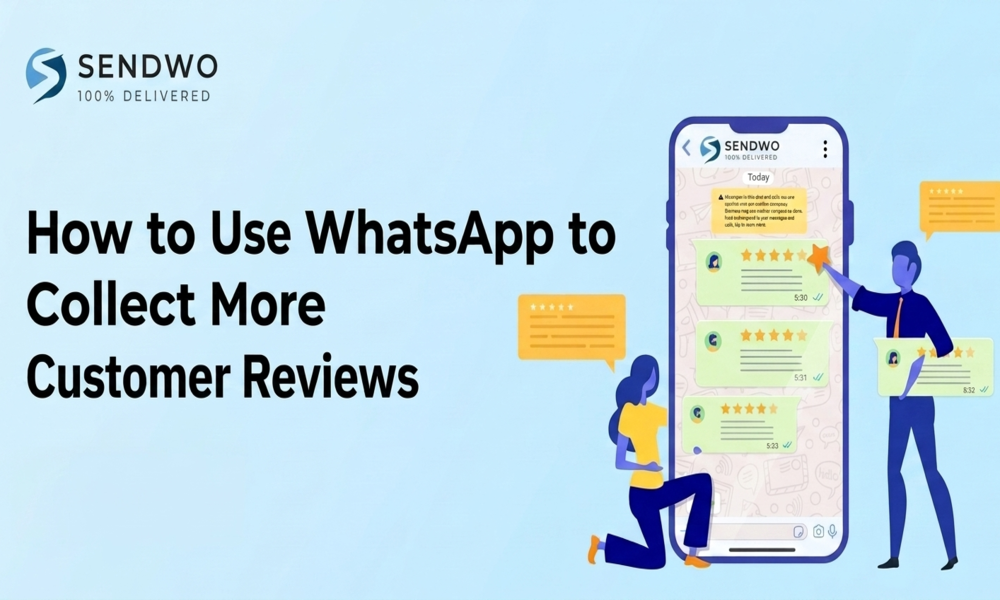
How to Use WhatsApp to Collect More Customer Reviews - Easy Guide
Boost and Collect More Customer Reviews with WhatsApp: timing tips, automation via SendWo API, message templates, incentives & FAQs.
 By Aditi Kamini
Published: May 4, 2026
9 min read
By Aditi Kamini
Published: May 4, 2026
9 min read
Boost and Collect More Customer Reviews with WhatsApp: timing tips, automation via SendWo API, message templates, incentives & FAQs.
Gathering Collect More Customer Reviews is critical for building trust and boosting sales. In fact, research shows that up to 93% of people make purchasing decisions based on ratings and reviews. Positive testimonials, star ratings, and user-generated content are powerful proof points that influence prospects. Yet many businesses still rely on low-response channels like email or SMS to request reviews.WhatsApp is a game-changer here. Plus, discover how SendWo’s WhatsApp marketing platform can streamline this process so you can collect reviews at scale.Let see How to Use WhatsApp to Collect More Customer Reviews.
1. Why Customer Reviews Matter
- Reviews drive trust and conversions. Today’s consumers expect social proof. 72% of customers trust a business more after seeing a positive review. Conversely, 66% will avoid a brand with negative reviews. Even one review can make a big difference: a study by Northwestern’s Spiegel Center found that a product with five reviews is 270% more likely to be purchased than one with none. As review volume increases, the effect compounds: products with 11–30 reviews convert ~68% better than those with zero, and items with 50+ reviews convert nearly 5× better.
- It’s not just about quantity – fresh, detailed reviews are gold. 77% of consumers distrust reviews older than three months. Platforms also reward recent feedback: businesses with 25+ new reviews (posted in the last 90 days) earn over 100% more revenue than those with few recent reviews. Rich reviews (with text, images, or video) build even more confidence; 88% of shoppers prefer text reviews over a star rating alone.
In short, more authentic reviews = more sales. By using WhatsApp to ask for feedback, you tap into a channel that Collect More Customer Reviews actually use and respond to – creating a continuous feedback loop that boosts your online reputation.
2. Why WhatsApp is Ideal for Review Requests
- WhatsApp isn’t just another messaging app – it outperforms traditional channels in engagement and immediacy. Business marketing messages on WhatsApp routinely achieve ~98% open rates
(compared to ~21% for email). Even better, click-through and response rates on WhatsApp are typically 45–60%. In practice, this means up to half of the recipients might follow through on your CTA. By contrast, a typical email review request might only see 2–5% click-through. - Why is WhatsApp so effective? People treat WhatsApp like a personal space for friends and family. When a customer sees a message from your business there – especially one they’ve opted in to receive – it feels direct and personal, not like a generic blast. WhatsApp’s instant notifications ensure about 90% of messages get opened within minutes. In other words, if you send a review request after delivery or service, you’ll reach the customer at the peak of their satisfaction before they even check email.
- Moreover, WhatsApp supports rich, interactive content. You can send image carousels, buttons, quick-reply surveys, or even short videos to make it easy and engaging to leave feedback. For example, you might send a quick 1–5 star rating prompt with buttons. If they click “4” or “5”, you instantly follow up with a “Thank you!” and a direct link to your Google reviews page. This two-step “feedback filter” ensures that happy customers end up on your public review page, while those who had issues can be routed to private support before going public.
In short, WhatsApp amplifies your review campaign: the messages get seen, they get responses, and you can automate the entire process with the WhatsApp Business API.
3. Best Practices for Collect More Customer Reviews WhatsApp
Implement these strategies to maximize review collection:
- Ask at the Right Time (Peak Satisfaction): Timing is crucial. For e-commerce or product sales, wait 2–3 days after delivery before sending a review request – long enough for the customer to try the product, but soon enough that excitement is still fresh. For service businesses (salons, gyms, events, home services), the best moment is immediately after service completion – often the same day or the next day when positive results are top of mind. Example: “Hi [Name], your order arrived! ? We hope you love it. Can we ask a quick favor?” — then follow up a day or two later with a review request. Research shows review response rates plummet after a week, so send your WhatsApp review request within 3–7 days of service completion for maximum impact.
- Personalize Your Request: Use the customer’s name and reference their specific order or appointment. A personal touch makes a big difference: “Dear [Alice], how was your haircut today with [Stylist Name]?” People tune out generic requests, but a personalized message feels conversational and genuine. Pull in dynamic fields (first name, order number, service type, etc.) to customize the text. Keep the tone friendly and concise – remember, many people use WhatsApp daily, so an informal style is perfect. As the expert guide suggests, frame the review ask as a “quick favor” to lower the barrier: “If you could spare just 10 seconds to leave us a rating, it would mean a lot to our small business”.
- Use Interactive Elements: Leverage WhatsApp’s buttons and quick replies to simplify feedback. For instance, start with a one-click rating poll: send a message like “On a scale of 1–5, how satisfied were you with your experience?” with star-button options. If the customer taps 4 or 5 stars, immediately reply with: “Awesome – glad you’re happy! Would you mind sharing a short review? It really helps us out.” Then provide the review link. If they tap lower (1–3 stars), trigger an internal alert to follow up personally or solve any issue before it turns into a negative public review. This “feedback filter” workflow protects your brand’s reputation while maximizing positive reviews.
- Make It Effortless with Links: Include a direct, clickable link to your review page. For example, use the Google Business Profile “Get more reviews” link (or similar on Yelp, Facebook, Trustpilot, etc.) so the customer lands straight on the review form. Tip: shorten the URL with a service like bit.ly or your own domain to avoid looking spammy. For WhatsApp Status or catalogs, you can also share review screenshots (with permission) or embed review links. The easier it is, the more reviews you’ll get.
- Offer an Incentive or Thank-You: While incentives must be used ethically (and in line with review platform rules), a small reward can boost participation. For example, after a customer submits a review, instantly send a thank-you message with a discount code or loyalty points as a token of appreciation. This not only increases goodwill but also encourages future purchases. Example: “Thanks so much for your feedback! ? As a thank-you, here’s 10% off your next order: THANKS10 (valid 30 days).” The image below illustrates a friendly feedback exchange that ends with a coupon – notice how simple and rewarding it is for the customer.
- Follow-Up and Engage: Don’t stop once the reviews start rolling in. Send a second WhatsApp message or broadcast thanking customers who left a review publicly. Engage with review comments on platforms too. Studies show that 88% of consumers would choose a brand that responds to all reviews, versus only 47% for a brand that ignores them. A quick “Thank you!” or “We’re on it” goes a long way in turning reviewers into loyal fans and even repeat buyers. Plus, if someone had an issue, public responsiveness signals to all prospects that you care about customer satisfaction.
4. How SendWo Can Streamline Review Collection
- While you can ask for reviews via WhatsApp manually, using an automated platform like SendWo makes the process effortless and scalable. With SendWo’s official WhatsApp Business API solution, you can set up automated post-purchase flows in minutes. For example, integrate SendWo with your e-commerce platform and define a rule: “When an order is delivered, send Review Request Template after 3 days.” Every eligible customer then automatically receives a personalized WhatsApp template you’ve pre-approved.
- SendWo supports bulk broadcast and chatbot features, so you can manage your entire campaign from one dashboard. Import your contact list, segment it by labels (e.g. VIP, frequent buyers), and schedule your review broadcasts with rich media or quick-reply buttons. All of SendWo’s messages use WhatsApp’s official templates, keeping your account in good standing. The platform also provides analytics – track how many Collect More Customer Reviews messages were sent, delivered, and how many responses came back. In short, SendWo automates the mundane, freeing you to focus on engaging with customers and Collect More Customer Reviews.
Key Takeaway: With SendWo’s WhatsApp API tools, you can consistently capture feedback from satisfied Collect More Customer Reviews without any extra manual work.
Example WhatsApp Review Template
Here’s a simple example of an approved WhatsApp template that asks for a review:
- “Hi {{name}}, thank you for your order {{order_id}} delivered on {{delivery_date}}. We hope you’re happy with it! Could you rate your experience on a scale of 1–5 stars?”
If the customer replies with 4 or 5, follow up automatically with:
Turn this learning into your next WhatsApp campaign.
Start with Sendwo’s free plan, explore WhatsApp broadcasts, automation, AI chatbot flows, and upgrade only when your business needs more power.
- “That’s wonderful to hear! ? Would you mind sharing a quick review on Google? It really helps our business. [Insert shortened review link]”
For a lower rating (1–3), you could instead reply:
- “We’re sorry to hear that. ? We’ll reach out to make this right. Could you tell us what went wrong?”
This kind of flow keeps the tone friendly and makes the path to leaving a review straightforward.
Conclusion
- WhatsApp is a powerful, high-engagement channel for Collect More Customer Reviews. By leveraging its 98%+ open rates and interactive features, you can significantly outpace email or SMS in generating feedback and social proof. Key strategies include personalizing your message, timing it for peak satisfaction, using quick polls or buttons, and rewarding customers’ time. According to one case study, an online retailer automated WhatsApp Collect More Customer Reviews requests and saw 400% more reviews on Trustpilot.
- Ready to Collect More Customer Reviews? Try SendWo’s WhatsApp Marketing platform to set up automated review campaigns quickly. With SendWo, you can create WhatsApp templates, import customer lists, and schedule follow-ups in just a few clicks. Start capturing authentic customer testimonials and watch your star ratings—and conversions—soar. Get started with SendWo today to transform your customer feedback into your biggest asset.
FAQs
Q: How soon after purchase/service to send WhatsApp review request?
A: Day 1 check-in for products, request 2–3 days post-delivery. Same/next day for services. Act within 3–7 days—reviews drop after a week.
Q: Why WhatsApp over email for reviews?
A: 90–98% open rates (vs. ~20% email); 3–4× higher responses. WhatsApp Google review requests hit 25–40% action rates vs. 3–8% email.
Q: How to automate WhatsApp review requests?
A: Use WhatsApp Business API + SendWo. Integrate store/CRM, set triggers (e.g., "delivered → review request in 2 days"). Auto-sends approved templates.
Q: What to include in review request message?
A: Short & personal: "Hi [Name], loved your [Product]? Quick 2-min review? [Link]" Add emojis, direct link. Keep friendly.
Q: Can I incentivize reviews on WhatsApp?
A: Yes, post-review thank-you (e.g., coupon)—transparent, not for positive reviews only. Boosts responses without violating terms.
Aditi Kamini
Aditi, a content marketer at SendWo, is a passionate writer and marketing enthusiast. She excels in driving revenue campaigns, building client relationships, and mastering content creation, SEO, customer service, and project management.