Grocery Shopping on WhatsApp: 7Amazing Benefits You’ll Love
Discover how grocery shopping on WhatsApp makes ordering fresh goods faster and easier. Learn how businesses use WhatsApp to boost sales.
 By Aditi Kamini
Published: December 19, 2025
Updated: March 24, 2026
10 min read
By Aditi Kamini
Published: December 19, 2025
Updated: March 24, 2026
10 min read
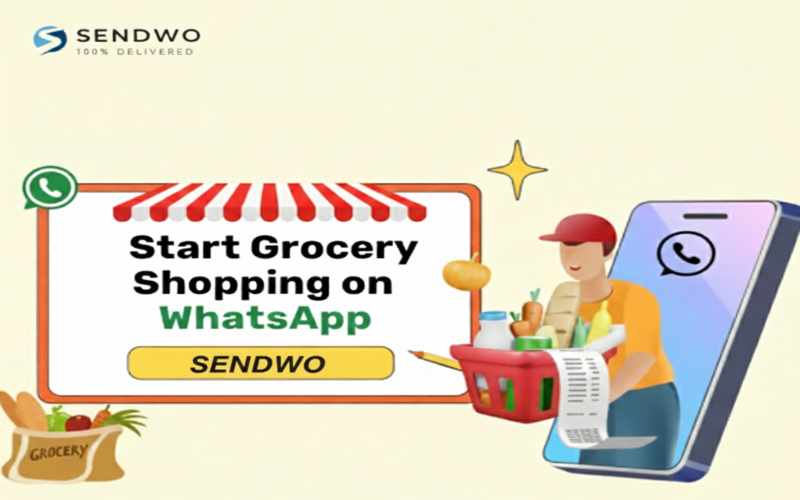
Discover how grocery shopping on WhatsApp makes ordering fresh goods faster and easier. Learn how businesses use WhatsApp to boost sales.
Imagine this: you’re texting your local grocery store or a friendly chatbot on WhatsApp, browsing fresh produce and pantry staples, then placing your order without ever opening a browser. Grocery shopping on WhatsApp is revolutionizing retail by bringing everything to your chat window. In 2022, Reliance’s JioMart in India launched an end-to-end Grocery Shopping on WhatsApp. Users simply send “Hi” to JioMart’s WhatsApp number, browse thecatalog, add items to cart, and pay—all within the same chat. This convenience empowers even first-time online shoppers to buy daily essentials just by sending a message.
WhatsApp isn’t just for chatting with friends anymore – it’s turning into a super-app for shopping and commerce. With over 2 billion users worldwide (and 500 million in India alone), WhatsApp offers incredible reach. Brands love it too: WhatsApp messages see ~98% open rates (versus ~20% for email), and about 80% are read within 5 minutes. That immediacy translates into high engagement – campaigns on WhatsApp often convert at 45–60%, compared to just 2–5% for email or SMS. It’s no wonder Mark Zuckerberg hailed JioMart on WhatsApp as “our first-ever end-to-end shopping experience” on the app. People feel comfortable and secure on WhatsApp (73% prefer chat over email or phone support), making it a natural choice for grocery shopping on WhatsApp.
1. Why Grocery Shopping on WhatsApp is Perfect?
- Immediate Accessibility: WhatsApp is on most smartphones by default. With 2.9 billion users on WhatsApp/Messenger, groceries are just a chat away. You don’t need a new app; just send a message.
- Convenience and Time-Saving: Skip long lines and traffic. You can browse product catalogs anytime, anywhere – at home, at work, or even on the go. Add items to your cart via chat in seconds, and avoid physical checkout queues.
- High Engagement: Messages on WhatsApp get noticed. A staggering 98% of messages are opened, and most people read them almost immediately. This means stores can quickly engage you with new deals or order updates right in the chat thread.
- Personalized Chat Support: Unlike impersonal apps, WhatsApp feels like talking to a friend or store assistant. You can ask about product availability, prices, or dietary information in real time. Advanced AI chatbots can even recommend items based on your past orders, making the experience personal and intuitive.
- Trust and Security: WhatsApp uses end-to-end encryption for chats, so your order details and payment data stay private. In markets where WhatsApp payments (via UPI, credit cards, etc.) are available, transactions happen securely inside the app. Plus, having a verified business profile with address and hours builds trust.
- Instant Order Updates: From the moment you place an order, you get real-time notifications. WhatsApp can confirm your order, update you when it’s packed or out for delivery, and send a friendly reminder if you left items in your cart. This transparency boosts confidence that your groceries will arrive on time.
- Exclusive Deals and Offers: WhatsApp lets stores share promo code and flash sale alerts directly with opted-in customers. Since 73% of people are on WhatsApp daily, you’ll see these deals sooner. In fact, JioMart recovered about 10% of lost carts by sending WhatsApp reminders – sales that would have been lost otherwise.
2. Step-by-Step for Grocery Shopping on WhatsApp
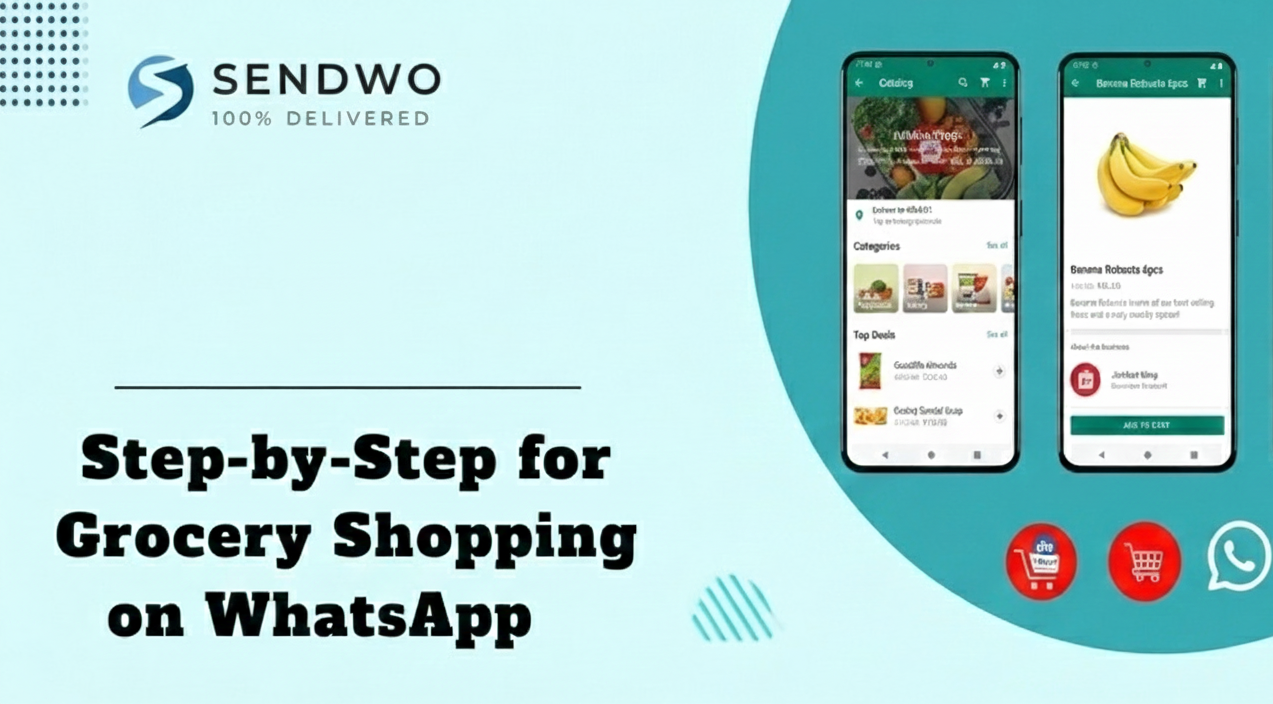
- Get the Store’s WhatsApp Number or Link. Local grocers or chains will publicize a WhatsApp contact (often with a “Click to chat” link). For JioMart, users simply message “Hi” to +91 7977079770.
- Browse the Catalog. The store’s WhatsApp shows a product catalog: images, prices, descriptions. You can scroll menus in the chat or request a category (“Show me fruits” for example).
- Add Items to Cart. Chat commands or buttons let you pick quantities. You might type something like “Add 2 kg of apples” or tap “Add to cart” in the interface.
- Review Your Cart. At any time, you can say “View cart” and WhatsApp shows all selected items. You can adjust quantities or remove items right in the chat.
- Checkout and Payment. When ready, you proceed to checkout inside WhatsApp. Payment can be completed via integrated UPI (in India, for example) or other payment methods. The entire payment screen pops up within the chat (no need to switch apps).
- Receive Order Confirmation. You’ll get an order summary and receipt right in your WhatsApp thread. The store can then send you updates (order accepted, out for delivery, etc.) via automated notifications.
- For consumers, the result is a seamless chat experience. Everything happens in one place: you never have to leave WhatsApp to shop. As JioMart’s launch showed, “people can now buy groceries from JioMart right in a chat”. As one executive put it, WhatsApp shopping “further simplifies Grocery Shopping on WhatsApp for users” – especially for those new to online shopping.
3. Case Study: JioMart on WhatsApp in India
In August 2022, Meta and India’s Reliance Retail announced JioMart on WhatsApp – the world’s first fully in-chat grocery store. This made WhatsApp a direct storefront: anyone in India can start by messaging “Hi” to the JioMart number. JioMart’s catalog (millions of grocery items) then appears in chat. The user adds to cart and pays via WhatsApp’s UPI integration. Mark Zuckerberg highlighted that this partnership was “first-ever end-to-end shopping” on WhatsApp.
The impact was huge. Millions of new customers – including those never before shopping online – got an easy way to order groceries. Reliance’s chairman Mukesh Ambani explained this aligns with their vision to make India a digital economy leader. The experience was so successful that Meta now aims to expand similar shopping features to other businesses in India and beyond.
Beyond India: WhatsApp Grocery Globally
- WhatsApp grocery isn’t limited to India. In Brazil, informal WhatsApp groups and startups have long connected shoppers with food vendors. In fact, Brazilians have been buying and selling all kinds of goods on WhatsApp since 2011. During the pandemic, a community-run WhatsApp group model even gave rise to startups like Trela, which organizes grocery orders for communities via WhatsApp. A business expert noted: “WhatsApp is going towards the super-app concept, concentrating all aspects of our lives in one place”.
- Similarly, local shops worldwide – from Southeast Asia to Latin America – have adopted WhatsApp to take grocery orders by chat. For example, neighborhood “kirana” stores in India and Latin America often accept orders and payments over WhatsApp. Even in markets without formal integration, many small grocers simply use WhatsApp Business to share catalogs and chat with customers.
- In short, Grocery Shopping on WhatsApp is a global trend, with retailers big and small embracing it. Whether it’s a giant like JioMart or your local grocer, the result is the same: customers get an ultra-convenient way to shop, and stores get a powerful new sales channel.
4. Setting Up WhatsApp Shopping for Your Store
For grocery store owners or chains, enabling WhatsApp shopping is straightforward with the right tools. Here’s how businesses can get started:
- Create a WhatsApp Business Profile: Download WhatsApp Business or apply for the WhatsApp Business API (for larger operations). Fill in your store’s name, logo, address, and hours. A complete profile builds trust with shoppers. For enterprise features (like chatbots or bulk messaging), partner with an official Business Solution Provider such as SendWo.
- Build Your Product Catalog: Use WhatsApp’s built-in catalog feature to list all your groceries. Add high-quality images, descriptions, and prices for each product. This mini-storefront is what customers will browse in chat, so make it attractive and up-to-date.
- Enable the Cart and Checkout: Turn on the WhatsApp Shopping Cart feature (available in many markets) so customers can add items to a cart directly in the chat. Then integrate WhatsApp Pay or UPI payments if possible. This means buyers can finalize the purchase right inside WhatsApp, streamlining the flow.
- Set Up Quick Replies and Chatbots: Pre-define answers for common questions (e.g. opening hours, delivery time, popular items). Advanced stores can deploy an AI chatbot that handles queries 24/7 – suggesting products, confirming orders, or upselling extras. Chatbots can even interpret simple messages like “I need milk and bread,” making order placement super easy (as JioMart’s bot does).
- Promote Your WhatsApp Channel: Let customers know they can order via WhatsApp. Display your WhatsApp number on receipts, websites, social media, and in-store signage. Use SendWo’s messaging tools to broadcast catalogs or deals to opted-in subscribers – for example, share a weekly specials menu on WhatsApp to generate orders.
- Monitor and Optimize: Use WhatsApp’s messaging statistics and SendWo’s analytics to see what sells. Track open rates (around 98%!), reply rates (~40%), and conversion metrics. Adjust your responses and product offerings based on customer feedback in the chat.
By following these steps, a grocery business can transform its WhatsApp number into a digital storefront. SendWo (an official Meta Business Solution Provider) can help with the technical integration – from setting up the API and chatbot to managing message templates. This means even a small shop can deliver a polished, Amazon-like experience entirely on WhatsApp.
Turn this learning into your next WhatsApp campaign.
Start with Sendwo’s free plan, explore WhatsApp broadcasts, automation, AI chatbot flows, and upgrade only when your business needs more power.
FAQs
Q: How do I start Grocery Shopping on WhatsApp?
A: If your local store or supermarket supports it, simply send a message (often “Hi”) to their WhatsApp number. For example, in India JioMart’s number is +91 7977079770. You’ll see a product catalog pop up. Browse items, add to cart, and then follow the prompts to check out.
Q: Can I really pay on WhatsApp for groceries?
A: Yes. In supported regions (like India), WhatsApp has integrated payment options (UPI, credit cards, etc.) directly into the chat interface. You pay inside the app without needing an external payment link. This is secure (WhatsApp uses encryption) and convenient – many find it easier than cash or separate payment portals.
Q: Which grocery stores can I order from on WhatsApp?
A: Big examples include JioMart (India). Beyond that, many local grocers around the world – especially in Asia and Latin America – accept orders via WhatsApp. Even if a store doesn’t have an official integration, they might still chat with you on WhatsApp to take your order and process payment manually. If you’re unsure, ask your favorite grocer if they have a WhatsApp ordering service.
Q: Is shopping on WhatsApp available everywhere?
A: The official in-chat shopping feature (with carts and payments) has rolled out mainly in markets like India and Brazil. However, in practice people use WhatsApp to buy groceries in many countries. Rules vary: payment features may not be live everywhere yet. But even without that, WhatsApp Business allows sellers to receive orders and send invoices, so it’s catching on globally.
Q: Is it safe to shop groceries on WhatsApp?
A: Yes. WhatsApp encrypts all messages end-to-end, so your chat is private. Payments through UPI or credit card on WhatsApp use secure financial systems. Just be sure you’re chatting with the official store account (look for a business profile with a green tick when available). Avoid sharing sensitive information beyond what’s needed for the purchase.
Q: What if I have a question or a problem with my order?
A: WhatsApp is designed for instant messaging, so you can simply reply in the order chat. Many businesses provide 24/7 support via chatbots or quick replies, meaning you get fast answers about availability, substitutions, or delivery issues. This is one of the biggest perks of conversational commerce – you get help immediately in the same chat thread.
Conclusion
- Grocery shopping on WhatsApp is more than a novelty – it’s a practical, user-friendly way to buy everyday items. By blending chat convenience with a full shopping cart, it offers unmatched ease for customers and higher sales for merchants. Retailers who adopt this conversational commerce gain a competitive edge: WhatsApp’s hyper-engagement and personalization mean your promotions actually get seen, and your customers stick around.
- If you’re a Grocery Shopping on WhatsApp seller, embrace this trend now. Set up WhatsApp shopping to delight your customers with seamless ordering, 24/7 support, and exclusive chat-only deals. SendWo, as an official WhatsApp Business Solution Provider, can help you launch fast – from configuring your business account and chatbot to managing large-scale messaging campaigns.
Aditi Kamini
Aditi, a content marketer at SendWo, is a passionate writer and marketing enthusiast. She excels in driving revenue campaigns, building client relationships, and mastering content creation, SEO, customer service, and project management.