Picture this: You’ve crafted a brilliant promotional message for your small business. Should you send it as an email newsletter or as a WhatsApp message? In today’s digital landscape, marketers have more channels than ever to reach customers. WhatsApp marketing and email marketing are two powerhouse channels, each with its own strengths. This topic matters because choosing the right medium can make the difference between your message being ignored or sparking engagement and sales. For small businesses and e-commerce brands with limited resources, maximizing impact is crucial.
To put things in perspective, billions of people use both email and WhatsApp daily. Yet, how they interact with marketing messages on each channel differs dramatically. For instance, WhatsApp messages enjoy eye-popping open rates as high as 98% – meaning almost everyone reads them – whereas marketing emails might only see around a 20% open rate on average. Such differences explain why there’s a buzzing debate on WhatsApp vs email marketing. In this detailed comparison, we’ll explore the features, benefits, and best uses of each channel. By the end, you’ll have a clear understanding of which channel (or combination of both) fits your business goals and how to leverage them effectively.
To summarize the differences between WhatsApp and email marketing, here’s a side-by-side comparison of key factors:
| Aspect | WhatsApp Marketing | Email Marketing |
| User Base Reach | ~2–2.5 billion users (monthly active on WhatsApp) – huge in many B2C markets. However, limited to those who use the app and have shared their number with you. | ~4+ billion users (almost everyone online has email). Universal reach across demographics, making it possible to contact most customers if you have their email. |
| Open Rate | Extremely high – around 90–98% of WhatsApp messages are opened, often within minutes. Virtually guaranteed eyes on message if delivered. | Moderate – averages 20–25% open rate for marketing emails. Many emails go unread due to cluttered inboxes and spam filtering. |
| Click/Interaction Rate | High – messages often see 10-20%+ click-through rates, and many users reply or engage in chat. One source notes ~15% CTR for WhatsApp vs ~2-5% for email. Engagement is quick and conversational. | Lower – typical email CTR is about 2-5%. Engagement usually means clicking a link; replies are less common. Users might read and not act immediately. |
| Content Format | Short, conversational messages. Can include text, emojis, images, short videos, documents, audio clips. Best for concise updates and dialogues. Not suited for lengthy content in one go. | Rich content emails (HTML or plain text). Can be long-form or short. Embed images, GIFs, links, and detailed text. Suitable for longer narratives, multiple topics, or formal documents. |
| Personalization | Very personal tone – it’s a one-to-one chat. Easy to address the person by name and make them feel it’s a personal message. Automated personalization (using data to tailor content) requires WhatsApp Business API integration. | Highly personalizable via data – can merge names, offer specific product recommendations, segment by user behavior. However, still feels like a mass email if not done thoughtfully. |
| Immediacy & Response | Immediate notification on phone – grabs attention in real time. Response time is fast (often within minutes) and you can have a live back-and-forth conversation. Great for time-sensitive communication. | Email delivery is quick but user may check hours later. Response (if any) is slower; people treat email less urgently. Good for messages that can be read whenever. |
| Deliverability | No spam folder – if a user has opted in, your message lands in their WhatsApp inbox directly. Delivery is almost guaranteed, but users control blocking/muting if unhappy. Also, WhatsApp has strict rules; misuse can get your number banned. | Can be filtered – messages might end up in Spam or Promotions. Need to maintain good sender reputation and compliance (CAN-SPAM, GDPR) to ensure deliverability. Bounce rates need monitoring. |
| Cost | App usage is free for basic manual messaging. For scale, WhatsApp API has pay-per-message fees (varies by region and type of message), plus any platform service fees. Cost per contact can add up, but high engagement might justify it. | Generally low cost. Sending emails is cheap – many providers offer flat-rate monthly plans or free limited use. Whether you send 1 or 100 emails to a user, cost doesn’t significantly change. Yields one of the best ROI in marketing ( ~$40 return per $1 spent). |
| Automation | Basic auto-replies and greetings via WhatsApp Business app. Advanced automation (sequences, chatbots) possible through API and third-party platforms, allowing interactive flows. Still maturing as a marketing automation channel. | Advanced automation available: drip campaigns, behavior-triggered emails, complex segmentation, and scheduling are standard. Many tools to manage automated customer journeys via email. |
| Use Case Examples | Great for: Flash sale alerts, back-in-stock or price drop alerts, appointment reminders, two-way customer service (e.g., answering product questions), collecting quick feedback. E.g., a retail shop sends a WhatsApp blast about a one-day sale and gets a flood of orders within hours. | Great for: Newsletters, detailed announcements, educational content, official confirmations, re-engaging lapsed customers. E.g., an online blog sends a monthly email with 5 latest articles and sees sustained traffic as subscribers click through over several days. |
| Pros Summary | Pros: Unmatched open and read rates, real-time engagement, personal touch, rich media chat, instant feedback. Excellent for building a close customer relationship and driving immediate actions. | Pros: Massive reach, cost-effective at scale, ability to convey detailed information, highly automatable, provides written record, and accepted for formal communication. Excels at nurturing long-term interest. |
| Cons Summary | Cons: Requires phone number and opt-in (contact acquisition can be harder), not ideal for lengthy content, potential messaging costs, and one has to be careful not to over-message (intrusiveness). Also, popularity varies by region (less used in some countries for business). | Cons: Lower visibility due to inbox competition, risk of emails being ignored or filtered, no guarantee of immediate attention. Creating good emails can require design effort. Engagement is mostly one-way unless the subscriber makes an effort to reply or act. |

WhatsApp marketing is the practice of using WhatsApp to communicate promotional or informative messages directly to customers. It leverages the ubiquity of the WhatsApp messenger app – which boasts over 2 billion users worldwide– to engage audiences in a personal, real-time manner. WhatsApp offers WhatsApp Business apps and API tools that allow brands to send out updates, offer customer support, and even enable transactions through chat.
WhatsApp marketing shines in its immediacy and personal feel. It’s excellent for urgent alerts (flash sales, event reminders), interactive campaigns (quizzes, feedback requests), and customer support. Because messages feel like a personal chat, engagement tends to be high. Small businesses love that they can build closer relationships with customers – for example, a boutique might send a client a quick WhatsApp note when a new item in their size arrives, creating a VIP experience. Moreover, WhatsApp’s end-to-end encryption gives customers confidence in the privacy of their communications.
Any business that benefits from real-time engagement and has customers on mobile can leverage WhatsApp. B2C companies in retail, food & beverage, travel, and services are seeing great success with it. For instance, a cafe can send daily specials each morning, or an online store can send order confirmations and shipping updates via WhatsApp for a personal touch. If your target audience is in regions where WhatsApp is a primary communication channel (such as Europe, Asia, Latin America, Africa), WhatsApp marketing is almost a no-brainer. It’s an ideal channel when you want to ensure your message gets seen and when you’re ready to handle quick replies from customers.

Email marketing is a time-tested digital marketing strategy of sending emails to a list of subscribers or customers to promote products, share news, or nurture relationships. It has been around since the dawn of the internet, and despite many new platforms, email remains hugely influential. There are over 4 billion email users globally (more than half the world’s population), and email is deeply ingrained in both personal and business communication. This wide reach means email can connect you with virtually anyone who’s online.
Email marketing is known for being cost-effective and high-ROI. Studies have found an average ROI of around $36–$42 for every $1 spent on email marketing– one of the highest of any marketing channel. This is partly because sending emails (beyond the software subscription) costs virtually nothing, and a single campaign can reach thousands of subscribers at once. Email is also an owned channel – you have full control over your mailing list, unlike social media followers on a platform you don’t own. It’s great for building brand loyalty through regular newsletters, educating customers with how-to content, and driving repeat purchases with promotional offers. Importantly, email is ubiquitous in both B2C and B2B contexts: 81% of small businesses rely on email as their primary customer acquisition channel, and 87% of B2B marketers count email as one of their top distribution channels.
Virtually every business can find value in email marketing. If you’re an e-commerce brand, you’ll use email for product launch announcements, holiday promotions, and post-purchase follow-ups. If you’re a content creator or blogger, email is how you send your latest posts or newsletters to your subscribers. B2B companies use email to reach decision-makers with whitepapers, case studies, or event invites. Even local brick-and-mortar businesses benefit by emailing monthly updates or special coupons to keep customers coming back. Email is especially suited for detailed or formal communications – for example, a travel agency emailing a client their full itinerary or a software company onboarding a new user with a series of tutorial emails. While it may not have the lightning-fast engagement of chat apps, email’s strength lies in its broad reach, flexibility in content, and proven ability to drive conversions over the long term.
Now that we’ve introduced each channel, let’s compare WhatsApp and email marketing head-to-head across several crucial factors. We’ll examine how they differ in reach, engagement, conversion potential, cost, personalization capabilities, and ideal use cases.

When it comes to reach, both channels have massive user bases, but email slightly edges out WhatsApp in sheer numbers. There are an estimated 4.5 billion email users in 2024, compared to about 2–2.5 billion WhatsApp users. In other words, almost everyone with the internet has an email address, and about half of those people also use WhatsApp. So in theory, email can reach more people globally. However, reach is not just about the number of users – it’s about effectively getting your message in front of people. This is where open rates make a huge difference.
WhatsApp absolutely dominates in open rates. On average, WhatsApp messages have ~90–98% open rate, meaning the vast majority of recipients will see your message pop up and read it. Push notifications on phones and the habitual nature of checking chats contribute to this stellar rate. In fact, 80% of WhatsApp messages are read within 5 minutes of being received, indicating how immediate the visibility is. By contrast, email open rates average around 20% (give or take depending on the industry). A well-crafted email campaign might do better than 20%, and a lukewarm one might do worse, but overall only about one in five marketing emails gets opened. The rest sit unread in crowded inboxes or are filtered into “Promotions” or spam folders.
Deliverability plays a role here. With email, even reaching the inbox is a challenge – spam filters and promotions tabs can catch your message before the user ever sees it. Email marketers must follow best practices (authenticating their domain, avoiding spam trigger words, etc.) to improve deliverability. Even then, users receive so many emails daily that your message competes with dozens of others. WhatsApp has an advantage that there’s no equivalent of a spam folder on messaging apps. If a customer has opted in to receive your WhatsApp messages, they will get them in their chat list every time. The onus is then on the customer to mute or block if they no longer want to hear from a business, which is more deliberate than simply ignoring an email. This lack of filtering (while it means you must be respectful and not spam users) ensures your WhatsApp outreach is delivered directly.
Email can reach practically anyone, but getting noticed is harder on email. WhatsApp may have a smaller audience overall, but if your audience is on WhatsApp, they’re almost guaranteed to see your message. High open rates on WhatsApp mean higher chances for your content to be seen by each individual you contact. For marketers, this is gold – it’s like having a nearly direct line to your customer’s attention. However, you also have to have the person’s phone number and consent to message them on WhatsApp, which may limit how many people you can contact (building that list can be a hurdle). Email, on the other hand, is easier to collect sign-ups for (people readily give emails for discounts or content) but harder to ensure they actually read your messages.
High open rates are great, but what happens after the message is opened? Engagement refers to how users interact with your message – do they read it thoroughly, click links, reply, or take some action? Both WhatsApp and email offer engagement opportunities, but the nature of that engagement differs.
On WhatsApp, engagement is often interactive and immediate. Because it’s a chat interface, customers often feel comfortable replying to a business message just as they would to a friend. This can lead to higher response rates – for example, a customer might reply with a question about a product, effectively turning a broadcast into a one-on-one conversation. This kind of interaction is fantastic for building relationships. A simple broadcast message (“Hello [Name], we’re having a 24-hour flash sale on our site!”) could prompt the user to reply “Great, do you have this item in stock in red?” – an opportunity for your sales or support team to engage and convert in real time. In email, such back-and-forth is rarer; customers don’t usually hit “Reply” on a marketing email (and many marketing emails come from no-reply addresses anyway).
Click-through rates (CTR) are one measurable aspect of engagement – how many people clicked a link or call-to-action in the message. Here, too, WhatsApp tends to outperform email. Industry data shows WhatsApp messages can achieve click-through rates around 15% (or even higher in some cases), whereas email click-through rates often hover in the 2% to 5% range. This makes sense given the open rate gap; more people reading the message leads to more people clicking. But it’s not just about volume – the conversational tone of WhatsApp can drive engagement. A WhatsApp message feels like a personal suggestion, so when it includes a link (“check out this item just for you”), users are inclined to click out of curiosity or interest. Email, even personalized, can feel more like a formal advertisement, so users often skim or ignore it unless it’s very compelling.
Another aspect is time spent and depth of engagement. On WhatsApp, messages are short and to the point. Users engage quickly and either act or move on. With email, if someone does open your email, they might spend more time if it’s, say, a newsletter with valuable content or multiple product highlights. Email allows more storytelling within a single message. For example, an email could contain a customer success story or a mini blog post that a subscriber finds engaging and spends several minutes reading. WhatsApp isn’t ideal for lengthy content – no one wants to read a wall of text in a chat. So, engagement on WhatsApp is about quick actions (replying, clicking, giving feedback with emojis, etc.), while engagement on email can be about consuming content at a more leisurely pace.
User behavior differences: It’s worth noting how users treat these channels. Many people treat emails like tasks – something to check and clear, perhaps at set times (morning, work hours). In contrast, messaging apps are treated more casually and frequently. People might ignore marketing emails until later, but will read a WhatsApp message instantly due to FOMO (fear of missing out) or simply habit. However, an engaged email subscriber might actually anticipate and look forward to your emails (think of a loyal customer who loves your monthly newsletter). That kind of deep engagement is possible on email when you consistently provide value. On WhatsApp, the engagement is more in-the-moment. If the user doesn’t act fairly soon, the chat moves down as new chats come in, and it might be forgotten; whereas an email sitting in the inbox can act as a reminder until they decide to archive or delete it.
In summary, WhatsApp tends to generate faster and more interactive engagement, making it powerful for quick campaigns and two-way communication. Email tends to facilitate more considered engagement – great for delivering richer content or driving traffic to longer-form content (like blogs or videos) on your website. Depending on your goals (immediate action vs. in-depth content consumption), one channel might serve you better than the other in terms of engagement.
At the end of the day, marketers care about conversion – whether it’s making a sale, getting a sign-up, or achieving any desired action from the campaign. Both WhatsApp and email can drive conversions, but their effectiveness can vary by scenario. Let’s talk numbers first: WhatsApp campaigns often see significantly higher conversion rates than email. Some studies and case reports have found WhatsApp conversion rates in the range of 45-60% for campaigns (especially when measuring actions like responses or clicks leading to sales). Even if that figure is on the high end, it’s clear that many businesses have seen double-digit conversion percentages from WhatsApp. Meanwhile, email conversion rates (e.g., the percentage of email recipients who end up making a purchase) often land in the low single digits, commonly 2-5%.
Why might WhatsApp convert better? A big factor is the personal, urgent nature of the channel. If a user gets a WhatsApp message saying “Only 3 hours left on our 50% OFF deal – tap to grab your discount now!”, they are likely to take immediate notice. If they are interested, they click and possibly purchase on the spot. It feels almost like a friend tipping you off on a deal, creating a sense of urgency and trust. In contrast, an email with the same message might sit unopened until the evening, at which point the sale is over – opportunity missed. Timing and attention are everything for conversions, and WhatsApp wins on those fronts.
Additionally, because WhatsApp often leads to conversations, it can boost conversion by overcoming hesitations. For example, if a customer is interested in a product from your WhatsApp promotion but has a question, they can ask right in the chat and get an immediate answer, then proceed to buy. With email, if they have questions, they might not go through the effort of sending an inquiry email (or they do, and wait days for a response). The ability to resolve customer queries in real-time via WhatsApp can drastically shorten the sales cycle.
That said, email is no slouch in conversions, especially for certain types of actions. For instance, for driving website traffic that eventually converts, email is very powerful. If you have an online store, a well-designed promotional email can showcase multiple products with links, and while the immediate click-to-purchase might be low, you could generate a lot of site visits that result in sales over the next few days. Email is also effective for nurturing leads to conversion. A prospect might not convert on the first email, but over a series of emails educating them about your service, they might finally sign up. These longer-term conversions are where email’s strength in delivering content pays off.
It’s also worth noting conversion quality. WhatsApp conversions might often be smaller impulse purchases or quick actions, while email conversions could be higher-value transactions after careful consideration. For example, a B2B software company is unlikely to close a $10,000 annual subscription from a single WhatsApp message – email and perhaps a phone call would be involved in nurturing that. Meanwhile, a boutique might sell dozens of $20 items in an hour via a WhatsApp blast. Both are valuable conversions, but the approaches differ.
In summary, if your goal is to get an instant action or sale, WhatsApp often has the edge due to its immediacy and high attention. If your goal is to guide the customer through a considered buying journey, email is a reliable workhorse. Ideally, you might use WhatsApp to capture quick wins and use email to build a longer-term relationship that leads to repeat conversions. Many marketers are intrigued by reports like one stating WhatsApp had 40% higher conversion rates in a campaign compared to email – it shows the potential if used well. The key is to match the channel to the nature of your offer and the level of urgency or interaction needed to convert the customer.
Budget is a big concern for small businesses and marketers alike, so how do WhatsApp and email stack up in terms of cost and ROI?
Email marketing is often praised as one of the most cost-effective marketing channels. The reason is simple: sending emails costs very little. Many email service providers have free tiers for small lists, and even paid plans typically charge modest amounts per number of subscribers or emails sent. Whether you send 100 or 10,000 emails, the cost per email is fractional. Meanwhile, the returns can be substantial (remember that stat: roughly $40 return per $1 spent on average). So for pure ROI, email is hard to beat. Once you’ve set up your email program, you can continually reach your audience with new offers at virtually no incremental cost, aside from creating the content. This scalability makes email friendly to tight marketing budgets.
WhatsApp marketing, on the other hand, can be a bit trickier in cost. Using WhatsApp manually (through the free app) is free in terms of not having message fees, but it’s not scalable beyond a small number of customers and violates WhatsApp’s terms if used for large broadcasts without the official channels. The proper way to do large-scale WhatsApp campaigns is via the WhatsApp Business API (or approved business solution providers). These usually charge per message or per conversation. For example, WhatsApp might charge a few cents for each template message sent, with different rates by region, or a fixed cost for a 24-hour session of messages with a user. Additionally, you might pay a platform provider for access to send and manage messages. These costs mean that reaching 10,000 users on WhatsApp might have a direct per-message fee, whereas reaching 10,000 users by email costs almost nothing beyond your monthly software fee.
However, cost-effectiveness isn’t just about raw cost – it’s about return on investment (ROI). If WhatsApp yields significantly higher conversion rates, the revenue it generates might justify the per-message cost. For instance, if it costs you $50 to send a campaign to 1,000 WhatsApp subscribers, but that campaign brings in $500 in sales, that’s a great ROI (10x return). An email campaign to 10,000 people might cost $10 (or effectively $0 if under a free allowance) and bring in $300 in sales – that’s also excellent ROI, though the scenario will differ by business. The point is, both can be cost-effective; email is usually cheaper to execute, while WhatsApp can be more expensive per contact but potentially more impactful per message.
We should also consider indirect costs and efforts. Email marketing often requires more design and content creation work – you might hire a designer for a nice template or spend time crafting a long newsletter. WhatsApp messages are short and often text-based (maybe with a quick image), so they require less production effort. In a sense, WhatsApp is less resource-intensive in creativity but more limited in what you can include. Depending on your team’s capabilities, one might be more “costly” in terms of time than the other. The AiSensy team notes that WhatsApp marketing generally requires less effort and resources than email (no lengthy design, no worrying about different email client renderings, etc.).
Long-term value: Email addresses, once you have them, are yours to keep and use (as long as the person doesn’t unsubscribe). Phone numbers for WhatsApp also are retained, but keep in mind WhatsApp users can opt-out or even change numbers. Building a large, engaged email list can be a long-term asset for a business at very low maintenance cost. A WhatsApp list is extremely valuable too, but you might incur ongoing costs to send messages regularly. Also, WhatsApp currently doesn’t allow ads or free promotional blasts to users you haven’t interacted with, whereas with email you could at least send to your whole list whenever (again, provided they opted in at some point).
In conclusion, email is generally more cost-effective in terms of raw cost and ROI for broad outreach, especially when budget is constrained. WhatsApp can be very cost-effective for targeted, high-impact campaigns, where the higher engagement leads to enough revenue to justify the spend. Many businesses will find the best strategy is to use email for regular communications and WhatsApp for high-value or urgent communications, optimizing spend on each channel. If you have to choose one purely due to budget, email is the safer, low-cost bet – but you might be leaving money on the table by not leveraging WhatsApp’s high engagement for specific opportunities.
Both WhatsApp and email can be personalized and automated to some degree, but email has a head start here due to its maturity as a marketing channel.
Email marketing automation is very advanced. There are countless platforms (Mailchimp, SendinBlue, Klaviyo, etc.) that allow you to create sophisticated automation workflows. You can set triggers like “when user joins list, wait 1 day and send welcome email, then if they click link A, send follow-up B,” and so forth. You can segment users by behavior (opened last campaign vs not, clicked a link about product X, etc.) and tailor future messages accordingly. Personalization can go beyond just “Dear John” – you can dynamically insert product recommendations based on past purchases, or alter content blocks based on a user’s preferences. This level of granular targeting is a big reason email remains effective: recipients get content that feels relevant to them, which improves engagement and conversion.
WhatsApp automation is evolving and typically involves using the WhatsApp Business API with chatbots or integration into a CRM. With the standard WhatsApp Business app, you do get some basic automation features like quick replies, away messages, and labels to organize chats, but it’s not meant for complex campaign automation. Through the API and third-party tools, however, businesses can achieve things like: automatically sending a WhatsApp message when an order is placed (integrated with an e-commerce system), or setting up a chatbot that asks questions and gives answers, guiding a user through a funnel. For example, a travel agency bot on WhatsApp could ask the user’s destination and budget and then provide offers – that’s an automated flow. You can also broadcast template messages to segments of your WhatsApp audience if you have the data to segment them (like VIP customers get a different message than new subscribers).
Personalization on WhatsApp is usually very direct and text-based – using the person’s name, referencing their recent activity, etc. You might say, “Hi John, we saw you browsed our shoe collection. We’re here to help if you have any questions!” if John gave permission for WhatsApp messages and browsed your site. This level of personalization requires integration between your systems and WhatsApp API. It’s doable with the right tools, but not as plug-and-play as email marketing software. On the flip side, every WhatsApp message inherently feels personal because it’s in a one-to-one chat. Even a generic blast (“Don’t miss our sale!”) feels more personal on WhatsApp than the same text in an email, simply because of the medium.
Automation differences: Email is great for one-to-many scheduled automation (like a drip series to thousands of people). WhatsApp is great for interactive automation (like a chatbot responding to one user’s inputs at a time). If your marketing can benefit from interactive Q&A or guided experiences, WhatsApp’s automation (via bots) is a game-changer. If your need is to nurture leads over weeks with educational content, email automation is the tried-and-true method.
Another angle is analytics and optimization. Email marketing platforms provide robust analytics: open rates, click rates per link, heatmaps for where people scrolled or clicked, A/B testing subject lines, etc. This data lets you continuously optimize your automated sequences and campaigns. WhatsApp’s analytics are currently more limited (especially if using just the app). With the API, you do get delivery and read rates, and you can track clicks through tagged URLs. But you don’t yet have the same depth of A/B testing tools or visual journey builders that email platforms have. That said, third-party WhatsApp marketing platforms are emerging that bring more of these capabilities to the channel.
In summary, email marketing excels in established automation and mass personalization capabilities – it’s a very mature ecosystem. WhatsApp marketing is catching up, especially with the use of chatbots and API integration, to provide personalized, automated interactions. For a small business with limited tech know-how, email is easier to start automating (using a simple tool like Mailchimp’s templates). WhatsApp might require partnering with a service provider or using a platform like Twilio, Wati, or others to set up advanced automation. But even using WhatsApp in a semi-manual way can feel very personal to the end user (“they personally messaged me!” – even if it was a broadcast). So both channels can deliver personalization; email does it at scale with data-driven content, while WhatsApp does it through direct conversational context.
Choosing between WhatsApp and email often comes down to what type of message you’re sending and what the context is. Here we’ll explore some ideal use cases for each channel, and cover best practices so you can get the most out of either approach.
Now, regardless of which channel you use, certain best practices will ensure you get the best results and maintain customer trust:
In essence, align the channel and approach to the message and audience. If you have a quick, exciting update and a receptive audience on WhatsApp, use it and keep it punchy. If you have a lot of info or a more formal communication, email will likely serve better. Many successful marketers actually combine both: for example, send an email for the detailed announcement and a WhatsApp message for a short teaser that directs people to check their email or provides a direct quick link. By playing to each channel’s strengths, you ensure your message not only reaches your audience, but also resonates with them.

If you’re wondering whether to invest in WhatsApp or email marketing, the honest (and slightly frustrating) answer is: it depends on your business type and goals. Both channels can deliver excellent results when aligned with the right strategy. Here are some recommendations to help you choose:
In summary: Choose WhatsApp if real-time engagement, high visibility, and conversational marketing are priorities – especially for B2C promotions, support, and communities. Choose email if you need broad reach, content depth, formal communication, or you’re in a B2B/office context – it’s the reliable workhorse for nurturing and converting over time. Most importantly, choose based on where your customers are more responsive. You might love WhatsApp, but if your particular customer base doesn’t use it often, email could be more effective (and vice versa). Don’t be afraid to experiment with both to see what yields better results. The beauty of digital marketing is you can measure almost everything; let the data from your trials guide your focus.
Q1. Is WhatsApp marketing more effective than email marketing?
It can be, especially for certain metrics like open rates and immediate engagement. WhatsApp marketing tends to be more effective at grabbing attention – with open rates around 90-98%, it far surpasses email’s typical ~20% open rate. Businesses often see higher click-through and conversion rates from WhatsApp messages as well. For example, a promotion sent on WhatsApp might get a 15% click rate versus the same promotion via email getting 3-4%. However, “more effective” depends on the goal. If you need to convey detailed information or reach a very broad audience, email might be more effective for that purpose. Many marketers find WhatsApp and email effective in different ways: WhatsApp is great for quick wins and engagement, while email is great for depth and consistency. The best strategy could be using both in tandem for maximum overall effectiveness.
Q2. What is the open rate of WhatsApp vs email?
WhatsApp’s open rate is extraordinarily high – about 98% on average. Essentially, nearly everyone you message on WhatsApp will open and read it (thanks to immediate push notifications and the personal nature of chat apps). Email open rates, in contrast, average around 15-25% depending on the industry. This means perhaps only one in five people on your email list might open any given marketing email. The huge gap in open rates is one of the main reasons businesses are excited about WhatsApp marketing. It’s worth noting that open rates for both can vary – a super-engaging brand email to a loyal fan base might hit 50% open rate, and a poorly targeted WhatsApp blast could be ignored by many. But generally, WhatsApp holds the crown for open rate.
Q3. Can WhatsApp marketing replace email marketing?
For most businesses, WhatsApp is better seen as a complement rather than a full replacement for email. While WhatsApp excels at immediate, conversational outreach, email serves different functions that are hard to completely replace. For instance, people still expect to receive things like order confirmations, monthly statements, or newsletter content via email. Also, not everyone is comfortable getting marketing on WhatsApp – some may consider it too intrusive or they simply might not use WhatsApp frequently. Surveys show that a majority of consumers (over 80%) do prefer email for receiving brand communications in general, although they appreciate texts/WhatsApp for urgent alerts. This suggests that email holds a trusted place that shouldn’t be discarded. That said, some small businesses have successfully run marketing mostly through messaging apps and social media, skipping email. It really depends on your audience. The safest approach is to integrate WhatsApp into your strategy while keeping email as a foundation. Use WhatsApp to enhance or amplify certain messages rather than replacing all your emails.
Q4. Is email marketing still effective in 2025 (or today)?
Absolutely – email marketing is alive and well in 2025 and continues to be one of the highest ROI channels. The digital marketing community widely acknowledges email’s effectiveness: 82% of marketers worldwide still use email marketing, and many consider it indispensable. While it’s true that email open rates have declined compared to a decade ago (inboxes are more crowded and filters are stricter), it’s still a primary way companies nurture leads and communicate with customers. In fact, for B2B marketing and longer-term customer engagement, email is often the top channel. The key is to do it right – focus on providing value, not just promotions, and personalize communications. Email shines when you build a relationship with the reader. Also, from a cost perspective, email’s stellar ROI (estimates of ~$40 return per $1 spent) means it’s worth the effort. So yes, email marketing is still very effective when done with a strategy that respects the audience’s time and interests.
Q5. Which is cheaper, WhatsApp or email marketing?
In general, email marketing is cheaper. Sending emails has very low cost – you might pay a monthly fee for an email service provider, but sending an extra email to 1,000 or 10,000 people doesn’t change your cost much. WhatsApp marketing, especially through the official Business API, often incurs a small fee per message or per conversation. Those costs can add up if you’re messaging large volumes frequently. So purely on a cost-per-contact basis, email is nearly free while WhatsApp has a cost. However, consider the value: if WhatsApp’s higher engagement yields more sales, it can pay for itself. From an ROI standpoint, email is known to be extremely cost-effective (hence that 36:1 or 40:1 ROI statistic). WhatsApp’s ROI is less documented but can also be high due to strong conversion potential – it’s just that you’re paying for that privilege of direct reach. For a small business just starting, building an email list is a low-cost way to start marketing. As you grow, adding WhatsApp could bring incremental benefits at an incremental cost.
Q6. What are the main advantages of WhatsApp marketing over email?
The main advantages of WhatsApp marketing are:
In summary, WhatsApp’s advantage is engagement efficiency – it cuts through much of the noise that surrounds email. However, it does require that the customer is comfortable connecting via WhatsApp and has given consent.
Q7. Should I use both WhatsApp and email marketing together?
In many cases, yes, using both together can yield the best results. They serve complementary purposes. Email is great for broad communications and detailed content, while WhatsApp is great for instant touchpoints and conversations. When used together, they can reinforce your message across channels. For instance, you might announce a new product line via email (with all the beautiful images and details), and then send a WhatsApp message to your subscribers who opted in, saying “We just launched new products – check your email for the full details or tap here to see now!” This kind of cross-channel approach increases the likelihood that customers see your message and act on it. In practice, companies that combine channels often see improved overall engagement and sales – one brand reported a 20% boost in customer lifetime value by combining email and WhatsApp outreach. Of course, using both means more work to manage two channels, so ensure you have the bandwidth to execute both well. If one channel is performing much better for you, you might focus more there. But at least initially, testing both will let you reach customers in different ways and figure out the ideal mix. In today’s omnichannel marketing world, meeting customers on multiple preferred platforms (while maintaining a consistent message) is a winning strategy.
Choosing between WhatsApp marketing and email marketing isn’t about declaring one winner for all situations – it’s about finding what works best for your audience and marketing goals. As we’ve seen, WhatsApp offers unparalleled immediacy and engagement, while email offers unparalleled reach and depth. Smart businesses are increasingly leveraging the strengths of both to outshine competitors.
If you’re a small business or marketer reading this, the next step is to take action on these insights. Here are a few parting recommendations:
In conclusion, WhatsApp and email marketing are both powerful tools in your arsenal. By understanding their differences and leveraging them wisely, you can outshine competitors and build stronger connections with your customers. Don’t be afraid to experiment – you might discover that an integrated WhatsApp-email campaign brings out the best of both worlds for your business.
Now it’s your turn: Put these insights into practice. If you’ve been relying only on email, try incorporating WhatsApp for your next promotion (and vice versa). Observe the results. Your future marketing success might just be a message away – whether it’s sent to an inbox or a chat screen. Here’s to higher open rates, better engagement, and booming conversions for your business! Good luck, and happy marketing!
In 2025, WhatsApp isn’t just for chatting with friends – it’s a powerhouse business tool. A robust WhatsApp Marketing Strategy can help your brand reach customers where they almost always read your message. (Did you know WhatsApp messages have a 98% open rate, versus ~20% for email?
With over 2.2 billion users worldwide and one billion people connecting with businesses on WhatsApp every week.CMOs and marketers in B2B and B2C industries are wise to double down on this channel.
This post will explore why WhatsApp marketing matters in 2025, outline best practices and WhatsApp growth tactics to expand your reach, compare WhatsApp vs. Email & SMS, and highlight case studies and future trends – all in a concise, point-wise format. Let’s dive in!

In short, WhatsApp combines enormous scale with remarkable engagement. For 2025, it’s a channel you can’t ignore if you want to stay connected with your audience. Now let’s look at how to do it right.
To harness WhatsApp’s power, you need to approach it thoughtfully. Here are some best practices to ensure your WhatsApp Marketing Strategy is effective, engaging, and compliant:
Following these best practices will set a strong foundation for your WhatsApp Marketing Strategy in 2025. You’ll engage customers in a welcome way – not as an intrusive marketer, but as a helpful contact in their WhatsApp feed. Next, let’s discuss tactics to grow your reach on WhatsApp.
Building an audience on WhatsApp requires strategic effort. Here are some effective WhatsApp Growth Tactics to expand your subscriber list and boost engagement:
Implementing these WhatsApp Growth Tactics will help steadily increase the size of your WhatsApp audience and keep them engaged. As your subscriber list grows, you’ll need the right tools to manage and message them at scale – which brings us to using SendWo for WhatsApp marketing.
To execute a scalable WhatsApp Marketing Strategy, dedicated tools like SendWo can be invaluable. SendWo (available at sendwo.com) is an all-in-one WhatsApp marketing platform designed to help businesses broadcast, automate, and manage their WhatsApp communications effectively. Here’s how SendWo can elevate your WhatsApp marketing:

In summary, SendWo provides a comprehensive toolkit for WhatsApp marketing: official API access, bulk messaging, automation (chatbots, flows, drip sequences), e-commerce integrations, team inbox, analytics, and more – all in one platform. Using such a tool can save you time and ensure your WhatsApp strategy operates at peak efficiency. (You can check out SendWo’s website for more details or to start for free.)
How does WhatsApp stack up against traditional channels like email and SMS? Below is a quick comparison of key aspects, highlighting WhatsApp’s advantages in a marketing context:

| Aspect | WhatsApp (Chat Marketing) | Email (Email Marketing) | SMS (Text Marketing) |
|---|---|---|---|
| Open Rate (avg.) | ~98% ? | ~20% ✉️ | ~90%? |
| Click/Conversion Rate | 45–60% (very high) | ~2–5% (low) | ~5–10% (moderate) |
| Rich Media Support | Yes – images, videos, audio, PDFs, etc. | Yes – images, HTML content, attachments | Limited – text (MMS for images, rarely used) |
| Interactivity | Two-way, real-time chat (immediate replies, typing indicator, read receipts) | Limited two-way (reply via email, slower; often one-way newsletters) | Two-way via SMS reply, but no rich UI (just text) |
| Personalization | High – feels personal (message in private chat), can tailor content per user easily | Medium – personalized fields possible, but in a generic inbox experience | Medium – can personalize text, but very short format |
| Delivery Assurance | Direct to app (no spam folder; encrypted delivery). Must have user’s number & opt-in. | Can hit spam filters or Promotions tab; delivery not guaranteed to inbox. | Direct to phone’s SMS inbox (no spam filter, but users may ignore unknown senders) |
| Message Length | Flexible (short texts or longer messages; best to keep concise for UX) | Flexible, but very long emails may be truncated; best to keep moderate length | Limited (160 characters per SMS segment; long messages split) |
| Cost per Message | Low/Medium – WhatsApp may charge per 24h session or template (via API). Often cost-effective at scale with high ROI. | Low – often negligible per email (mostly flat costs for ESP service). | High – per SMS cost can add up, especially internationally (though SMS has high read rates). |
| Use Cases | Great for engagement: promotions, updates, customer support, conversational marketing, reminders. Best for quick attention and interactive campaigns. | Great for detailed content: newsletters, formal announcements, documents. Best for longer-form communication and broad reach (all internet users). | Great for urgent alerts: one-time passwords, appointment reminders, flash sales. Best for simple, time-sensitive messages to mobile users. |
Table: WhatsApp vs Email vs SMS – WhatsApp excels in open rates and interactivity, providing a more engaging channel for marketing. ?
As shown above, WhatsApp marketing offers distinct advantages. The open and read rate on WhatsApp is dramatically higher – nearly every message gets opened whereas emails might get ignored or filtered. This means your campaign messaging on WhatsApp is far more likely to actually be seen by your audience. Additionally, WhatsApp combines the rich content ability of email (you can send multimedia and formatted text) with the immediacy of SMS (messages appear as instant mobile notifications). You also get features email/SMS lack, like read receipts (knowing if a customer saw your message) and interactive buttons.
Email still has its place for formal communications or lengthy content, and SMS is useful for urgent broadcasts. But for conversational, high-engagement marketing in 2025, WhatsApp often wins out. For example, a marketing message on WhatsApp might get a 50% click-through whereas the same content via email gets 5% – that’s a 10× difference in engagement that can translate to higher ROI. And unlike SMS, WhatsApp lets you continue a rich conversation with the customer (not just one-way blasts).
Bottom line: Adding WhatsApp to your marketing mix can dramatically boost your campaign performance, complementing email and SMS. Many businesses are even seeing better ROI on WhatsApp marketing than on traditional channels, as the next section’s examples illustrate.
Real-world success stories show how an effective WhatsApp Marketing Strategy can deliver impressive results. Here are a few brief case studies from various industries (B2C and B2B) in recent years:
(Other examples abound – from educational organizations training thousands via WhatsApp bots, to small D2C brands building VIP customer communities on WhatsApp. The above cases illustrate the versatility: whether your goal is higher CTR on campaigns, easier ordering, or improved service, a smart WhatsApp Marketing Strategy can deliver results.)
What does the future hold for WhatsApp marketing beyond 2025? Here are some emerging trends and developments that CMOs and marketers should watch, to stay ahead of the curve:
In summary, the future of WhatsApp Marketing looks exciting and dynamic. More automation through AI, new ways to broadcast and build communities, seamless buying experiences, and a growing role in the digital ad ecosystem – all are on the horizon. To stay ahead, keep experimenting with WhatsApp’s latest features and align your strategy with these trends. The companies that adapt early will have an edge in capturing customers’ attention and wallet share on this channel.
Practical takeaway: Audit your current WhatsApp Marketing Strategy and identify one new trend to pilot in 2025. For instance, you might implement a chatbot for after-hours inquiries, or start a WhatsApp Channel for your brand’s updates. By continuously evolving your approach, you’ll ensure WhatsApp remains a high-performing channel for your marketing well into the future.
WhatsApp is no longer just a customer support channel. For many SMEs, D2C brands, coaches, education businesses, real estate teams, healthcare clinics, local businesses, and agencies, WhatsApp has become the main channel for lead capture, broadcasts, cart recovery, order updates, customer support, appointment reminders, and repeat sales.
AiSensy is one of the most popular WhatsApp Business API platforms in India. It offers a Free Forever plan, paid plans, broadcasting, retargeting, live chat, Shopify and WooCommerce integrations, Click-to-WhatsApp ads, template campaigns, and chatbot flows.
But in 2026, businesses comparing AiSensy alternatives need to look beyond the monthly subscription. The real comparison should include free plan limits, WhatsApp API pricing, template message charges, chatbot flow costs, campaign tools, ecommerce workflows, AI features, support quality, migration support, and whether the platform helps you expand beyond WhatsApp into other customer channels.
If you want a WhatsApp Business API platform with a free plan, 0% Sendwo markup on official Meta WhatsApp API pricing, AI chatbot automation, ecommerce workflows, template campaigns, and omnichannel expansion across WhatsApp, Instagram, Facebook Messenger, Telegram, and website chat, Sendwo is one of the strongest AiSensy alternatives to compare first.
This comparison is based on practical buyer questions that matter before choosing a WhatsApp marketing platform:
Sendwo is the best overall AiSensy alternative for businesses that want WhatsApp marketing, AI chatbot automation, ecommerce workflows, campaign management, transparent WhatsApp API pricing, and omnichannel messaging from one platform.
AiSensy is a strong WhatsApp-first platform, especially for Indian businesses that want WhatsApp broadcasts, retargeting, live chat, template campaigns, and Click-to-WhatsApp ad workflows. But Sendwo becomes a stronger option when your business wants to compare free plan value, official API pricing clarity, dedicated support on paid plans, AI automation, ecommerce workflows, and expansion into Instagram, Facebook Messenger, Telegram, and website chat.
| Tool | Starting Public Price | Trial / Free Plan | Channels | Team Inbox | No-Code Bot | Ecommerce Integrations | Best For | What You Give Up |
|---|---|---|---|---|---|---|---|---|
| Sendwo | Free plan; yearly paid plans start from $23/month | Free forever plan + 7-day trial on paid plans | WhatsApp, Instagram, Facebook Messenger, Telegram, Webchat | Yes | Yes | Shopify, WooCommerce, APIs, Google Sheets, catalog, forms, flows | SMEs, agencies, D2C brands, education, healthcare, real estate, service businesses | Less enterprise-heavy brand recognition than older global vendors |
| WATI | Public pricing shown from $59/month annually in official pricing snippets | Demo / plan signup | WhatsApp, Instagram, Facebook, web widgets depending on plan | Yes | Yes | Shopify and commerce tools | Growing D2C and support teams | Add-ons and message charges can increase total cost |
| Interakt | WhatsApp plan visible at ₹2,499/month + taxes; quarterly starter also shown | Free trial | WhatsApp, Instagram depending on plan | Yes | Yes | Shopify, sales CRM, pipelines | Indian SMBs and sales teams | Pricing blocks can be confusing; Instagram-only pricing should not be treated as WhatsApp pricing |
| Gallabox | $89/month billed yearly | Start free | WhatsApp-focused | Yes | Yes | Shopify, Razorpay, Google Sheets; higher plans add Zoho, HubSpot, API calls | Automation-heavy teams | Higher entry price |
| DelightChat | $29/month + WhatsApp charges | 14-day free trial, no credit card | WhatsApp, Instagram, Facebook, Email, Live Chat | Yes | Yes | Strong Shopify workflows | Shopify/D2C customer support and retention | Less broad if you are not Shopify-led |
| QuickReply.ai | Custom / contact sales | Demo-based | WhatsApp-focused | Yes | Yes | Built for ecommerce journeys | D2C brands focused on retention and COD/RTO workflows | No clear public plan pricing on pricing page |
| Zoko | Shopify listing shows $49.99/month | 7-day free trial | WhatsApp-first, Shopify-led | Yes | Add-on AI bots | Deep Shopify catalog and flows | Shopify stores | Add-ons for Instagram, flows, and AI bots |
| DoubleTick | $169.9/month billed yearly | Get started / demo | Yes | Yes | Google Sheets, catalogues, integrations | Sales teams needing mobile-first WhatsApp CRM | Higher starting price | |
| Respond.io | $79/month | 7-day free trial, no credit card | Omnichannel | Yes | Yes | CRM, ads, webhooks, automation | Larger teams needing omnichannel messaging | More expensive for small WhatsApp-only teams |
| Gupshup | Public ISV partner pricing says per-message fee as low as $0.001, WhatsApp fee at actuals | Sign up / sales-led | WhatsApp and broader messaging | Depending on setup | Yes | Enterprise integrations | Developers, ISVs, enterprise messaging | Less plug-and-play for non-technical SMEs |
Both Sendwo and AiSensy offer free plans, but they are built with slightly different priorities. AiSensy is strongly WhatsApp-first, while Sendwo is WhatsApp-first with omnichannel expansion across Instagram, Facebook Messenger, Telegram, and website chat on paid plans.
| Comparison Point | Sendwo | AiSensy | Why It Matters |
|---|---|---|---|
| Free plan | Free forever plan for learning, testing, and small WhatsApp marketing use cases | Free Forever plan available with WhatsApp Business API access and starter features | Both let businesses start without a paid plan, but feature limits should be compared before serious campaign use. |
| Starting paid plan | Yearly paid pricing starts from $23/month; monthly pricing is also available | Basic plan publicly listed at ₹1500/month; Pro at ₹3200/month | Compare plan price with message charges, chatbot requirements, users, and support needs. |
| WhatsApp API pricing clarity | 0% Sendwo markup on official Meta WhatsApp API pricing | AiSensy lists per-template message charges such as Marketing, Utility, and Authentication pricing for India | Businesses should separate software fee from WhatsApp API/message cost before choosing. |
| Message charge model | Meta WhatsApp API charges are separate from the Sendwo software plan | WhatsApp message charges are separate from AiSensy platform plans | The subscription fee is not the full cost. Message volume can increase monthly spend. |
| AI chatbot | AI bot, AI replies, AI training, Sendwo AI tokens, chatbot builder, and automation workflows | Chatbot flows and AI-related workflows are available, but chatbot flow pricing/limits should be checked by plan | AI and chatbot usage can become an important scaling factor. |
| Omnichannel support | WhatsApp and webchat on free plan; WhatsApp, Instagram, Facebook Messenger, Telegram, and webchat on paid plans | Primarily WhatsApp-focused | Sendwo is better if your business wants to expand beyond WhatsApp later. |
| Campaign tools | Broadcasts, templates, labels, segmentation, flows, forms, analytics, and campaign workflows | Broadcasting, retargeting, campaign scheduler, click tracking, tags, attributes, and campaign tools depending on plan | Both support WhatsApp campaigns, but compare scheduler, tracking, segmentation, and reporting limits. |
| Ecommerce workflows | Shopify, WooCommerce, ecommerce catalog, abandoned cart, COD confirmation, order updates, WhatsApp forms, and flows | Shopify and WooCommerce integrations available on paid plans | Ecommerce brands should compare cart recovery, COD workflows, catalog, order updates, and automation depth. |
| Support | Paid monthly and yearly users get WhatsApp group support for onboarding, templates, integrations, campaigns, migration, and troubleshooting | AiSensy provides support options, with higher support depth depending on plan | Support matters when setting up API, templates, chatbot flows, and campaigns. |
| Best fit | SMBs, agencies, ecommerce stores, coaches, education brands, local businesses, and teams wanting WhatsApp plus omnichannel growth | Indian businesses that want a WhatsApp-first platform for broadcasts, retargeting, live chat, and WhatsApp campaigns | The right choice depends on whether you want WhatsApp-only execution or broader multichannel automation. |
Both AiSensy and Sendwo offer a free plan, so the better question is not “which tool is free?” The better question is: which free plan gives your business the right path to test, learn, and scale without confusion?
AiSensy’s free plan is useful for businesses that want to start with WhatsApp Business API and understand WhatsApp campaign basics. Sendwo’s free plan is useful for businesses that want to test WhatsApp marketing, website chat, AI replies, chatbot training, small contact use cases, and then upgrade into broader automation when required.
For a small business, free-plan access is helpful. But before choosing any WhatsApp API platform, compare these points:
If your goal is only to start with WhatsApp, AiSensy can work. If your goal is to start with WhatsApp and later expand into AI, ecommerce, automation, and omnichannel messaging, Sendwo’s free plan and paid plans are worth comparing closely.
Many businesses compare WhatsApp marketing tools only by monthly subscription price. That is a mistake. Your real WhatsApp marketing cost includes the software subscription, WhatsApp API message charges, possible provider markup, extra agents, chatbot flows, automation limits, ecommerce workflows, support, and add-ons.
In 2026, this matters even more because WhatsApp Business Platform pricing has moved toward per-message billing for delivered template messages. So if your business sends frequent marketing, utility, authentication, order update, appointment reminder, abandoned cart, or lead follow-up messages, your monthly cost can grow with message volume.
Sendwo’s biggest pricing advantage is simple: Sendwo charges 0% markup on official Meta WhatsApp API pricing. You pay Sendwo for the software plan, while WhatsApp API charges remain separate and easier to track.
AiSensy also publicly lists WhatsApp message charges by category, such as Marketing, Utility, and Authentication messages for India. That is useful for buyers, but you should still calculate your total expected cost based on your monthly message volume, campaign frequency, chatbot usage, and plan limits.
Simple buying rule: don’t compare only Sendwo vs AiSensy plan price. Compare software fee + WhatsApp API/message charges + chatbot flow cost + support + ecommerce/integration needs.
You can also check Sendwo’s WhatsApp API cost calculator before scaling your campaigns.
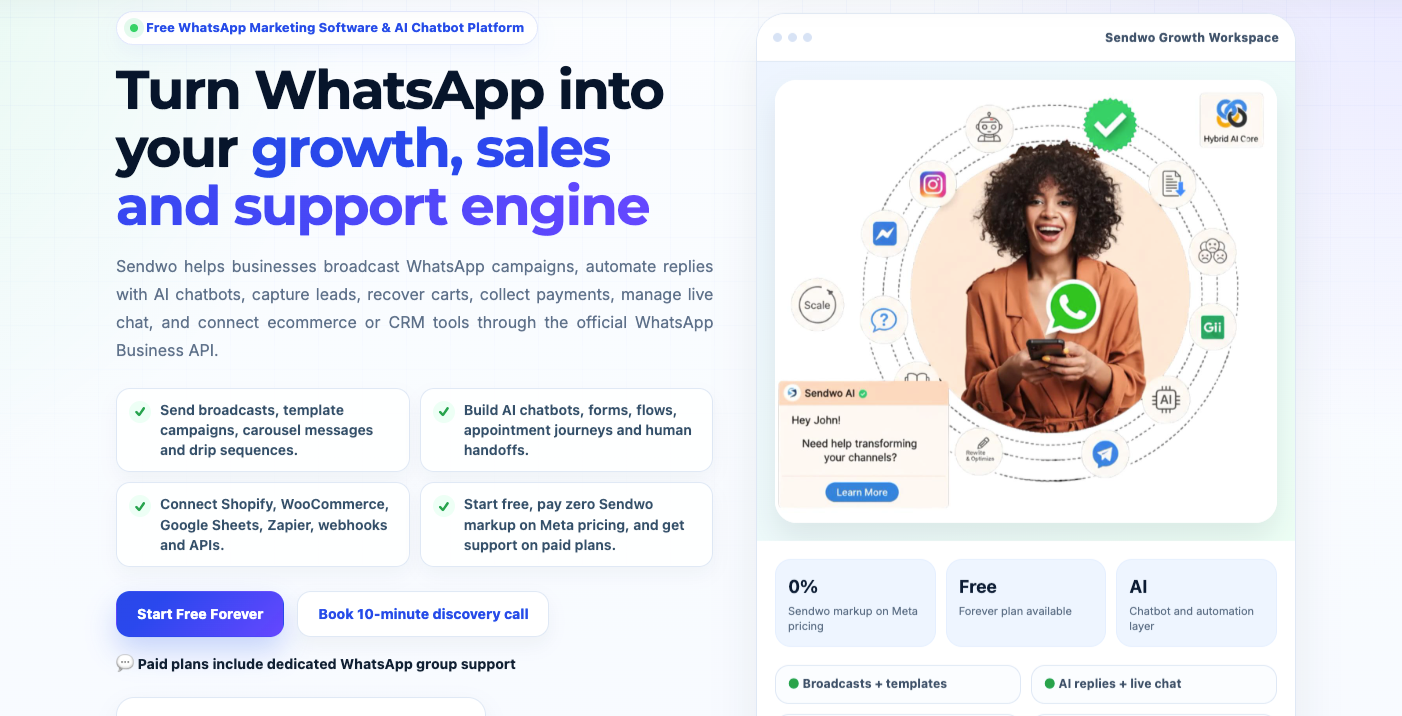
Best for: SMEs, agencies, ecommerce brands, coaches, education businesses, healthcare clinics, real estate teams, local businesses, and teams that want WhatsApp marketing with transparent pricing and omnichannel growth.
Channels: WhatsApp, Instagram, Facebook Messenger, Telegram, and website chat on paid plans.
Price: Sendwo has a free forever plan. Yearly paid pricing starts from $23/month for Starter, $47/month for Pro, and $67/month for Enterprise. Businesses should always check the latest Sendwo pricing page before buying.
Sendwo is the strongest AiSensy alternative for businesses that want a practical WhatsApp marketing software platform with transparent pricing, AI chatbot automation, ecommerce workflows, campaign tools, and multichannel messaging.
Sendwo helps businesses run WhatsApp broadcast campaigns, build a WhatsApp chatbot, manage conversations through a shared team inbox, automate replies using Sendwo AI, and connect ecommerce workflows through Shopify, WooCommerce, catalog, forms, and flows.
The biggest reason Sendwo deserves the first position is pricing clarity. Sendwo publicly states that it charges 0% markup on official WhatsApp Business API pricing. That matters because the real cost of WhatsApp marketing is not only your platform subscription. It also includes WhatsApp API/message charges, extra users, chatbot requirements, campaign volume, ecommerce workflows, integrations, and support needs.
Sendwo is also stronger for businesses that want to expand beyond WhatsApp. AiSensy is primarily WhatsApp-first, while Sendwo lets businesses grow from WhatsApp into Instagram, Facebook Messenger, Telegram, and website chat on paid plans.
Sendwo is especially useful for teams that want WhatsApp broadcasts, chatbot automation, Click-to-WhatsApp ads, WhatsApp website widgets, ecommerce integration, unlimited custom fields and segments, AI bot features, live chat, and campaign reporting in one system.
Choose Sendwo if you are an SME, D2C brand, agency, education business, real estate team, consultant, healthcare clinic, or service company that wants WhatsApp marketing, chatbot automation, multichannel messaging, ecommerce workflows, and transparent pricing without unnecessary API markup.
CTA: Start Free with Sendwo or book a 10-minute discovery call.
Best for: Growing D2C brands, support teams, and businesses that want a mature WhatsApp-first product with sales, support, campaigns, and automation.
Channels: WhatsApp, Instagram, Facebook, QR code, widget, and wa.me workflows depending on plan.
WATI is one of the best-known WhatsApp Business API platforms for sales, support, and marketing automation. It supports WhatsApp setup, team inbox, broadcasts, Click-to-WhatsApp ads, automation, Shopify-related workflows, and integrations.
WATI can be a good AiSensy alternative for businesses that want mature WhatsApp-first workflows, especially if they are already running campaigns, ads, and support operations on WhatsApp.
Best for: Indian SMBs, sales teams, and D2C businesses that want WhatsApp CRM workflows.
Channels: WhatsApp and Instagram depending on plan.
Interakt is a WhatsApp-first CRM, marketing, and support automation platform. It is popular among Indian SMBs because it combines WhatsApp inbox, sales pipelines, automation, lead routing, and ecommerce workflows.
Interakt can work well for businesses that want to centralize WhatsApp leads, assign conversations, automate notifications, and track sales pipelines.
Best for: Automation-heavy teams that want WhatsApp chatbots, broadcasts, shared inbox, WhatsApp forms, and sales automation.
Channels: WhatsApp-focused with multiple integrations.
Gallabox is a WhatsApp automation platform built for teams that want structured automation without building everything from scratch. It includes useful connectors like Google Sheets, Razorpay, and Shopify in selected plans, while higher plans can include more advanced integrations such as Zoho CRM, HubSpot, and API calls.
Best for: Shopify-led D2C brands that want WhatsApp marketing and omnichannel customer support in one platform.
Channels: WhatsApp, Instagram, Facebook, email, and live chat.
DelightChat is more support-first than many WhatsApp marketing tools. It combines a customer support inbox with WhatsApp Business API, Instagram, Facebook, email, live chat, Shopify order data, AI support workflows, promotional broadcasts, abandoned cart recovery, COD verification, order confirmation, fulfillment messages, reviews, and winback campaigns.
Best for: Ecommerce brands that want WhatsApp automation for customer engagement, retention, abandoned carts, COD-to-prepaid conversion, and post-purchase journeys.
Channels: WhatsApp-focused.
QuickReply.ai is built for ecommerce brands that care about retention journeys, abandoned carts, COD-to-prepaid conversion, RTO reduction, repeat purchases, and migration support.
Best for: Shopify stores, D2C brands, and businesses that want WhatsApp as a commerce, catalog, and checkout recovery channel.
Channels: WhatsApp-first, Shopify-led, with add-ons depending on plan.
Zoko is a commerce-first WhatsApp platform built strongly around Shopify. It is excellent for Shopify stores that want WhatsApp catalog sync, broadcasts to Shopify segments, prebuilt Shopify flows, shared inbox features, and commerce journeys.
Best for: Sales teams that need a WhatsApp-like mobile-first CRM with team inbox, broadcasts, catalogs, analytics, mobile access, and sales workflows.
Channels: WhatsApp.
DoubleTick is a WhatsApp Business API platform positioned around team inbox, broadcasts, catalogues, analytics, mobile access, and sales workflows.
Best for: Larger teams that need omnichannel messaging, workflows, AI agents, reports, ads integrations, webhooks, and CRM-style lifecycle management.
Channels: WhatsApp, chat, email, social channels, and more depending on setup.
Respond.io is not only a WhatsApp tool. It is a broader customer conversation platform for teams that manage multiple messaging channels, automation, AI agents, reporting, lifecycle workflows, and team operations.
Best for: Large enterprises, developers, ISVs, fintech brands, banks, and businesses that need scale, APIs, and custom conversational messaging infrastructure.
Channels: WhatsApp and broader conversational messaging ecosystem depending on setup.
Gupshup is a large conversational messaging and AI platform used for WhatsApp and broader messaging infrastructure. It is better suited to enterprises, developers, ISVs, and businesses that need scale, APIs, and custom conversational experiences.
When businesses compare AiSensy alternatives, they usually focus on price and features. But the real success of WhatsApp marketing depends on campaign execution. You need the right templates, timing, segmentation, and follow-up strategy.
Sendwo can be used for different WhatsApp campaign types, including lead follow-up, abandoned cart recovery, COD confirmation, order updates, webinar reminders, appointment reminders, reactivation campaigns, festive offers, course inquiries, real estate site visit reminders, healthcare appointment follow-ups, and ecommerce retention campaigns.
Here are a few campaign examples businesses can build using Sendwo:
| Campaign Type | Example Use Case | Recommended Sendwo Page |
|---|---|---|
| Abandoned cart recovery | Send a WhatsApp reminder to users who added products but did not complete checkout | Abandoned cart WhatsApp template |
| COD confirmation | Confirm cash-on-delivery orders before shipping to reduce fake orders and RTO | COD confirmation template |
| Lead generation | Follow up with leads from ads, forms, landing pages, webinars, and events | WhatsApp lead generation templates |
| Broadcast campaigns | Send personalized offers, updates, reminders, and promotions to segmented contacts | WhatsApp campaign examples |
| Template planning | Use ready-to-adapt WhatsApp templates for marketing, utility, and customer communication | WhatsApp template library |
If you are moving from AiSensy or comparing multiple WhatsApp API providers, don’t only ask which tool is cheaper. Ask which tool helps you plan better campaigns, create better templates, segment contacts properly, and improve campaign ROI.
| Business Type | Best Alternatives | Why |
|---|---|---|
| Small businesses | Sendwo, AiSensy, Interakt | Affordable starting point, WhatsApp campaigns, live chat, and easy setup |
| Ecommerce and D2C brands | Sendwo, Zoko, DelightChat, QuickReply.ai | Cart recovery, COD confirmation, order updates, catalog, and retention workflows |
| Agencies | Sendwo, WATI, Respond.io | Multi-client campaigns, automation, reporting, and support workflows |
| Education businesses | Sendwo, AiSensy, Interakt | Admission inquiries, class reminders, fee reminders, demo class follow-ups, and parent communication |
| Healthcare clinics | Sendwo, Interakt, Respond.io | Appointment reminders, patient follow-ups, reports, and customer support |
| Real estate teams | Sendwo, WATI, Interakt | Site visit booking, lead qualification, project updates, and follow-up reminders |
| Developer-led teams | Twilio, Gupshup, Respond.io, Sendwo API | API access, webhooks, custom integrations, and scalable workflows |
For ecommerce brands, the best AiSensy alternative should support cart recovery, COD confirmation, order updates, product catalog, Shopify/WooCommerce automation, customer segmentation, broadcast campaigns, and campaign analytics.
Sendwo is a strong option for ecommerce because it supports Shopify WhatsApp integration, WooCommerce WhatsApp integration, ecommerce catalog workflows, WhatsApp forms, automation flows, and campaign reporting.
If you are not sure what to send, explore Sendwo’s WhatsApp template library, WhatsApp campaign examples, and lead generation templates.
Marketing agencies need more than a normal WhatsApp inbox. They need campaign execution, client account management, template planning, reporting, segmentation, automation workflows, and predictable pricing.
Sendwo is a good choice for agencies because it combines WhatsApp-first marketing with multi-channel automation and paid-plan support. Agencies that manage WhatsApp campaigns for multiple clients can also explore the Sendwo agency partner program.
If your business runs Facebook ads, Google ads, landing pages, webinars, lead magnets, or website forms, WhatsApp can become a strong lead conversion channel. The right AiSensy alternative should help you capture leads, label them, follow up automatically, route chats to the team, and track campaign performance.
Sendwo supports WhatsApp broadcasts, chatbot flows, website chat widget, WhatsApp forms, integrations, and lead nurturing workflows. Businesses can also explore Sendwo for lead generation and WhatsApp lead generation templates to plan better campaigns.
You should compare Sendwo if your current WhatsApp marketing cost feels unclear, if you want 0% Sendwo markup on official Meta WhatsApp API pricing, if you need a free plan to test first, or if your team needs more hands-on support during setup and execution.
You should also compare Sendwo if you want WhatsApp plus Instagram, Facebook Messenger, Telegram, and website chat in one platform, or if your ecommerce team needs Shopify, WooCommerce, catalog, abandoned cart, COD confirmation, and order notification workflows.
If you are already using AiSensy and want to move, check the migrate to Sendwo page to understand the switching path.
If you want the best overall AiSensy alternative in 2026, start with Sendwo. It gives businesses a strong mix of WhatsApp marketing, AI chatbot automation, live chat, ecommerce workflows, multi-channel messaging, WhatsApp forms, flows, integrations, and transparent WhatsApp API pricing with 0% Sendwo markup on official Meta charges.
AiSensy is still a strong WhatsApp-first platform, especially for Indian businesses that want WhatsApp broadcasts, retargeting, live chat, and template campaigns. But if your priority is cost clarity, free-plan access, paid-plan WhatsApp group support, ecommerce automation, AI chatbot workflows, and a platform that can support WhatsApp plus Instagram, Facebook Messenger, Telegram, and website chat, Sendwo is the better first choice to evaluate.
Best next step: create a free Sendwo account, test the dashboard, compare your expected WhatsApp message volume, and then decide whether you need Starter, Pro, or Enterprise support.
Ready to compare properly? Start free with Sendwo, check the pricing plans, or book a 10-minute discovery call.
Sendwo is the best overall AiSensy alternative for SMEs, agencies, ecommerce brands, and growing businesses because it offers a free plan, WhatsApp broadcasts, chatbot features, ecommerce integrations, AI automation, omnichannel messaging, paid-plan support, and 0% Sendwo markup on official Meta WhatsApp API pricing.
Sendwo is better for businesses that want WhatsApp marketing with 0% Sendwo markup on official Meta WhatsApp API pricing, AI chatbot automation, ecommerce workflows, paid-plan support, and omnichannel messaging across WhatsApp, Instagram, Facebook Messenger, Telegram, and website chat. AiSensy is a strong WhatsApp-first platform, especially for Indian businesses focused mainly on WhatsApp campaigns.
Yes. AiSensy offers a Free Forever plan. Businesses should still check plan limits, WhatsApp message charges, chatbot flow pricing, users, tags, custom attributes, and campaign features before choosing it for serious WhatsApp marketing.
Yes. Sendwo has a free forever plan for individuals, small businesses, and teams that want to learn, test, or run small WhatsApp marketing use cases before upgrading.
No. Sendwo charges 0% markup on official Meta WhatsApp Business API pricing. Businesses pay for the Sendwo software subscription separately, while WhatsApp API charges remain separate based on official Meta usage.
Yes, in most cases you can migrate your WhatsApp Business API number, but the process depends on your current WABA ownership, business verification, provider policies, template setup, and the new platform’s migration support. Always confirm number migration, green tick status, messaging tier, template handling, and billing setup before switching.
Sendwo, DelightChat, Zoko, and QuickReply.ai are strong options for Shopify stores. Sendwo is a good choice for businesses that want Shopify and WooCommerce workflows plus broader WhatsApp marketing, ecommerce catalog, automation, AI chatbot, and multi-channel messaging.
Sendwo is one of the best AiSensy alternatives for omnichannel messaging because paid plans support WhatsApp, Instagram, Facebook Messenger, Telegram, and website chat from one WhatsApp-first platform. Respond.io is also strong for larger teams that need a broader omnichannel communication system.
Sendwo is a strong fit for agencies because it supports WhatsApp, Instagram, Facebook Messenger, Telegram, and webchat, along with chatbot automation, broadcasts, ecommerce integrations, templates, segmentation, and support options.
Sendwo is a strong AiSensy alternative for ecommerce brands because it supports Shopify and WooCommerce workflows, ecommerce catalog, abandoned cart recovery, COD confirmation, order updates, WhatsApp forms, and campaign automation.
Markup policies vary by provider and plan. Sendwo publicly states 0% markup on official WhatsApp API pricing. Other platforms may charge platform fees, message fees, add-ons, or rate-card-based charges, so verify pricing before purchasing.
Before switching, check your WhatsApp number ownership, WABA access, template migration needs, contact export, campaign history, chatbot flows, current message volume, and support requirements. You can also review the migrate to Sendwo page before moving.
The world is changing crazy with AI agents and chatbots. Out of everything in this tech, to reach out to customers, WhatsApp is growing as the front end of these chatbots. What is WhatsApp chatbot? In today's fast-paced digital world, customers expect quick and convenient communication with businesses. WhatsApp chatbots have emerged as a powerful solution to meet this demand. With WhatsApp now serving over 2 billion users across 180+ countries, companies are eager to engage customers on this popular messaging app. In fact, 83% of consumers use messaging apps like WhatsApp to ask businesses about products, and 75% of them end up making a purchase after getting a response
This article will explain what is WhatsApp chatbot, how it works, and why it’s a game-changer for businesses. We'll also cover the benefits, use cases, and a step-by-step guide to creating your own WhatsApp chatbot. By the end, you'll see how easy it is to get started – and how you can create a WhatsApp chatbot with Sendwo to enhance your customer communication.
A WhatsApp chatbot is an automated computer program that simulates human-like conversations with users on WhatsApp. In simple terms, it’s a chat bot that lives in WhatsApp, allowing businesses to automatically respond to messages from customers. Users interact with a WhatsApp chatbot through the familiar chat interface, just as they would talk to a real person. Behind the scenes, the bot can be powered by predefined rules or artificial intelligence (AI) to understand questions and provide answers in real time.

These chatbots connect to WhatsApp via the WhatsApp Business Platform (API) – the official interface that enables automation on WhatsApp.
In essence, a WhatsApp chatbot acts as a 24/7 virtual assistant for your business on WhatsApp. It can handle customer service, sales inquiries, and more without human intervention. For example, a well-built WhatsApp bot can automatically:
All of this happens in a chat conversation, making the experience interactive and personal. The automation is powered through the WhatsApp Business API, which allows the chatbot to send and receive messages on your behalf. (This is different from the standard WhatsApp Business app, which is meant for manual use on a single phone. A chatbot needs the API to function, especially for medium and large-scale operations.)
To understand why WhatsApp chatbots are so valuable, consider these eye-opening statistics:
| WhatsApp / Chatbot Statistic | Value |
|---|---|
| Active WhatsApp users worldwide | 2+ billion users (in over 180 countries) |
| Messages sent on WhatsApp each day | ~100 billion messages per day |
| Consumers who message businesses on apps (like WhatsApp) to ask about products | 83% of consumers |
| Consumers who made a purchase after messaging a business | 75% of those inquiries |
| Consumers who prefer texting/chat over calling customer support | More than 50% (and 74% would choose a business with messaging over one without) |
| Businesses that find AI chatbots effective for sales/marketing | 82% of companies |
As shown above, WhatsApp is massively popular, and customers are extremely receptive to communicating with businesses through chat. People open and read WhatsApp messages very quickly (WhatsApp boasts incredibly high open and response rates), often much higher than email or other channels. This makes WhatsApp an ideal place to deploy a chatbot – you’re essentially meeting your audience where they already spend their time.
Integrating a chatbot into WhatsApp Business can bring huge benefits for both your company and your customers. Here are some of the top advantages of using a WhatsApp chatbot in a business setting:

Overall, a WhatsApp chatbot allows your business to do more with less, providing high-quality service to customers at scale. It combines the personal feel of chat with the efficiency of automation. The end result is happier customers, relieved support teams, and potential for greater revenue. No wonder 89% of consumers say they prefer texting with businesses over other communication methods and 74% are more likely to choose a company that offers messaging as a contact option. Adopting a WhatsApp chatbot helps you meet those customer expectations with ease.
Wondering what you can actually do with a WhatsApp chatbot? The possibilities are extensive, spanning across industries from retail to healthcare. Here are some of the most popular use cases and examples of how businesses are leveraging WhatsApp chatbots:
These are just a few examples – there are many more creative ways to use WhatsApp chatbots. From education (answering student queries or sending course updates) to entertainment (interactive quizzes or ticket bookings) to healthcare (symptom checkers or wellness tips), a WhatsApp chatbot can be tailored to virtually any communication scenario. The key is that it provides a quick, interactive, and user-friendly experience. If a task involves exchanging information via conversation, chances are a WhatsApp chatbot can handle it efficiently.
By now, you might be thinking: “This sounds great, but how do I actually build a WhatsApp chatbot for my business?” The good news is that creating a WhatsApp chatbot is no longer a complicated project reserved for big corporations. Thanks to the WhatsApp Business API becoming more accessible (since 2022) and user-friendly chatbot platforms, even small businesses can set up a WhatsApp bot with relative ease. You don’t necessarily need to code or hire developers – there are tools that let you build chatbots with drag-and-drop simplicity. Here’s a step-by-step guide to get you started:
By following these steps, you'll have a functional WhatsApp chatbot ready to interact with customers. It might start simple (like just answering a set of FAQs), but you can gradually expand its capabilities. For example, after launching a basic support bot, you might later integrate it with your CRM to provide order status lookup, or add AI to handle a wider variety of queries. The key is to start with a solid foundation (clear goals and a good platform) and build from there.
Tip: Always keep WhatsApp’s usage policies in mind. WhatsApp requires that users opt-in to receive proactive messages from your business. This means your chatbot can respond to people who message it first or who agree to get notifications, but you shouldn’t spam users who haven’t consented. Also, purely promotional outbound messages (like cold sales blasts) are generally not allowed unless using approved message templates and within 24-hour reply windows. Fortunately, if you stick to helpful customer service and follow-ups, your WhatsApp chatbot will operate within allowed use. Providers like Sendwo can help enforce these rules so you don’t have to worry – for instance, by managing template submissions for WhatsApp approval before you send broadcast messages.
A WhatsApp chatbot can revolutionize the way you engage with your customers – offering instant support, personalized interactions, and efficient service around the clock. Best of all, you don’t need to be a tech wizard or a large enterprise to get started. With user-friendly solutions like Sendwo, building a WhatsApp chatbot is within reach for businesses of all sizes. Sendwo's platform enables you to set up a powerful WhatsApp chatbot without writing a single line of code. You can design conversation flows visually, integrate AI for intelligent responses, and connect your bot to the official WhatsApp Business API seamlessly.
Take the next step: If you’re excited to improve customer communication and boost your business with a WhatsApp chatbot, try creating one with Sendwo. The process is straightforward – you can sign up and start for free, build and test your bot, and go live on WhatsApp in no time. Sendwo even offers features like AI training (so your bot can understand complex questions) and bulk messaging for campaigns, all in one platform. Don’t let your competitors get ahead in the messaging game. Empower your business with a WhatsApp chatbot today and meet your customers where they already are. With Sendwo’s help, you’ll deliver fast, engaging, and effective conversations that keep customers coming back. Get started now, and watch your customer satisfaction and business growth reach new heights!
Integrate Sendwo with your website or app using the new Sendwo API. This allows you to send WhatsApp messages, including OTPs, directly from your platform. This article provides a step-by-step guide on sending WhatsApp OTP messages via the API.
To get your API key, go to the Sendwo dashboard, click on your user account, and select "API Developer." Then, click the "Generate API Key" button.
User Account > API Developer > Generate API Key

WhatsApp offers two APIs: the Send API and the Subscriber/Contact API. This example demonstrates sending a WhatsApp message using the Send API, specifically using a PHP script to deliver an OTP.
For business-initiated messages or messages sent outside the 24-hour customer service window, a pre-approved message template is required. While direct messaging is possible with users active in a 24-hour chat window, template messages can be sent to any user, even those added manually as subscribers.
To create a message template, go to your WhatsApp account's Message Template section within the WhatsApp Bot Manager.
WhatsApp > Bot Manager > Select Bot Account > Message Template
We'll start by creating a variable for our message template. This is necessary because each user will receive a unique OTP. To create the variable, click the "Create" button in the Template variables section.

Give a name for the variable and click on the save button. Now, from the message template settings click on the “Create” button to create a template.

Once the previous step is finished, a template creation form will appear. Provide a name and locale for the template. Select the appropriate category, and since this is an OTP template, choose "OTP" as the type. Adding a header is optional; if desired, select the "Header" type.
Compose the message in the body, including the generated OTP variable by selecting it from the provided list. A footer is also optional. Since this template doesn't require buttons, leave the footer setting as "None." Finally, click the "Save" button.

The template should be in the list after it has been created.

Click the check status button to discover if the template has been approved or not. They must immediately approve or disapprove.

Yes, the template was created and approved successfully.
To generate an API endpoint for sending a template message, navigate to "Generate API End-point : Send Template Message (GET)". Select the desired WhatsApp account (using your WhatsApp phone number) and choose the "OTP message template" from the available templates. This will use the template you recently created.

As soon we select the Message template it will ask us to put a name for it. Just put OTP on the field and click on the “Get API end-point”.

It will generate the API End-point. We will use this code in the PHP script to send OTP messages to WhatsApp users.

In the PHP script, we will put this generated code into a variable. Then we need to write a few lines of code.
$url="https://sendwo.com/api/v1/whatsapp/send/template?apiToken=1|bF90hdFU4Mm2uFxIFDbvvEIcxYqweyJuwrO25yEM&phoneNumberID=100761702762631&botTemplateID=712&templateVariable-OTP-1=OTP-VALUE&sendToPhoneNumber=SEND-TO-PHONE-NUMBER";


    $ch=curl_init();
    curl_setopt($ch, CURLOPT_URL, $url);
    curl_setopt($ch, CURLOPT_RETURNTRANSFER, true);
    curl_setopt($ch, CURLOPT_SSL_VERIFYPEER, false);
    echo $response=curl_exec($ch);

?>
We need to change the OPT-VALUE and SEND-TO-PHONE-NUMBER from the API end-point to variables. Just like below.

The final code will look like this after updating the values with variables.
$otp= random_int(10000, 99999); $send_number="8801722977459";
$url="https://sendwo.com/api/v1/whatsapp/send/template?apiToken=1|bF90hdFU4Mm2uFxIFDbvvEIcxYqweyJuwrO25yEM&phoneNumberID=100761702762631&botTemplateID=712&templateVariable-OTP-1={$otp}&sendToPhoneNumber={$send_number}"; $ch=curl_init(); curl_setopt($ch, CURLOPT_URL, $url); curl_setopt($ch, CURLOPT_RETURNTRANSFER, true); curl_setopt($ch, CURLOPT_SSL_VERIFYPEER, false); echo $response=curl_exec($ch);
?>
[ Use must use your generated API End-point ]
If we just run this code, the message should be delivered to the WhatsApp number.
So, this is how we can utilize the WhatsApp API of Sendwo to deliver OTP messages to WhatsApp numbers.
Automate your messaging and boost engagement with the Sequence Message feature. This powerful tool lets you create timed sets of messages, perfect for nurturing leads, improving customer relationships, and running effective marketing and promotional campaigns through your messenger chatbot.
Sendwo's Facebook Chatbot platform offers a Sequence Message feature, allowing you to schedule automated message campaigns within Messenger. These campaigns deliver messages at specific time intervals determined by the administrator. This guide will demonstrate how to effectively utilize this feature.


To set up your bot flow:


Let's set up our timed message sequence. First, for each message, you'll need to add an image box (for uploading an image), a text box (for your message), and a button (for a link).
Finally, click "Save" to finalize your sequence.
Let's now examine the customer's experience and how this sequence unfolds. Because the customer receives three consecutive messages, this segment is divided into three stages.

Once you see the "Getting Started" message and enter the trigger word, initiating the first message, click the "Get Notification" button. You should receive the first message within an hour. Let's check back then.

We received our first message, "Learn how to set up a persistent menu in Facebook Messenger," an hour after subscribing. Click "Watch the Tutorial. It will take us to the URL for the tutorial video. Thus, this button works. Let’s come tomorrow for the next message.

Our second message is, 'Learn How to Send Sequence Messages.' Clicking the 'Watch the Tutorial' button will take you to a video tutorial.

The final message arrived 48 hours (two days) after the first. This demonstrates the power of scheduled sequence messages on Facebook Messenger. This marketing feature allows messenger chatbots to engage customers at specific intervals, boosting sales and driving business growth through targeted marketing and promotional campaigns.
Say goodbye to manually responding to every Instagram message!
AI chatbots have revolutionized how businesses interact with their audience. With Sendwo's Instagram AI chatbot, you can now offer instant, personalized customer experiences – all without any coding knowledge.
This article will guide you on creating a free Instagram AI chatbot in 2025. We'll show you how to maximize its effectiveness and build stronger customer connections.
Sendwo empowers you to create a chatbot on Instagram for free. Let's dive in!

To begin, connect your Instagram account by going to the 'Connect Account' section within Sendwo. Select the 'Login with Facebook' option. Since Instagram is linked to Facebook, you'll need a Facebook page associated with your Instagram Business Account. Once this is established, connecting your Instagram to Sendwo is straightforward.

To create a bot go to the Instagram Bot Manager section and select an account from the left side. From the Bot Reply section click on Create. It will take you to the instagram drag and drop flow builder.
Double click on the Start Bot Flow and provide some keywords that will trigger the bot. Next, provide a suitable title for the bot.

Customize your bot's behavior:
Integrate with other tools:
Save your settings: Click "Save" to apply your changes.
Compose your next message:

To use this template:

Click the 'Add' button to create two additional buttons. This will give us a total of three buttons. Now, let's customize each button according to its intended function.

Define a button with a specific name.
Click 'Save' to finalize these button actions.

Now click on the first button and take a Carousel. Open the carousel and save to activate it.

This section features three individual carousels, each accompanied by a dedicated button.
To rearrange the order of the carousels:
Once you are satisfied with the arrangement:
Let’s go to instagram and see how the bot is working.


To activate the bot, type the trigger word 'start'. You'll see a response. Click 'Pricing Plans' to learn more.
As you can see pricing plans are displayed in a carousel template provided by the Instagram chatbot. Swipe left to explore them.
Instagram's global popularity makes it a prime platform for marketing, promotion, and sales. Sendwo empowers businesses to maximize their Instagram presence. Simply sign up for a free trial account and create your Instagram chatbot today.
Sendwo's Instagram chatbot automates responses to customer inquiries, boosting engagement and speeding up response times.
The ai chatbot can handle FAQs, product inquiries, order tracking, and general customer support questions.
Yes, the AI chatbot can send automated promotional and sales messages to engage your audience and drive sales.
Are you losing leads due to missed Facebook messages and struggling to provide consistent customer support? A Facebook Messenger chatbot can help!
This blog post will show you how AI-powered chatbots can improve your customer support. We'll walk through creating a simple Facebook Messenger chatbot in just 5 minutes using Sendwo. Plus, we'll explore how Facebook live chat can empower your team to deliver even better support.
A Facebook Messenger Chatbot is a tool that allows you to automate responses to common customer questions directly within Facebook Messenger. By setting up pre-defined replies, the chatbot can instantly answer frequently asked questions, freeing up your time to focus on other critical business tasks. Essentially, it acts as a virtual assistant, handling routine inquiries so you don't have to.
Signing up for Sendwo is a breeze! Simply visit https://bot.sendwo.com/register, enter your name, email, and password, and agree to the terms and conditions. Then, click the sign-up button, and you're all set.
To connect your Facebook account, navigate to "Connect Account" within the Facebook section. At the top of the screen, click the "Log In With Facebook" button. This will link your Facebook account to Sendwo, enabling you to create Messenger chatbots.

Create a simple chatbot in just 5 minutes! This blog post will show you how. Imagine you're an online English tutor selling a guidebook and online course. A chatbot can be a great way to boost sales. I'll walk you through creating one quickly and easily.
First, navigate to "Bot Manager" under the "Connect Account" option.
Next, if you have multiple Bot Accounts, select the one where you want to create your bot.
Finally, under "Bot Reply," click "Create" to start building your bot flow.

After clicking on the create button. You will be redirected to the visual flow builder. And at first you will need to set up the Start Bot Flow component.
Clicking "Create" takes you to the visual flow builder. Start by configuring the "Start Bot Flow" component. First, set trigger keywords (e.g., hi, hello, hi there) that will activate your chatbot when used in user messages.
Give a title to your bot.
Organize your user base within the "Start Bot Flow" by using labels to categorize users. Easily add or remove labels to manage your users effectively.
- Automated Sequences: Engage bot users with integrated message sequences.
- Team/Agent Routing: Direct conversations to the appropriate teams or agents for personalized support.
- Google Sheets Sync: Transfer user data to Google Sheets for analysis and tracking.
When everything is rounded up your Start bot flow Component will look like this:

Once the Start Bot Flow component is set up, we'll create a welcome message for users who trigger the bot with the keywords we've defined. To do this, right-click on the canvas, select the Text component, and type your message in the text input field. Feel free to use my welcome message as a starting point!
“Hi! Welcome to Fluent Horizons
Want to improve your English language?
Get a FREE guide to common grammar mistakes now.”

To provide customers with the option of either receiving a guidebook or starting an online course, we need to add two buttons to our text component.
Drag two buttons from the Add Button socket.
Double-click on the first button to configure it. Give the button a name, such as "Get the Guide".
This button allows you to configure several actions when pressed:
From there, you can:
The same way we are going to add another button and let's name it “Start Online Course”.

To improve the user experience, our chatbot will now ask clarifying questions based on whether a user chooses the guide or the online course. We'll use the User Input Flow component to collect this information and provide more tailored responses. Here's how it works:
First, use the "Send data to Google Sheets" option to enable data storage in your Google Sheet.
Next, create a user input flow called "Online English Course Input Flow" to gather information from those who choose "Start Online Course."
Finally, you can now collect general user information, including phone numbers and emails.
Start by dragging the "Question" component from the component library. Drop it onto the first step of your user input flow. The question component will be added for you.
Configure the Question:
Now, to complete the process, we'll add a Thank You Message component to confirm the user's email submission and a File component to instantly provide them with their guide.
In this same way we're going to add two more questions for the “Online English Course Input Flow”.
In the first question input field we're going to select a question type with multiple choices. And in the input field: “We have two shifts available right now. Please select which shift is most suitable for you.”
And for the second question: “Please provide your email address to receive further details and confirm your course enrollment.”
Lastly let's add a thank you message and save the bot flow.

Once you save your bot flow, it goes live. This means your bot will automatically respond to messages from customers who contact your business page or your personal account, depending on where you've configured the bot to operate. You can then observe the bot's interactions and use Sendwo's integrated Live Chat for Facebook Messenger to assist customers whenever they require further help.
Here's how you can use that:
Accessing Facebook Messenger Live Chat:
1. Navigate to the Sendwo dashboard.
2. Select the Live Chat option within the Facebook Section.

This interface allows you to:
How to create messenger chatbot social media for free?
Create a free Messenger chatbot using platforms like Sendwo. Sendwo's visual flow builder allows you to design chatbot flows with ease. While a completely free, enterprise-level chatbot for social media might not be available, Sendwo's free plan provides a valuable foundation for exploring chatbot creation and basic Messenger integration.
How to make a Messenger bot for free in Sendwo?
Sendwo offers 7 days free trial that lets you create a Messenger chatbot. You can use their visual builder to design your bot, add various features, and connect it to your Facebook Page. While not entirely free and unlimited, the 7 day trial plan is an excellent starting point for learning and building with Sendwo.
How to create a chatbot in Facebook Messenger?
Create Facebook Messenger Chatbots effortlessly with Sendwo. This user-friendly tool requires no coding, allowing you to design chatbots that answer customer questions, provide business information, and even process orders directly within Messenger. Simply connect your Facebook page to Sendwo to get started!
Sendwo empowers you to expand your chatbot's capabilities by seamlessly integrating external APIs within the Flow Builder. This powerful feature bridges the gap between Sendwo and other platforms, enabling you to perform a wide range of actions, including data retrieval, form submissions, and user updates.
Sendwo's robust HTTP API integration ensures compatibility with a variety of external platforms, such as WooCommerce and WordPress, streamlining your chatbot's interactions and enhancing its overall functionality. Whether you want to display WooCommerce products in WhatsApp or integrate WordPress posts with WhatsApp, we've got you covered with step-by-step guides:
How to Display WooCommerce Products Inside WhatsApp
How to Display Dynamic List in WhatsApp Interactive Message
To create a new WhatsApp HTTP API connection in Sendwo:
In this section, you will configure the API settings to connect with external services:
https://example.com/api/v1/users/create).In this section, you need to define any required HTTP headers needed to make the API request:
application/json or another content type, depending on the API specifications.Authorization: Bearer
If the API request requires data to be sent in the body (for POST/PUT requests), configure the fields here:
username, first_name, last_name, and email.
Once you have entered all the required fields:
After a successful API connection, you can map the response data back into your workflow:
user_id or email, you can map this back to the subscriber’s profile in Sendwo.
Once your API is integrated and the response mapping is set up, you can now use this API connection within your Flow Builder to trigger API calls at different points in your chatbot’s conversation flow.

Seamlessly integrate external APIs into your Sendwo workflows. This empowers you to automate actions like user creation, subscriber data retrieval, and real-time updates to external systems directly within your Sendwo chatbot flows.
For in-depth guidance on connecting APIs, advanced settings, and troubleshooting, please reach out to our support team or explore our comprehensive help center resources.
Setting up a Signature Message in Sendwo is crucial for professional and consistent customer communication. Signature Messages enhance brand identity, add a personal touch, and maintain consistency in shared team inboxes. Shared team inboxes streamline customer support by enabling seamless collaboration and real-time visibility into agent involvement.
Agents can join and leave chats as needed, optimizing workflow efficiency. Importantly, enabling Signature Messages also activates the "Join Chat" option, ensuring only active agents can respond to customer messages, maintaining order and accountability within the shared team inbox.
Sendwo's Signature Message is a pre-defined message automatically added to the end of your customer conversations. It can include essential details like the agent's name, designation, contact information, and even a personalized closing remark. This feature enhances professionalism, builds trust, and leaves a lasting positive impression on your customers. Creating and customizing Signature Messages is incredibly easy within Sendwo's user-friendly interface.


Each agent can customize their signature:
After configuring your signature message:
Before going live, it’s crucial to test the signature configuration:

1. Can I customize signatures for each agent?
Yes, each agent can personalize their signature within their individual Member Settings.
2. Can I update my signature later?
Absolutely! You can easily modify your Signature Message at any time through either the Configuration or Member Settings panels.
3. Is the Signature Message feature available across all communication channels?
Yes, the Signature Message feature seamlessly integrates with all supported communication channels within Sendwo.
4. What happens when I enable the Signature Message feature?
Enabling Signature Messages also activates the "Join Chat" option. This ensures that only agents who have actively joined the chat can reply to customer messages, maintaining order and accountability within team conversations. Other agents can still observe the conversation without the ability to directly participate.
5. Can agents leave a chat after completing their tasks?
Yes, agents have the flexibility to leave a chat once their involvement is complete, streamlining the workflow and allowing other agents to take over as needed.
Effortlessly enhance your team's communication with Sendwo's easy-to-configure Signature Messages. In just a few simple steps, you can ensure all customer interactions reflect your brand's professionalism and consistency. This is crucial in shared team inboxes, where maintaining a unified tone and branding is paramount.
Get started today! Log in to your Sendwo account and configure your Signature Message now.

